

Published: Apr 21, 2026 by Isaac Johnson
In our last post we explored Hugo static sites with Azure, focusing on Azure Front Door and Storage Buckets. Today, we will look at doing a similar thing in GCP with Hugo and Cloud CDN and Application Load Balancers (ALBs).
The goal here is to compare process and costs and see how they differ. Some of the findings may surprise you.
Let’s start with Cloud DNS…
Cloud DNS
I have an unused domain in Ionos left over from a hackathon, dbeelogs.me
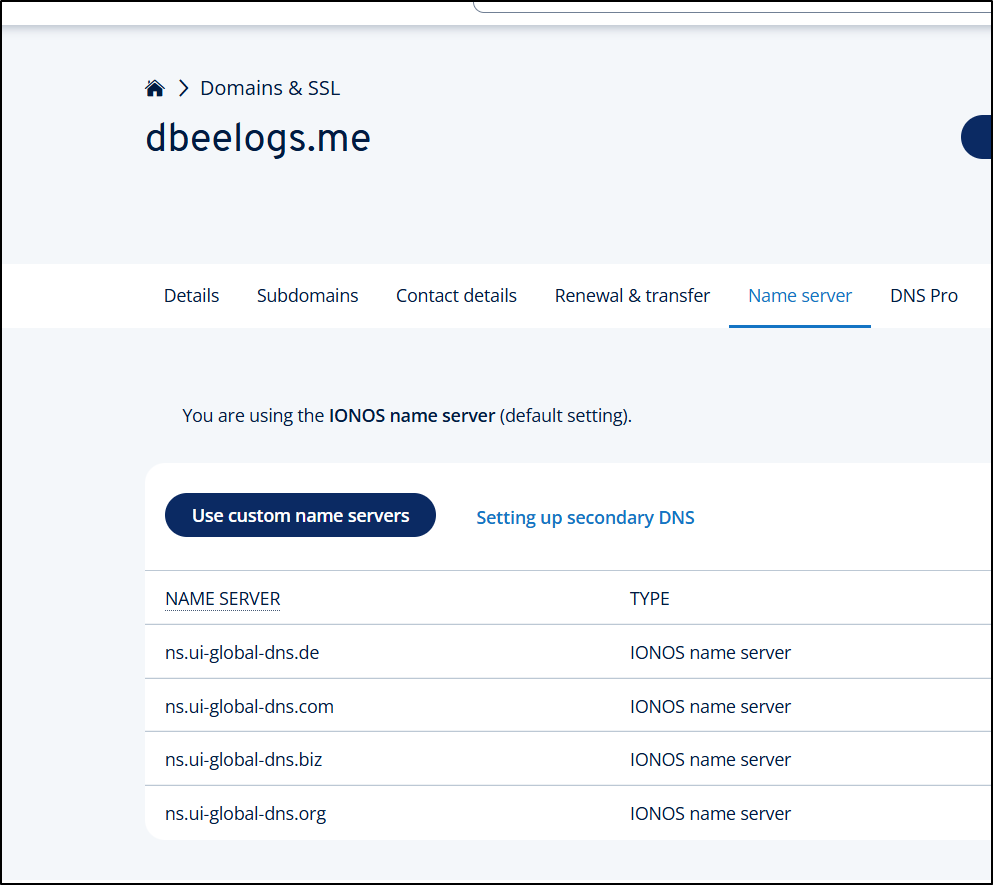
Since I’m not 100% what the end costs might be, let’s do a trial run this with DNS before I register anything new.
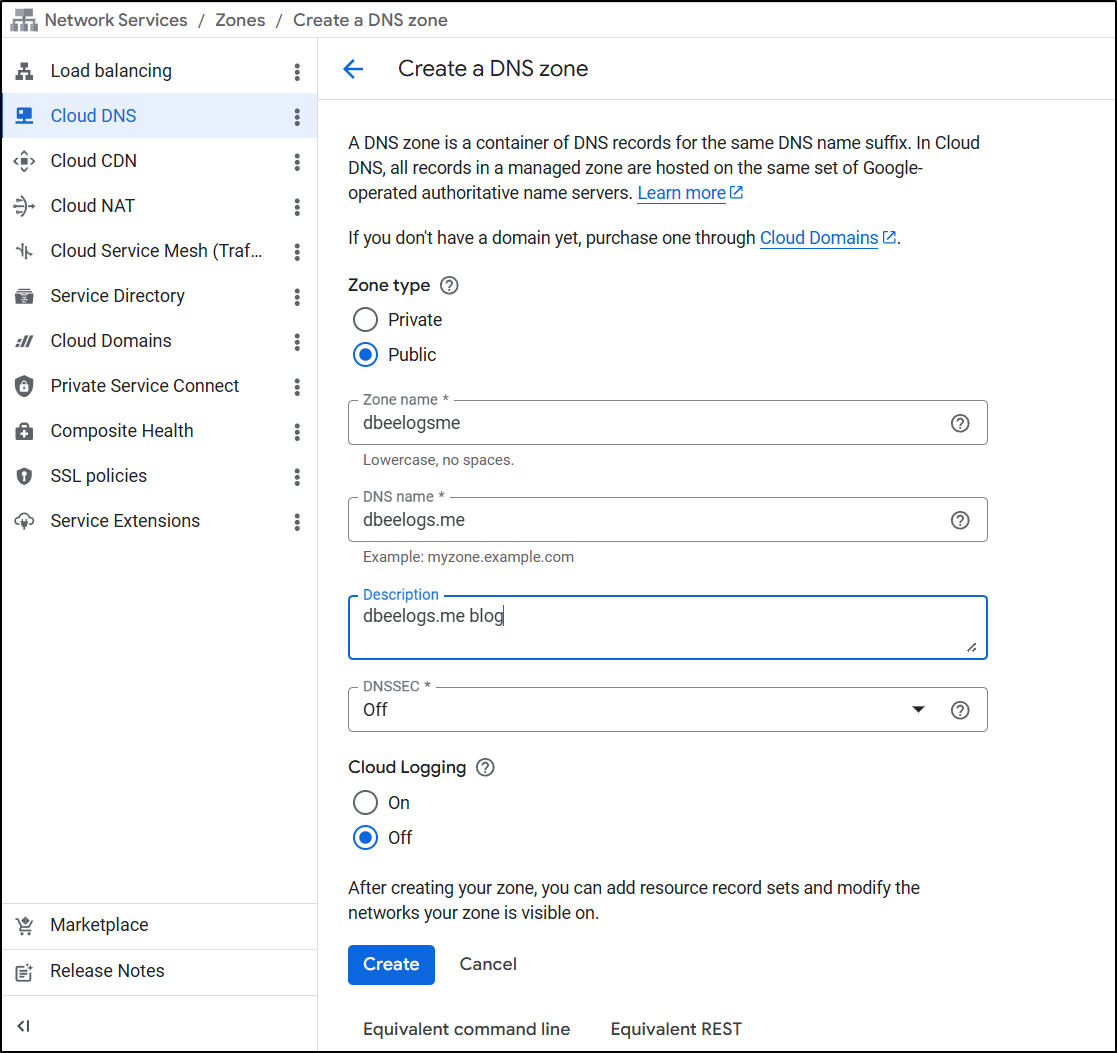
Since I’m trying to do a GCP setup, let’s move that into Cloud DNS for management.
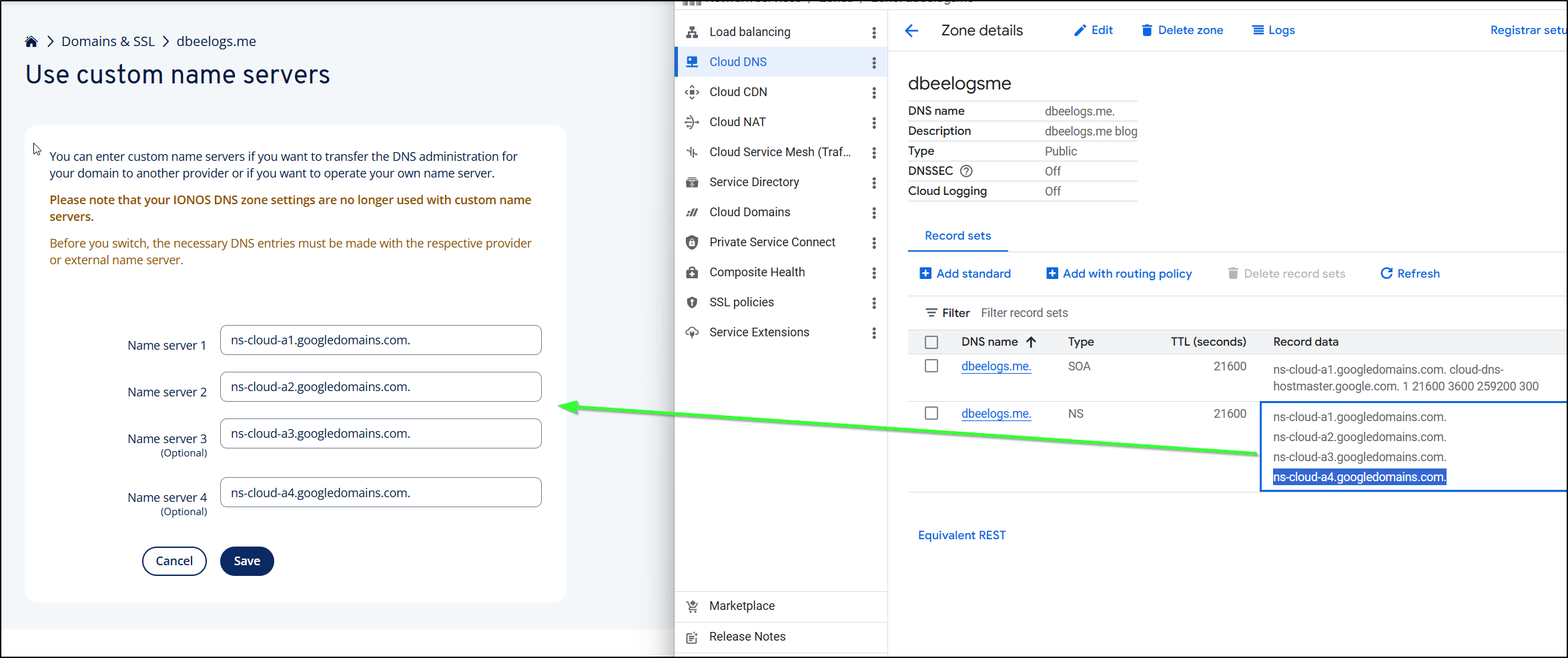
I can then copy the Google DNS server entries over to the Name Servers area in IONOS
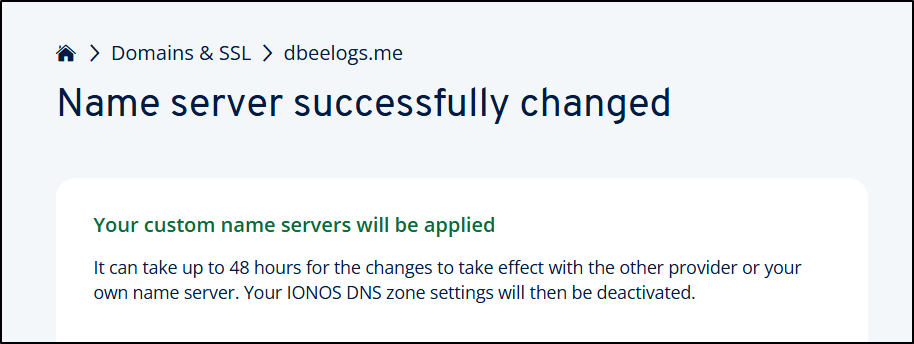
I’m warned this can take 48 hours, but often I find it goes much quicker
Buckets
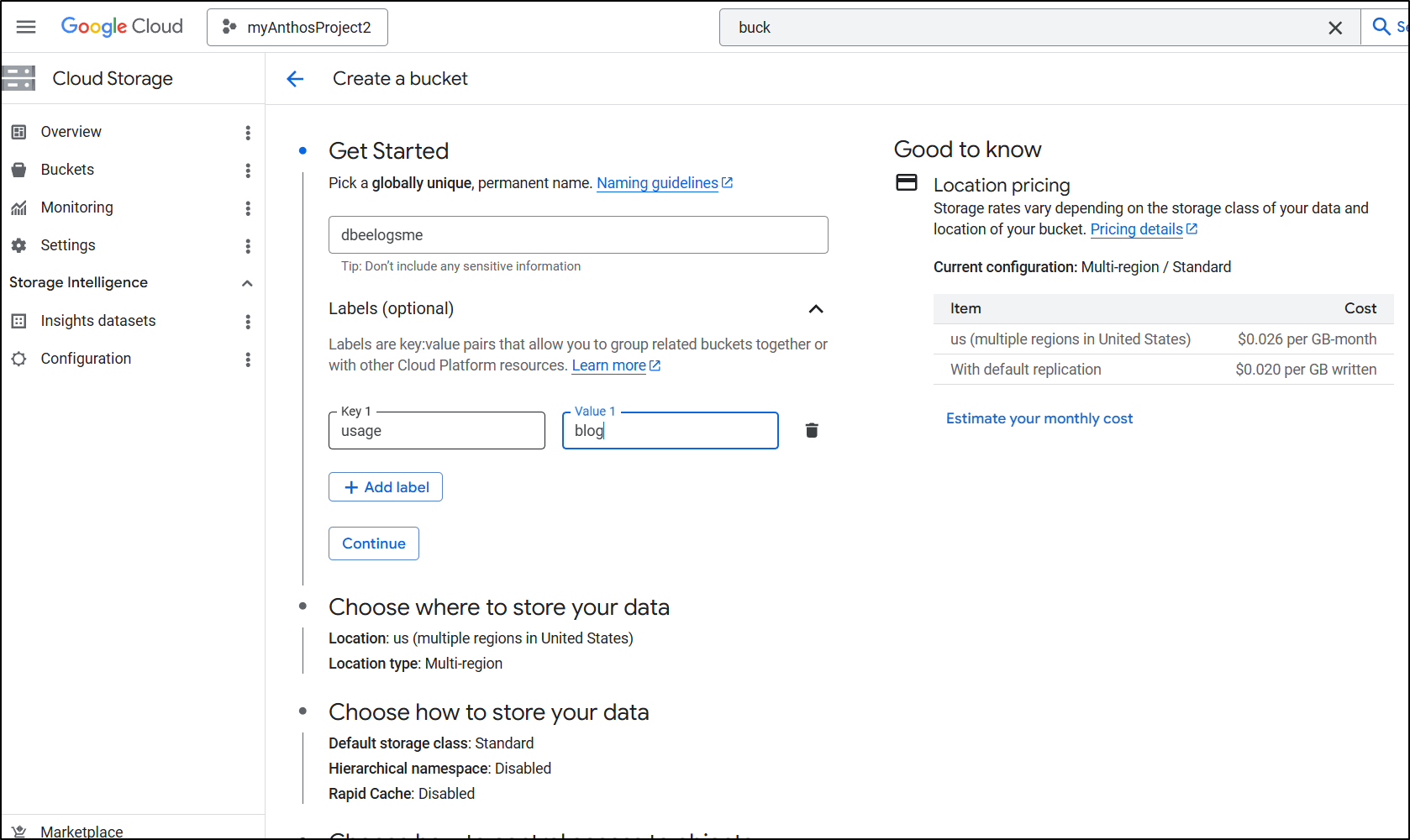
Let’s create a bucket for our site
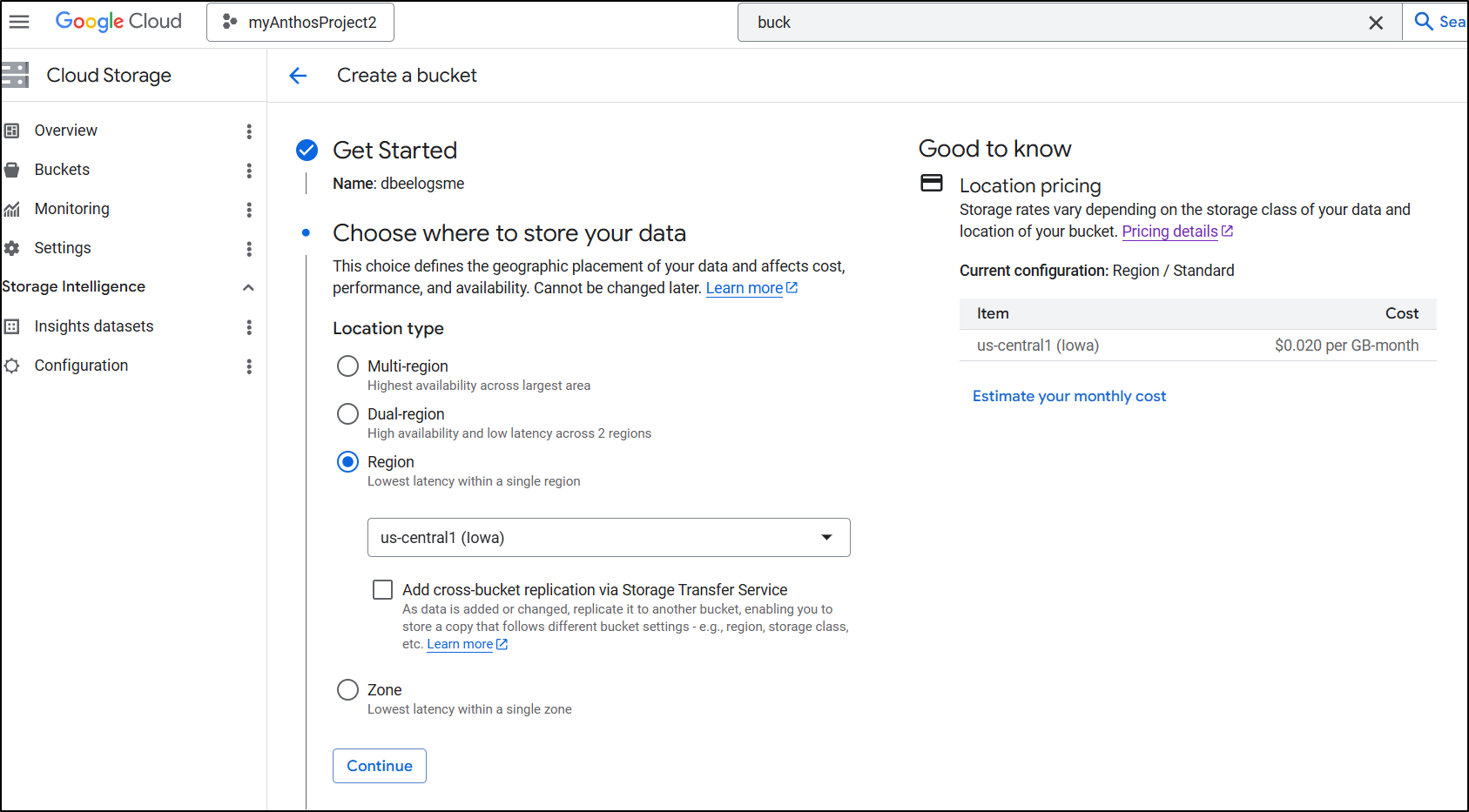
There isn’t really cost savings between zone and region (both are about 2c/gb/month) so I’ll pick a region near me.
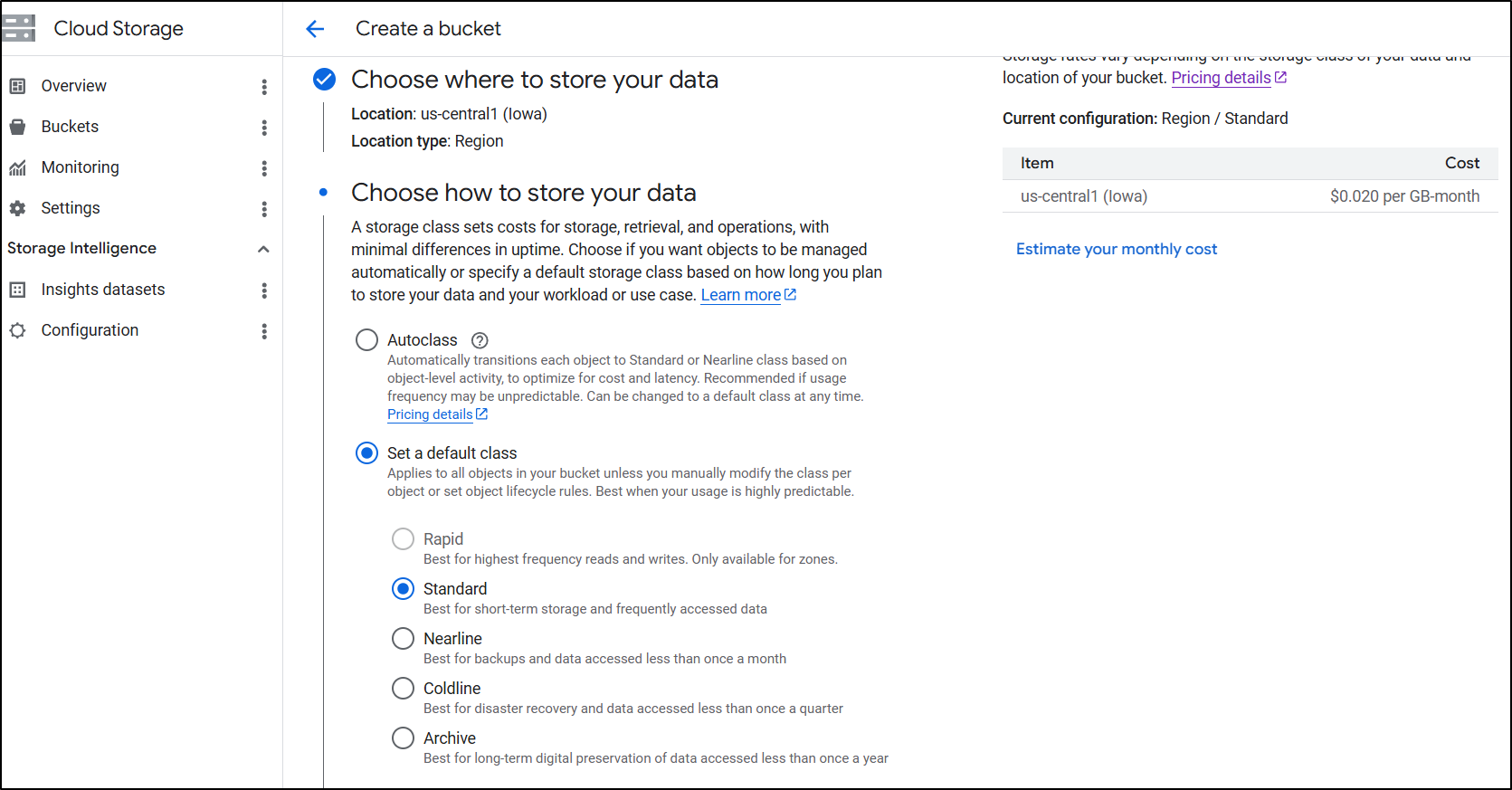
While I am going with Standard for now, for a real blog that would last, “Autoclass” would save money over a long period
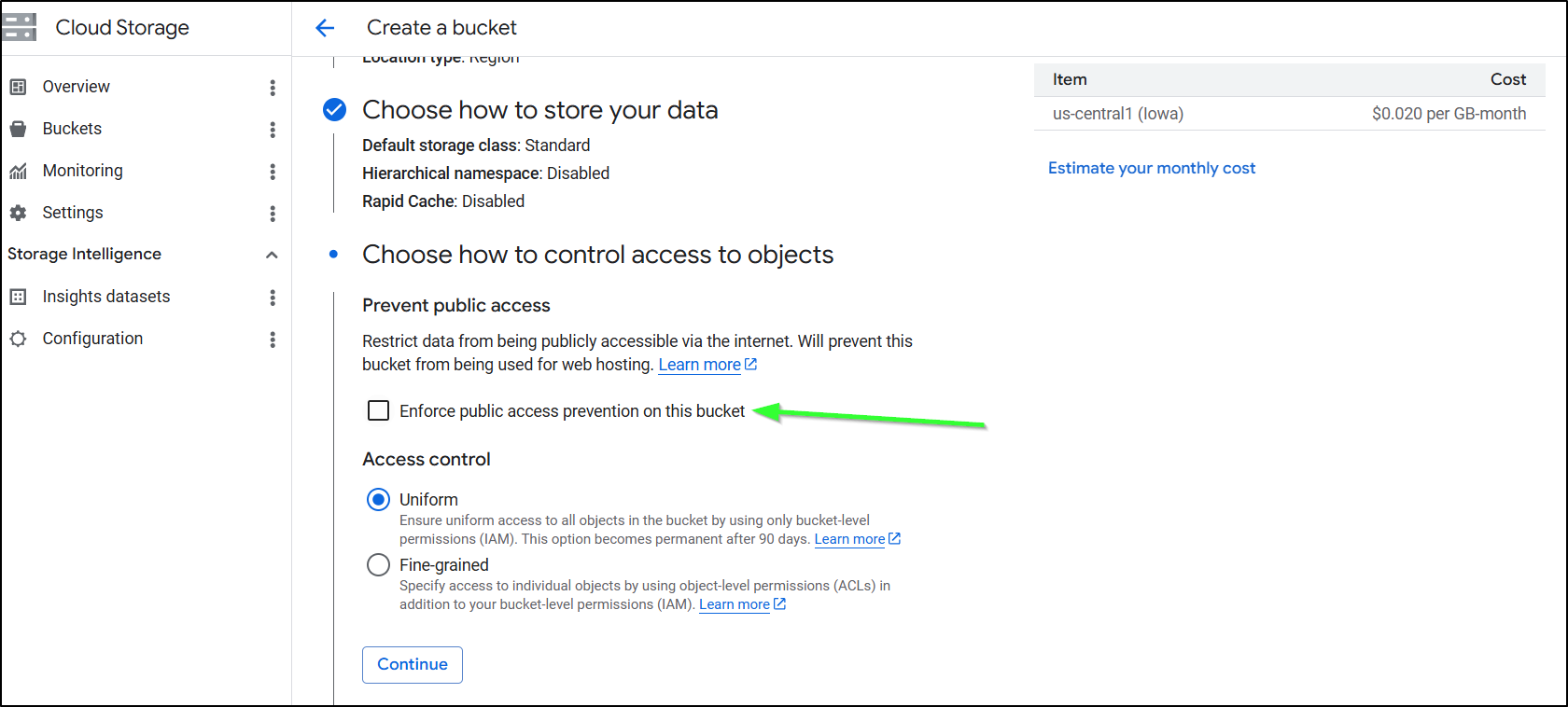
You need to disable/uncheck the ‘enforce public access prevention’. I think the words there could be better but having this box selected means you cant use it for website hosting
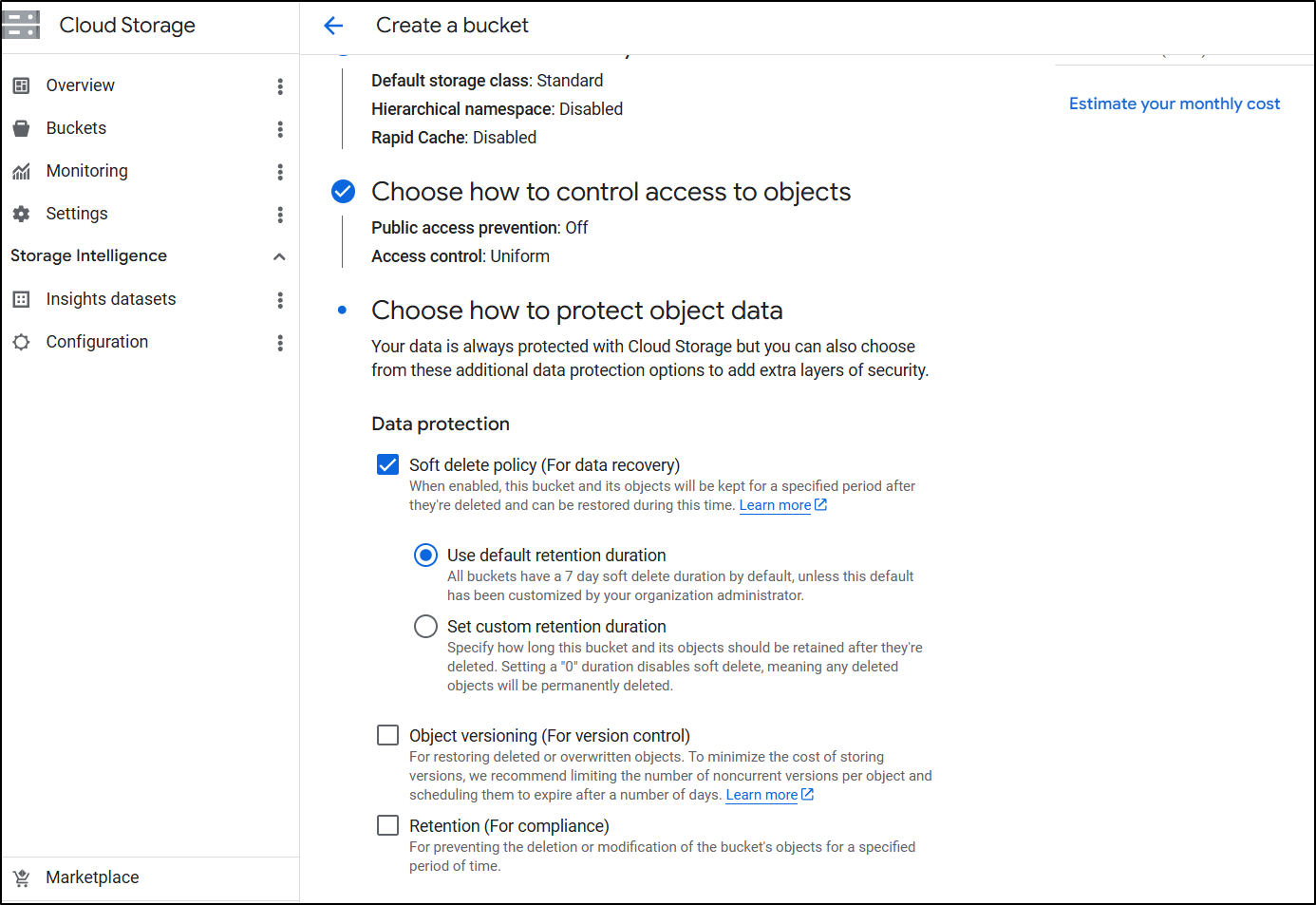
I tend to like Soft delete for data protection. I only use object versioning when storing immutable artifacts
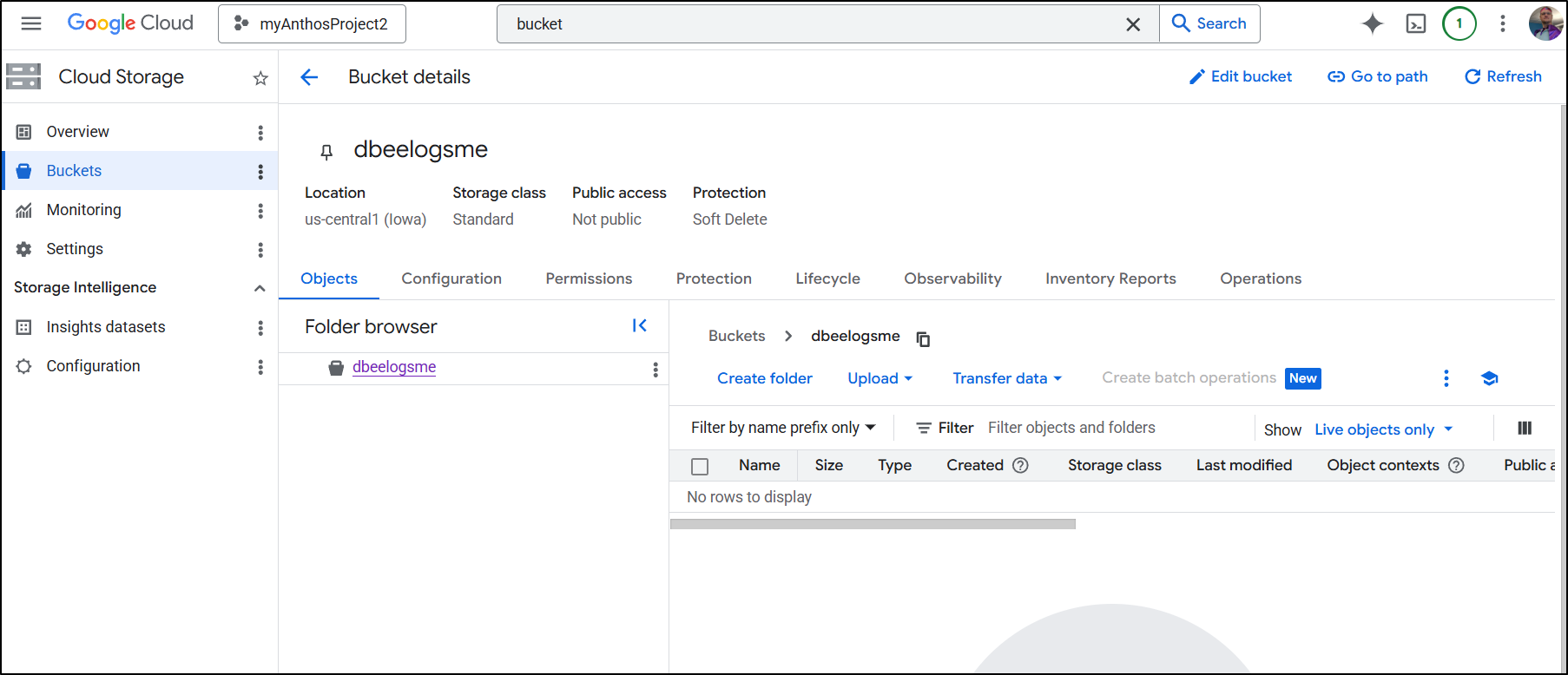
We now have a bucket created we can use with the blog
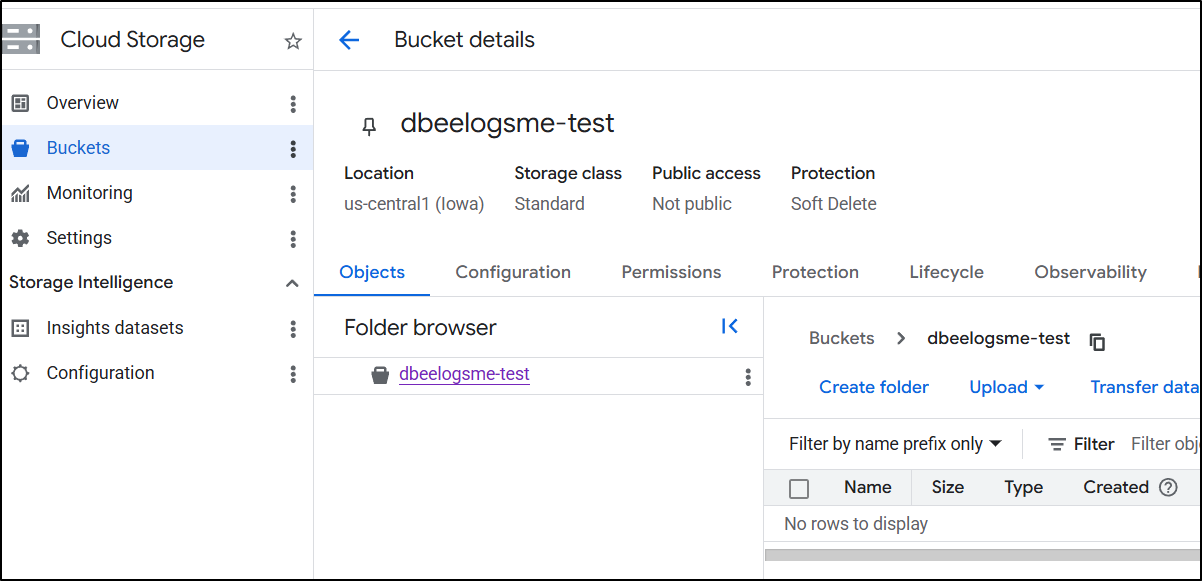
I also made a “test” bucket we’ll use later
Forgejo CICD
At the conclusion of our last post, I had the Workflow set to upload to Azure using an SP
name: Gitea Actions Test
run-name: $ is testing out Gitea Actions 🚀
on: [push]

jobs:
  Explore-Gitea-Actions:
    runs-on: my_custom_label
    container: node:22
    steps:
      - run: |
          DEBIAN_FRONTEND=noninteractive apt update -y
          umask 0002
          DEBIAN_FRONTEND=noninteractive apt install -y ca-certificates curl apt-transport-https lsb-release gnupg build-essential sudo zip
          # Install MS Key

          # Use the official Microsoft script to handle repo mapping automatically
          curl -sL https://aka.ms/InstallAzureCLIDeb | sudo bash
      - run: |
          echo "🔍 Checking Azure CLI version..."
          az --version
      - name: Check out repository code
        uses: actions/checkout@v3
        with:
          submodules: recursive
      - run: |
          # DEBIAN_FRONTEND=noninteractive sudo apt install -y hugo zip
          wget https://github.com/gohugoio/hugo/releases/download/v0.160.0/hugo_0.160.0_linux-amd64.tar.gz
          tar -xzvf hugo_0.160.0_linux-amd64.tar.gz
      - run: |
          echo "🔍 Checking Hugo version..."
          pwd
          ./hugo version
      - run: |
          export
          ls
          ls -ltra themes/hugo-theme-stack
      - run: |
          ./hugo
          zip -r public.zip public
      - name: Branch check and upload
        shell: bash
        run: |
          if [[ "$GITHUB_REF_NAME" == "main" && "$GITHUB_REF_TYPE" == "branch" ]]; then
            echo "✅ On main branch, proceeding with Azure Blob upload..."
            az storage blob upload-batch --account-name $AZSTORAGE_ACCOUNT --account-key $AZSTORAGE_KEY -d '$web' -s ./public --overwrite
          else
            echo "⚠️ Not on main branch, uploading to testing container."
            az storage blob upload --account-name $AZSTORAGE_ACCOUNT --account-key $AZSTORAGE_KEY --container-name testing --name public-$GITHUB_RUN_NUMBER.zip --file ./public.zip --overwrite
          fi
        env:
          AZSTORAGE_ACCOUNT: $
          AZSTORAGE_KEY: $

      - name: Front Door cache purge
        shell: bash
        run: |
          if [[ "$GITHUB_REF_NAME" == "main" && "$GITHUB_REF_TYPE" == "branch" ]]; then
            az login --service-principal -u $ -p $ --tenant $
            az afd endpoint purge \
                --subscription $ \
                --resource-group bloggingTestRG \
                --profile-name ttpklat \
                --endpoint-name tpklat \
                --domains tpk.lat \
                --content-paths '/*'
          else
            echo "⚠️ Not on main branch, skipping Azure Front Door purge."
          fi
We need to create a service account in GCP for this work.
$ gcloud iam service-accounts create forgejo-publisher \
    --description="CI/CD publisher for Forgejo" \
    --display-name="Forgejo Publisher"

Created service account [forgejo-publisher]
By default, the SA has no powers, so I need to grant it bucket access
$ gcloud storage buckets add-iam-policy-binding gs://dbeelogsme \
    --member="serviceAccount:forgejo-publisher@myanthosproject2.iam.gserviceaccount.com" \
    --role="roles/storage.objectAdmin"

bindings:
- members:
  - projectEditor:myanthosproject2
  - projectOwner:myanthosproject2
  role: roles/storage.legacyBucketOwner
- members:
  - projectViewer:myanthosproject2
  role: roles/storage.legacyBucketReader
- members:
  - projectEditor:myanthosproject2
  - projectOwner:myanthosproject2
  role: roles/storage.legacyObjectOwner
- members:
  - projectViewer:myanthosproject2
  role: roles/storage.legacyObjectReader
- members:
  - serviceAccount:forgejo-publisher@myanthosproject2.iam.gserviceaccount.com
  role: roles/storage.objectAdmin
etag: CAI=
kind: storage#policy
resourceId: projects/_/buckets/dbeelogsme
version: 1
Also grant access to the test bucket
$ gcloud storage buckets add-iam-policy-binding gs://dbeelogsme-test \
    --member="serviceAccount:forgejo-publisher@myanthosproject2.iam.gserviceaccount.com" \
    --role="roles/storage.objectAdmin"
bindings:
- members:
  - projectEditor:myanthosproject2
  - projectOwner:myanthosproject2
  role: roles/storage.legacyBucketOwner
- members:
  - projectViewer:myanthosproject2
  role: roles/storage.legacyBucketReader
- members:
  - projectEditor:myanthosproject2
  - projectOwner:myanthosproject2
  role: roles/storage.legacyObjectOwner
- members:
  - projectViewer:myanthosproject2
  role: roles/storage.legacyObjectReader
- members:
  - serviceAccount:forgejo-publisher@myanthosproject2.iam.gserviceaccount.com
  role: roles/storage.objectAdmin
etag: CAI=
kind: storage#policy
resourceId: projects/_/buckets/dbeelogsme-test
version: 1
When I was testing, I found the ‘objectAdmin’ missed some permissions so I went back and added ‘storage.admin’:
$ gcloud storage buckets add-iam-policy-binding gs://dbeelogsme-test     --member="serviceAccount:forgejo-publisher@myanthosproject2.iam.gserviceaccount.com"     --role="roles/storage.admin"
$ gcloud storage buckets add-iam-policy-binding gs://dbeelogsme     --member="serviceAccount:forgejo-publisher@myanthosproject2.iam.gserviceaccount.com"     --role="roles/storage.admin"
If you forgot or don’t know the email address of that account, you can look it up in Service Accounts in “IAM & Admin” in the GCP console
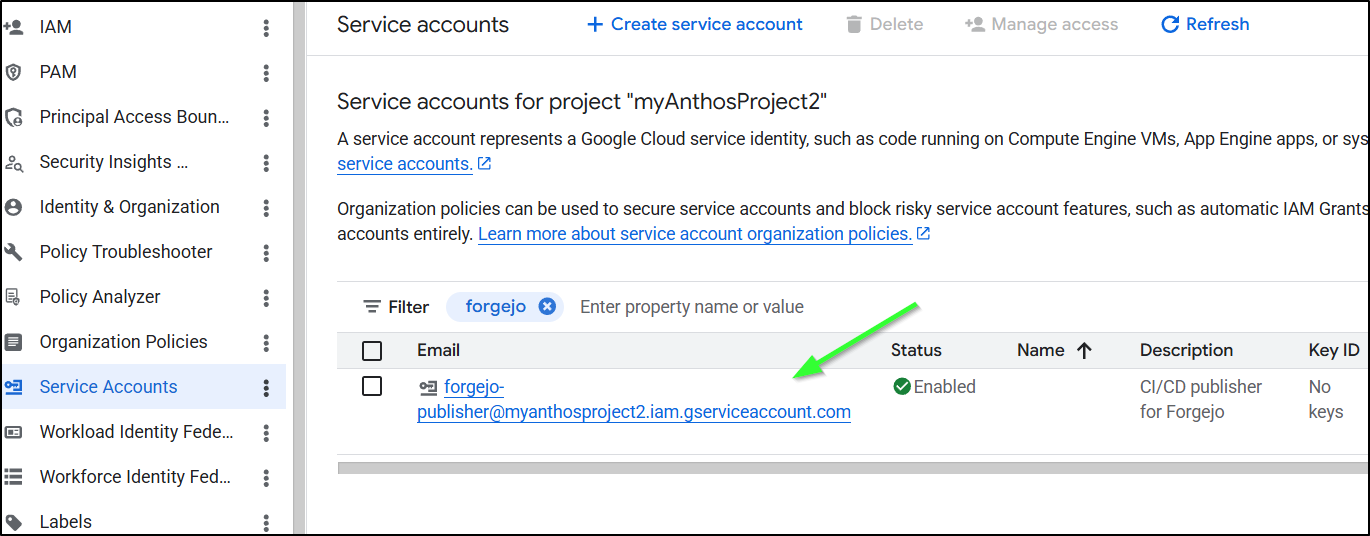
With Azure, we needed a Client ID, Client Secret and Tenant. With GCP, we need a larger SA JSON file that includes a bit more (including certs)
We’ll create that SA JSON with
$ gcloud iam service-accounts keys create sa-key.json \
    --iam-account=forgejo-publisher@myanthosproject2.iam.gserviceaccount.com

created key [5f40xxxxxxxxxxxxxxxxxxxxxb2b] of type [json] as [sa-key.json] for [forgejo-publisher@myanthosproject2.iam.gserviceaccount.com]
which is now saved locally
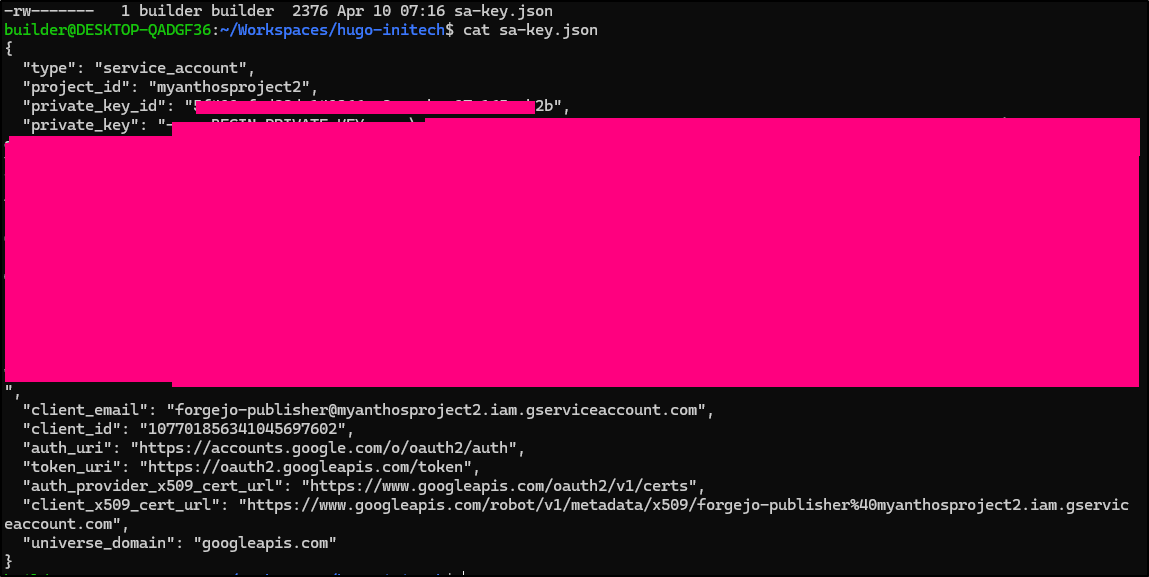
I’ll add that to the Hugo Blog Actions Secrets as “GCP_SAJSON”
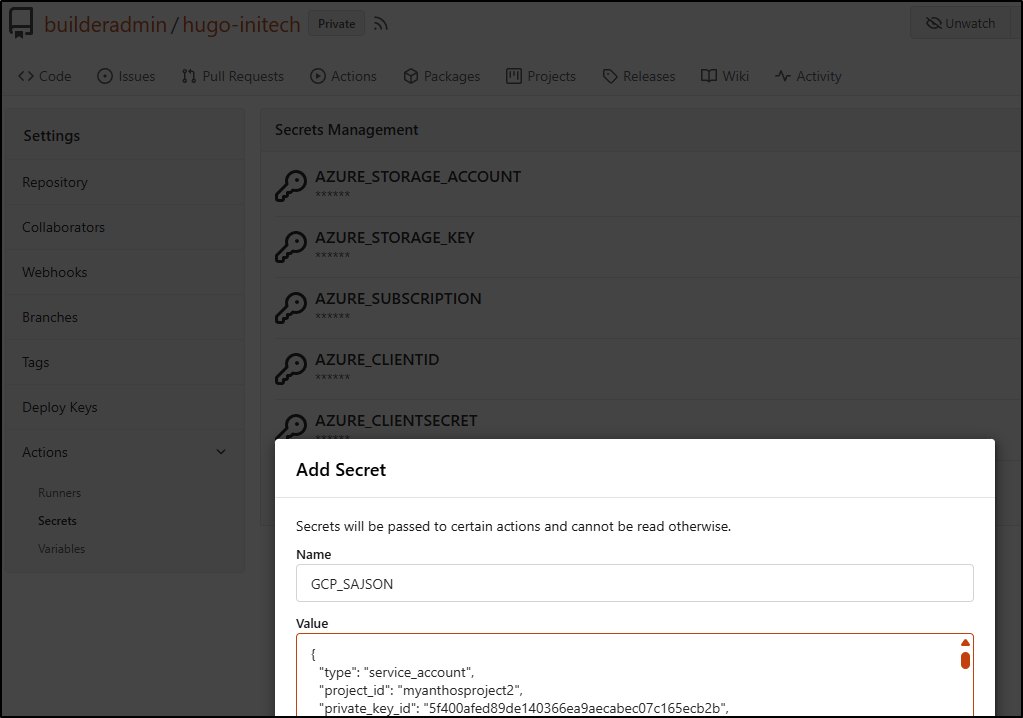
You might be able to use some pre-baked actions like
- id: 'auth'
        name: 'Authenticate to Google Cloud'
        uses: google-github-actions/auth@v2
        with:
          credentials_json: '$'

      - name: 'Set up Cloud SDK'
        uses: google-github-actions/setup-gcloud@v2
But I always prefer command line first.
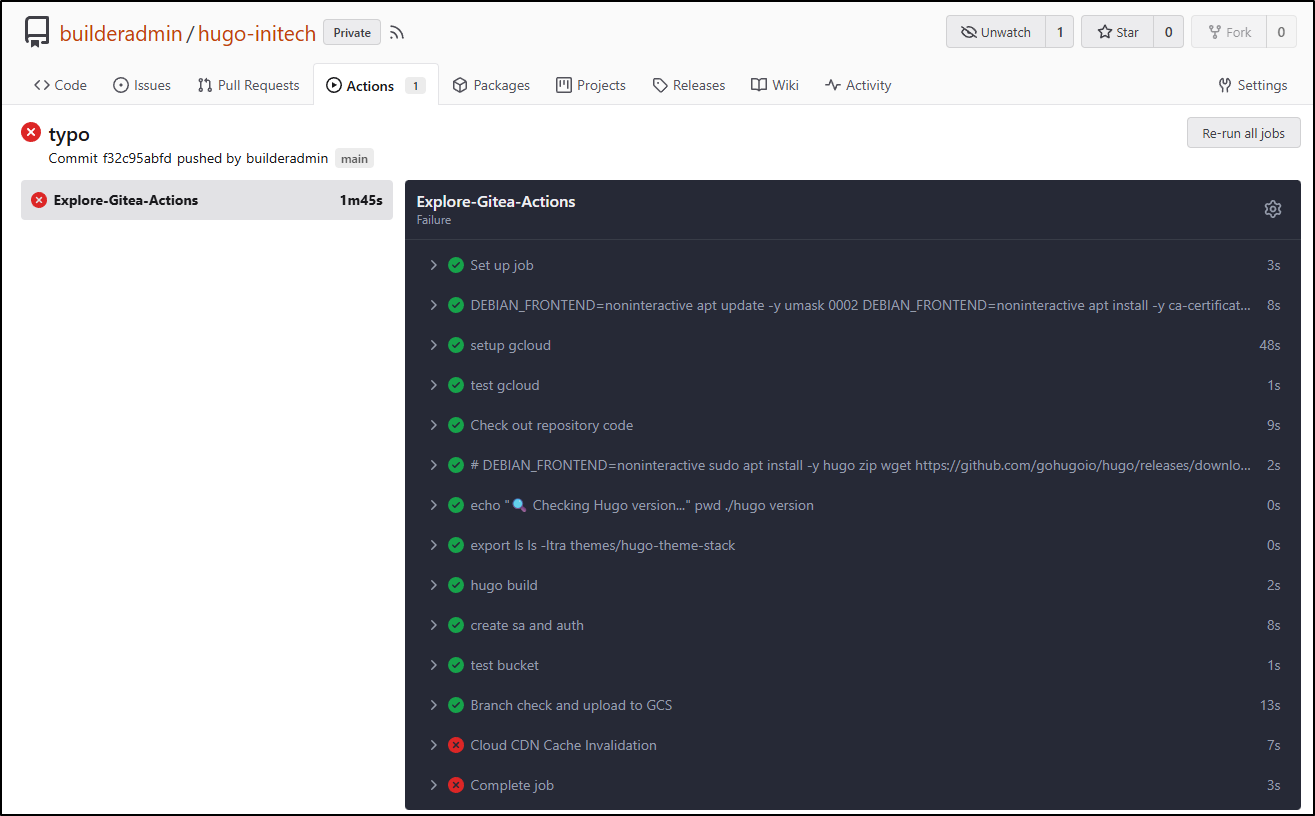
I have a CDN step defined, but i won’t work for now as we haven’t setup Cloud CDN yet:
name: Gitea Actions Test
run-name: $ is testing out Gitea Actions 🚀
on: [push]

jobs:
  Explore-Gitea-Actions:
    runs-on: my_custom_label
    container: node:22
    steps:
      - run: |
          DEBIAN_FRONTEND=noninteractive apt update -y
          umask 0002
          DEBIAN_FRONTEND=noninteractive apt install -y ca-certificates curl apt-transport-https lsb-release gnupg build-essential sudo zip
      - name: setup gcloud
        run: |
          curl https://packages.cloud.google.com/apt/doc/apt-key.gpg | gpg --dearmor -o /usr/share/keyrings/cloud.google.gpg
          echo "deb [signed-by=/usr/share/keyrings/cloud.google.gpg] https://packages.cloud.google.com/apt cloud-sdk main" | tee -a /etc/apt/sources.list.d/google-cloud-sdk.list
          DEBIAN_FRONTEND=noninteractive apt-get update
          DEBIAN_FRONTEND=noninteractive apt-get install -y google-cloud-cli
      - name: test gcloud
        run: |
          gcloud version
      - name: Check out repository code
        uses: actions/checkout@v3
        with:
          submodules: recursive
      - run: |
          # DEBIAN_FRONTEND=noninteractive sudo apt install -y hugo zip
          wget https://github.com/gohugoio/hugo/releases/download/v0.160.0/hugo_0.160.0_linux-amd64.tar.gz
          tar -xzvf hugo_0.160.0_linux-amd64.tar.gz
      - run: |
          echo "🔍 Checking Hugo version..."
          pwd
          ./hugo version
      - run: |
          export
          ls
          ls -ltra themes/hugo-theme-stack
      - name: hugo build
        run: |
          ./hugo
      - name: create sa and auth
        run: |
          cat <<EOF > /tmp/gcp-key.json
          $GCP_SAJSON
          EOF
          gcloud auth activate-service-account --key-file=/tmp/gcp-key.json
          gcloud config set project myanthosproject2
          # export GOOGLE_APPLICATION_CREDENTIALS="/path/to/your/service-account-file.json"
        env:
          GCP_SAJSON: $
      - name: test bucket
        run: |
          # test
          gcloud storage buckets list gs://dbeelogsme
      - name: Branch check and upload to GCS
        shell: bash
        run: |
            if [[ "$GITHUB_REF_NAME" == "main" && "$GITHUB_REF_TYPE" == "branch" ]]; then
                echo "✅ On main branch, proceeding with GCS sync..."
                # -r is recursive, -d deletes files in destination not in source (optional)
                gcloud storage rsync ./public gs://dbeelogsme --recursive
            else
                echo "⚠️ Not on main branch, uploading to testing path."
                gcloud storage cp ./public gs://dbeelogsme-test --recursive
            fi

      - name: Cloud CDN Cache Invalidation
        shell: bash
        run: |
            if [[ "$GITHUB_REF_NAME" == "main" && "$GITHUB_REF_TYPE" == "branch" ]]; then
                echo "🧹 Invalidating Cloud CDN cache..."
                # Replace [URL_MAP_NAME] with your Load Balancer's URL map name
                gcloud compute url-maps invalidate-cdn-cache [URL_MAP_NAME] --path "/*" --async
            else
                echo "⚠️ Skipping CDN invalidation."
            fi
It worked as far as I expected
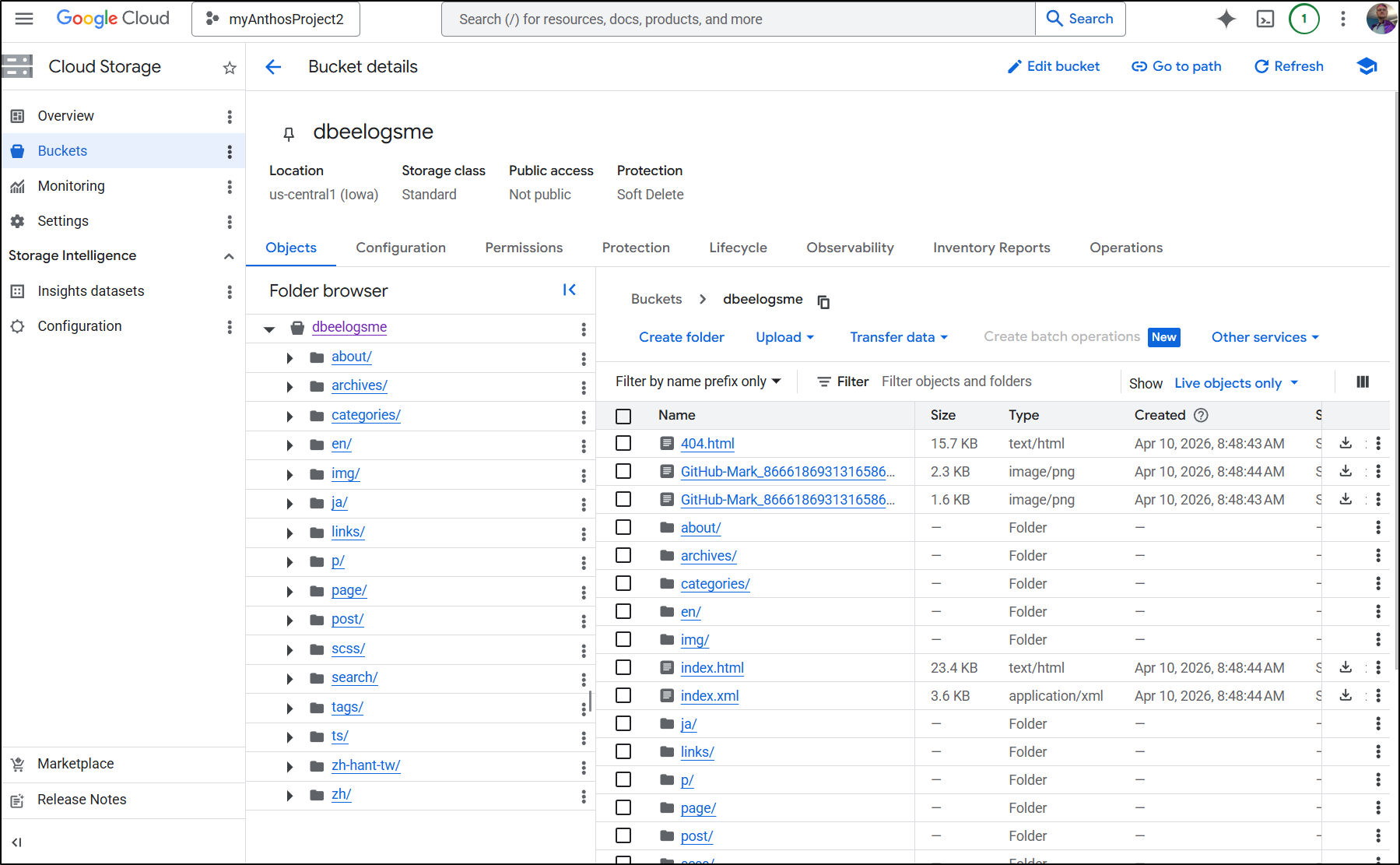
Since I was pushing directly to main, indeed I saw the files in the “production” bucket
Cloud CDN
I went back and forth with Cloud CDN as my start point and Application Load Balancers (ALBs) as my start point. If you want to just see the approach I landed on, skip ahead to “Challenges”
Let’s create a new Cloud CDN with a backend bucket
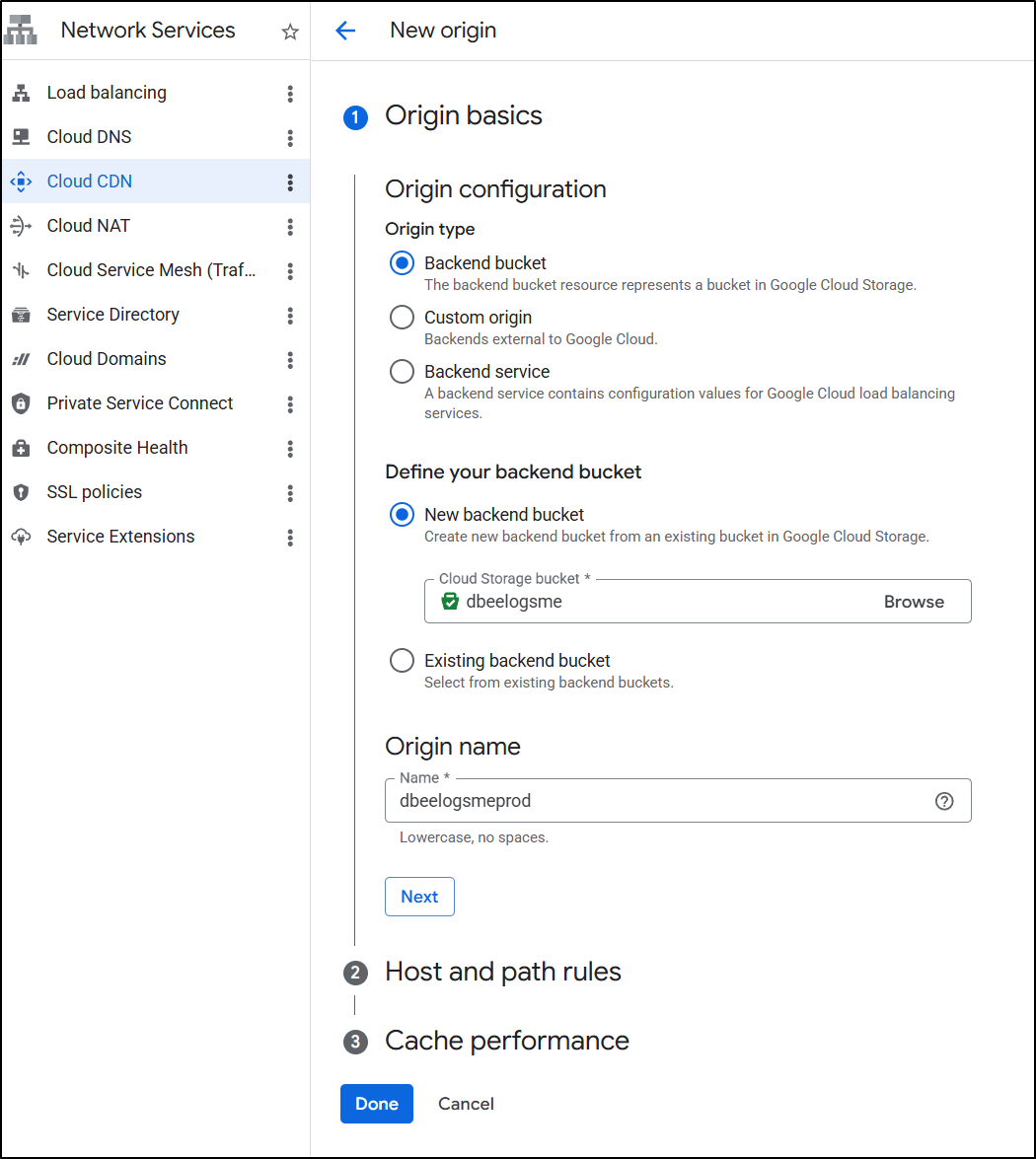
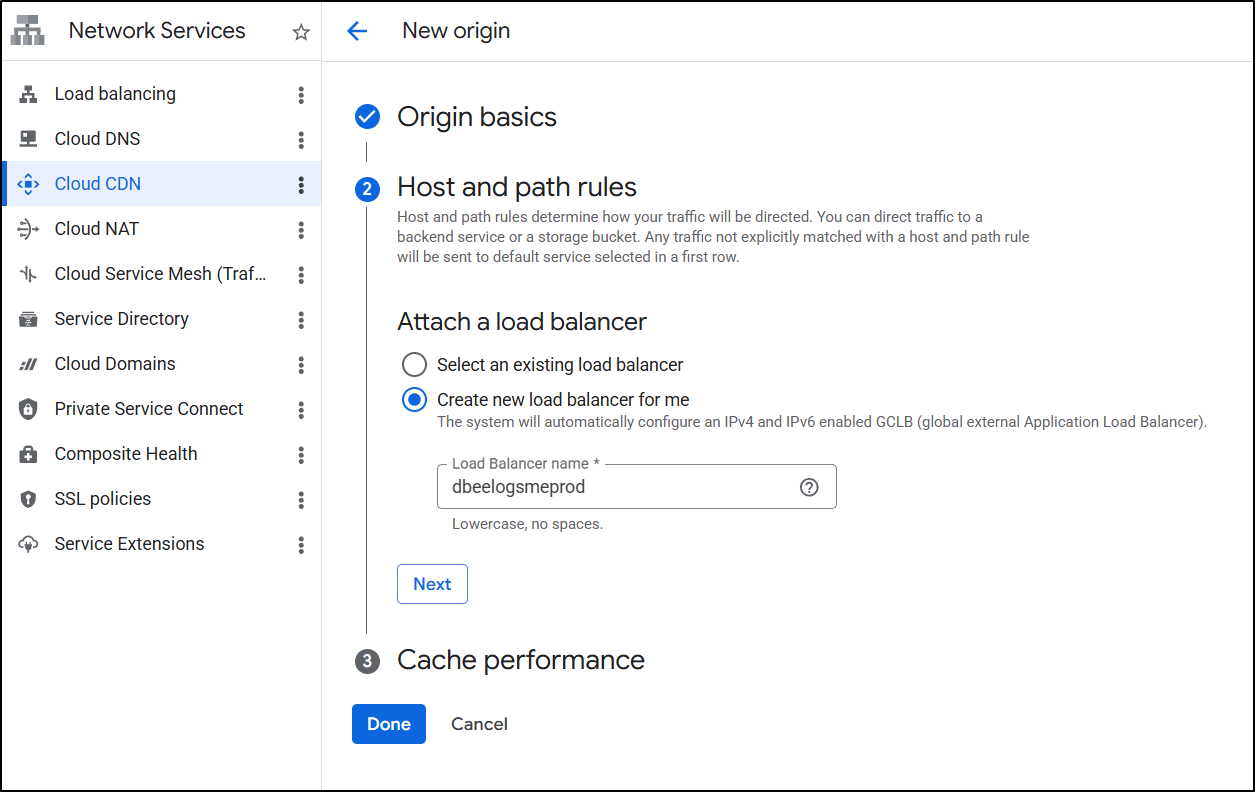
I’ll create a new LB
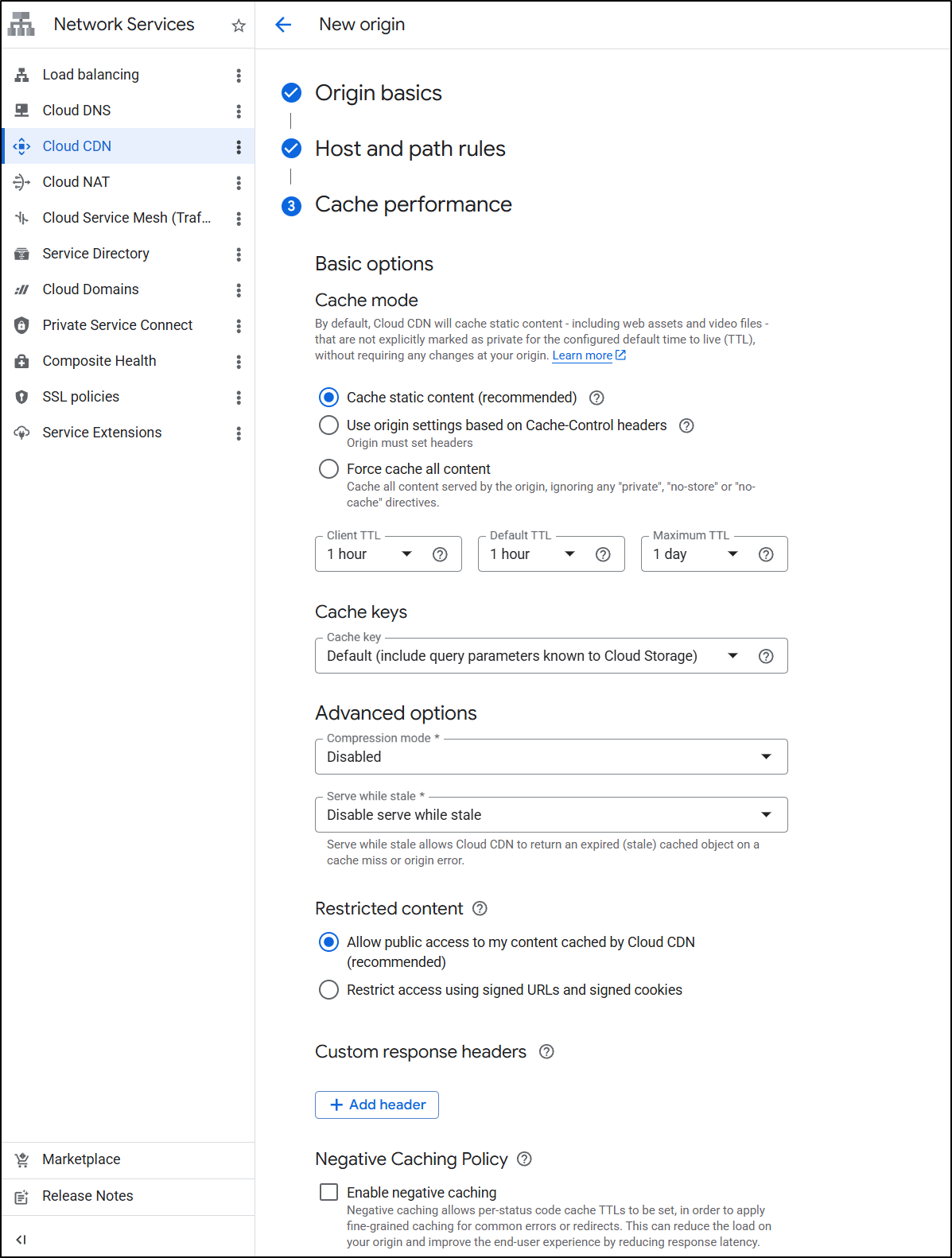
I’ll leave the default Cache settings
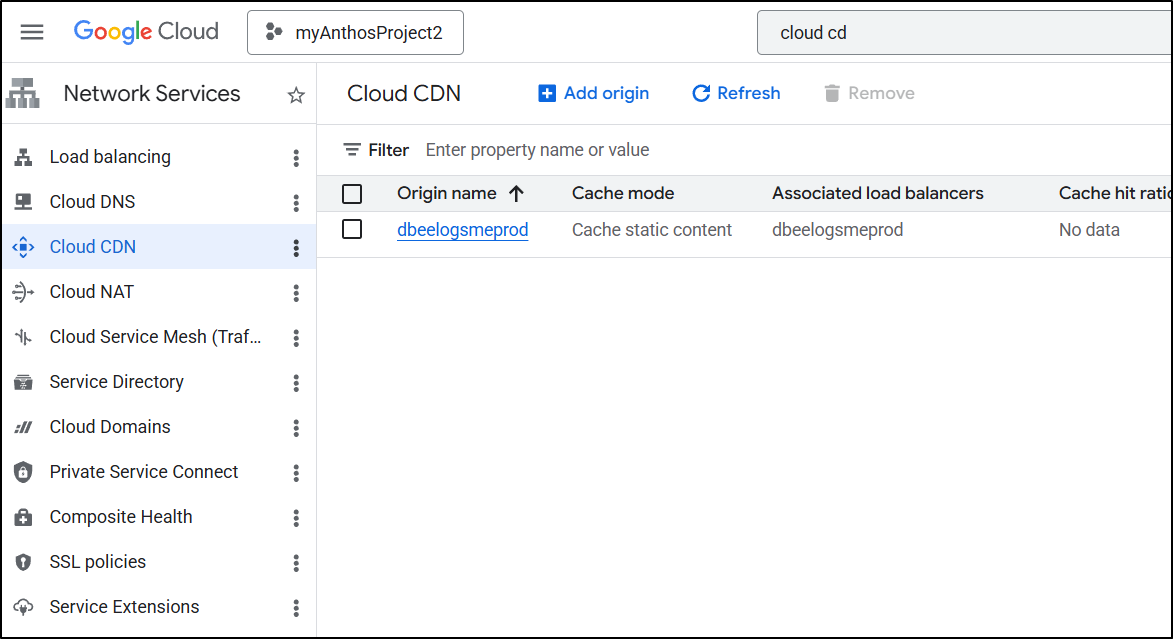
Soon I saw the CDN Created.
Modifying the LB for HTTPS/TLS
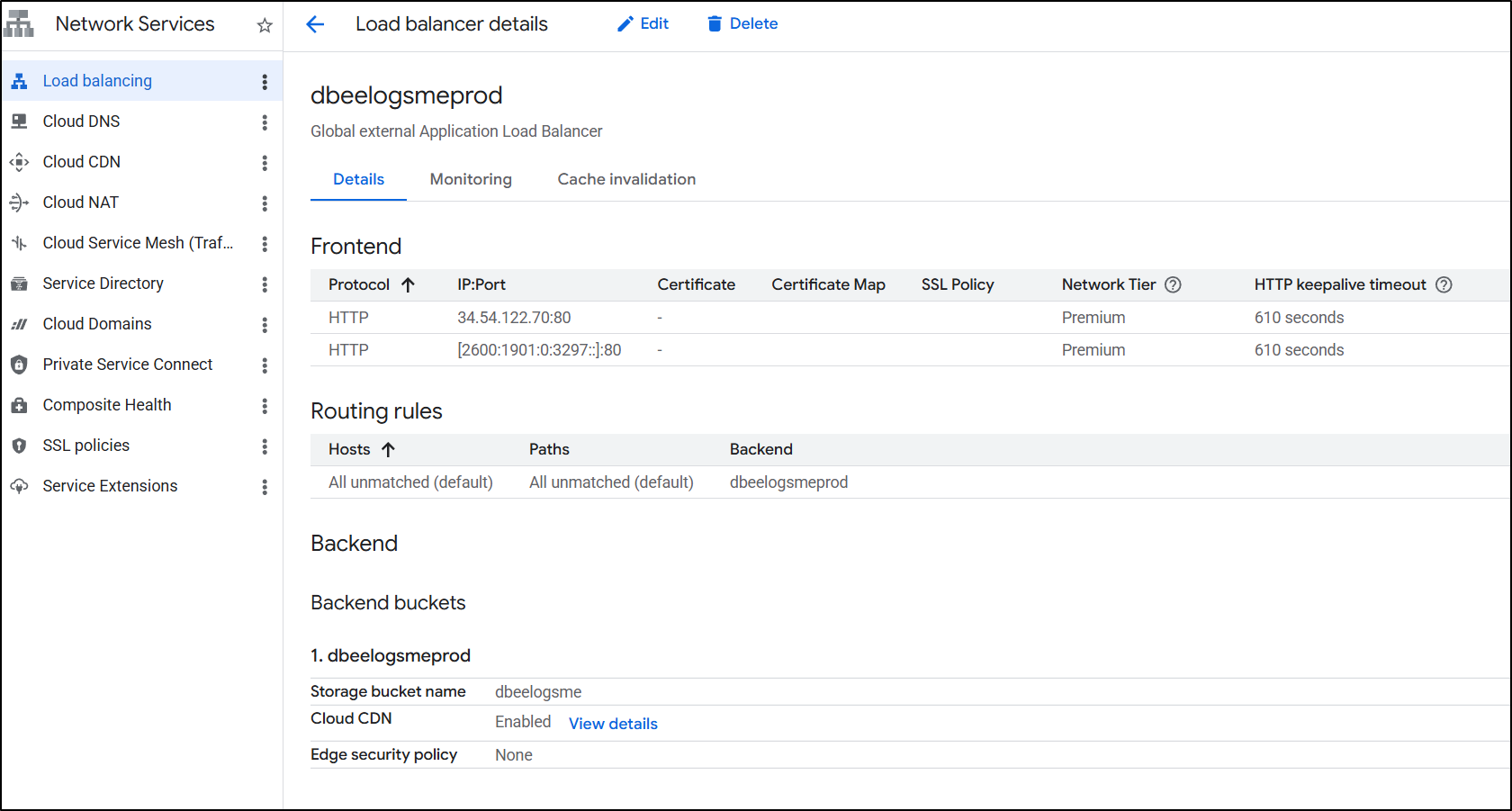
We now see the created prod load balancer
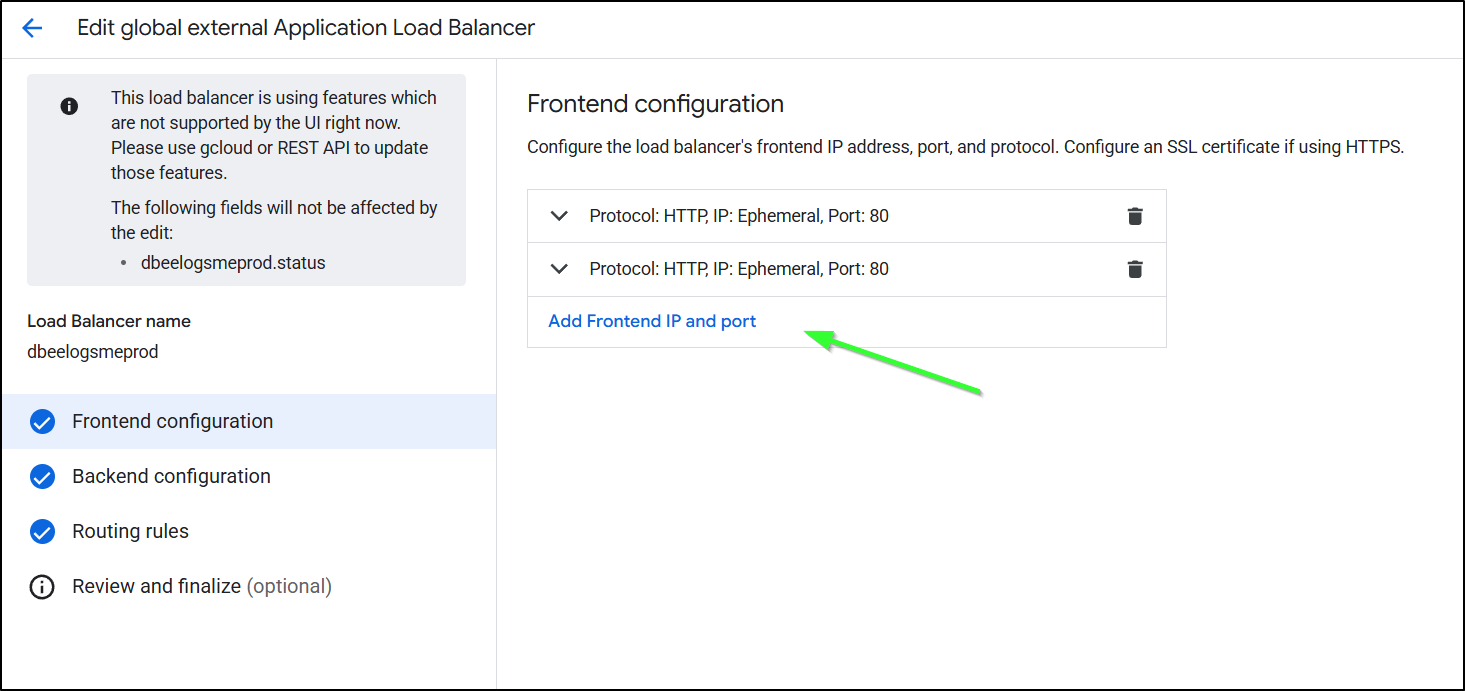
I’ll now edit and add a frontend IP
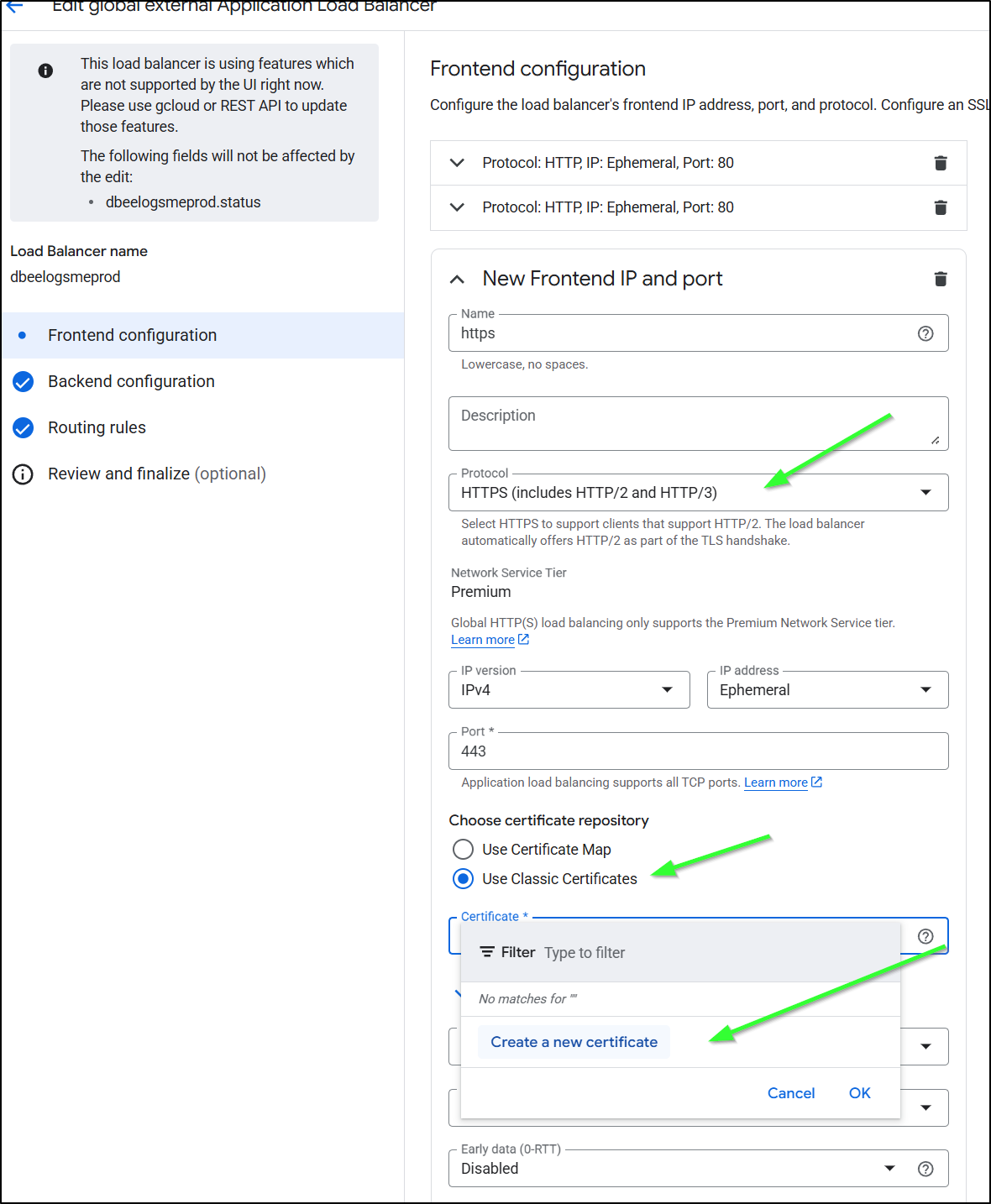
I’ll now set it to be HTTPS, use classic certs and click “Create new certificate”
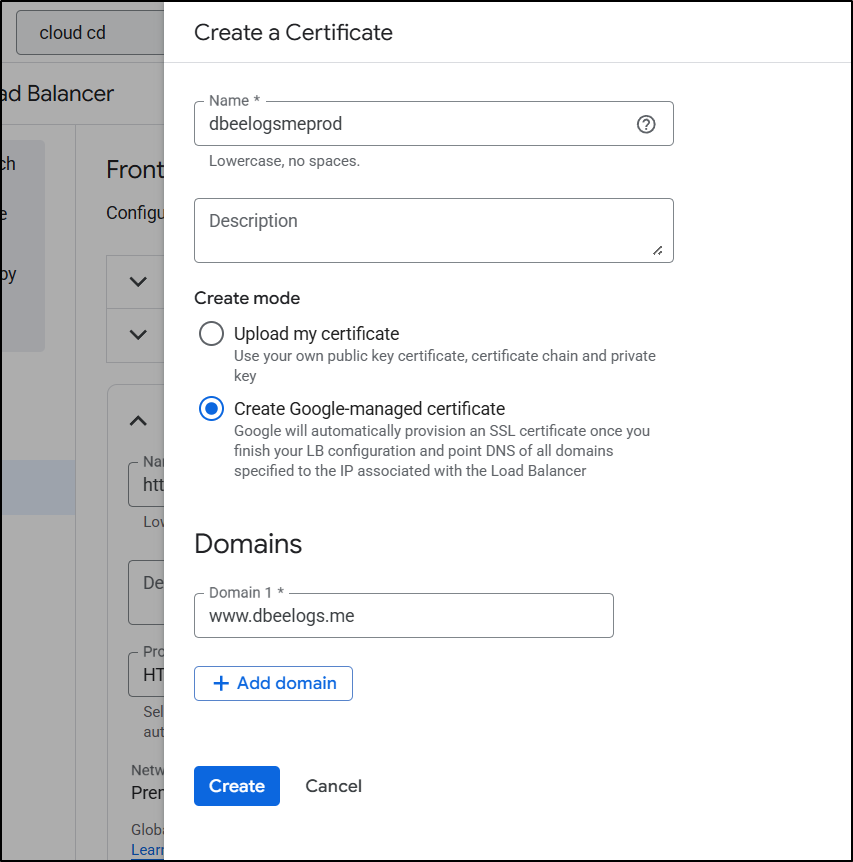
I’ll add the domain
The SSL Cert was satisfied right away
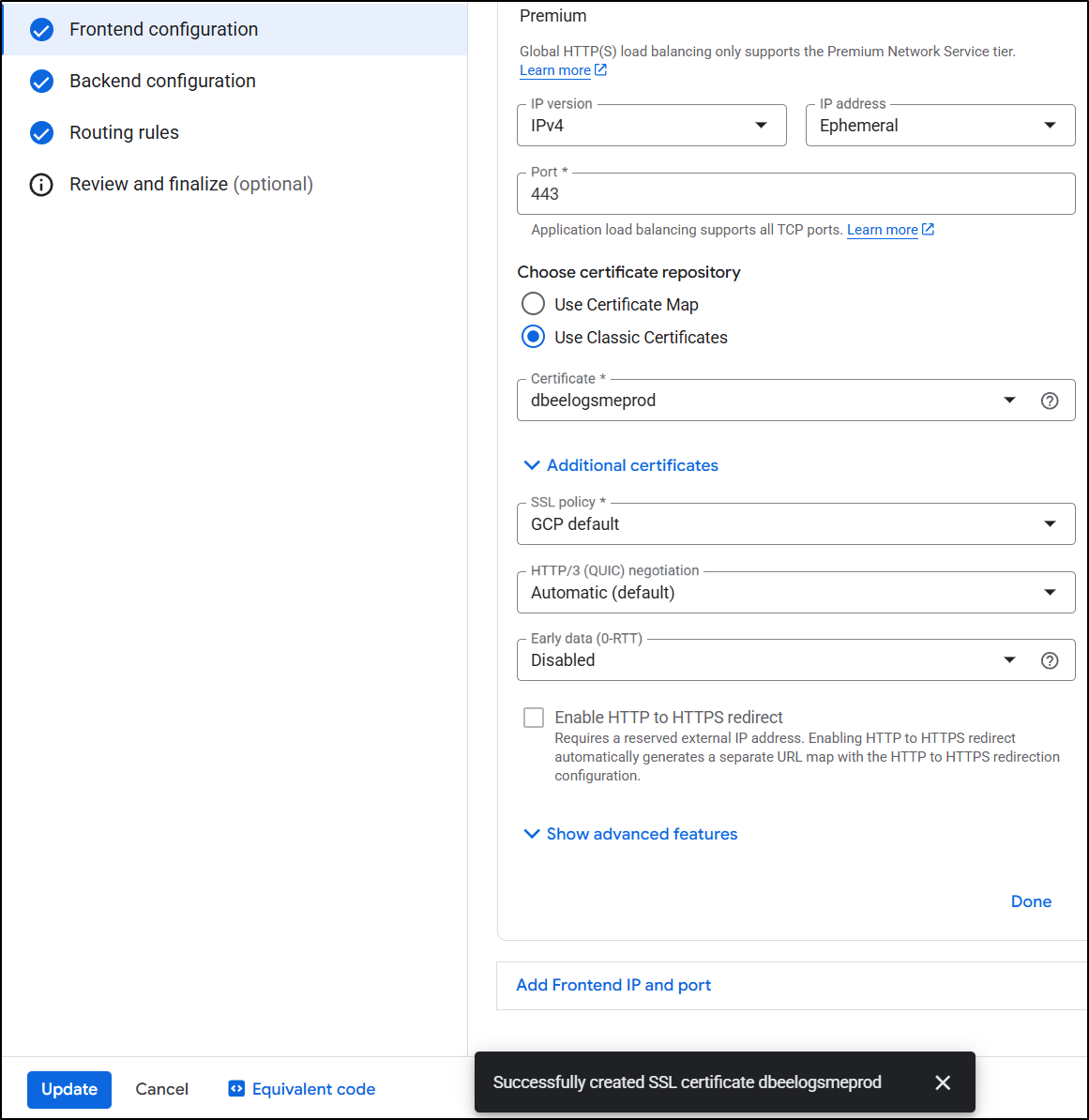
I think this was satisfied immediately because the first time through I did DNS auth with an ALB
Prior Steps …
…I click “Create DNS Authorization”
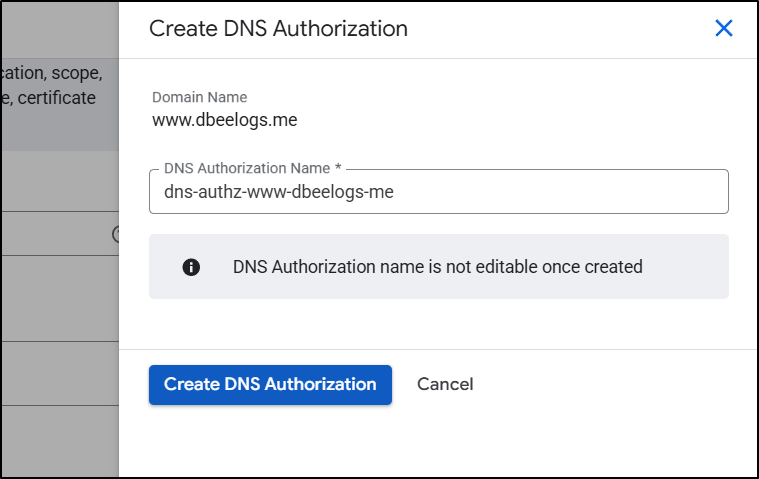
…I then see
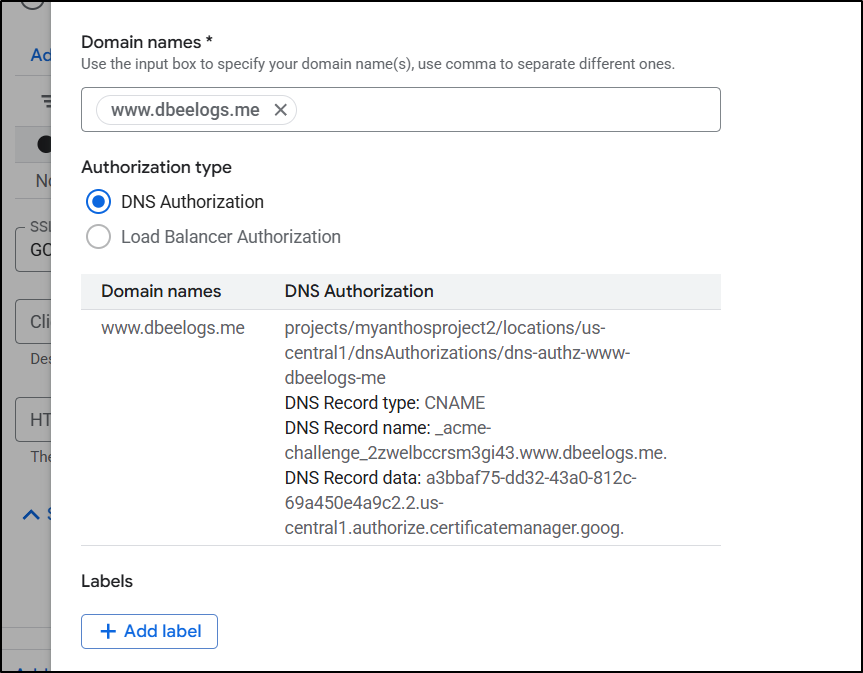
…It doesn’t realize my DNS is _in_ GCP so I’ll need to pop open another window and add that requested CName so LE (ACME) will satisfy the DNS challenge
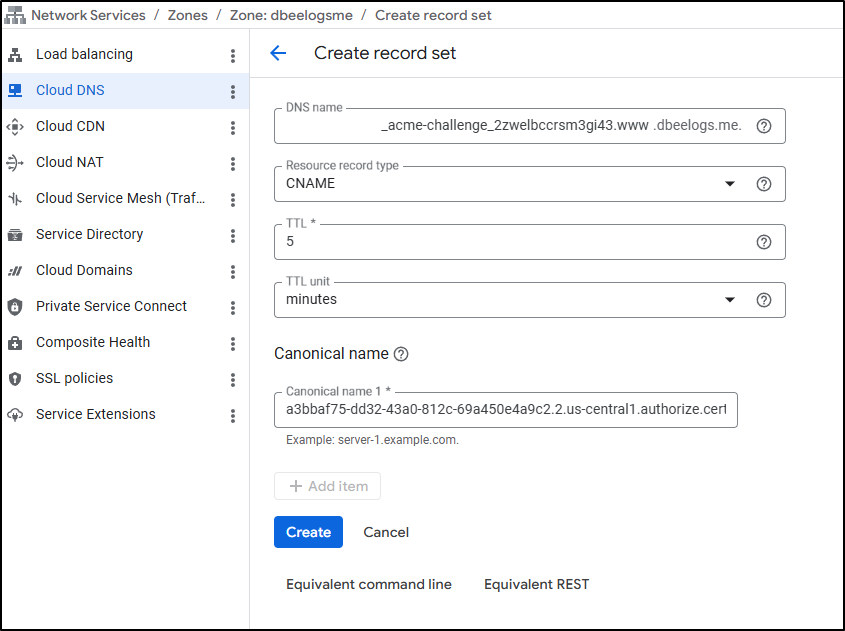
Challenges…
I fought this for a while. Starting with the CDN then modifying the LB. Or starting with the LB and trying to add a CDN.
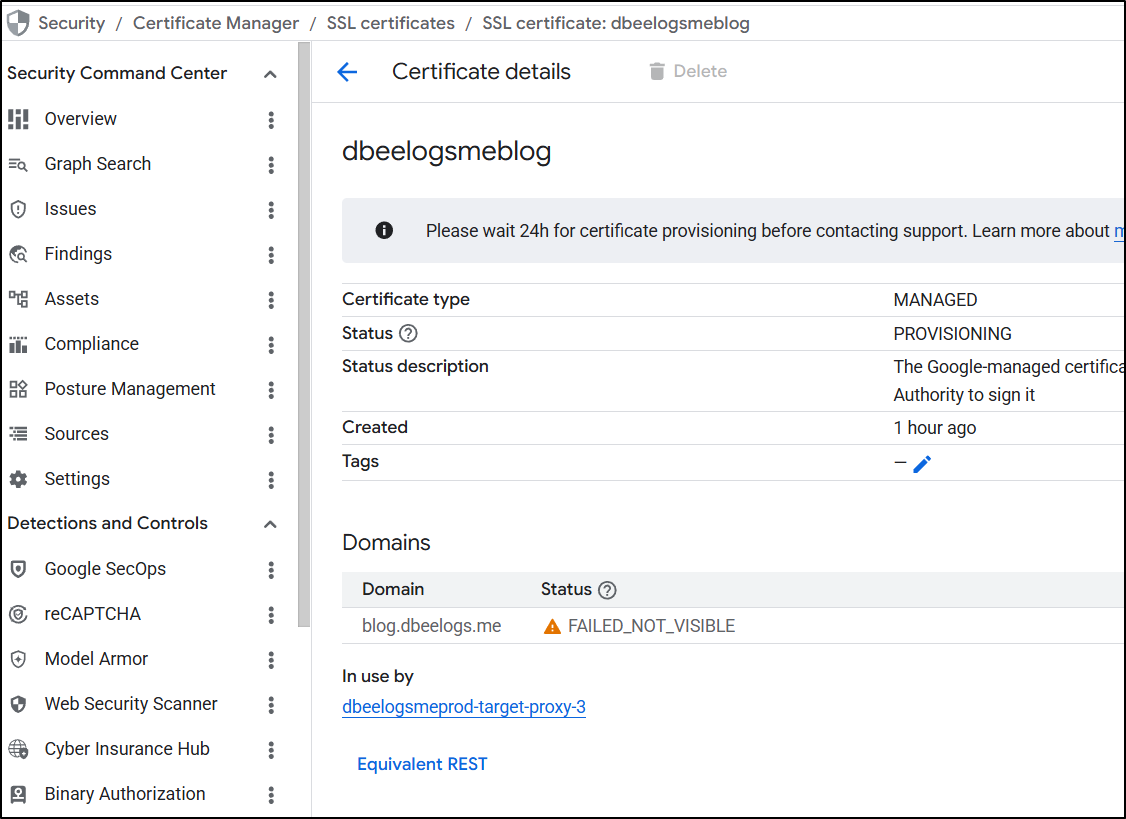
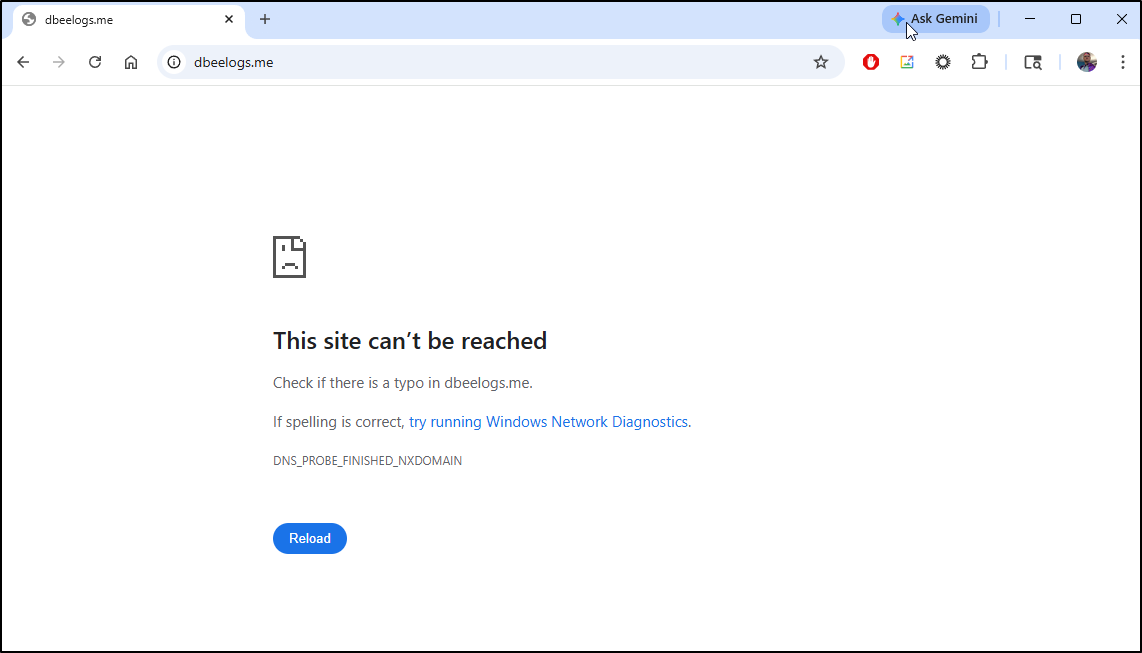
I registered new domains. Nothing seemed to get the cert side to work. I always got a “FAILED_NOT_VISIBLE” error in certs
And always a “DNS_PROBE_FINISHED_NXDOMAIN” with “This site can’t be reached”
I decided to clean everything up - reserved IPs, CDNs and LBs to start over
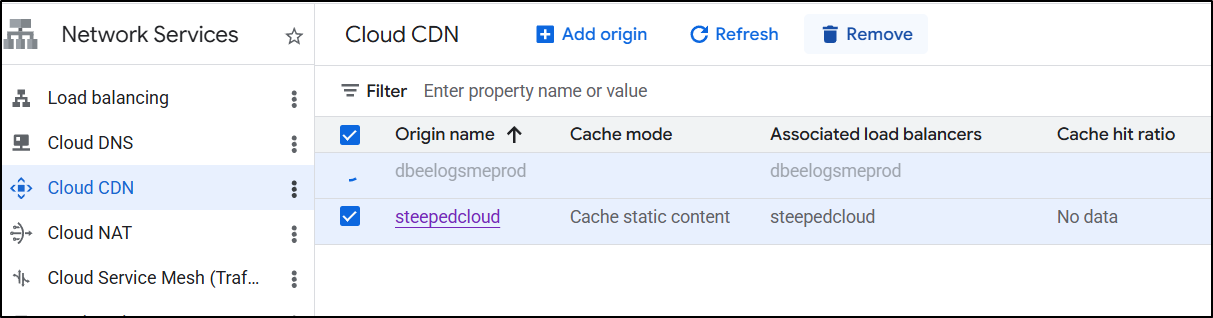
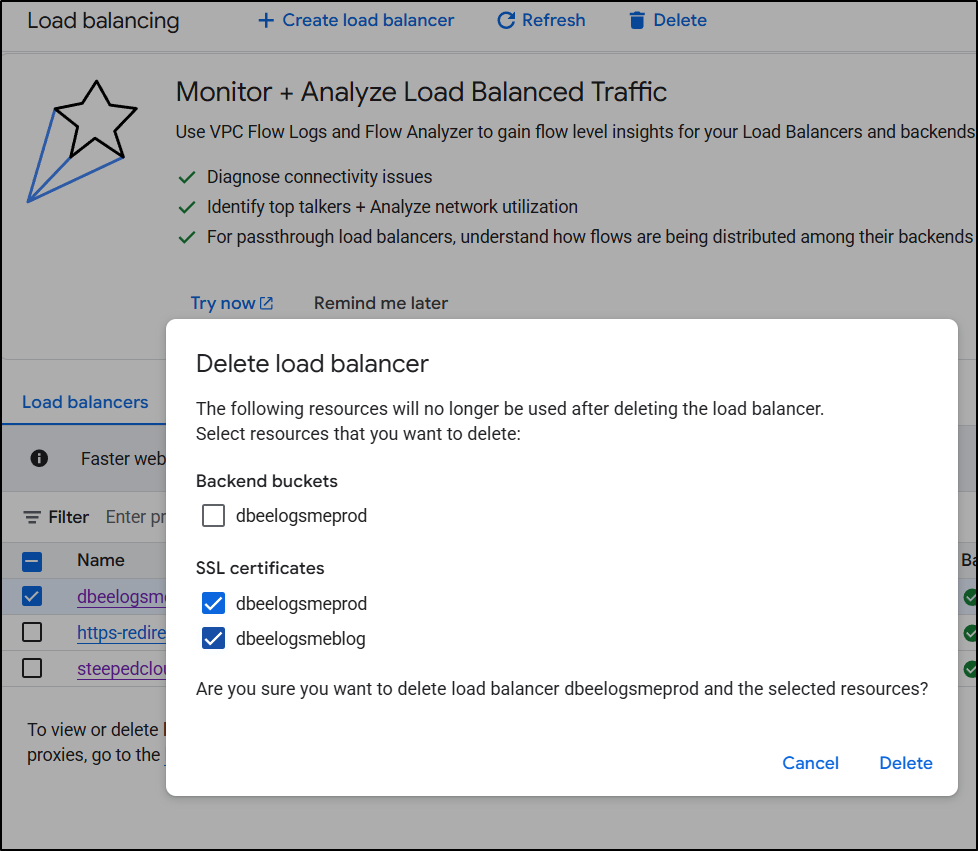
That meant removing my CDNs, Certs, and LoadBalancers, but noting not the buckets
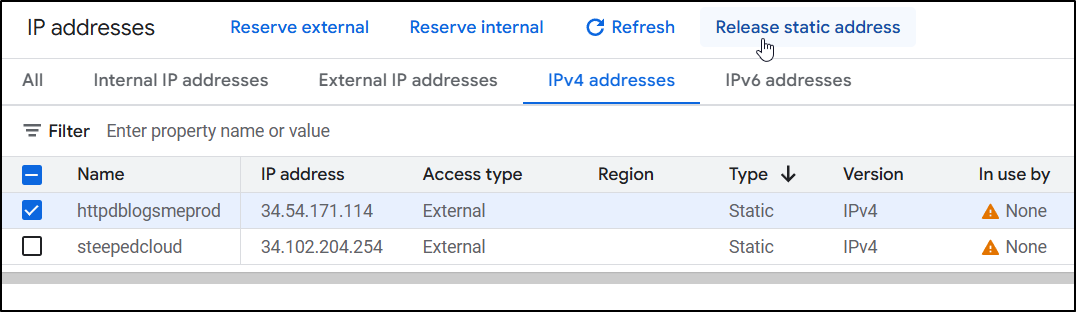
And lastly any remaining static IP addresses not in use:
do it again..
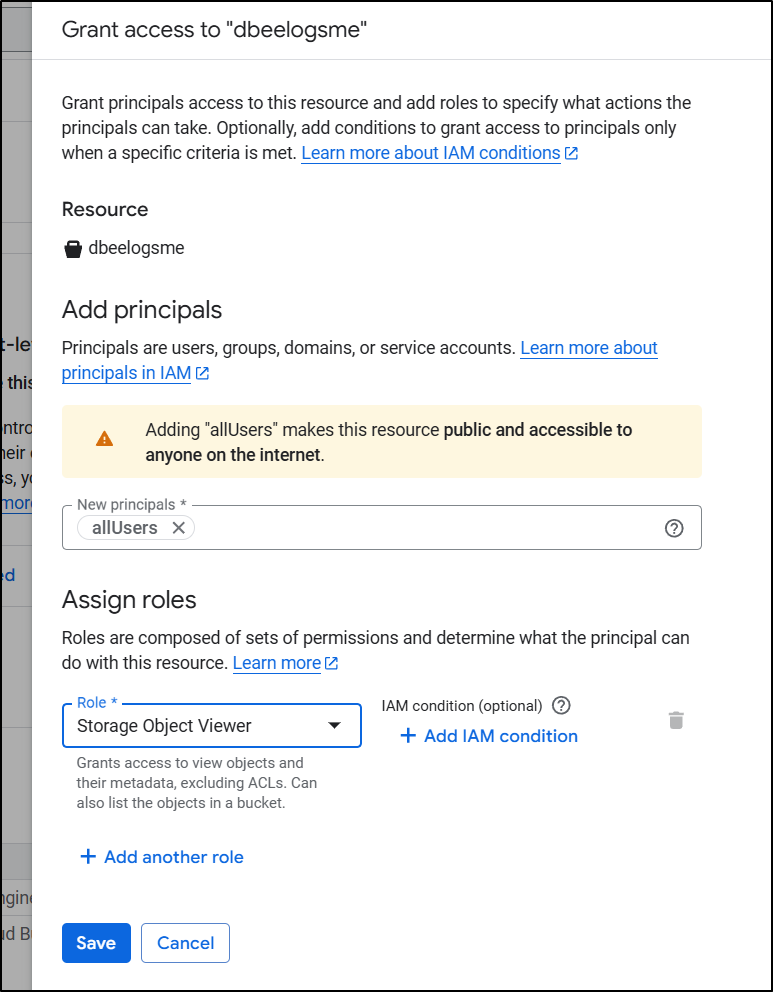
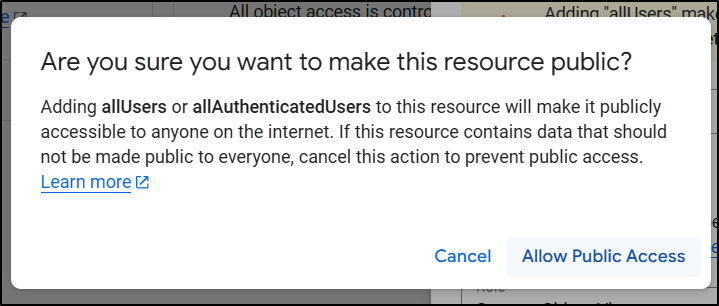
First, I went to the “Permissions” tab on my bucket, and in the “Permissions” pane, added “allUsers” to have storage object viewer - this would have prevented it from serving to unauthed users
which was made clear in the confirmation dialogue
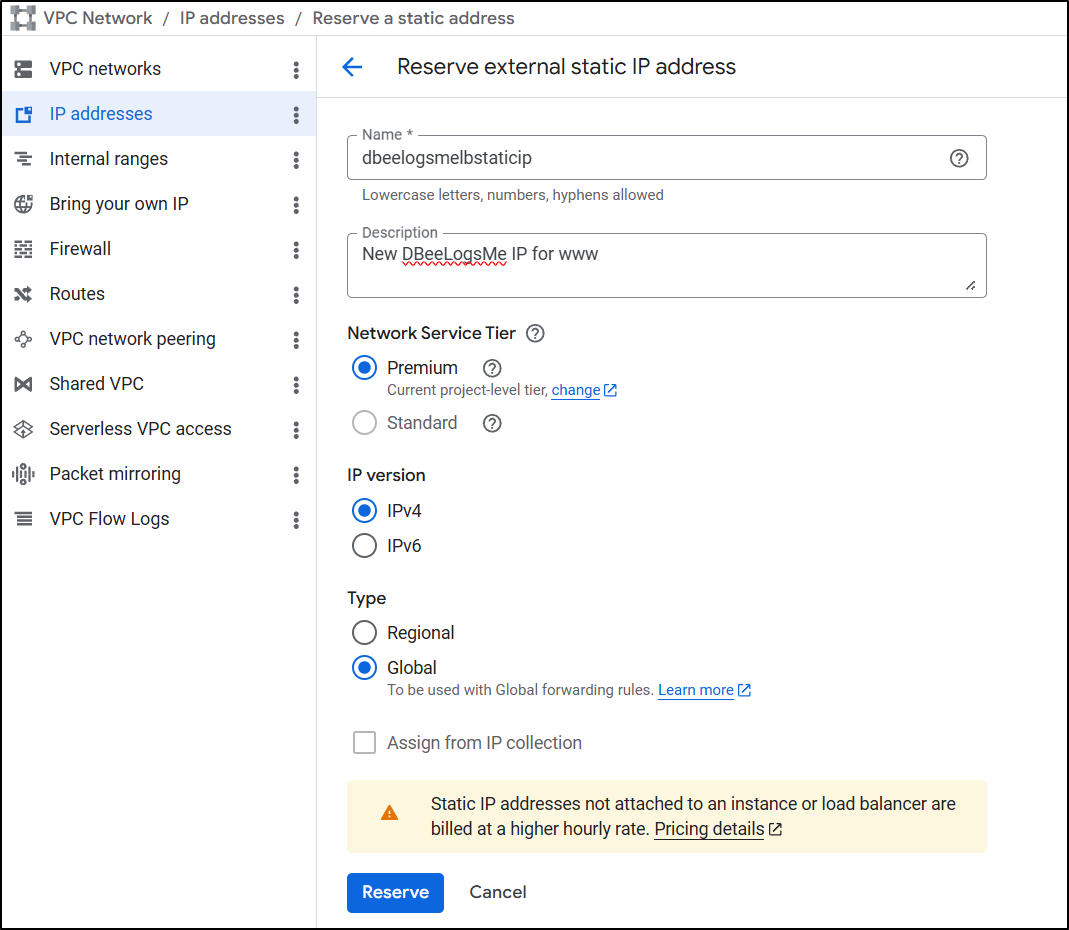
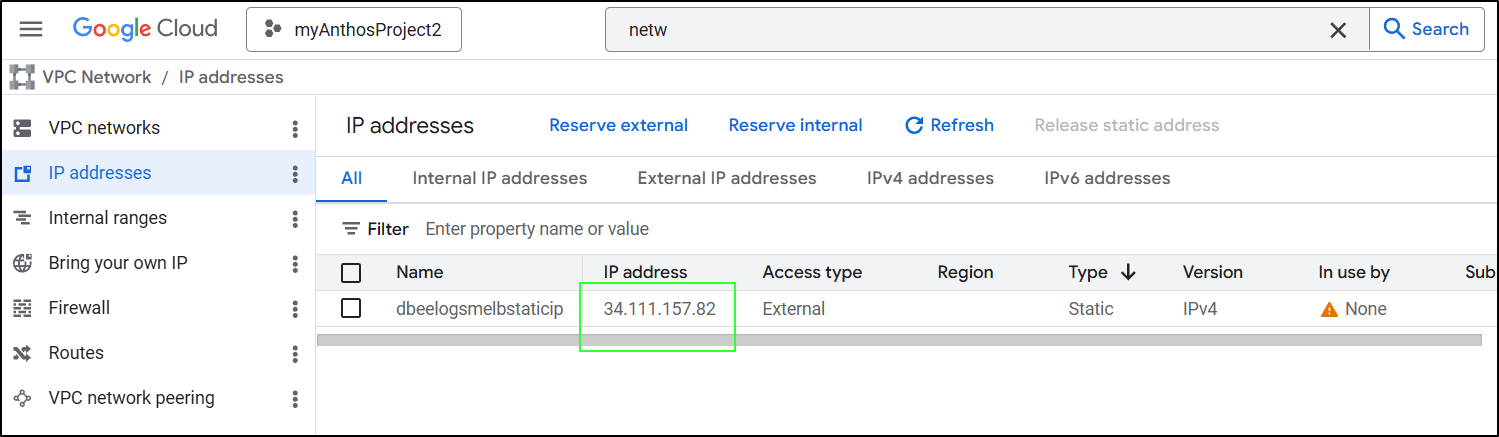
Next, I’ll get an IP address. I believe this was my problem all the other times - not getting a reserved IPv4 then setting up an A or CNAME record. Here I named it dbeelogsmelbstaticip:
We can now use that address
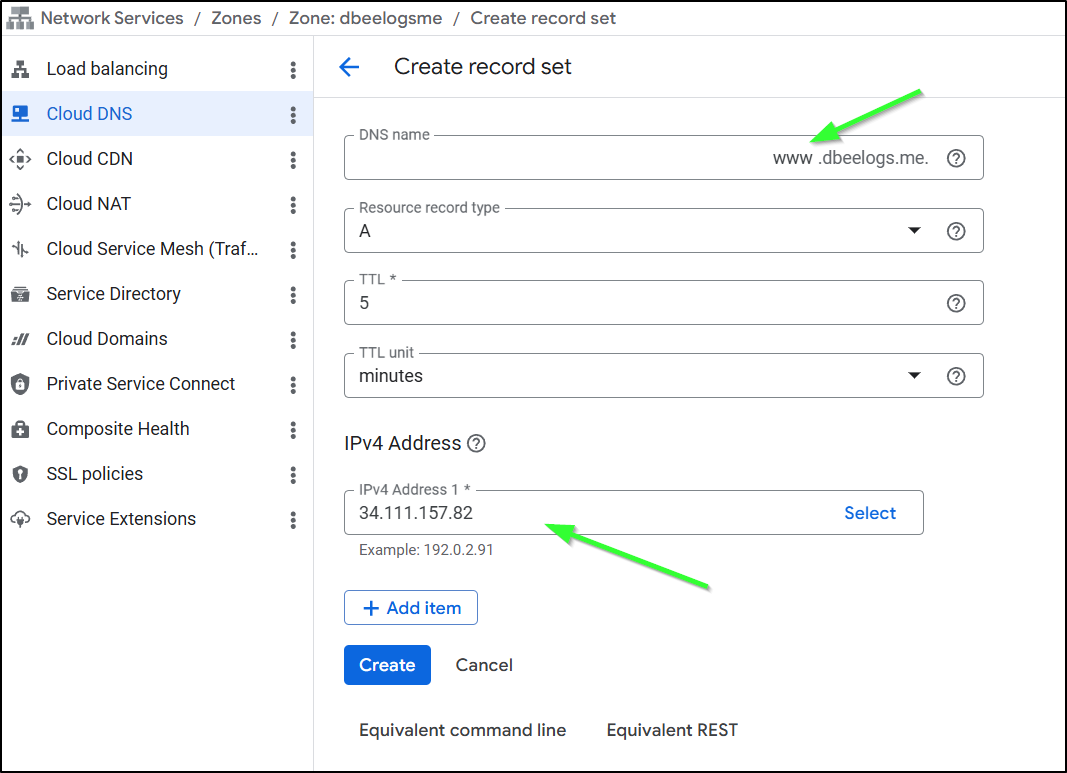
To create an A record. Here I am setting “www” to point to 34.111.157.82
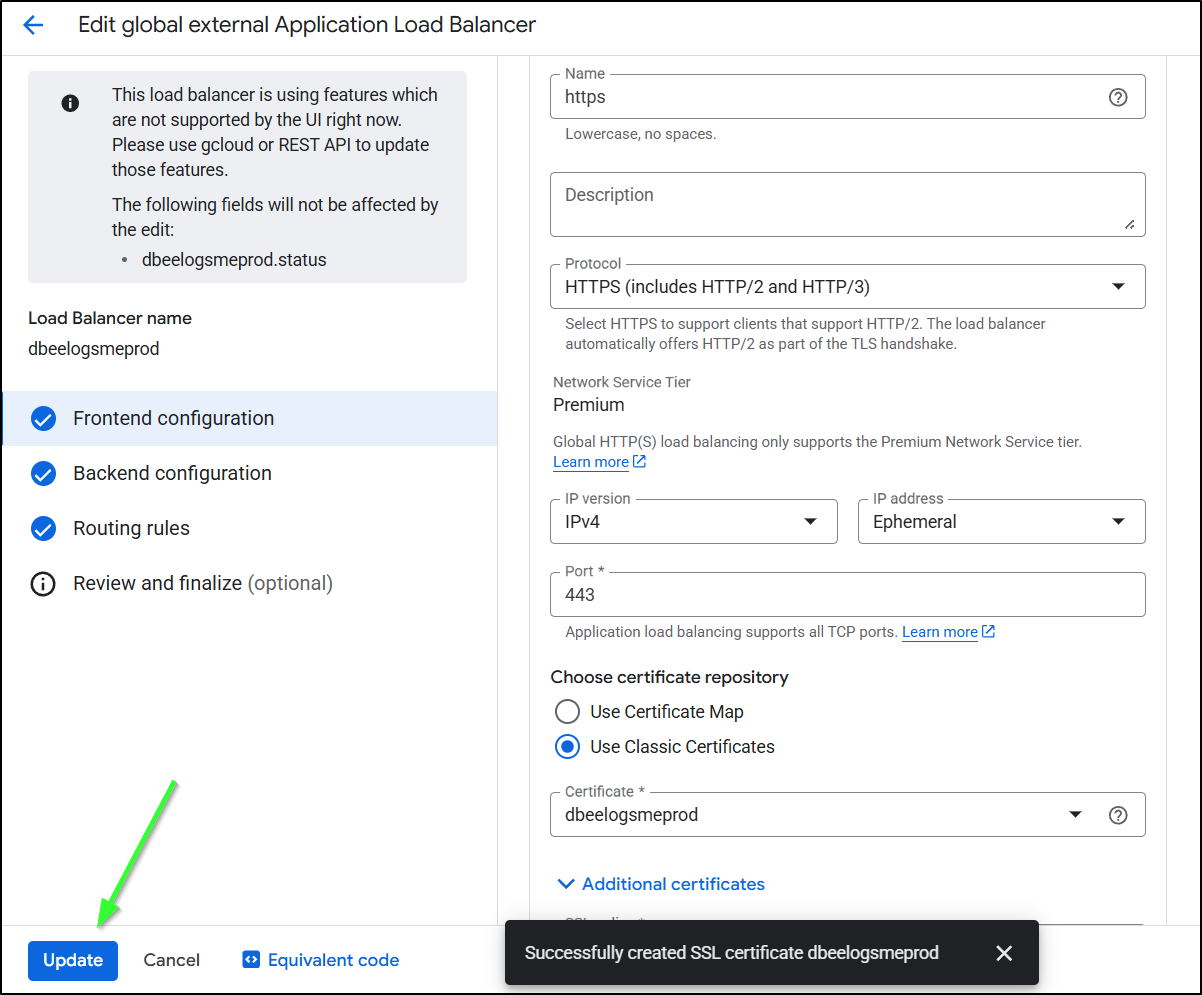
… Back to our LB edit
Lastly, I just click “Update” to finish this work
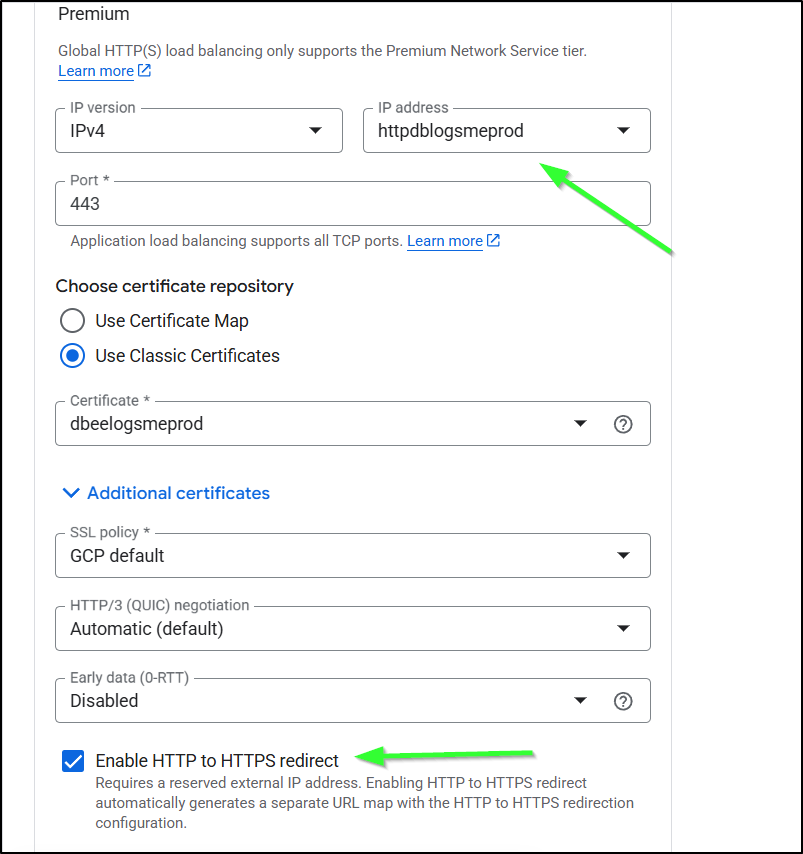
IF you want to have HTTP to HTTPS redirect, then you’ll need to reserve a static IP
I’ll start by creating a new ALB
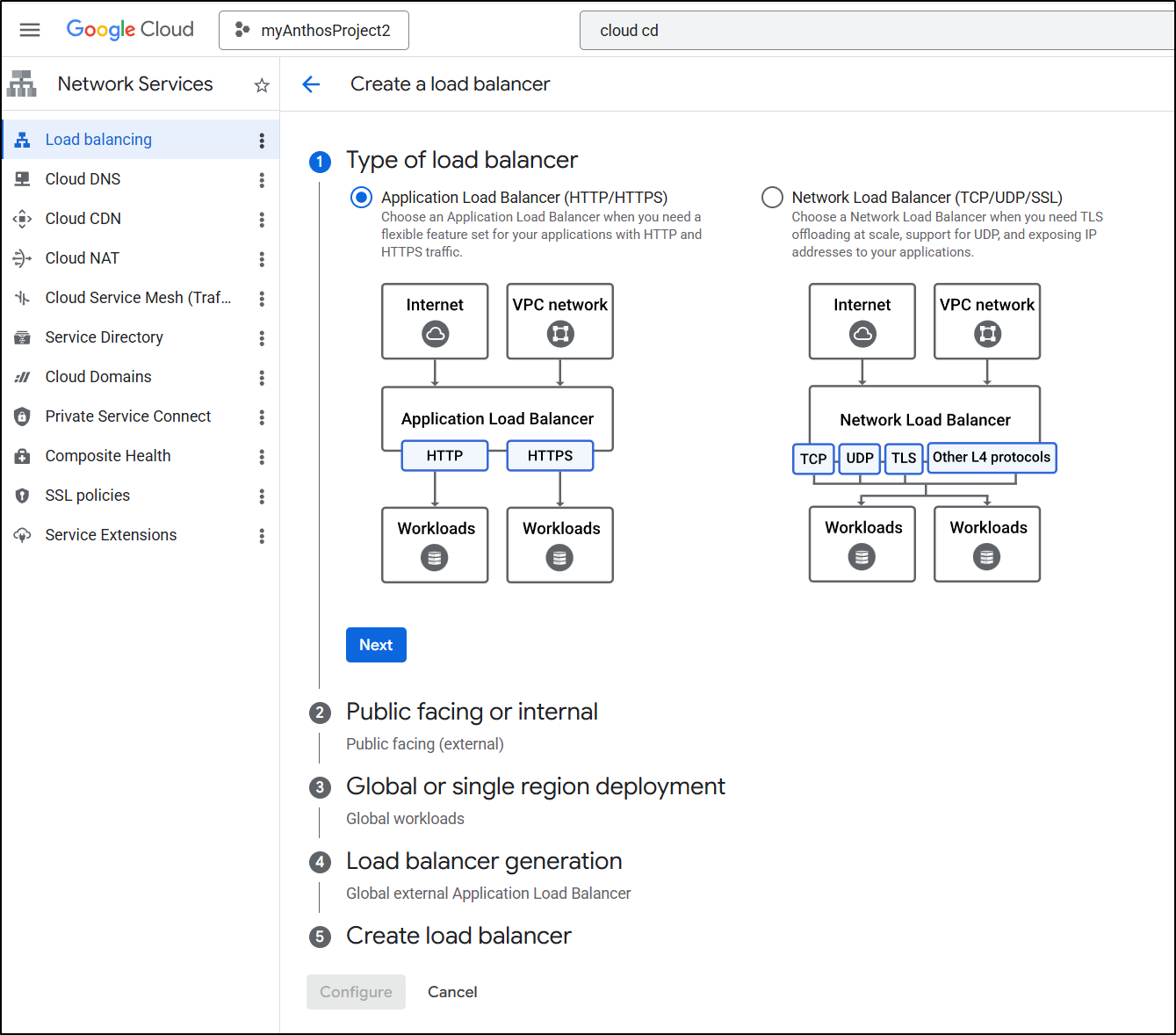
It will be public facing
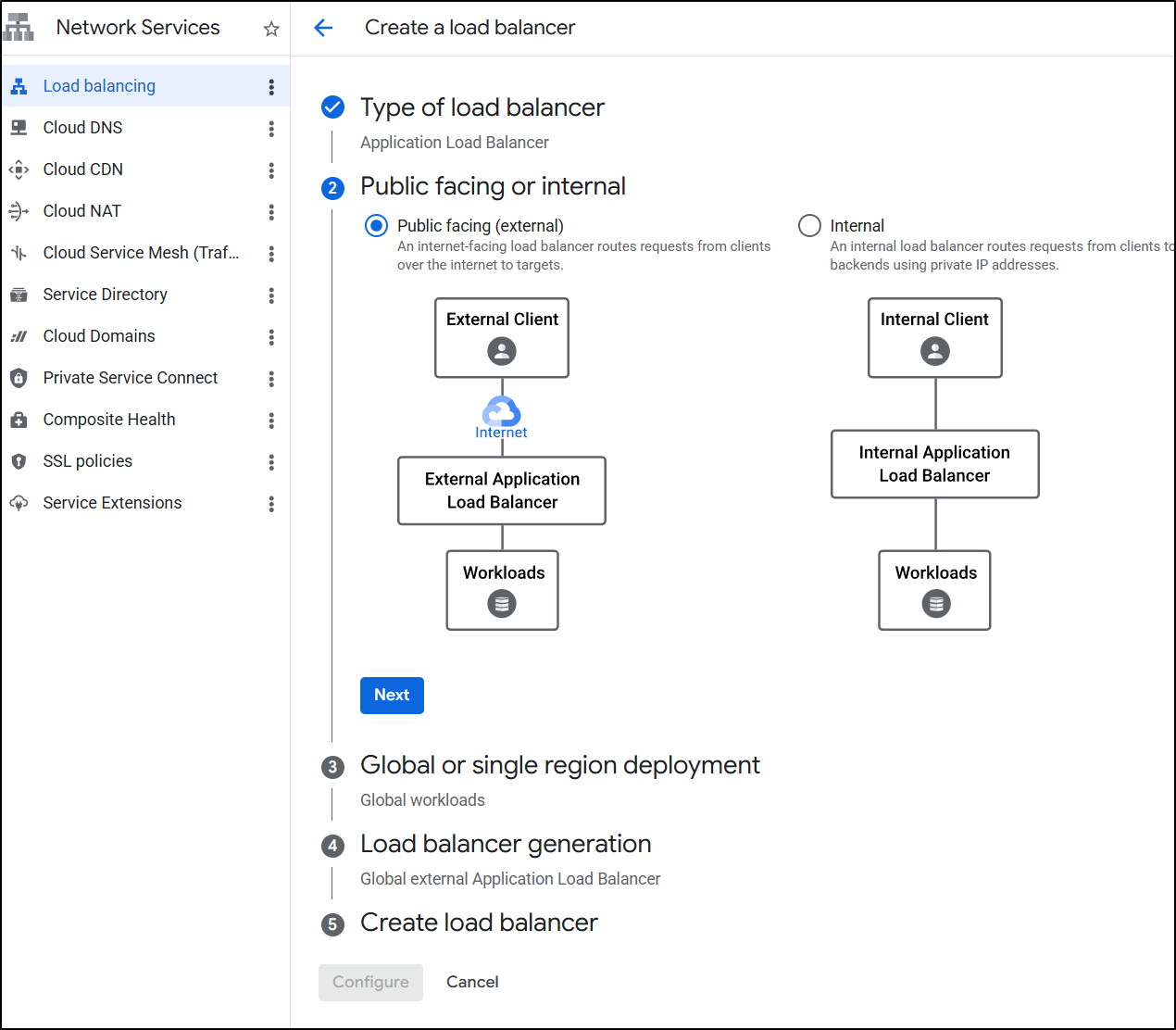
I’ll make it global
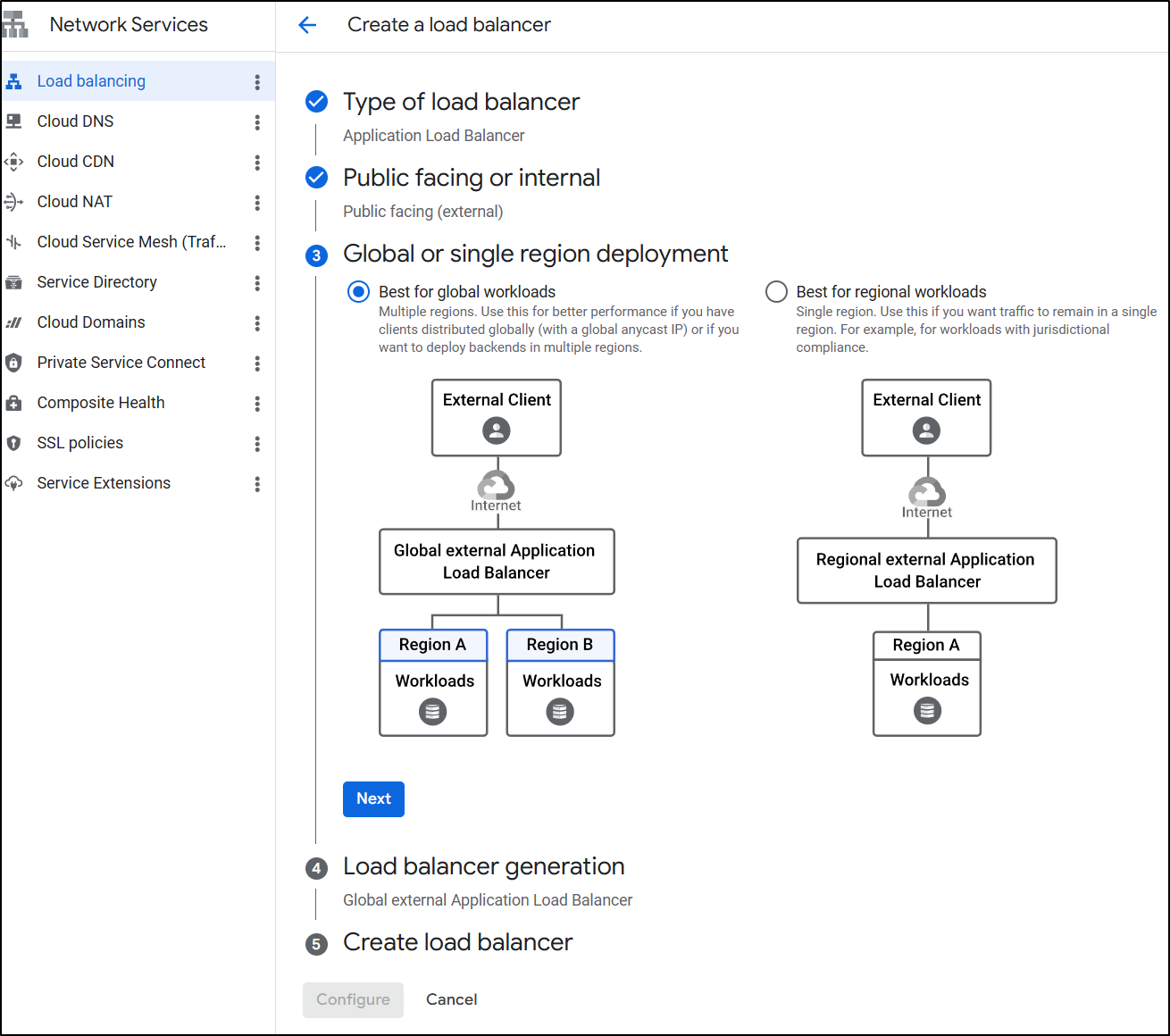
And the default global type (not classic)
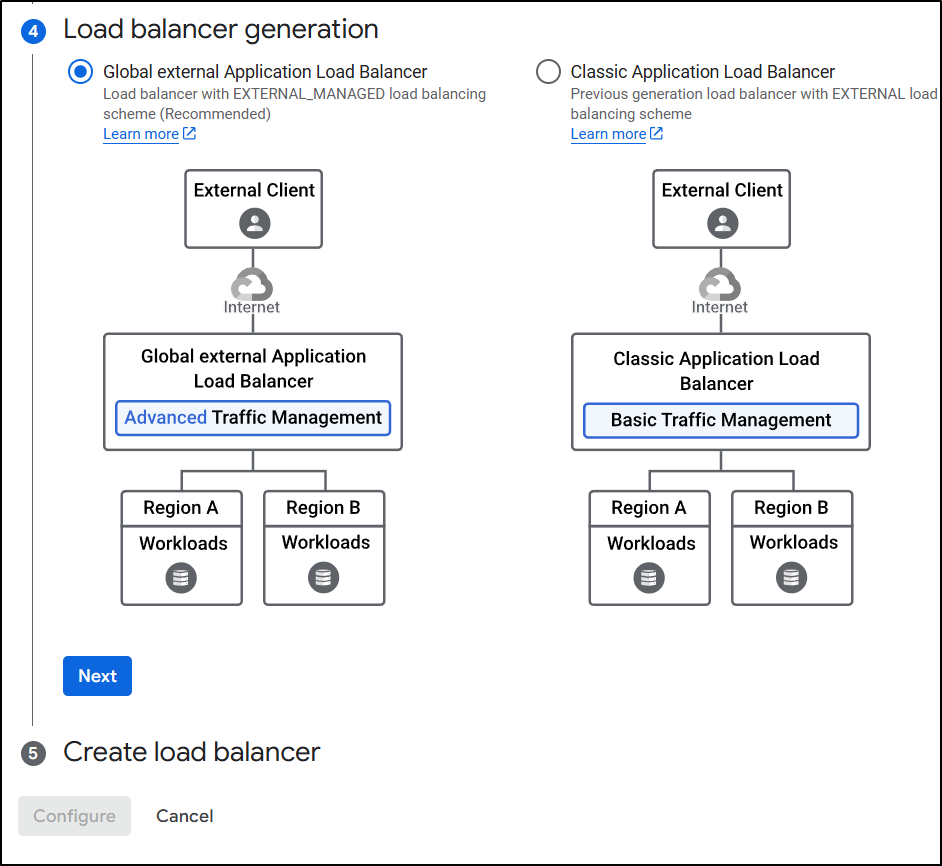
LB Setup - Frontend
This time we’ll pick HTTPS and the IP address we already created
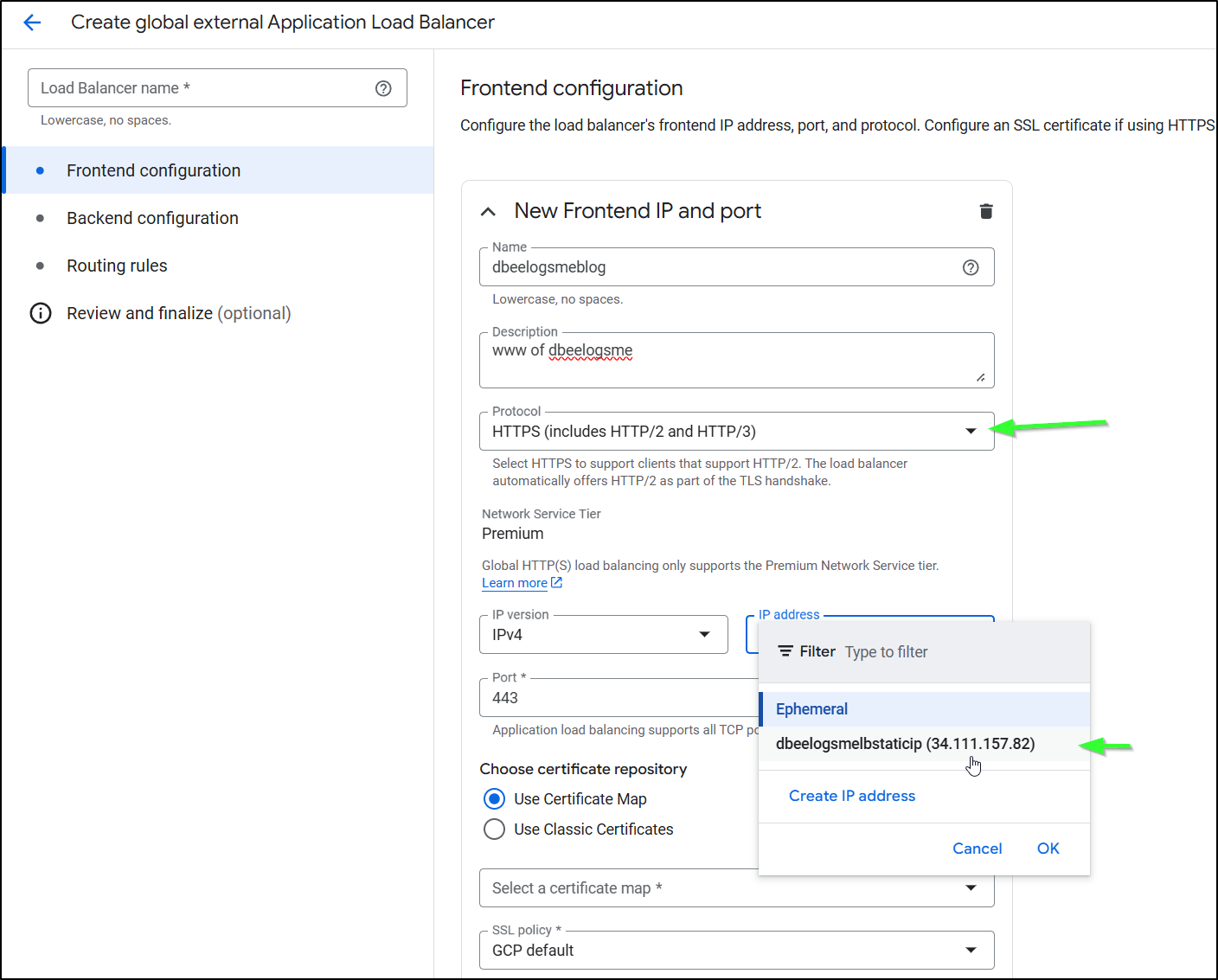
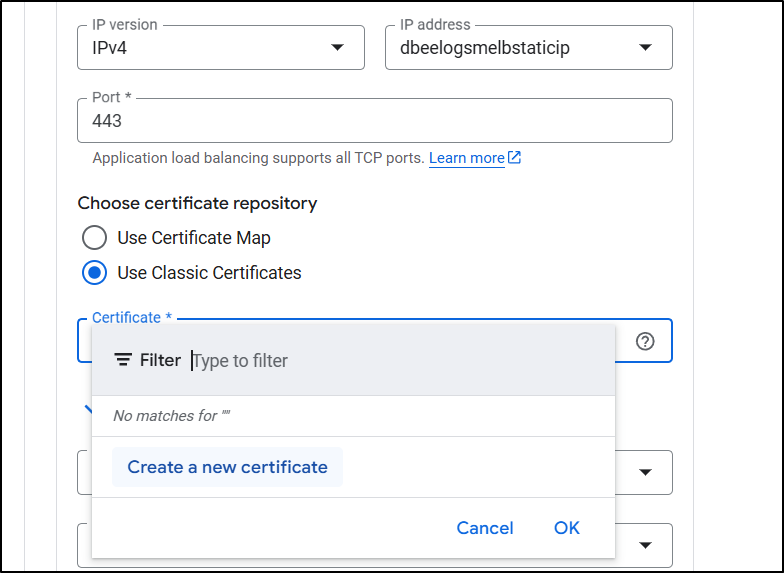
Then create new certificate
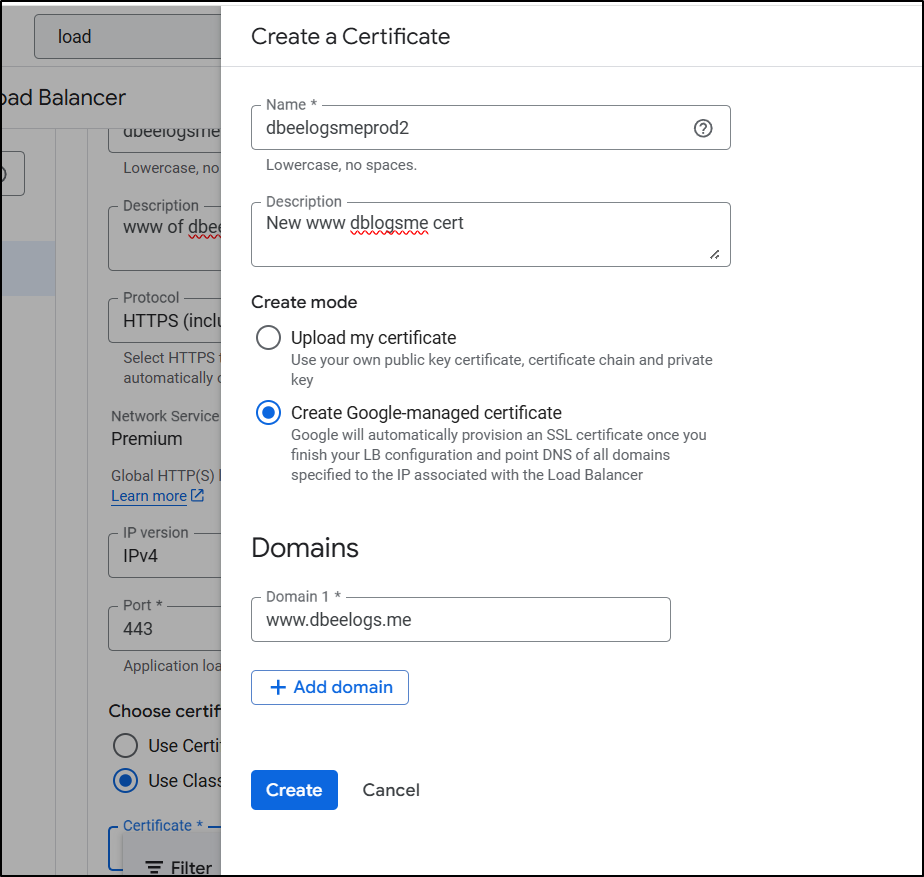
and give it the same DNS name we used
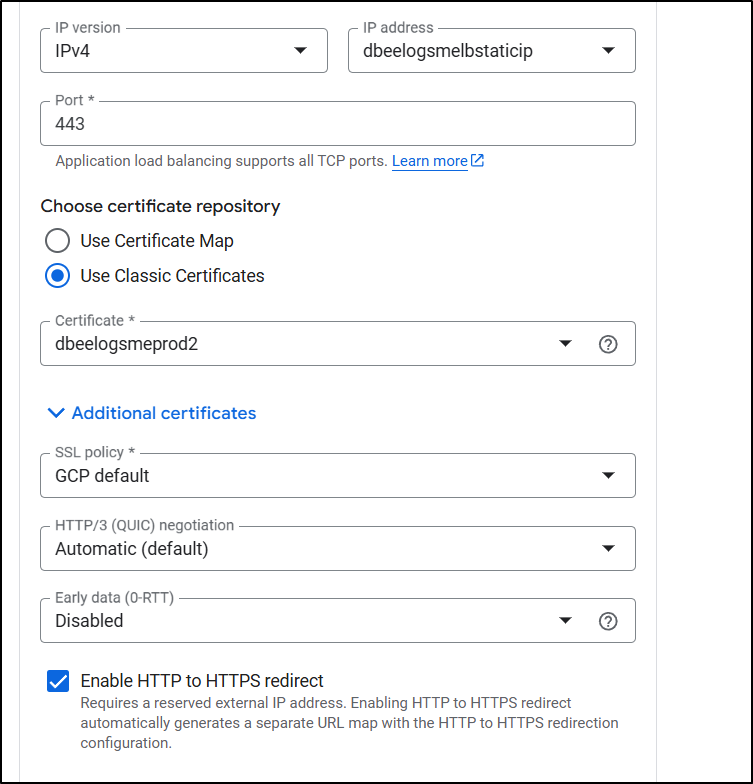
I enabled HTTP to HTTPS redirect
Because I did a Global Application Balancer, I can now pick a Bucket for a backend (prior, when using regional, I could only see VMs, Cloud Run, GKE etc, but not buckets)
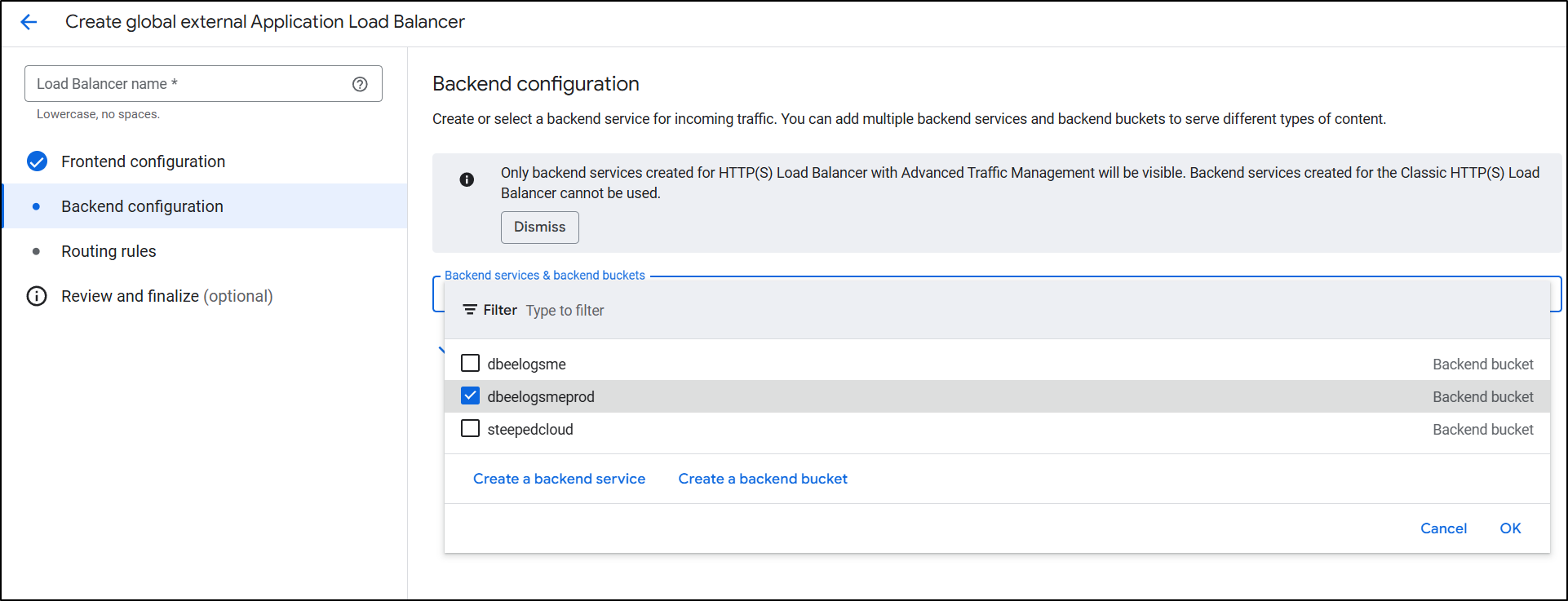
Lastly, I just click create to complete the LB setup
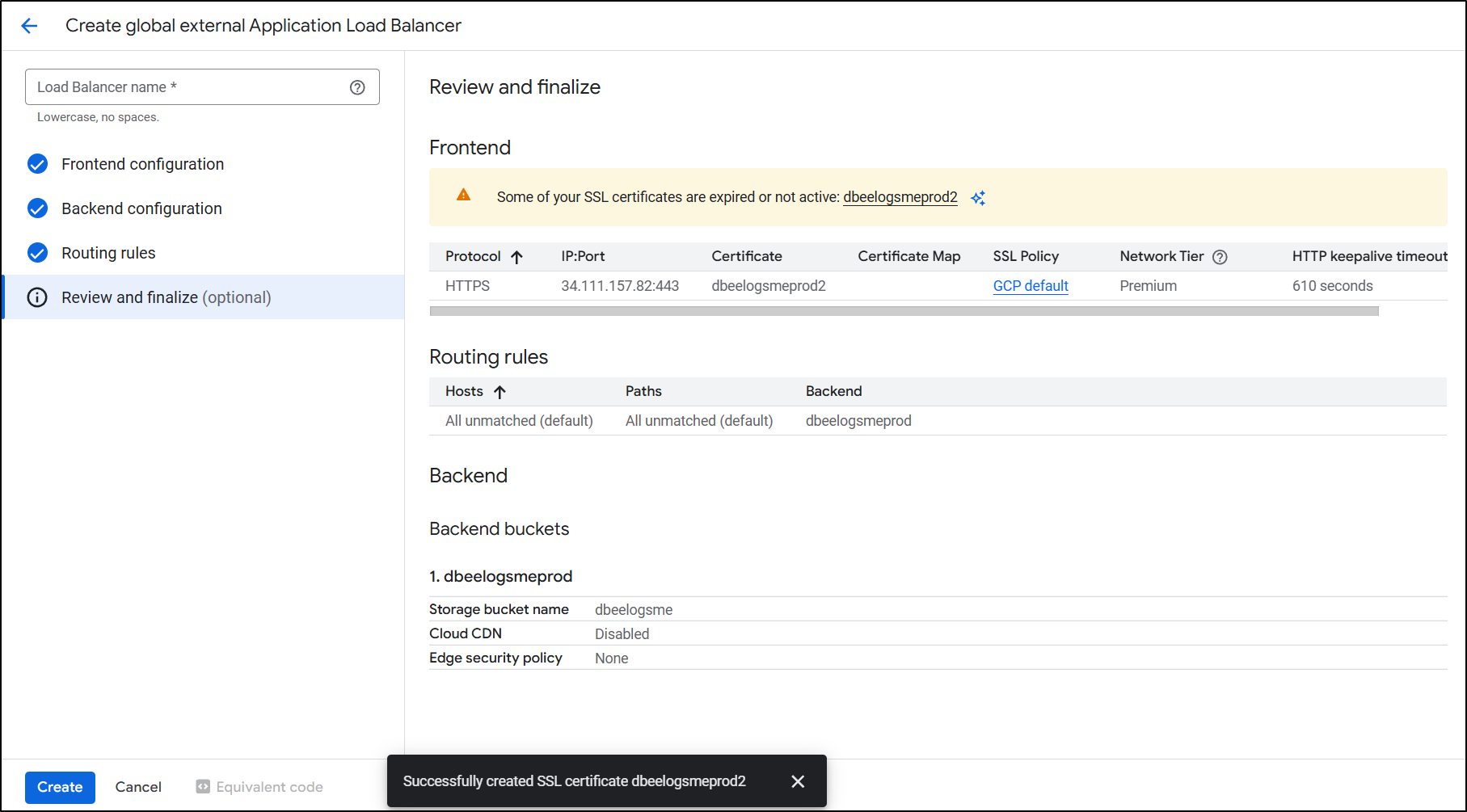
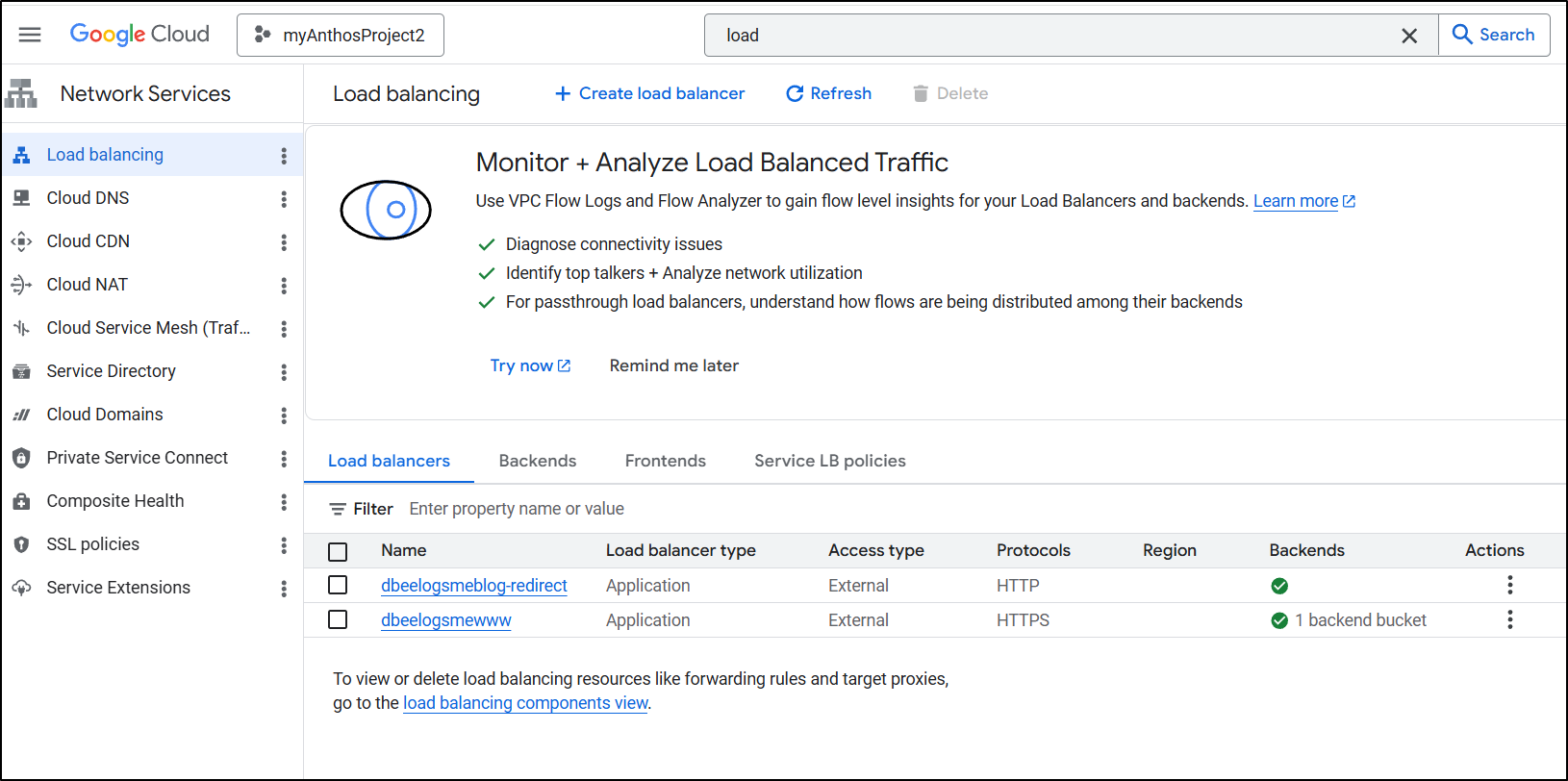
I now have a primary and redirect ALB
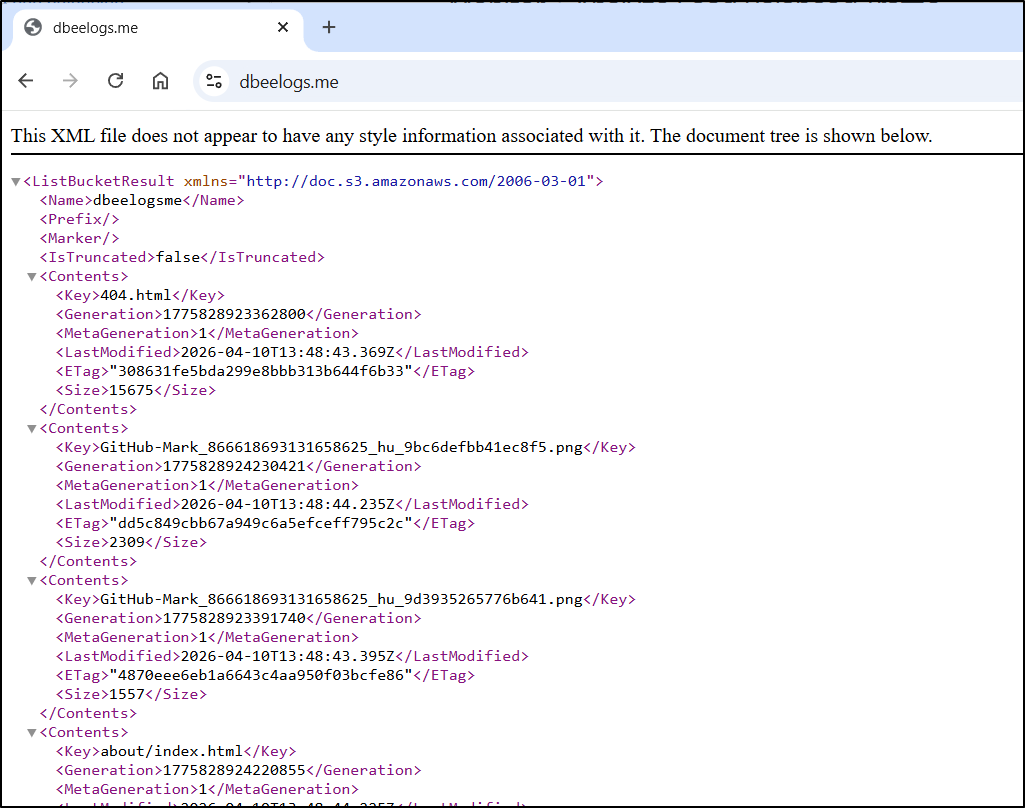
The root seems to be serving index.xml instead of HTML
However, if I type index.html the blog is served up
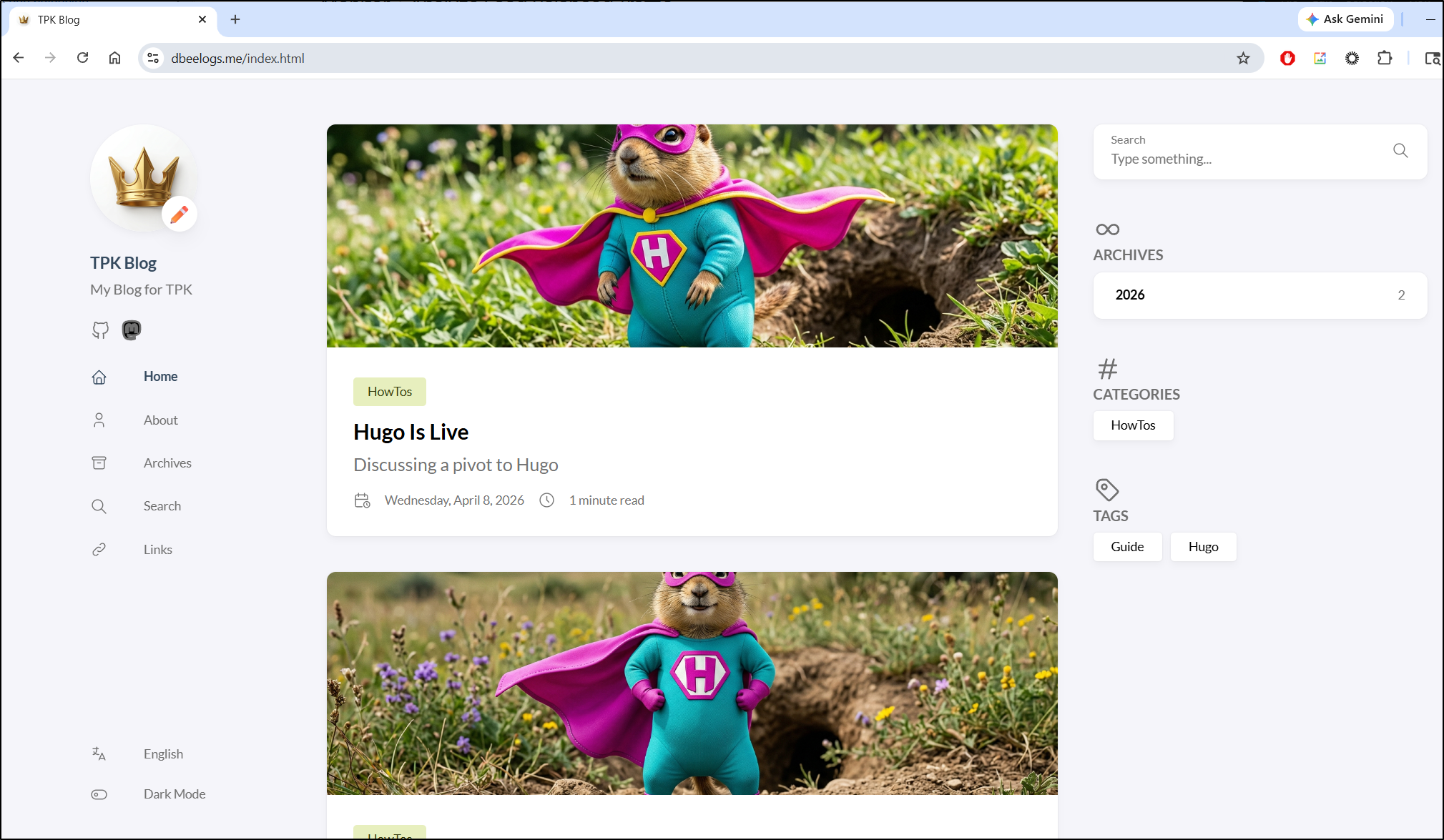
The menu for that is kind of hidden (IMHO). Go to the main buckets list page and find the “more actions” ellipse menu
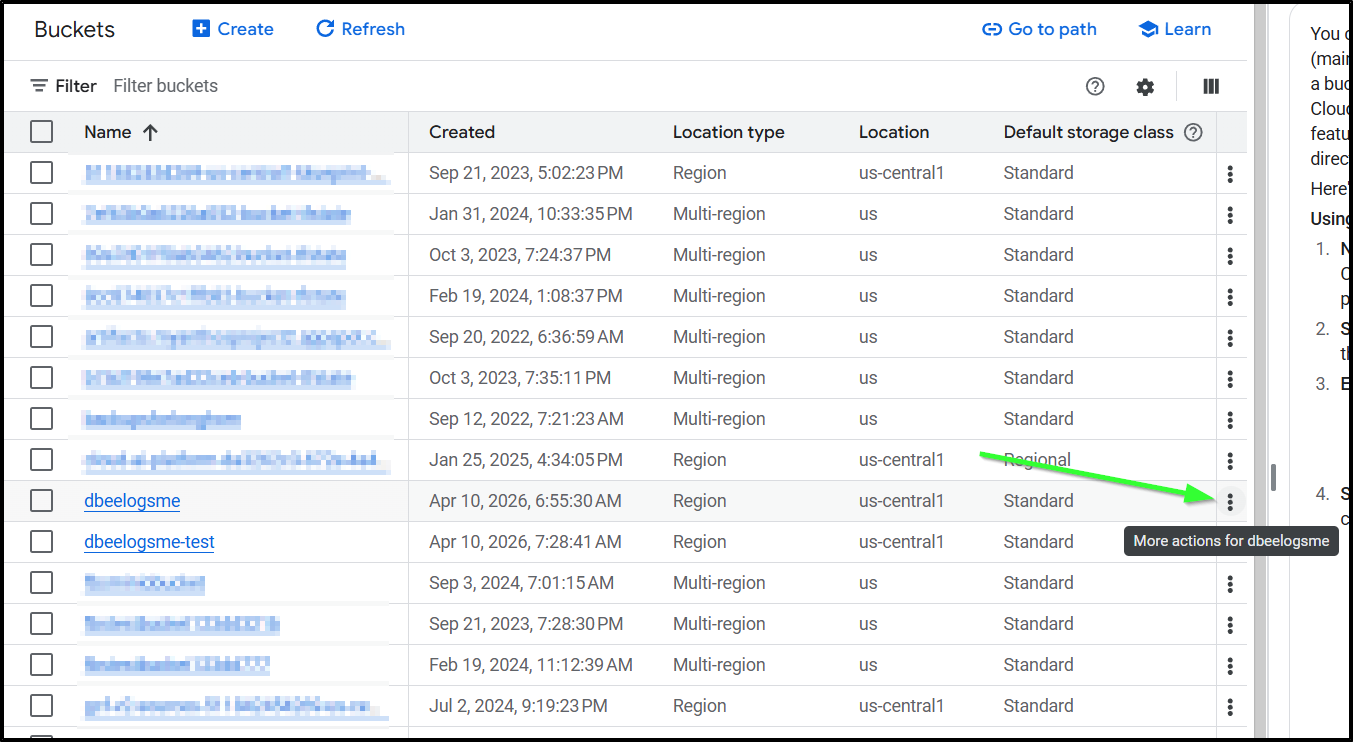
Chose “Edit Website Configuration”
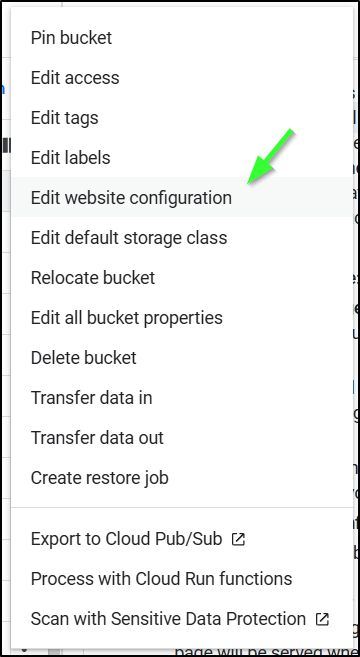
Now we can set the index and 404 pages (you want to at least set the index/home page)
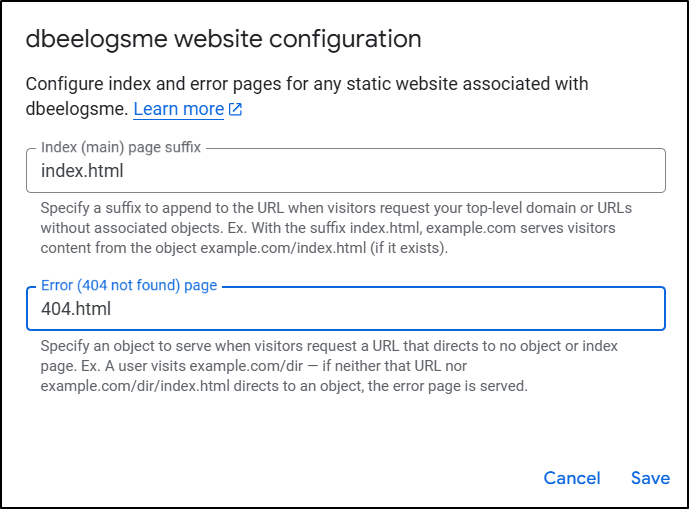
I can now use the URL without adding “index.html” and see the blog
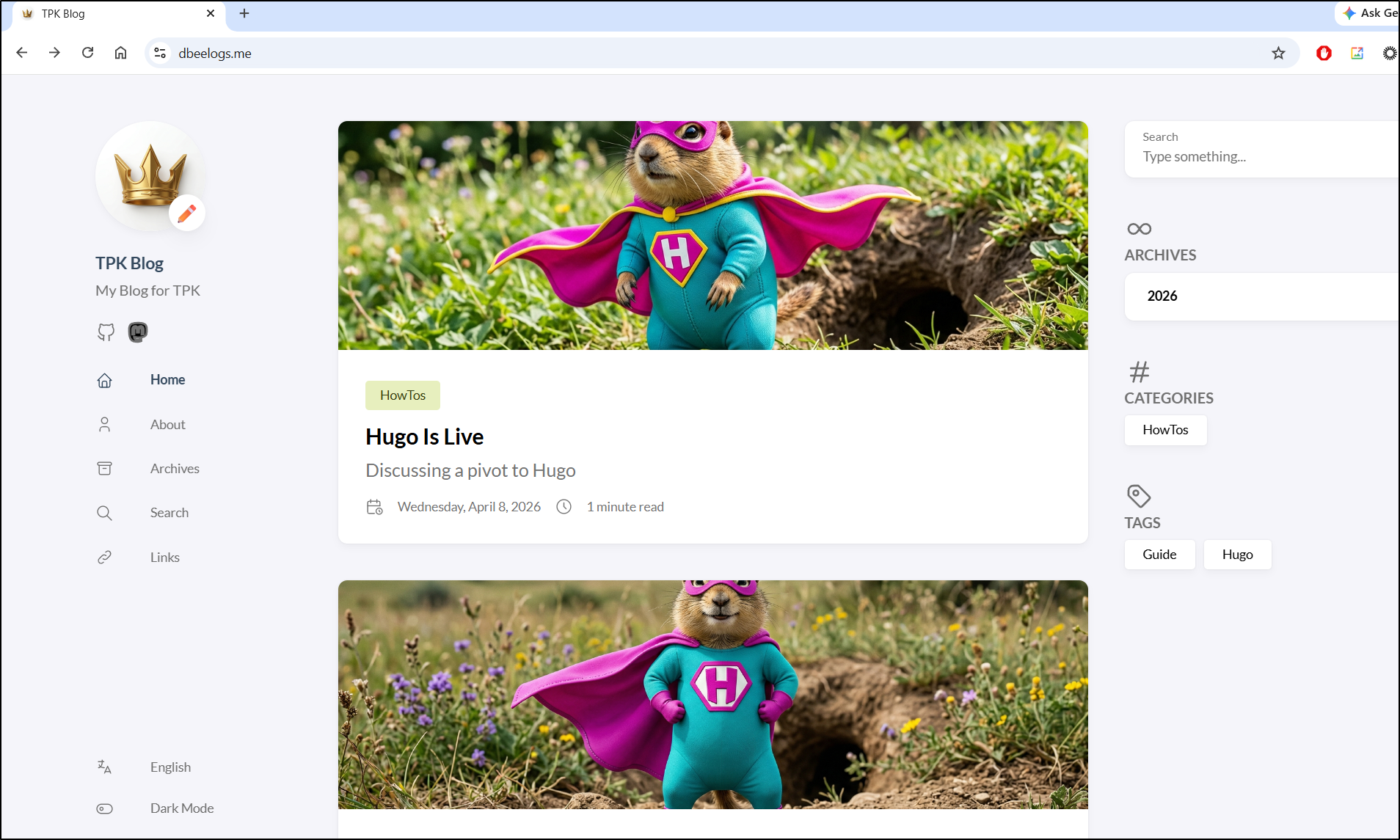
Adding the Test site
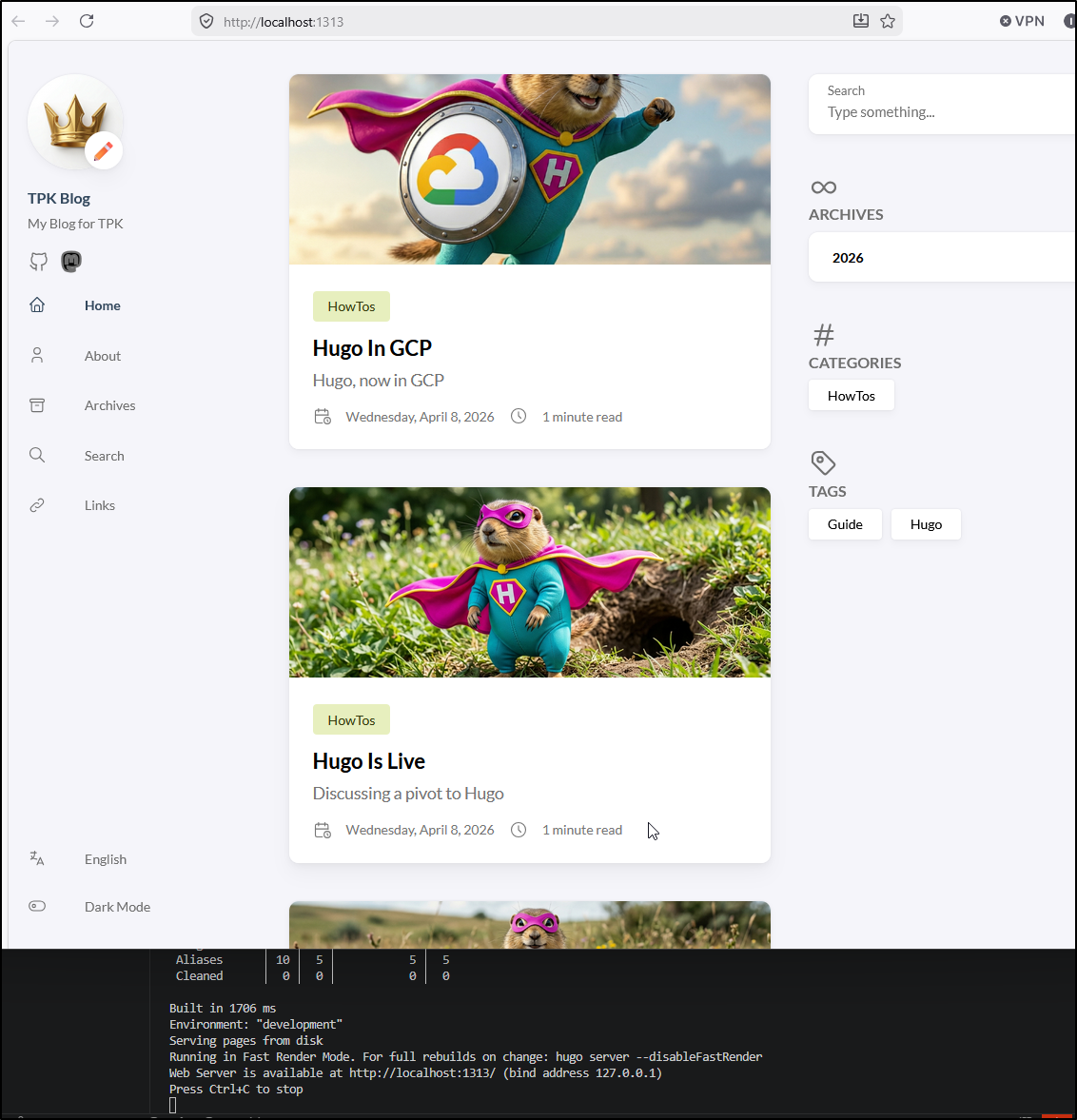
I’ll now make a branch and a local post. I can use hugo serve to test
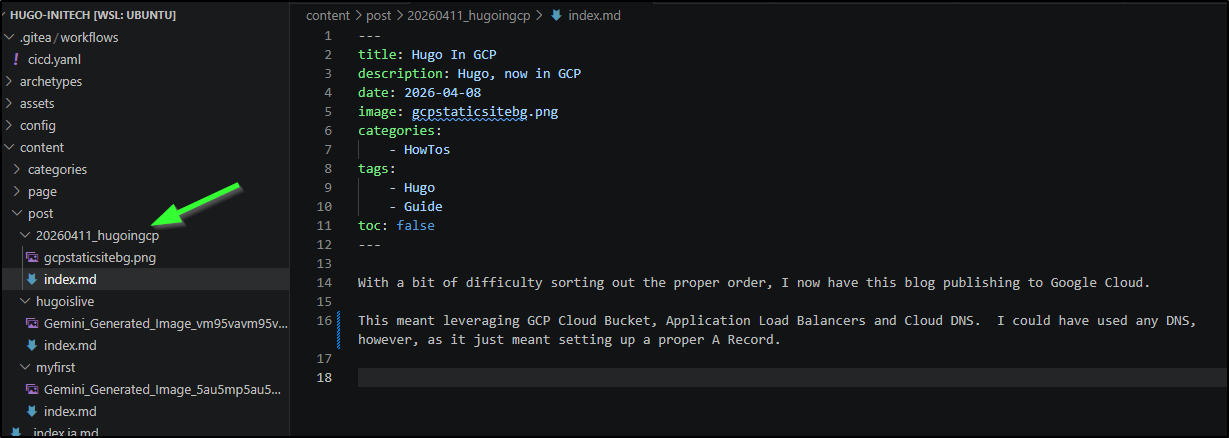
One thing I did different this time was give it a name with a date. This will be handy for finding things over time
We can then see that pushed to the test bucket
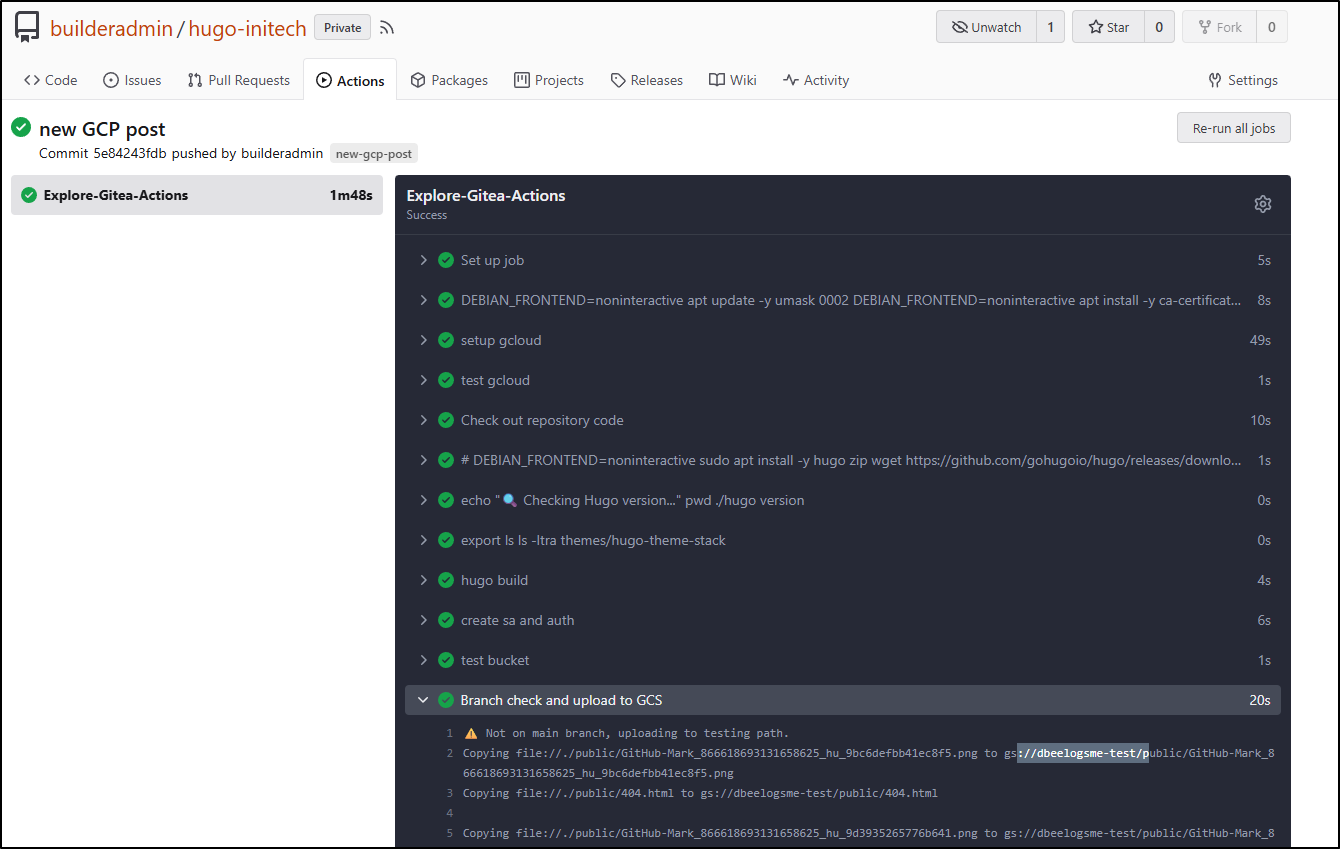
However, when I checked the bucket, I realized I made a mistake. It had copied the “public” folder in there instead of making the files at root
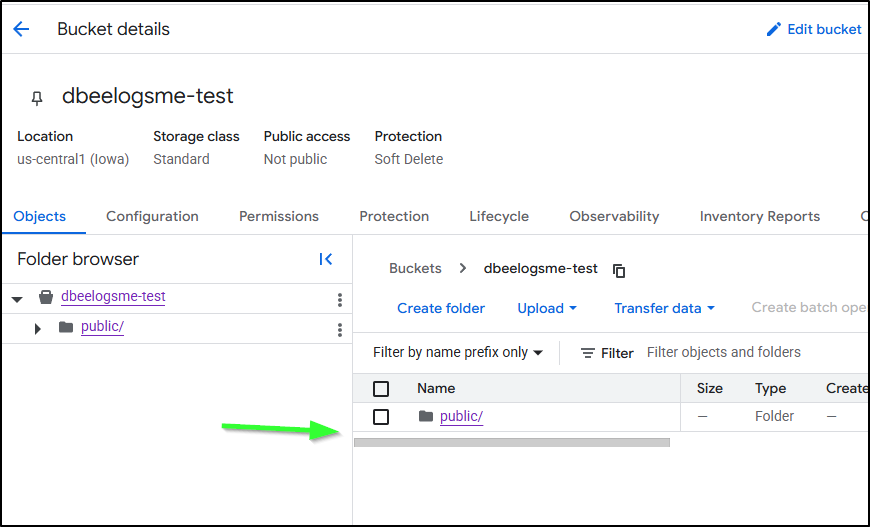
I deleted it
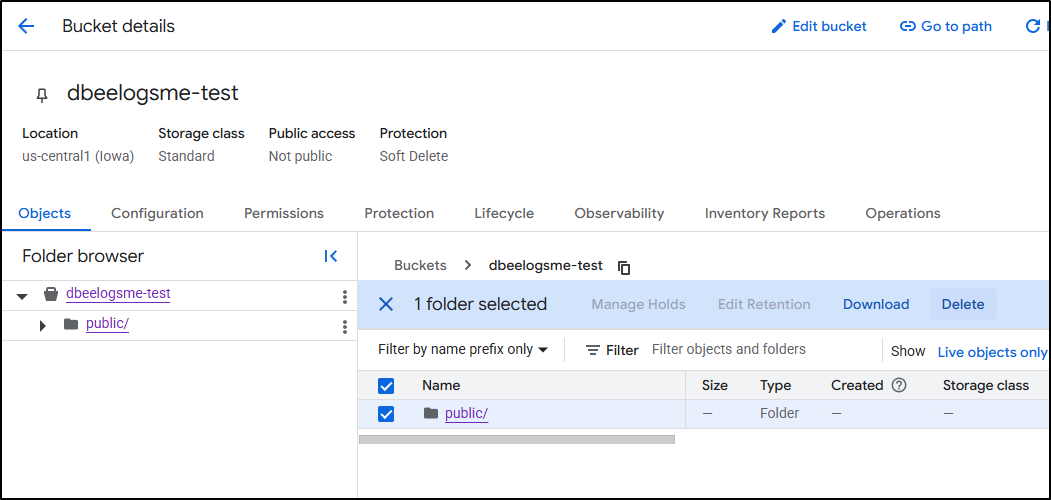
My goof was using “cp” instead of “rsync” in the branch upload
            if [[ "$GITHUB_REF_NAME" == "main" && "$GITHUB_REF_TYPE" == "branch" ]]; then
                echo "✅ On main branch, proceeding with GCS sync..."
                # -r is recursive, -d deletes files in destination not in source (optional)
                gcloud storage rsync ./public gs://dbeelogsme --recursive
            else
                echo "⚠️ Not on main branch, uploading to testing path."
                gcloud storage cp ./public gs://dbeelogsme-test --recursive
            fi
I fixed it
            if [[ "$GITHUB_REF_NAME" == "main" && "$GITHUB_REF_TYPE" == "branch" ]]; then
                echo "✅ On main branch, proceeding with GCS sync..."
                # -r is recursive, -d deletes files in destination not in source (optional)
                gcloud storage rsync ./public gs://dbeelogsme --recursive
            else
                echo "⚠️ Not on main branch, uploading to testing path."
                gcloud storage rsync ./public gs://dbeelogsme-test --recursive
            fi
Test site
Let’s run through that flow again for the “test” site
I’ll make a new static IP
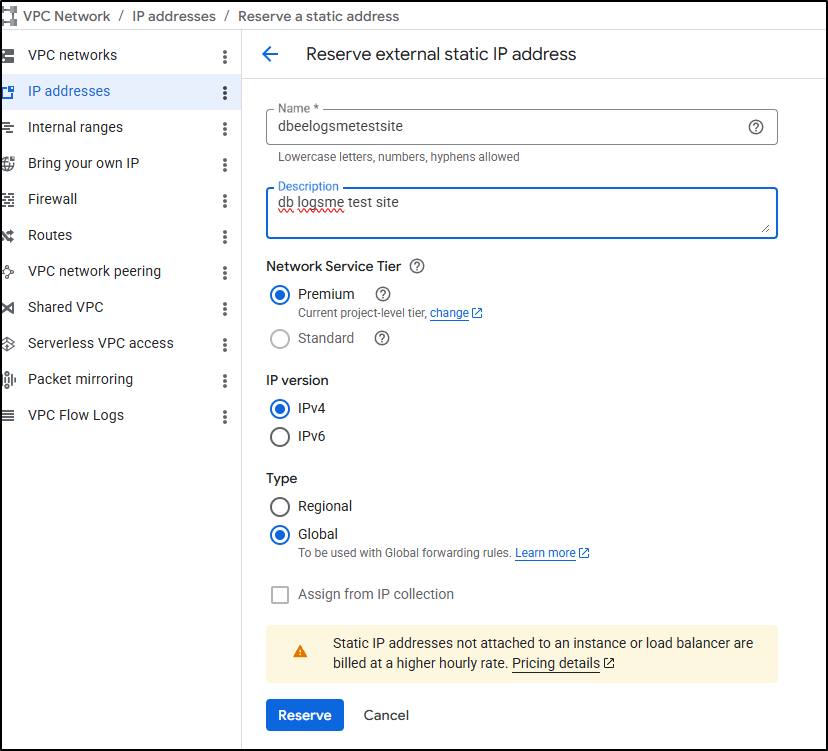
Then take the new static IPv4 (34.54.122.70)
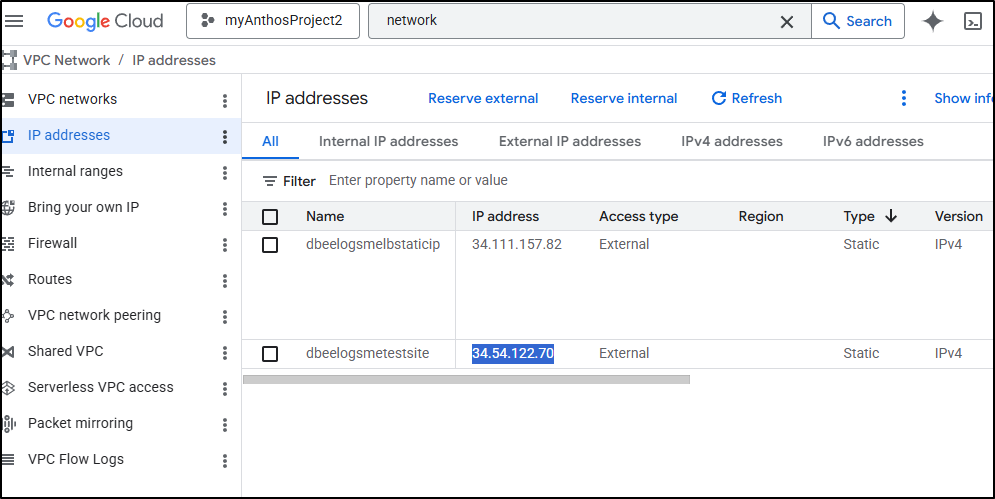
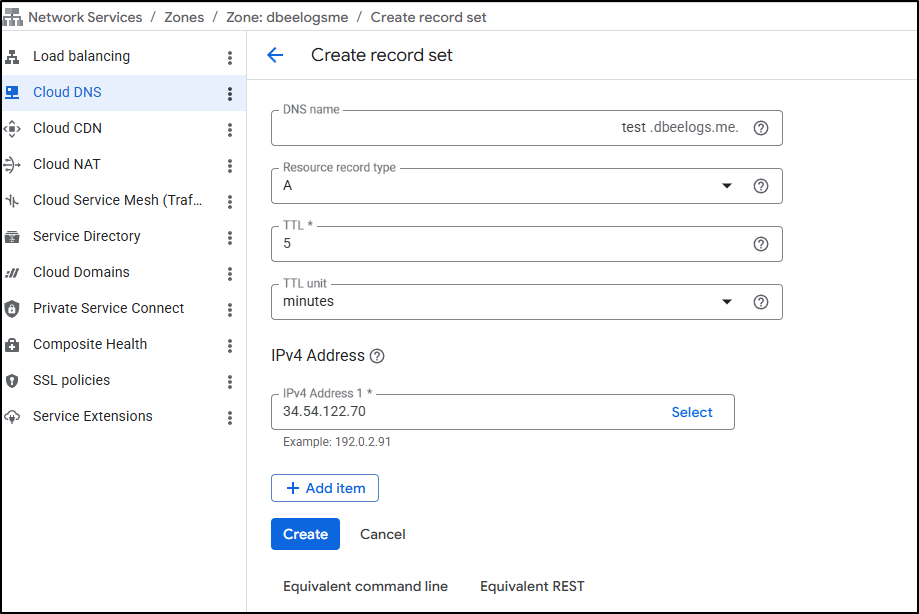
And use it in a new A record for test.dbeelogs.me
I can now create a new global ALB
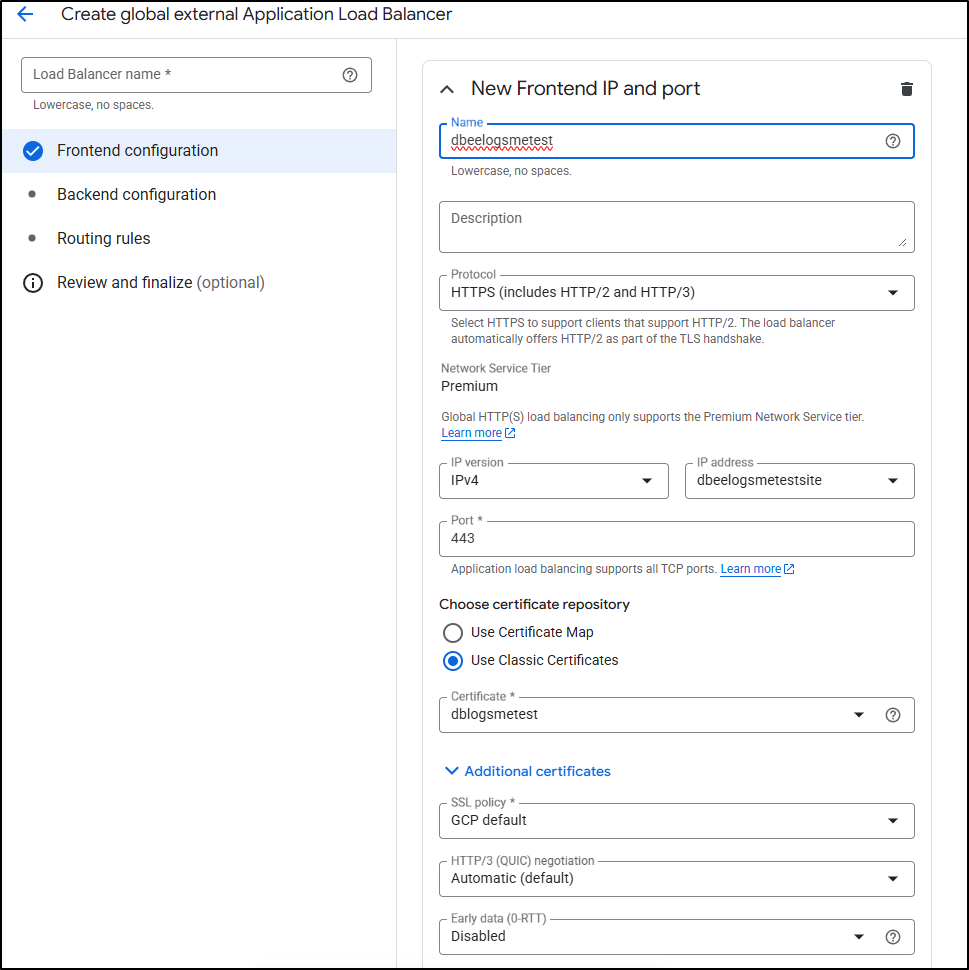
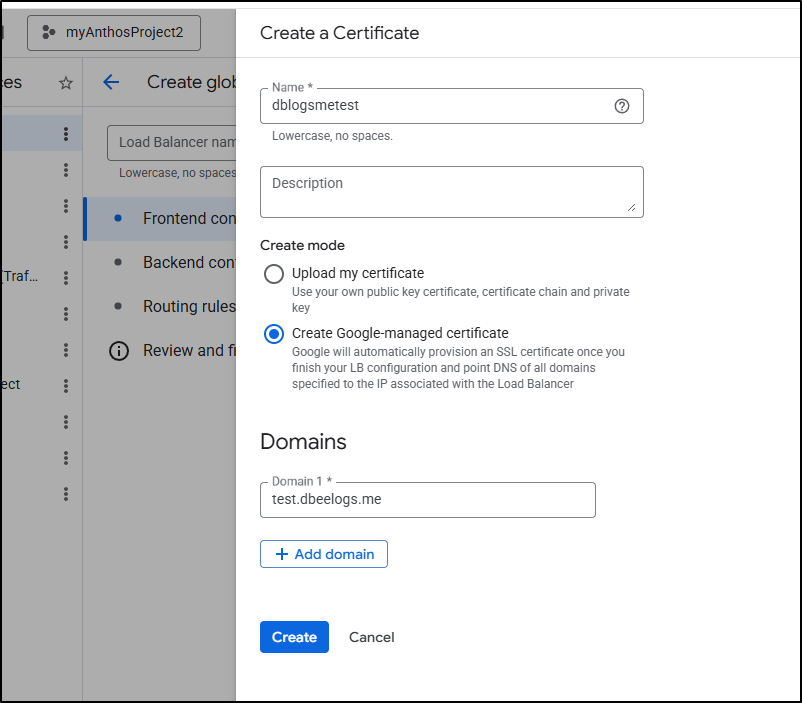
And create the certificate during the front-end configuration as before
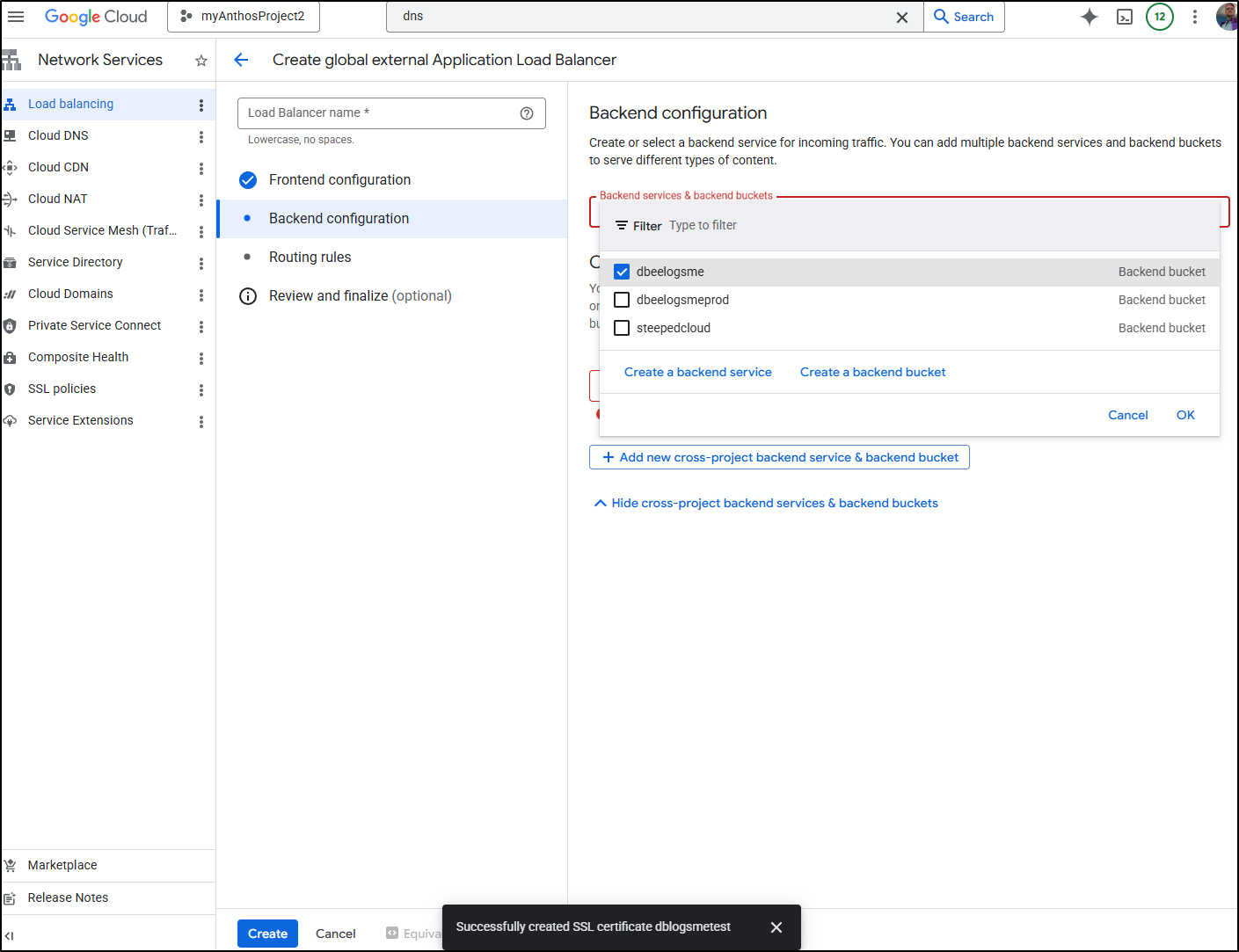
I’ll pick the test bucket (which I had set up some time ago)
Then leave default routing rules and click create
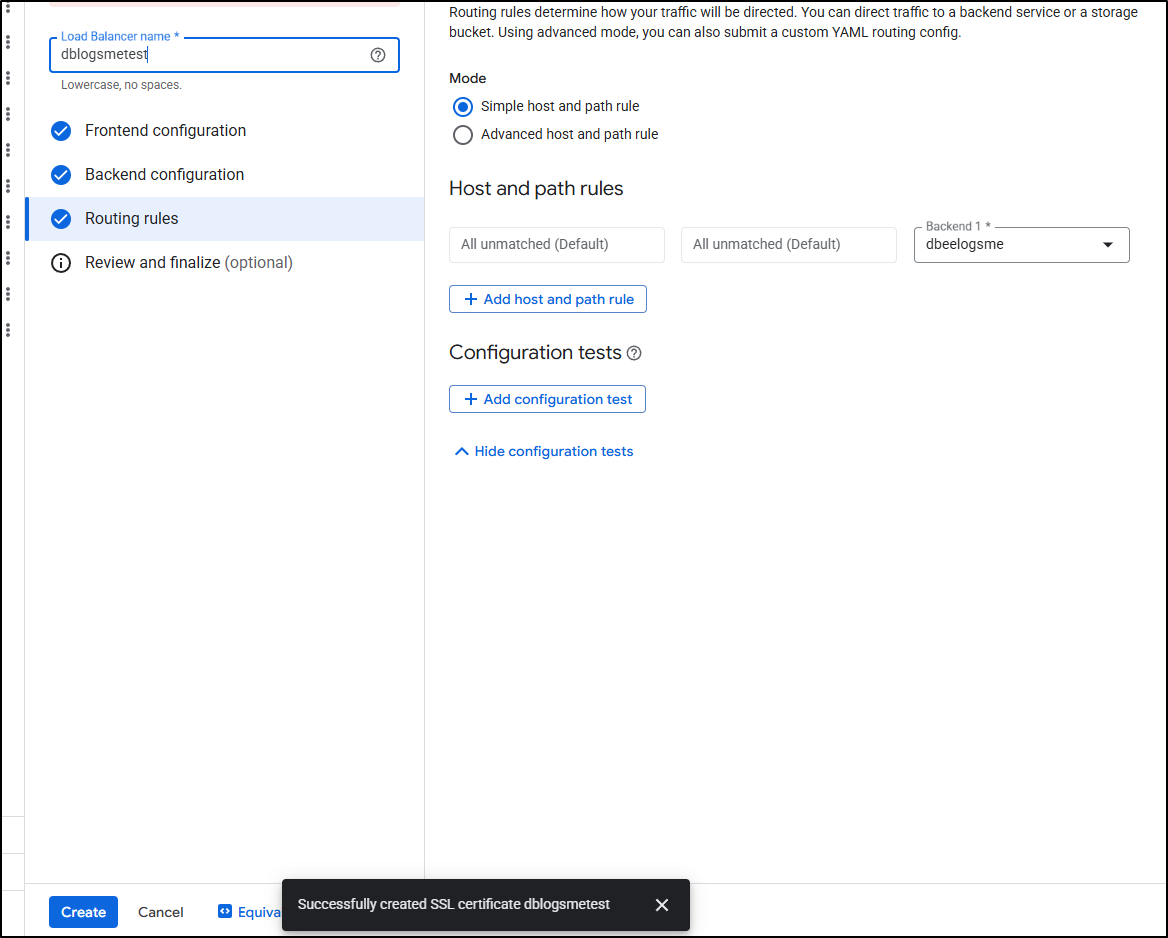
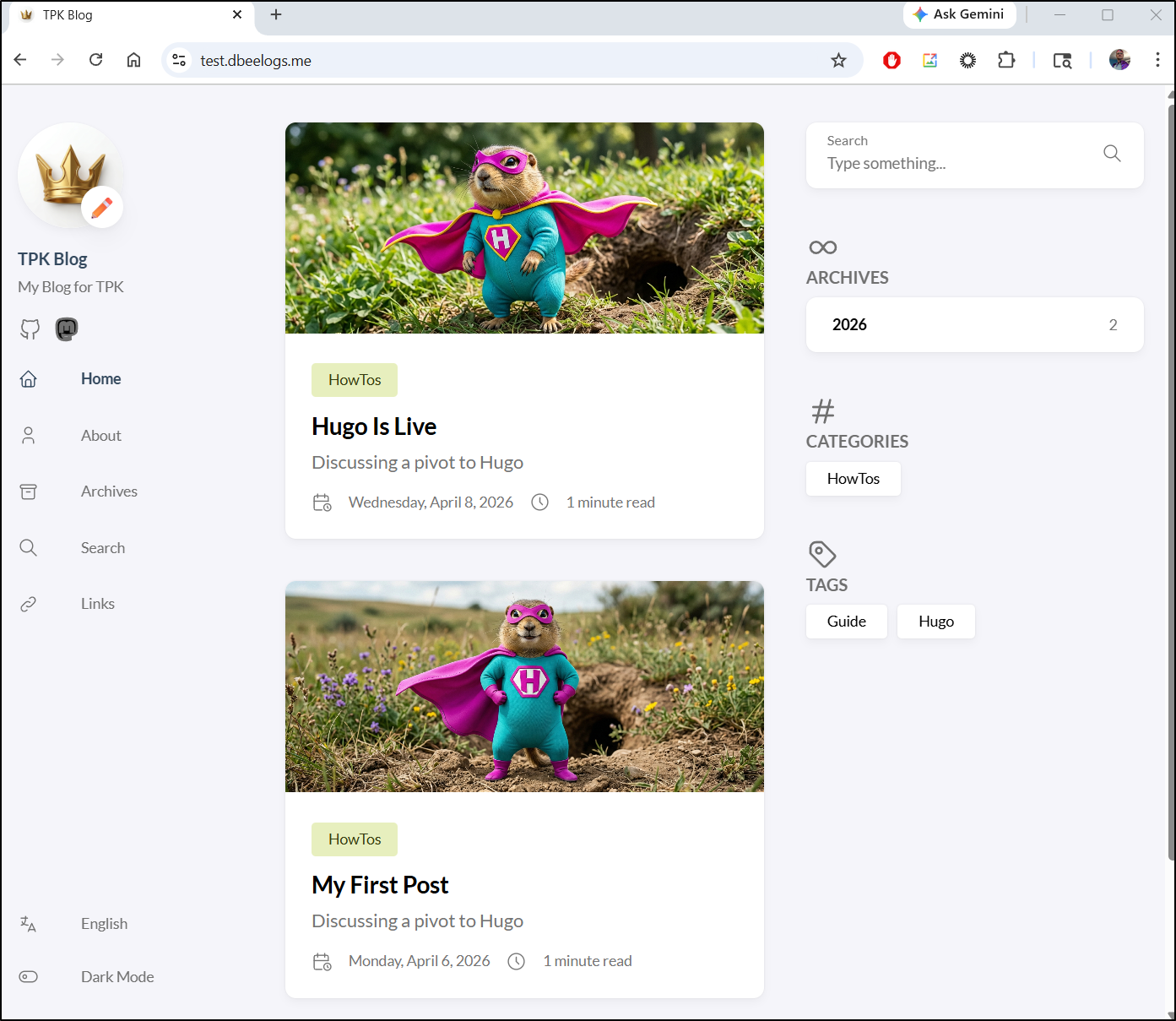
With the ALB created, I checked the “test” site, but did not see my new post
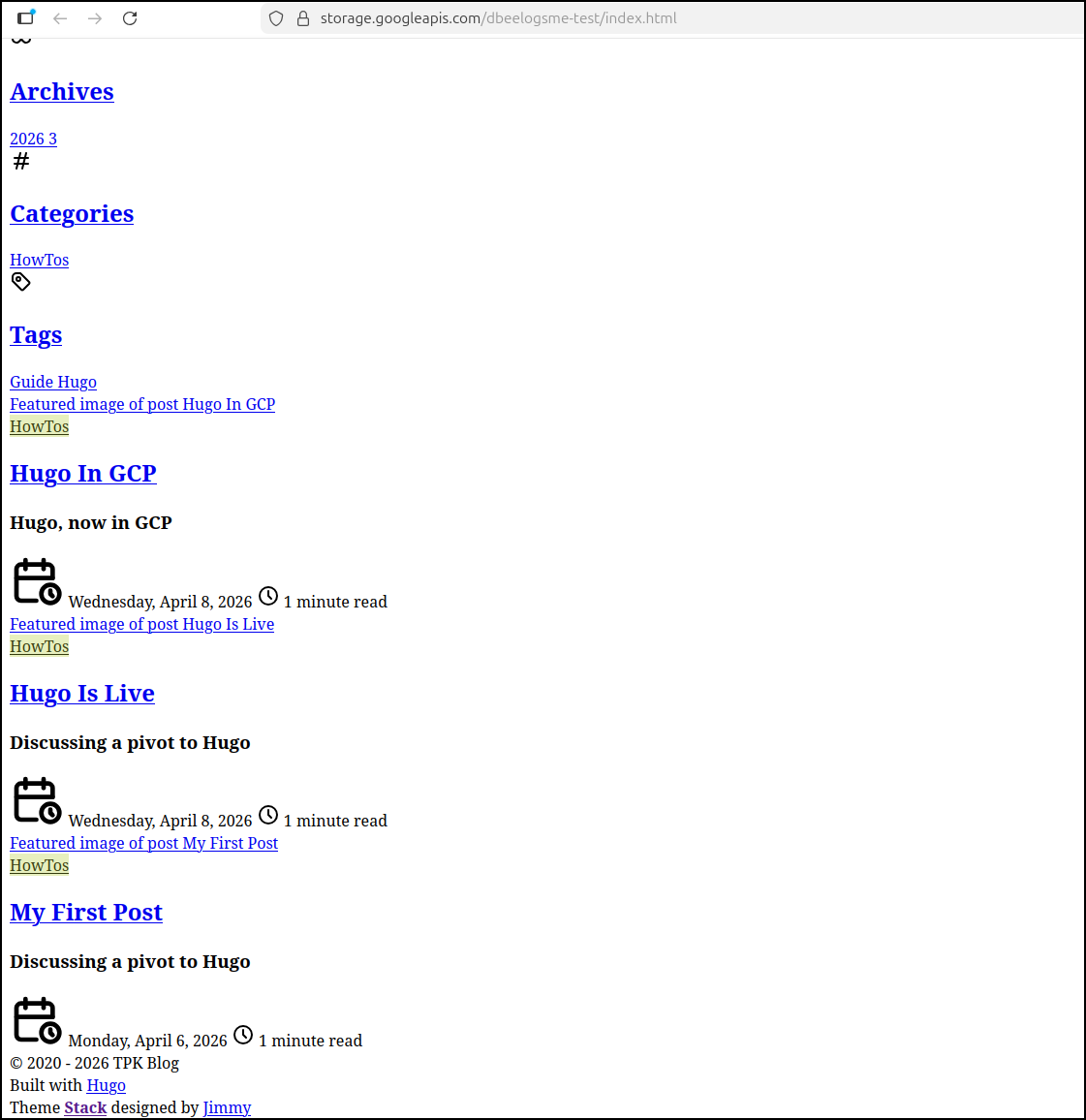
Perhaps the bucket has the wrong contents. I checked a direct storage URL:
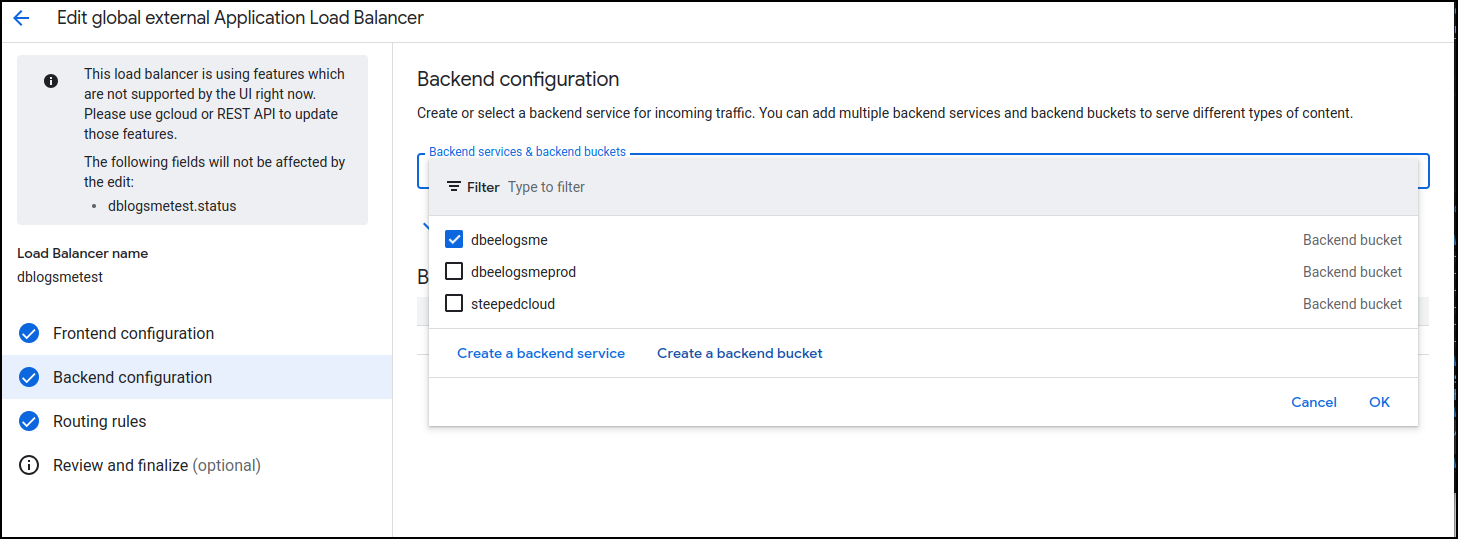
I went back to edit the backend configuration of the load balancer and instead of picking an existing bucket, I clicked “Create a backend bucket”
An important step here is to uncheck the “Enable Cloud CDN” checkbox. For a test site (which is just a preview of in-flux articles), we would not want any of them cached (as we are actively changing them)
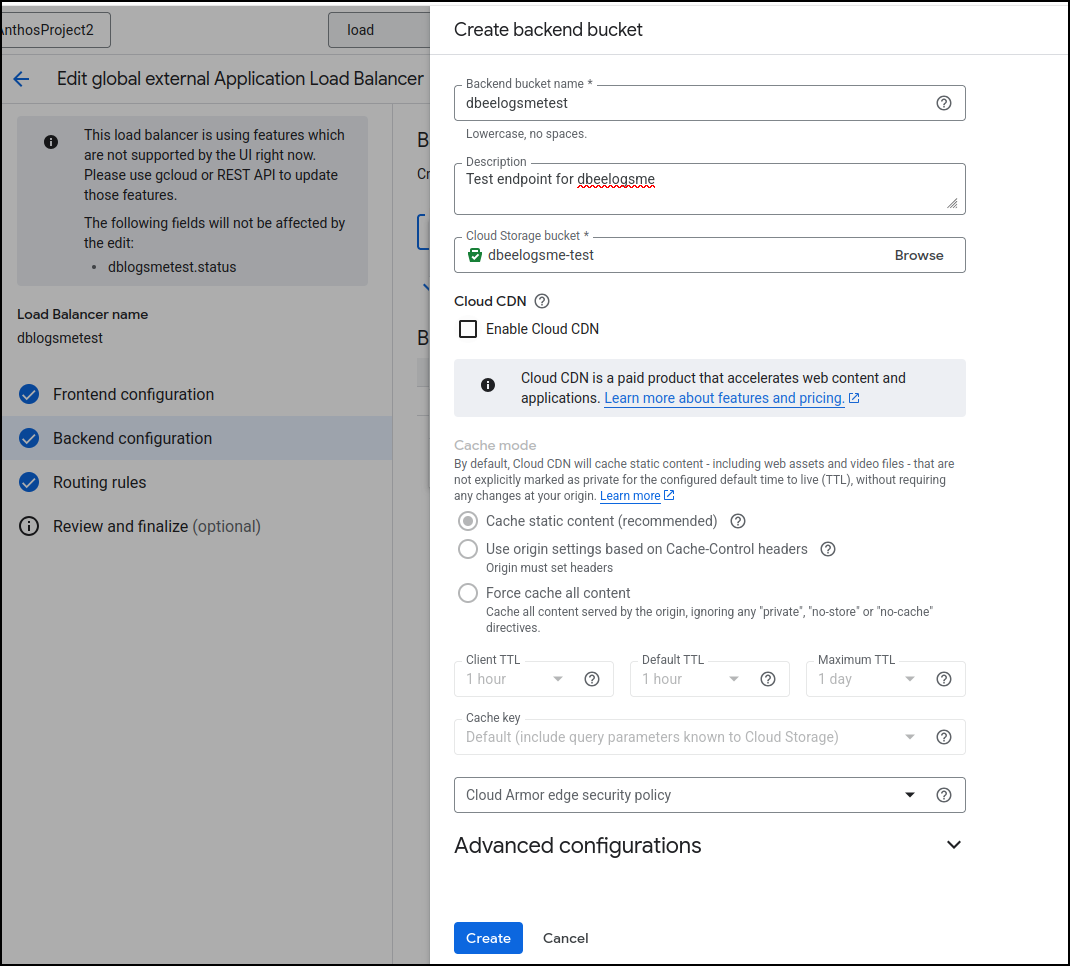
Lastly, uncheck the errant bucket (dbeelogsme), check the new endpoint bucket (dbeelogsmetest) and click update
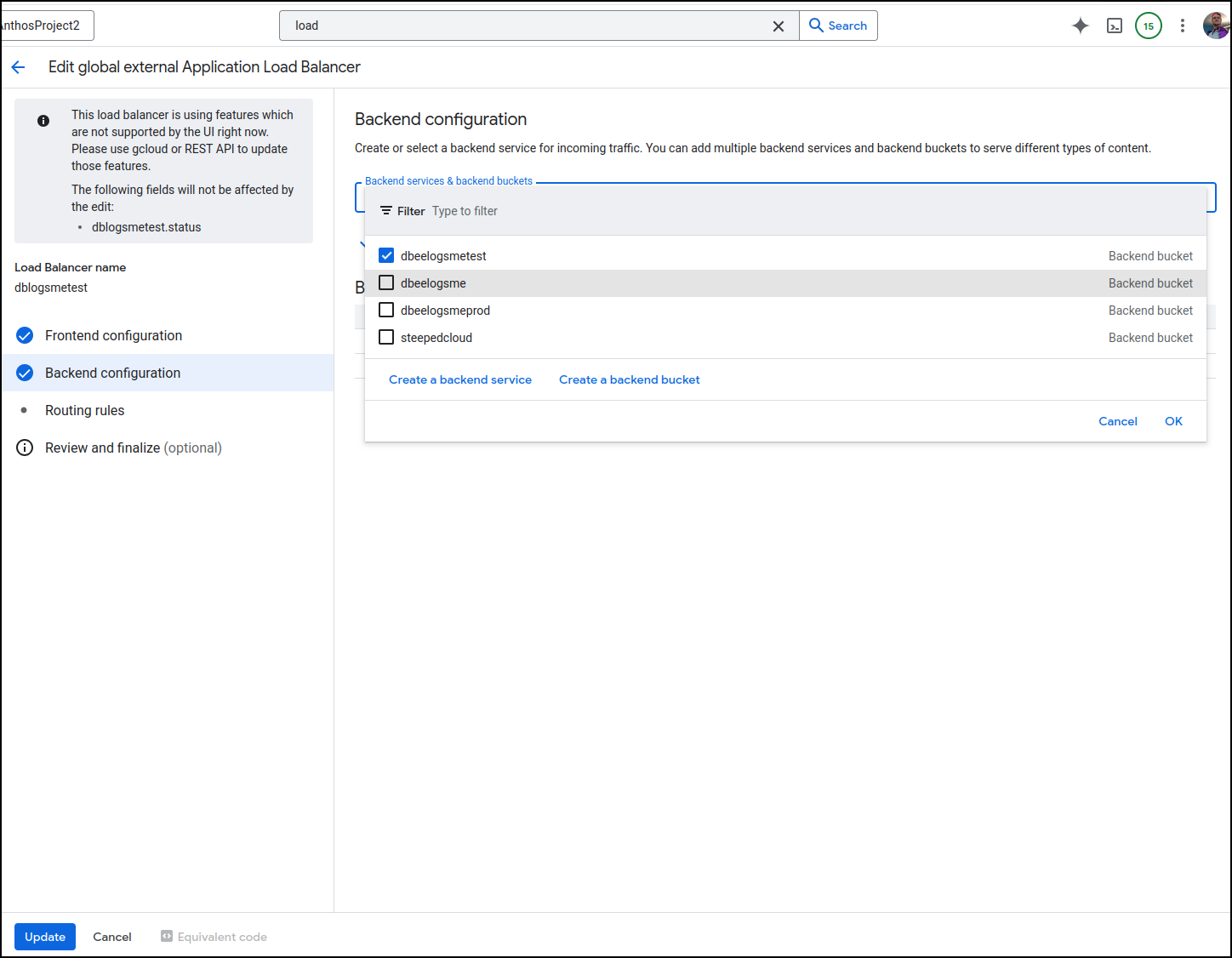
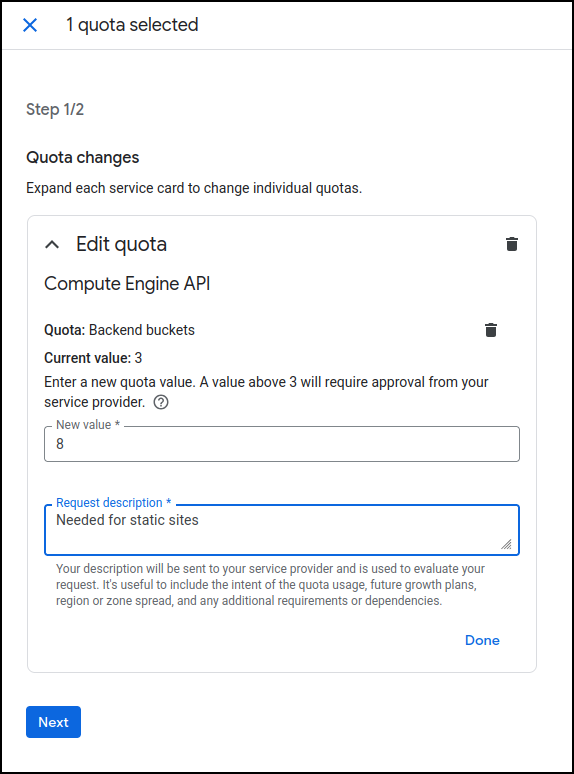
Oddly, I hit a quota issue when I did this
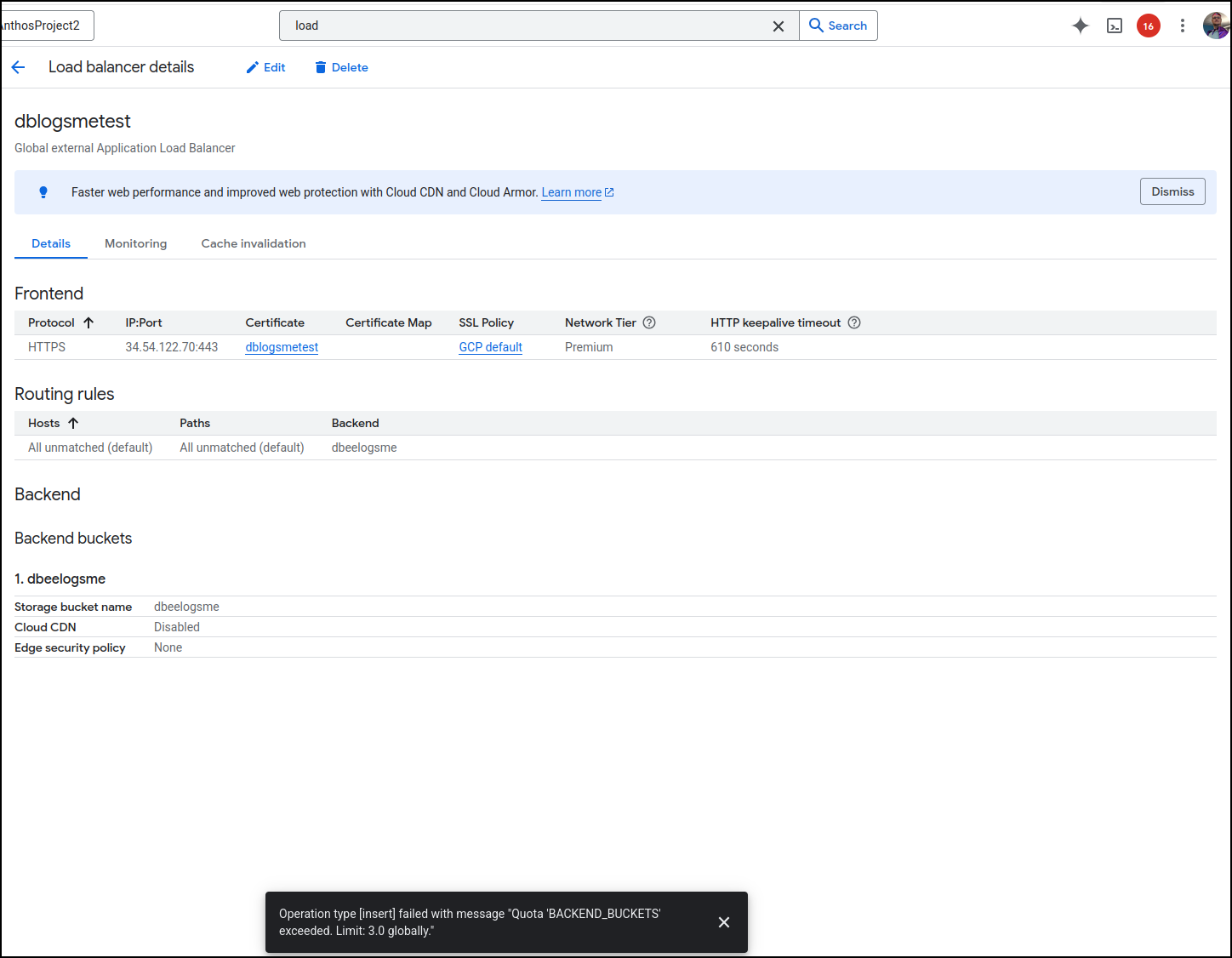
This is an easy fix in the limits and quotas page
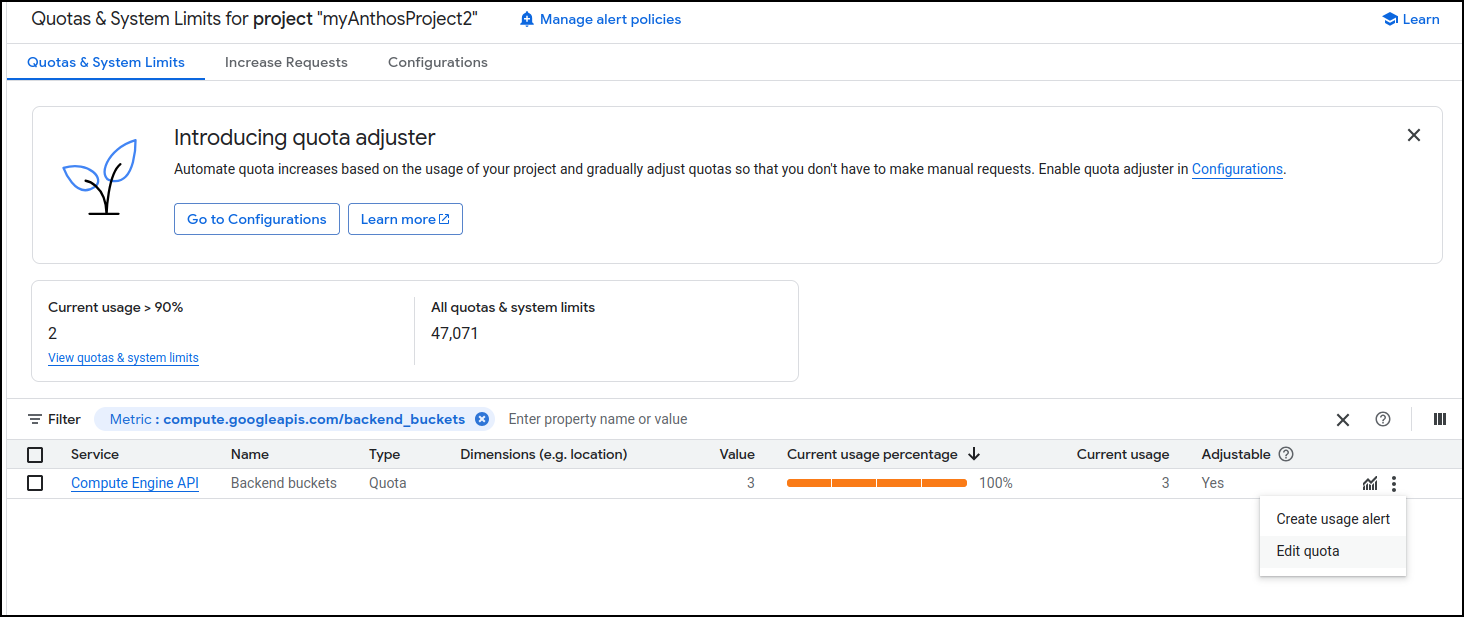
setting a more reasonable limit
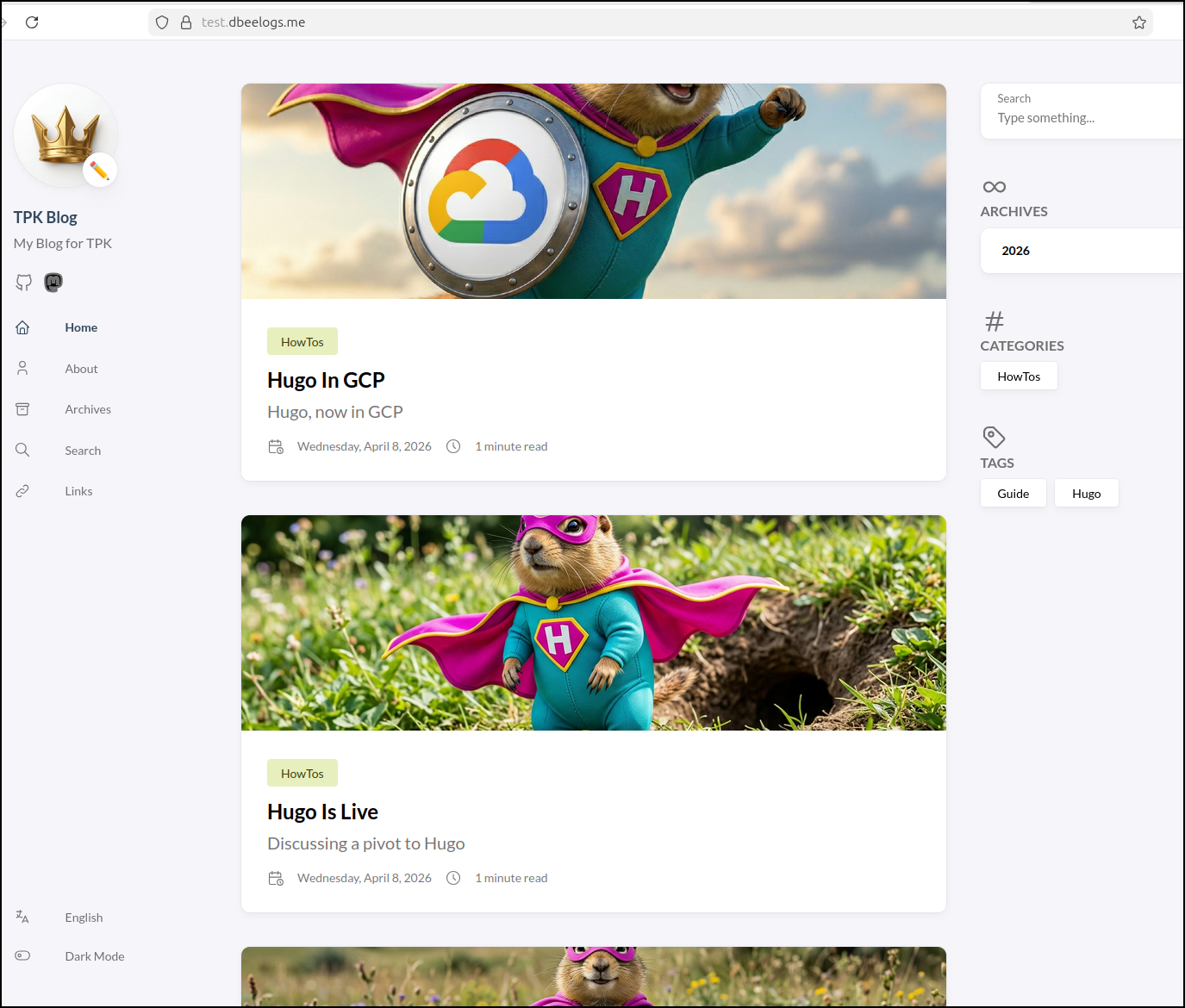
Once I swapped backend buckets, I saw the site load as I hoped. Moreover, it was a smidge slower in loading the larger images which was a good clue it was not using a CDN (the desired behaviour)
Costs
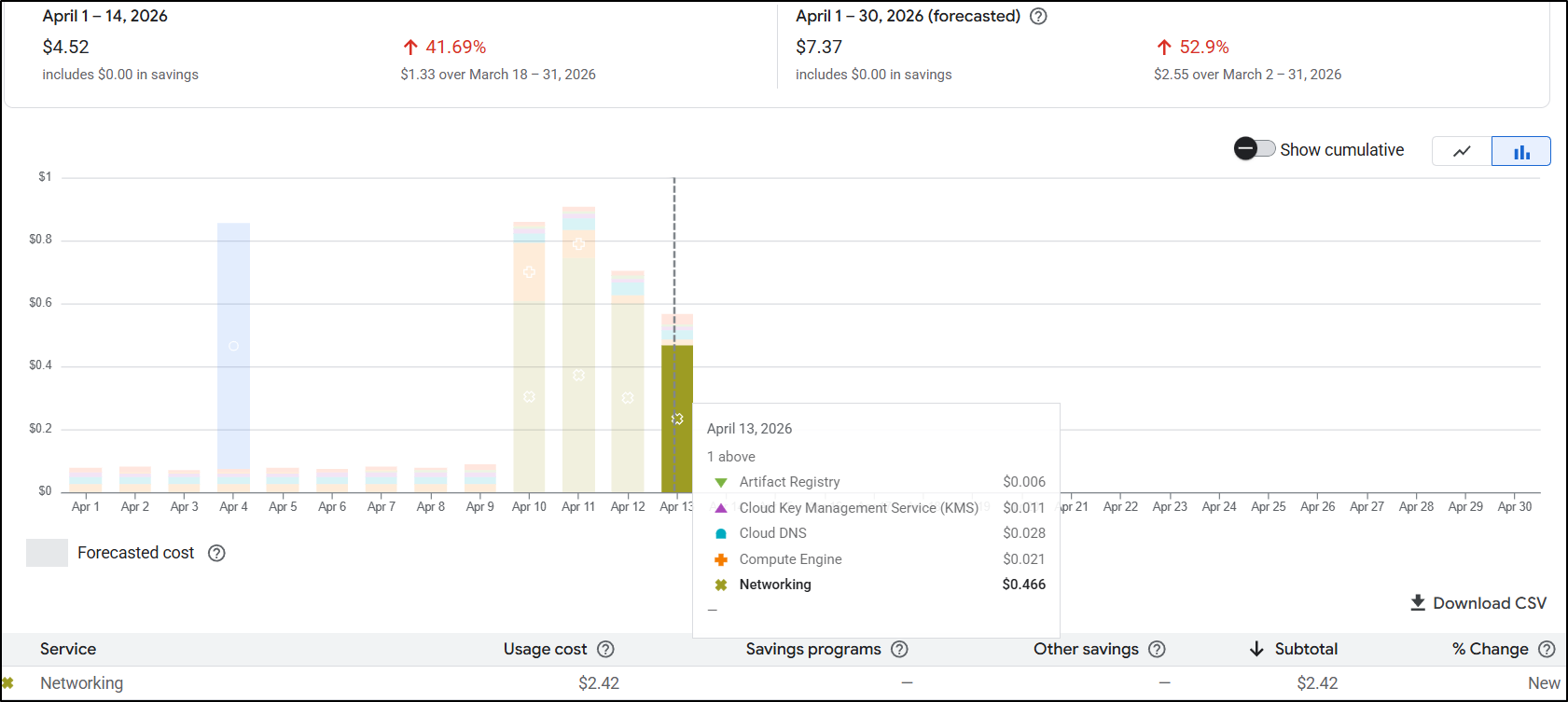
I saw some spikes but waited a day or so to see their origins.
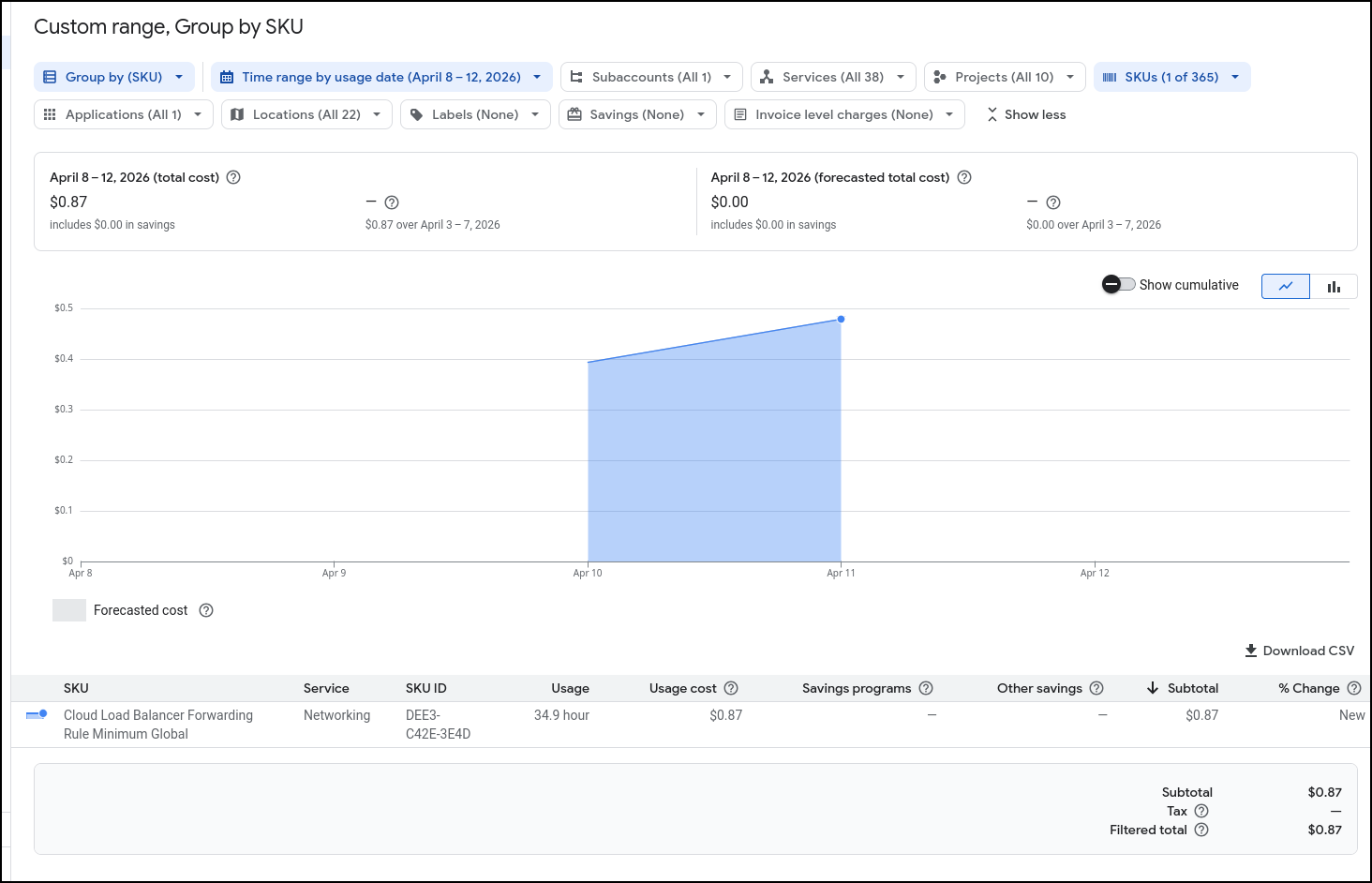
It would seem I was spending roughly 2.5c/hour on ALBs. That means in a month I likely would be spending $20 for the main and test websites
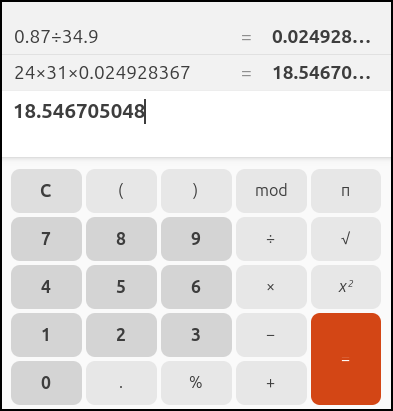
I ran that by the Cost calculator for GCP
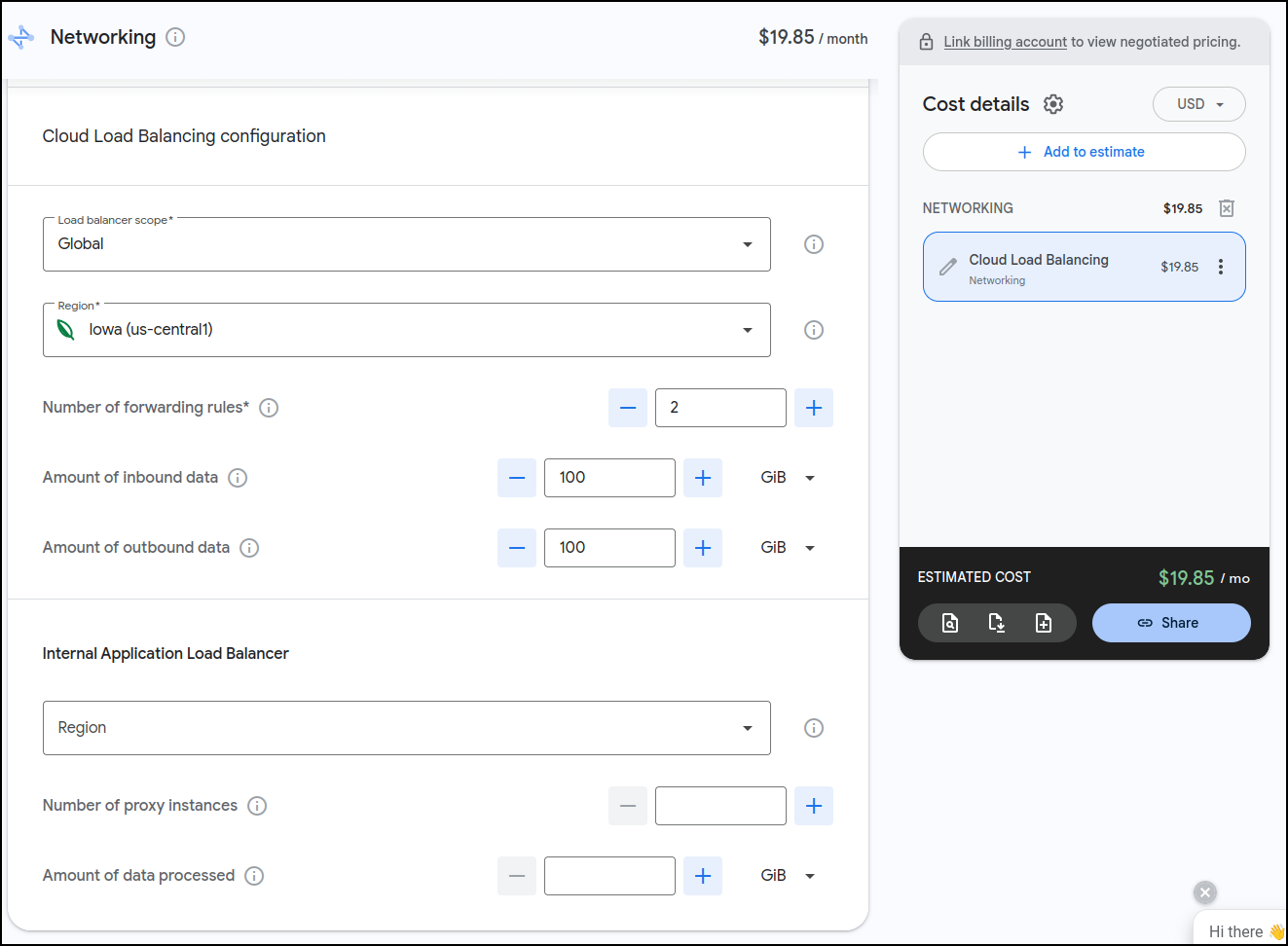
Indeed it would be just under US$20/mo for the ALBs.
However, what I found interesting is that I can do up to 5 of them for that price:
I let it sit for a few days and came back and saw it might even be less than I thought. i have 3 Load Balancers presently (1 test, 2 for production with one being a redirect) and it looks to me like it might be closer to $15 for the month than $20
Cleanup
However, I have another approach to try so let’s clean this one up
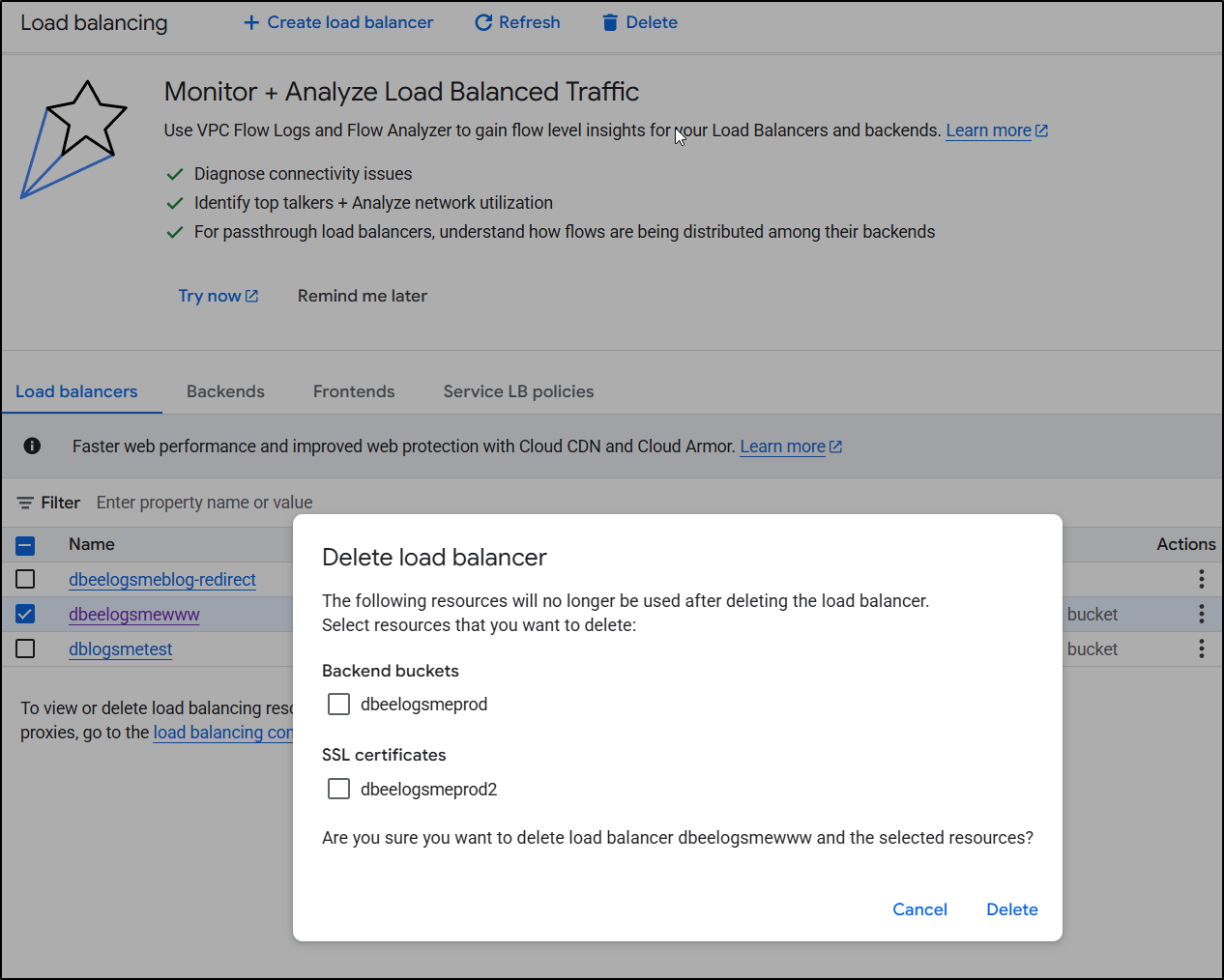
I’ll go to my Load Balancers page and select each one to delete.
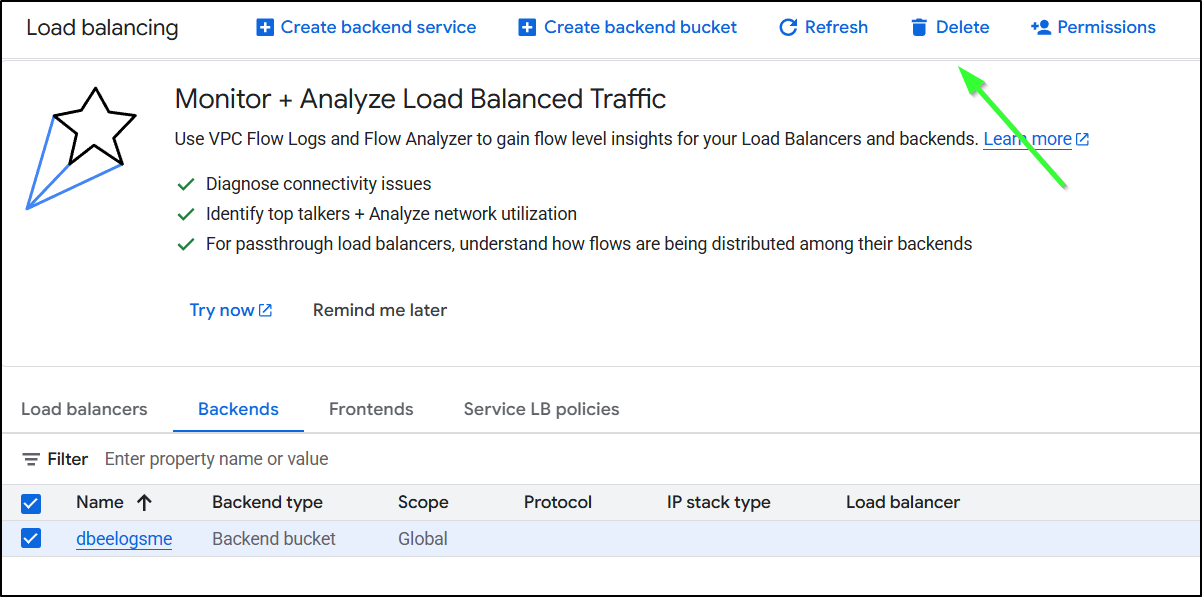
I will delete the “backend buckets” because they are just a pointer to storage buckets - it doesn’t actually delete the underlying bucket, just the ‘pointer’ “backend bucket”. I do think the wording on this is confusing. I will also delete the certs (they aren’t special, I can always re-create them).
I’ll delete any stray “backend buckets”
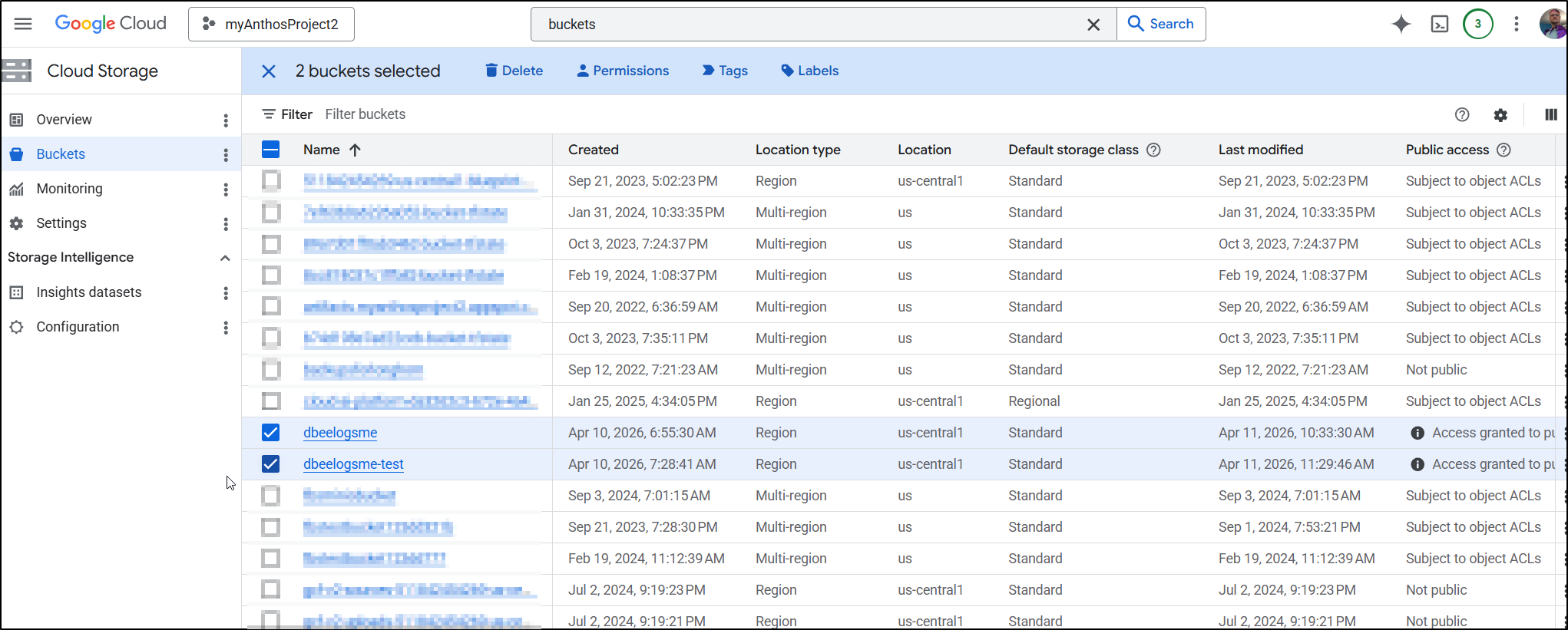
I’m not going to delete my actual buckets as I plan to do something new in my next post. But if you were done with blogs, you could delete your storage buckets as well
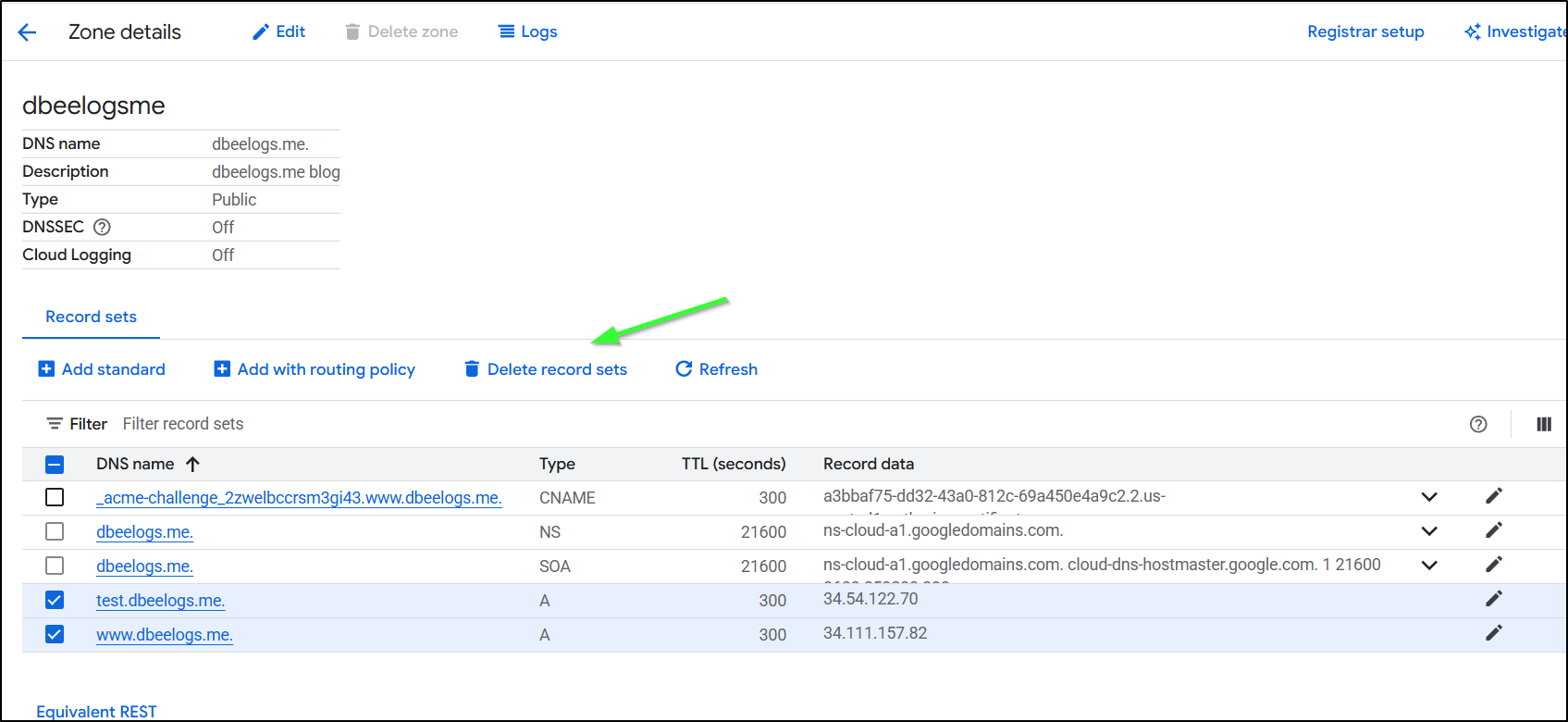
Lastly, a step I often forget but won’t this time, is to cleanup DNS by deleting record sets
Summary
Coming from Azure, I believe this will ultimately be much much cheaper for hosting. In the Azure model, we were required to have an Azure Front Door if we wanted proper certs and HTTPS but with Google, using the Cloud CDN is entirely optional.
I spent entirely too much time debugging the flow. The fact is, GCP does not make the order of operations clear. Never, when I was trying to get certs working, did it suggest to create a missing A Record, or setup the static IPs first. At one point it made an unbound cert for www.dbeelogs.me that I couldn’t figure out how to use (as it wasn’t a ‘classic’ cert).
I did, in the end, go to the thinking mode of Gemini to help figure out the flow. Once it suggested a specific order of operations (static IP, A record, ALB, then cert) I found my issues entirely went away.
Sometimes in the blog I will detail my bad flows but I wiped all those out since it would just waste yalls time.
Let’s talk about cost.
In Azure, each Front Door (standard) is US$35/mo + traffic. So every ‘web site’ would basically cost $35 and then some. For little blogs that would just be a non-starter (as getting something like a basic Wordpress account is $2.75 or using Github pages is basically free).
In GCP, having a persistent site is not free. It is essentially US$20 (or less) for the Global Application Balancer (which can use the backend buckets). However, the CDN aspect is very cheap (if you add it). Additionally, as we saw, it’s not $20/site rather we can get up to 5 endpoints for US$20 before the price starts to go up.
I did not do AWS (yet), but mostly because I know AWS. I use it today for this blog. And the reason is because it is just stoopid cheap for hosting a static blog.
I’m only now getting upwards of $15/mo in AWS due to the large about of traffic (shouldn’t be too braggy - likely most of it are bots). But for years i spent $3-5:
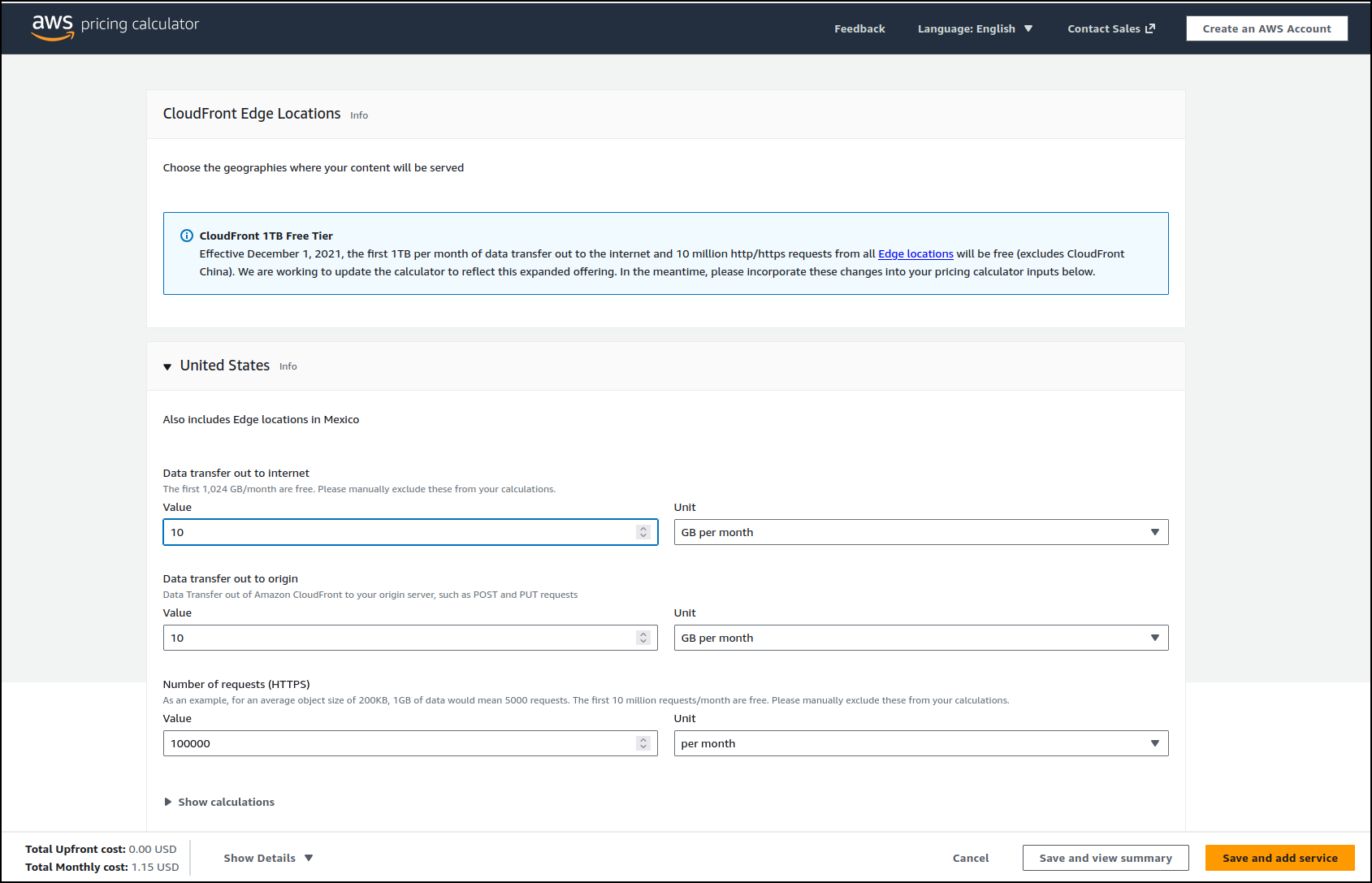
And unlike Azure, the invalidation step with AWS is fast.
However, to lower costs over time, I trimming the rsync command to just handle the last couple months when i upload, which is some complicate logic
      - name: create sync command
        run: |
            #!/bin/bash

            # Get the current month (numerical representation)
            current_month=$(date +%m)
            current_year=$(date +%Y)

            last_month=$(( $current_month - 1 ))
            last_year=$(( $current_year - 1 ))

            if (( $current_month == 1 )); then
              current_year=$last_year
              current_month=12
              last_month=$(( $current_month - 1 ))
            fi

            printf "aws s3 sync ./_site s3://freshbrewed.science --size-only" > /tmp/synccmd.sh

            for (( year=2019; year<$current_year; year++ )); do
                printf " --exclude 'content/images/%04d/*'" "$year" >> /tmp/synccmd.sh
            done

            # Loop through the months and print them up to the current month
            for (( month_num=1; month_num<last_month; month_num++ )); do
                printf " --exclude 'content/images/%04d/%02d/*'" "$current_year" "$month_num" >> /tmp/synccmd.sh
            done
            printf " --acl public-read\n" >> /tmp/synccmd.sh
            chmod 755 /tmp/synccmd.sh
      - name: copy files to final s3 fb
        run: |
            /tmp/synccmd.sh
        env: # Or as an environment variable
          AWS_ACCESS_KEY_ID: $
          AWS_SECRET_ACCESS_KEY: $
          AWS_DEFAULT_REGION: $
I also had to not just invalidate the main index.html but very sub-page one (or the ordered pages would lose posts)
      - name: cloudfront invalidations
        run: |
            aws cloudfront create-invalidation --distribution-id E3U2HCN2ZRTBZN --paths "/index.html"
            # Invalidate all index.html files, main and pages (.e.g page2/index.html)
            cd _site
            mapfile -t paths < <(find . -type f -name index.html -printf '/%P\n')
            aws cloudfront create-invalidation --distribution-id E3U2HCN2ZRTBZN --paths "${paths[@]}"
This makes me wonder, if our goal is “small blog hosting”, is perhaps serverless the way to go. We pay for Load Balancers per hour and if we are honest, a huge amount of the time no one is looking. Could a GCP Cloud Function, Azure Function, or AWS Lambda do a better job? And would that be a hugo server? or a rendered static site served with an nginx container. A lot of serverless costs has to do with memory asks and startup times (Nginx is really fast and has low memory demands).
But we’ll save all that for another day.
In summary, I think the Google solution, at least when compared to Azure, is a better value. However, at this point, not enough to get me to migrate this site over (but we are getting close).