

Published: Apr 16, 2026 by Isaac Johnson
I’ve been using Jekyll for a long time - mostly since 2019 and in that time it’s grown a bit out of control.
I could just create an archive of past years and start over - that is a choice. But I also want to explore other options.
The first that came up on good static site hosting was Hugo.
The other topic I want to dig into is static site hosting in Azure. In AWS I used S3 with CloudFront. It’s pretty inexpensive (when i was starting, just $3 or $4 a month.. Now it’s more like $16 with all the traffic we get).
How hard would it be to launch a new site with a proper DNS using Azure Storage and Azure FrontDoor CDN?
We’ll tackle all that and more (like CICD and Forgejo). But first, let’s start with Hugo.
Installing Hugo locally
It’s easy to install the Hugo binary with snap
$ sudo snap install hugo
[sudo: authenticate] Password:
hugo 0.160.0 from Hugo Authors installed
I’ll create a new project with the new project command
(base) builder@LuiGi:~/Workspaces$ hugo new project initech
Congratulations! Your new Hugo project was created in /home/builder/Workspaces/initech.

Just a few more steps...

1. Change the current directory to /home/builder/Workspaces/initech.
2. Create or install a theme:
   - Create a new theme with the command "hugo new theme <THEMENAME>"
   - Or, install a theme from https://themes.gohugo.io/
3. Edit hugo.toml, setting the "theme" property to the theme name.
4. Create new content with the command "hugo new content <SECTIONNAME>/<FILENAME>.<FORMAT>".
5. Start the embedded web server with the command "hugo server --buildDrafts".

See documentation at https://gohugo.io/.
(base) builder@LuiGi:~/Workspaces$ cd initech/
(base) builder@LuiGi:~/Workspaces/initech$ git init
Initialized empty Git repository in /home/builder/Workspaces/initech/.git/
(base) builder@LuiGi:~/Workspaces/initech$
I didn’t want to use the theme from the tutorial so I picked a different one
git clone https://github.com/zerostaticthemes/hugo-winston-theme.git themes/hugo-winston-theme
Since I did a git init, i figured it was safe to copy over their example content
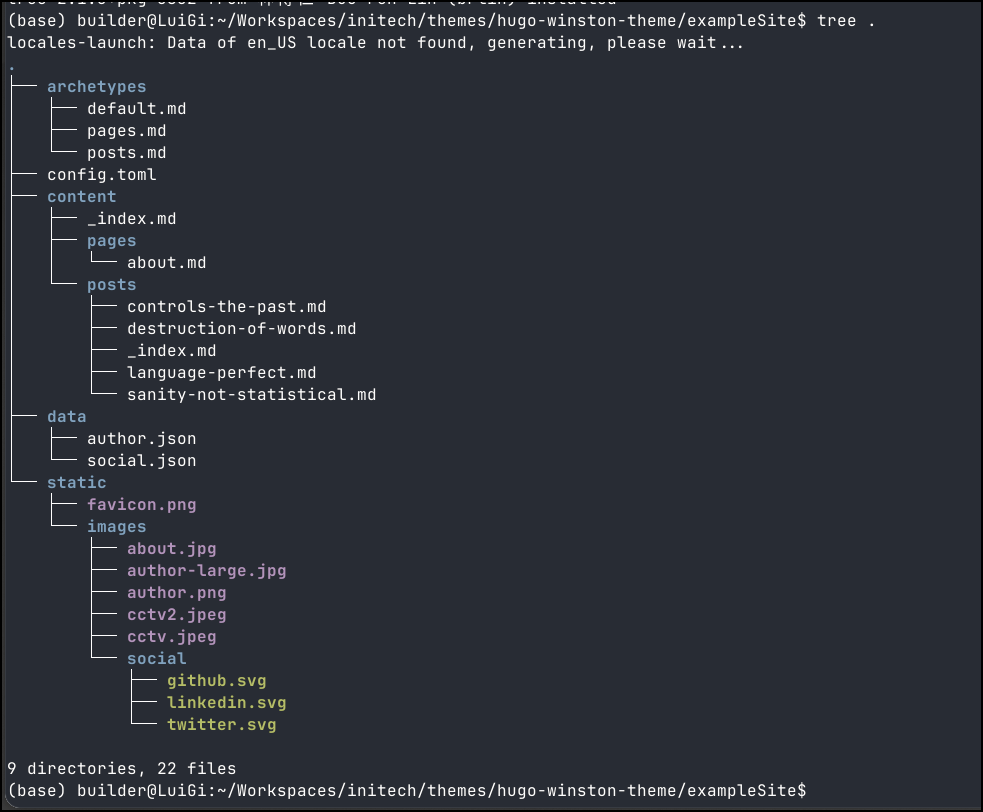
$ cp -a themes/hugo-winston-theme/exampleSite/. .
I can run hugo server to just test the content
(base) builder@LuiGi:~/Workspaces/initech$ hugo server
Watching for changes in /home/builder/Workspaces/initech/archetypes, /home/builder/Workspaces/initech/assets, /home/builder/Workspaces/initech/content/{pages,posts}, /home/builder/Workspaces/initech/data, /home/builder/Workspaces/initech/i18n, /home/builder/Workspaces/initech/layouts, /home/builder/Workspaces/initech/static/images
Watching for config changes in /home/builder/Workspaces/initech/hugo.toml
Start building sites …
hugo v0.160.0-652fc5acddf94e0501f778e196a8b630566b39ad+extended linux/amd64 BuildDate=2026-04-04T13:32:34Z VendorInfo=snap:0.160.0

WARN  found no layout file for "html" for kind "home": You should create a template file which matches Hugo Layouts Lookup Rules for this combination.
WARN  found no layout file for "html" for kind "taxonomy": You should create a template file which matches Hugo Layouts Lookup Rules for this combination.
WARN  found no layout file for "html" for kind "section": You should create a template file which matches Hugo Layouts Lookup Rules for this combination.
WARN  found no layout file for "html" for kind "page": You should create a template file which matches Hugo Layouts Lookup Rules for this combination.
WARN  found no layout file for "html" for kind "term": You should create a template file which matches Hugo Layouts Lookup Rules for this combination.
WARN  Raw HTML omitted while rendering "/home/builder/Workspaces/initech/content/posts/destruction-of-words.md"; see https://gohugo.io/getting-started/configuration-markup/#rendererunsafe
You can suppress this warning by adding the following to your project configuration:
ignoreLogs = ['warning-goldmark-raw-html']

                  │ EN
──────────────────┼────
 Pages            │  9
 Paginator pages  │  0
 Non-page files   │  0
 Static files     │  9
 Processed images │  0
 Aliases          │  0
 Cleaned          │  0

Built in 28 ms
Environment: "development"
Serving pages from disk
Running in Fast Render Mode. For full rebuilds on change: hugo server --disableFastRender
Web Server is available at http://localhost:1313/ (bind address 127.0.0.1)
Press Ctrl+C to stop
I had some issues with themes. I pivoted to this one
In the end I used Gemini CLI to sort things out
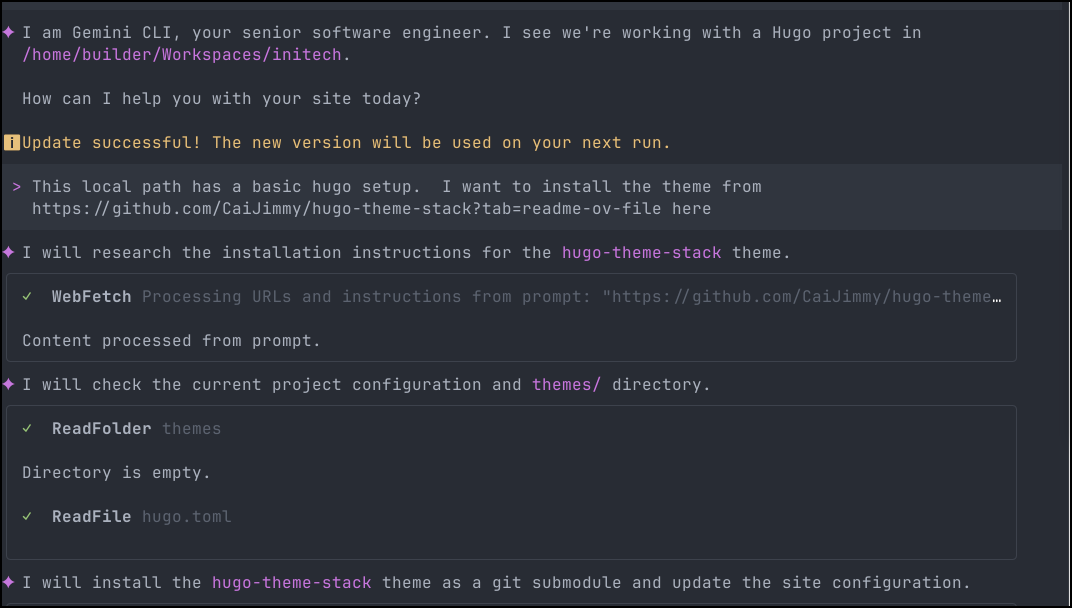
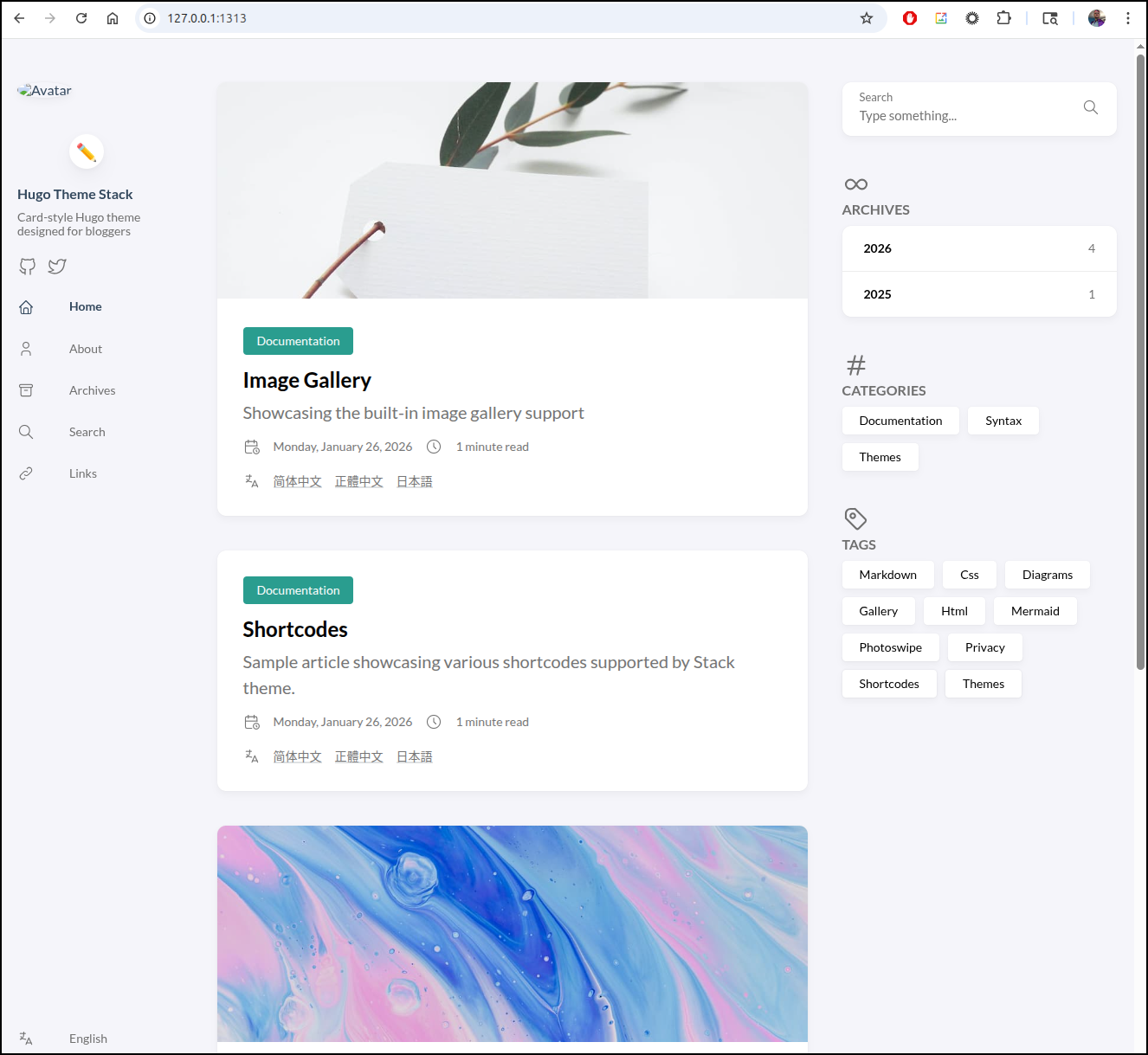
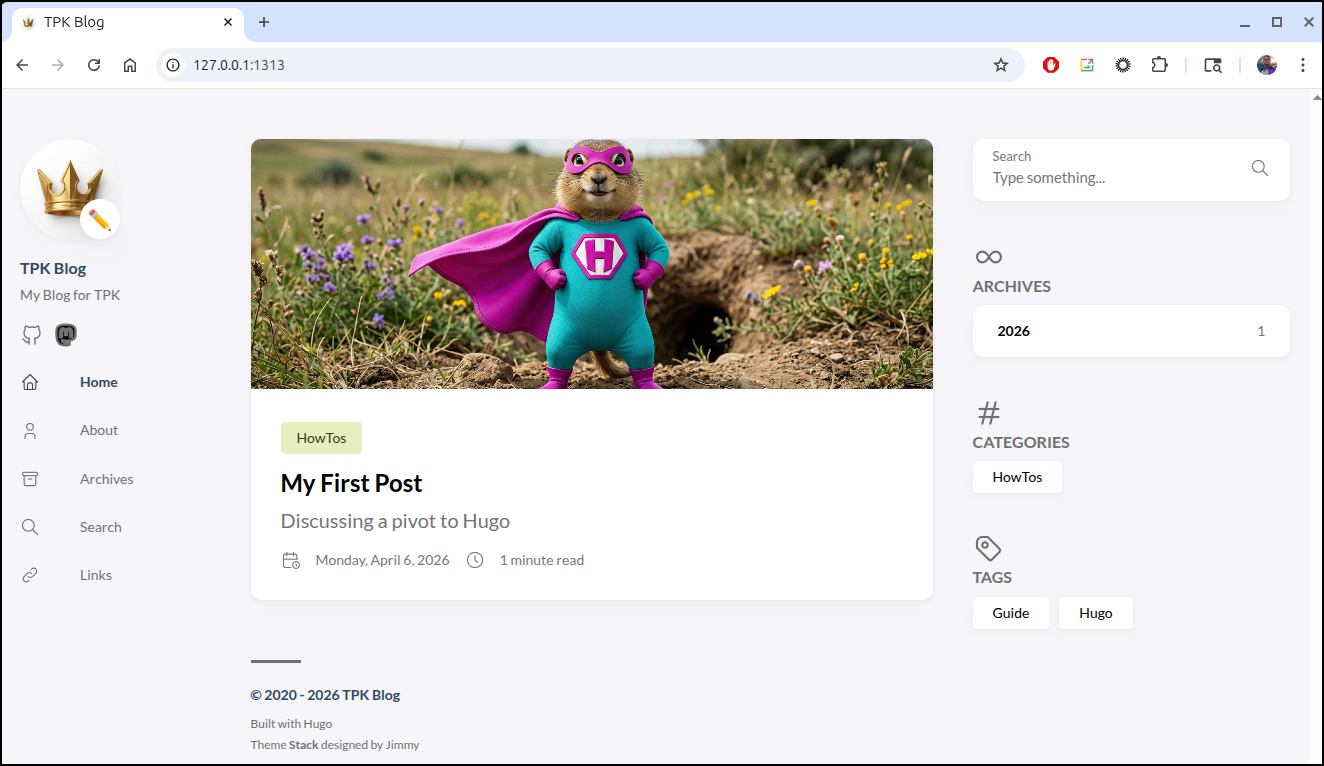
which looked right when launched with hugo server
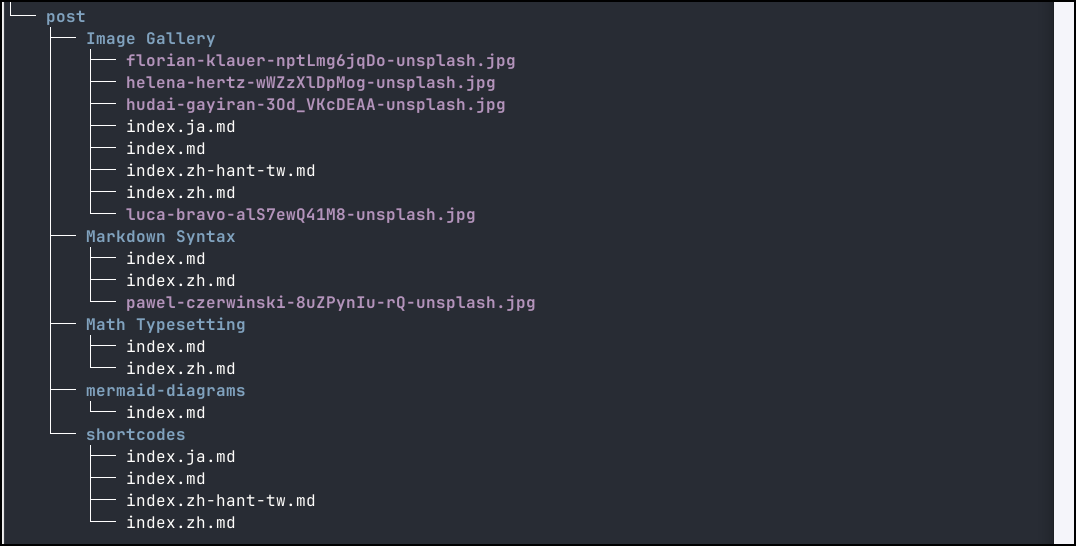
The posts are organized in the post folder
I worked it a bit, changing settings in config/_default/hugo.toml and menu.toml.
Hosting
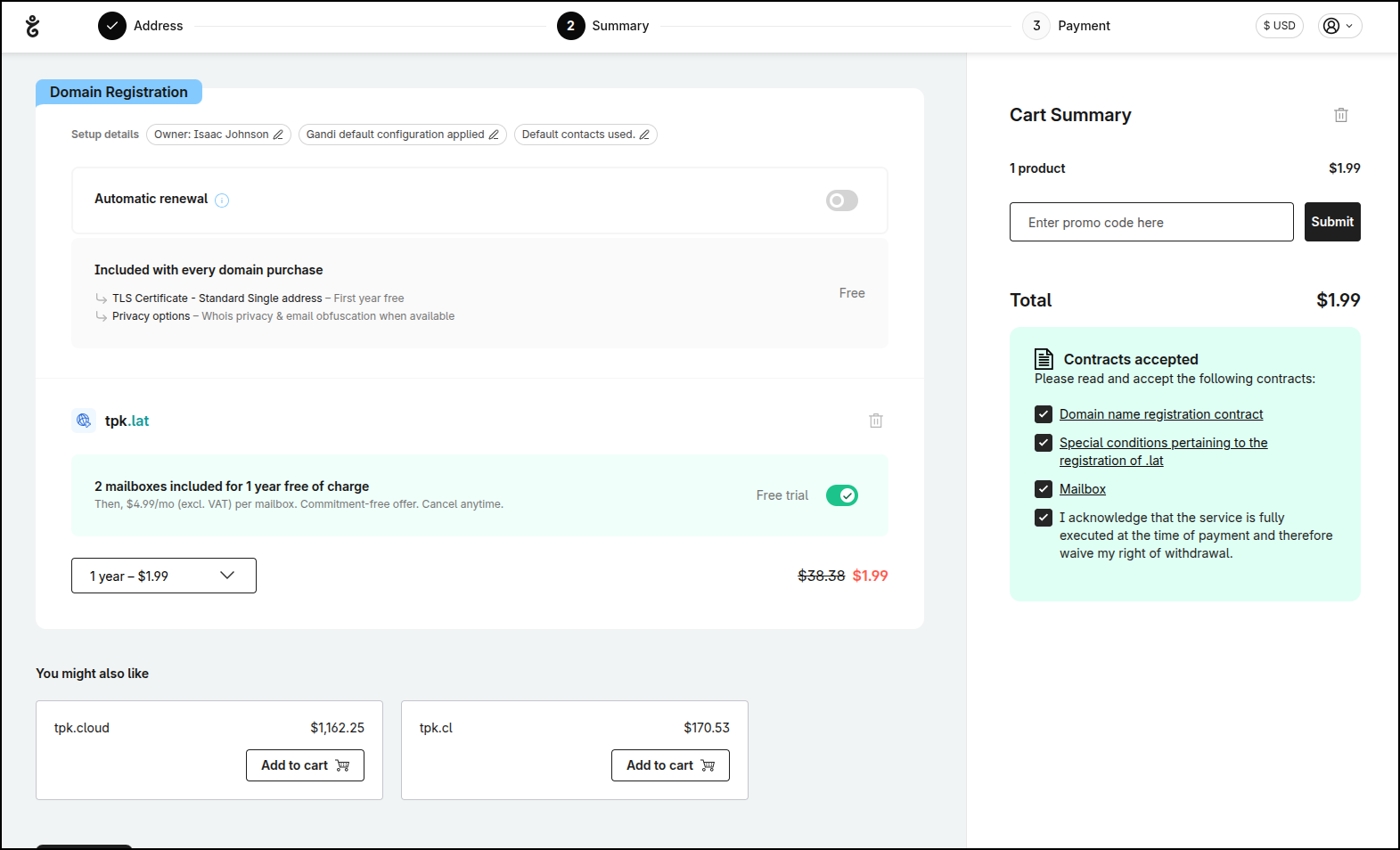
Let’s get a DNS name. I think tpk.lat would work
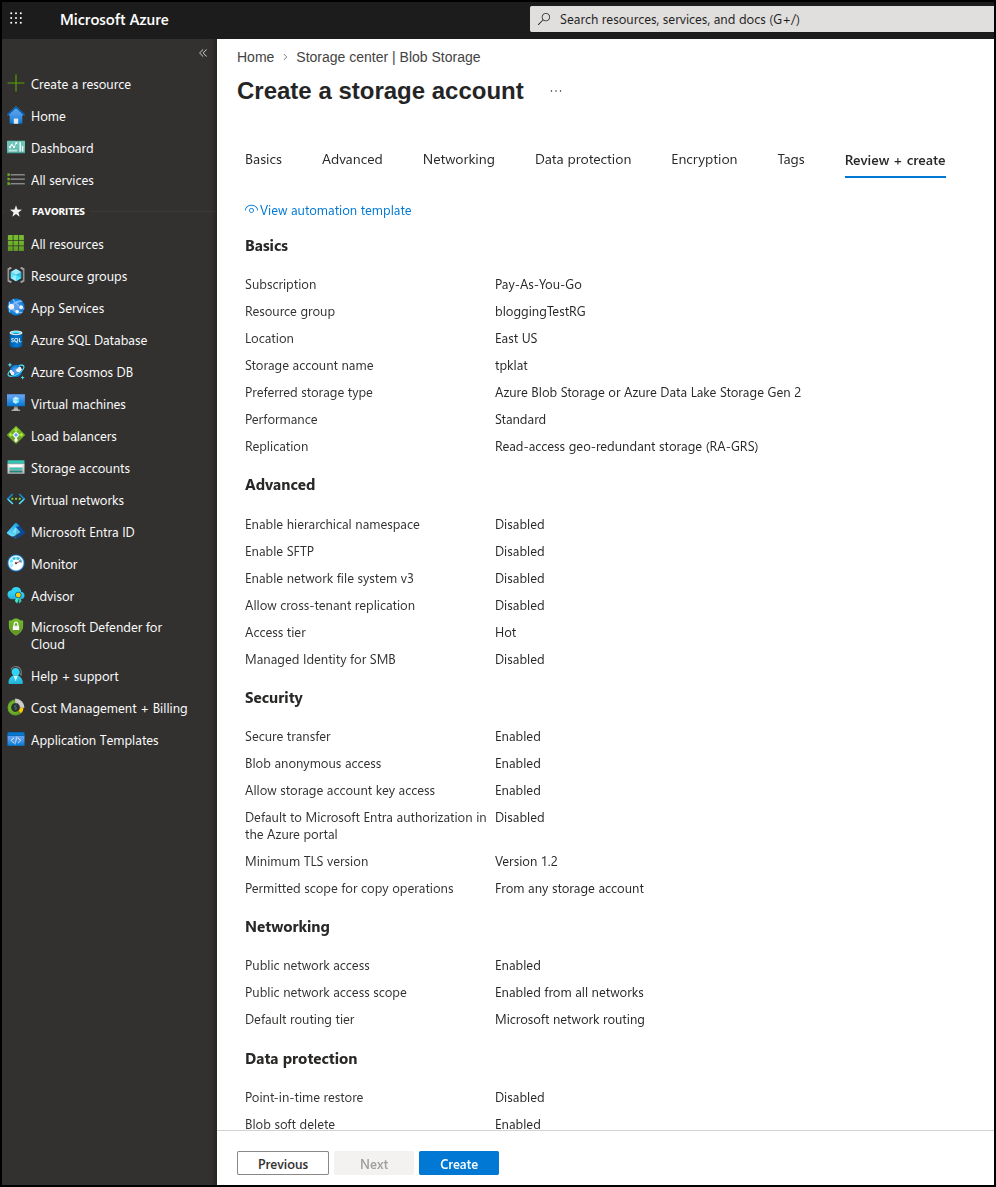
I’ll next create a storage account
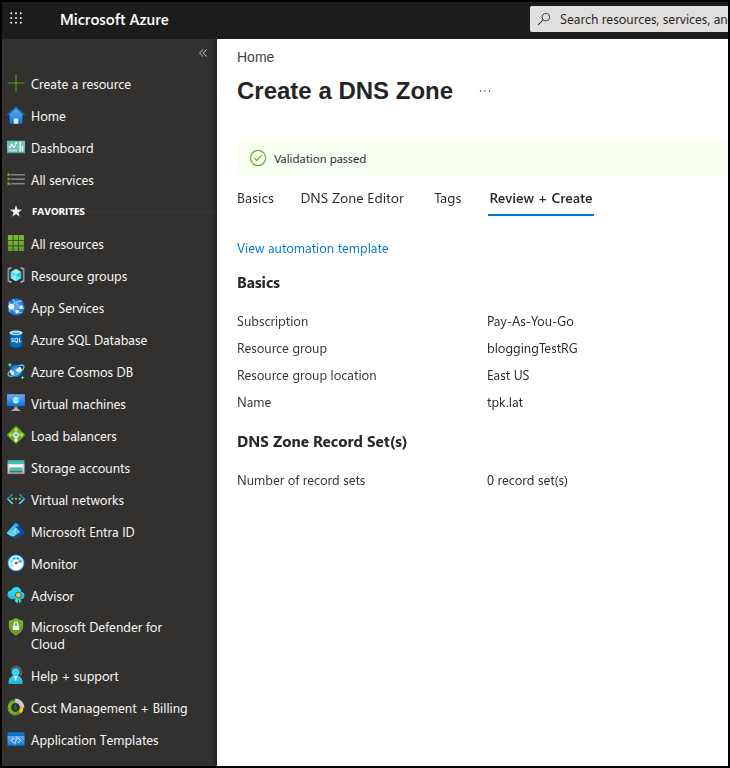
I’ll then make a new Azure DNS entry
To make it live, I need to take the nameservers from Azure
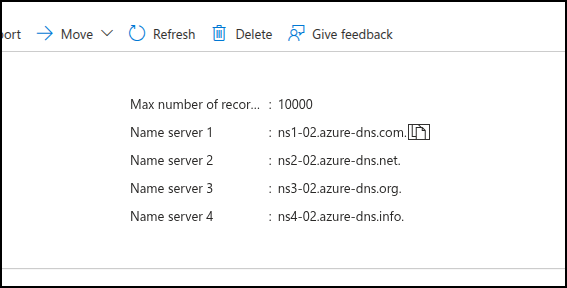
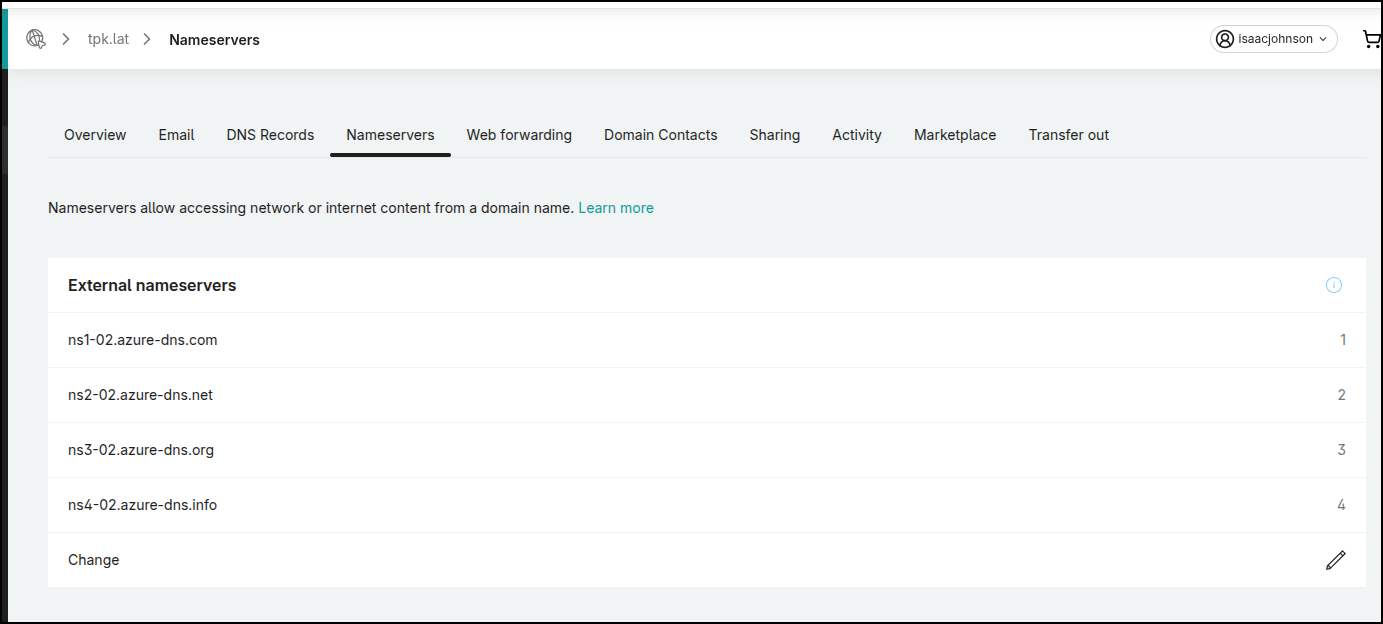
And then apply them in Gandi (or whatever Registrar you use)
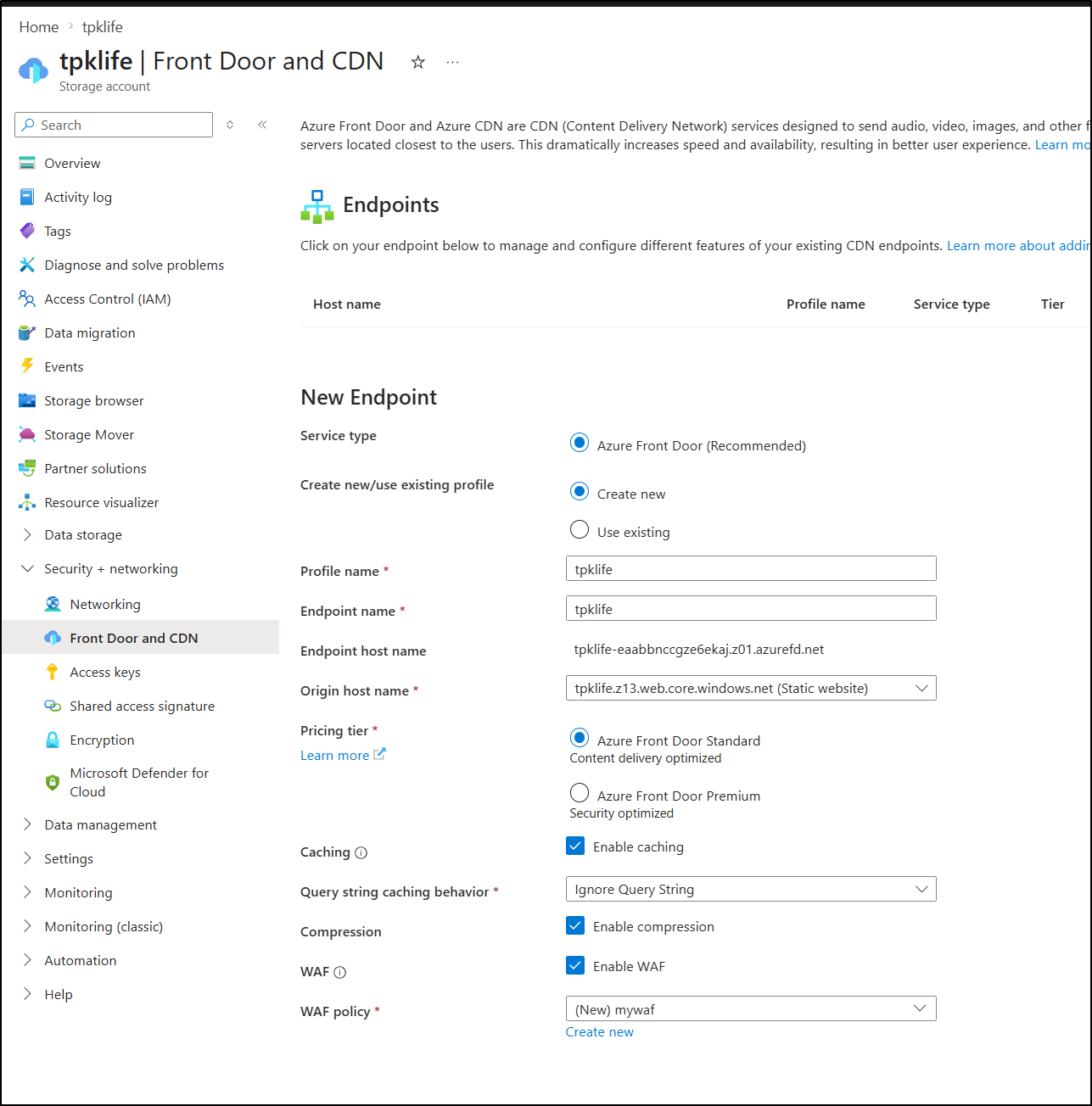
I need to get a Front Door service started before I can really use the custom domain.
I enabled a new Front Door policy on the Storage Account and did enable caching, compression and a standard WAF
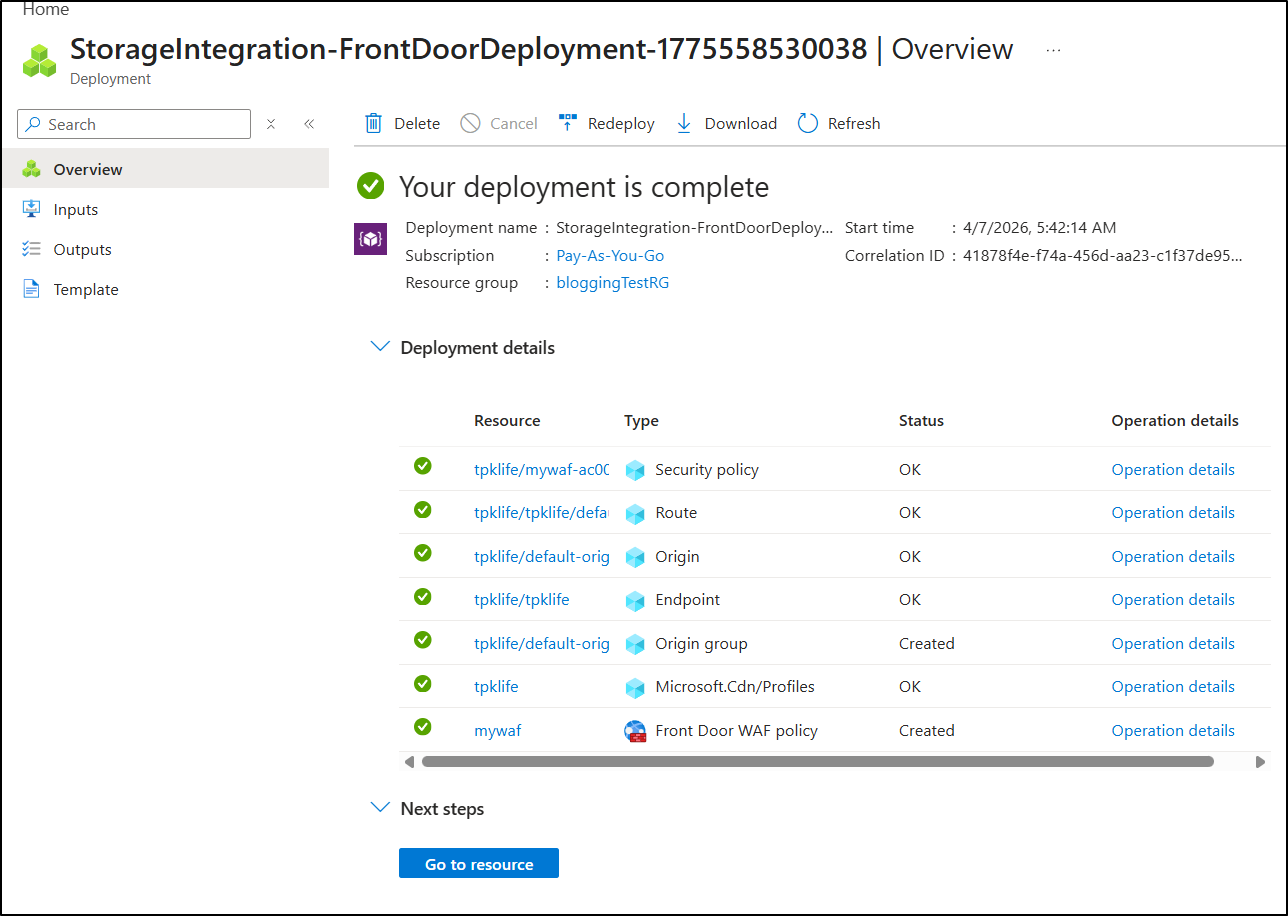
It took a while, but eventually the FD resources were created
I can now go to the Domains section in Front Door to add an Azure domain. Since this is new, I have not validated it yet so I cannot say “pre-validated”.
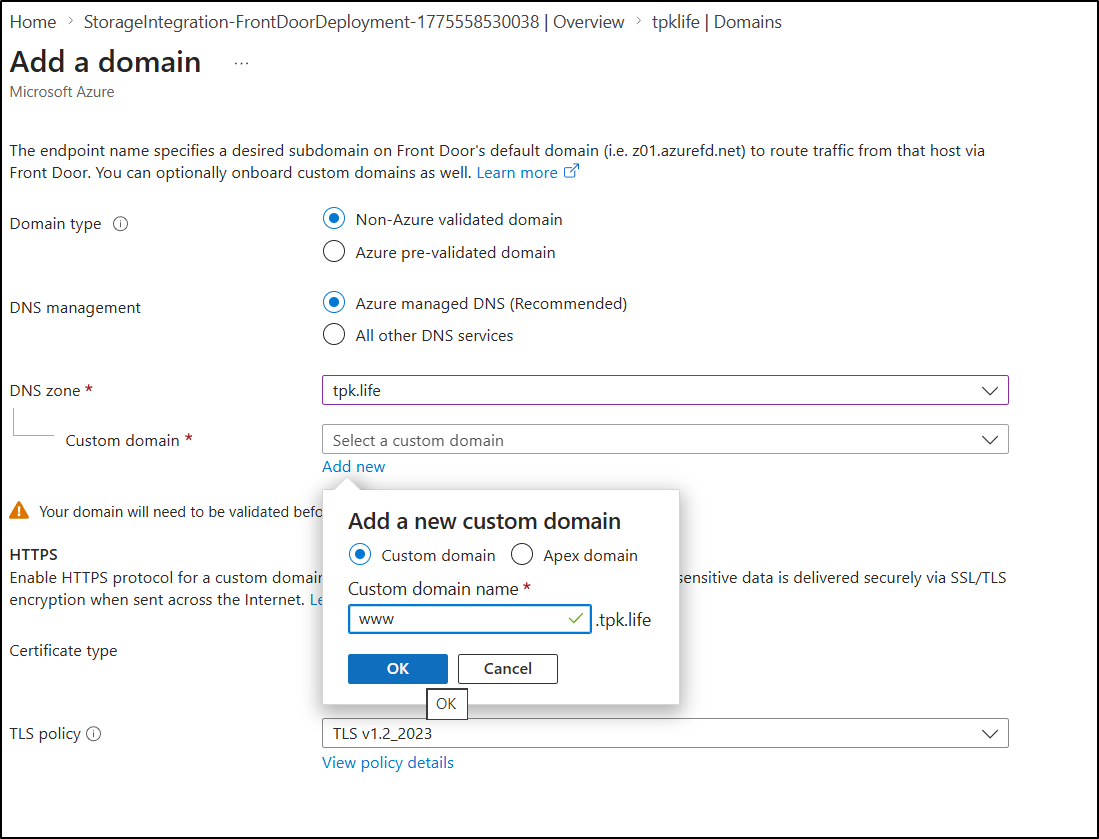
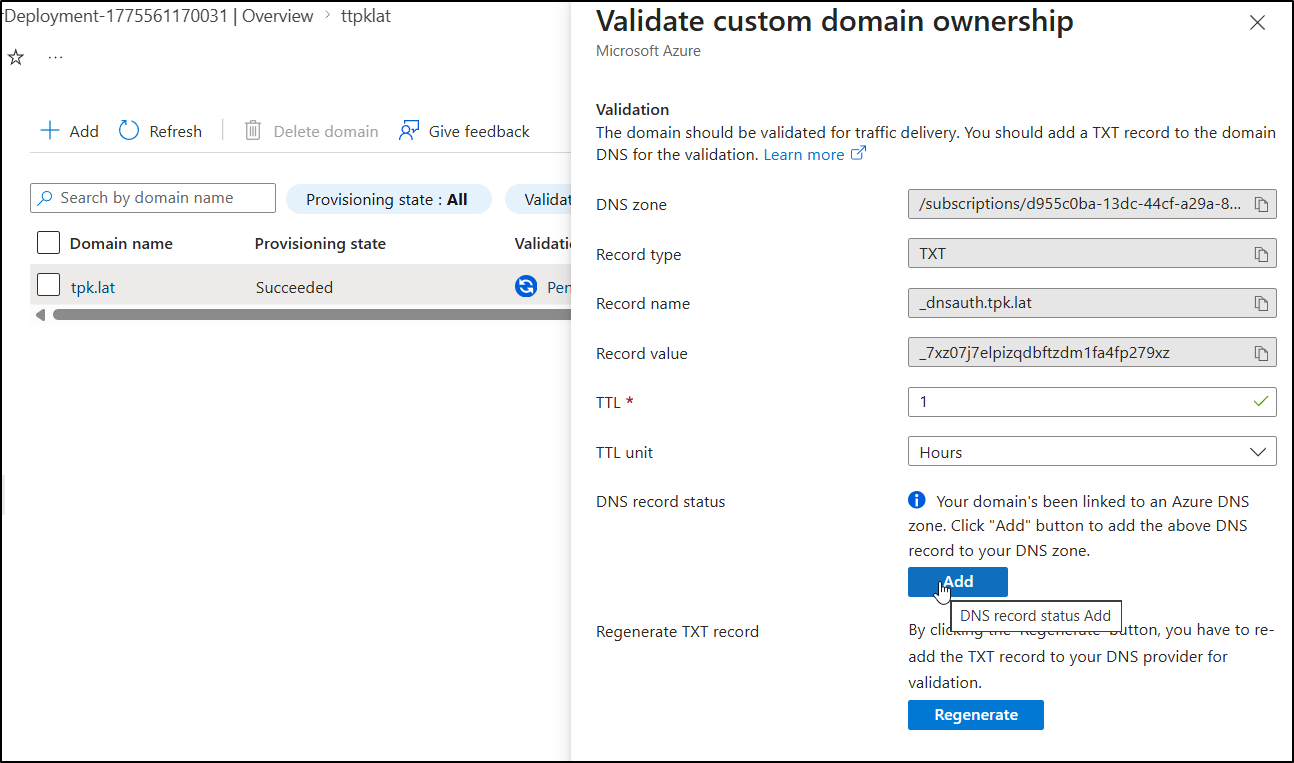
Clicking “Pending” will let me add the validation record they want
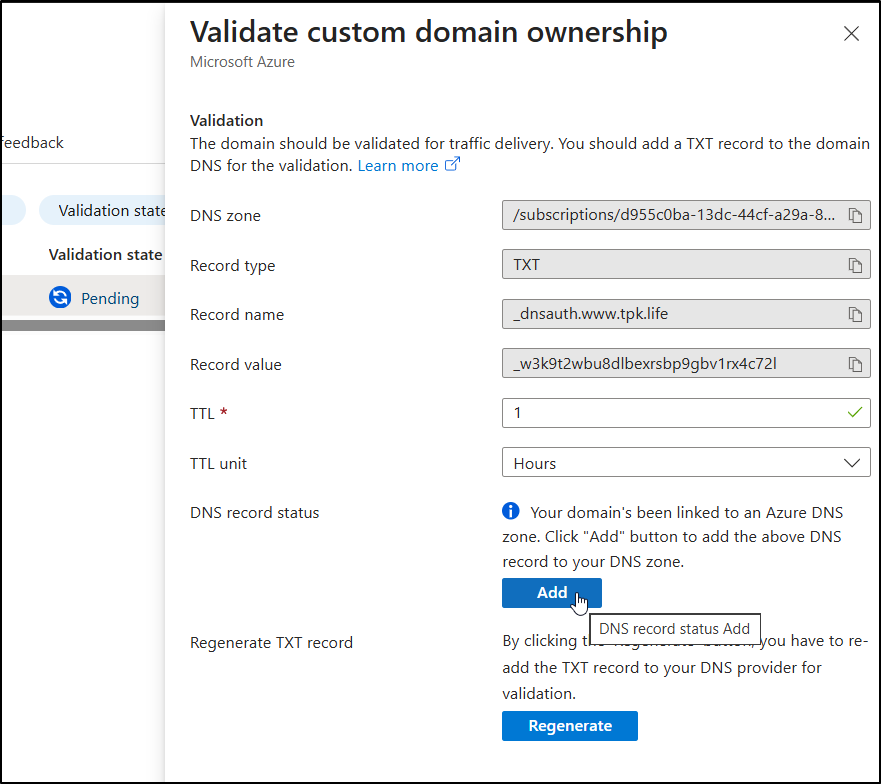
It said it saved a TXT record, but I see no evidence of that:
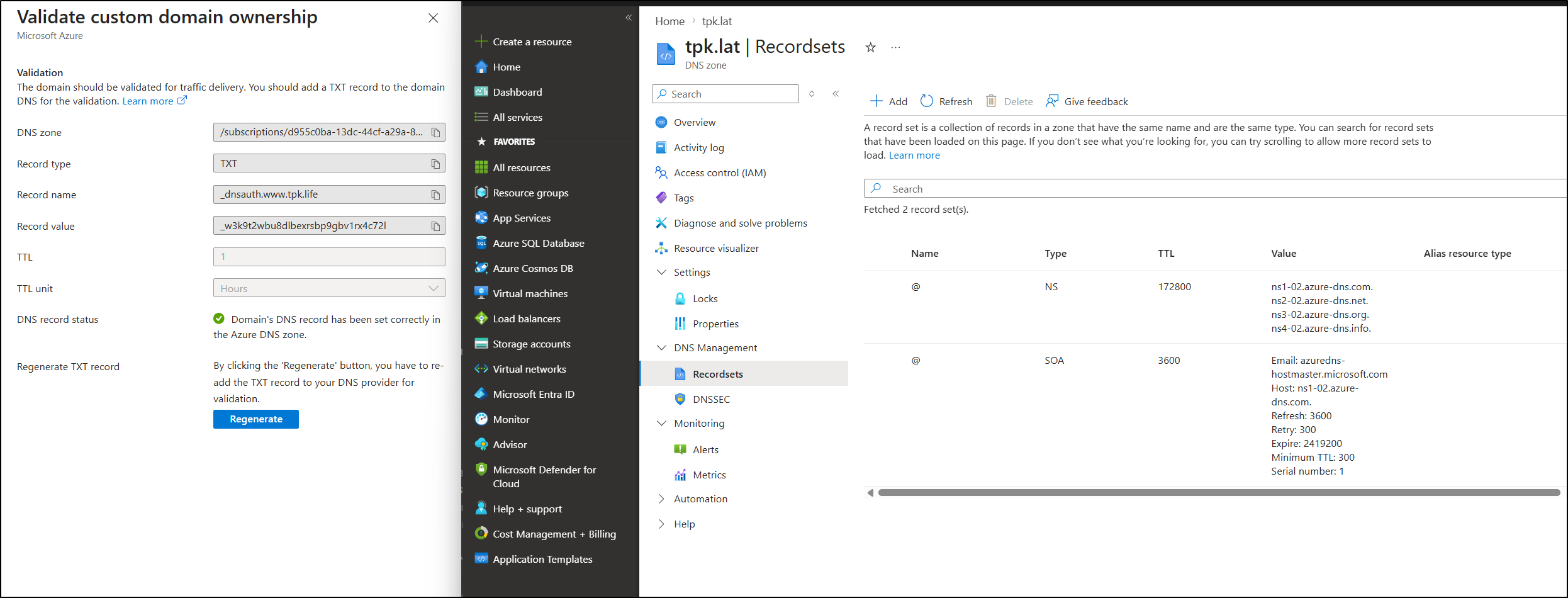
That’s when I realized I goofed up and used “.life” (the old domain) and not “.lat”.
I fixed it by doing the flow again, though this time i did an Apex domain instead of a CNAME to www
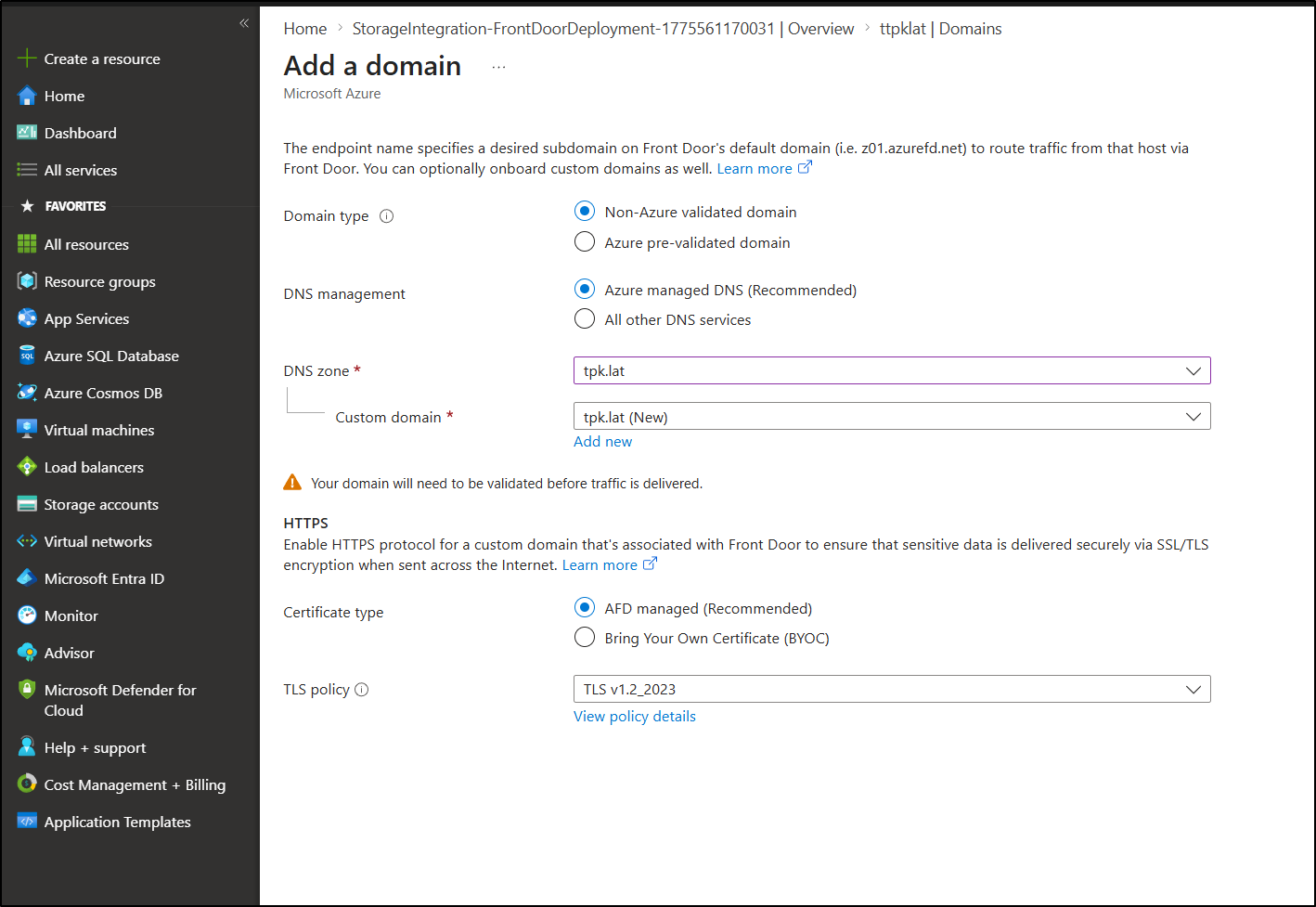
Let me try validating it again, this time with the right domain
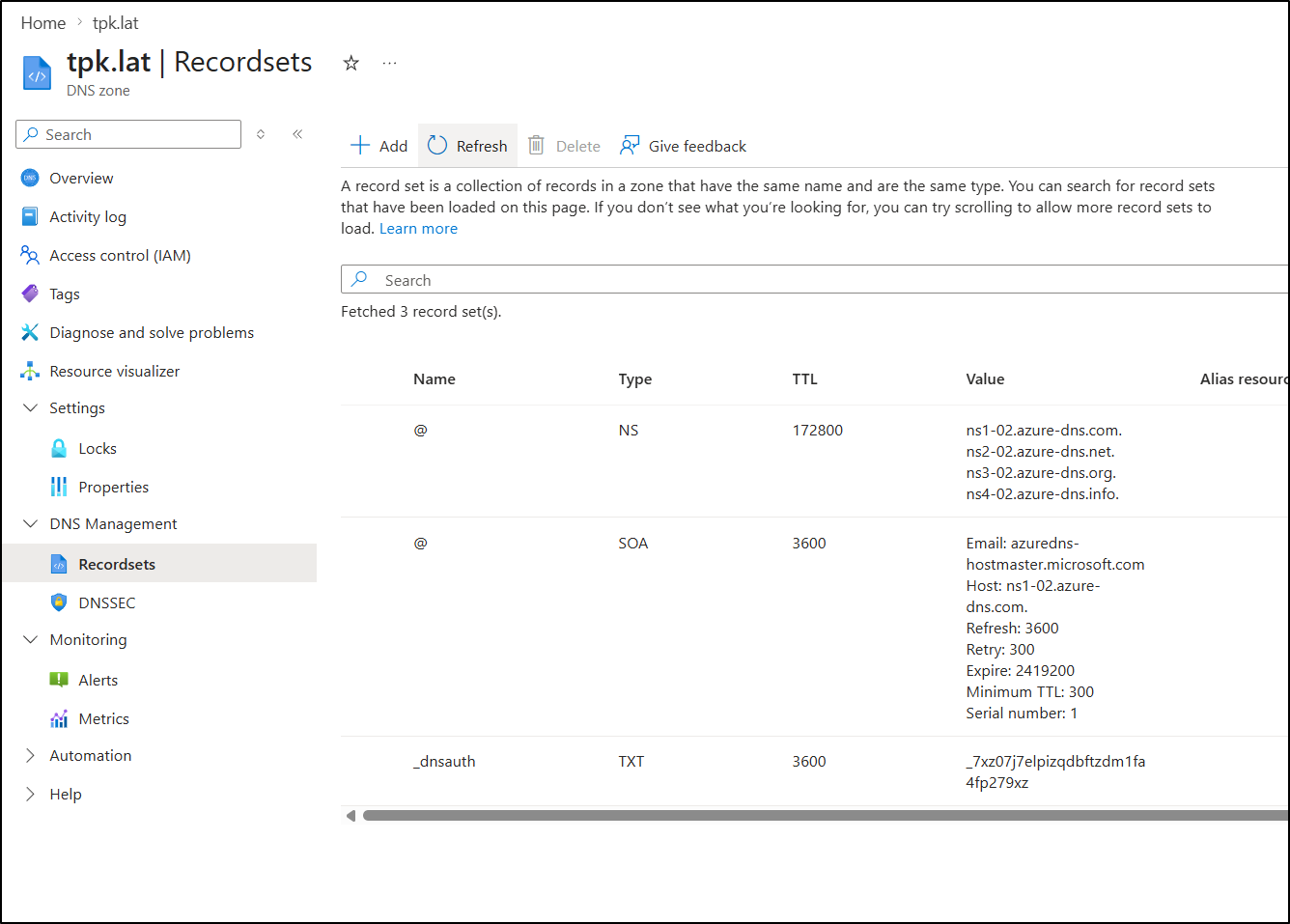
Since I removed the old errant record an hour ago, when I refreshed I knew it added the TXT record:
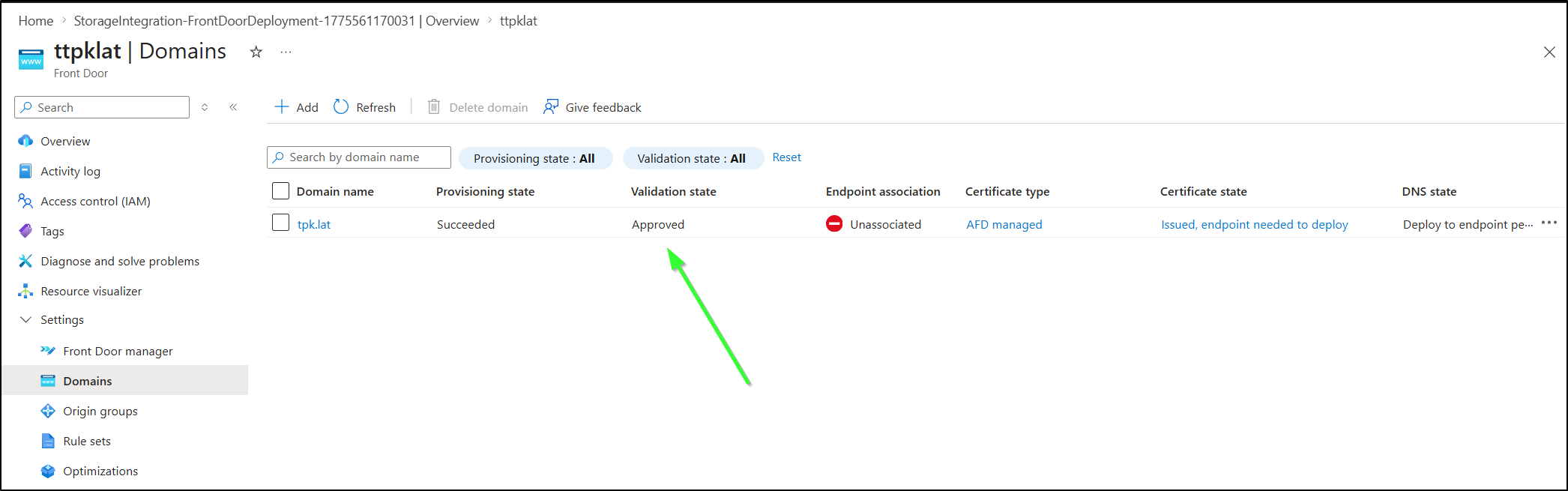
After a couple minutes, it changed to Validated:
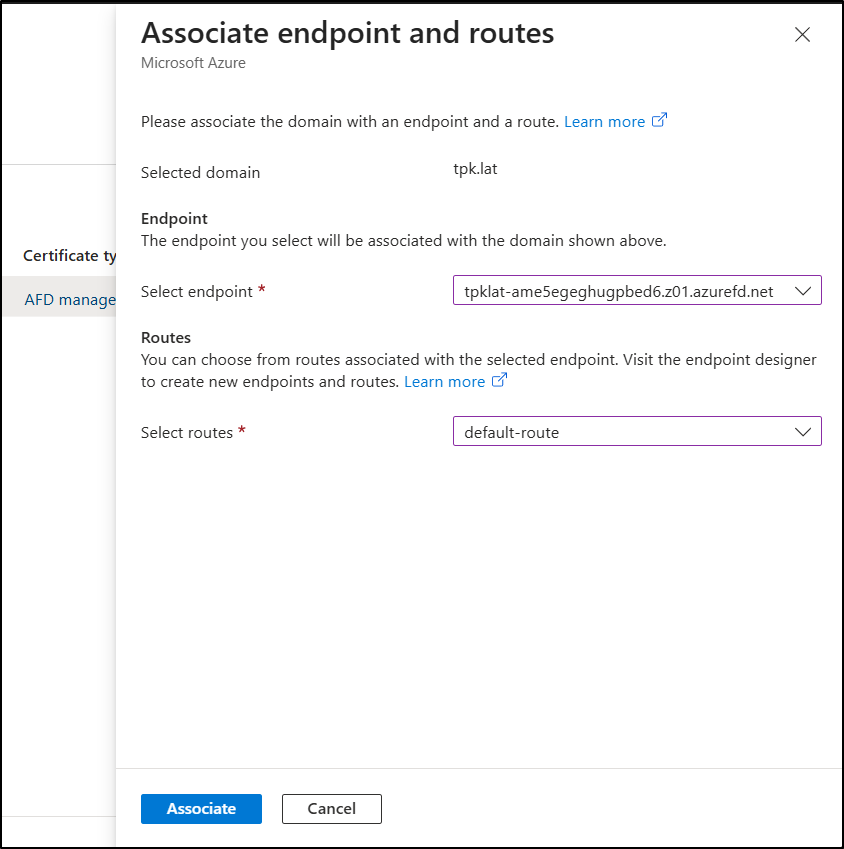
Now I can associate with an endpoint (the SA Front Door we just created)
At the end of that line, it prompts you to “Create an alias record” (under “DNS State” column)
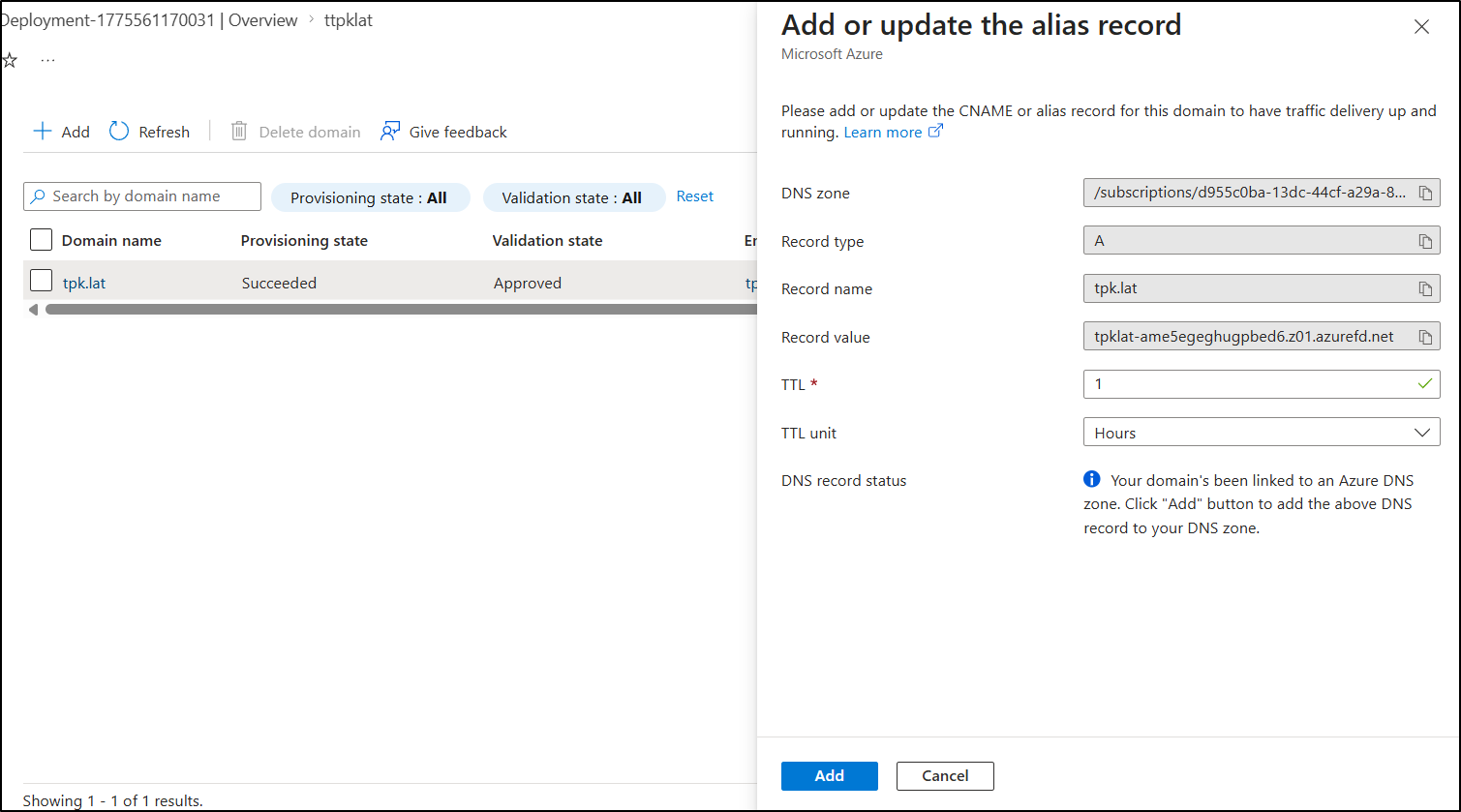
I finally see everything “green”

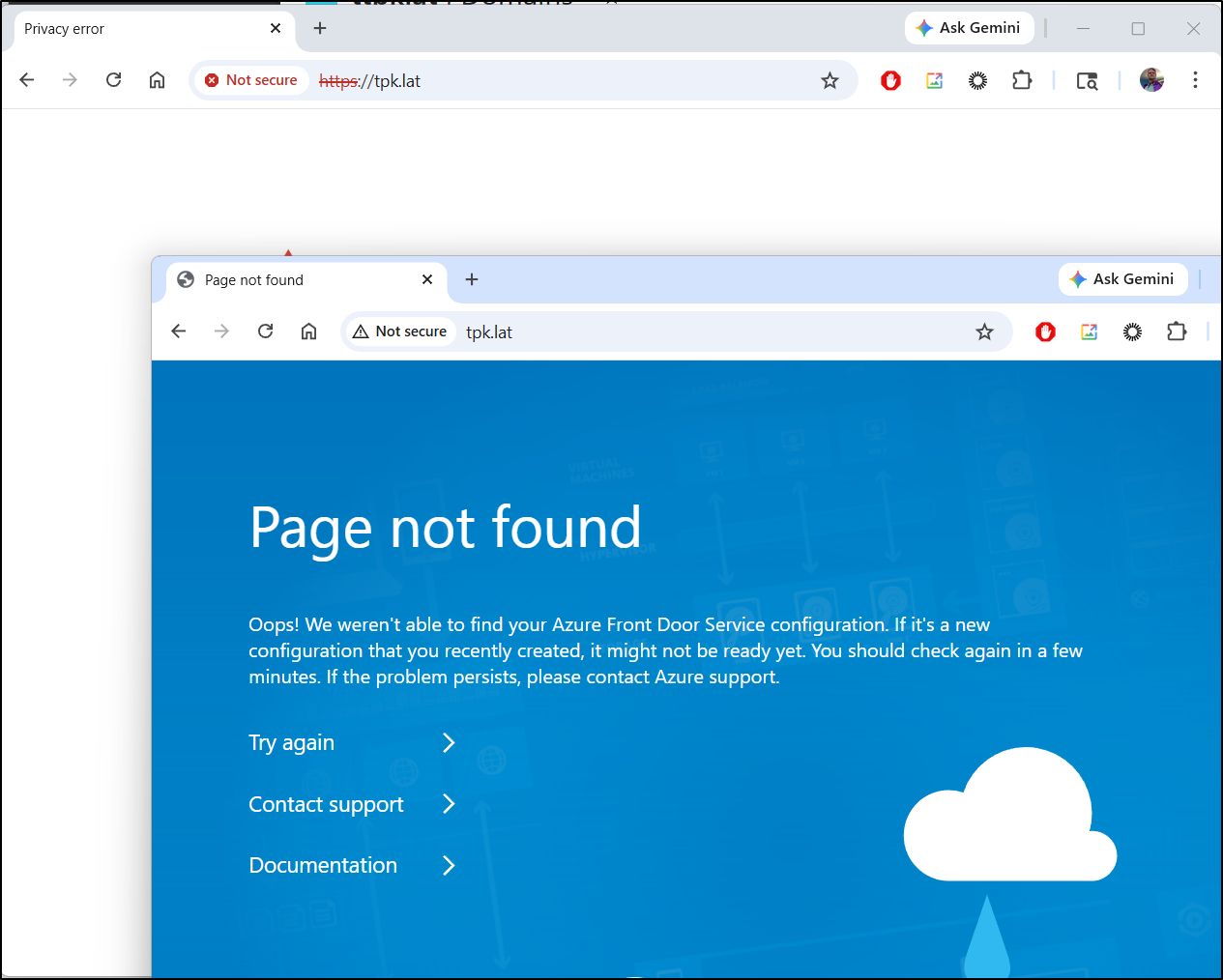
I now see a nice Azure style 404 when using HTTP, but an invalid cert for HTTPS
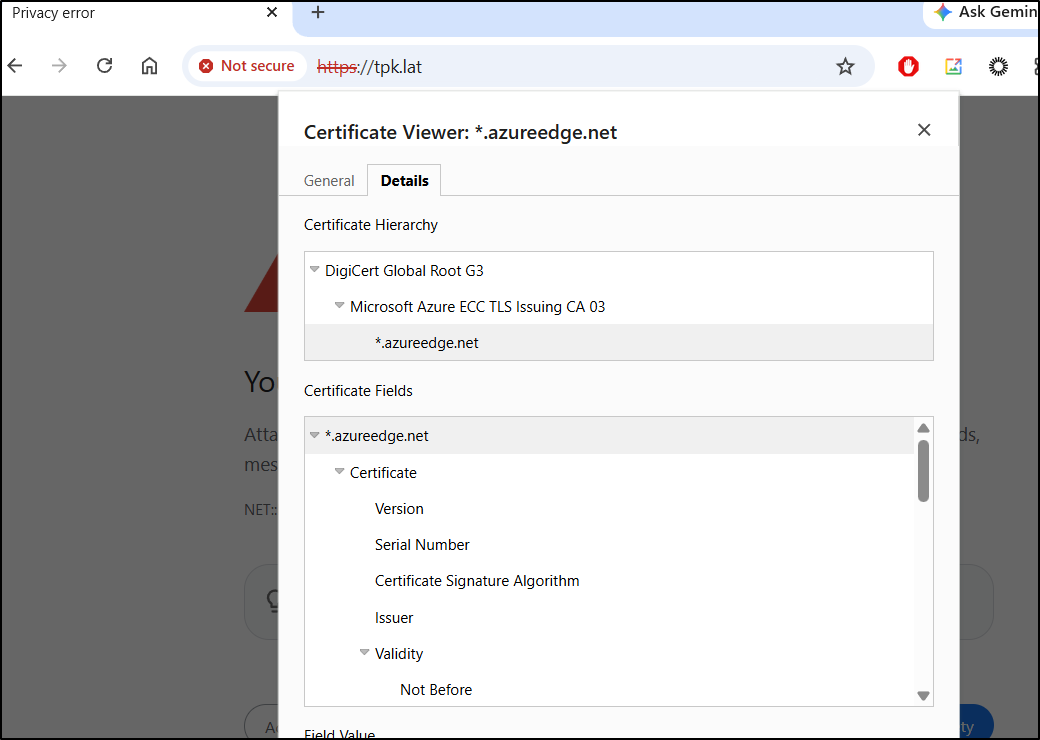
Seems my custom domain is, at present, still serving up the ‘azureedge’ cert
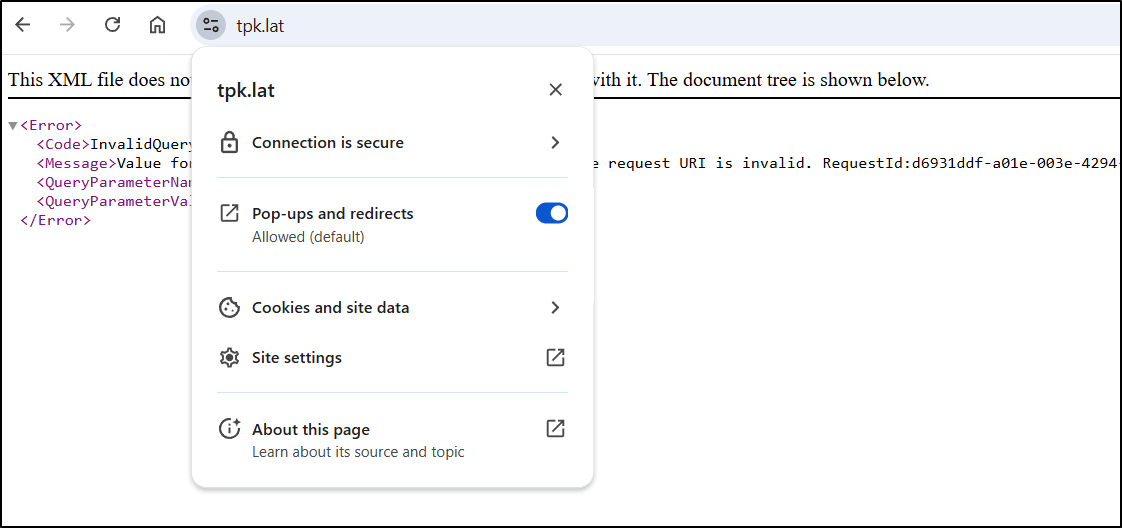
I’m going to wait a few hours to see if this is just a timing though before I force a re-update. Indeed, it was just timing:
I then created a git repo for the blog in Forgejo
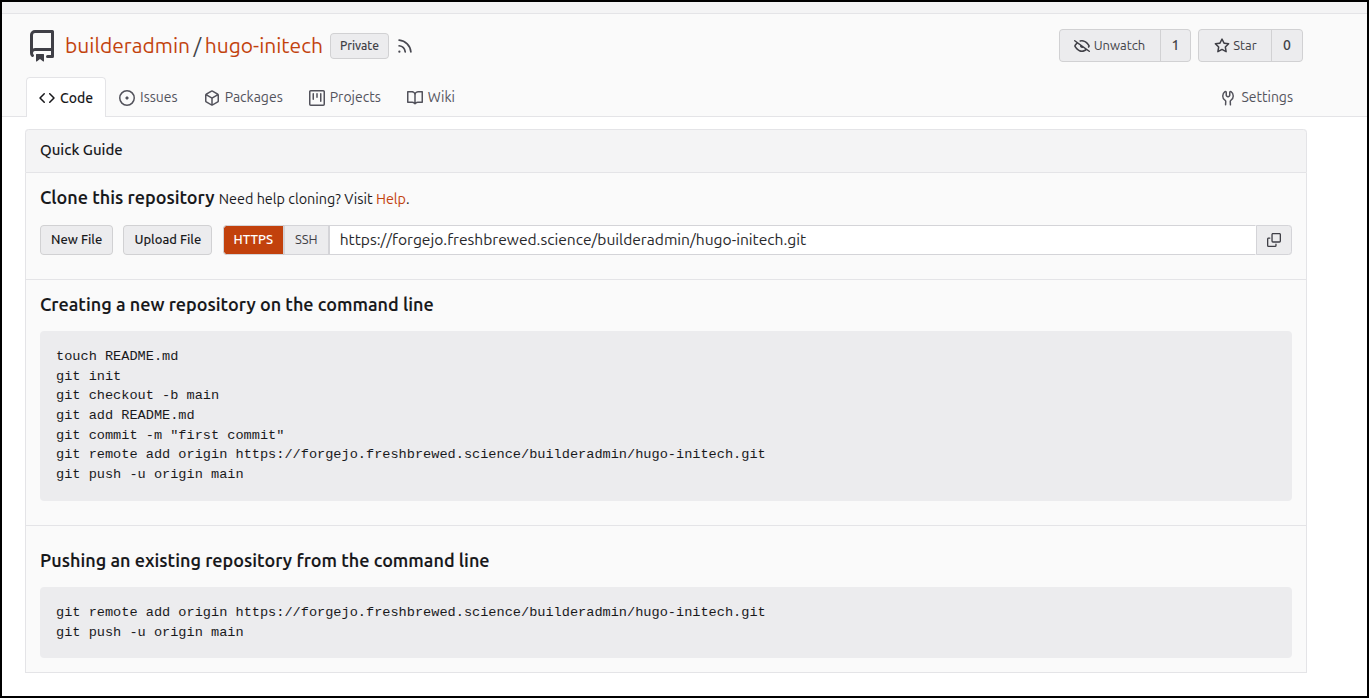
Then pushed up the Hugo blog as it was - however, I did make sure to not add “./public” which is the generated folder
(base) builder@LuiGi:~/Workspaces/initech$ git remote add origin https://forgejo.freshbrewed.science/builderadmin/hugo-initech.git
(base) builder@LuiGi:~/Workspaces/initech$ git push -u origin --all
Enumerating objects: 96, done.
Counting objects: 100% (96/96), done.
Delta compression using up to 16 threads
Compressing objects: 100% (85/85), done.
Writing objects: 100% (96/96), 16.92 MiB | 9.33 MiB/s, done.
Total 96 (delta 5), reused 0 (delta 0), pack-reused 0 (from 0)
remote: . Processing 1 references
remote: Processed 1 references in total
To https://forgejo.freshbrewed.science/builderadmin/hugo-initech.git
 * [new branch]      main -> main
branch 'main' set up to track 'origin/main'.
Trying on a different machine reminded me of two things:
- We have submodules, so it’s not just clone, but also running a submodule update (
git submodule update --init --recursive) - Hugo versions are particular. In my case, I needed to run
brew install hugoto upgrade from the older version to the latest
But then it worked just fine (now in WSL and on Windows)
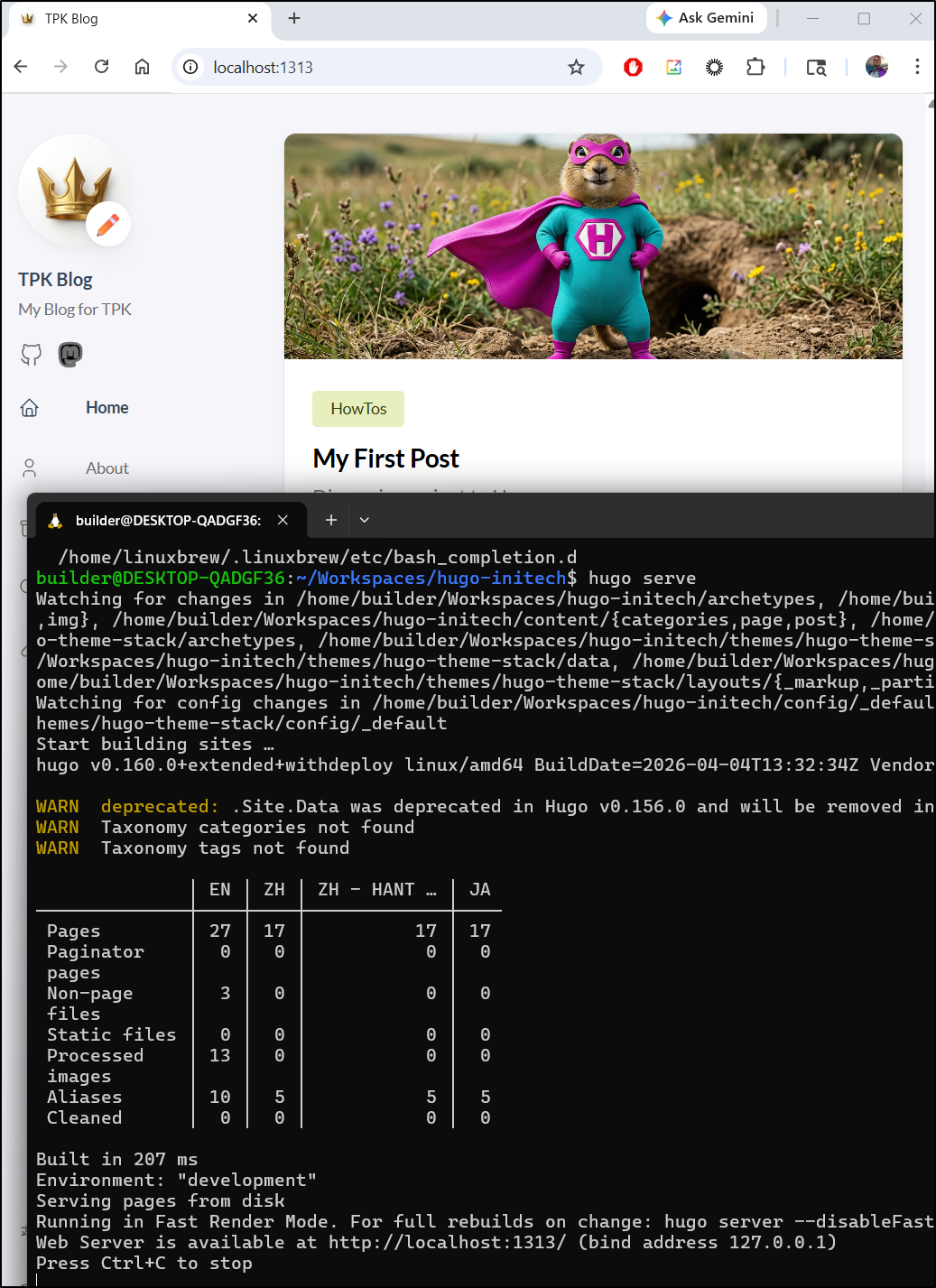
I just run hugo to ensure the ‘public’ folder is up to date
builder@DESKTOP-QADGF36:~/Workspaces/hugo-initech$ hugo
Start building sites …
hugo v0.160.0+extended+withdeploy linux/amd64 BuildDate=2026-04-04T13:32:34Z VendorInfo=Homebrew

WARN  deprecated: .Site.Data was deprecated in Hugo v0.156.0 and will be removed in a future release. Use hugo.Data instead.
WARN  Taxonomy categories not found
WARN  Taxonomy tags not found

              │ EN │ ZH │ ZH - HANT … │ JA
──────────────┼────┼────┼─────────────┼────
 Pages        │ 27 │ 17 │          17 │ 17
 Paginator    │  0 │  0 │           0 │  0
 pages        │    │    │             │
 Non-page     │  3 │  0 │           0 │  0
 files        │    │    │             │
 Static files │  0 │  0 │           0 │  0
 Processed    │ 13 │  0 │           0 │  0
 images       │    │    │             │
 Aliases      │ 10 │  5 │           5 │  5
 Cleaned      │  0 │  0 │           0 │  0

Total in 206 ms
I’m not sure if the contents are at the root of the container OR in a $web folder. So let’s try a quick index file:
$ echo "<HTML><BODY><H1>TESTING.</H1></BODY></HTML>" | tee /mnt/c/Users/isaac/Downloads/index.html
<HTML><BODY><H1>TESTING.</H1></BODY></HTML>
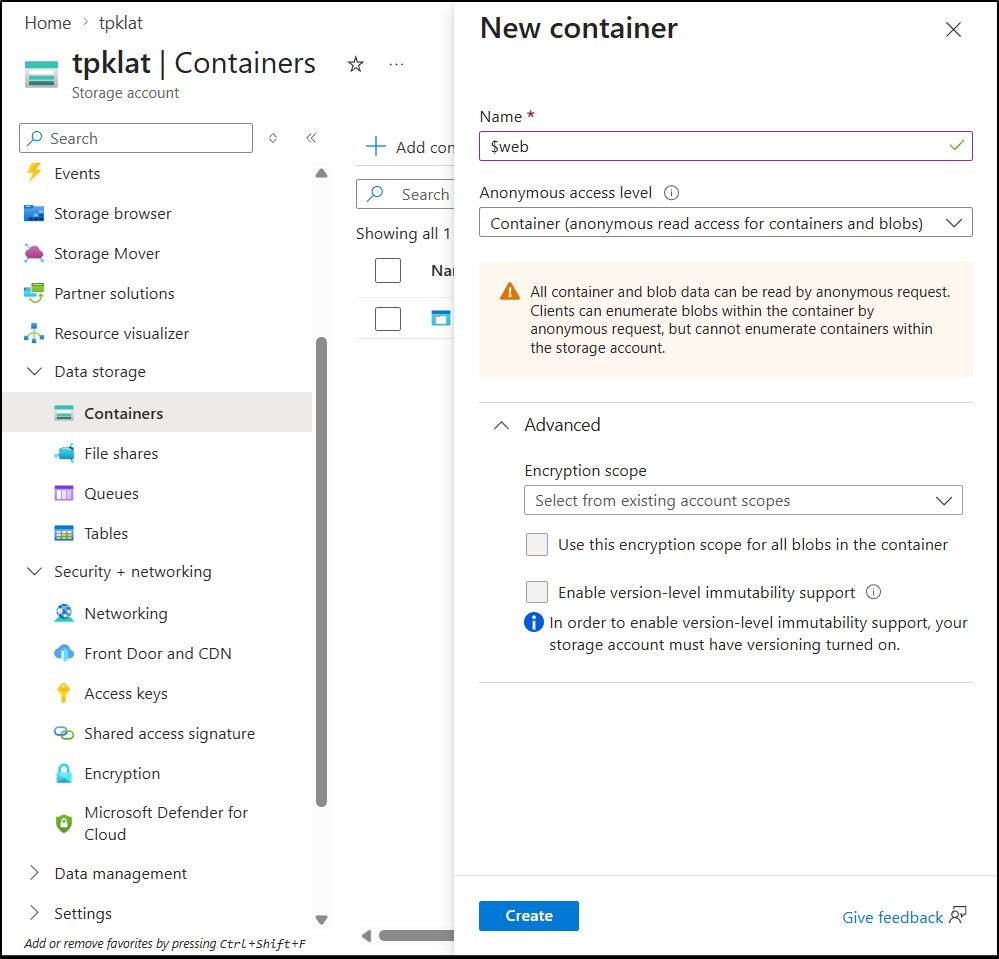
I only saw a $logs container presently, So I made a $web which is needed for Static Site hosting
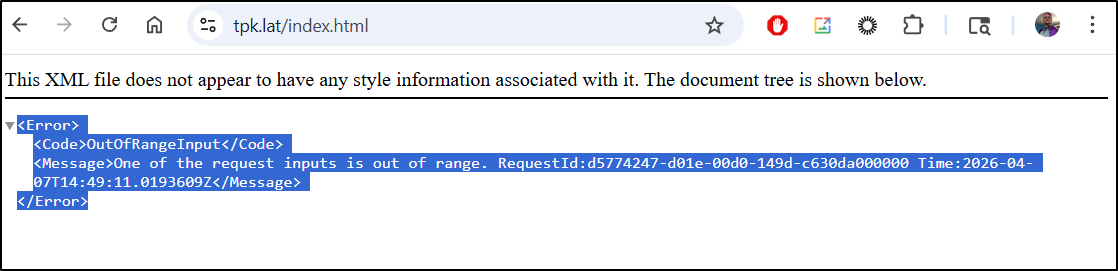
I was serving traffic, but getting an “OutOfRange” error
Copilot failed to help (I tried that first in the Azure portal). Besides a paltry 500 character limit, it wouldn’t let me pick a front door:
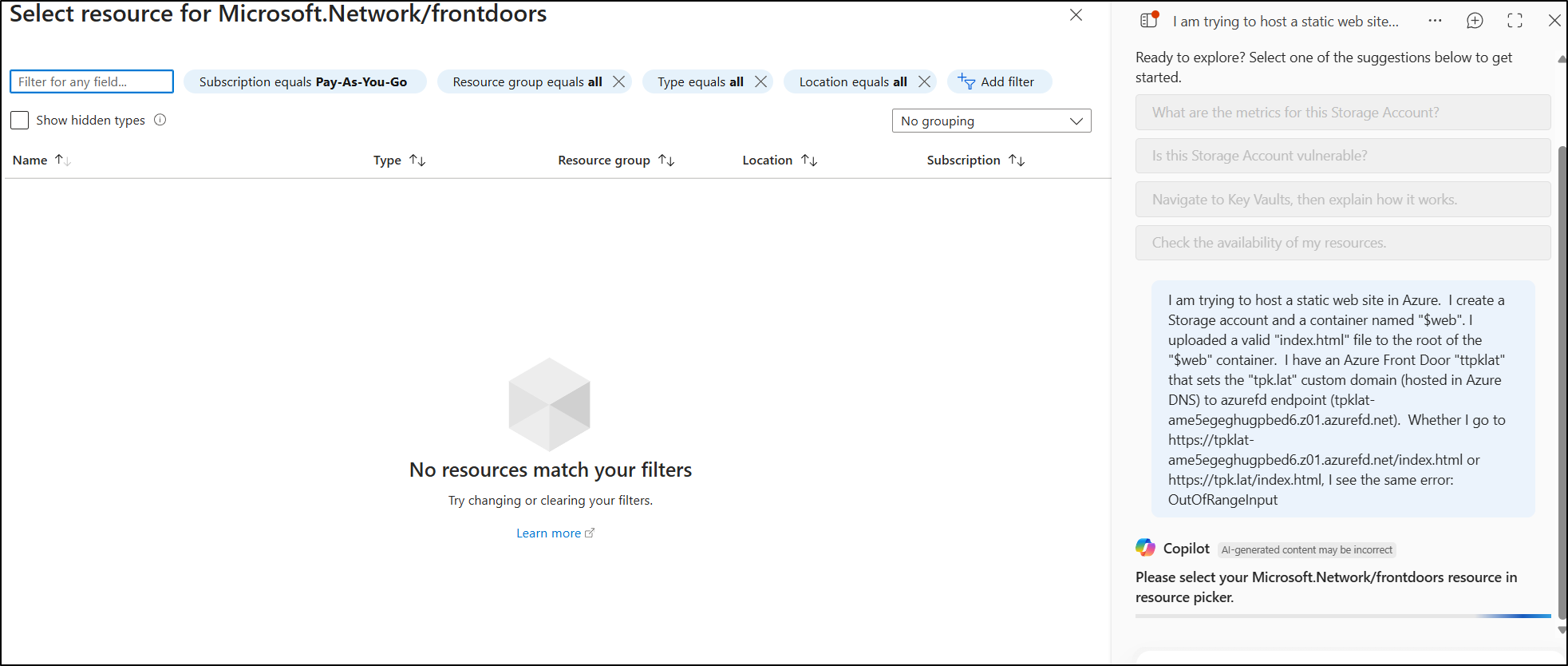
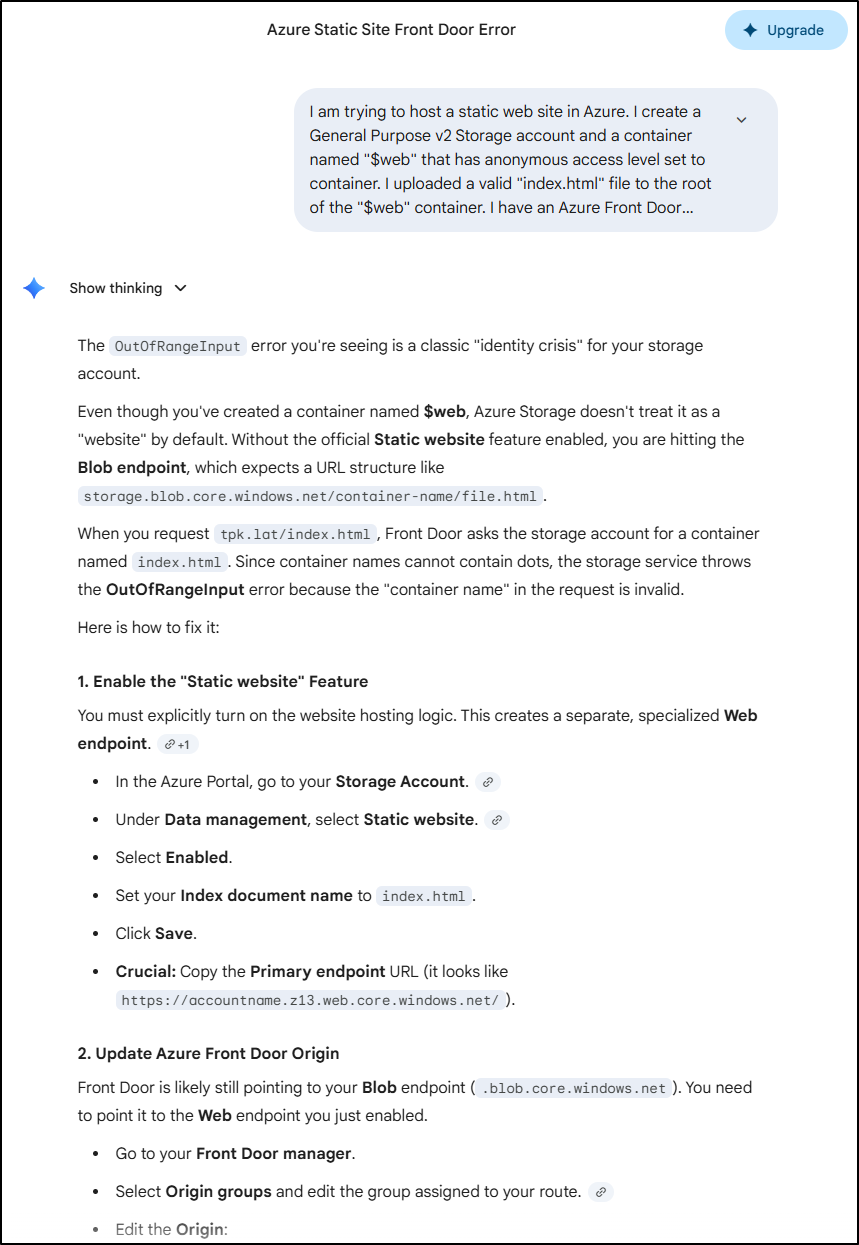
However, Gemini clued me into the problem - I neglected to turn on static website hosting (I thought just adding the Azure FD would do that automatically)
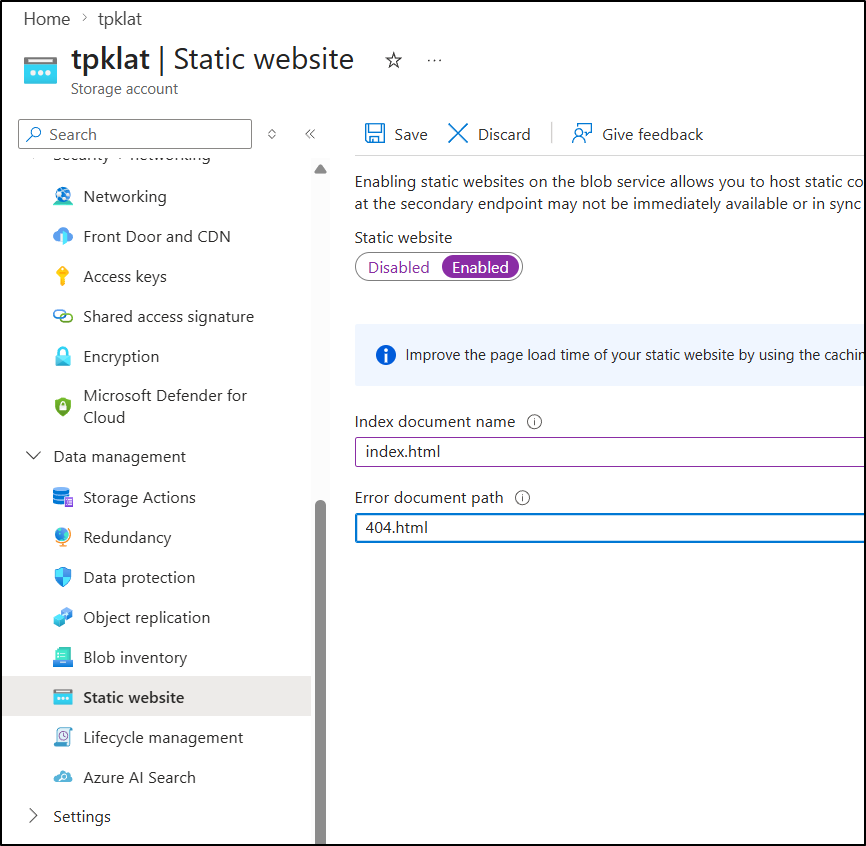
I turned it on
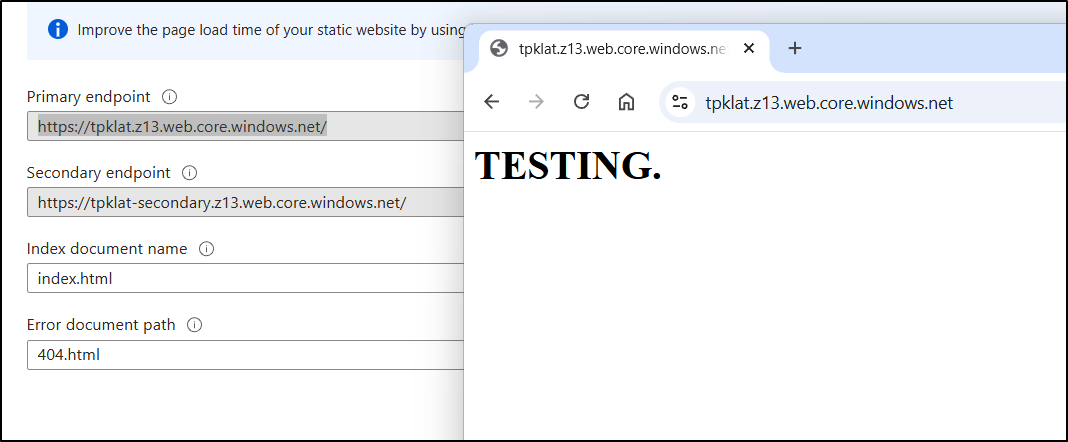
The storage account website looks right now
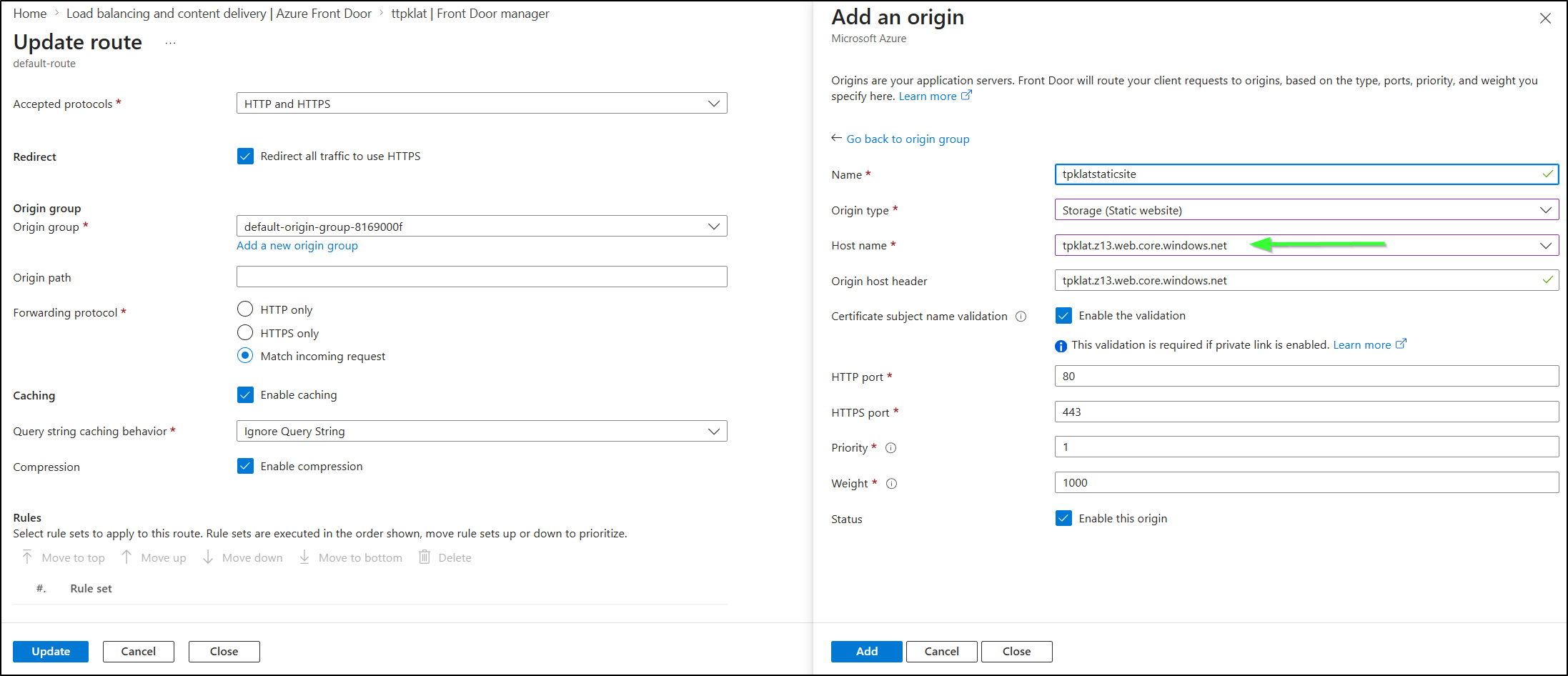
I then had to do this origin swap as it had an old “blob” endpoint stuck there.
I needed to find the origin that was there with the routes:
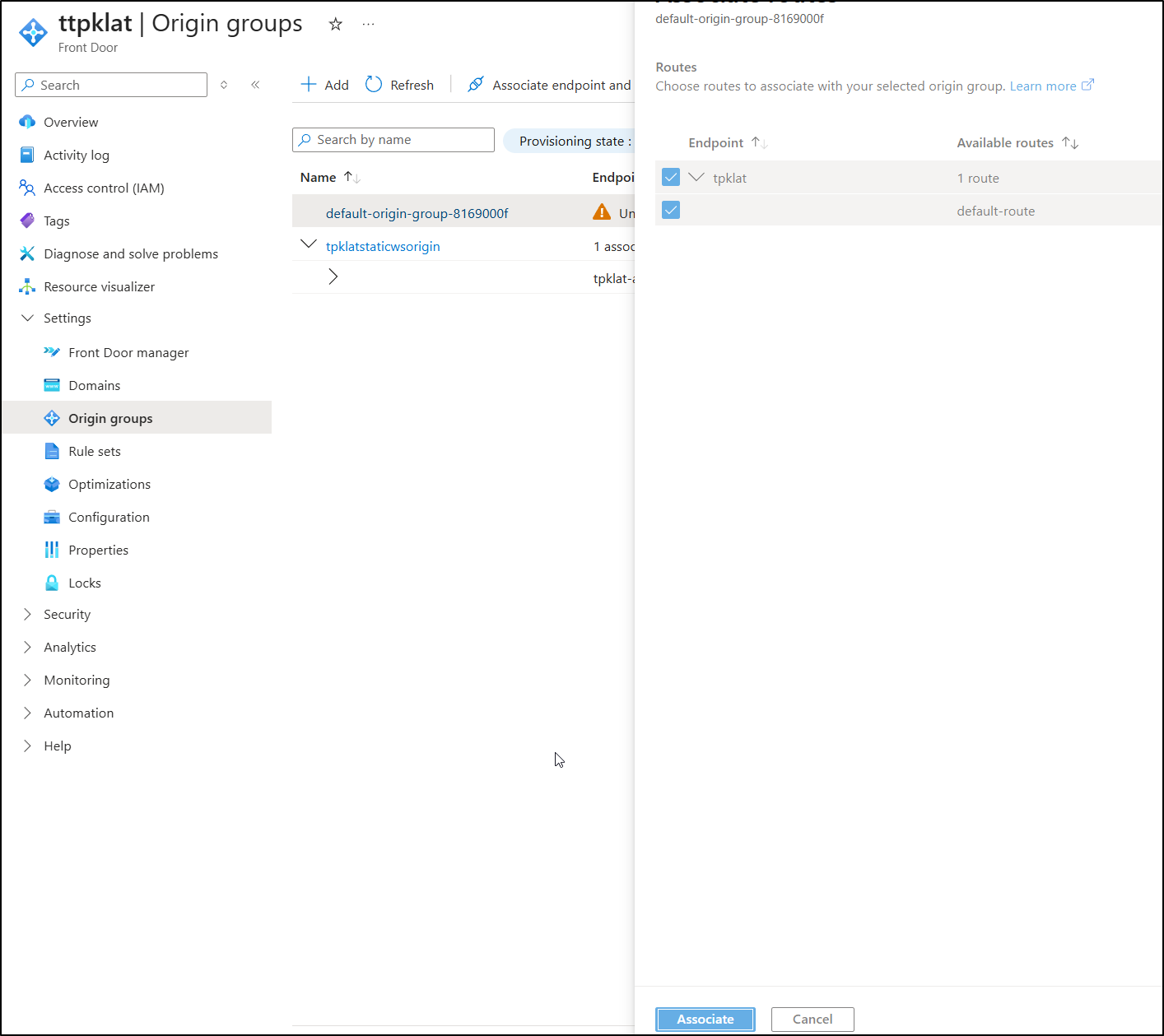
Add a new route to the “web.core” endpoint
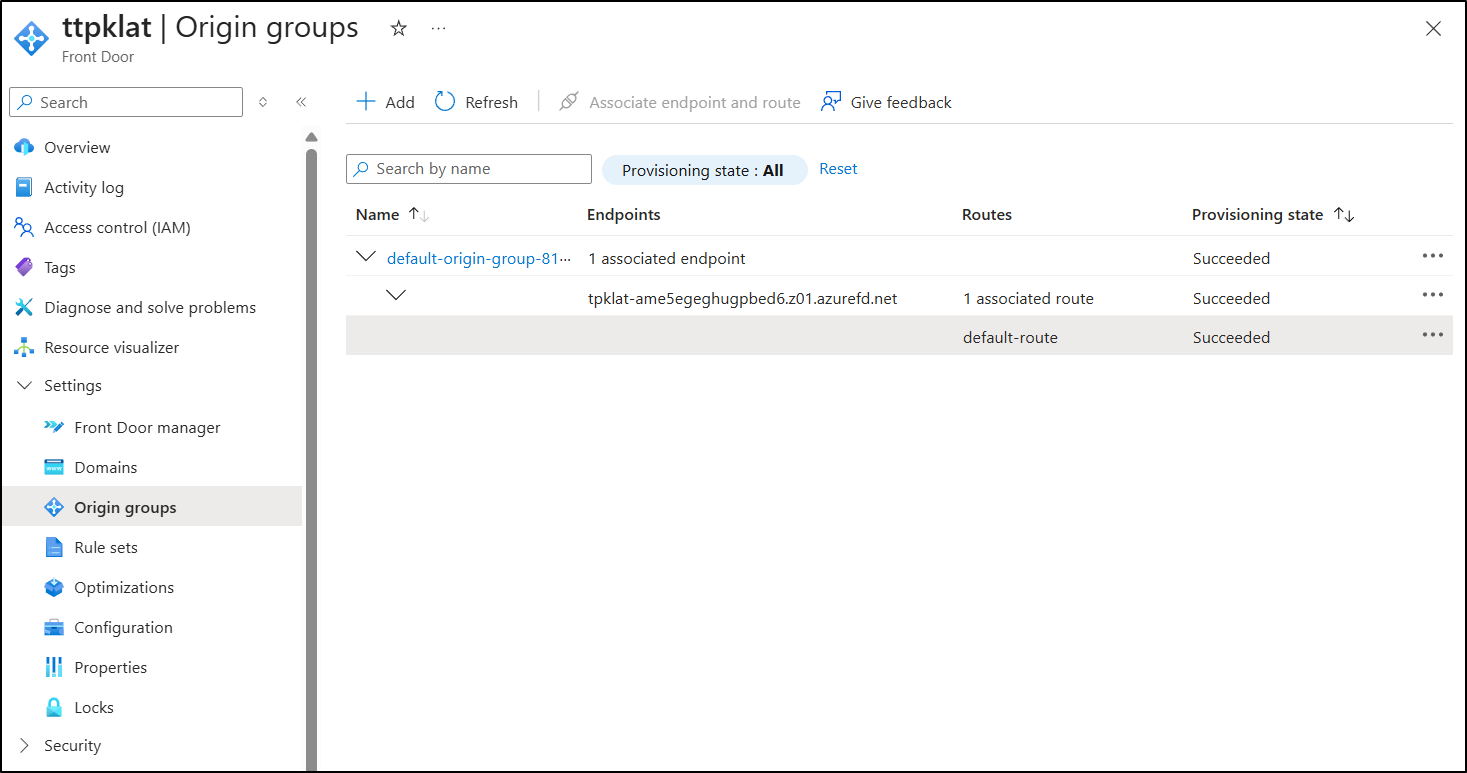
Then associate and unassociate the old then then delete so it ended up looking like
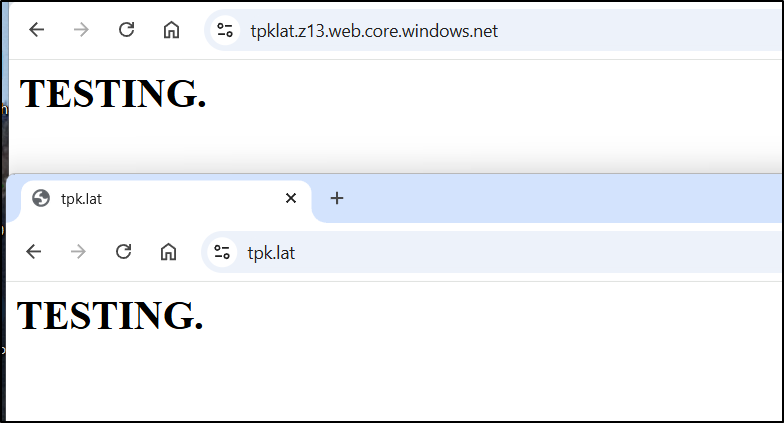
But when done, and after about 15m, it started to serve properly
next, I uploaded the site - this was actually really easy using the az CLI
builder@DESKTOP-QADGF36:~/Workspaces/hugo-initech$ az storage blob upload-batch --account-name tpklat -d '$web' -s ./public
Command group 'az storage' is in preview and under development. Reference and support levels: https://aka.ms/CLI_refstatus

There are no credentials provided in your command and environment, we will query for account key for your storage account.
It is recommended to provide --connection-string, --account-key or --sas-token in your command as credentials.

You also can add `--auth-mode login` in your command to use Azure Active Directory (Azure AD) for authorization if your login account is assigned required RBAC roles.
For more information about RBAC roles in storage, visit https://learn.microsoft.com/azure/storage/common/storage-auth-aad-rbac-cli.

In addition, setting the corresponding environment variables can avoid inputting credentials in your command. Please use --help to get more information about environment variable usage.
4/125: "404.html"[####################################################]  100.0000%The specified blob already exists.
RequestId:614e826c-601e-0098-78bc-c62ded000000
Time:2026-04-07T18:29:01.2582855Z
ErrorCode:BlobAlreadyExists
If you want to overwrite the existing one, please add --overwrite in your command.
Finished[#############################################################]  100.0000%.js"[]  100.0000%100.0000%
1 of 125 files not uploaded due to "Failed Precondition"
[
  {
    "Blob": "https://tpklat.blob.core.windows.net/%24web/GitHub-Mark_866618693131658625_hu_9d3935265776b641.png",
    "Last Modified": "2026-04-07T18:29:00+00:00",
    "Type": "image/png",
    "eTag": "\"0x8DE94D38A21B14E\""
  },

  ... snip ...
I only had to force 2 files:
builder@DESKTOP-QADGF36:~/Workspaces/hugo-initech$ az storage blob upload --account-name tpklat --container-name '$web' --name index.html --file ./public/index.html --overwrite
Command group 'az storage' is in preview and under development. Reference and support levels: https://aka.ms/CLI_refstatus

There are no credentials provided in your command and environment, we will query for account key for your storage account.
It is recommended to provide --connection-string, --account-key or --sas-token in your command as credentials.

You also can add `--auth-mode login` in your command to use Azure Active Directory (Azure AD) for authorization if your login account is assigned required RBAC roles.
For more information about RBAC roles in storage, visit https://learn.microsoft.com/azure/storage/common/storage-auth-aad-rbac-cli.

In addition, setting the corresponding environment variables can avoid inputting credentials in your command. Please use --help to get more information about environment variable usage.
Finished[#############################################################]  100.0000%
{
  "client_request_id": "c7bf0756-32af-11f1-ab3e-00155d325100",
  "content_md5": "iQzYYP/MN17DQS7MMPDpbw==",
  "date": "2026-04-07T18:29:58+00:00",
  "encryption_key_sha256": null,
  "encryption_scope": null,
  "etag": "\"0x8DE94D3AC5E45D9\"",
  "lastModified": "2026-04-07T18:29:58+00:00",
  "request_id": "0fe4678d-801e-0090-23bc-c637e2000000",
  "request_server_encrypted": true,
  "version": "2022-11-02",
  "version_id": null
}
builder@DESKTOP-QADGF36:~/Workspaces/hugo-initech$ az storage blob upload --account-name tpklat --container-name '$web' --name 404.html --file ./public/404.html --overwrite
Command group 'az storage' is in preview and under development. Reference and support levels: https://aka.ms/CLI_refstatus

There are no credentials provided in your command and environment, we will query for account key for your storage account.
It is recommended to provide --connection-string, --account-key or --sas-token in your command as credentials.

You also can add `--auth-mode login` in your command to use Azure Active Directory (Azure AD) for authorization if your login account is assigned required RBAC roles.
For more information about RBAC roles in storage, visit https://learn.microsoft.com/azure/storage/common/storage-auth-aad-rbac-cli.

In addition, setting the corresponding environment variables can avoid inputting credentials in your command. Please use --help to get more information about environment variable usage.
Finished[#############################################################]  100.0000%
{
  "client_request_id": "cfb387b6-32af-11f1-8426-00155d325100",
  "content_md5": "toulLT+XQF2QsfgesRE7vw==",
  "date": "2026-04-07T18:30:10+00:00",
  "encryption_key_sha256": null,
  "encryption_scope": null,
  "etag": "\"0x8DE94D3B4579FDE\"",
  "lastModified": "2026-04-07T18:30:11+00:00",
  "request_id": "f105731f-d01e-00ff-4dbc-c63d11000000",
  "request_server_encrypted": true,
  "version": "2022-11-02",
  "version_id": null
}
I tried to purge the cache for just index.html (as index.html and 404.html were the only conflicts)
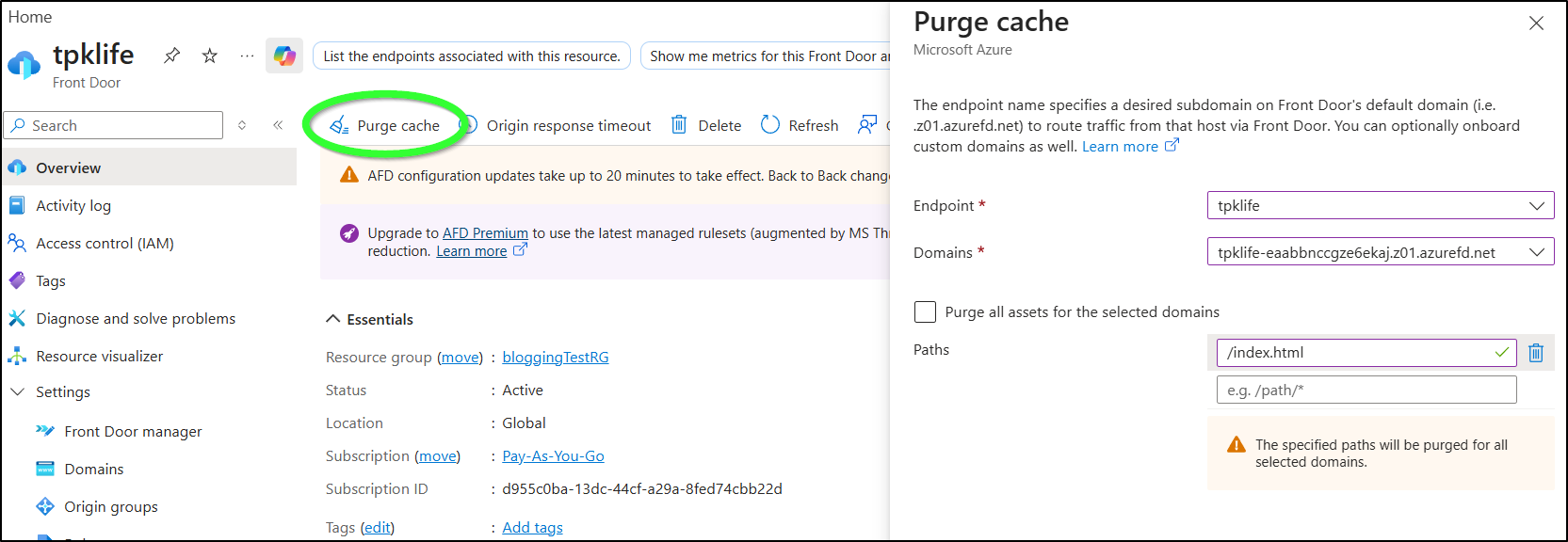
But even after hours, it still showed the “TESTING” page.
I then tried a heavier purge
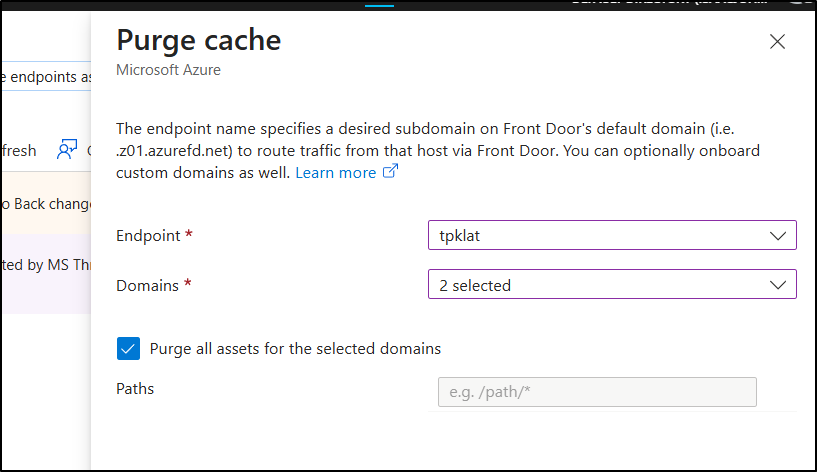
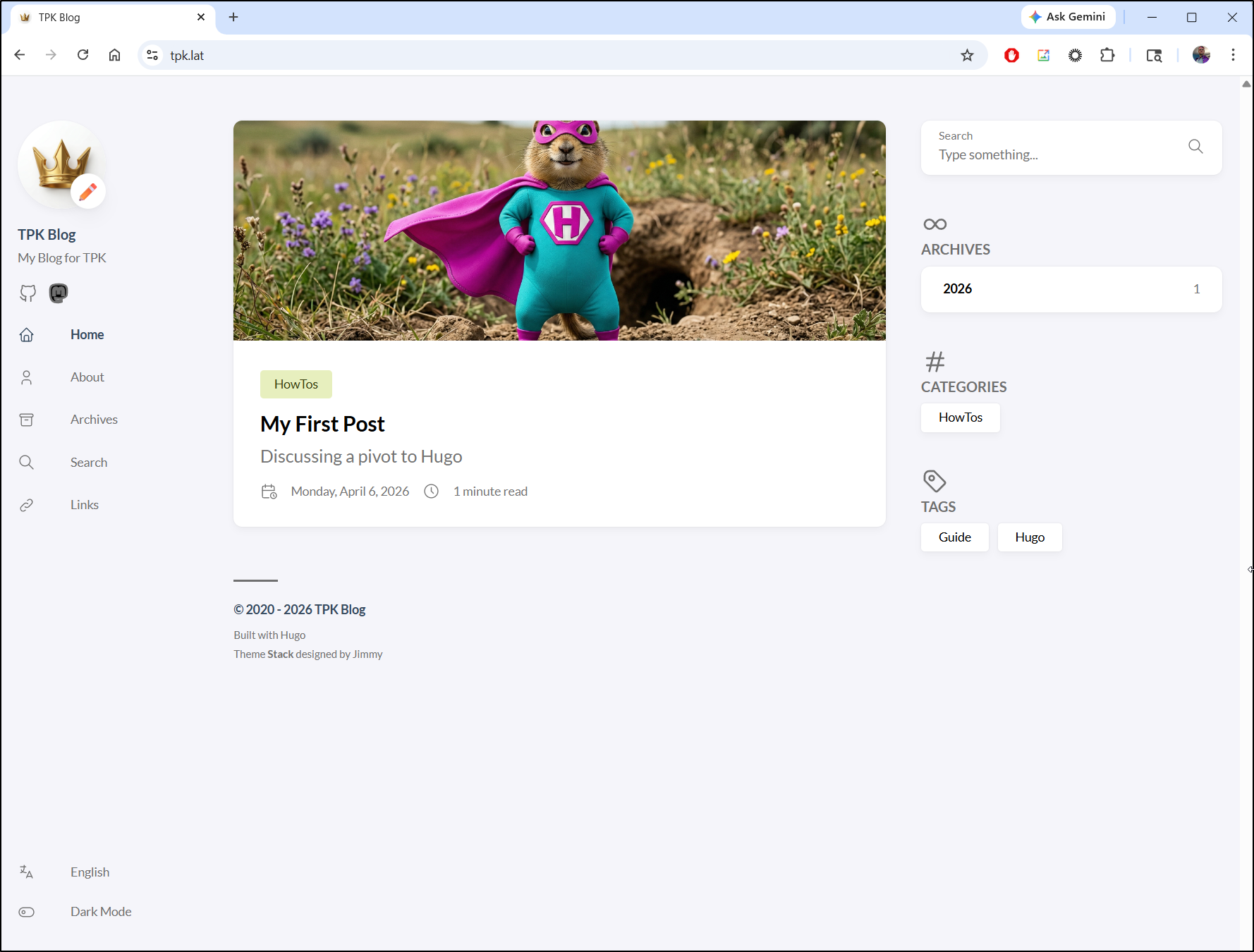
which definitely worked
CICD
We got a great start, but I want this blog to publish on merge to main.
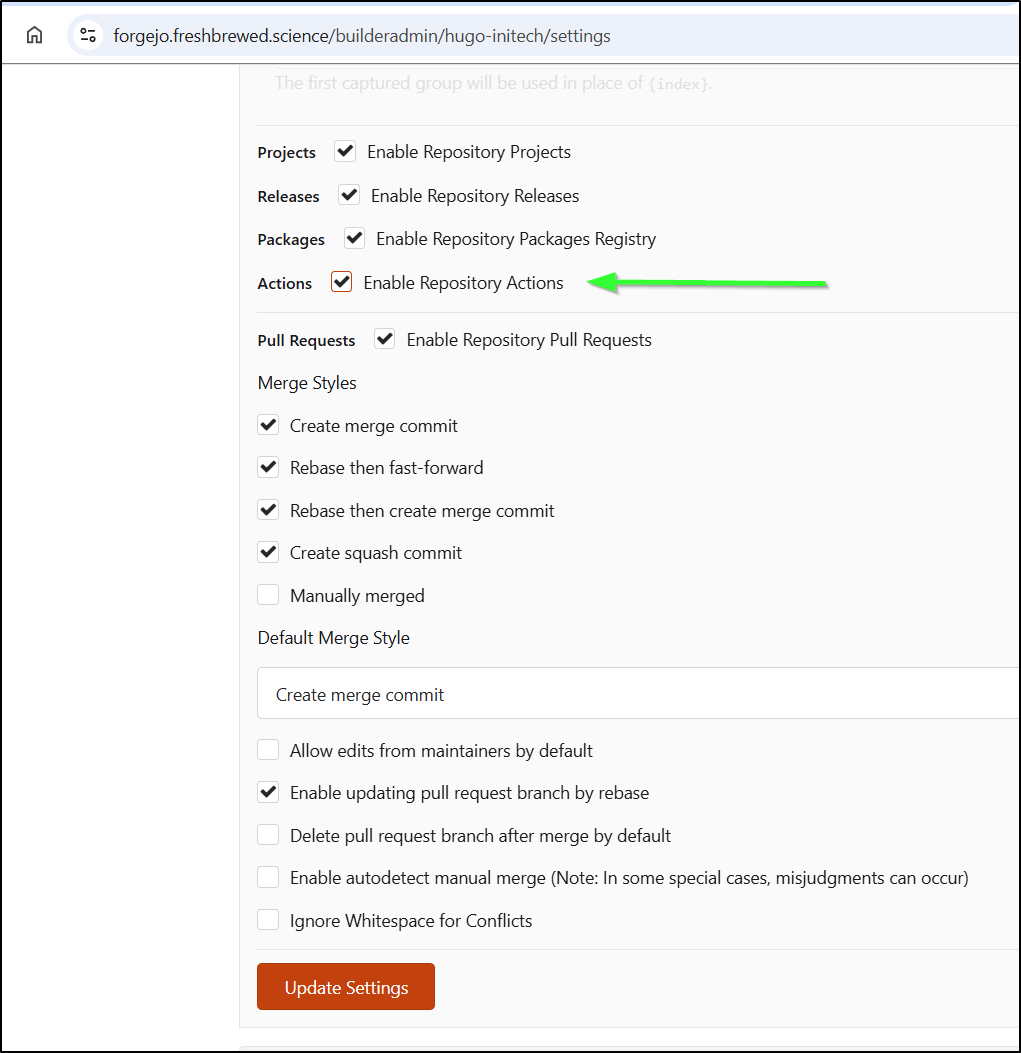
First, I need to enable Repository Actions:
I’ll start with a simple workflow just to make sure the system is working:
builder@DESKTOP-QADGF36:~/Workspaces/hugo-initech$ mkdir -p .gitea/workflows
builder@DESKTOP-QADGF36:~/Workspaces/hugo-initech$ vi .gitea/workflows/cicd.yaml
builder@DESKTOP-QADGF36:~/Workspaces/hugo-initech$ cat .gitea/workflows/cicd.yaml
name: Gitea Actions Test
run-name: $ is testing out Gitea Actions 🚀
on: [push]

jobs:
  Explore-Gitea-Actions:
    runs-on: my_custom_label
    container: node:22
    steps:
      - run: echo "🎉 The job was automatically triggered by a $ event."
      - run: echo "🐧 This job is now running on a $ server hosted by Gitea!"
      - run: echo "🔎 The name of your branch is $ and your repository is $."
      - name: Check out repository code
        uses: actions/checkout@v3
      - run: echo "💡 The $ repository has been cloned to the runner."
      - run: echo "🖥️ The workflow is now ready to test your code on the runner."
      - name: List files in the repository
        run: |
          ls $
      - run: echo "🍏 This job's status is $."
builder@DESKTOP-QADGF36:~/Workspaces/hugo-initech$ git add .gitea/
builder@DESKTOP-QADGF36:~/Workspaces/hugo-initech$ git commit -m "first runner"
[main 8585a78] first runner
 1 file changed, 19 insertions(+)
 create mode 100644 .gitea/workflows/cicd.yaml
builder@DESKTOP-QADGF36:~/Workspaces/hugo-initech$ git push
Enumerating objects: 6, done.
Counting objects: 100% (6/6), done.
Delta compression using up to 16 threads
Compressing objects: 100% (3/3), done.
Writing objects: 100% (5/5), 789 bytes | 789.00 KiB/s, done.
Total 5 (delta 1), reused 0 (delta 0), pack-reused 0
remote: . Processing 1 references
remote: Processed 1 references in total
To https://forgejo.freshbrewed.science/builderadmin/hugo-initech.git
   6a77f04..8585a78  main -> main
which shows it at least runs
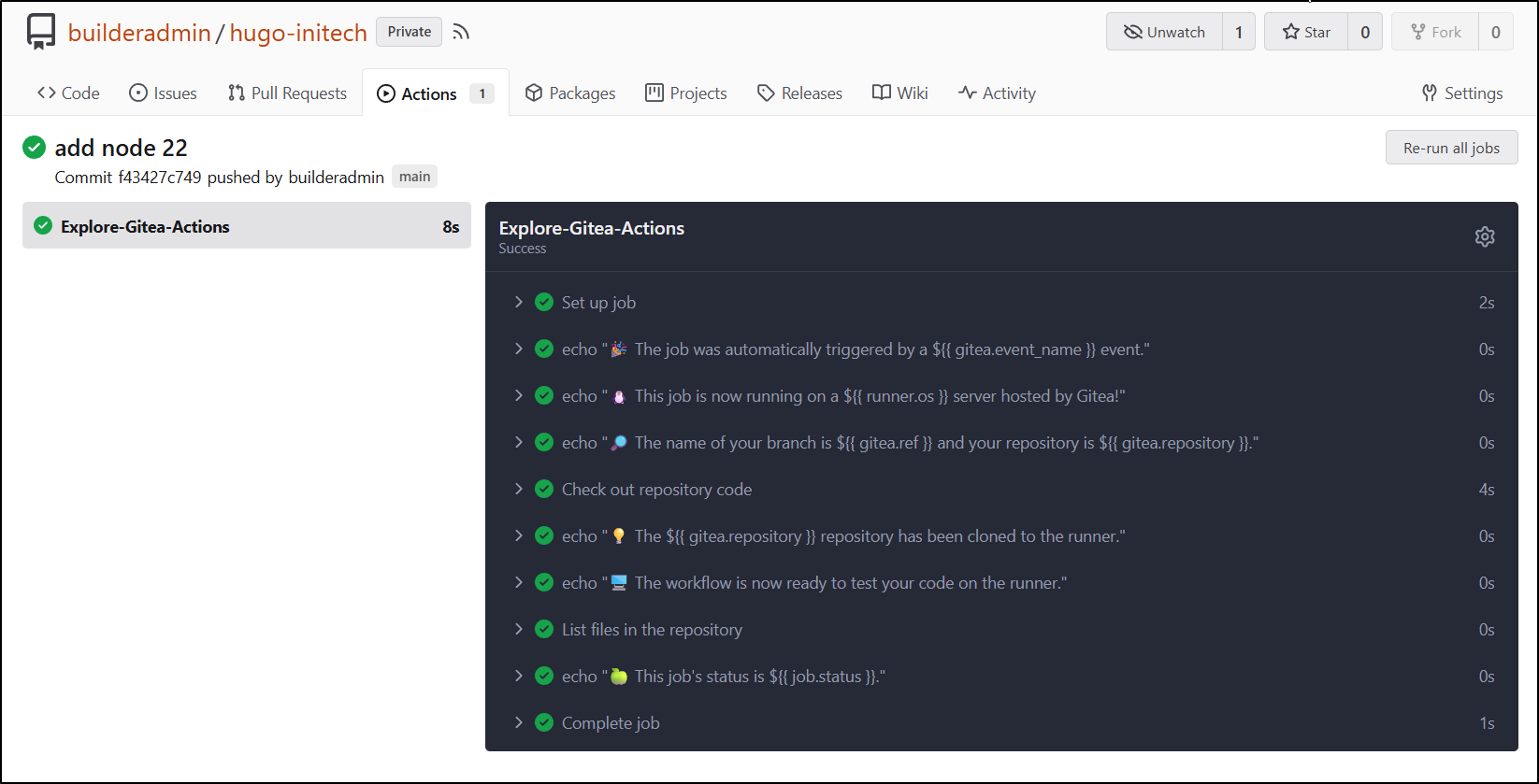
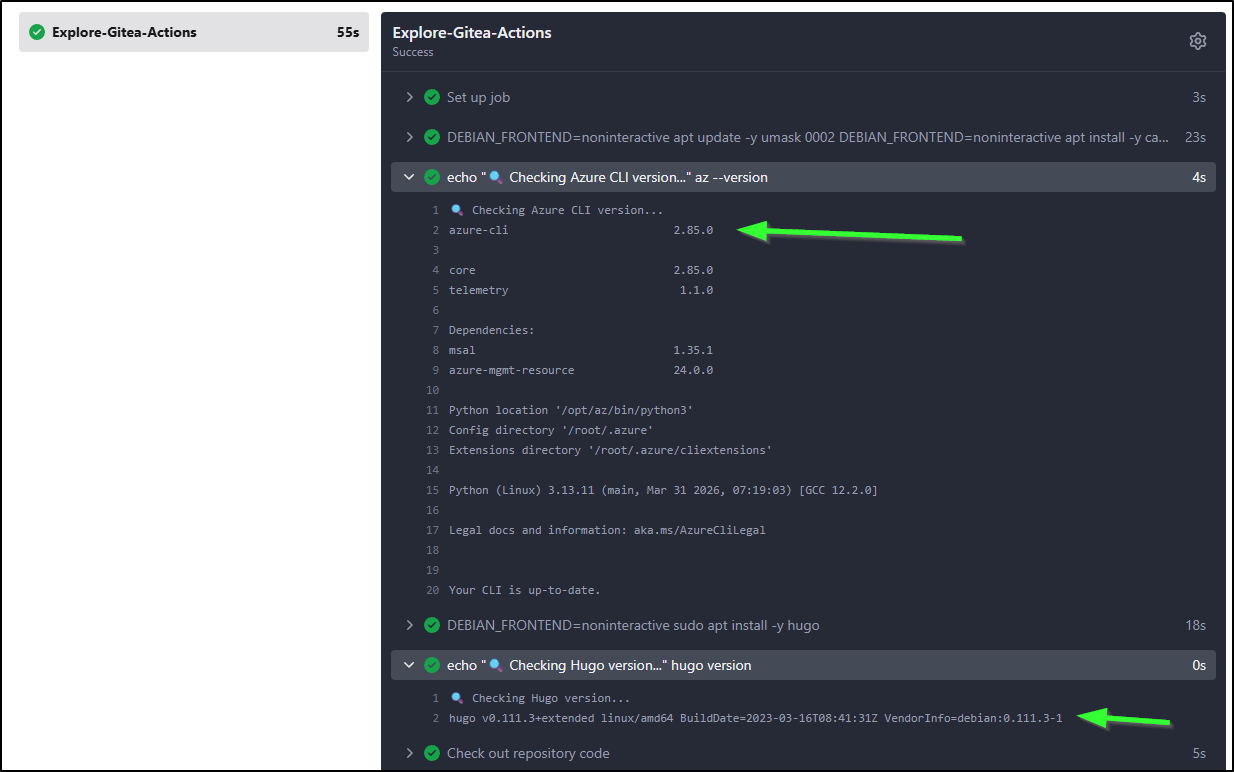
Since I know I’m going to need to use Azure Storage in my flow eventually, I decided to setup the CICD workflow to use the az CLI and hugo cli right away
name: Gitea Actions Test
run-name: $ is testing out Gitea Actions 🚀
on: [push]

jobs:
  Explore-Gitea-Actions:
    runs-on: my_custom_label
    container: node:22
    steps:
      - run: |
          DEBIAN_FRONTEND=noninteractive apt update -y
          umask 0002
          DEBIAN_FRONTEND=noninteractive apt install -y ca-certificates curl apt-transport-https lsb-release gnupg build-essential sudo
          # Install MS Key

          # Use the official Microsoft script to handle repo mapping automatically
          curl -sL https://aka.ms/InstallAzureCLIDeb | sudo bash
      - run: |
          echo "🔍 Checking Azure CLI version..."
          az --version
      - run: |
          DEBIAN_FRONTEND=noninteractive sudo apt install -y hugo zip
      - run: |
          echo "🔍 Checking Hugo version..."
          hugo version
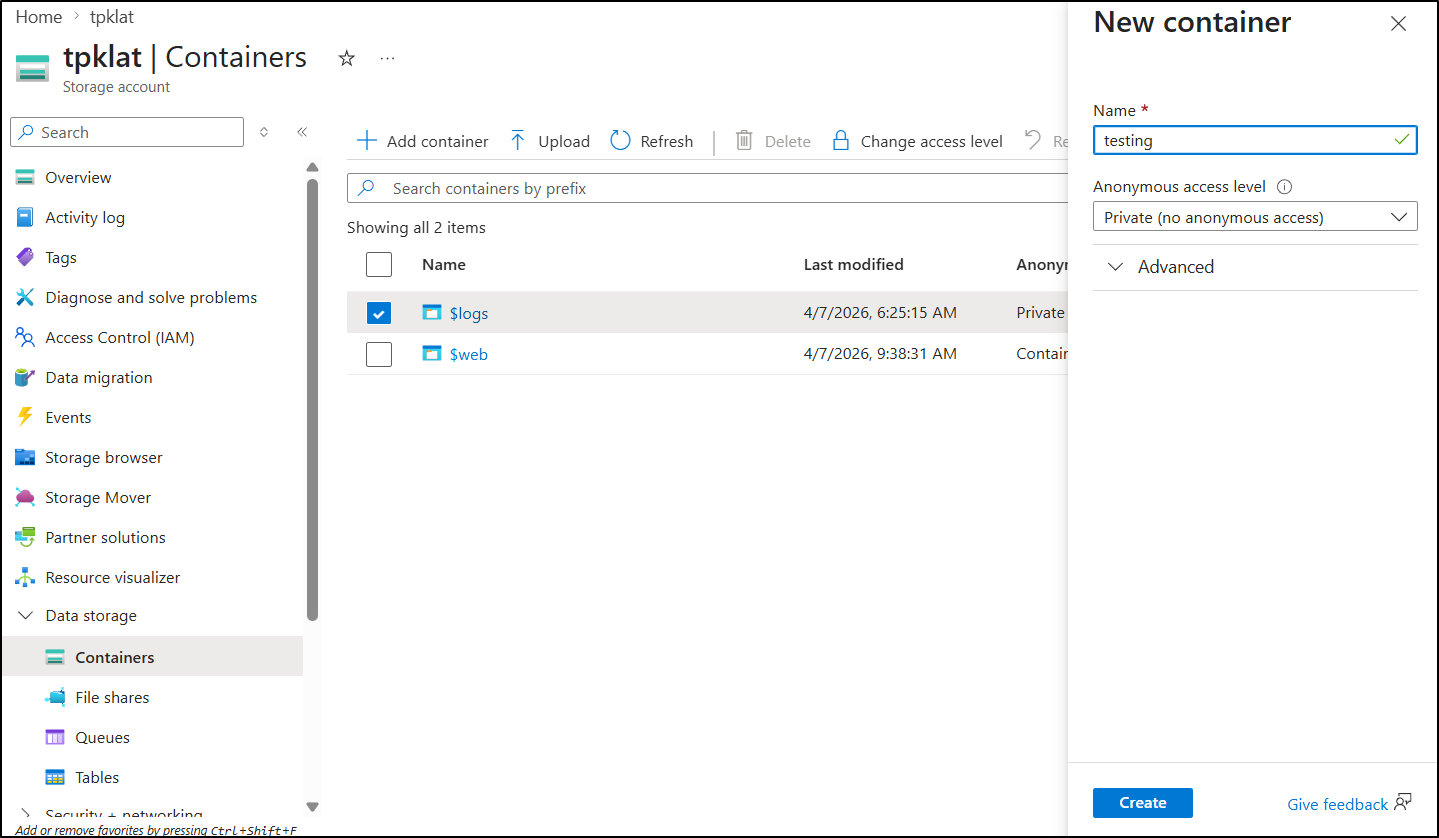
Next, I decided to create a “testing” container I can use to see candidate releases
In my Forgejo actions page, I will want to add some secrets to access this account
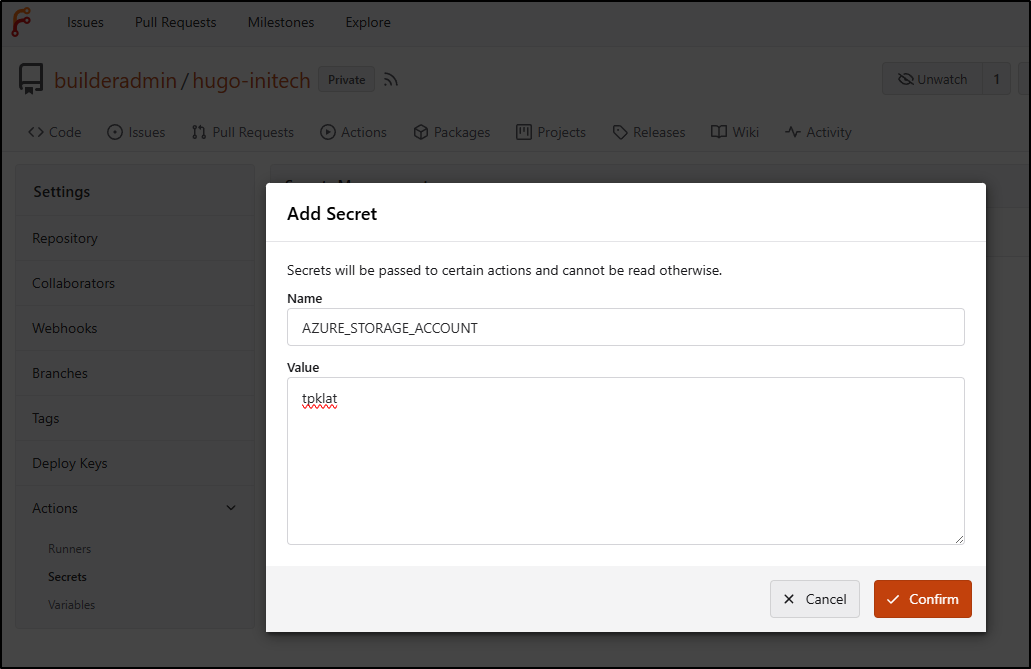
Once I had the account and key (in “Security + networking/Access Keys”) saved as secrets
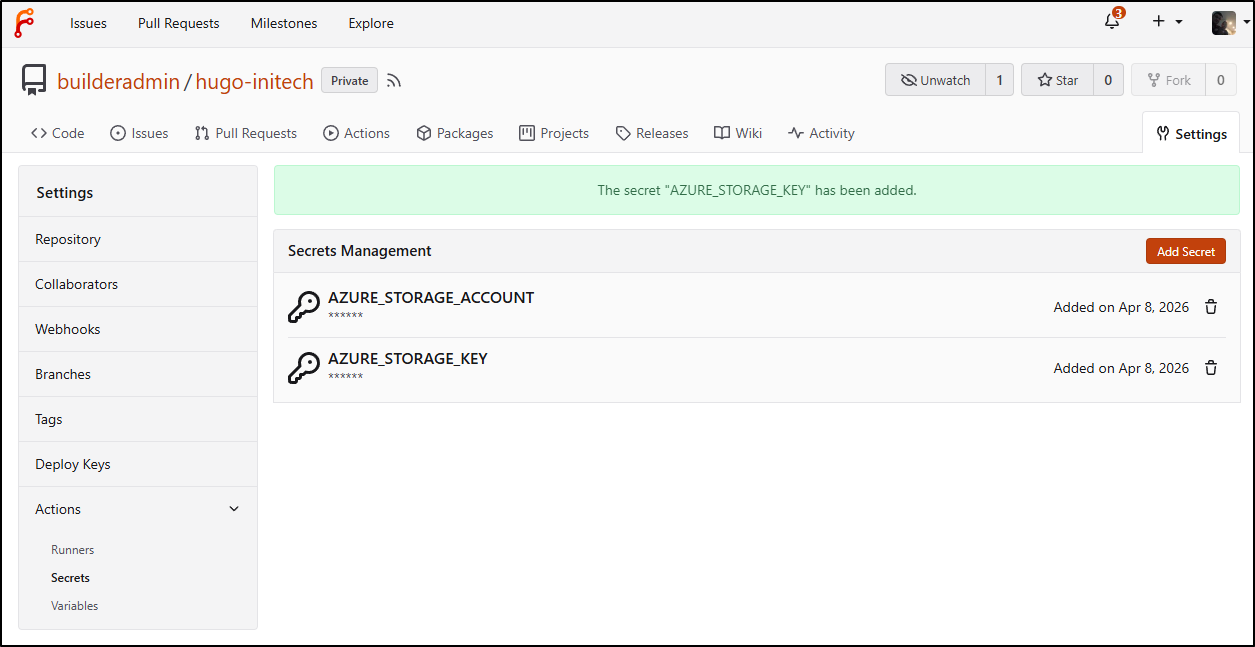
My new Forgejo workflow looks like
name: Gitea Actions Test
run-name: $ is testing out Gitea Actions 🚀
on: [push]

jobs:
  Explore-Gitea-Actions:
    runs-on: my_custom_label
    container: node:22
    steps:
      - run: |
          DEBIAN_FRONTEND=noninteractive apt update -y
          umask 0002
          DEBIAN_FRONTEND=noninteractive apt install -y ca-certificates curl apt-transport-https lsb-release gnupg build-essential sudo
          # Install MS Key

          # Use the official Microsoft script to handle repo mapping automatically
          curl -sL https://aka.ms/InstallAzureCLIDeb | sudo bash
      - run: |
          echo "🔍 Checking Azure CLI version..."
          az --version
      - run: |
          DEBIAN_FRONTEND=noninteractive sudo apt install -y hugo zip
      - run: |
          echo "🔍 Checking Hugo version..."
          hugo version
      - name: Check out repository code
        uses: actions/checkout@v3
      - run: |
          export
          ls
          ls -ltra themes/hugo-theme-stack
          hugo
          zip -r public.zip public
      - run: |
          export
          ls
          ls -ltra themes/hugo-theme-stack
      - run: |
          hugo
          zip -r public.zip public
        env:
          HUGO_ENV: production
      - run: |
          az storage blob upload --account-name $AZSTORAGE_ACCOUNT --account-key $AZSTORAGE_KEY --container-name testing --name public-$GITHUB_RUN_NUMBER.zip --file ./public.zip --overwrite
        env:
          AZSTORAGE_ACCOUNT: $
          AZSTORAGE_KEY: $
      - run: echo "🖥️ The workflow is now ready to test your code on the runner."
      - name: List files in the repository
        run: |
          ls $
      - run: echo "🍏 This job's status is $."
It ran
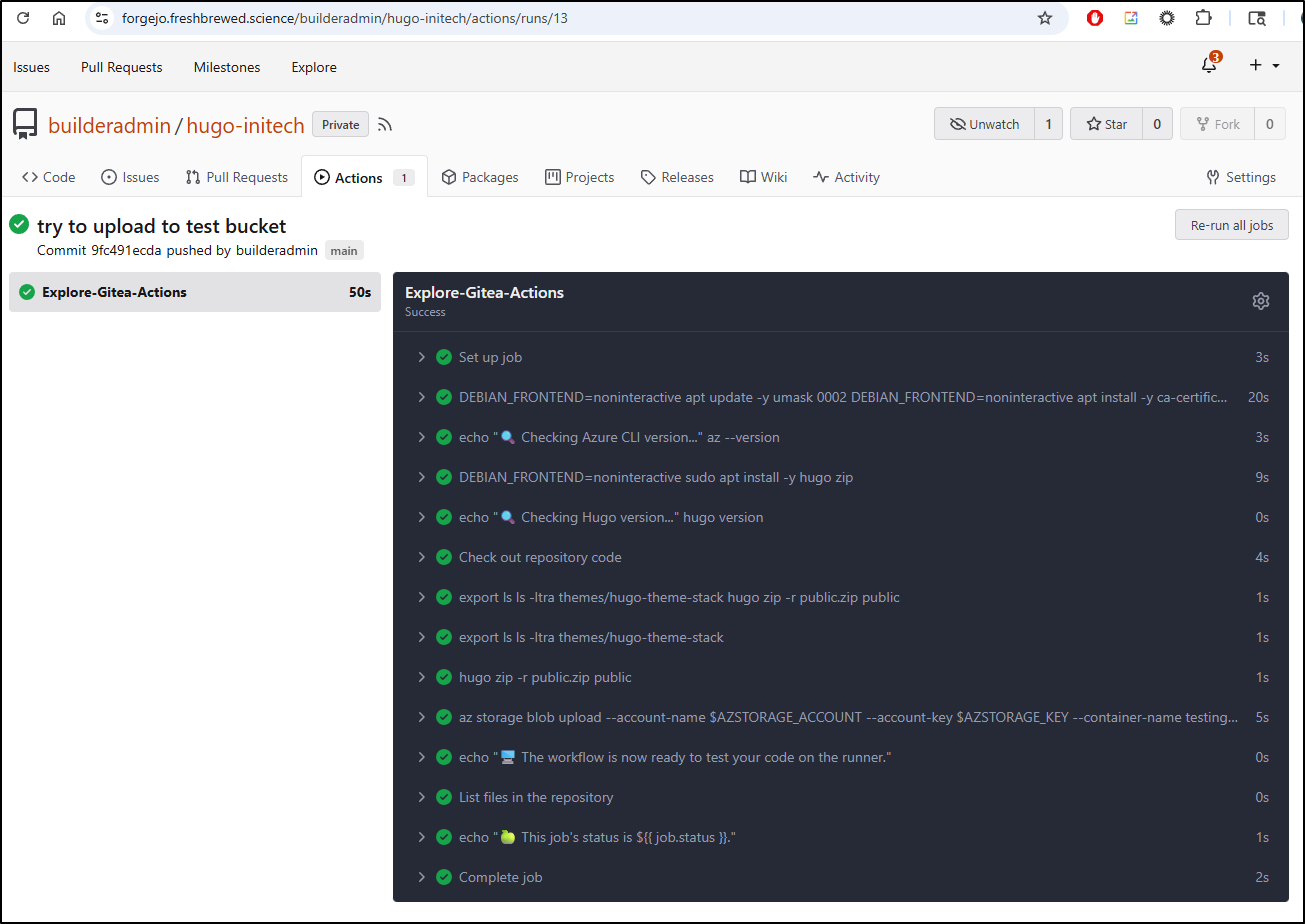
and I can see a candidate release with the build ID (see URL above) in the testing container
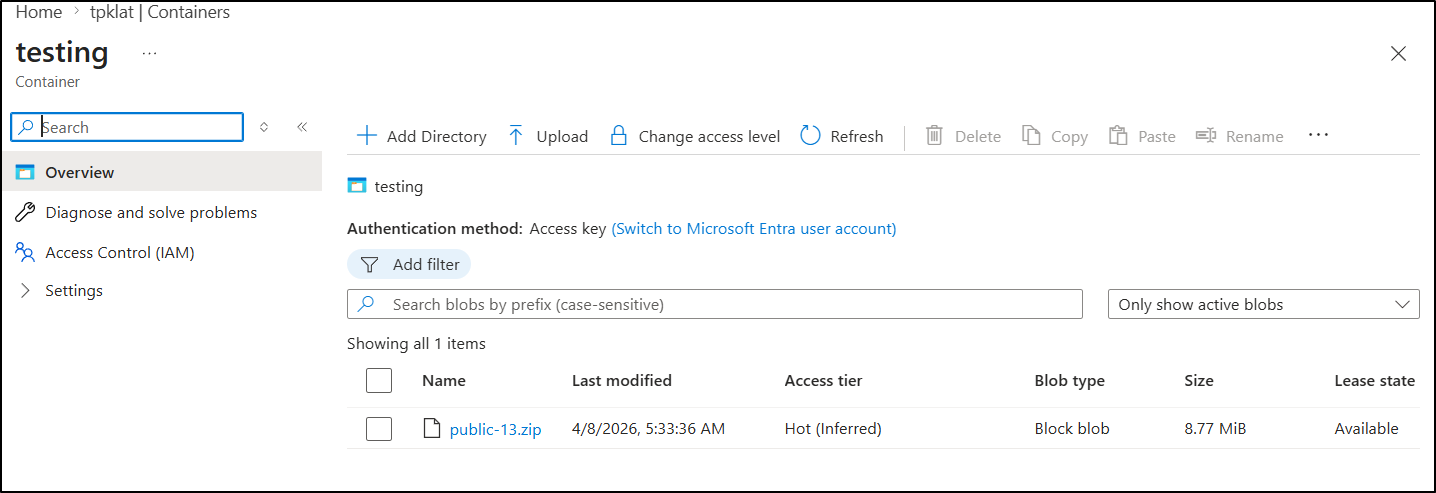
didn’t look right so I tried without production “HUGO_ENV: production”.
The reason I only saw XMLs was that it wasn’t actually pulling in the theme submodule.
Once I updated the checkout action with submodules set to “recursive”
      - name: Check out repository code
        uses: actions/checkout@v3
        with:
          submodules: recursive
Then it worked (to the point of telling my hugo was too old). I pivoted to downloading the latest (as of this writing) from Github and then it worked
name: Gitea Actions Test
run-name: $ is testing out Gitea Actions 🚀
on: [push]

jobs:
  Explore-Gitea-Actions:
    runs-on: my_custom_label
    container: node:22
    steps:
      - run: |
          DEBIAN_FRONTEND=noninteractive apt update -y
          umask 0002
          DEBIAN_FRONTEND=noninteractive apt install -y ca-certificates curl apt-transport-https lsb-release gnupg build-essential sudo zip
          # Install MS Key

          # Use the official Microsoft script to handle repo mapping automatically
          curl -sL https://aka.ms/InstallAzureCLIDeb | sudo bash
      - run: |
          echo "🔍 Checking Azure CLI version..."
          az --version
      - name: Check out repository code
        uses: actions/checkout@v3
        with:
          submodules: recursive
      - run: |
          # DEBIAN_FRONTEND=noninteractive sudo apt install -y hugo zip
          wget https://github.com/gohugoio/hugo/releases/download/v0.160.0/hugo_0.160.0_linux-amd64.tar.gz
          tar -xzvf hugo_0.160.0_linux-amd64.tar.gz
      - run: |
          echo "🔍 Checking Hugo version..."
          pwd
          ./hugo version
      - run: |
          export
          ls
          ls -ltra themes/hugo-theme-stack
      - run: |
          ./hugo
          zip -r public.zip public
      - run: |
          az storage blob upload --account-name $AZSTORAGE_ACCOUNT --account-key $AZSTORAGE_KEY --container-name testing --name public-$GITHUB_RUN_NUMBER.zip --file ./public.zip --overwrite
        env:
          AZSTORAGE_ACCOUNT: $
          AZSTORAGE_KEY: $
      - run: echo "🖥️ The workflow is now ready to test your code on the runner."
      - name: List files in the repository
        run: |
          ls $
      - run: echo "🍏 This job's status is $."
The next part requires a SP as we will not only want to upload to the main ‘$web’ container, but expire the cache in AFD.
I’ll create a new low privileged SP in my Sub
$ az ad sp create-for-rbac \
  --name "Gitea-AFD-Purge-SP" \
  --role "Contributor" \
  --scopes "/subscriptions/d955c0ba-13dc-44cf-a29a-8fed74cbb22d/resourceGroups/bloggingTestRG" \
  --sdk-auth
I set the secrets that came back in my pipeline and used it to purge the Front Door site, but only if on main
name: Gitea Actions Test
run-name: $ is testing out Gitea Actions 🚀
on: [push]

jobs:
  Explore-Gitea-Actions:
    runs-on: my_custom_label
    container: node:22
    steps:
      - run: |
          DEBIAN_FRONTEND=noninteractive apt update -y
          umask 0002
          DEBIAN_FRONTEND=noninteractive apt install -y ca-certificates curl apt-transport-https lsb-release gnupg build-essential sudo zip
          # Install MS Key

          # Use the official Microsoft script to handle repo mapping automatically
          curl -sL https://aka.ms/InstallAzureCLIDeb | sudo bash
      - run: |
          echo "🔍 Checking Azure CLI version..."
          az --version
      - name: Check out repository code
        uses: actions/checkout@v3
        with:
          submodules: recursive
      - run: |
          # DEBIAN_FRONTEND=noninteractive sudo apt install -y hugo zip
          wget https://github.com/gohugoio/hugo/releases/download/v0.160.0/hugo_0.160.0_linux-amd64.tar.gz
          tar -xzvf hugo_0.160.0_linux-amd64.tar.gz
      - run: |
          echo "🔍 Checking Hugo version..."
          pwd
          ./hugo version
      - run: |
          export
          ls
          ls -ltra themes/hugo-theme-stack
      - run: |
          ./hugo
          zip -r public.zip public
      - name: Branch check and upload
        shell: bash
        run: |
          if [[ "$GITHUB_REF_NAME" == "main" && "$GITHUB_REF_TYPE" == "branch" ]]; then
            echo "✅ On main branch, proceeding with Azure Blob upload..."
            az storage blob upload-batch --account-name $AZSTORAGE_ACCOUNT --account-key $AZSTORAGE_KEY -d '$web' -s ./public
          else
            echo "⚠️ Not on main branch, uploading to testing container."
            az storage blob upload --account-name $AZSTORAGE_ACCOUNT --account-key $AZSTORAGE_KEY --container-name testing --name public-$GITHUB_RUN_NUMBER.zip --file ./public.zip --overwrite
          fi
        env:
          AZSTORAGE_ACCOUNT: $
          AZSTORAGE_KEY: $

      - name: Front Door cache purge
        shell: bash
        run: |
          if [[ "$GITHUB_REF_NAME" == "main" && "$GITHUB_REF_TYPE" == "branch" ]]; then
            az login --service-principal -u $ -p $ --tenant $
            az afd endpoint purge \
                --subscription $ \
                --resource-group bloggingTestRG \
                --profile-name ttpklat \
                --endpoint-name tpklat-ame5egeghugpbed6.z01.azurefd.net \
                --domains tpk.lat \
                --content-paths '/*'
          else
            echo "⚠️ Not on main branch, skipping Azure Front Door purge."
          fi
We can now see the upload step working:
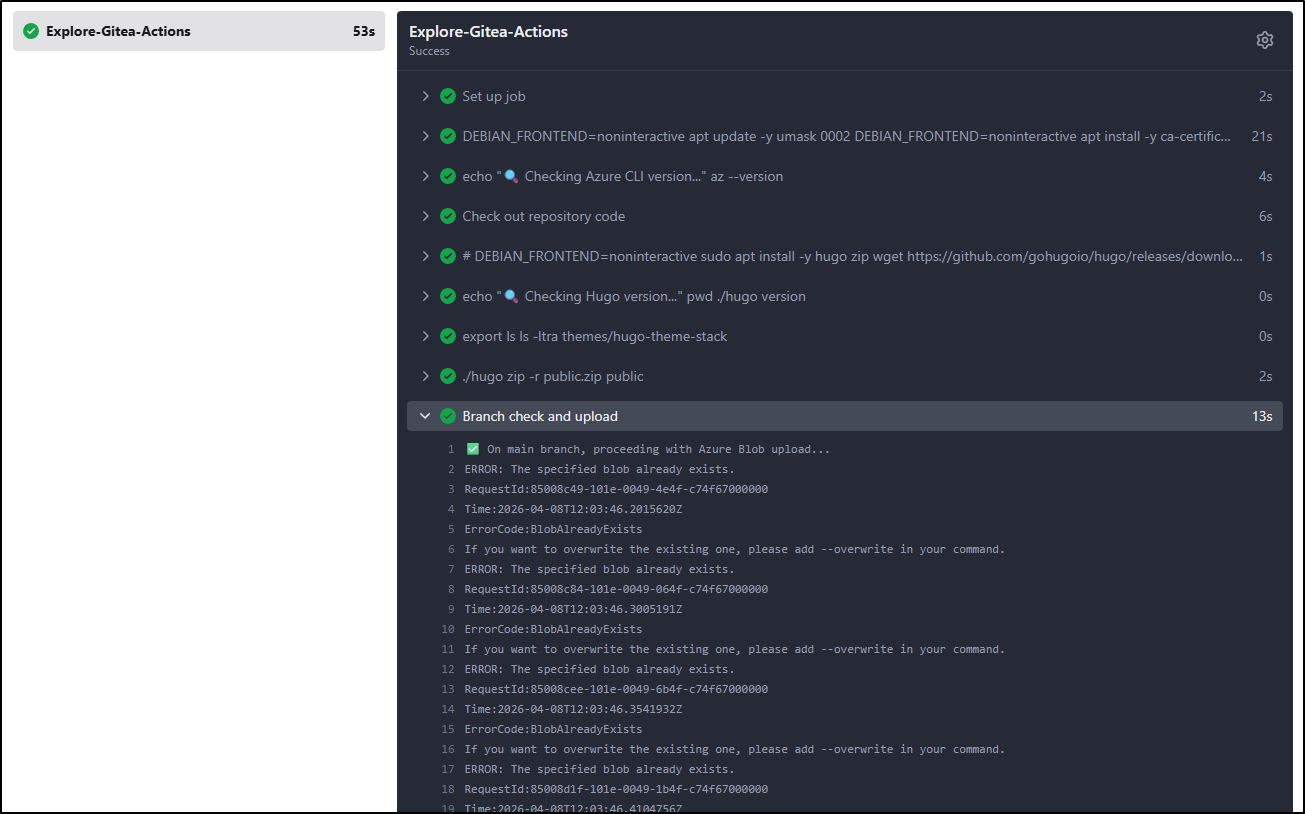
as well as the purge
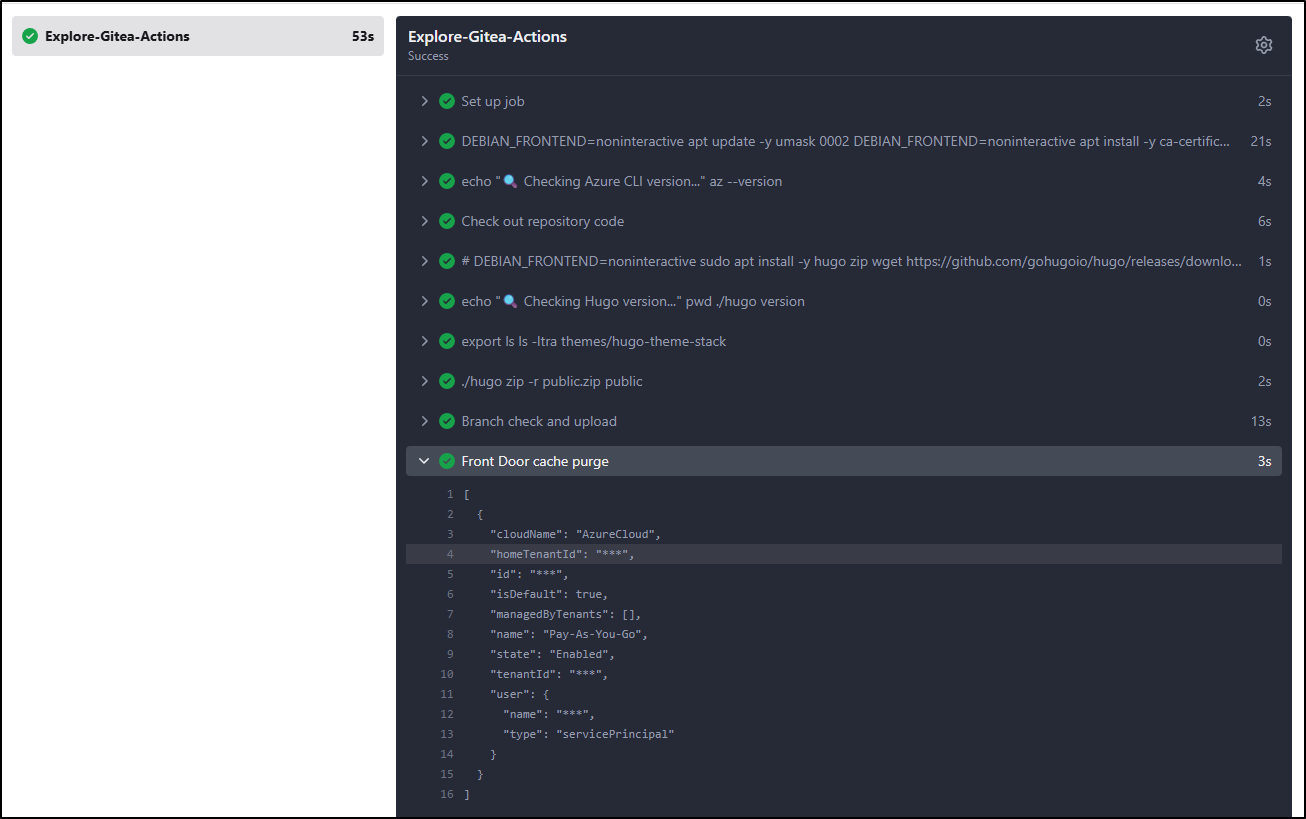
Testing the flow
I wrote a new post and pushed up the branch
builder@DESKTOP-QADGF36:~/Workspaces/hugo-initech$ git push --set-upstream origin test-new-post
Enumerating objects: 16, done.
Counting objects: 100% (16/16), done.
Delta compression using up to 16 threads
Compressing objects: 100% (8/8), done.
Writing objects: 100% (10/10), 2.37 MiB | 2.16 MiB/s, done.
Total 10 (delta 3), reused 0 (delta 0), pack-reused 0
remote:
remote: Create a new pull request for 'test-new-post':
remote:   https://forgejo.freshbrewed.science/builderadmin/hugo-initech/compare/main...test-new-post
remote:
remote: . Processing 1 references
remote: Processed 1 references in total
To https://forgejo.freshbrewed.science/builderadmin/hugo-initech.git
 * [new branch]      test-new-post -> test-new-post
Branch 'test-new-post' set up to track remote branch 'test-new-post' from 'origin'.
I can see in my workflow it pushed a private copy up
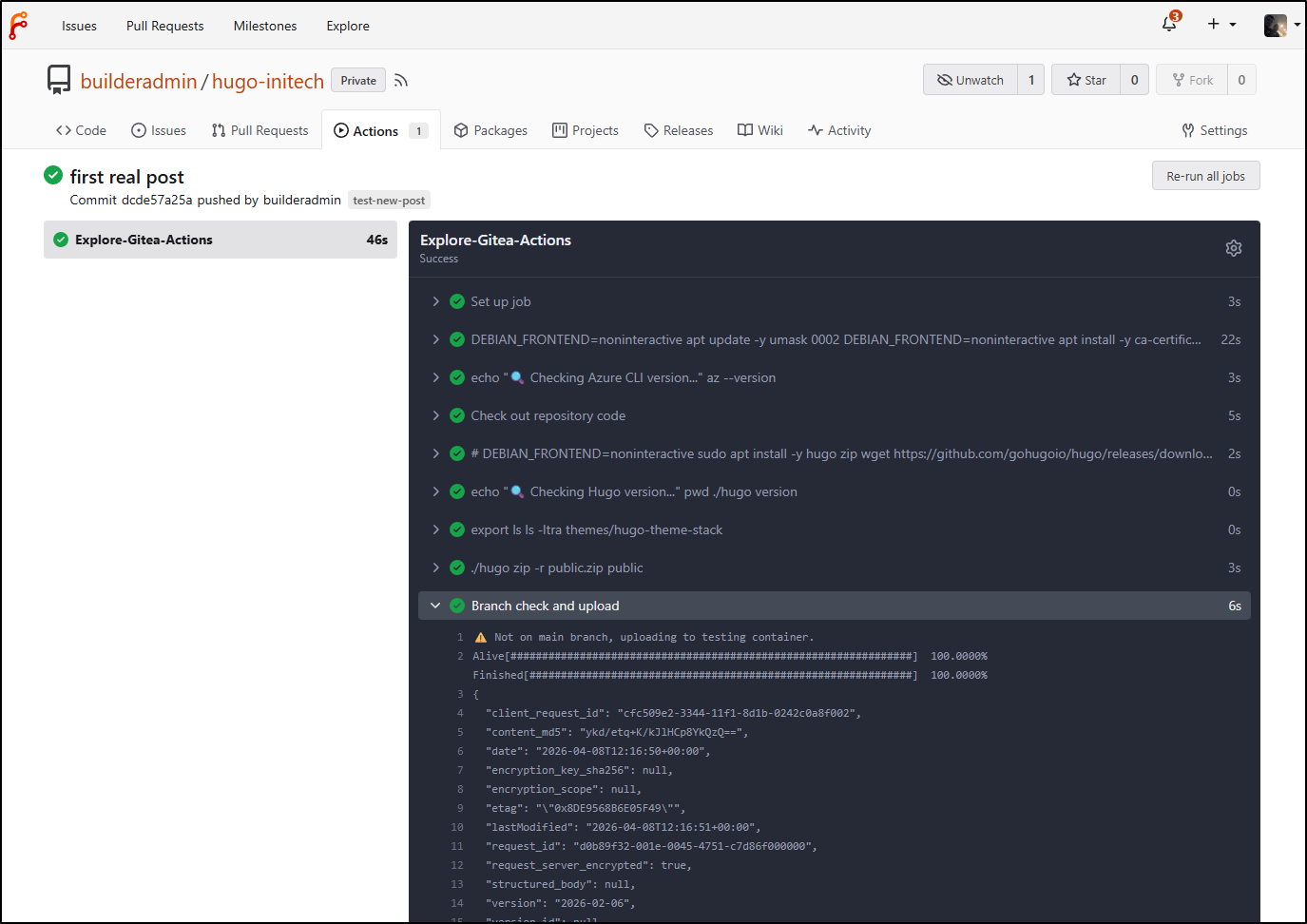
A really easy way to test is to download and extract the folder then just use a python one-liner to serve it up
builder@DESKTOP-QADGF36:~/Workspaces/hugo-initech$ cd /mnt/c/Users/isaac/Downloads/public23/
builder@DESKTOP-QADGF36:/mnt/c/Users/isaac/Downloads/public23$ python3 -m http.server 8000
Serving HTTP on 0.0.0.0 port 8000 (http://0.0.0.0:8000/) ...
127.0.0.1 - - [08/Apr/2026 12:19:37] "GET / HTTP/1.1" 200 -
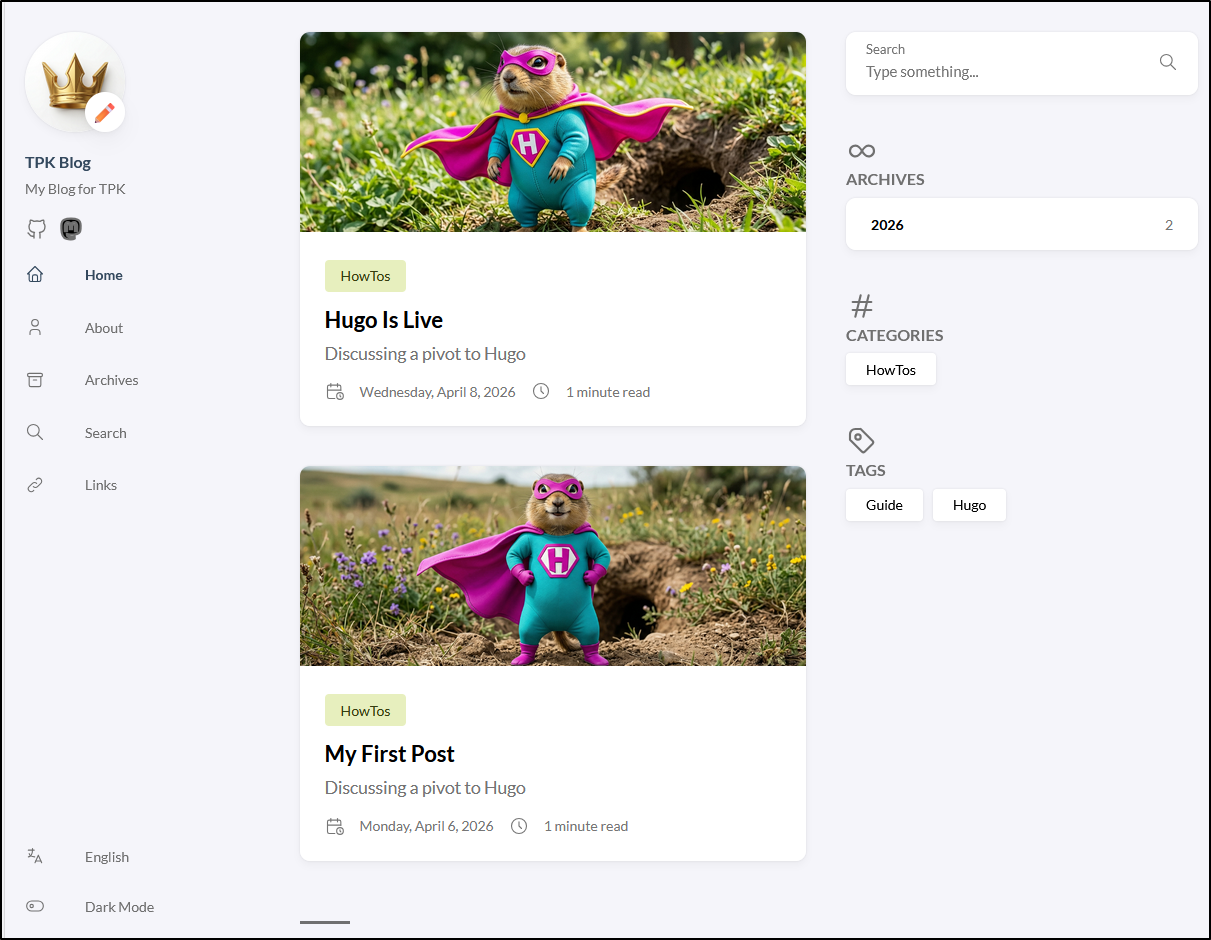
This looks good, so I’ll merge it. I like PR flows so I’ll use that
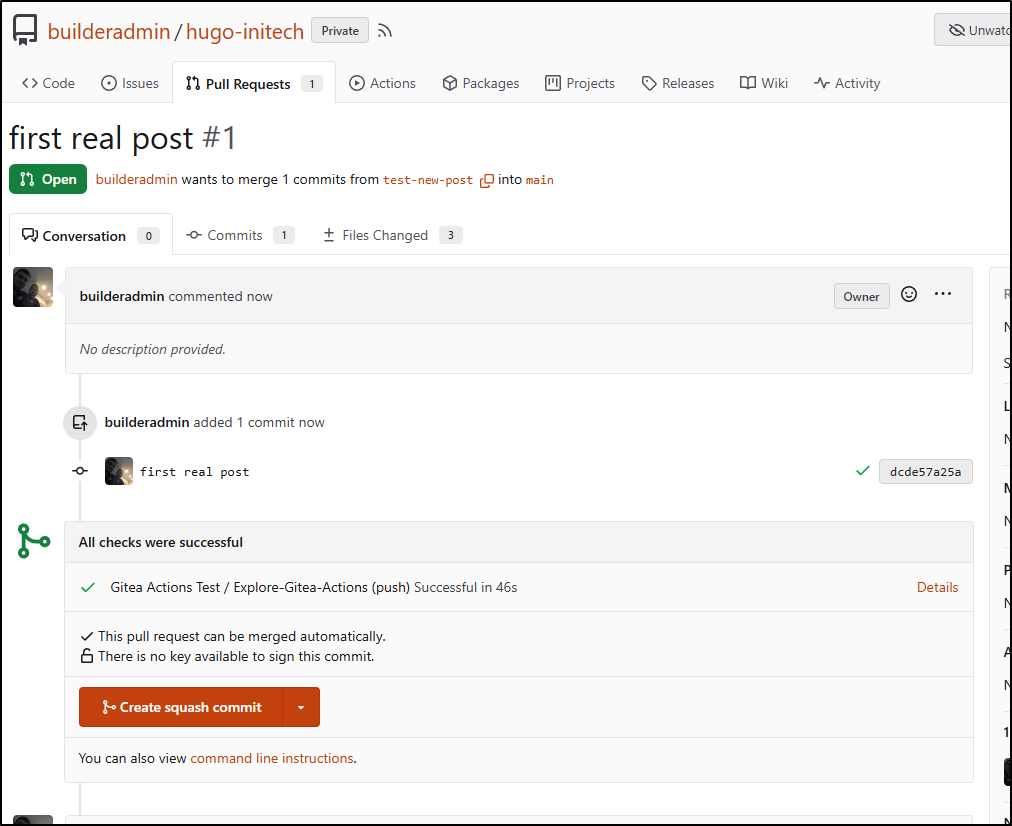
It’s now merged and the branch is deleted
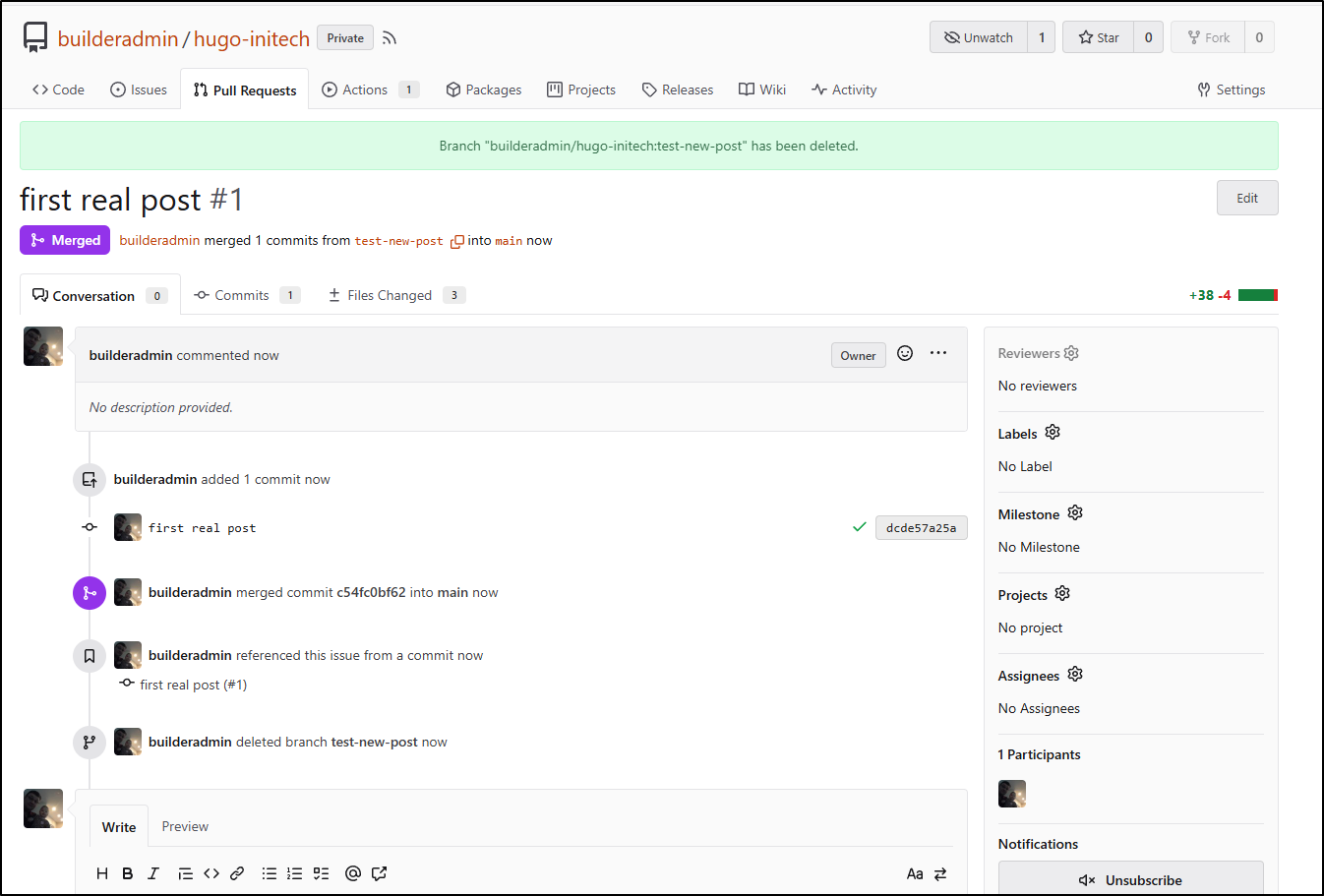
The new merged commit to main properly uploaded and purged AFD
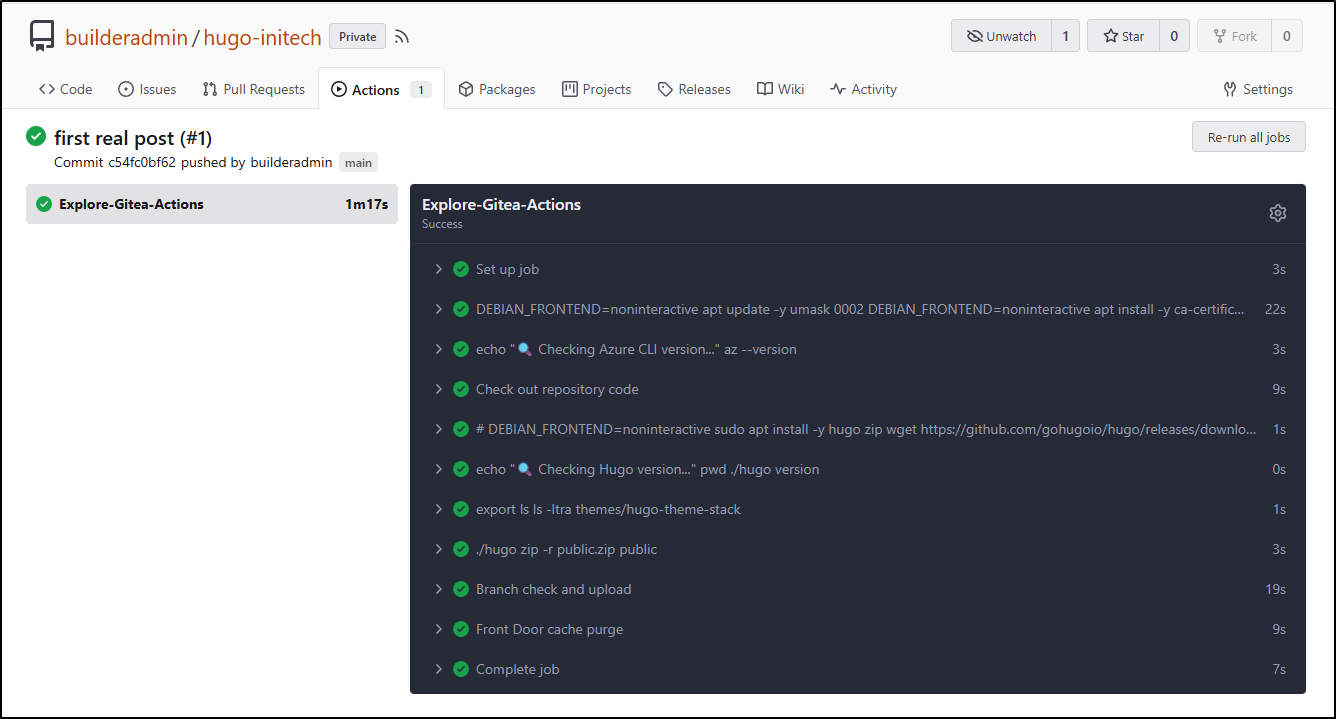
However, even 15m later, the old site is still live.
I worked on this for a few hours. I had two issues - I neglected to put the --overwrite on the az upload step for main (so it was not updating).
The other issue is that the ‘endpoint-name’ is not the hostname, but rather some sort version of a name (shown when you do “purge” in the Azure Portal)
e.g.
az afd endpoint purge \
    --subscription $SUBSCRIPTION \
    --resource-group bloggingTestRG \
    --profile-name ttpklat \
    --endpoint-name tpklat \
    --domains tpk.lat \
    --content-paths '/*'
The working version of the workflow is:
$ cat .gitea/workflows/cicd.yaml
name: Gitea Actions Test
run-name: $ is testing out Gitea Actions 🚀
on: [push]

jobs:
  Explore-Gitea-Actions:
    runs-on: my_custom_label
    container: node:22
    steps:
      - run: |
          DEBIAN_FRONTEND=noninteractive apt update -y
          umask 0002
          DEBIAN_FRONTEND=noninteractive apt install -y ca-certificates curl apt-transport-https lsb-release gnupg build-essential sudo zip
          # Install MS Key

          # Use the official Microsoft script to handle repo mapping automatically
          curl -sL https://aka.ms/InstallAzureCLIDeb | sudo bash
      - run: |
          echo "🔍 Checking Azure CLI version..."
          az --version
      - name: Check out repository code
        uses: actions/checkout@v3
        with:
          submodules: recursive
      - run: |
          # DEBIAN_FRONTEND=noninteractive sudo apt install -y hugo zip
          wget https://github.com/gohugoio/hugo/releases/download/v0.160.0/hugo_0.160.0_linux-amd64.tar.gz
          tar -xzvf hugo_0.160.0_linux-amd64.tar.gz
      - run: |
          echo "🔍 Checking Hugo version..."
          pwd
          ./hugo version
      - run: |
          export
          ls
          ls -ltra themes/hugo-theme-stack
      - run: |
          ./hugo
          zip -r public.zip public
      - name: Branch check and upload
        shell: bash
        run: |
          if [[ "$GITHUB_REF_NAME" == "main" && "$GITHUB_REF_TYPE" == "branch" ]]; then
            echo "✅ On main branch, proceeding with Azure Blob upload..."
            az storage blob upload-batch --account-name $AZSTORAGE_ACCOUNT --account-key $AZSTORAGE_KEY -d '$web' -s ./public --overwrite
          else
            echo "⚠️ Not on main branch, uploading to testing container."
            az storage blob upload --account-name $AZSTORAGE_ACCOUNT --account-key $AZSTORAGE_KEY --container-name testing --name public-$GITHUB_RUN_NUMBER.zip --file ./public.zip --overwrite
          fi
        env:
          AZSTORAGE_ACCOUNT: $
          AZSTORAGE_KEY: $

      - name: Front Door cache purge
        shell: bash
        run: |
          if [[ "$GITHUB_REF_NAME" == "main" && "$GITHUB_REF_TYPE" == "branch" ]]; then
            az login --service-principal -u $ -p $ --tenant $
            az afd endpoint purge \
                --subscription $ \
                --resource-group bloggingTestRG \
                --profile-name ttpklat \
                --endpoint-name tpklat \
                --domains tpk.lat \
                --content-paths '/*'
          else
            echo "⚠️ Not on main branch, skipping Azure Front Door purge."
          fi
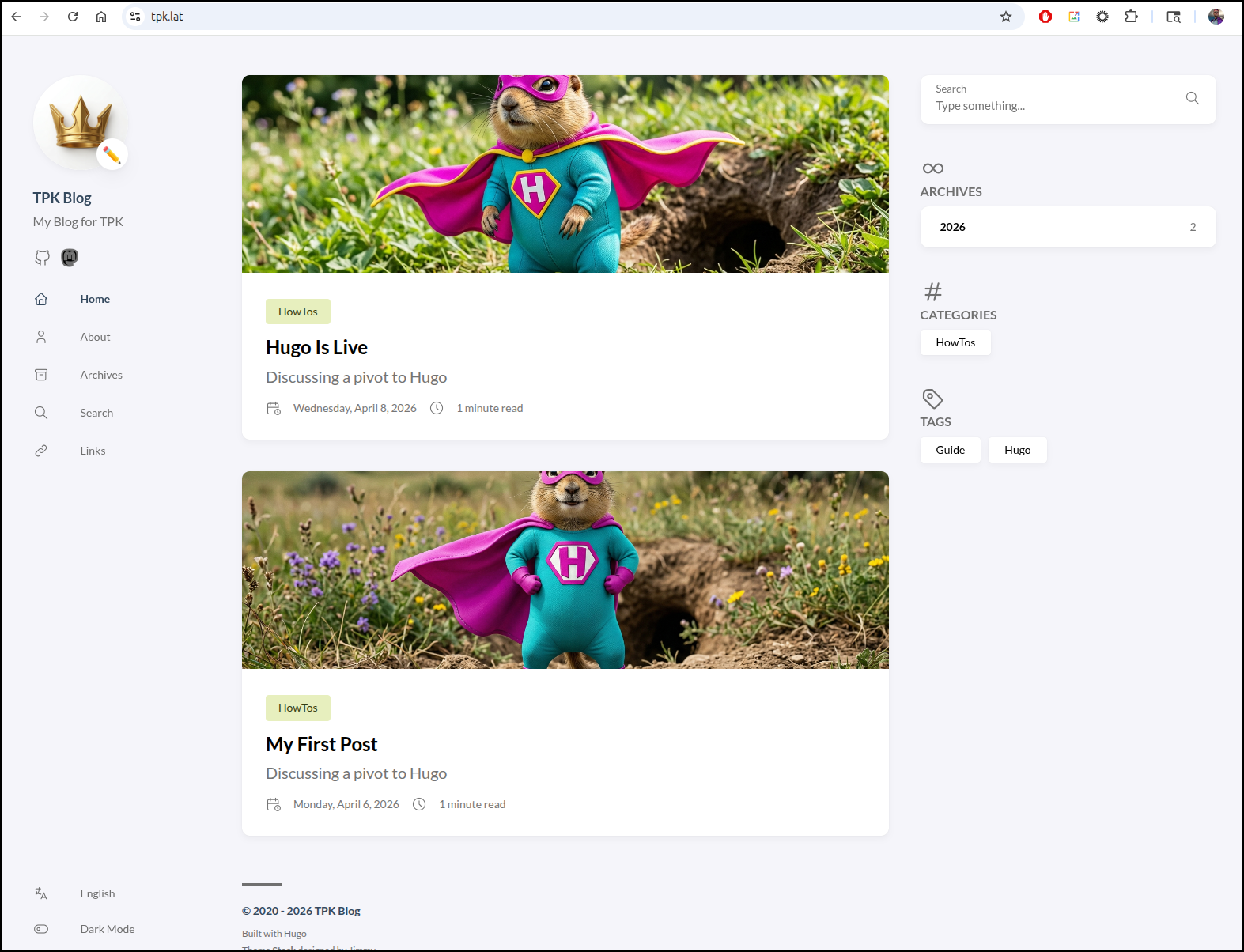
And finally I can see the site updated!
Costs
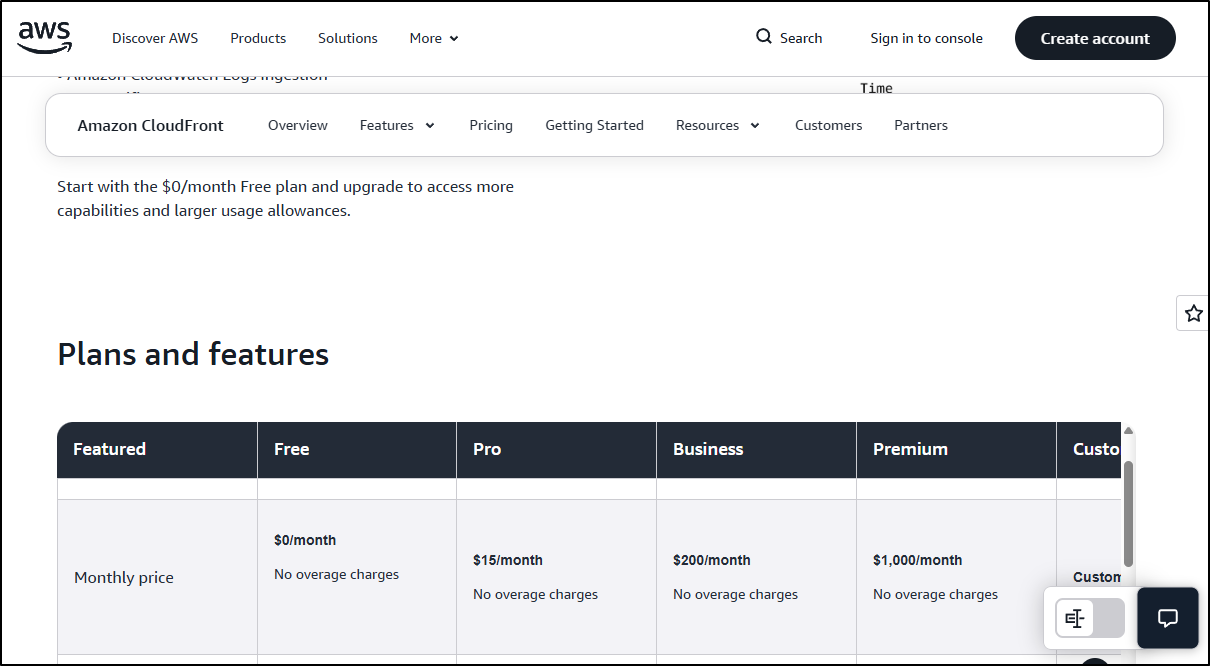
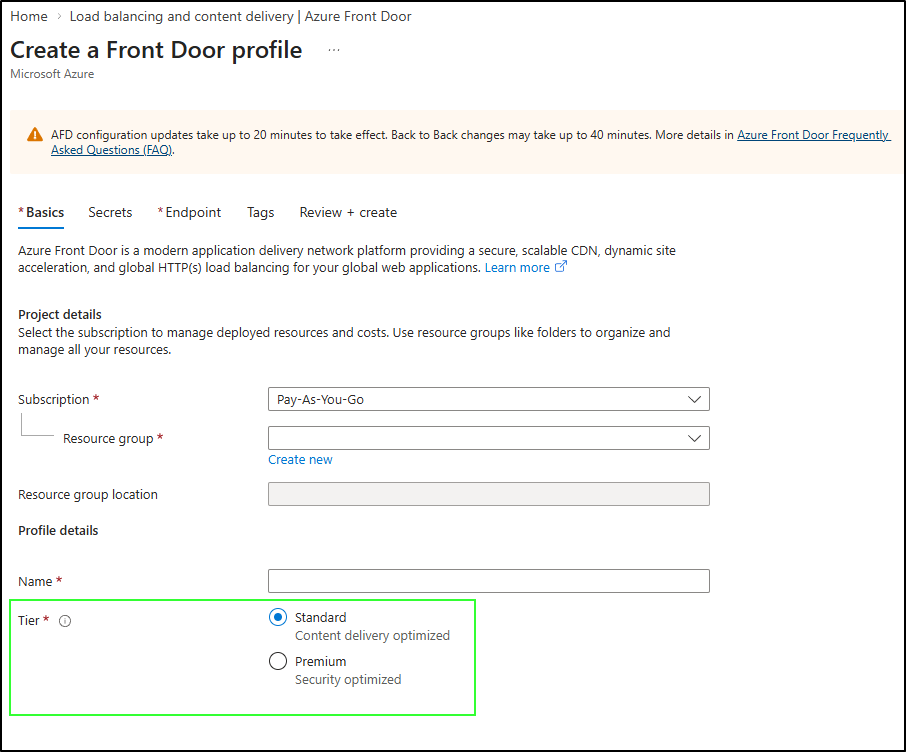
My largest concern is the Azure Front Door standard cost. Just to have the CDN, let alone serve traffic looks like it will cost me US$35/month
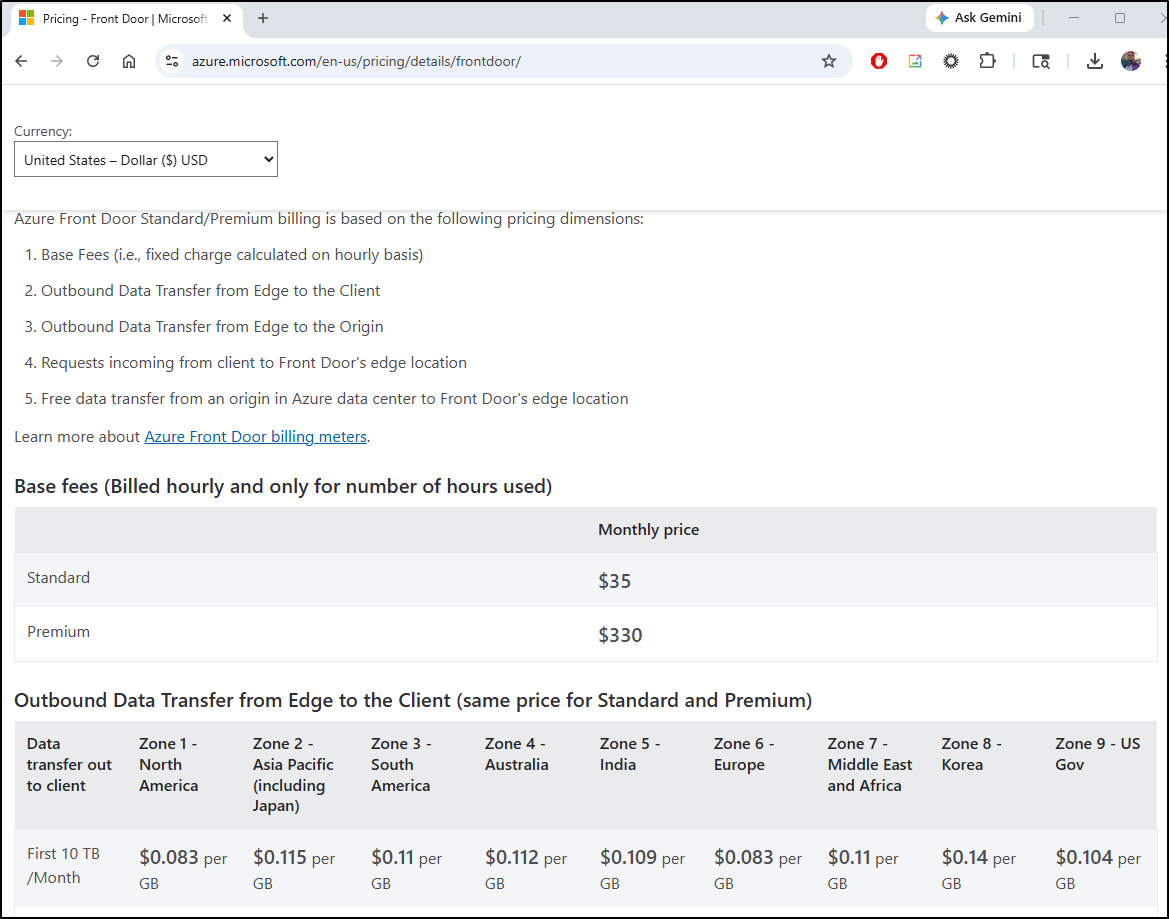
Compared to AWS’s CloudFront which starts at the very nice price of $0
Azure used to cost $0.05/month (per this thread).
However, even though it has a year left of support, one cannot make a “Classic” instance anymore
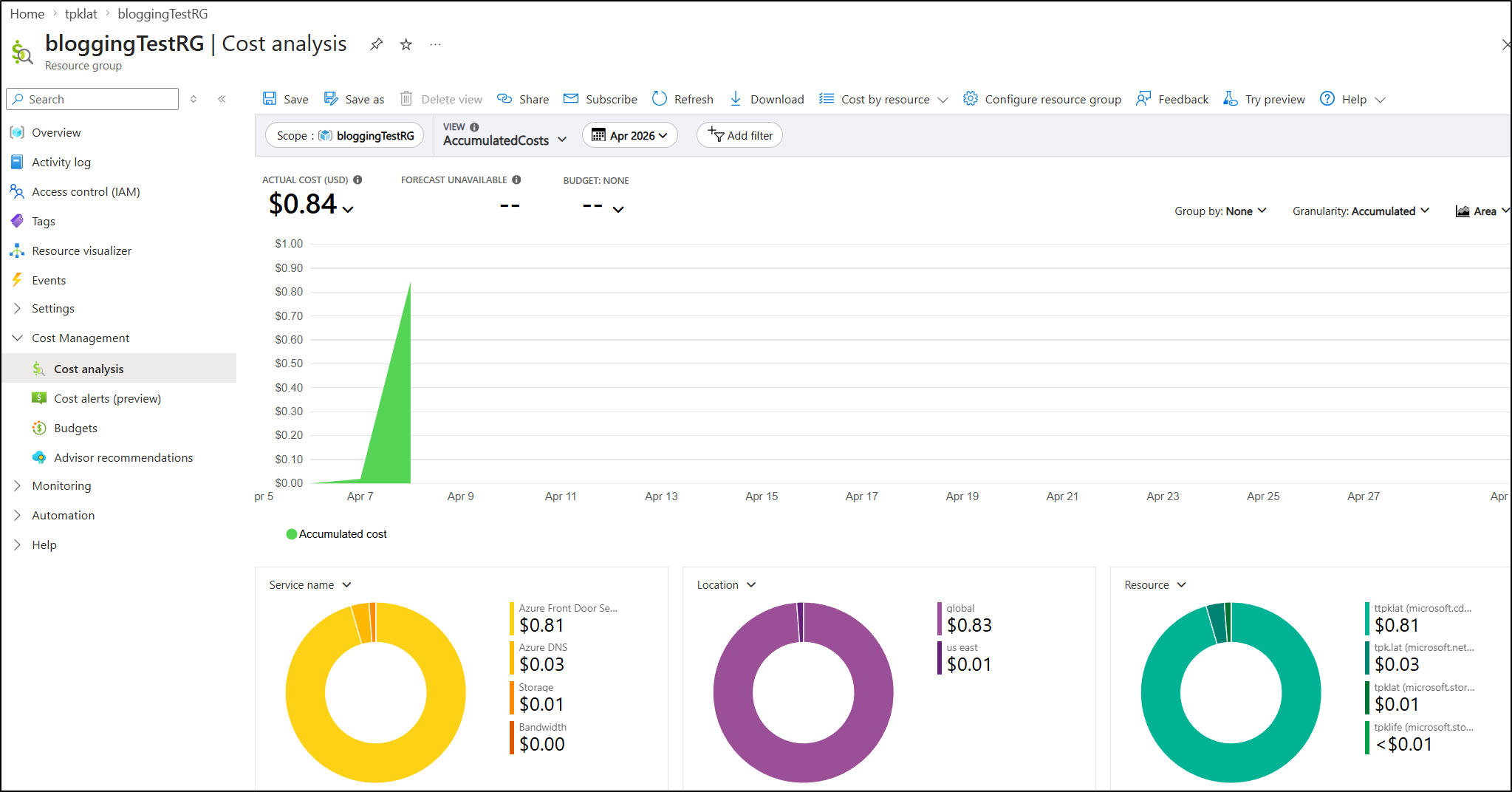
In just two days my bill was up to $0.84 for this site
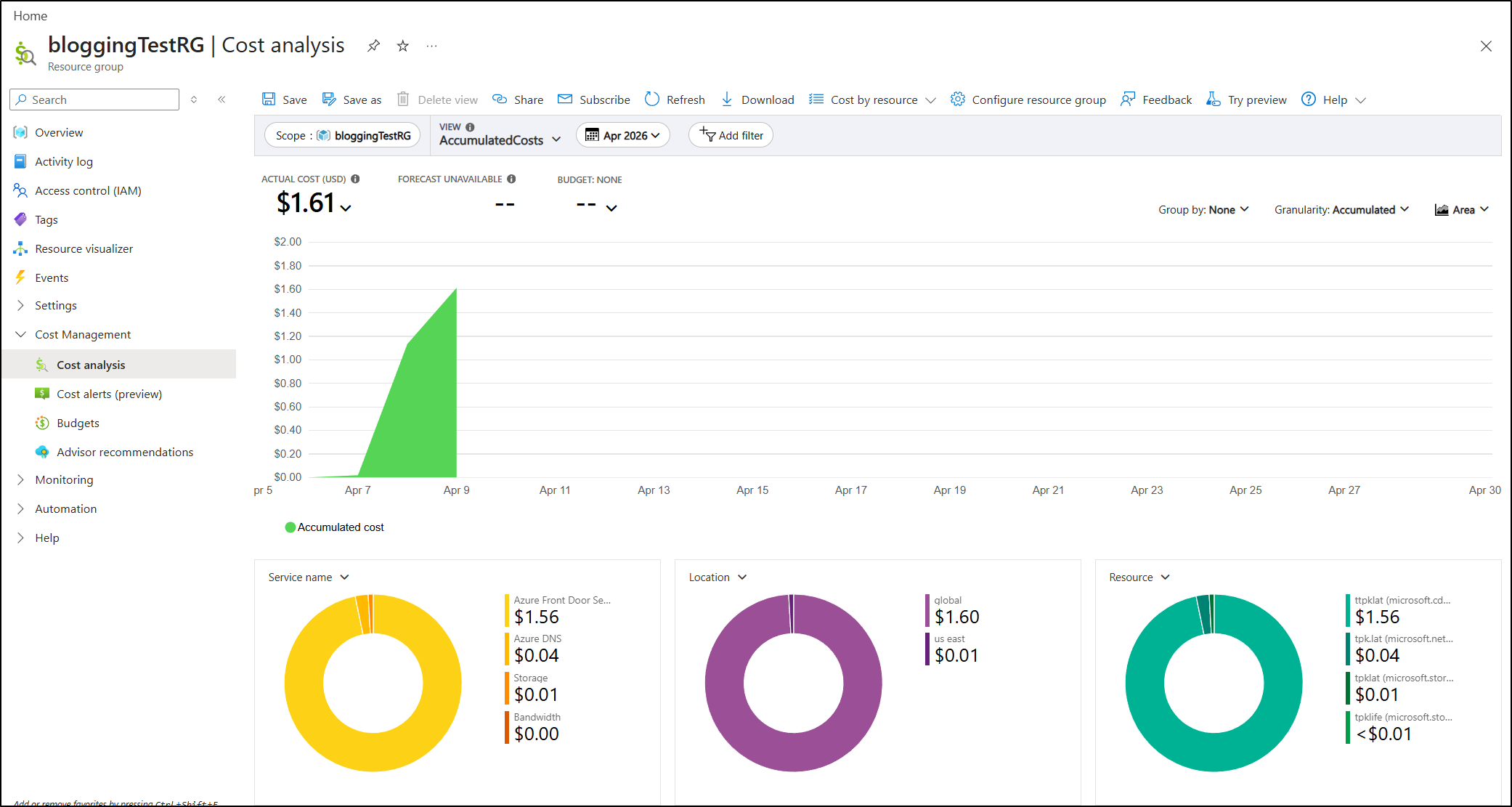
The next day it was up to $1.61
using blob web hosting
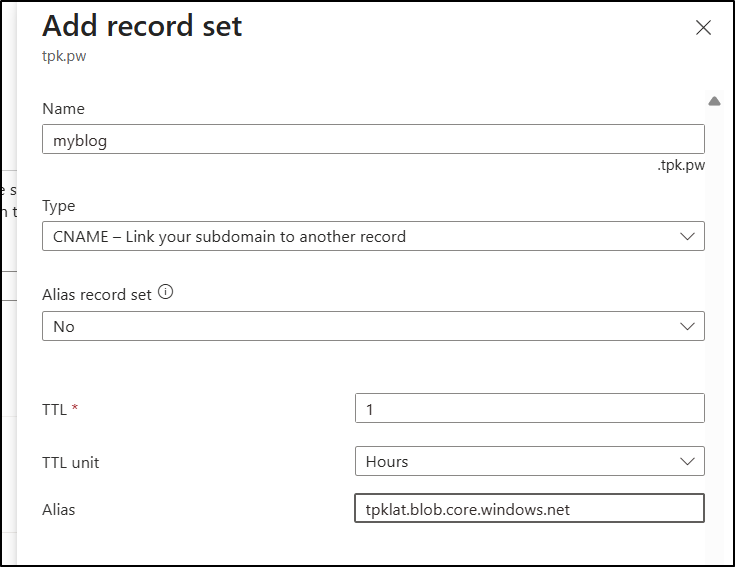
Let’s start by creating a CNAME record that points to “tpklat.blob.core.windows.net”
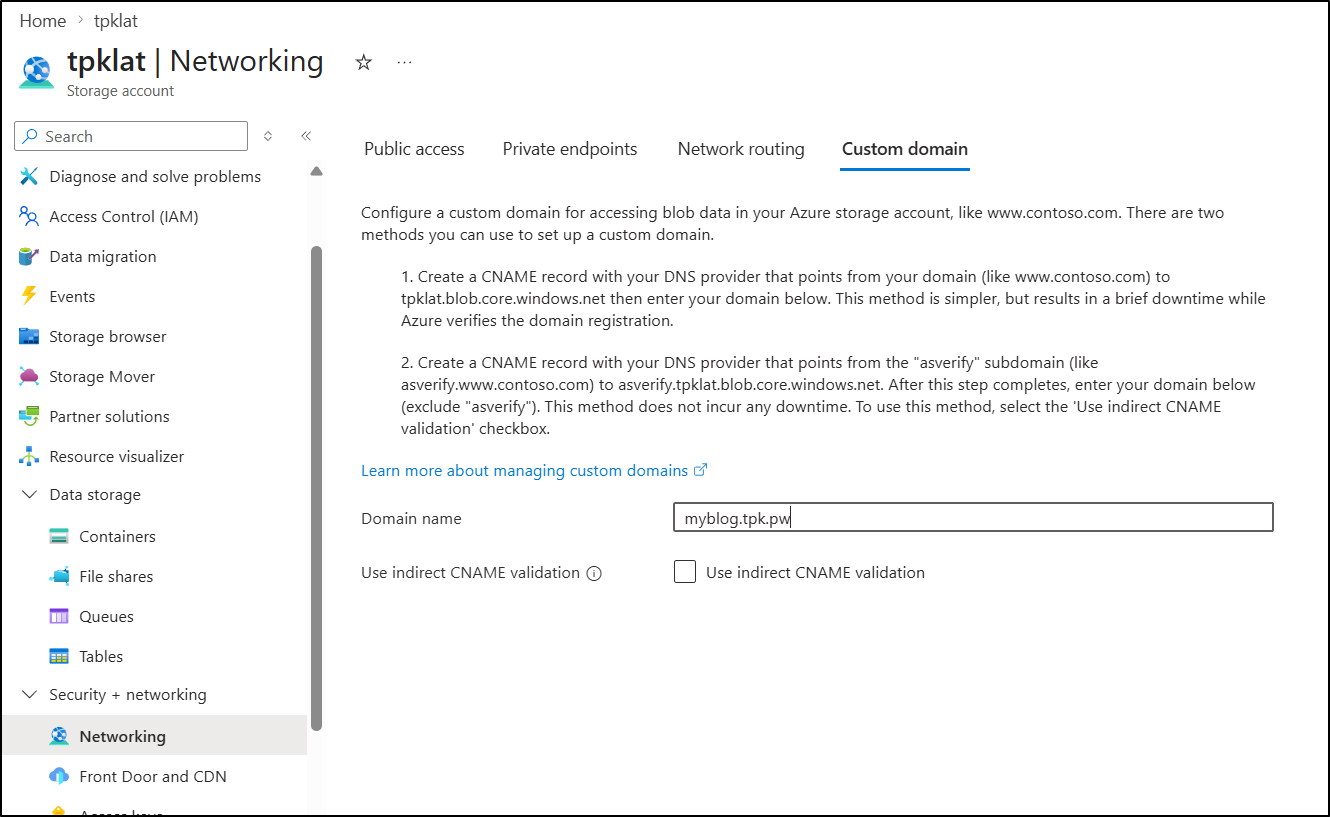
I can now use “Custom Domain” in the networking section of the storage account
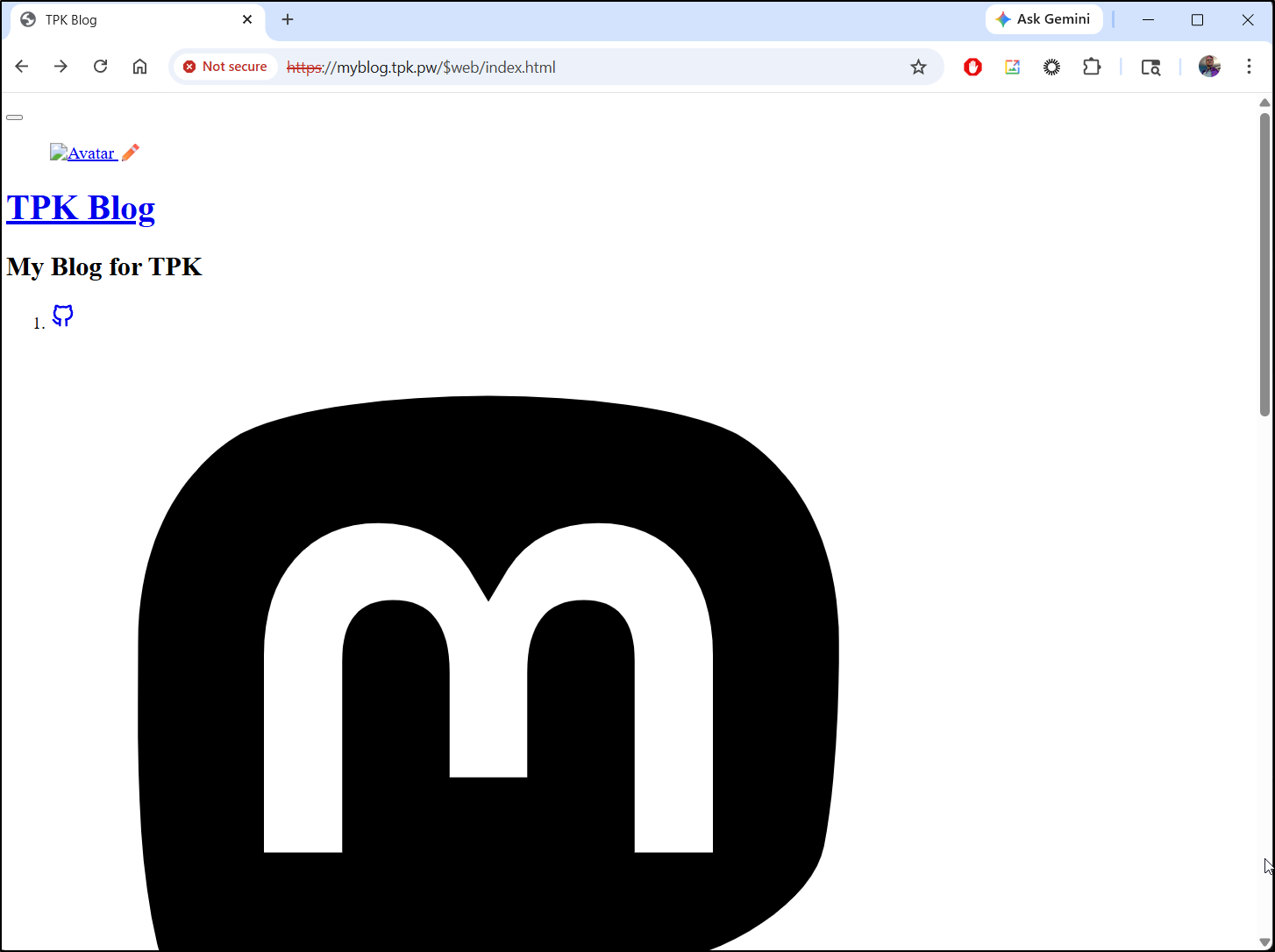
Arguably it does serve up the site, however it has to have the container name packed in there and the cert is signed for “blog.core.windows.net” so anyone visiting would get bad certs:
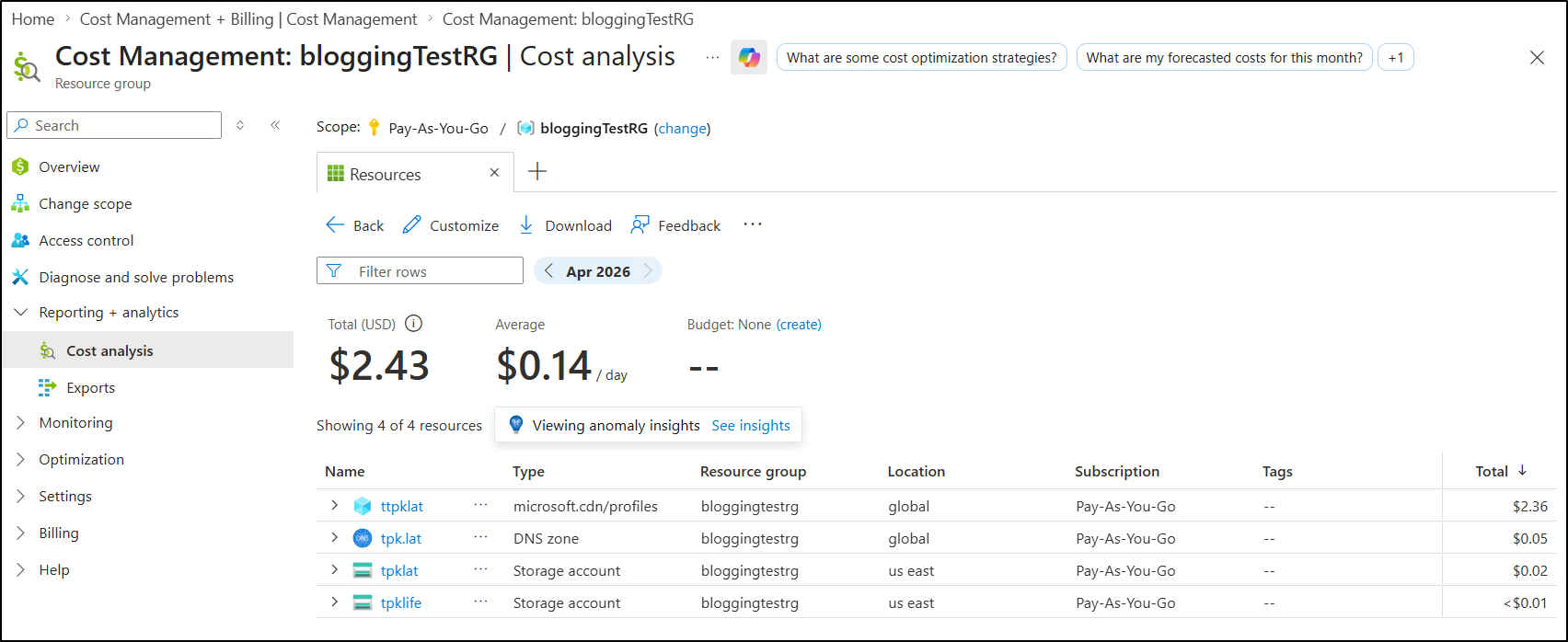
By the next day after removving AFD, I see that little experiment cost me about $2.43
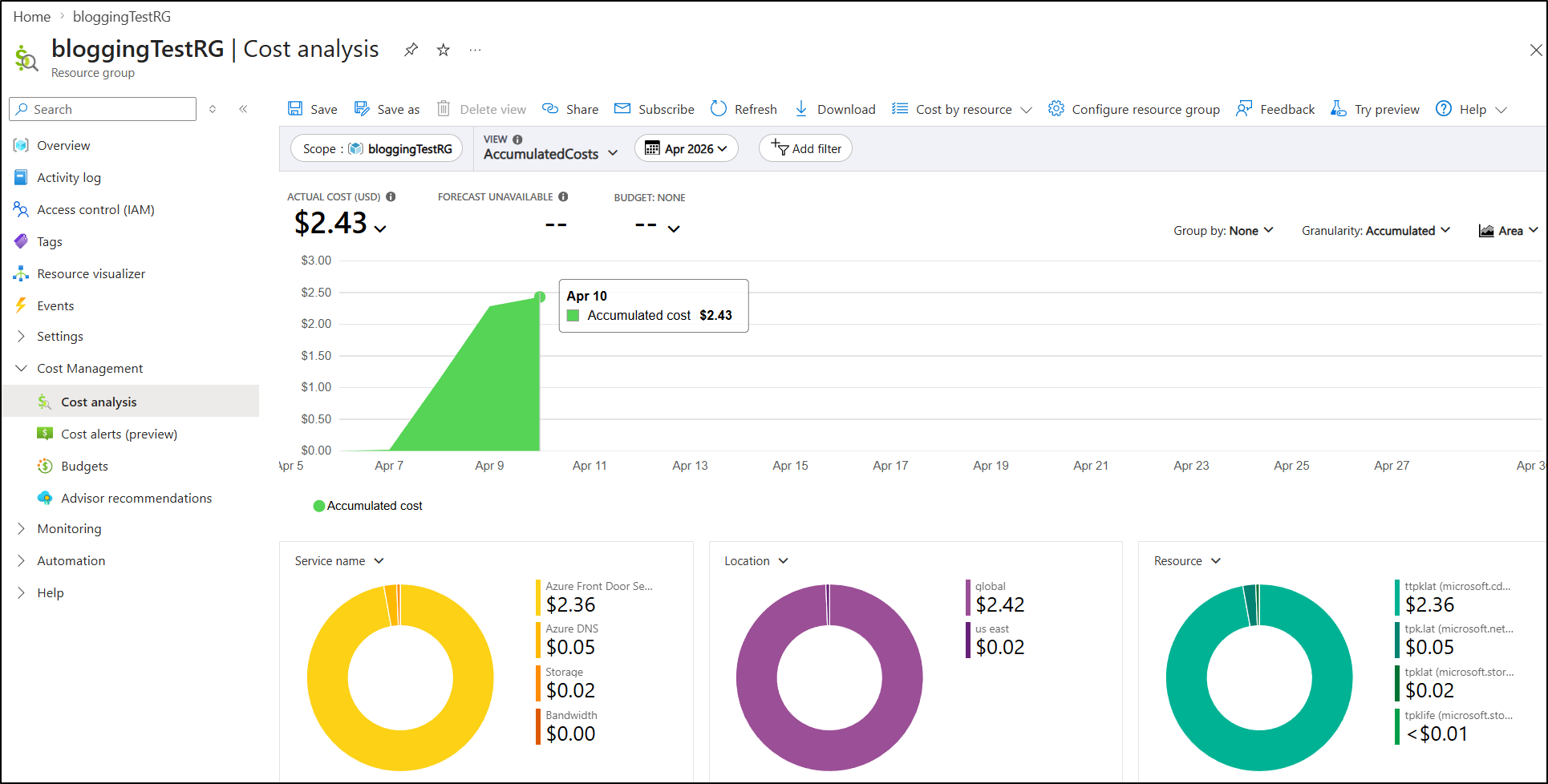
We can see the details in Cost Analysis as well
And triggered a page the next morning
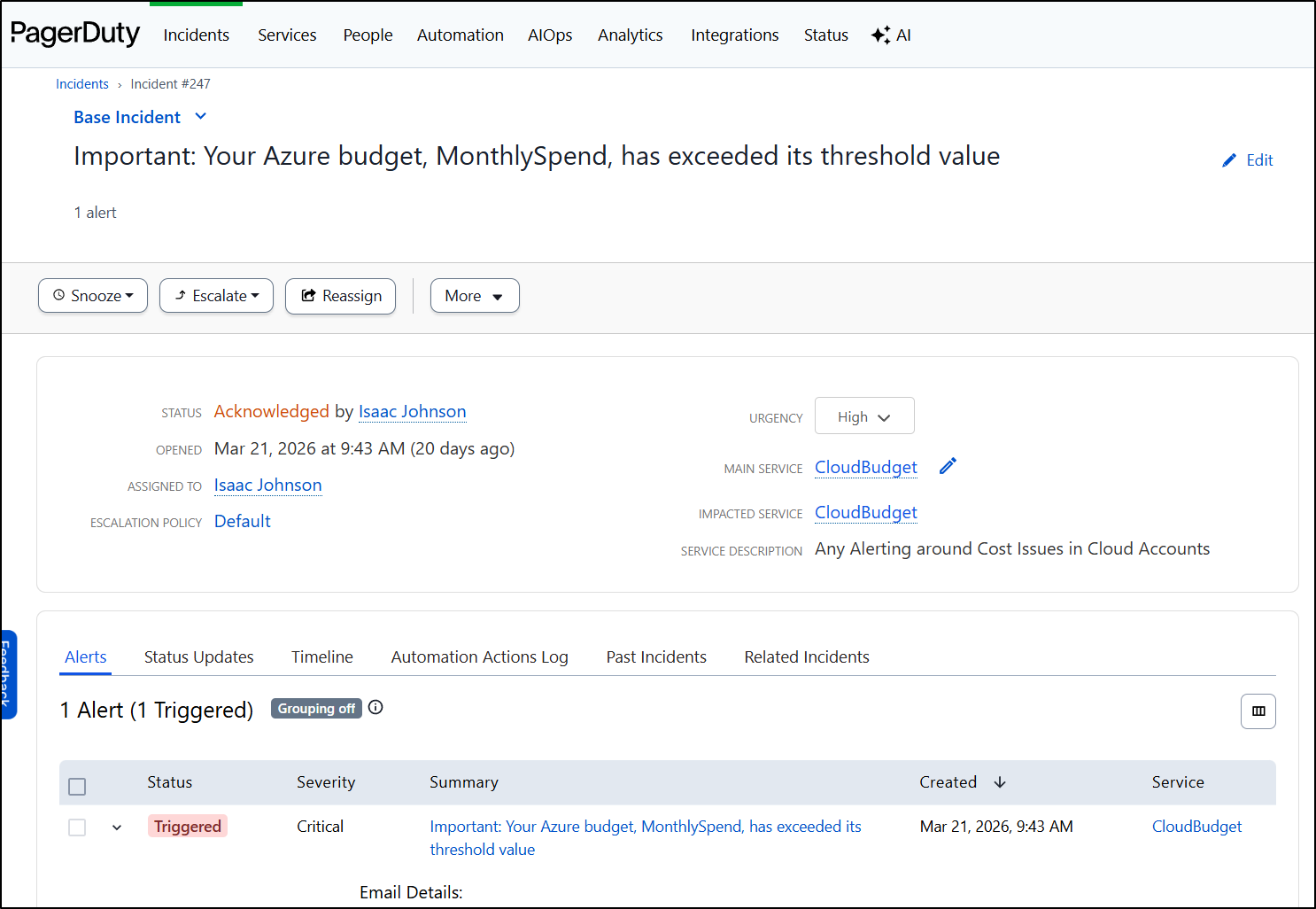
As an aside, I highly recommend using Cloud Budgets with a paging service like Pagerduty to avoid ever getting blindsided by costs. I have a writeup on setting those up across all cloud providers here.
Cleanup
I’m not about to pay $35+ for a simple static blog and even if I fixed the routing with $web in the path, self-signed certs are a non starter.
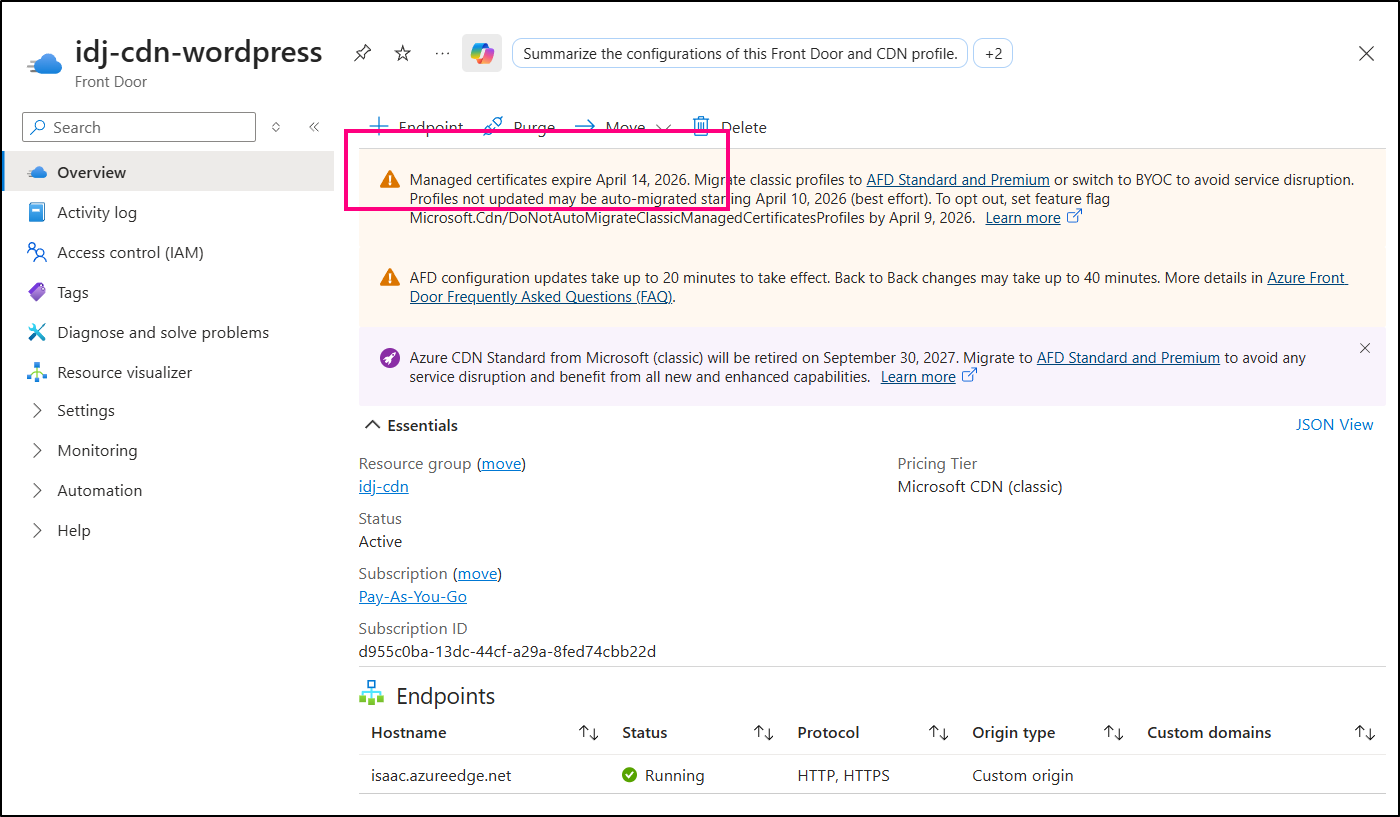
While i do have a legacy AFD Classic I could re-purpose, it will stop managing SSL certs in less than a week of this writing so it’s pointless to use:
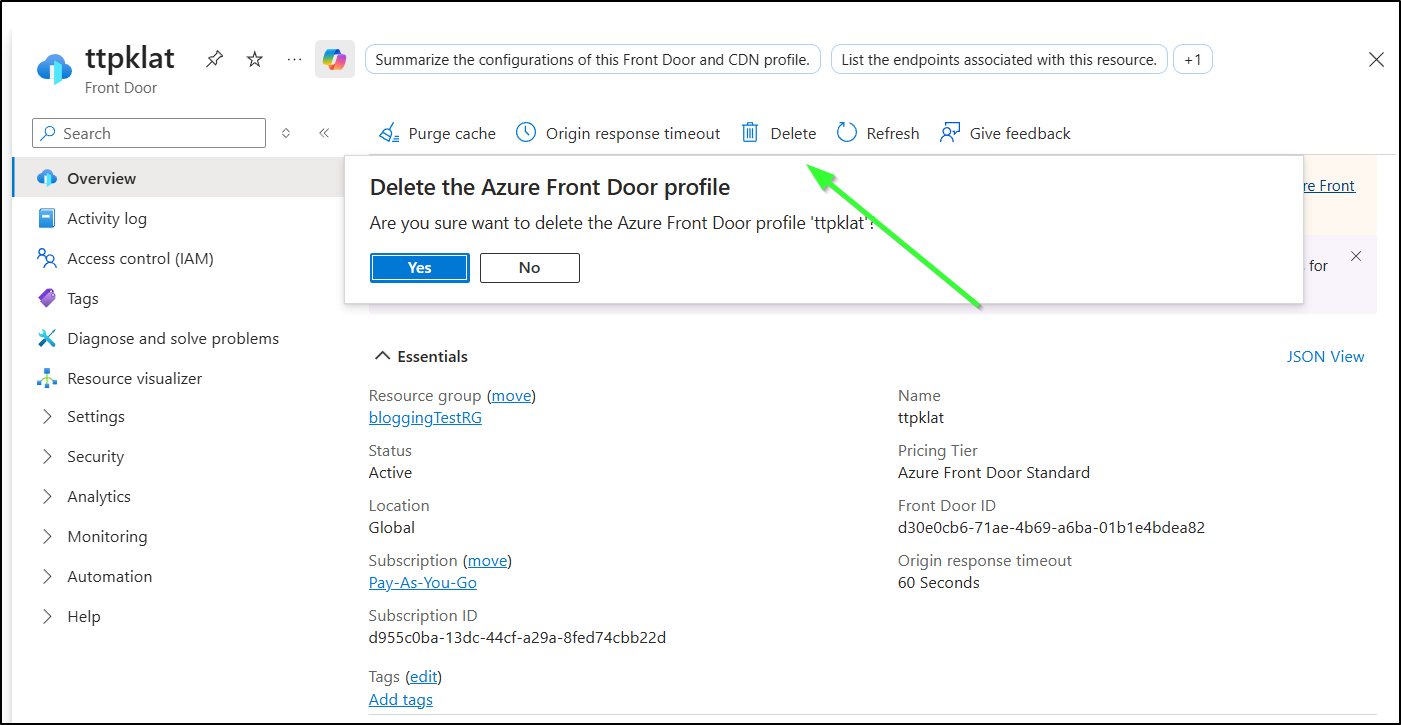
I can opt to address the storage account in due time, but the Azure Front Door has to go - that’s what’s chewing up the spend.
We can just delete the AFD from the Front Doors blade
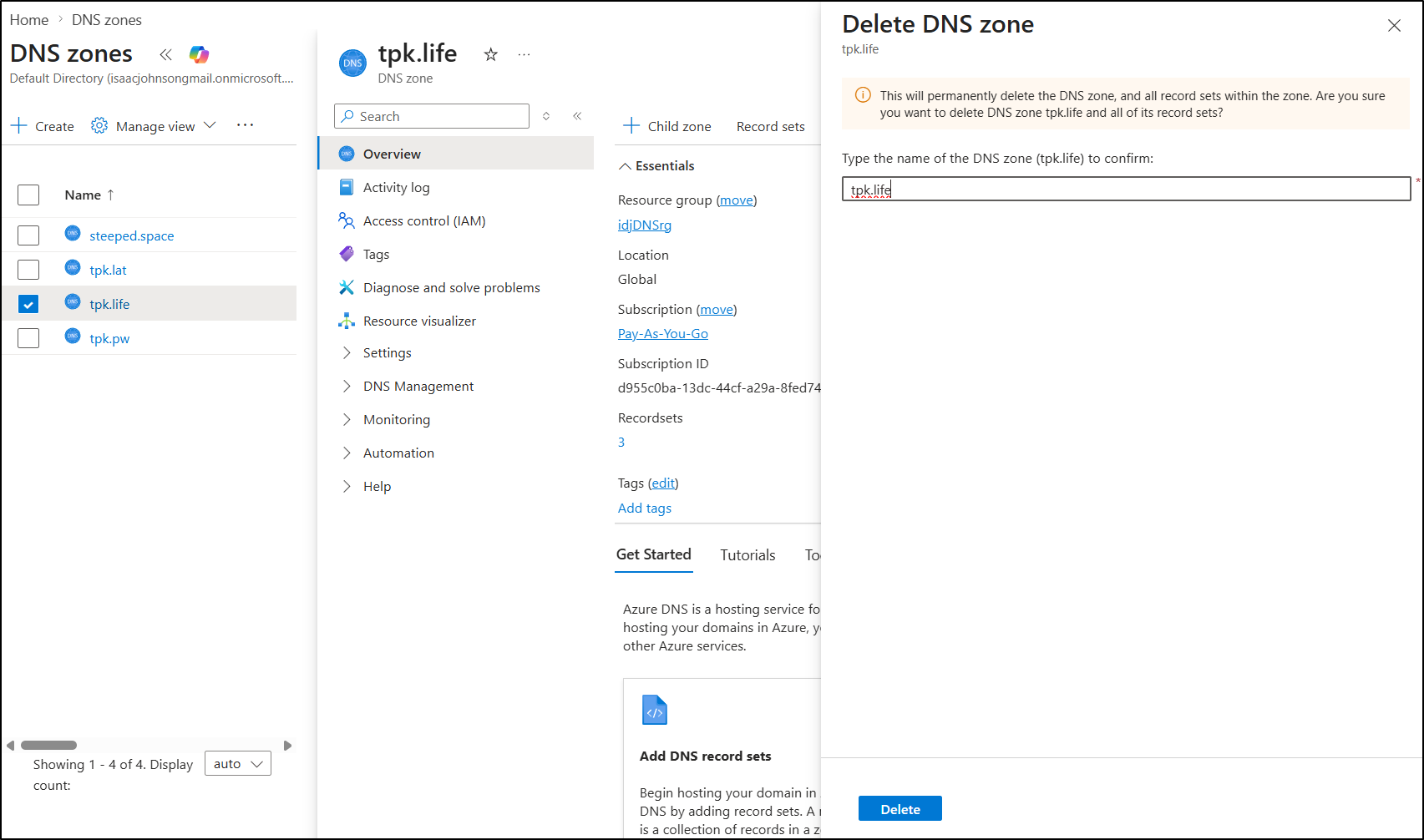
While they don’t cost much, they do cost, so cleaning up old DNS zones is also advised to avoid incuring unneccessary costs
Summary
We covered a lot today. It started by just figuring out how to get Hugo up and running. I would say as a tool it is easy (much easier than fighting Ruby dependencies with Jekyll), but the theme management left a bit to be desired.
With AI tools, however, it was quick work to sort out what was missing with my configuration.
Setting up static website hosting in Azure was quick work with Azure Storage + Front Door. I had some minor issues with naming conventions, but soon had traffic served on a new URL rather easily.
Moving to Forgejo (which fundamentally is based on Gitea), it was easy to add Gitea Actions (CICD workflow) to take merged PRs and copy them out to Azure Storage. I spent a lot more time than I thought figuring out how to get Azure Front Door to purge the cache.
I didn’t talk about this much above, but that AFD purge step is SLOW . Each run would take about 15+ minutes (whether locally or in a pipeline step).
I could likely live with that (as it would only matter on publish), but the exorbitant price of AFD Standard is just not something I’m willing to accept. Having to pay US$35 a month for the base price, not including data is just too damn high. AWS doesn’t do that. Google doesn’t do that.
And even if we used static hosting in Azure Storage, having a ‘blob.core.windows’ URL is silly. I can apply a custom domain with a CNAME, but they don’t update the cert, so it’s rather pointless.
Suprinsingly, when I went to verify it was scrubbed up, I found the ‘web.core’ address was still live. So I could reach it at https://tpklat.z13.web.core.windows.net/
My next step will be to look at a Google solution which I think might be far more cost effective.