

Published: May 26, 2026 by Isaac Johnson
Today we’ll dig into two interesting Open-source products; SkySend and Fider. Skysend is all about sharing files and notes with various secure options whereas Fider is about collecting ideas from people (like a digital suggestion box).
Let’s start with Skysend…
Skysend
I saw this Marius post on SkySend which bills itself as “Minimalist, end-to-end encrypted, self-hostable file and note sharing. Zero-knowledge server”.
The docker compose yaml:
# docker-compose.yml
services:
  skysend:
    image: skyfay/skysend:latest
    container_name: skysend
    restart: always
    ports:
      - "3000:3000"
    volumes:
      - ./data:/data
      - ./uploads:/uploads
    environment:
      - BASE_URL=http://localhost:3000
      # All environment variables: https://docs.skysend.app/user-guide/configuration/environment-variables
      # There are a lot of customization options available, so make sure to check the documentation for more details.
I’ll immediately convert this to a Kubernetes manifest
apiVersion: apps/v1
kind: Deployment
metadata:
  name: skysend-deployment
  labels:
    app: skysend
spec:
  replicas: 1
  selector:
    matchLabels:
      app: skysend
  template:
    metadata:
      labels:
        app: skysend
    spec:
      containers:
      - name: skysend
        image: skyfay/skysend:latest
        ports:
        - containerPort: 3000
        envFrom:
          # Reads environment variables from the ConfigMap
          - configMapRef:
              name: skysend-env
        volumeMounts:
        # Mounts the PVCs to the specified paths
        - name: data-storage
          mountPath: /data
        - name: uploads-storage
          mountPath: /uploads
      volumes:
      - name: data-storage
        persistentVolumeClaim:
          claimName: skysend-data-pvc
      - name: uploads-storage
        persistentVolumeClaim:
          claimName: skysend-uploads-pvc
---
apiVersion: v1
kind: Service
metadata:
  name: skysend-service
  labels:
    app: skysend
spec:
  # This service exposes the application internally via ClusterIP.
  # If you intend for external access directly without an Ingress, use type: LoadBalancer.
  selector:
    app: skysend
  ports:
  - protocol: TCP
    port: 80       # Service port exposed
    targetPort: 3000 # Container port
---
apiVersion: networking.k8s.io/v1
kind: Ingress
metadata:
  name: skysend-ingress
  annotations:
    kubernetes.io/ingress.class: nginx
    cert-manager.io/cluster-issuer: gcpleprod2
    ingress.kubernetes.io/proxy-body-size: "0"
    ingress.kubernetes.io/ssl-redirect: "true"
    kubernetes.io/tls-acme: "true"
    nginx.ingress.kubernetes.io/proxy-body-size: "0"
    nginx.ingress.kubernetes.io/proxy-read-timeout: "3600"
    nginx.ingress.kubernetes.io/proxy-send-timeout: "3600"
    nginx.ingress.kubernetes.io/ssl-redirect: "true"
    nginx.org/client-max-body-size: "0"
    nginx.org/proxy-connect-timeout: "3600"
    nginx.org/proxy-read-timeout: "3600"
    nginx.org/websocket-services: skysend-service
spec:
  rules:
  - host: skysend.steeped.icu
    http:
      paths:
      - path: /
        pathType: Prefix
        backend:
          service:
            name: skysend-service
            port:
              number: 80
  tls:
  - hosts:
    - skysend.steeped.icu
    secretName: skysendgcp-tls
---
apiVersion: v1
kind: ConfigMap
metadata:
  name: skysend-env
  labels:
    app: skysend
data:
  BASE_URL: https://skysend.steeped.icu/
---
apiVersion: v1
kind: PersistentVolumeClaim
metadata:
  name: skysend-data-pvc
  labels:
    app: skysend
spec:
  accessModes:
    - ReadWriteOnce
  resources:
    requests:
      storage: 5Gi # Adjust size as needed
---
apiVersion: v1
kind: PersistentVolumeClaim
metadata:
  name: skysend-uploads-pvc
  labels:
    app: skysend
spec:
  accessModes:
    - ReadWriteOnce
  resources:
    requests:
      storage: 5Gi # Adjust size as needed
then create an A record we can use to serve traffic
$ gcloud dns --project=myanthosproject2 record-sets create skysend.steeped.icu --zone="steepedicu" --type="A" --ttl="300" --rrdatas="76.156.69.232"
NAME                  TYPE  TTL  DATA
skysend.steeped.icu.  A     300  76.156.69.232
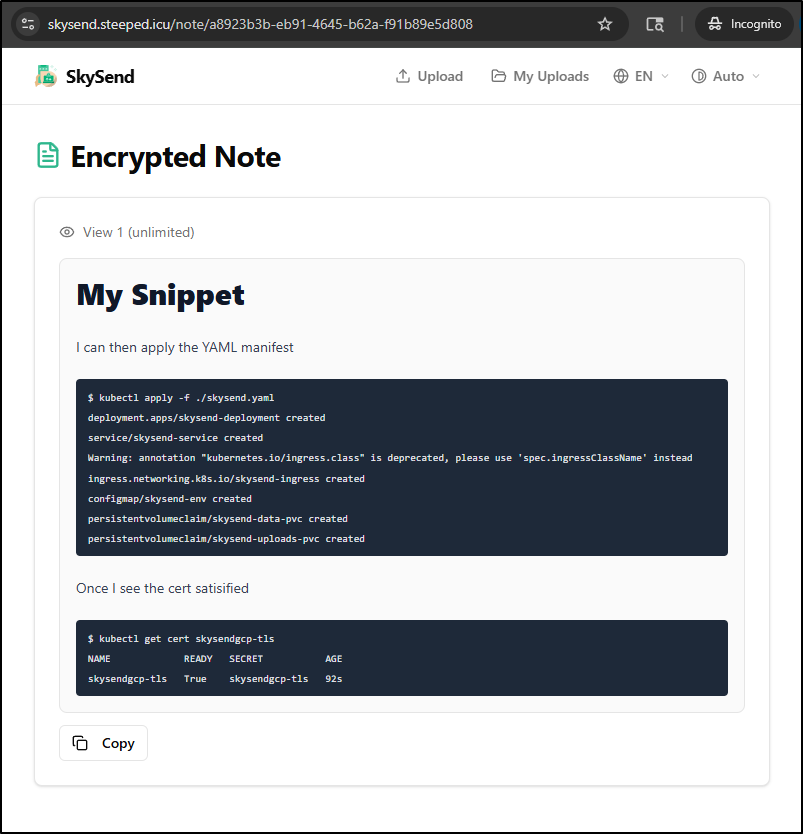
I can then apply the YAML manifest
$ kubectl apply -f ./skysend.yaml
deployment.apps/skysend-deployment created
service/skysend-service created
Warning: annotation "kubernetes.io/ingress.class" is deprecated, please use 'spec.ingressClassName' instead
ingress.networking.k8s.io/skysend-ingress created
configmap/skysend-env created
persistentvolumeclaim/skysend-data-pvc created
persistentvolumeclaim/skysend-uploads-pvc created
Once I see the cert satisfied
$ kubectl get cert skysendgcp-tls
NAME             READY   SECRET           AGE
skysendgcp-tls   True    skysendgcp-tls   92s
I can try the URL: https://skysend.steeped.icu/
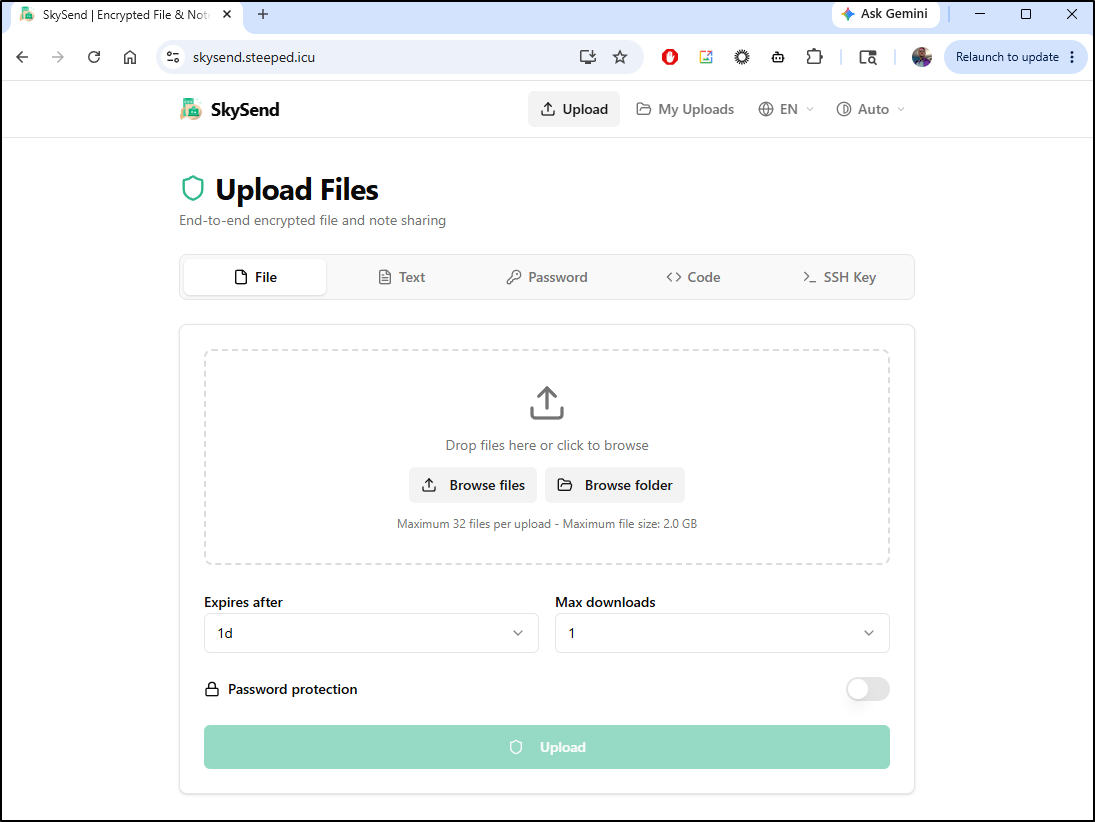
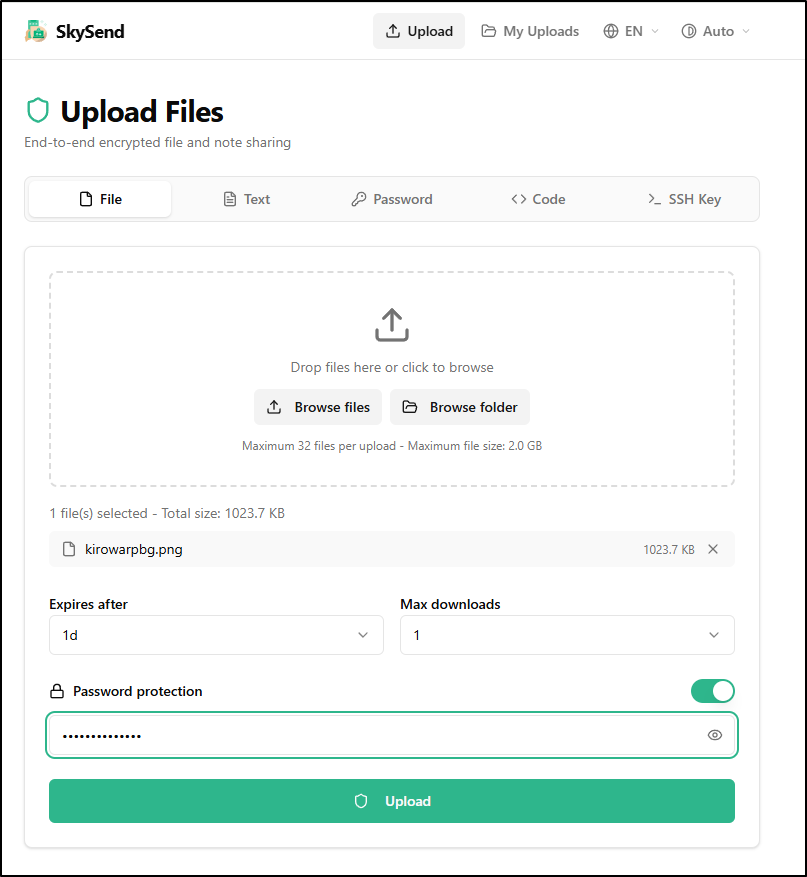
I’ll try uploading an image
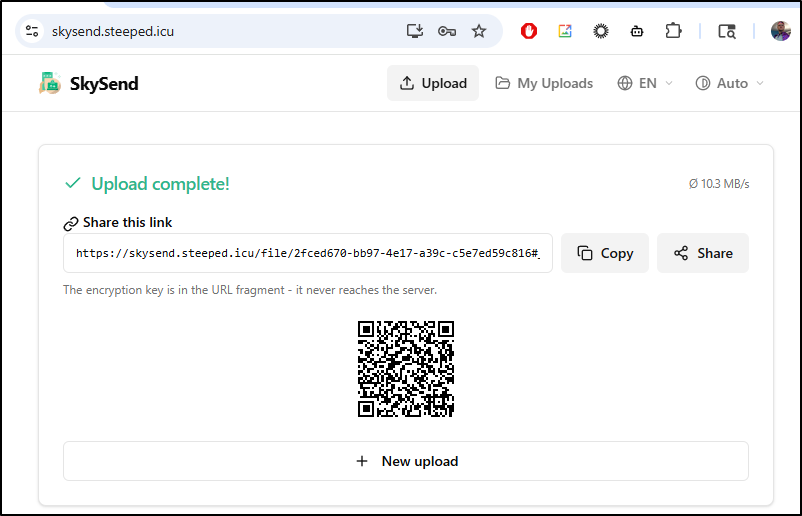
I then get a shareable link as well as a QR code
Trying that in an incognito window prompts for a password
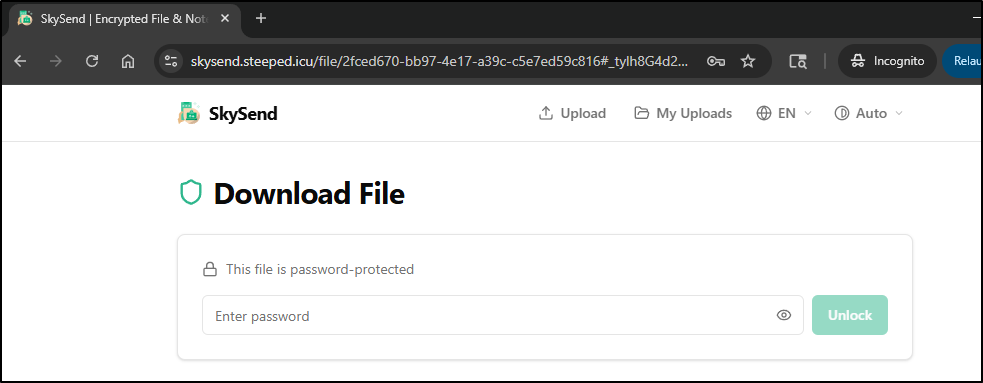
Let’s try getting that image back in an incognito window and seeing what a bad password would show. I’ll use a bad password a few times, then a good one, then refresh:
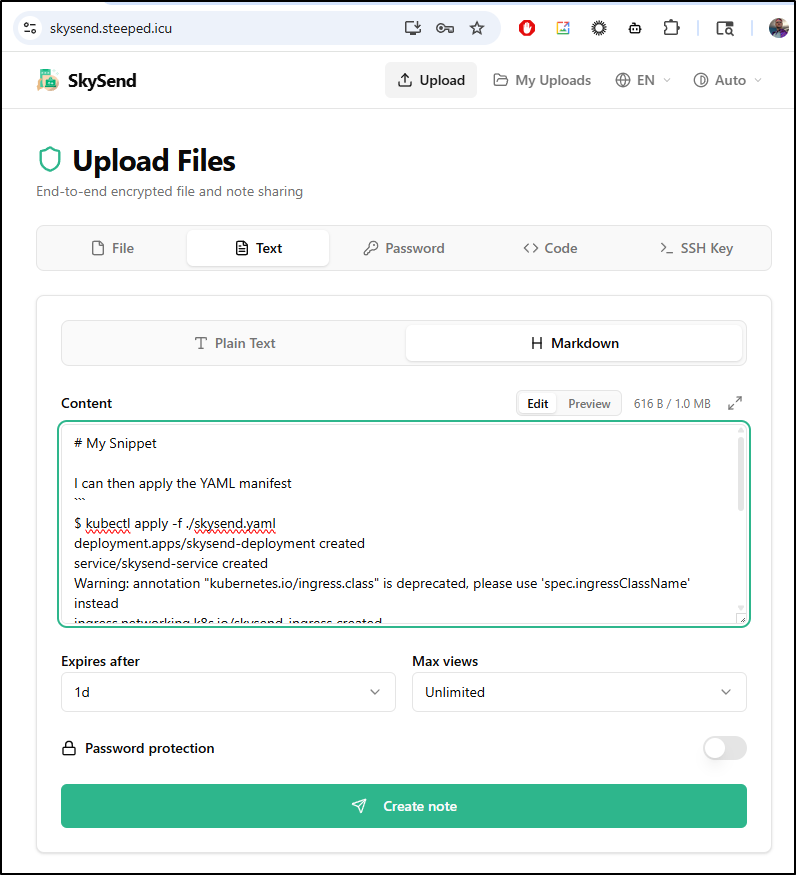
Next I’ll try a note. I’ll use Markdown and no password, but leave the expiry
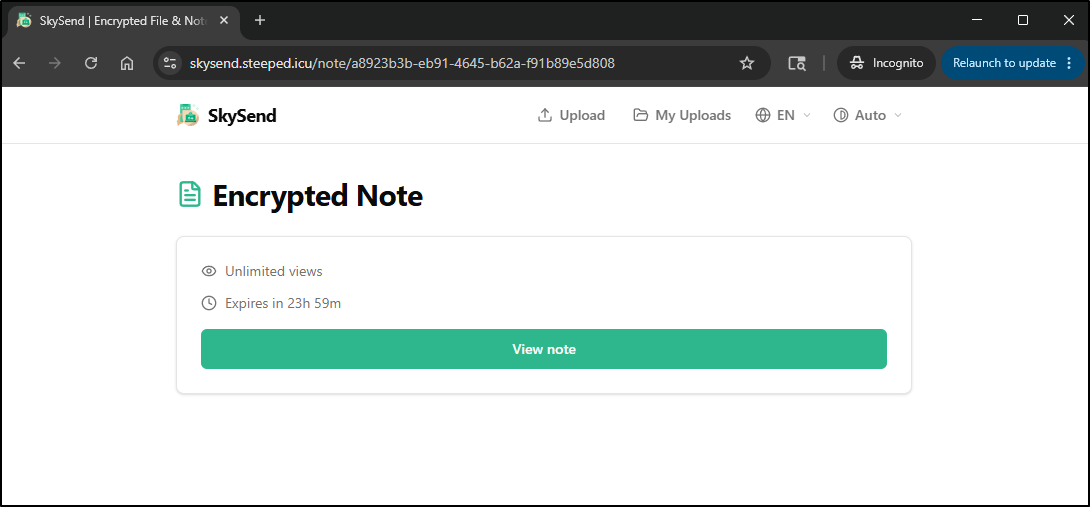
I can then use the note URL in an incognito window
Viewing it does render the markdown, and moreover the “copy” button copies the raw markdown to the user’s clipboard
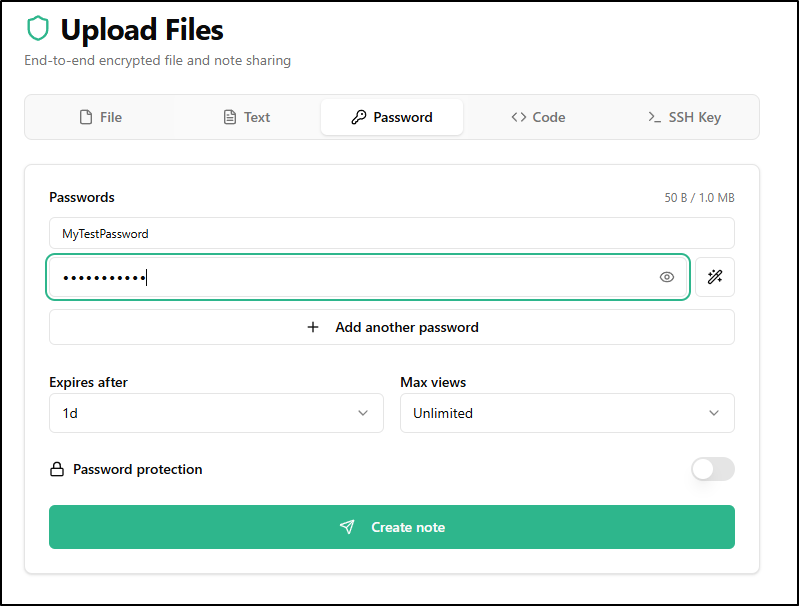
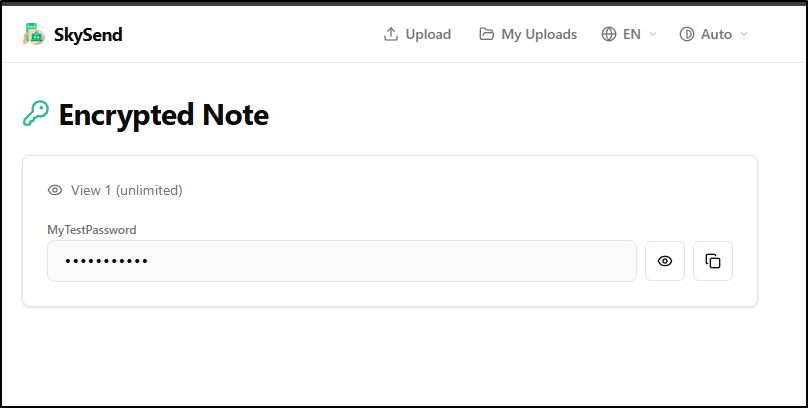
Password creation is similar to note in that we can enter it and optionally password protect our new password
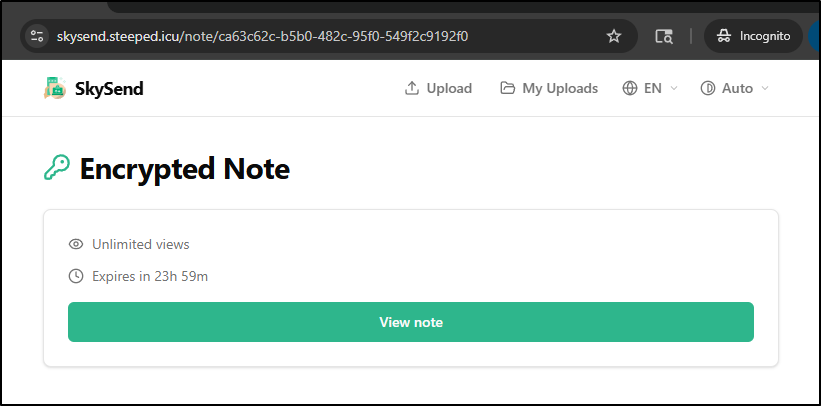
Loading the created link in another window suggests its a view note
Where view note then will let the user copy the password to the clipboard or use the “eye” icon to view it plain text
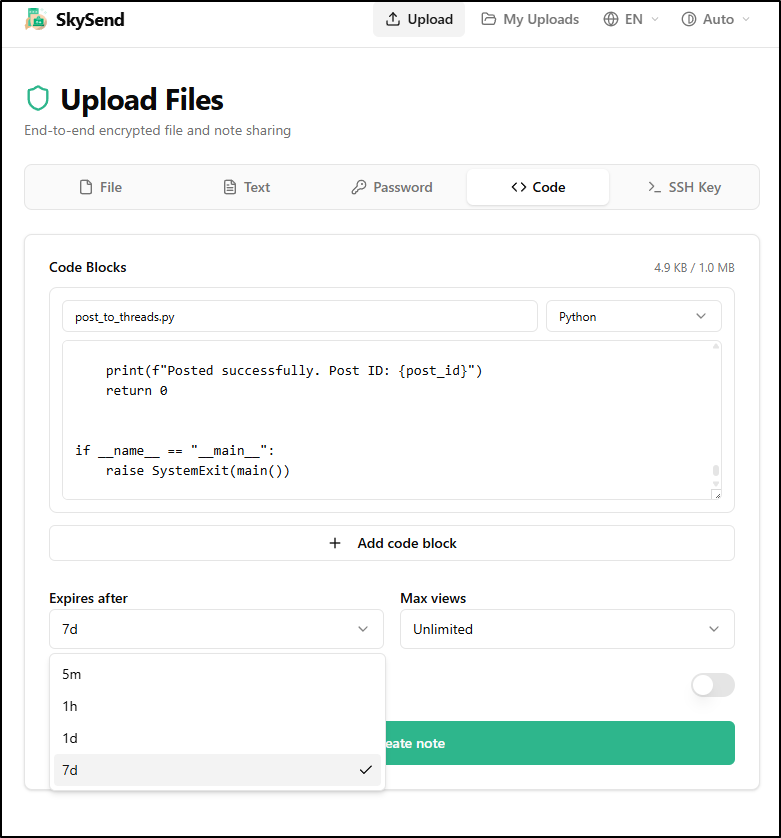
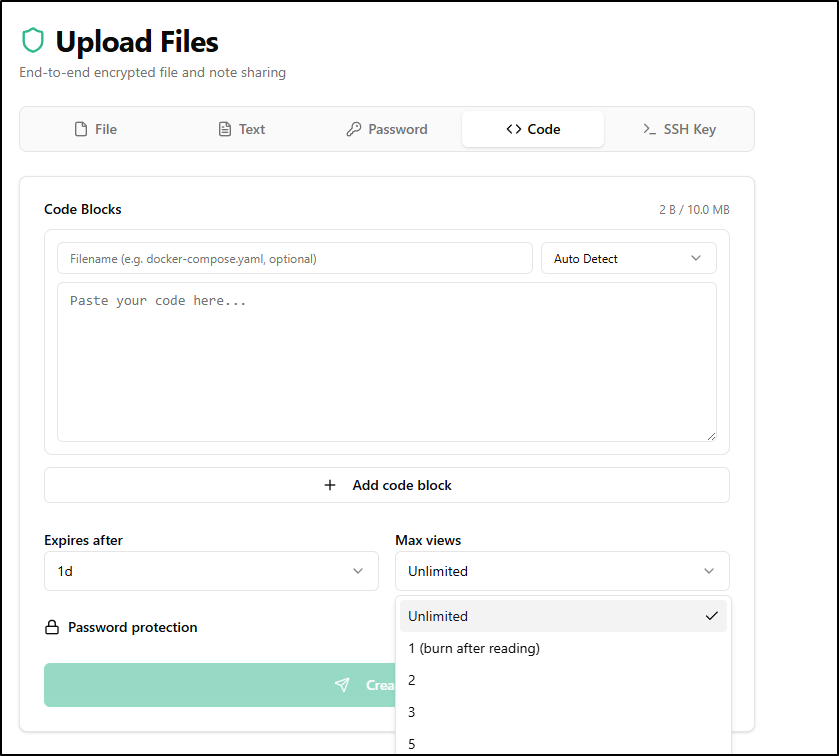
Code is the same, though I did just realize there is a max expires of 7d
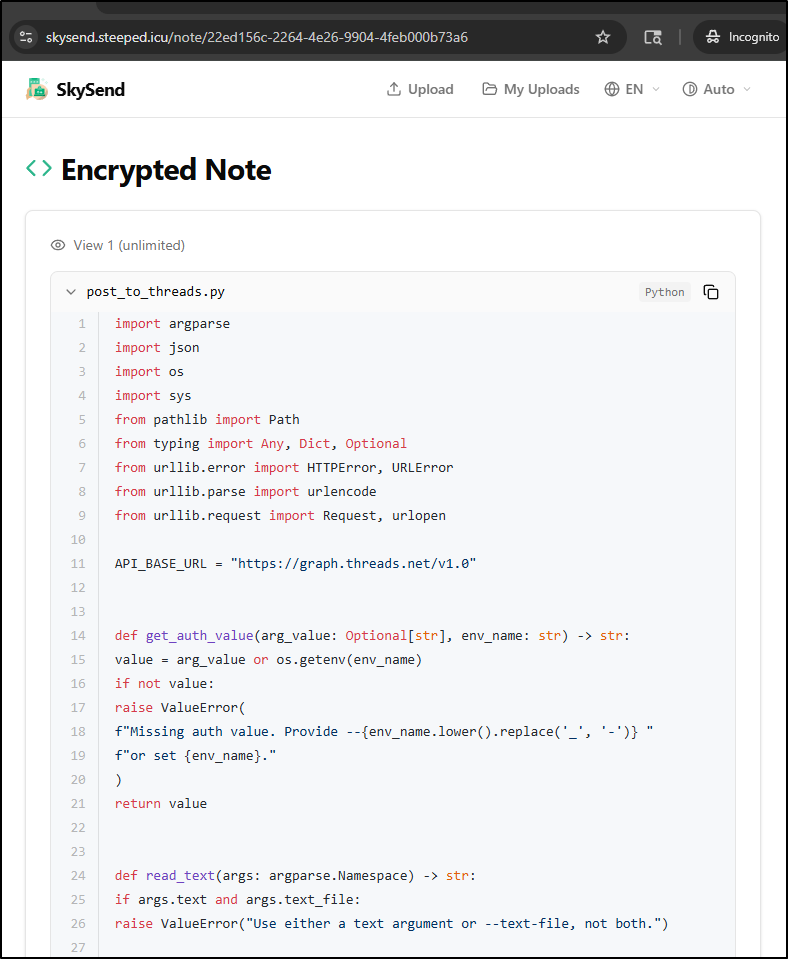
And the view looks good with proper syntax highlighting
Lastly, there is the “SSH Key” option to generate SSH keys
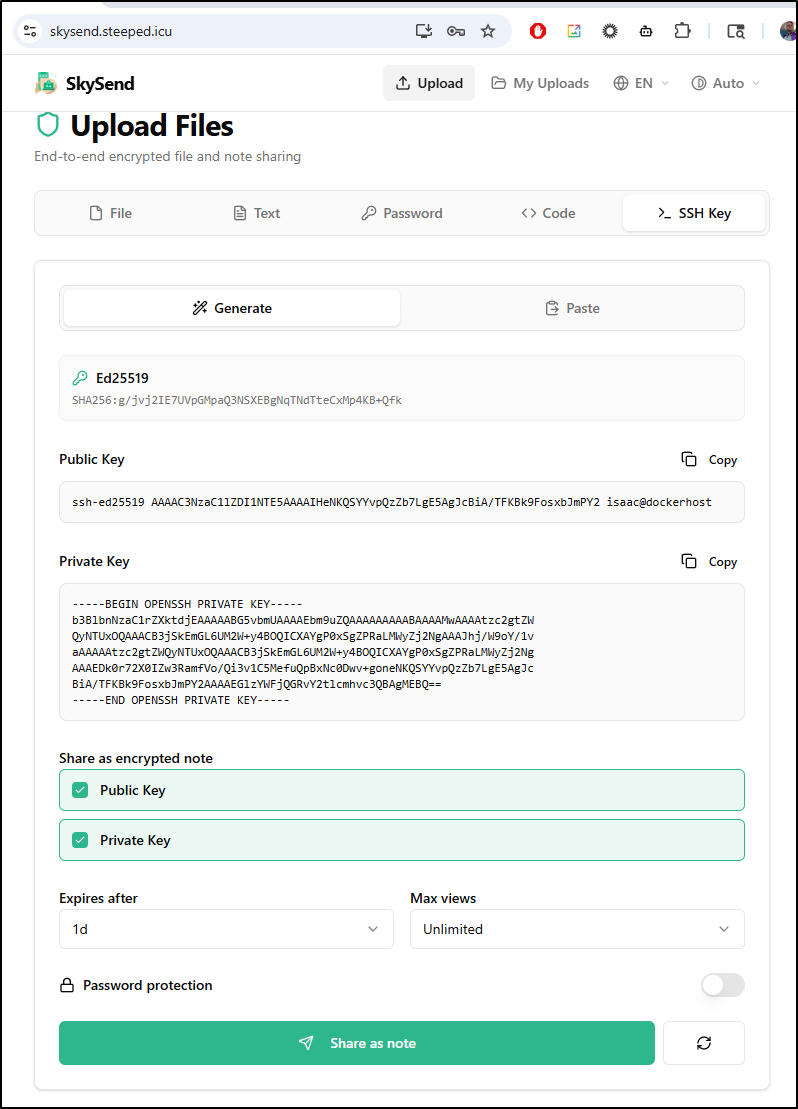
You can also paste in keys to share
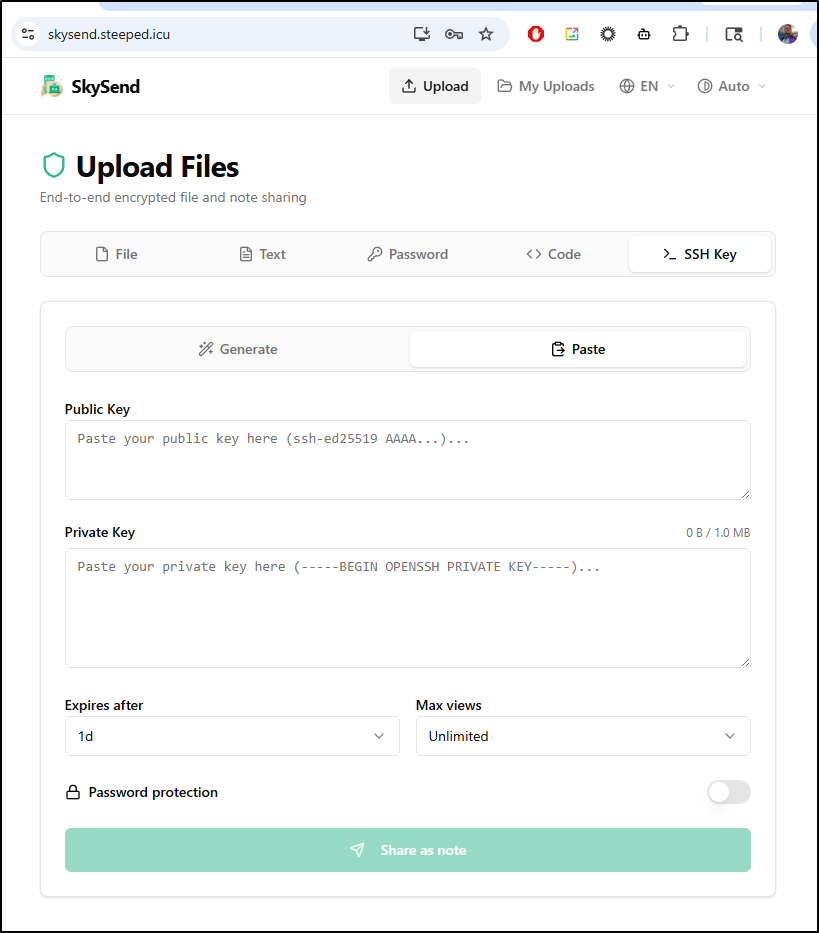
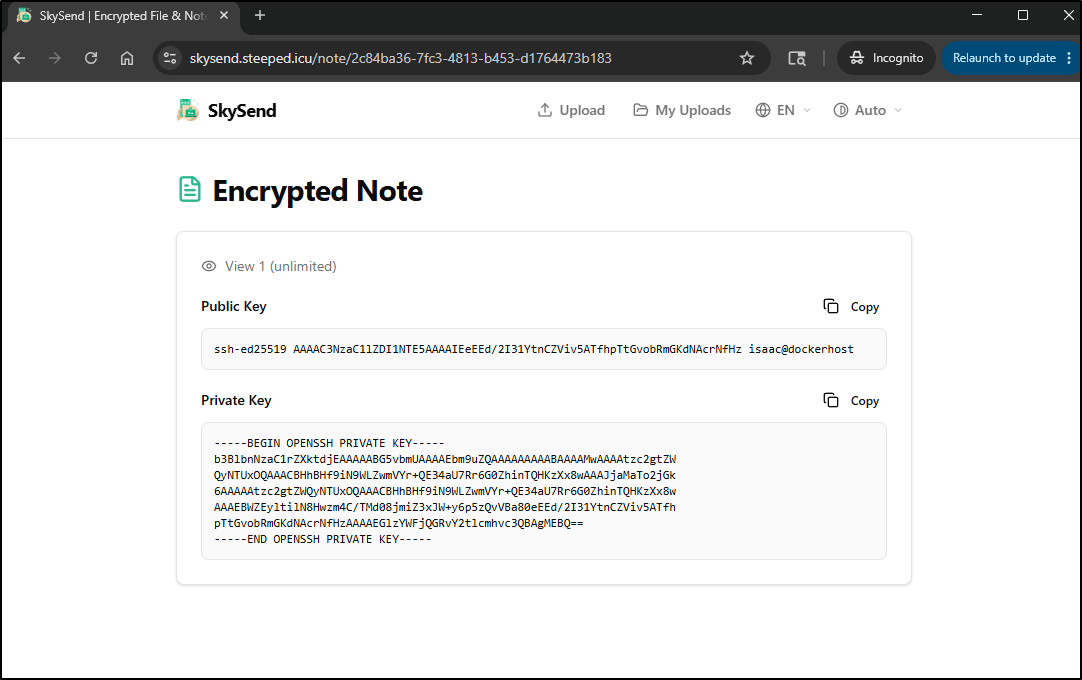
which works much like the note option
for any of the uploads that have not expired or in the case of “view once”, been viewed and delete, we can see active links in the “My Uploads” tab
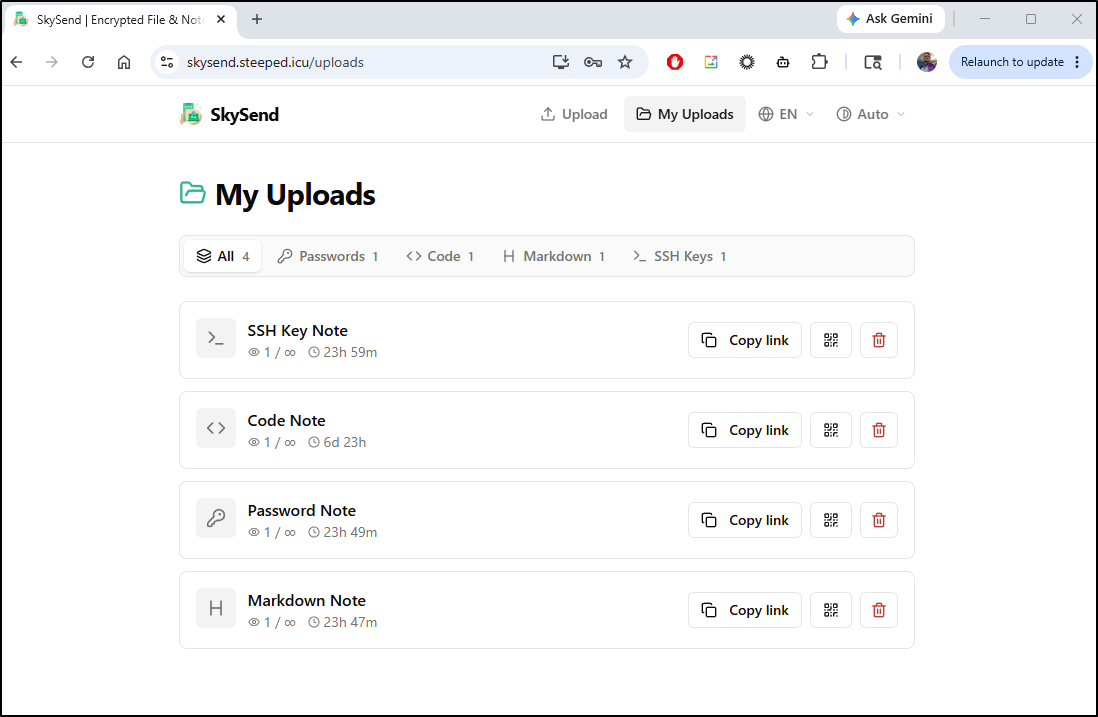
Since there is no login, these are just cached in your browser session while it is active.
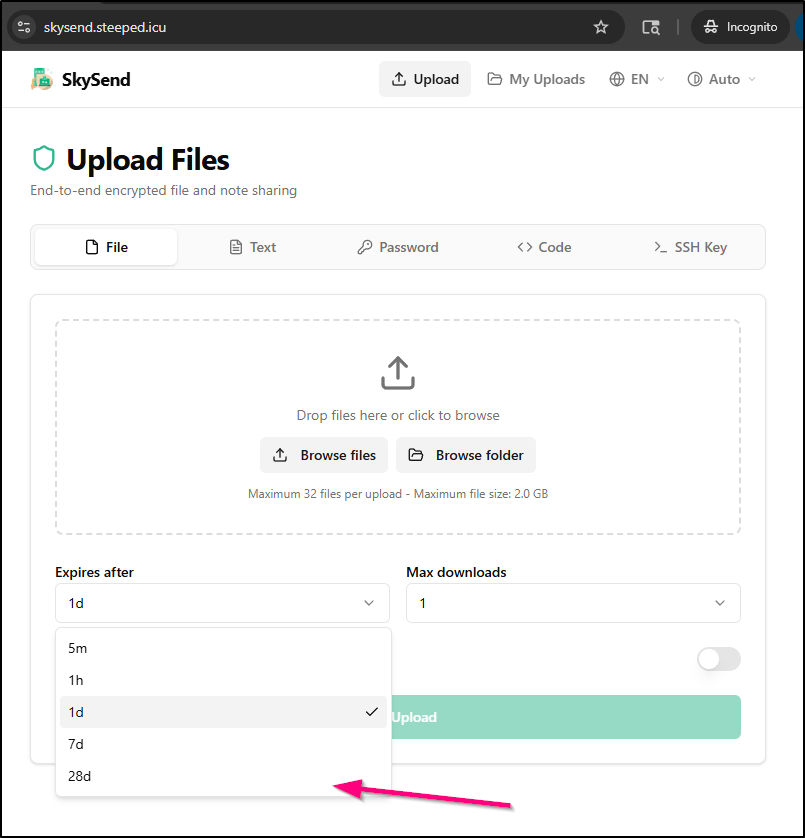
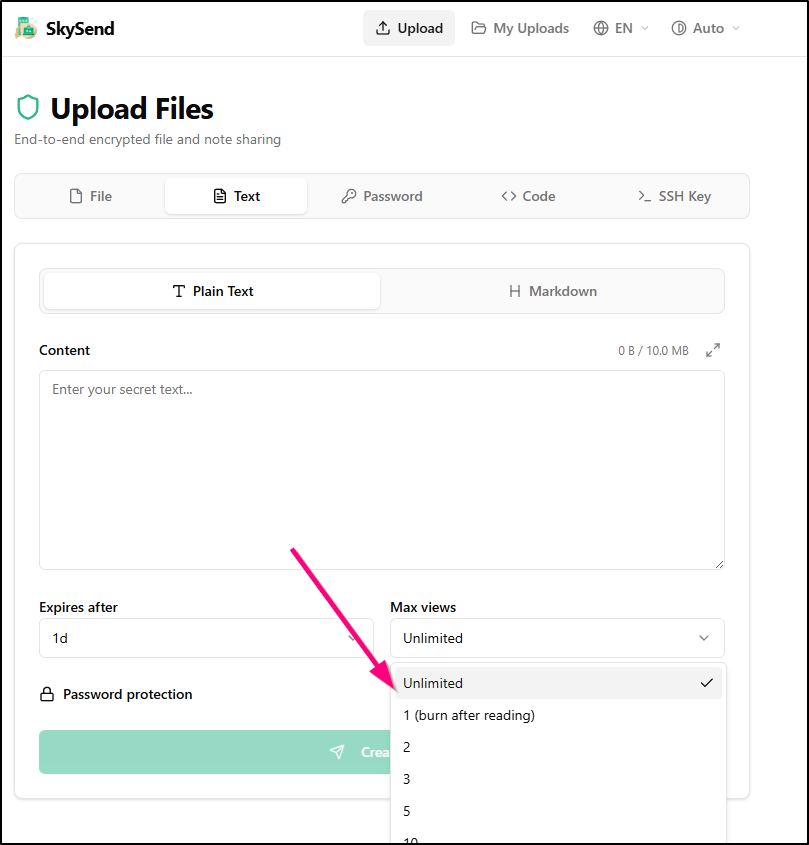
I want to see if I can enable unlimited file and note views as well as add a 28d option to the list.
I’ll add some configuration parameters I noted in the docs to the ConfigMap used for env vars on the deployment:
---
apiVersion: v1
kind: ConfigMap
metadata:
  name: skysend-env
  labels:
    app: skysend
data:
  BASE_URL: https://skysend.steeped.icu/
  NOTE_MAX_SIZE: "10MB"
  NOTE_DEFAULT_EXPIRE_SEC: "86400"
  NOTE_EXPIRE_OPTIONS_SEC: "300,3600,86400,604800,2419200"
  NOTE_VIEW_OPTIONS: "0,1,2,3,5,10,20,50,100"
  FILE_DEFAULT_EXPIRE_SEC: "86400"
  FILE_EXPIRE_OPTIONS_SEC: "300,3600,86400,604800,2419200"
  FILE_DOWNLOAD_OPTIONS: "0,1,2,3,4,5,10,20,50,100"
Then apply the changes (we should just see the configmap change)
$ kubectl apply -f ./skysend.yaml
deployment.apps/skysend-deployment unchanged
service/skysend-service unchanged
ingress.networking.k8s.io/skysend-ingress unchanged
configmap/skysend-env configured
persistentvolumeclaim/skysend-data-pvc unchanged
persistentvolumeclaim/skysend-uploads-pvc unchanged
However, we will need to manually rotate the pod to get the changes to take effect
builder@DESKTOP-QADGF36:~/Workspaces/jekyll-blog$ kubectl get po | grep sky
skysend-deployment-6c886888f7-87d4x                  1/1     Running            0                  30m
builder@DESKTOP-QADGF36:~/Workspaces/jekyll-blog$ kubectl delete po skysend-deployment-6c886888f7-87d4x
pod "skysend-deployment-6c886888f7-87d4x" deleted
builder@DESKTOP-QADGF36:~/Workspaces/jekyll-blog$ kubectl get po | grep sky
skysend-deployment-6c886888f7-tn49n                  0/1     CrashLoopBackOff   1 (14s ago)        18s
Seems I must have made a mistake, let’s look at the logs on the crashing pod:
builder@DESKTOP-QADGF36:~/Workspaces/jekyll-blog$ kubectl logs skysend-deployment-6c886888f7-tn49n
file:///app/apps/server/dist/lib/config.js:294
    const parsed = configSchema.parse(env);
                                ^

ZodError: [
  {
    "origin": "number",
    "code": "too_small",
    "minimum": 0,
    "inclusive": false,
    "path": [
      "FILE_DOWNLOAD_OPTIONS",
      0
    ],
    "message": "Too small: expected number to be >0"
  }
]
    at loadConfig (file:///app/apps/server/dist/lib/config.js:294:33)
    at file:///app/apps/server/dist/index.js:34:16
    at ModuleJob.run (node:internal/modules/esm/module_job:437:25)
    at process.processTicksAndRejections (node:internal/process/task_queues:104:5)
    at async node:internal/modules/esm/loader:639:26
    at async asyncRunEntryPointWithESMLoader (node:internal/modules/run_main:101:5)

Node.js v24.15.0
I’ll remove “0” from the list of file download options
---
apiVersion: v1
kind: ConfigMap
metadata:
  name: skysend-env
  labels:
    app: skysend
data:
  BASE_URL: https://skysend.steeped.icu/
  NOTE_MAX_SIZE: "10MB"
  NOTE_DEFAULT_EXPIRE_SEC: "86400"
  NOTE_EXPIRE_OPTIONS_SEC: "300,3600,86400,604800,2419200"
  NOTE_VIEW_OPTIONS: "0,1,2,3,5,10,20,50,100"
  FILE_DEFAULT_EXPIRE_SEC: "86400"
  FILE_EXPIRE_OPTIONS_SEC: "300,3600,86400,604800,2419200"
  FILE_DOWNLOAD_OPTIONS: "1,2,3,4,5,10,20,50,100"
Then apply
$ kubectl apply -f ./skysend.yaml
deployment.apps/skysend-deployment unchanged
service/skysend-service unchanged
ingress.networking.k8s.io/skysend-ingress unchanged
configmap/skysend-env configured
persistentvolumeclaim/skysend-data-pvc unchanged
persistentvolumeclaim/skysend-uploads-pvc unchanged
Now the pod is happy
$ kubectl get po | grep sky
skysend-deployment-6c886888f7-tn49n                  1/1     Running            4 (59s ago)        110s
$ kubectl get po | grep sky
skysend-deployment-6c886888f7-tn49n                  1/1     Running            4 (109s ago)       2m40s
I can now see a 28d option in files
and unlimited option for views
Because the other sections are all variants of notes, we can see the “Unlimited” option in Password, Code, etc
CLI client
Fromm the main docs site I noted that they even have a Linux/Mac and Windows CLI we can use
$ curl -fsSL https://skysend.app/install.sh | sh
Fetching latest version...
Installing SkySend CLI v2.9.3 (linux-x64)...
  From: https://github.com/skyfay/SkySend/releases/download/v2.9.3/skysend-linux-x64
  Downloading skysend-linux-x64...
######################################################################## 100.0%
  Checksum verified.
  Installing to /usr/local/bin (requires sudo)...
[sudo] password for builder:

SkySend CLI v2.9.3 installed to /usr/local/bin/skysend

Get started:
  skysend --help
  skysend config set-server https://your-instance.example.com
  skysend upload ./file.txt
I then uploaded the YAML I had been using
builder@DESKTOP-QADGF36:~/Workspaces/jekyll-blog$ skysend config set-server https://skysend.steeped.icu/
Server set to: https://skysend.steeped.icu
builder@DESKTOP-QADGF36:~/Workspaces/jekyll-blog$ skysend upload ./skysend.yaml
Preparing encryption...
Upload complete.

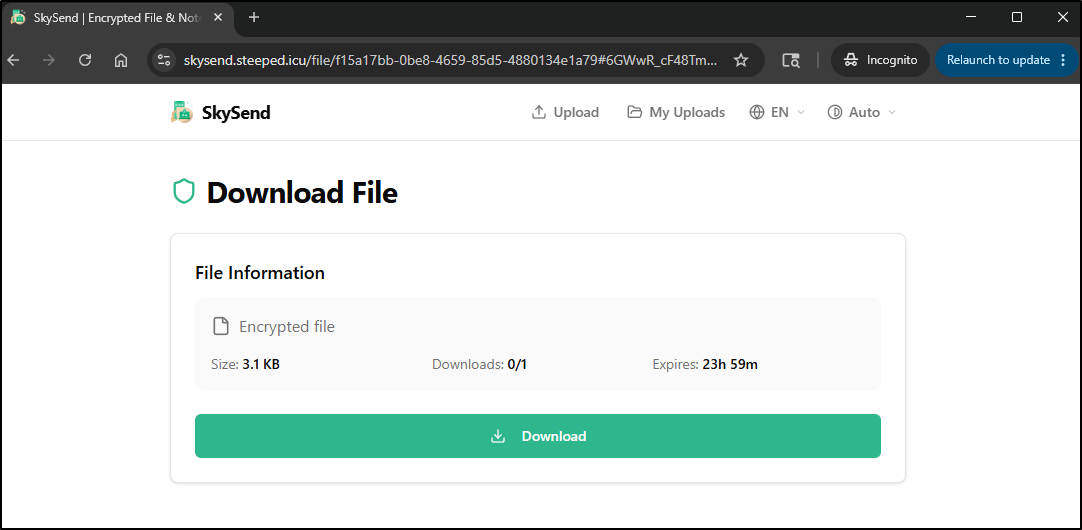
Share URL: https://skysend.steeped.icu/file/f15a17bb-0be8-4659-85d5-4880134e1a79#6GWwR_cF48TmX3G1_k2C68a9FRpdW0nUIhTZ5sysPjo
Files: 1 | Size: 3.12 KB | Expires: 1 days | Downloads: 1 | Avg speed: 56.2 KB/s
The link then gives me a single Download URL which loads fine
I can set the expiry, max downloads and password just as easily on the CLI
$ skysend upload -d 10 -e 1h -p p@ssw0rd123 ./skysend.yaml
Preparing encryption...
Upload complete.

Share URL: https://skysend.steeped.icu/file/862c147d-d68d-40a6-abd8-fbebb1464709#ICfEI1YWEbptzRfj18eup31pVVECGu64uXedel69lDI
Files: 1 | Size: 3.12 KB | Expires: 1 hours | Downloads: 10 | Avg speed: 166 KB/s
Password protected: yes
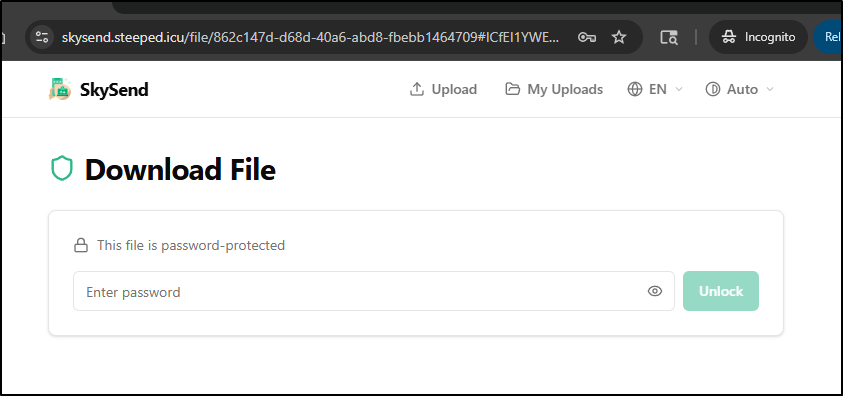
The CLI works both ways of course. We can use it to now download that password protected file
builder@DESKTOP-QADGF36:~/Workspaces/jekyll-blog$ mkdir -p /tmp/testing && skysend download -p p@ssw0rd123 -o /tmp/testi
ng "https://skysend.steeped.icu/file/862c147d-d68d-40a6-abd8-fbebb1464709#ICfEI1YWEbptzRfj18eup31pVVECGu64uXedel69lDI"
Fetching file info...
Deriving keys...
Downloading to: /tmp/testing/skysend.yaml
Download complete.
Saved: /tmp/testing/skysend.yaml (3.12 KB)


builder@DESKTOP-QADGF36:~/Workspaces/jekyll-blog$ cat /tmp/testing/skysend.yaml

apiVersion: apps/v1
kind: Deployment
metadata:
  name: skysend-deployment
  labels:
    app: skysend
spec:
  replicas: 1
  selector:
    matchLabels:
      app: skysend
... snip ...
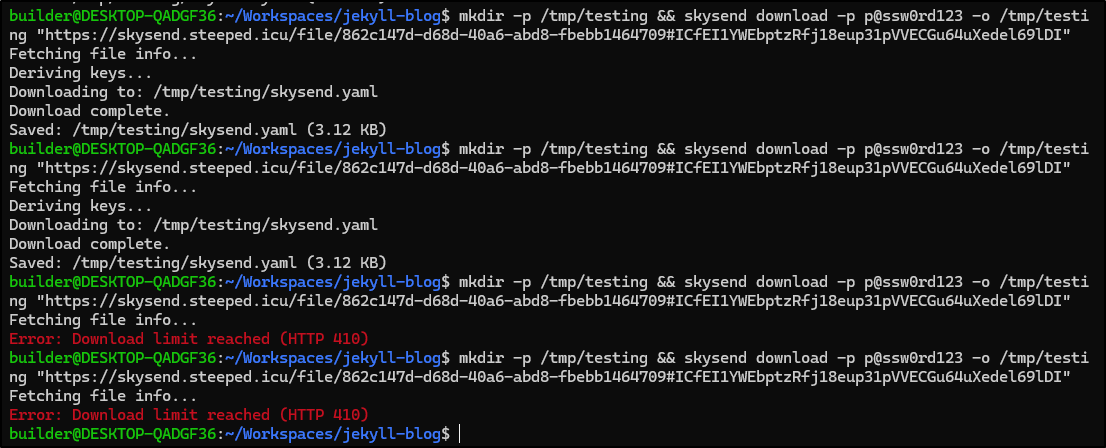
I also did a quick verification on what happens when we hit the max download limit
Fider
I’ve been meaning to revisit Fider for some time.

I’ve had a Fider board for over a year, though no one has ever used it (though I don’t think I linked it anywhere either).
I’m using presently 0.0.6 version of the chart and 0.25.0 version of the app.
Updating my helm repos shows there are updates available:
$ helm search repo fider
NAME                    CHART VERSION   APP VERSION     DESCRIPTION
fider/fider             0.0.7           0.28.0          An open platform to collect and prioritize feed...
fider/postgresql        12.6.4          15.3.0          PostgreSQL (Postgres) is an open source object-...
I pulled my current values to check which image tag I’m using
$ helm get values myfider -n fider -o yaml > fidervals.yaml
$ cat fidervals.yaml | head -n 58 | tail -n 5
image:
  pullPolicy: IfNotPresent
  repository: getfider/fider
  tag: v0.27.0
imagePullSecrets: []
From dockerhub, I see the latest is v0.35.0
I decided to YOLO on this and just upgrade to latest and override the image tag
$ helm upgrade myfider -n fider -f ./fidervals.yaml --set image.tag=v0.35.0 fider/fider
Release "myfider" has been upgraded. Happy Helming!
NAME: myfider
LAST DEPLOYED: Wed May 20 06:30:17 2026
NAMESPACE: fider
STATUS: deployed
REVISION: 9
NOTES:
1. Get the application URL by running these commands:
  https://fider.tpk.pw/
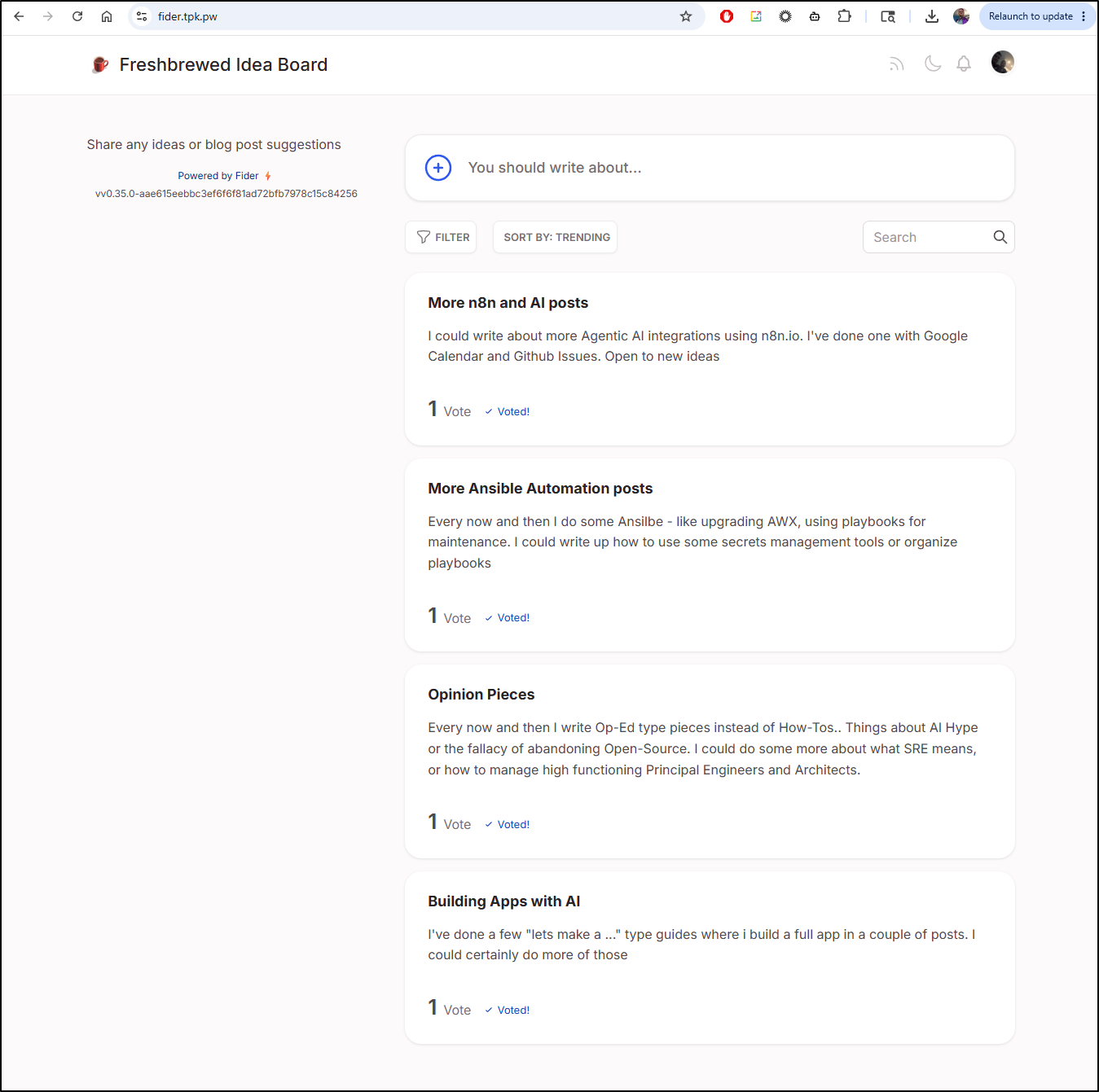
I would say the UI is interesting now:
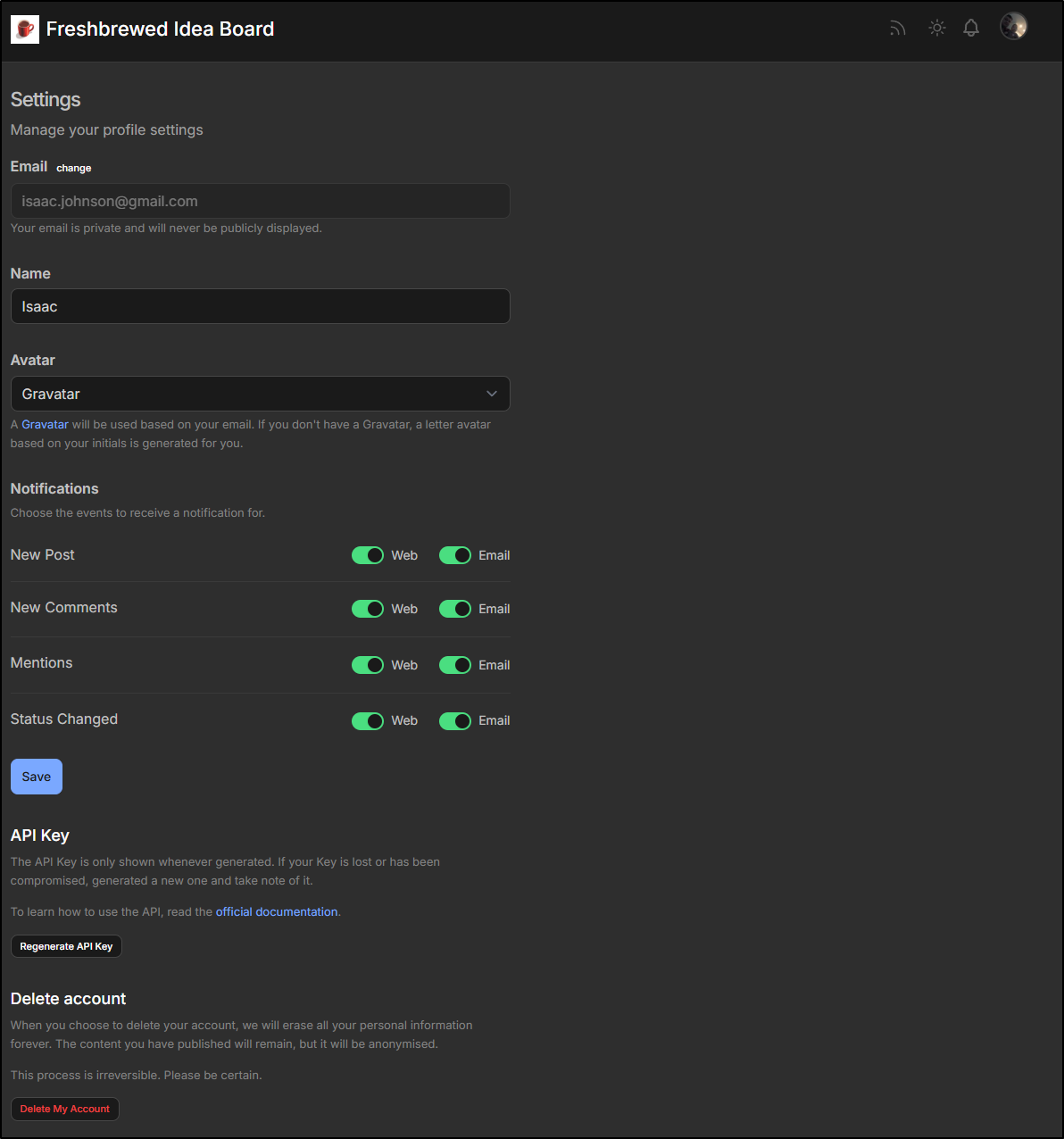
Under user settings I now see some notification options and ability to get an API key
In administration I can now easily make this a private board and/or set content moderation
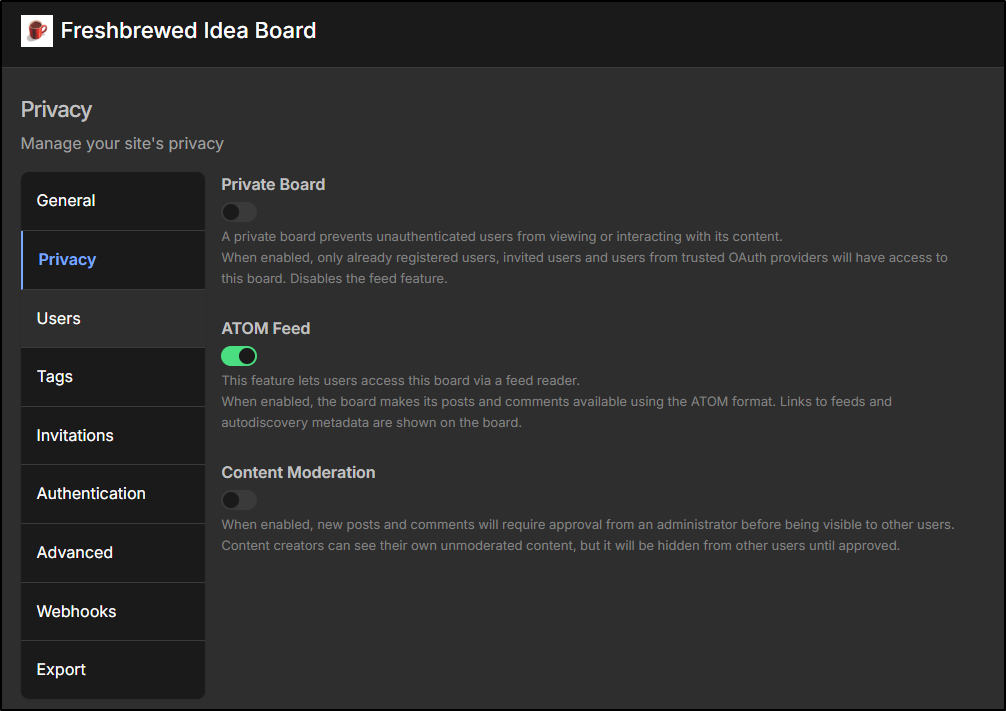
However, I realized that while Invitations looks good
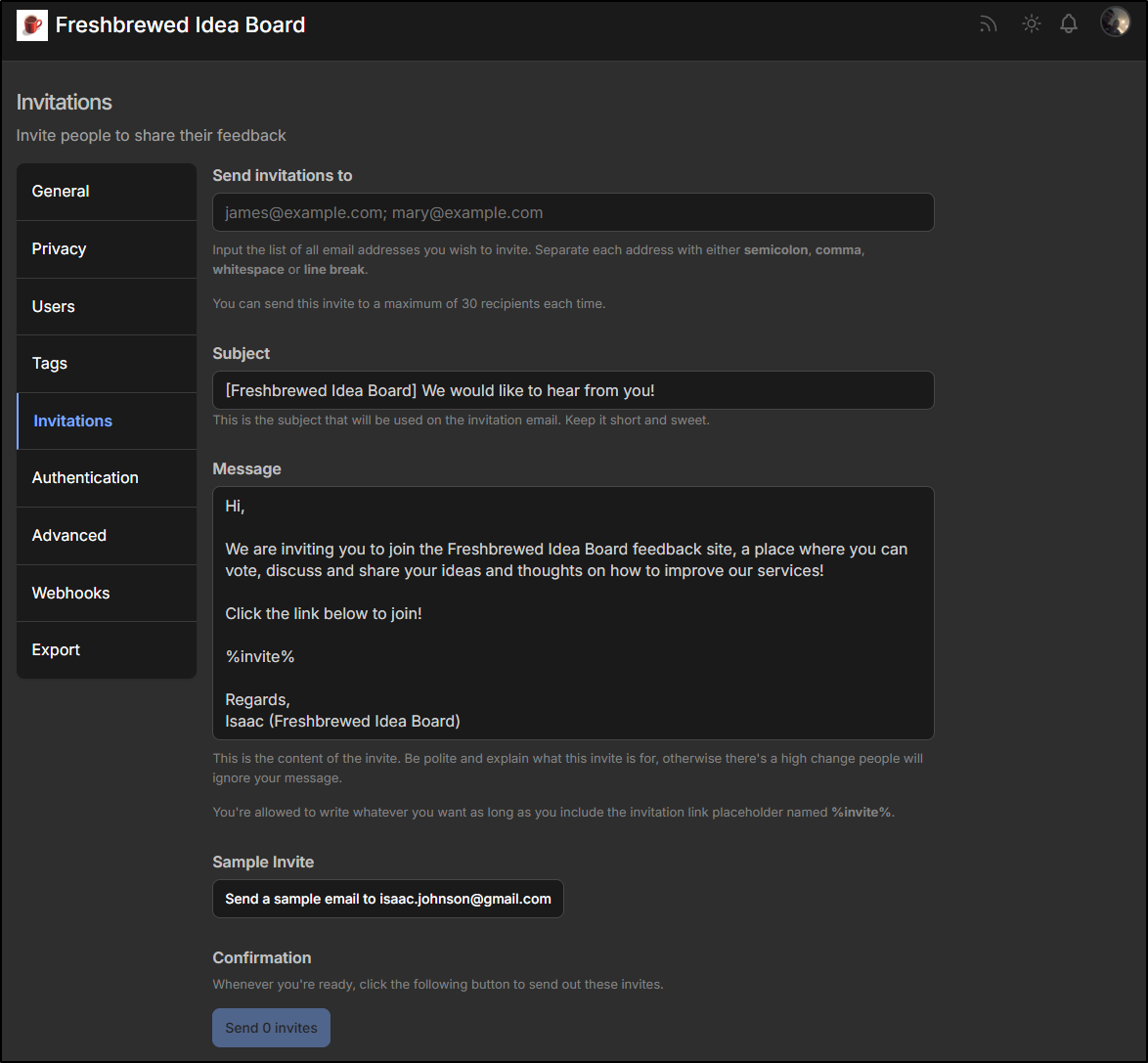
I set this up with Sendgrid.net which is now dead (to me).
I updated my SMTP settings and upgraded the chart to see it take effect
$ vi fidervals.yaml

$ helm upgrade myfider -n fider -f ./fidervals.yaml --set image.tag=v0.35.0 fider/fider
Release "myfider" has been upgraded. Happy Helming!
NAME: myfider
LAST DEPLOYED: Wed May 20 06:38:35 2026
NAMESPACE: fider
STATUS: deployed
REVISION: 10
NOTES:
1. Get the application URL by running these commands:
  https://fider.tpk.pw/

$ kubectl get po -n fider
NAME                       READY   STATUS            RESTARTS   AGE
myfider-555fd89cdc-mchdj   1/1     Running           0          8m23s
myfider-f4879649c-7d7tc    0/1     PodInitializing   0          4s
myfider-postgresql-0       1/1     Running           0          136d

$ kubectl get po -n fider
NAME                       READY   STATUS        RESTARTS   AGE
myfider-555fd89cdc-mchdj   1/1     Terminating   0          8m27s
myfider-f4879649c-7d7tc    1/1     Running       0          8s
myfider-postgresql-0       1/1     Running       0          136d
I then sent myself a sample invite
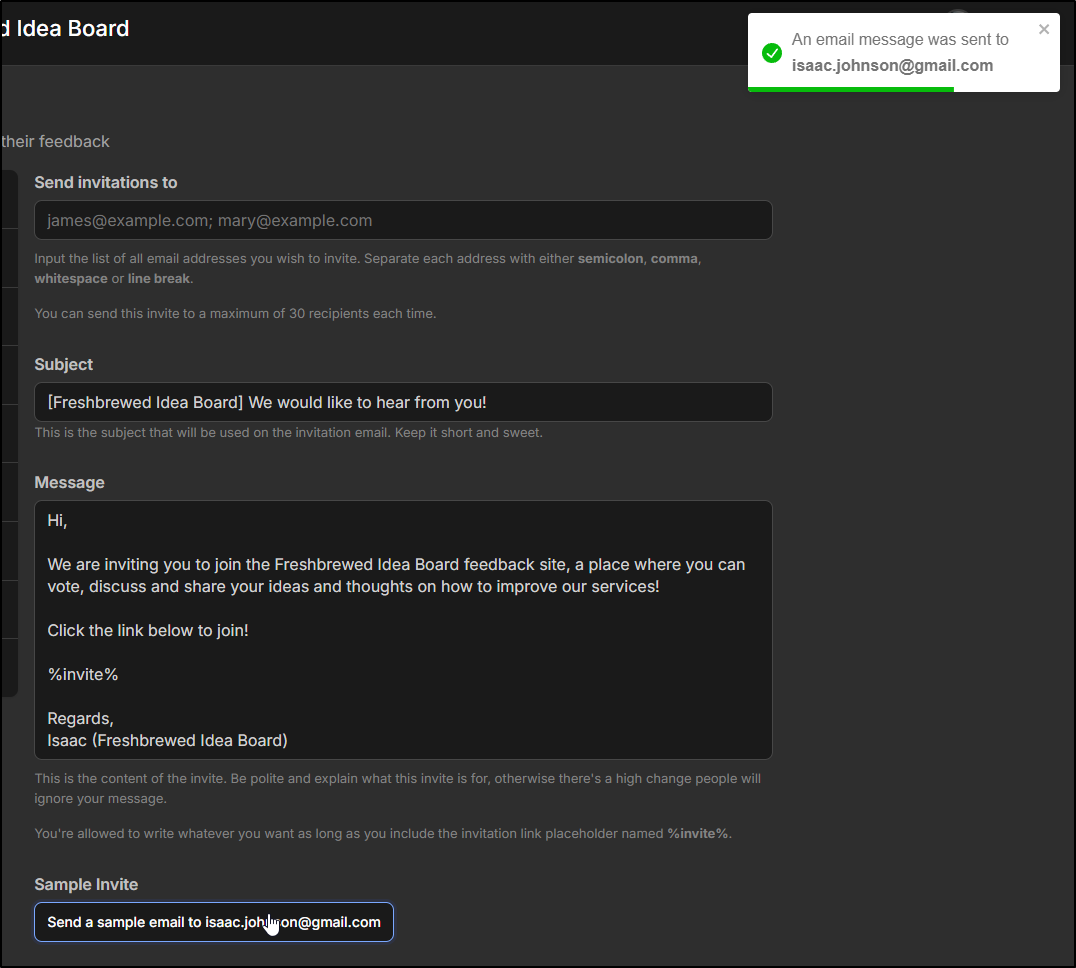
Which worked just fine

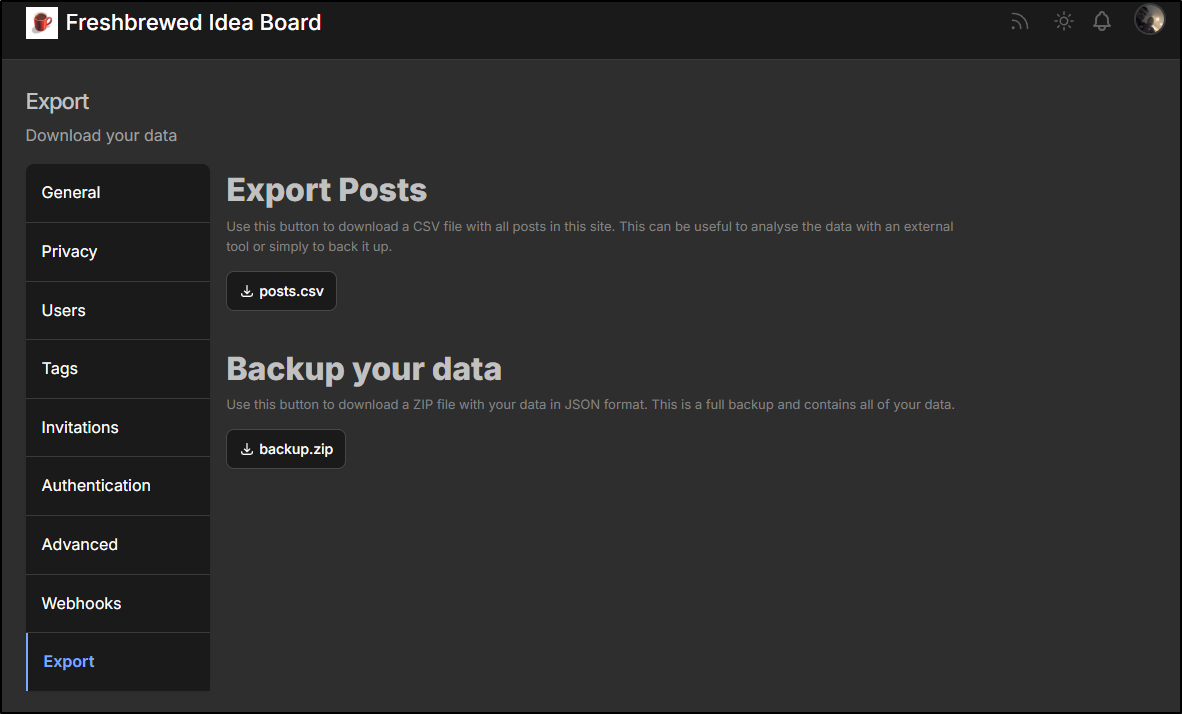
I realized there is a backup and export option for data and posts. Next time I’ll use that before a major upgrade
Summary
Today we dug into SkySend, a surprisingly full featured security focused file/password/note sharing app that is fully Open-source and AGPL licensed. The app seems pretty robust with lots of configuration and I was pleasantly surprised by the CLI.
We also circled back on Fider which I last covered about a year ago. There are some nice minor updates, though I’m not sure I’m a tremendous fan of the UI changes (seems kind of ‘large’ to me).
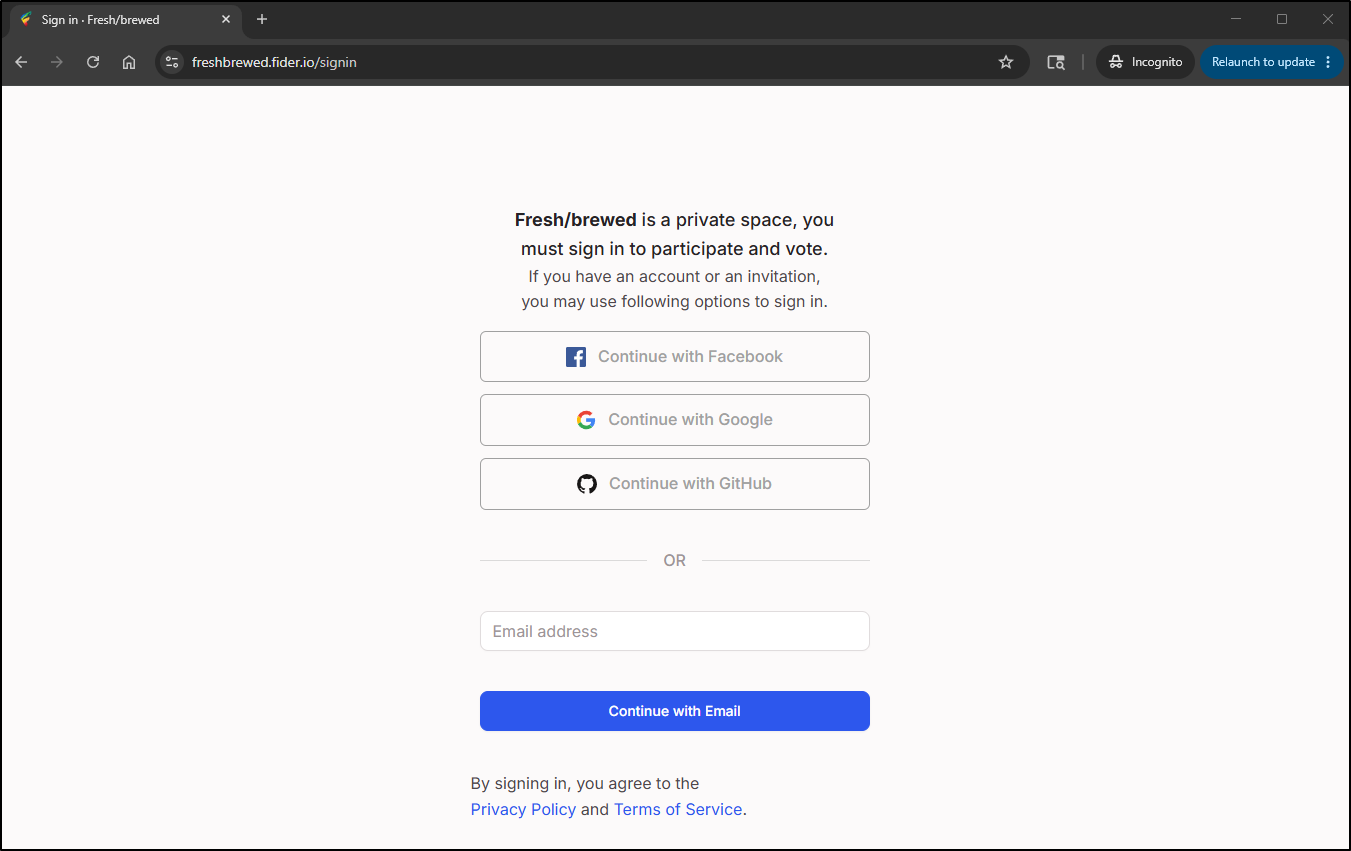
If one does not want to self-host Fider, there are hosted options with a generous free tier. I did so and you can see the board at https://freshbrewed.fider.io/.
I actually made it a private board so I could see how that works
I’ll likely leave skysend for a while, but I do get worried about abuses so I’ll check it often.