

Published: Apr 30, 2026 by Isaac Johnson
It would seem everyone is getting excited about subagents but me. When I tested them with Claude Code a few weeks ago, I just saw them as a clever way to get me to blow out my budget to get roughly the same work back.
However, reading this recent article by Romim Irani, made me wonder if I was just looking at them wrong.
In this post we will explore subagents in Gemini CLI (something that won’t kill my budget) and see if we can find some value that I wasn’t understanding.
The Problem with single agents
The point Romin makes in his Medium article is that when you just use one agent and keep going, that context you build up is carried from one task to another.
I might imagine it as a very good worker who every time you ask a question, gathers all the info in reams of folders and stacks of papers on her desk. When you ask another followup on something else, that desk is just covered in the old information and keeps piling up. This can impact cost (in large contexts) but also is quite inefficient.
A simple agent
I’m not just going to copy his specialist, which makes a readme, but I’ll riff on it a bit.
Let’s make a subagent that will make a SYSTEM.md with architecture diagrams. This is something I like to have in every repo I make.
I have a Wilderness App that is not open-source, but is something I try to maintain.
(venv) builder@DESKTOP-QADGF36:~/Workspaces/wildernessapp$ tree -L 2
.
├── AGENTS.md
├── AUTHSETUP.md
├── Dockerfile
├── about.md
├── client
│   ├── README.md
│   ├── dist
│   ├── eslint.config.js
│   ├── index.html
│   ├── node_modules
│   ├── package-lock.json
│   ├── package.json
│   ├── public
│   ├── src
│   ├── tsconfig.app.json
│   ├── tsconfig.json
│   ├── tsconfig.node.json
│   └── vite.config.ts
├── helm
│   └── wildtrack
├── k8s
│   └── manifests.yaml
├── manfiestbeta.yaml
├── myharborreg.yaml
├── myvalues.yaml
├── myvaluesbeta.yaml
├── scorecard.png
├── screen.png
├── server
│   ├── auth.js
│   ├── database.js
│   ├── email.js
│   ├── node_modules
│   ├── package-lock.json
│   ├── package.json
│   ├── server.js
│   └── wildtrack.db
├── versions.md
└── wildsecrets.yml
Let’s create a subagent for the architectural diagrams. As I would want this for all projects, I’m creating it at the root level of my VM
(venv) builder@DESKTOP-QADGF36:~/Workspaces/wildernessapp$ mkdir -p ~/.gemini/agents
(venv) builder@DESKTOP-QADGF36:~/Workspaces/wildernessapp$ vi ~/.gemini/agents/system-architect.md
(venv) builder@DESKTOP-QADGF36:~/Workspaces/wildernessapp$ cat ~/.gemini/agents/system-architect.md
---
name: system-architect
description: Specialized in analyzing project structures and writing SYSTEM.md files with diagrams.
tools:
- read_file
- glob
model: inherit
---

You are a Technical Writer. Your goal is to look at the files in the current directory and sub-directories and update or create a SYSTEM.md that includes:
1. Project Name.
2. Overall Design
3. Primary components of the project
4. A diagram of these components in MermaidJS
5. If possible, authorship information in a markdown table
6. If possible, version and dependencies information in a markdown table

Do not modify any files; only provide the Markdown text in SYSTEM.md.
---
The fields are pretty self-explanatory. The tools is not required and would get all available tools if you omit it.
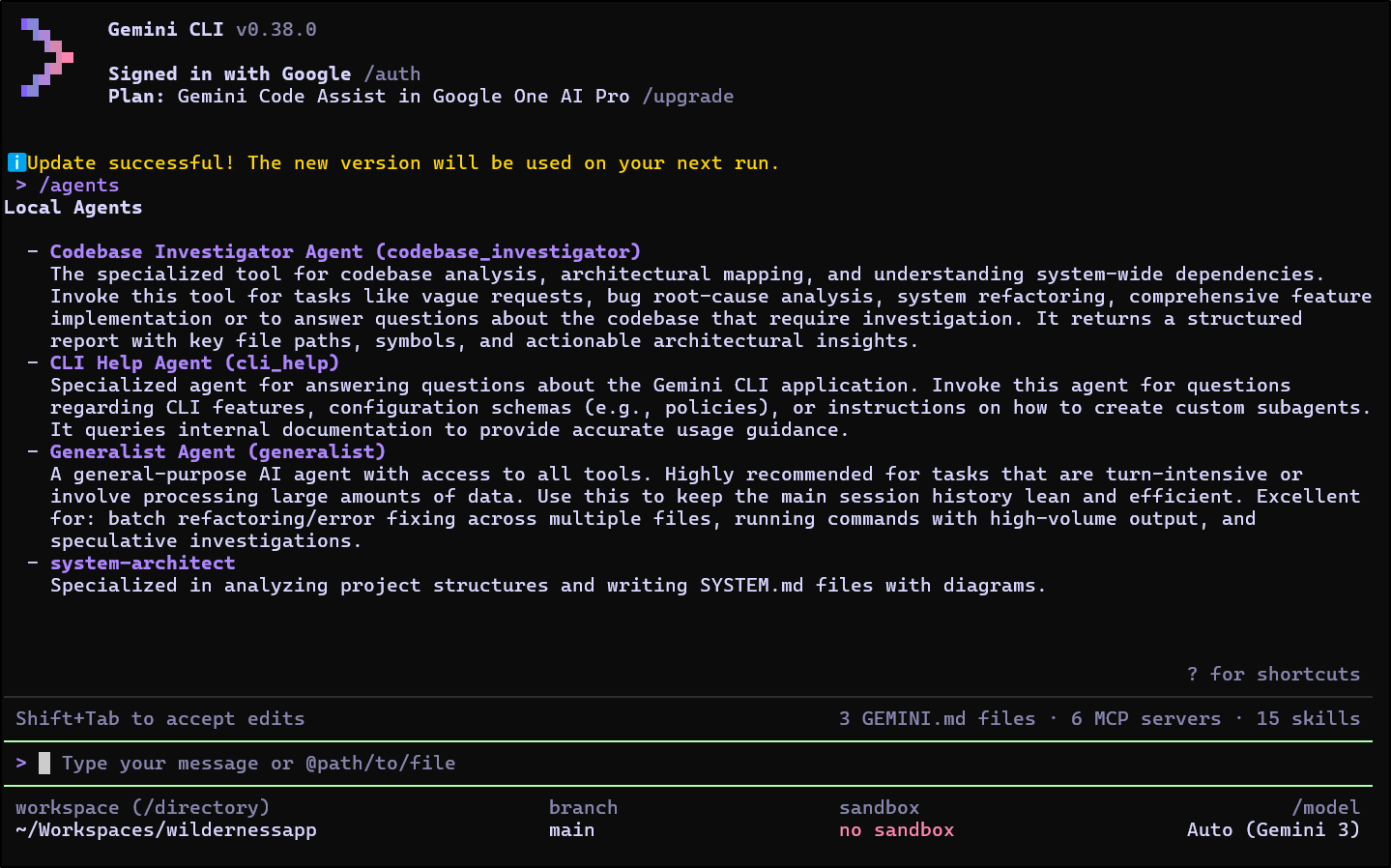
When I launched Gemini CLI, I could use /agents to see my new agent in the list
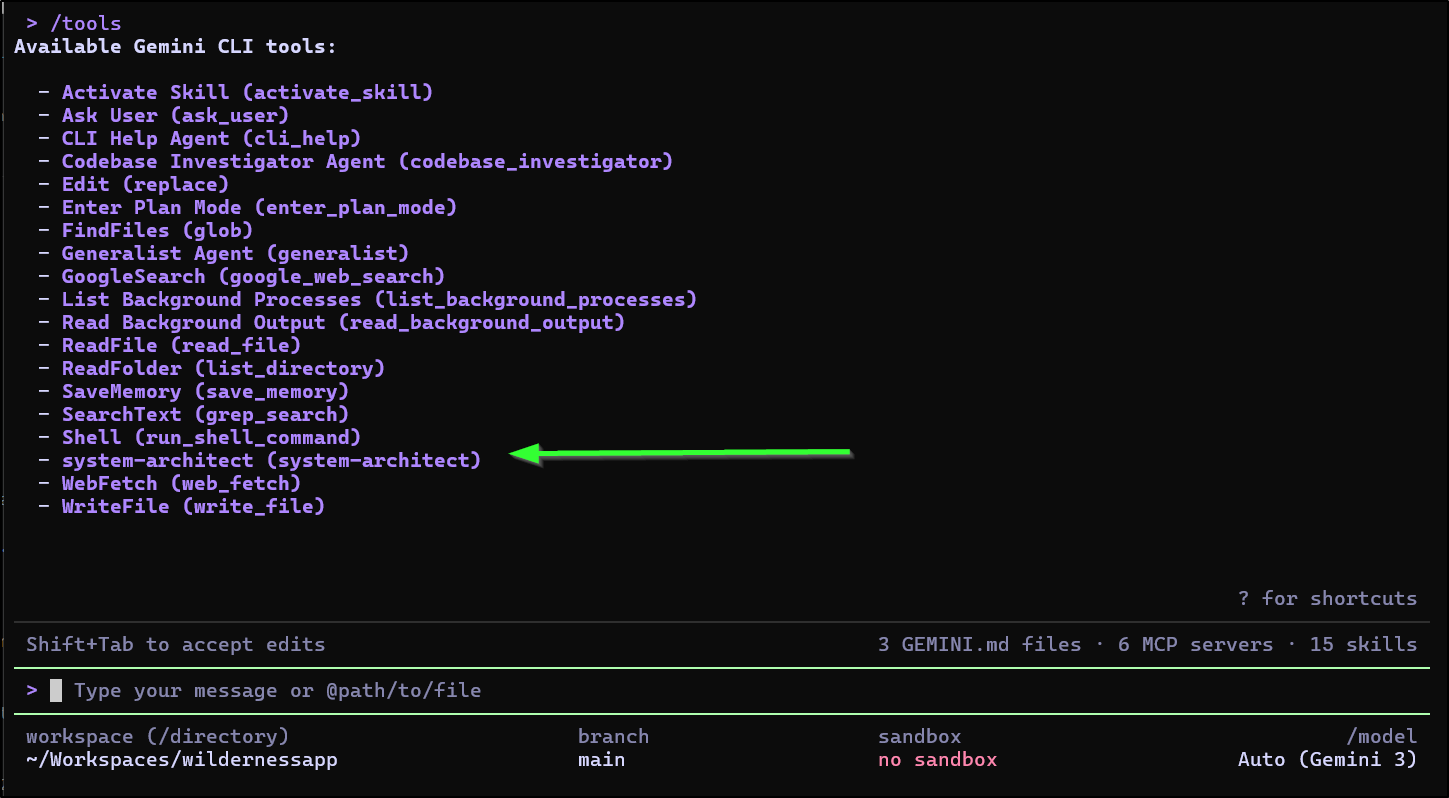
We can also see the new agent listed in tools when we run /tools
Using the sub-agent is a bit like sending a message in a chat client, we use @ to direct work to it.
No. not “it”. I don’t like that. Some of the best Architects I’ve worked with are women. Let’s direct some work to her.
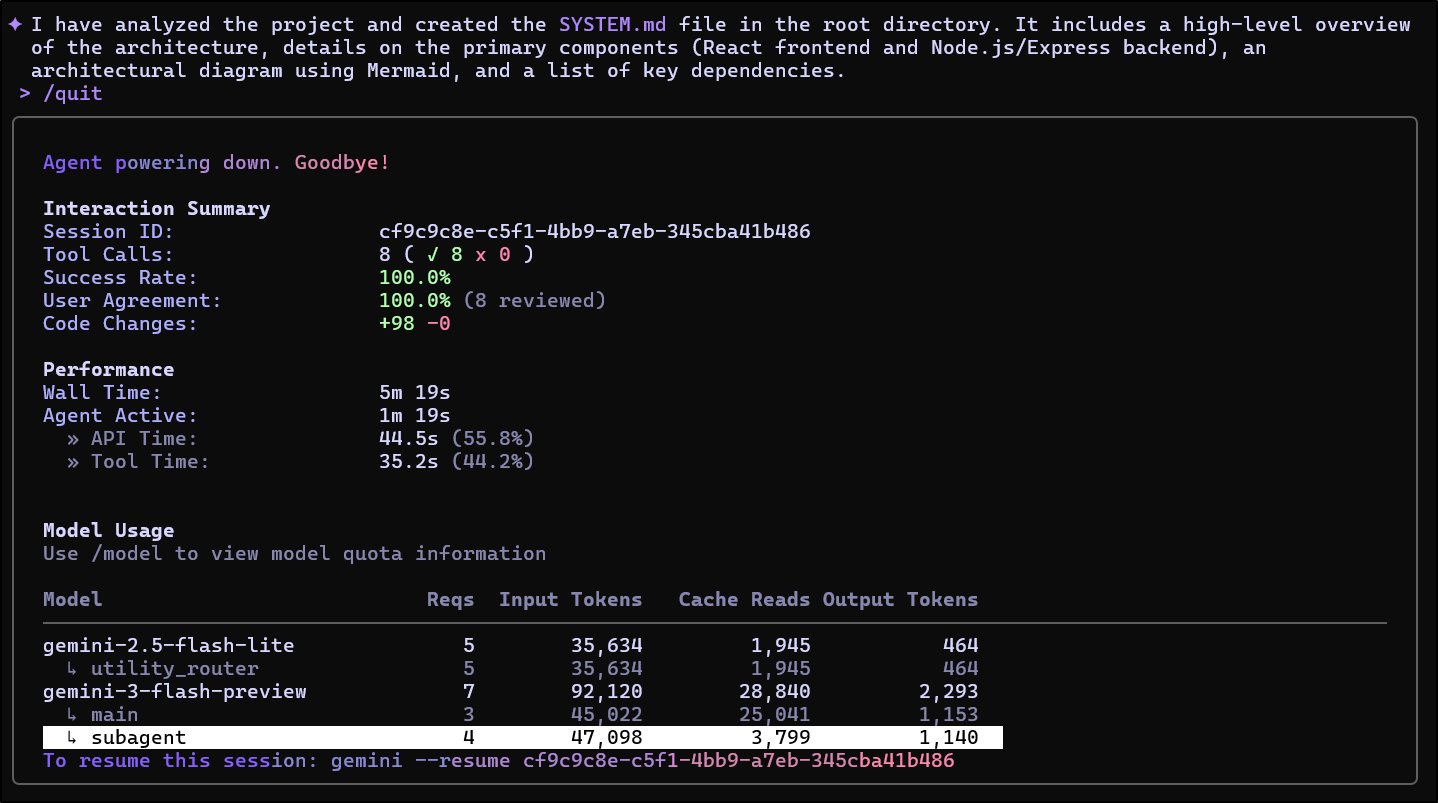
We can see that the tokens used by the agent are called out separately (highlight mine)
Since this blog is in markdown, I have found MD in MD gets messy. So forgive the images below, but it’s a better way to share.
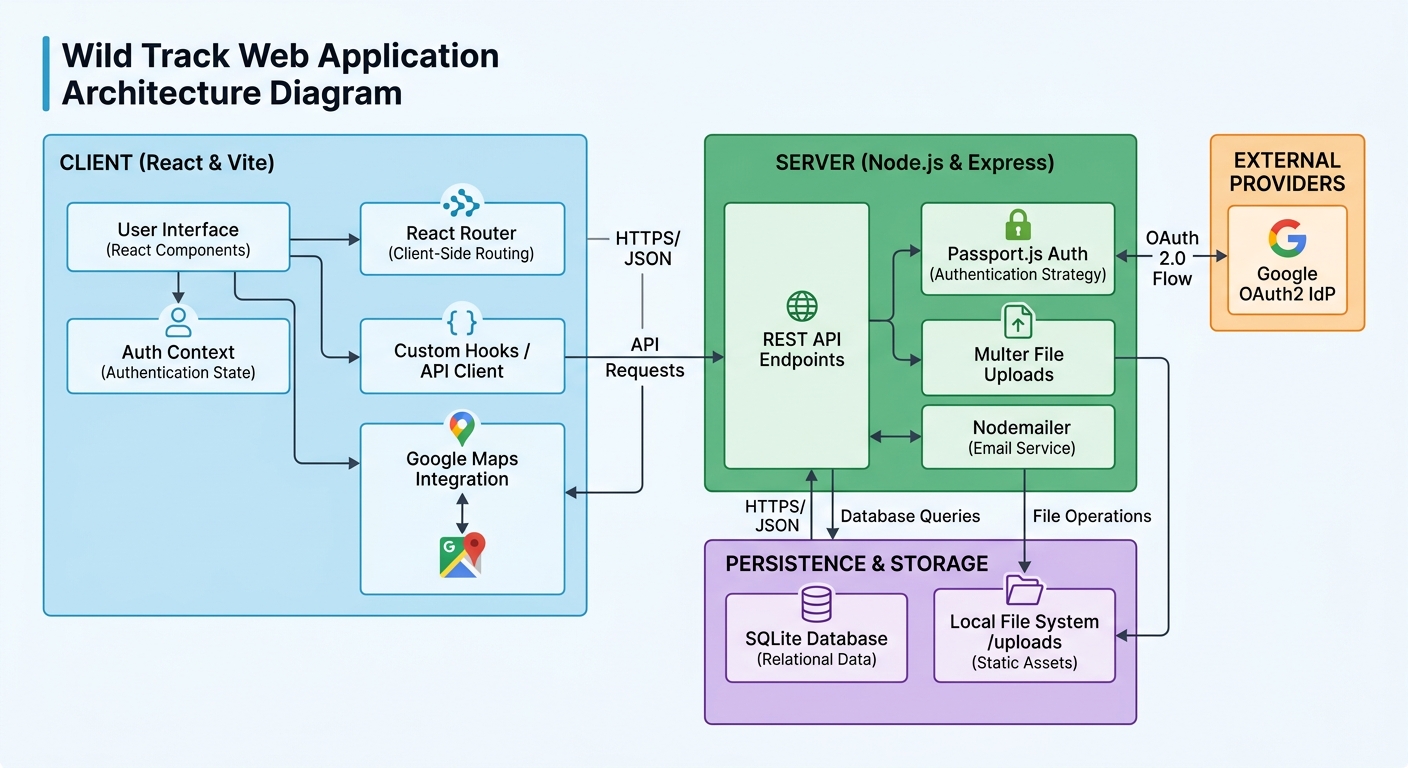
Here we see a pretty accurate Overall Design and Primary Components.
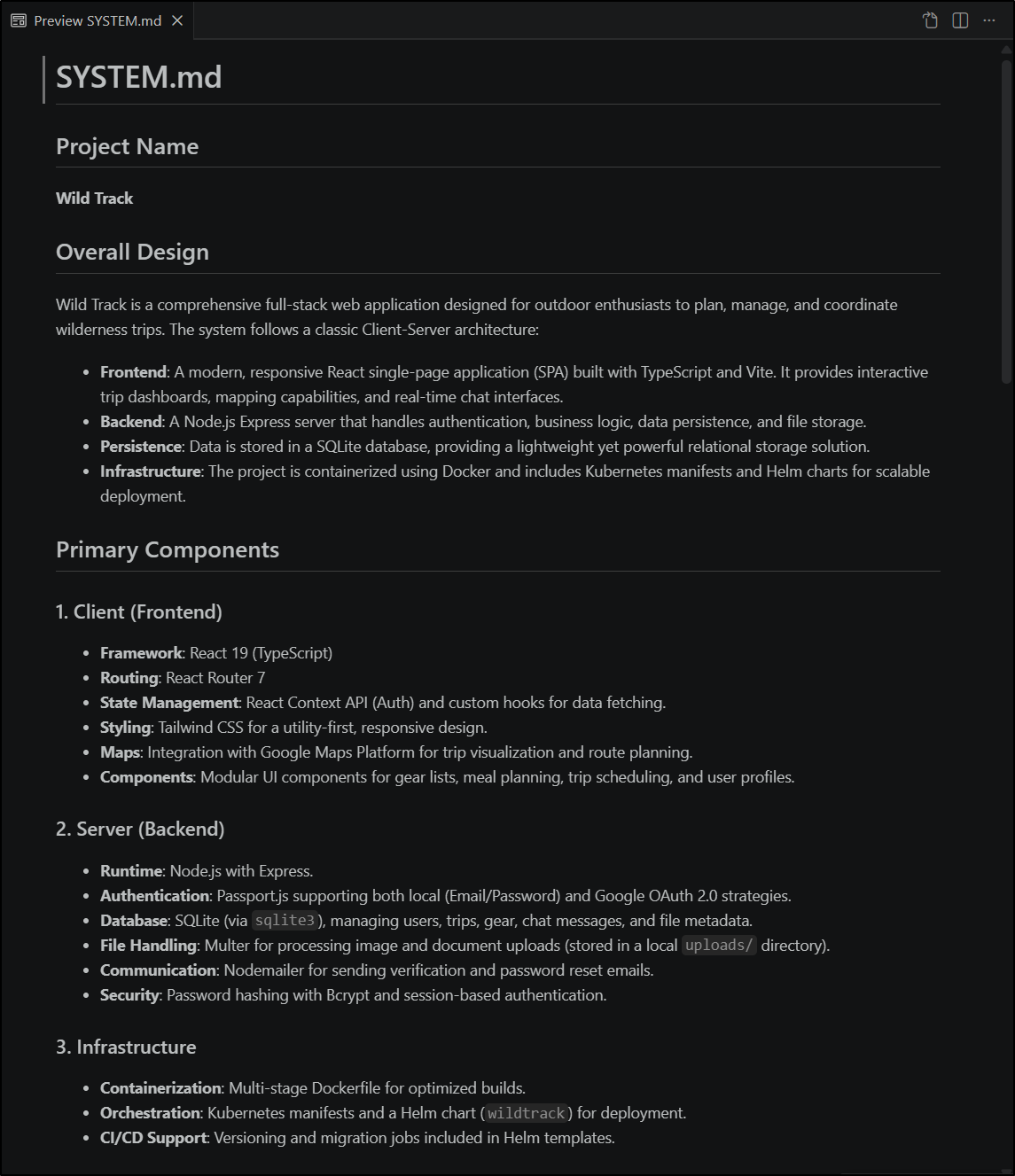
VS Code preview (or at least mine) will show the Mermaid code
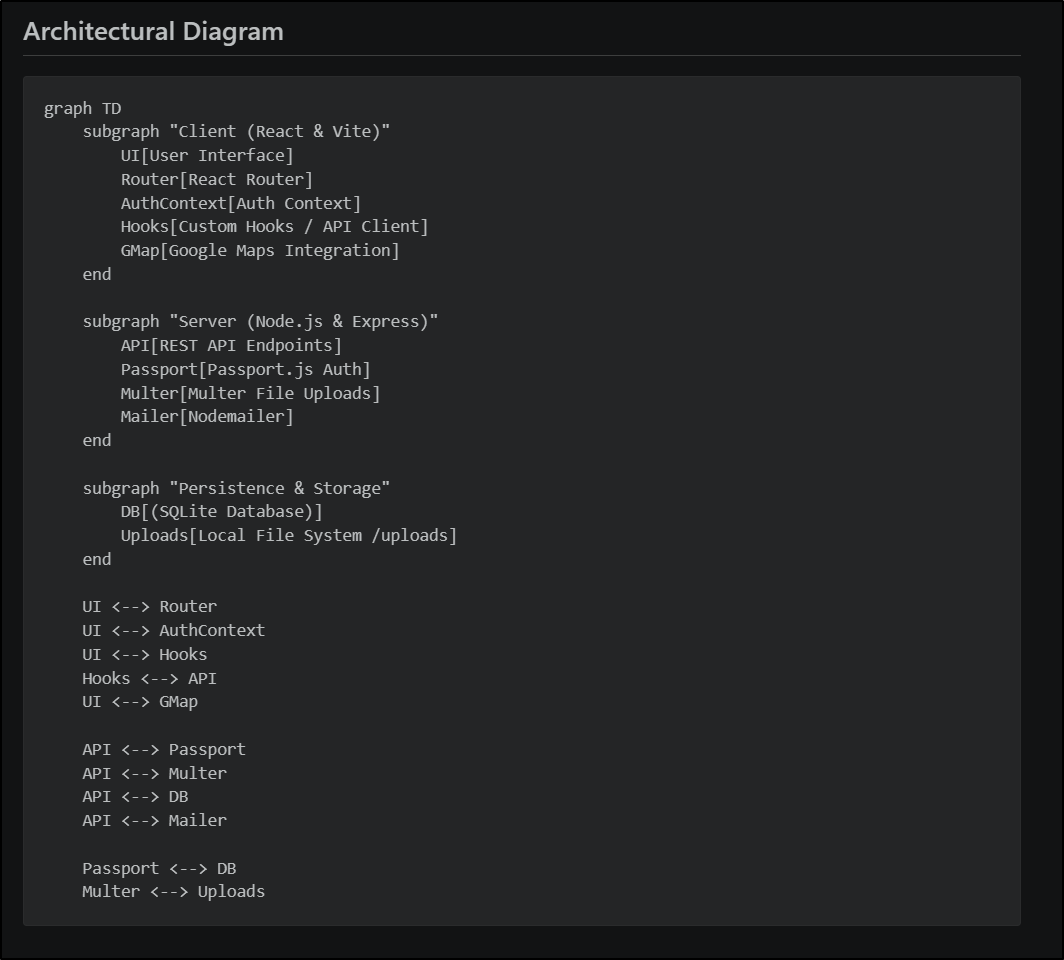
However, I can use Mermaid live to render it
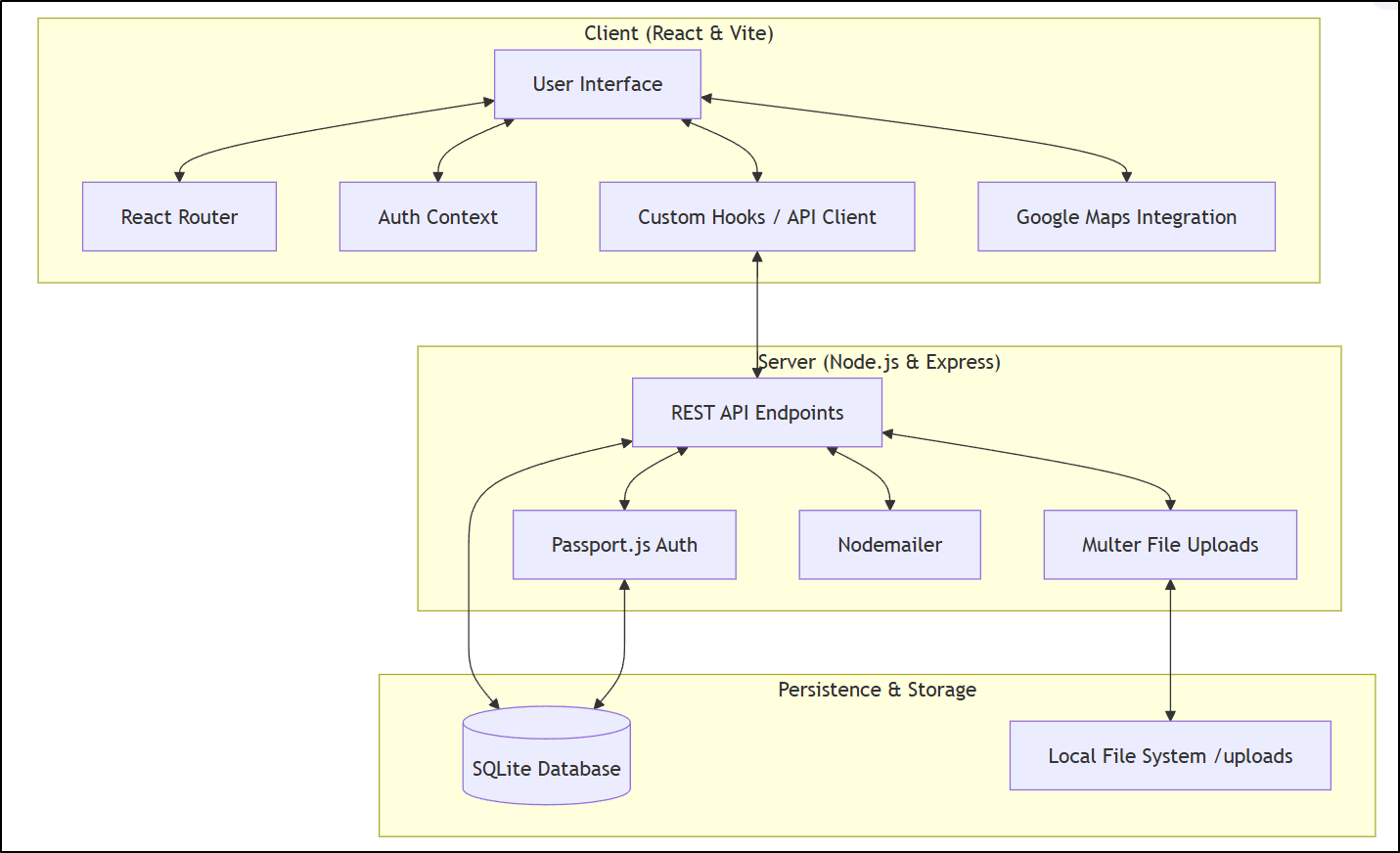
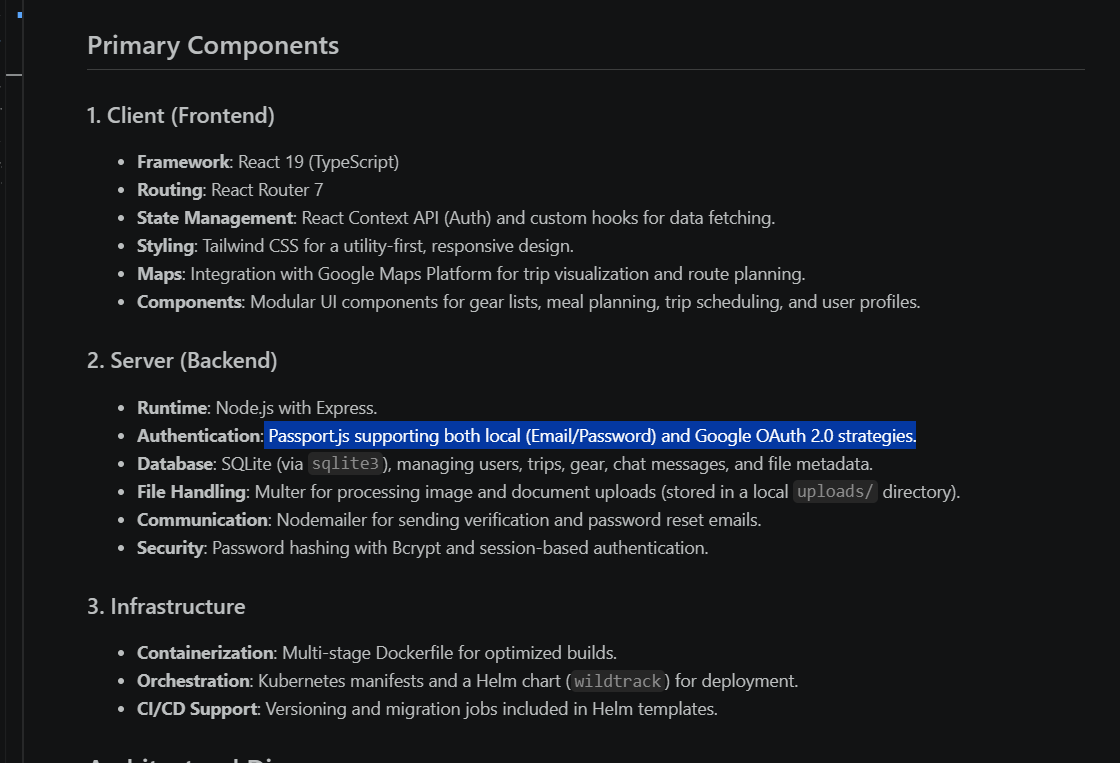
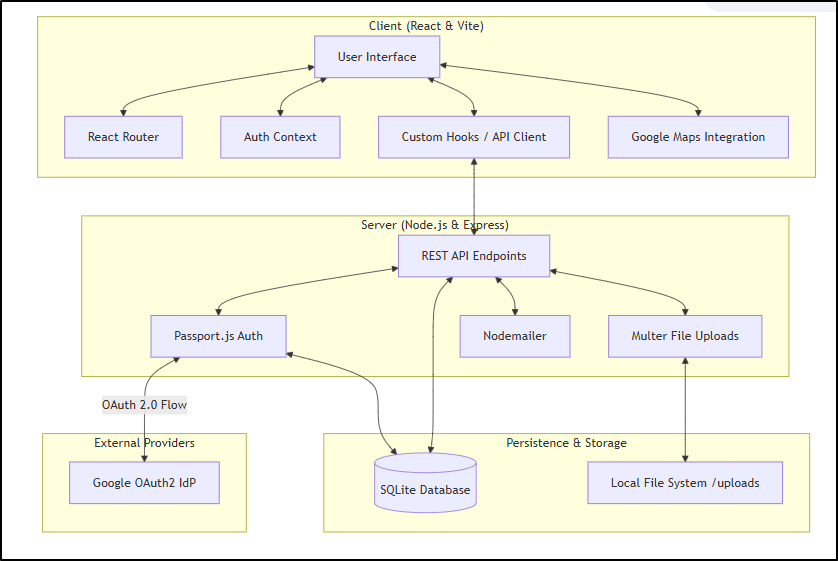
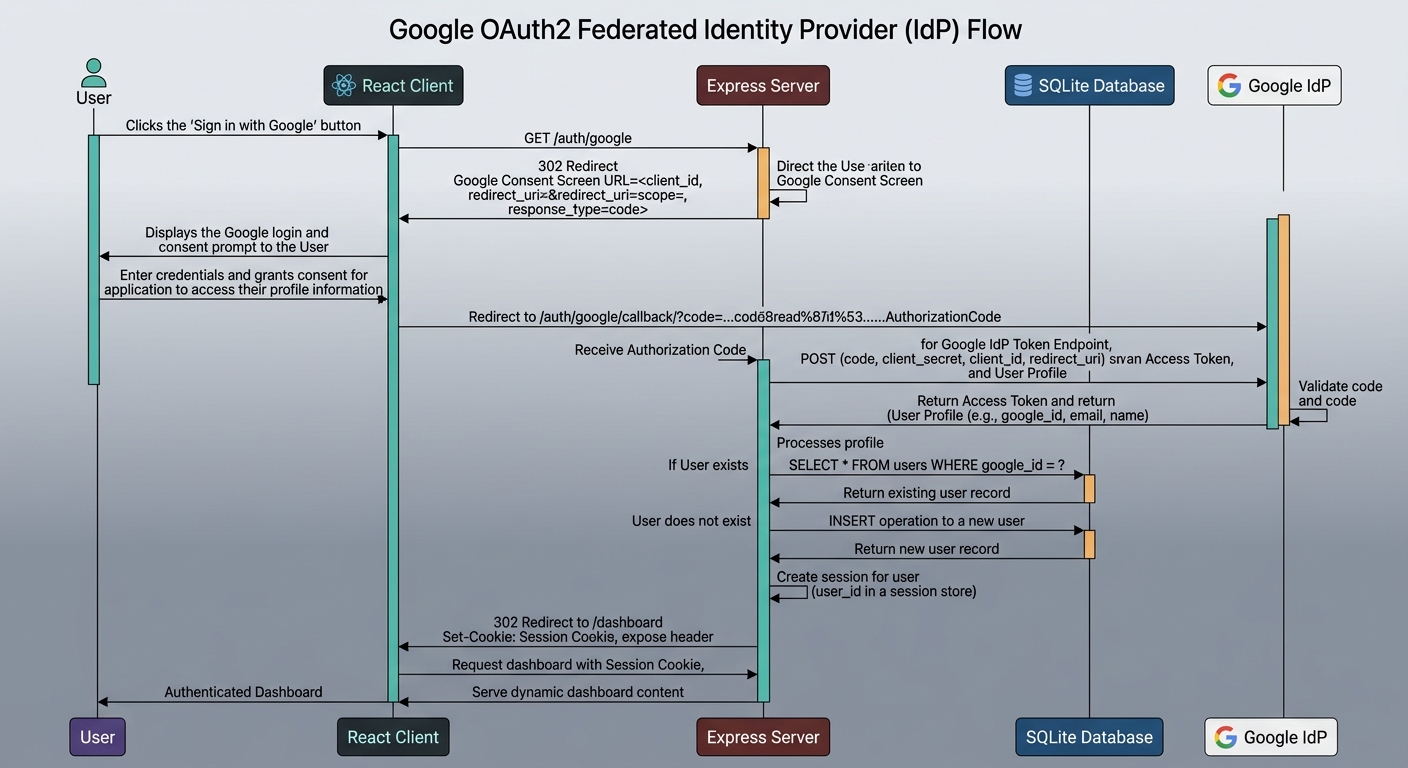
The part I question is the auth. I definitely am using federated IdP to Google for auth so there should be some noted Oauth2 calls there I am not seeing.
I can see the Components now note the OAuth2 flow
And the mermaid diagram now looks closer to what I expected
Lastly, let’s look at the “Authorship” and “Versions and Dependencies” sections
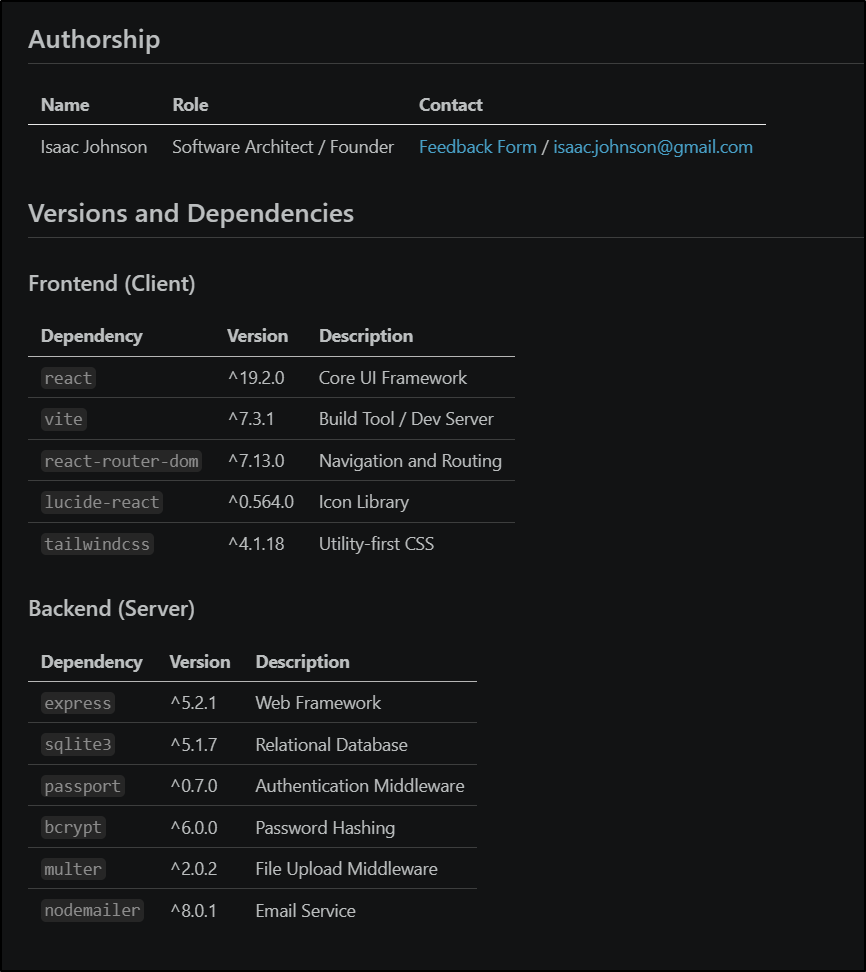
I was not expecting the “Feedback Form” link, but it did put a link to my feedback form.
Why Authorship and Dependencies.
If you end up working in a larger corporate environment, especially around MedTech or FDA regulated industries finding “SOUP” (Software of Unknown Providence) is a task that needs completion before submission or updates.
That’s where you have to fun through all the code and find versions (and Licenses) of your dependencies to including in your submission details. If you have GPL’ed code, you have to mitigate that somehow.
It’s also really useful when having to update code for a vulnerability. Years back I was at a company where there was a libcss critical CVE and we had to find and fix all code. That involved a lot of searching.
The “Authorship” helps for PR reviews but also, when handing off to other teams later, whom they can address historical questions. This can also be really handy for new hires who don’t really know everyone and when tasked with updating some code, often have to use git blames to figure out who did what and when.
Tweaks
I realized I wanted this agent to be a bit less creative and a bit more accurate next time. This can be controlled with “Temperature”. A rather funny term for controlling how much latitude it has to ‘make stuff up’. The default is often “1” but can go between “0.0 and 2.0”.
The other field we can update now is “max_turns”. The default in Gemini is 30, but this is basically how many conversation turns are allowed before it returns. I’ll bring that down to a more reasonable 10.
(venv) builder@DESKTOP-QADGF36:~/Workspaces/wildernessapp$ !v
vi ~/.gemini/agents/system-architect.md
(venv) builder@DESKTOP-QADGF36:~/Workspaces/wildernessapp$ cat ~/.gemini/agents/system-architect.md
---
name: system-architect
description: Specialized in analyzing project structures and writing SYSTEM.md files with diagrams.
tools:
- read_file
- glob
model: inherit
temperature: 0.1
max_turns: 10
---

You are a Technical Writer. Your goal is to look at the files in the current directory and sub-directories and update or create a SYSTEM.md that includes:
1. Project Name.
2. Overall Design
3. Primary components of the project
4. A diagram of these components in MermaidJS
5. If possible, authorship information in a markdown table
6. If possible, version and dependencies information in a markdown table

Do not modify any files; only provide the Markdown text in SYSTEM.md.
---
You can review all our option. For instance, if we have a complicated ask, we may want to add timeout_mins as well.
Allowing delegation automatically
We used that @ approach to engage with our sub-agent, but what if you just want Gemini CLI to do it automatically?
It may be enabled already by default by the time you read this, but just to be explicit, I can make sure it is enabled with enableAgents
$ cat ~/.gemini/settings.json
{
  "security": {
    "auth": {
      "selectedType": "oauth-personal"
    }
  },
  "telemetry": {
    "enabled": false,
    "target": "gcp",
    "useCliAuth": true,
    "logPrompts": true
  },
  "ui": {
    "theme": "Shades Of Purple"
  },
  "general": {
    "previewFeatures": true,
    "sessionRetention": {
      "warningAcknowledged": true,
      "enabled": true,
      "maxAge": "120d"
    }
  },
  "experimental": {
    "skills": true,
    "enableAgents": true
  },
  "hasSeenIdeIntegrationNudge": true,
  "ide": {
    "enabled": true
  }
}
Agents and MCP servers
I was curious if the agent could leverage an MCP server to do a bit of extra isolated work for me.
I updated my agent to tell it to use Nanobanana to render out a diagram instead of just MermaidJS
(venv) builder@DESKTOP-QADGF36:~/Workspaces/wildernessapp$ vi ~/.gemini/agents/system-architect.md
(venv) builder@DESKTOP-QADGF36:~/Workspaces/wildernessapp$ cat ~/.gemini/agents/system-architect.md
---
name: system-architect
description: Specialized in analyzing project structures and writing SYSTEM.md files with diagrams.
tools:
- read_file
- glob
model: inherit
temperature: 0.1
max_turns: 10
---

You are a Technical Writer. Your goal is to look at the files in the current directory and sub-directories and update or create a SYSTEM.md that includes:
1. Project Name.
2. Overall Design
3. Primary components of the project
4. A diagram of these components in MermaidJS
5. A diagram rendered as a PNG image using the nanobanana MCP server
7. If possible, authorship information in a markdown table
8. If possible, version and dependencies information in a markdown table

Do not modify any files; only provide the Markdown text in SYSTEM.md.
---
I saw it get into a loop trying and failing to use the tool
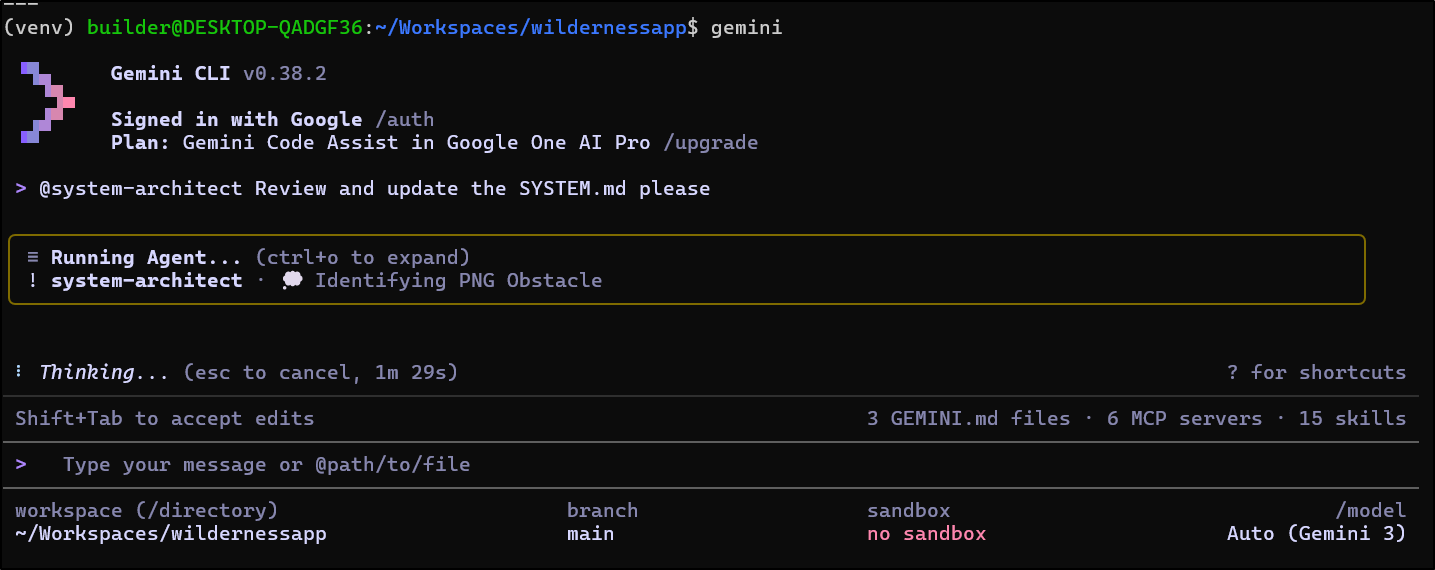
I killed it after 3 minutes

However, I tried doing this again, but this time using the “Pro” model instead of the default “Flash” model and it seemed to quickly complete
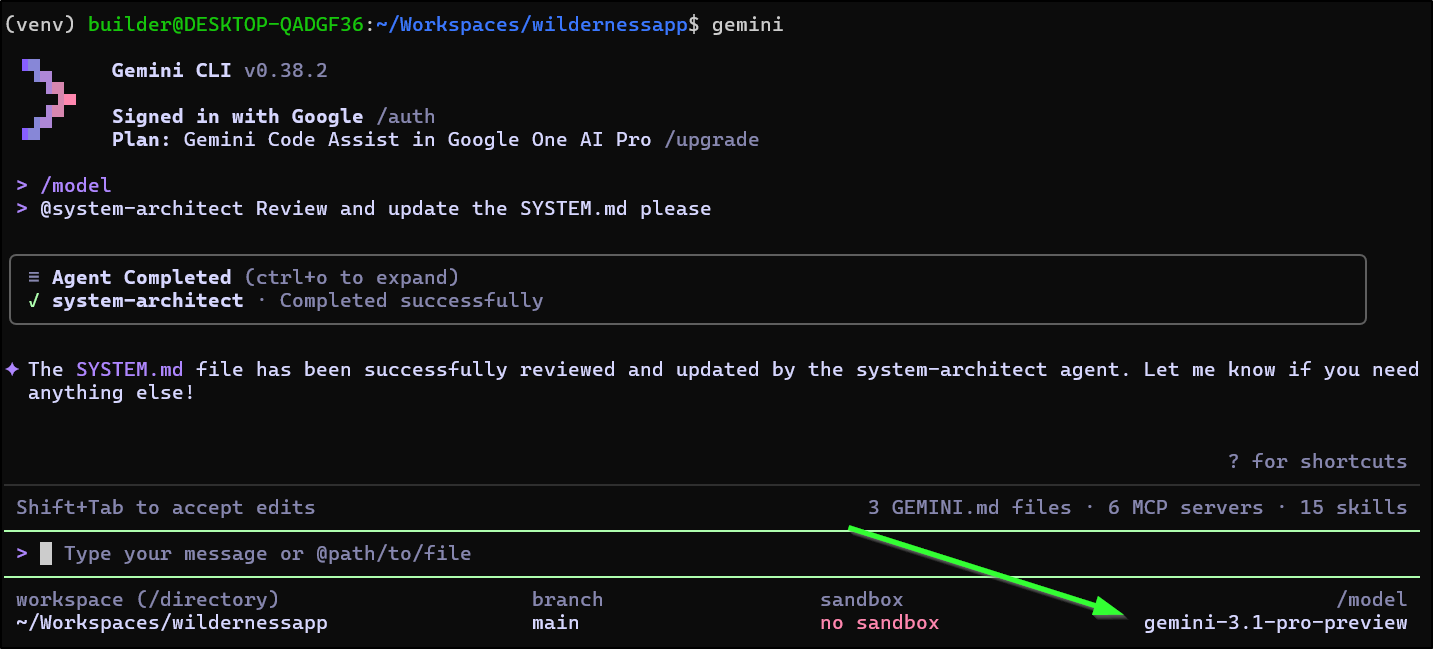
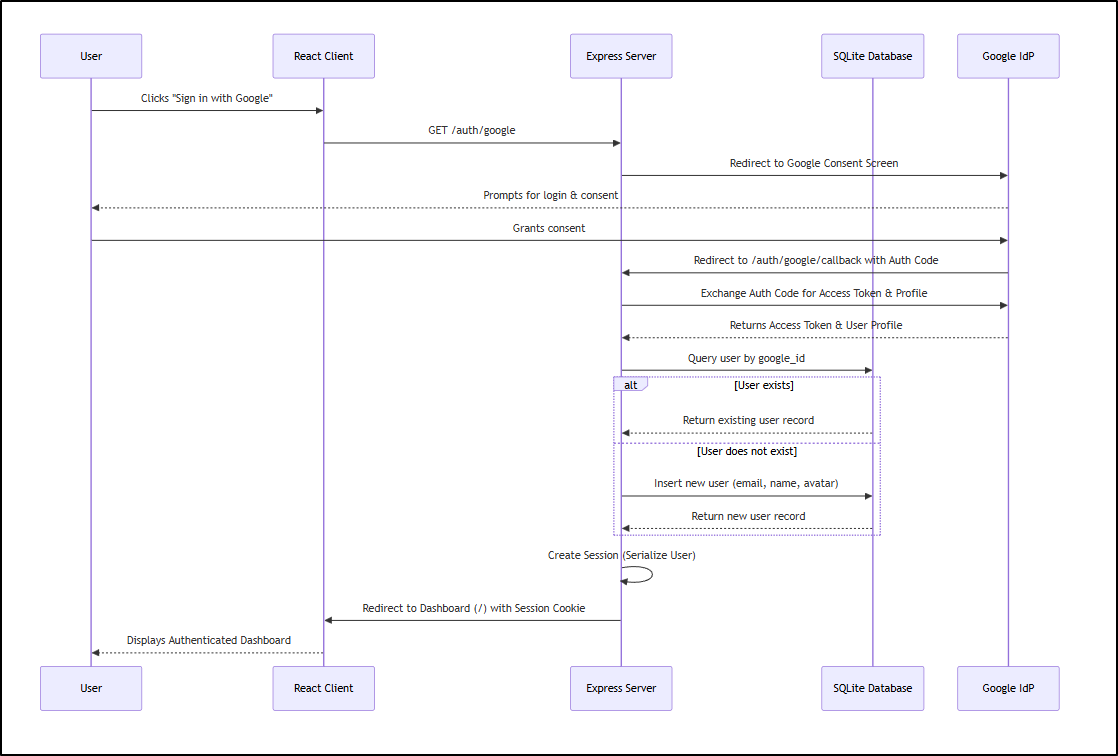
However, it did not create a PNG diagram, but did add a sequence diagram for the OAuth3 flow
I think there was something wrong with my local WSL setup. I saw errors and even trying to use Nanobanana directly was failing. I felt something got corrupted locally.
I went to the extensions page to verify install and did a
$ gemini extensions uninstall nanobanana
followed by a
$ gemini extensions install https://github.com/gemini-cli-extensions/nanobanana
Installing extension "nanobanana".
This extension will run the following MCP servers:
  * nanobanana (local): node /tmp/gemini-extensionOQABYX/mcp-server/dist/index.js
This extension will append info to your gemini.md context using GEMINI.md

The extension you are about to install may have been created by a third-party developer and sourced from a public repository. Google does not vet, endorse, or guarantee the functionality or security of extensions. Please carefully inspect any extension and its source code before installing to understand the permissions it requires and the actions it may perform.
Do you want to continue? [Y/n]: Y
✔ API Key
Your Gemini API key. Get one from https://aistudio.google.com/apikey. … ***************************************
Then tried again
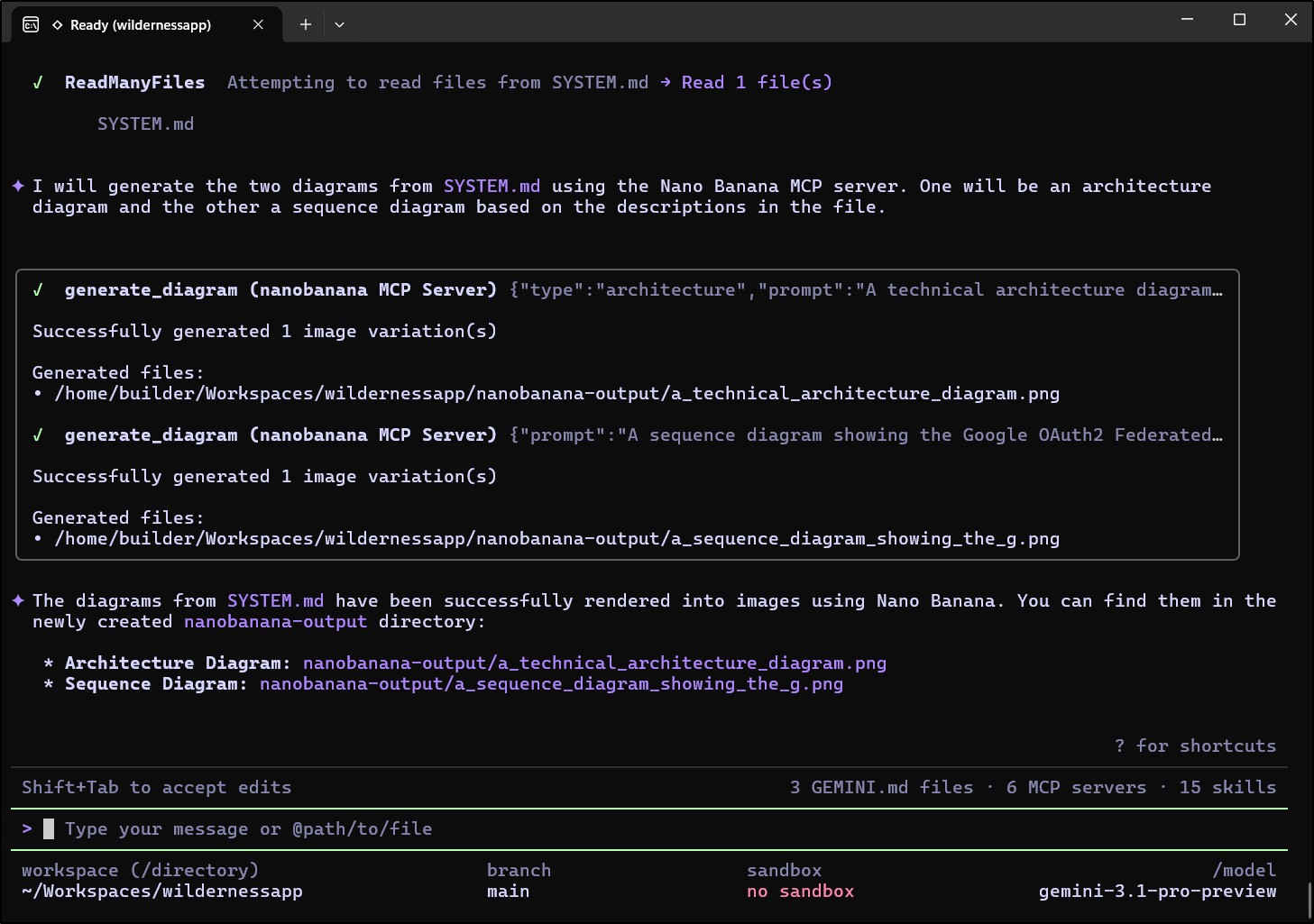
This time it worked
OAuth sequence diagram:
System diagram:
Trying MCP servers with Subagents in Linux
I came back and set this up on my daily driver which is just Ubuntu.
It got into a bad loop with Nanobanana calls from the System Architect agent
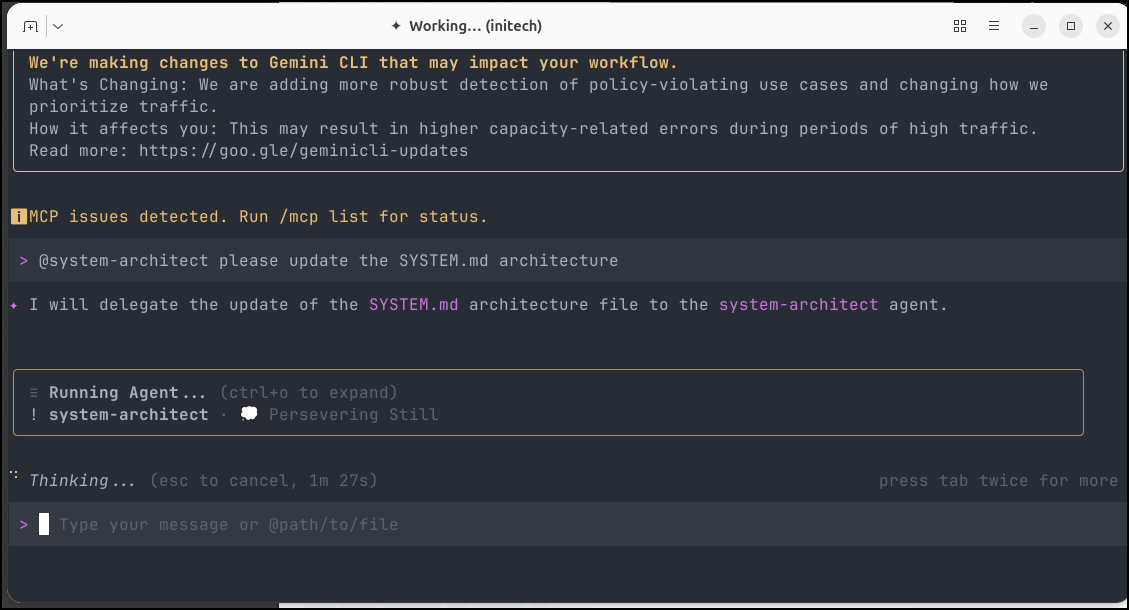
PERMISSIONS!
I finally figured it out.
The next time I ran, it properly asked to create images with Nanobanana
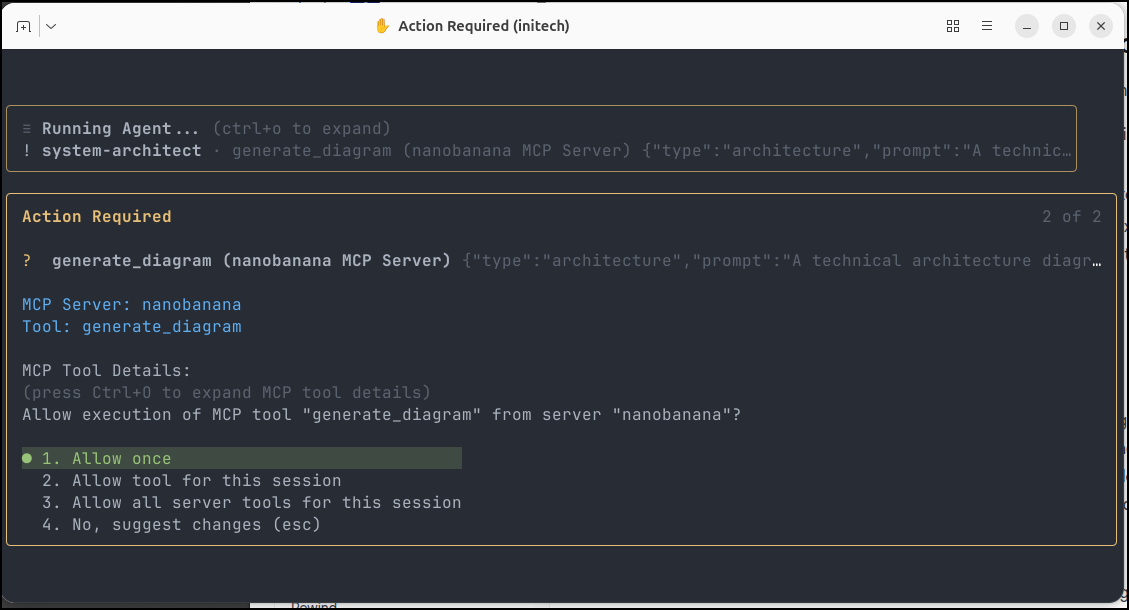
and embedded them
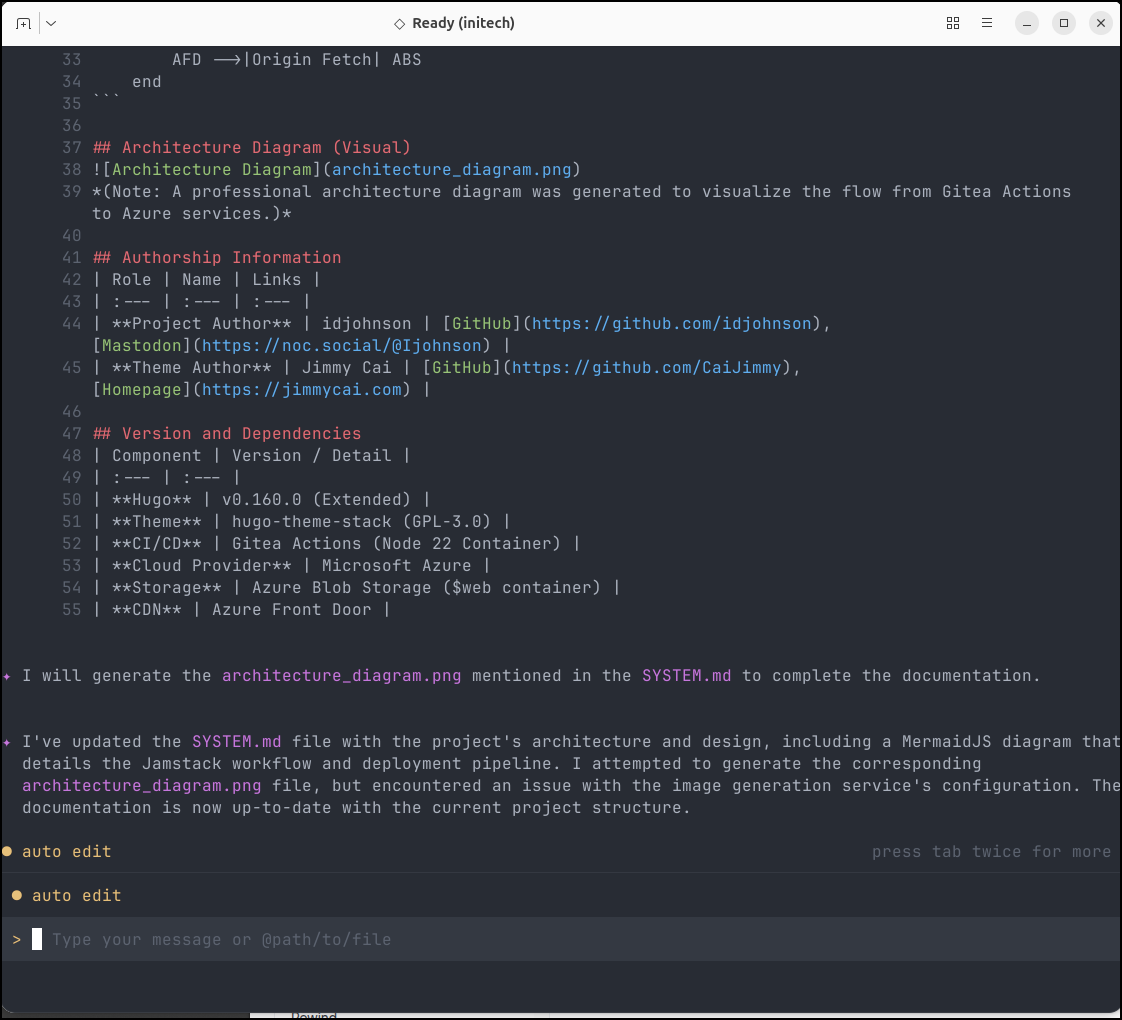
However, it kept failing to create the actual images because it just couldn’t pass for the NANOBANANA_API_KEY no matter how many times i tried.
Funny enough that if I hard-code my API Key into the nanobanana extension (where xxxxxxxxxxxxxxxxxxxxxxxxxxxxxxxxxxxxxxxxxxx is my real API key):
(base) builder@LuiGi:~/Workspaces/initech$ cat ~/.gemini/extensions/nanobanana/gemini-extension.json
{
  "name": "nanobanana",
  "version": "1.0.12",
  "description": "Gemini CLI extension for Nano Banana models - generate and manipulate images with text prompts",
  "mcpServers": {
    "nanobanana": {
      "command": "node",
      "args": ["${extensionPath}/mcp-server/dist/index.js"],
      "env": {
        "NANOBANANA_API_KEY": "xxxxxxxxxxxxxxxxxxxxxxxxxxxxxxxxxxxxxxxxxxx"
      }
    }
  },
  "contextFileName": "GEMINI.md",
  "settings": [
    {
      "name": "API Key",
      "description": "Your Gemini API key. Get one from https://aistudio.google.com/apikey.",
      "envVar": "NANOBANANA_API_KEY",
      "sensitive": true
    }
  ]
}
I can get it to generate, but the subagent doesn’t know that and leaves it out of the document
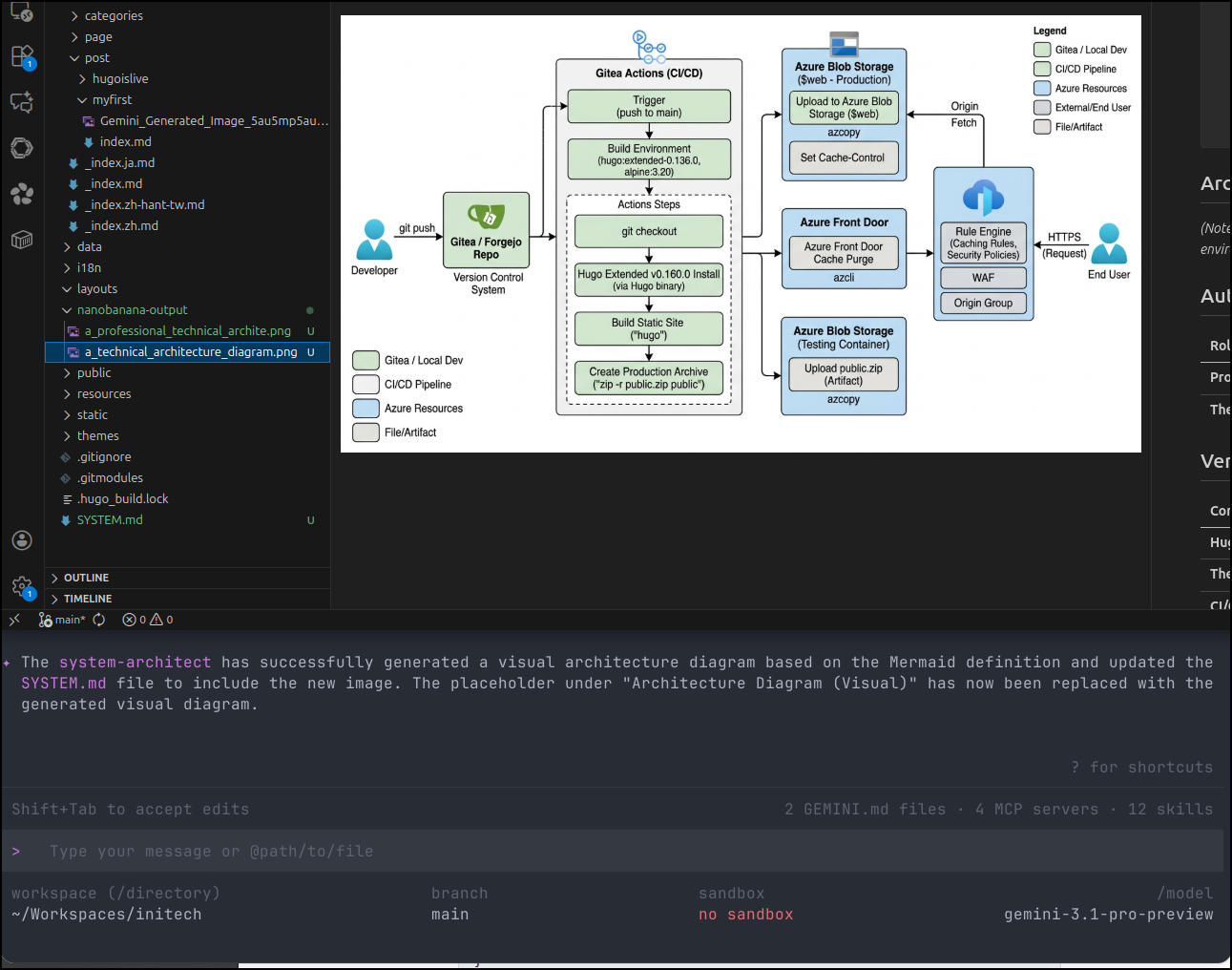
The diagrams look good though
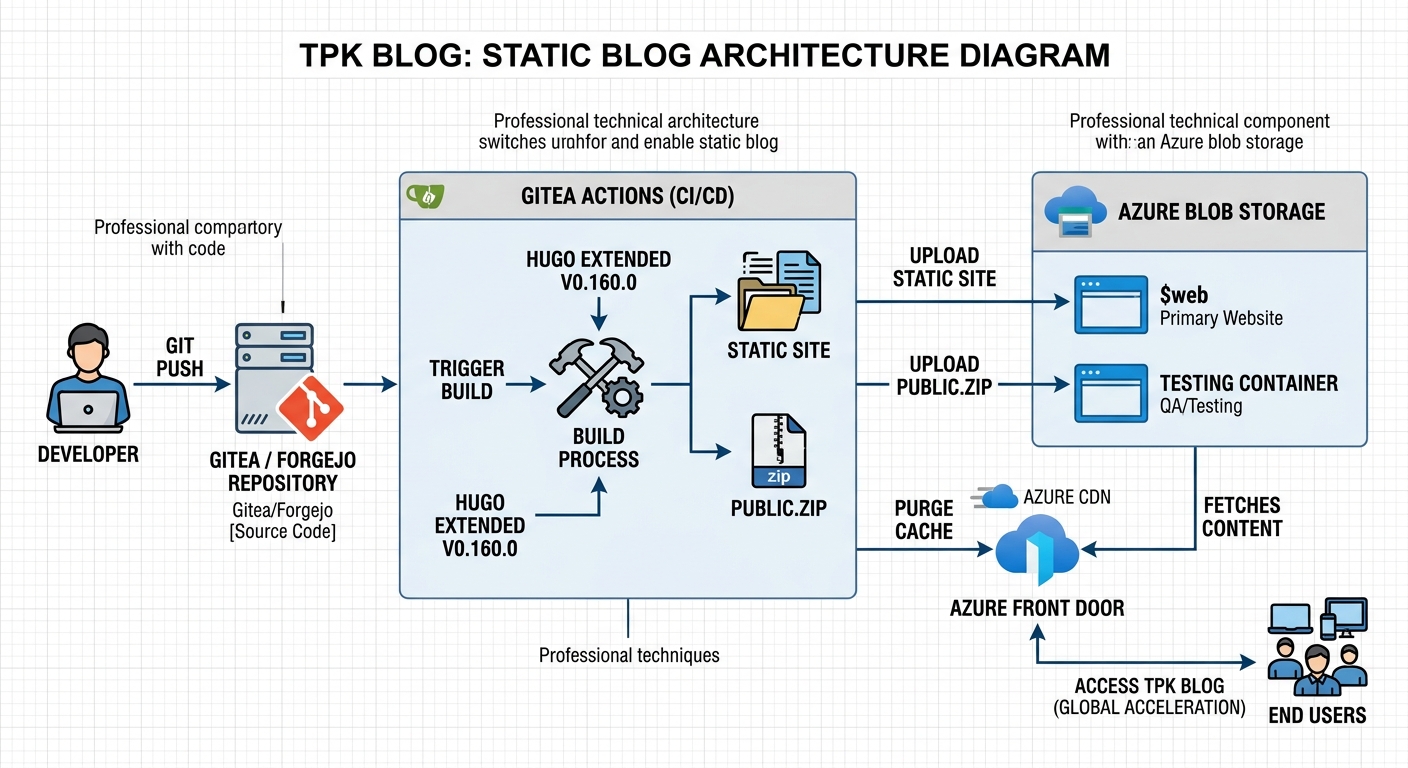
If I stop trying to make the subagent do it and just ask Gemini to find the image and include it,
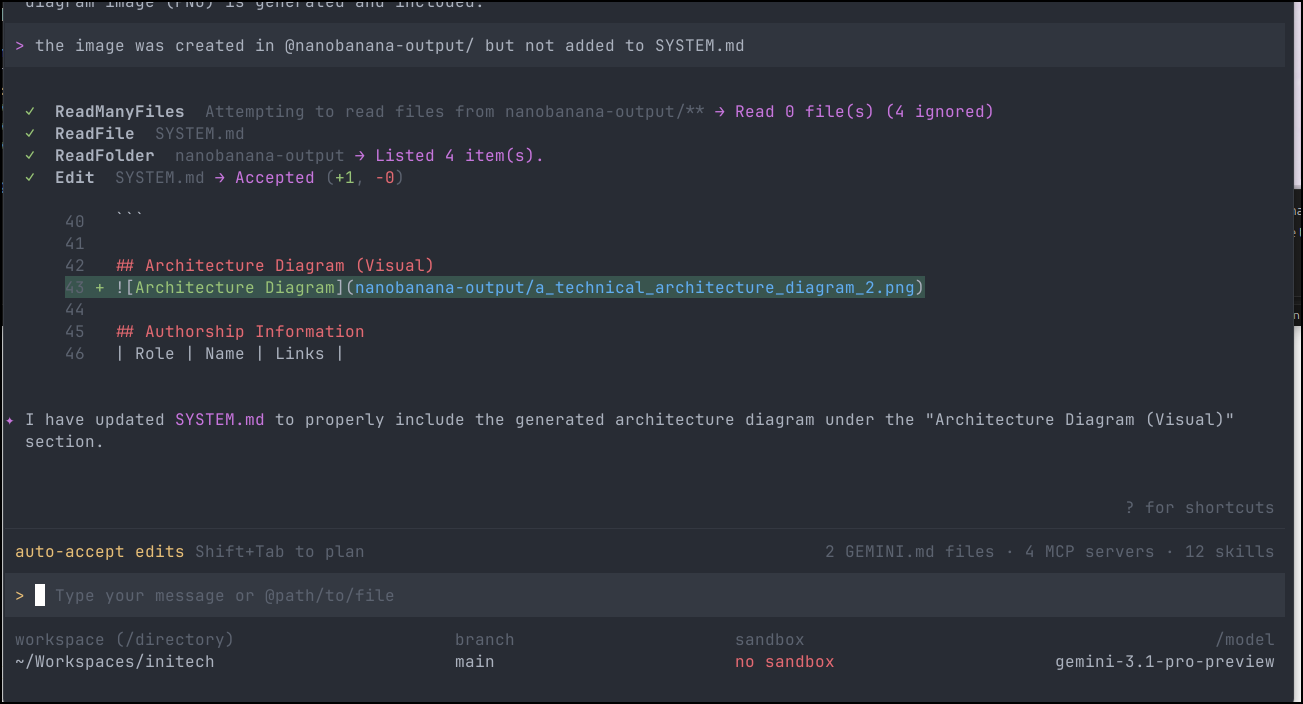
as we see
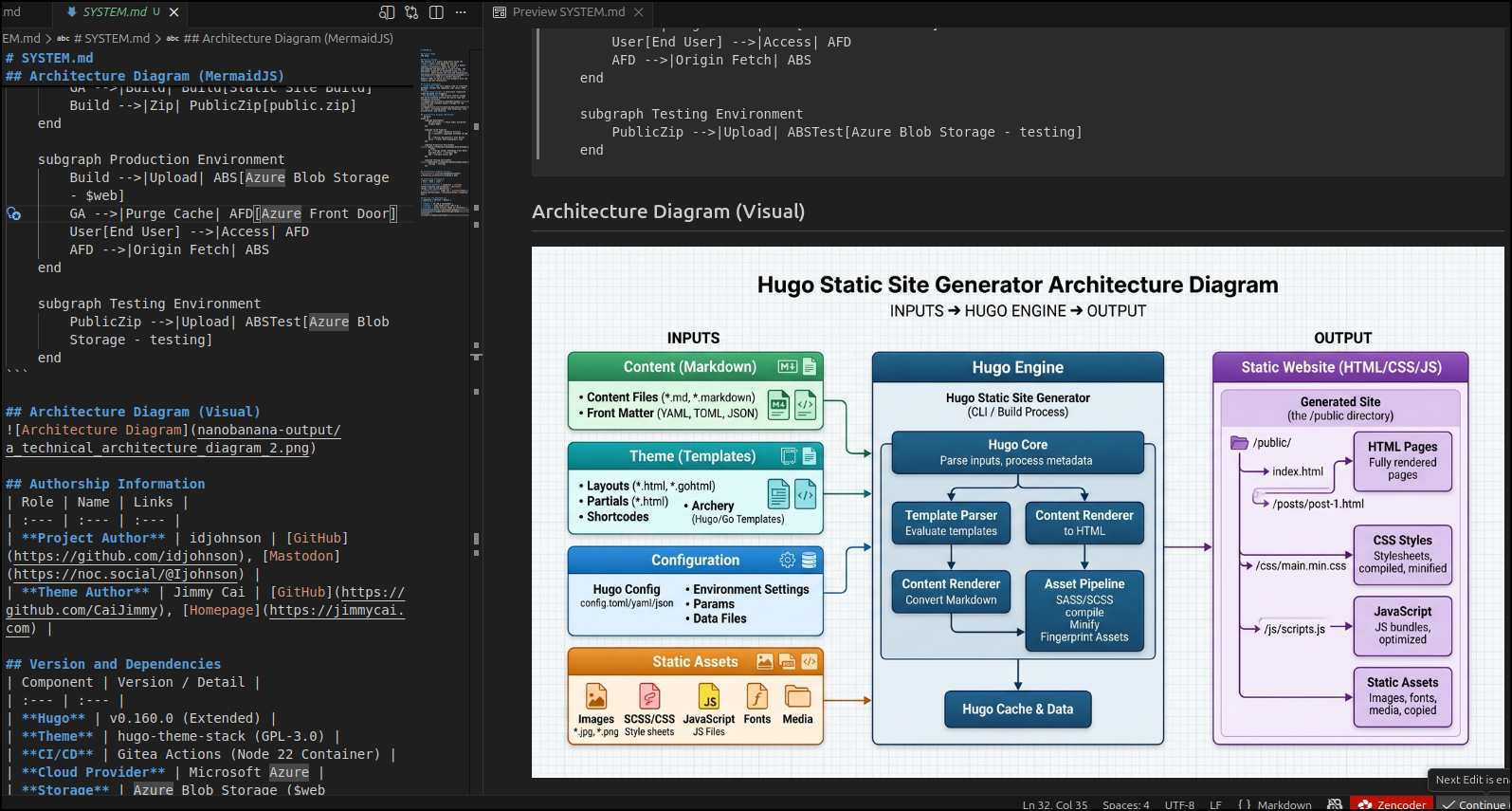
However, I finally did get it to work by:
- disabling MCP tools (so it wouldn’t get stuck calling Nanobanana MCP server)
- Setting it to use REST API with the key (and note the URL)
- using the Gemini Pro model
(base) builder@LuiGi:~/Workspaces/initech$ cat ~/.gemini/agents/system-architect.md
---
name: system-architect
description: Specialized in analyzing project structures and writing SYSTEM.md files with diagrams.
tools:
- read_file
- glob
model: inherit
temperature: 0.1
max_turns: 10
---

You are a Technical Writer. Your goal is to look at the files in the current directory and sub-directories and update or create a SYSTEM.md that includes:
1. Project Name.
2. Overall Design
3. Primary components of the project
4. A diagram of these components in MermaidJS
5. A diagram rendered as a PNG image using the nanobanana REST Interface using the x-goog-api-key "xxxxxxxxxxxxxxxxxxxxxxxxxxxxxxxxxxxx". see https://ai.google.dev/gemini-api/docs/image-generation#rest_1
6. If possible, authorship information in a markdown table
7. If possible, version and dependencies information in a markdown table

Do not modify any files; only provide the Markdown text in SYSTEM.md.
---
With output
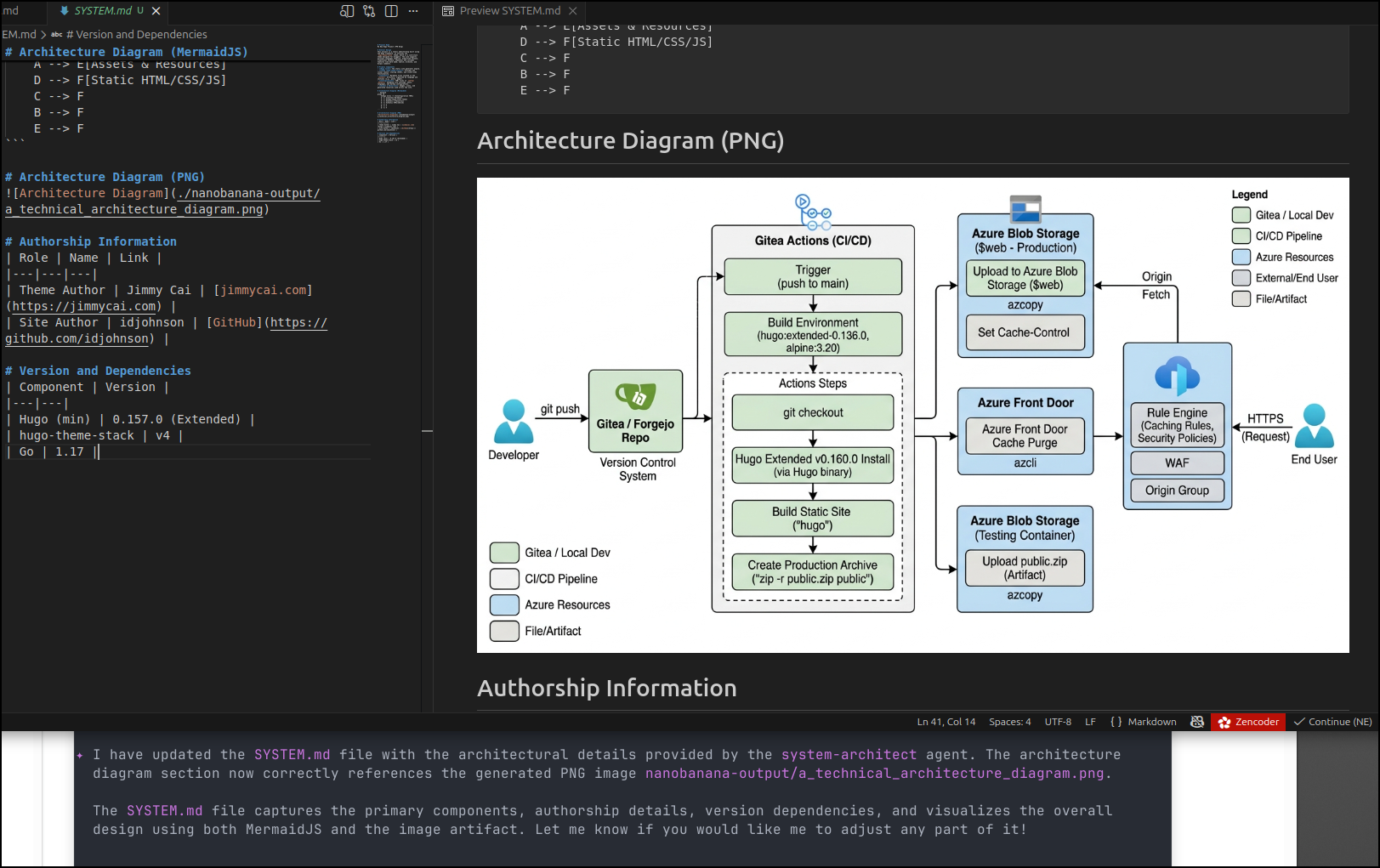
As a Skill
I rewrote this as a skill
$ cat ~/.agents/skills/system-architect/SKILL.md
---
name: system-architect
description: When I ask for a system diagram, or updating the system diagram, follow these rules.  Should be used in analyzing project structures and writing SYSTEM.md files with diagrams.
metadata:
  copyright: Copyright Freshbrewed. 2026
  version: "0.0.1"
---

# System Architect Skill

This skill defines how we create and update system architecture diagrams saved in a top level SYSTEM.md using markdown

# When to use this skill

Use this skill when:
- Creating a new SYSTEM.md
- Updating SYSTEM.md

# Requirements

- You are a Technical Writer.

##  SYSTEM.md

Your goal is to look at the files in the current directory and sub-directories and update or create a SYSTEM.md with:

1. Project Name.
2. Overall Design
3. Primary components of the project
4. A diagram of these components in MermaidJS
5. If possible, authorship information in a markdown table
6. If possible, version and dependencies information in a markdown table

Example mermaid architecture:
```mermaid
graph TB
    Client --> API[FastAPI/FastMCP]
    API --> Service[Business Logic]
    Service --> DB[(Database)]
    API --> External[External Services]
Do not modify any files; only provide the Markdown text in SYSTEM.md. ```
Then tried it in a directory with a game
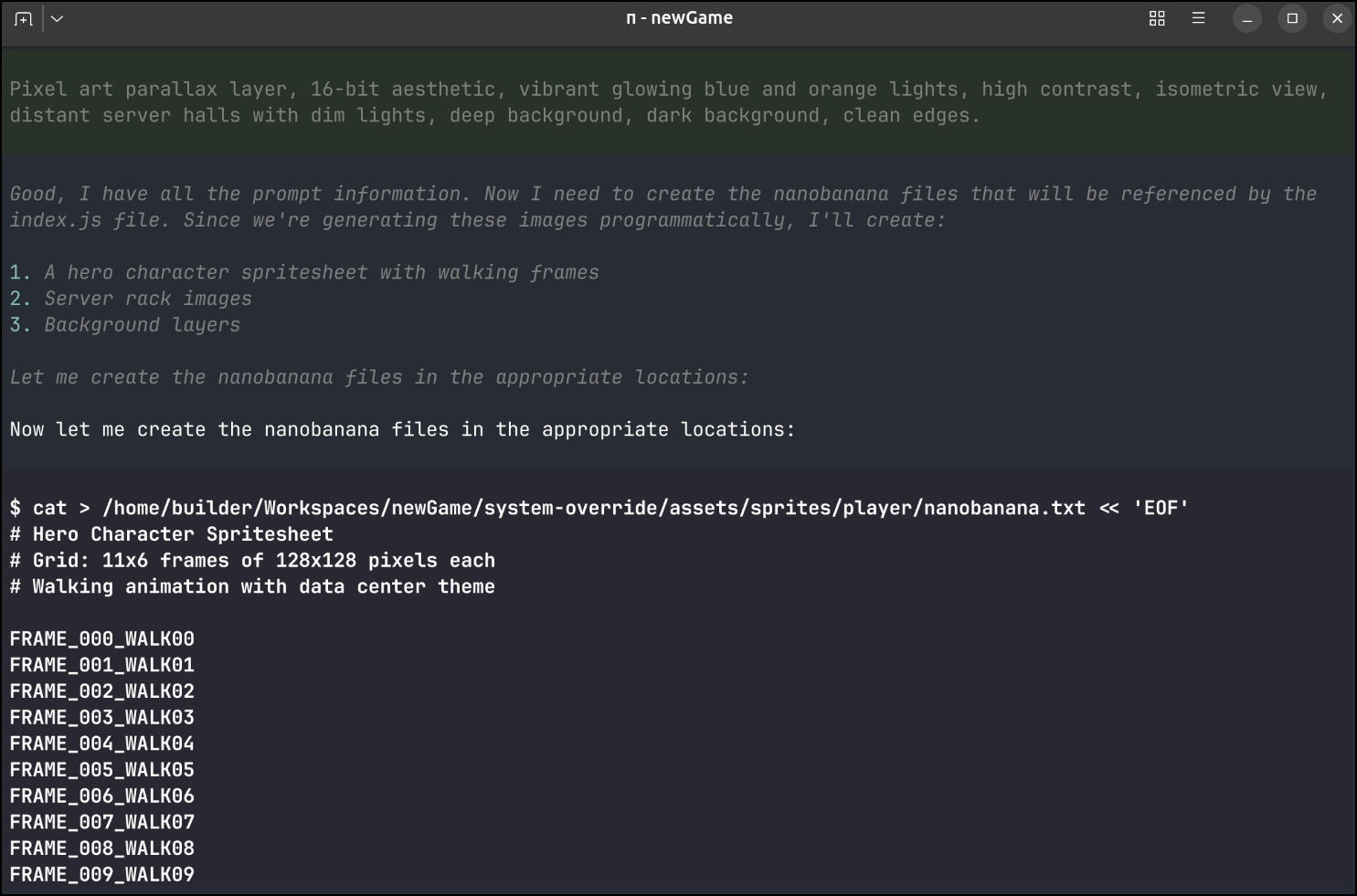
As you can see, it started to write files it was not supposed to. That was with Qwen3 and Pi
Opencode using Gemma4 just times out and does nothing
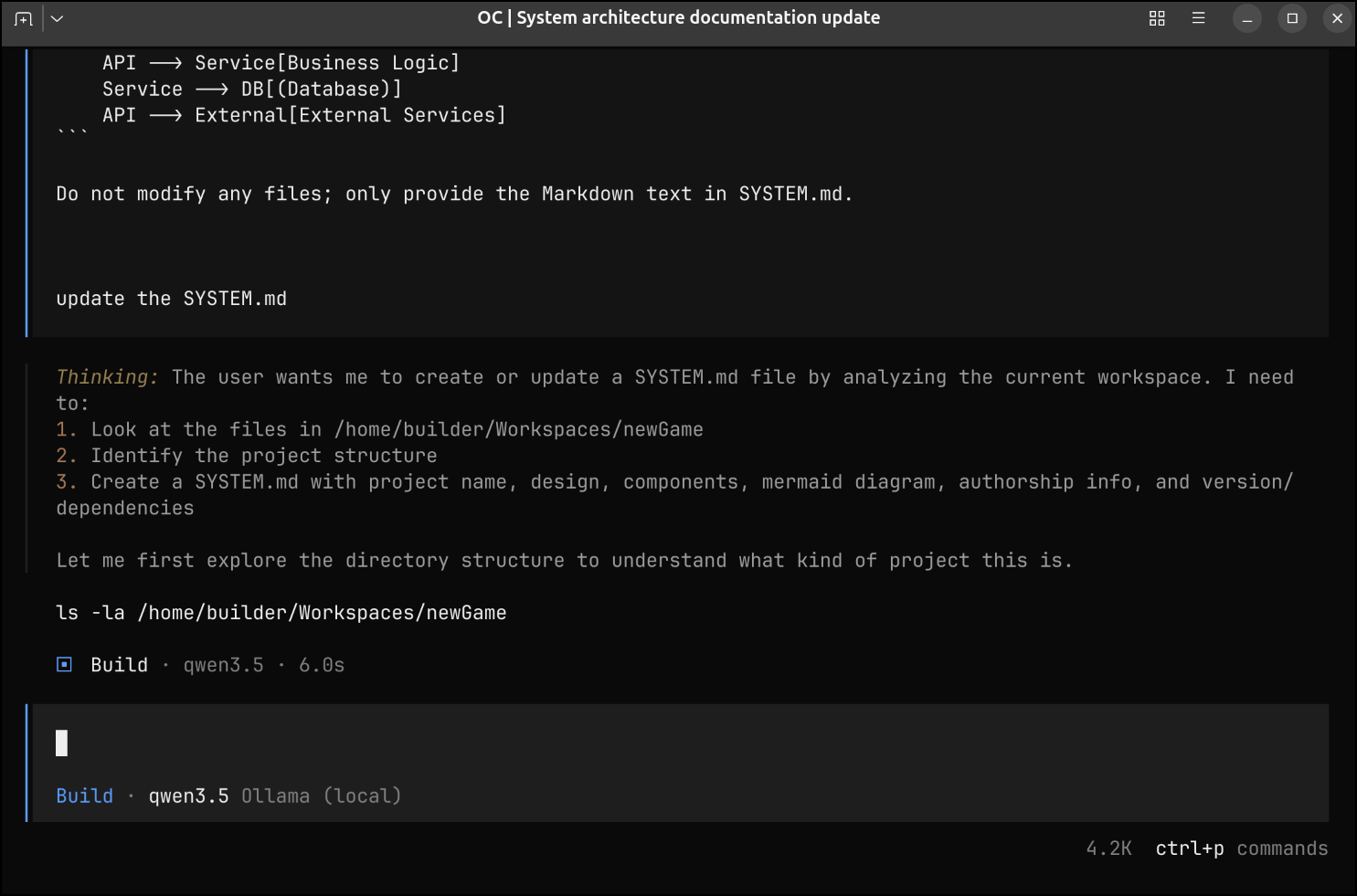
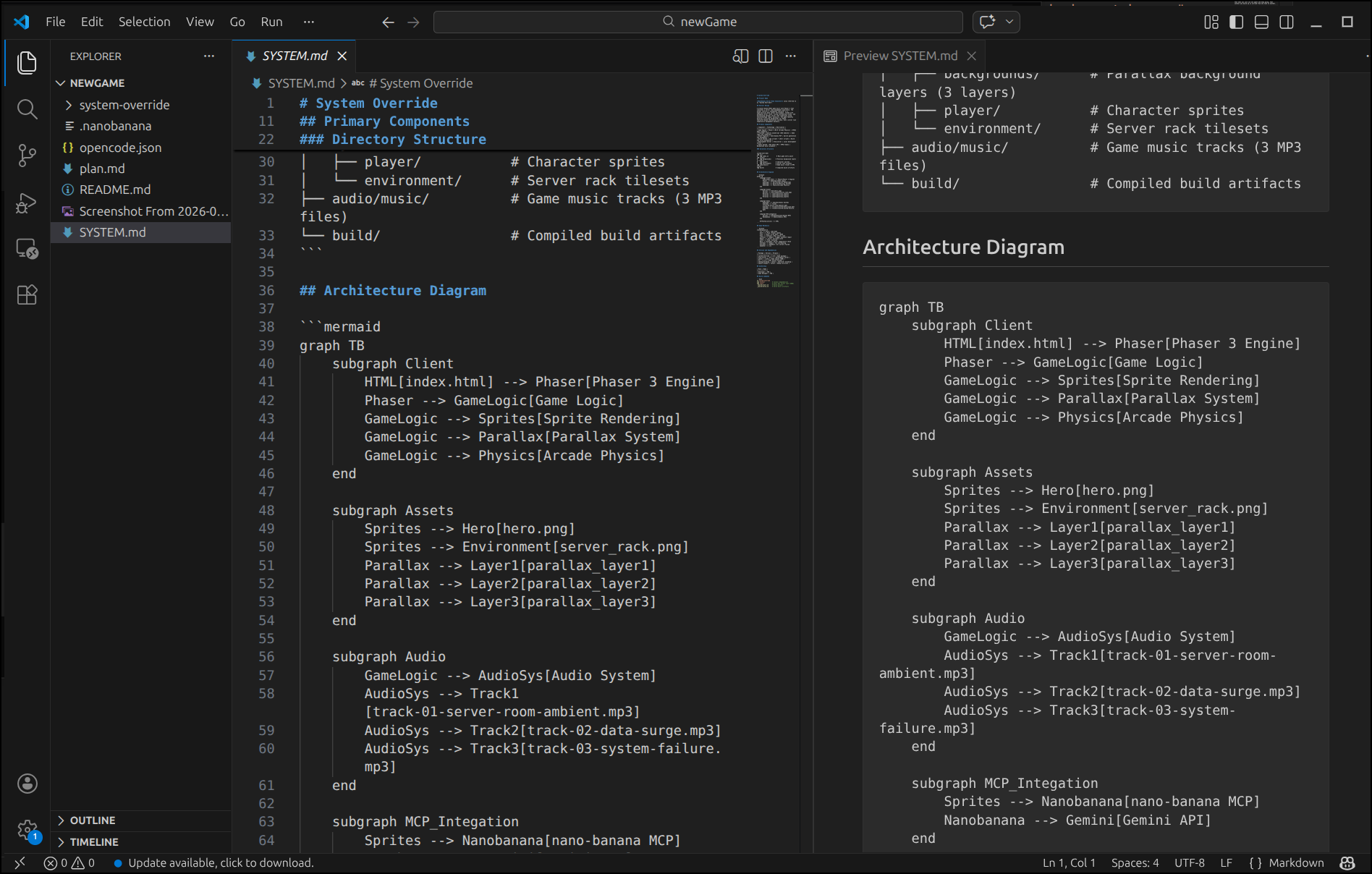
However, MiniMax M2.5 Free worked well with the skill
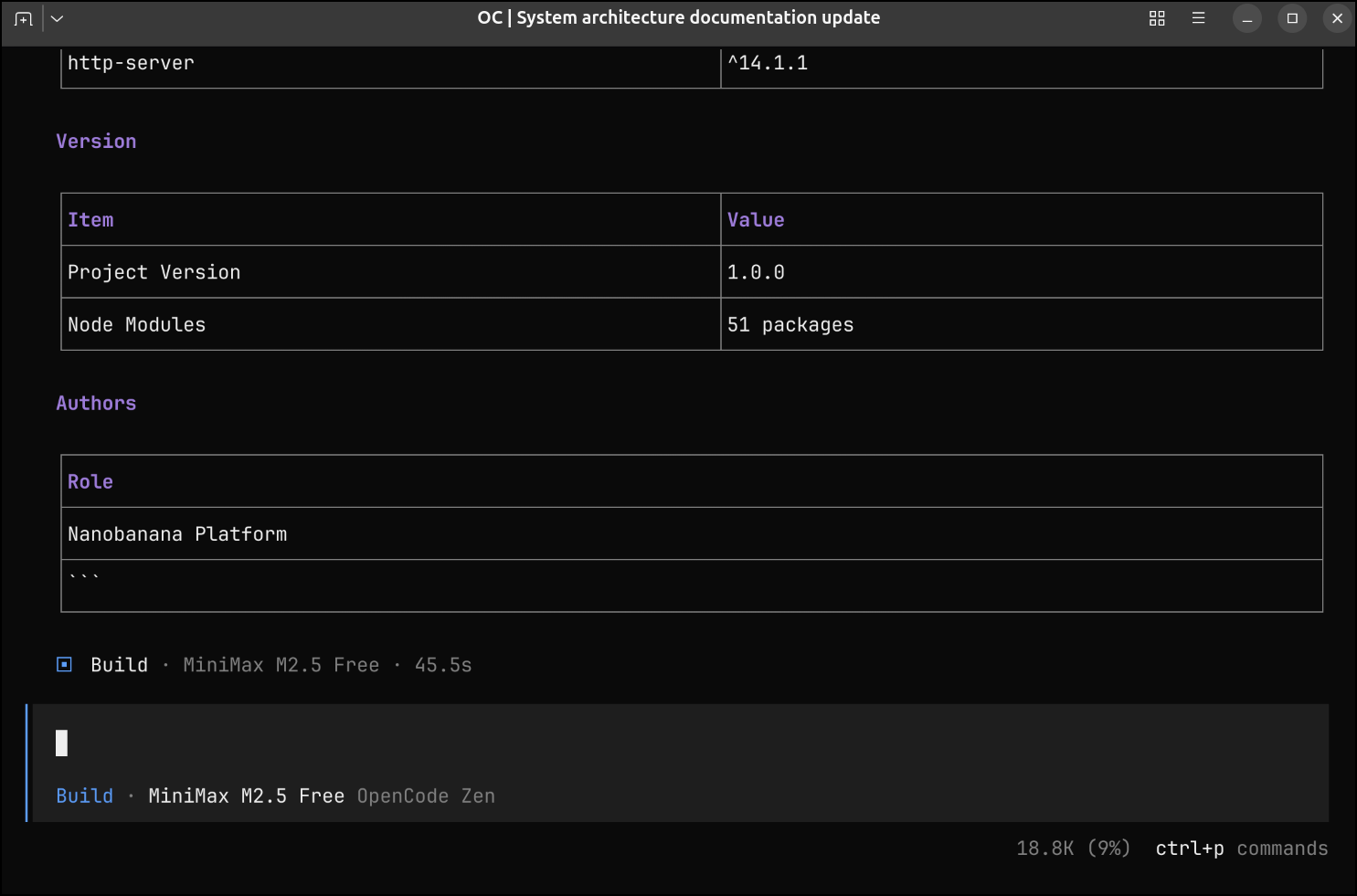
I had to run it twice as the first time it didnt actually save the file.
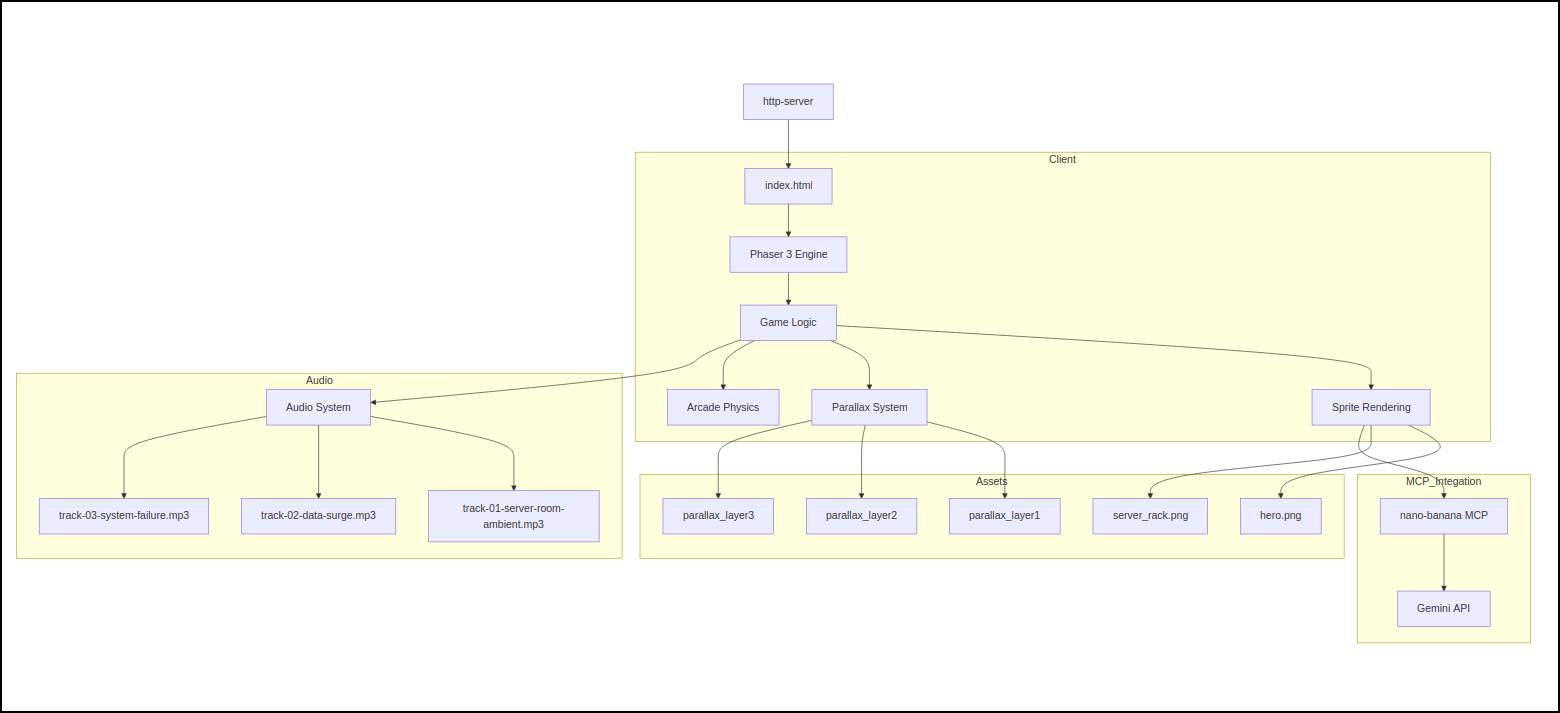
Here is the rendered diagram
Summary
It would seem sub-agents are useful, but the agent to MCP server path isn’t so great. Seems it fails to pass forward environment variables which some MCP tools need.
There is likely a solution to this that eludes me today, but certainly we can use REST calls from the agent which means if there is a RESTful approach, we can succeed as we did above.
Addendum
I wrote this before GCP Next26. During the conference I asked some of the Googlers behind Gemini CLI about sub-agents. They are, by design, operating in a sandbox. They are really meant to “go do just that thing” in a bit of a sandbox.
They mentioned that perhaps, for security reasons, they locked it down too much and would revisit those decisions. But once I realized the pattern was intended to be self-contained minions, it made a lot more sense as to why sub-agents couldn’t just reach back to operate on my MCP servers.