

Published: Feb 10, 2026 by Isaac Johnson
I saw a recent Marius post on Atlantis which is a containerized Mermaid diagram suite. It can actually do quite a lot as we’ll see below.
Carl Bindle posted a new Azure Diagrams skill to my LinkedIn feed. So let’s see how it works in Gemini CLI and Copilot (and perhaps compare to Atlantis or used in conjunction with Atlantis).
Atlantis (for diagrams)
I have to be careful when talking about Atlantis since it can be easily confused with Atlantis the terraform workflow tool.
This Atlantis comes from StrikeCode/FCM.
Let’s start with just the docker instance. I’ll use a different port than 3000 since I’m using that already locally. It is a pretty large container and took a while to pull and extract…
$ docker run -d -p 3034:3000 -v $(pwd)/data:/app/data --name atlantis strikead/atlantis:latest
Unable to find image 'strikead/atlantis:latest' locally
latest: Pulling from strikead/atlantis
589002ba0eae: Already exists
ad6d96c196e3: Pull complete
eb87f4721c91: Pull complete
e31b20165522: Pull complete
c457b3c6579f: Pull complete
4366d6eb9e0d: Pull complete
a1e6df0210c4: Pull complete
eb1cad5a6e7a: Pull complete
b25fecf620c1: Pull complete
8f50e468555f: Pull complete
a26386232ded: Pull complete
0dc7b99b35e8: Pull complete
b62e816f5e6d: Pull complete
29559921e3e2: Pull complete
ebc7afc13451: Pull complete
c3f25388e217: Pull complete
bca0e6788f27: Pull complete
4f4fb700ef54: Pull complete
a129d097e913: Downloading [==========================================>        ]  1.829GB/2.157GB
But on launch, it seemed to be broken
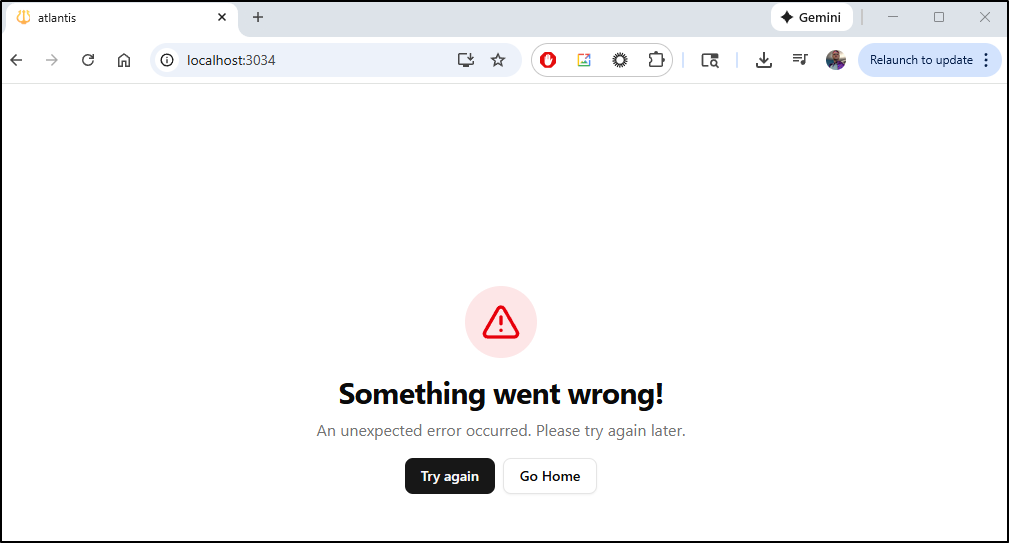
and the console was not much help
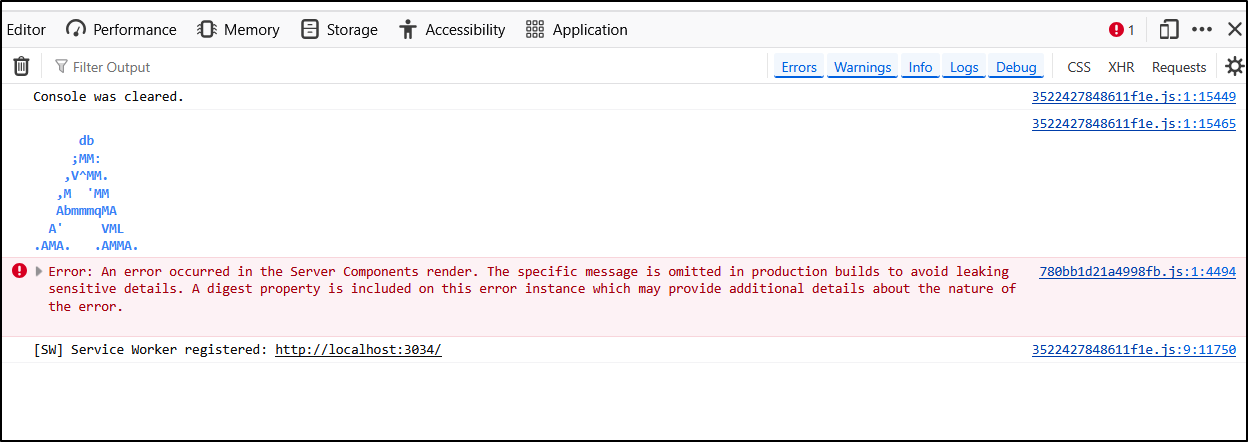
The docker log shows a repeating database error
$ docker logs atlantis
[entrypoint] Detecting database provider from DATABASE_URL...
[prisma] schema.prisma written with provider: sqlite
[entrypoint] Generating Prisma client...
Loaded Prisma config from prisma/prisma.config.ts.

Prisma schema loaded from prisma/schema.prisma.

✔ Generated Prisma Client (v7.3.0) to ./node_modules/@prisma/client in 173ms

Start by importing your Prisma Client (See: https://pris.ly/d/importing-client)


[entrypoint] Syncing database schema...
Loaded Prisma config from prisma/prisma.config.ts.

Prisma schema loaded from prisma/schema.prisma.
Datasource "db": SQLite database "atlantis.db" at "file:./data/atlantis.db"

SQLite database atlantis.db created at file:./data/atlantis.db

🚀  Your database is now in sync with your Prisma schema. Done in 112ms

[entrypoint] Starting server...
▲ Next.js 16.1.2
- Local:         http://localhost:3000
- Network:       http://0.0.0.0:3000

✓ Starting...
----------------------------------------
       Atlantis System Status
----------------------------------------
ℹ Redis Not Configured (Production)
  Cache Backend: DISABLED (Safety)
  Note: Set REDIS_URL to enable persistent caching and sharing between instances
----------------------------------------
✓ Ready in 114ms
⨯ Error [PrismaClientKnownRequestError]:
Invalid `prisma.tag.findMany()` invocation:


unable to open database file
    at async l (.next/server/chunks/ssr/_8098adb3._.js:1:2364)
    at async h (.next/server/chunks/ssr/_8098adb3._.js:1:1379)
    at async s (.next/server/chunks/ssr/_8098adb3._.js:1:31185) {
  code: 'SQLITE_CANTOPEN',
  meta: [Object],
  clientVersion: '7.3.0',
  digest: '1397999510'
}
⨯ Error [PrismaClientKnownRequestError]:
Invalid `prisma.tag.findMany()` invocation:


unable to open database file
    at async l (.next/server/chunks/ssr/_8098adb3._.js:1:2364)
    at async h (.next/server/chunks/ssr/_8098adb3._.js:1:1379)
    at async s (.next/server/chunks/ssr/_8098adb3._.js:1:31185) {
  code: 'SQLITE_CANTOPEN',
  meta: [Object],
  clientVersion: '7.3.0',
  digest: '1397999510'
}
⨯ Error [PrismaClientKnownRequestError]:
Invalid `prisma.tag.findMany()` invocation:
I realized that it might be a missing “data” dir, so i made sure to create that and try again
(venv) builder@DESKTOP-QADGF36:~/Workspaces$ mkdir atlantis
(venv) builder@DESKTOP-QADGF36:~/Workspaces$ cd atlantis/
(venv) builder@DESKTOP-QADGF36:~/Workspaces/atlantis$ mkdir data
(venv) builder@DESKTOP-QADGF36:~/Workspaces/atlantis$ chmod 777 data
(venv) builder@DESKTOP-QADGF36:~/Workspaces/atlantis$ docker rm atlantis
atlantis
(venv) builder@DESKTOP-QADGF36:~/Workspaces/atlantis$ docker run -d -p 3034:3000 -v $(pwd)/data:/app/data --name atlantis strikead/atlantis:latest
d3bf5238a697d4c305a81576d6760bf7db89bdf8395156811347dd7347988e3f
(venv) builder@DESKTOP-QADGF36:~/Workspaces/atlantis$ docker logs atlantis
[entrypoint] Detecting database provider from DATABASE_URL...
[prisma] schema.prisma written with provider: sqlite
[entrypoint] Generating Prisma client...
Loaded Prisma config from prisma/prisma.config.ts.

Prisma schema loaded from prisma/schema.prisma.

✔ Generated Prisma Client (v7.3.0) to ./node_modules/@prisma/client in 226ms

Start by importing your Prisma Client (See: https://pris.ly/d/importing-client)


[entrypoint] Syncing database schema...
Loaded Prisma config from prisma/prisma.config.ts.

Prisma schema loaded from prisma/schema.prisma.
Datasource "db": SQLite database "atlantis.db" at "file:./data/atlantis.db"

SQLite database atlantis.db created at file:./data/atlantis.db

🚀  Your database is now in sync with your Prisma schema. Done in 133ms

[entrypoint] Starting server...
▲ Next.js 16.1.2
- Local:         http://localhost:3000
- Network:       http://0.0.0.0:3000

✓ Starting...
----------------------------------------
       Atlantis System Status
----------------------------------------
ℹ Redis Not Configured (Production)
  Cache Backend: DISABLED (Safety)
  Note: Set REDIS_URL to enable persistent caching and sharing between instances
----------------------------------------
✓ Ready in 106ms
⨯ Error [PrismaClientKnownRequestError]:
Invalid `prisma.tag.findMany()` invocation:


The table `main.Tag` does not exist in the current database.
    at async l (.next/server/chunks/ssr/_8098adb3._.js:1:2364)
    at async h (.next/server/chunks/ssr/_8098adb3._.js:1:1379)
    at async s (.next/server/chunks/ssr/_8098adb3._.js:1:31185) {
  code: 'P2021',
  meta: [Object],
  clientVersion: '7.3.0',
  digest: '2788805526'
}
⨯ Error [PrismaClientKnownRequestError]:
Invalid `prisma.tag.findMany()` invocation:
I tried a stop/start and still failures. I feel there are some absent DB migrations involved.
I’m not seeing an obvious issue, so I’ll clone the repo and use Gemini to see if it can see something I’m missing
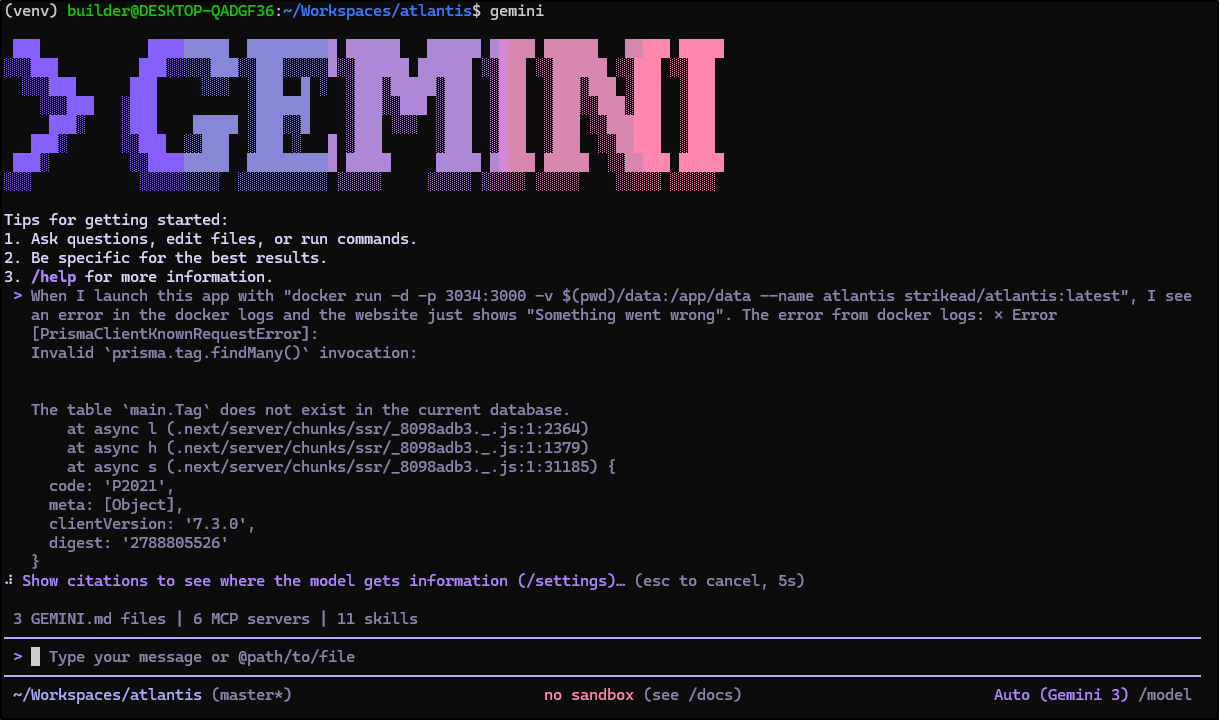
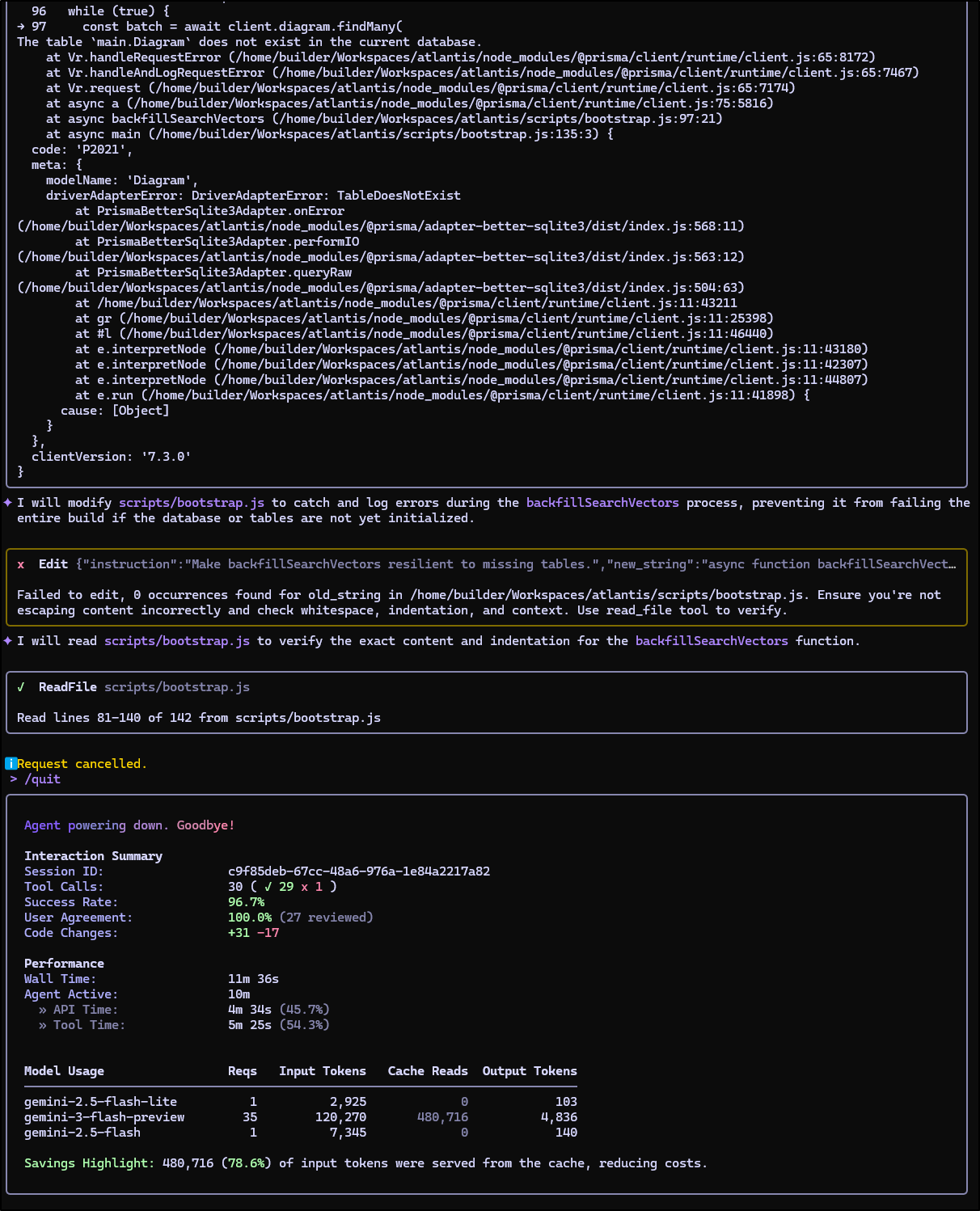
It started to refactor codes and after a while I killed it as I knew it was not going to be a successful venture:
Using the last stable
The “latest” tag was 11 hours old but there was a stable “master” from 11 days ago.
I fired that up on port 3035
$ docker run -d -p 3035:3000 -v $(pwd)/data:/app/data --name atlantis2 strikead/
atlantis:master
a1f9b93e3aab5aaec640e7da893e7d277d13c4c7ca1bad157185e61e109a9edd
That worked fine (so must be a newer bug in latest)
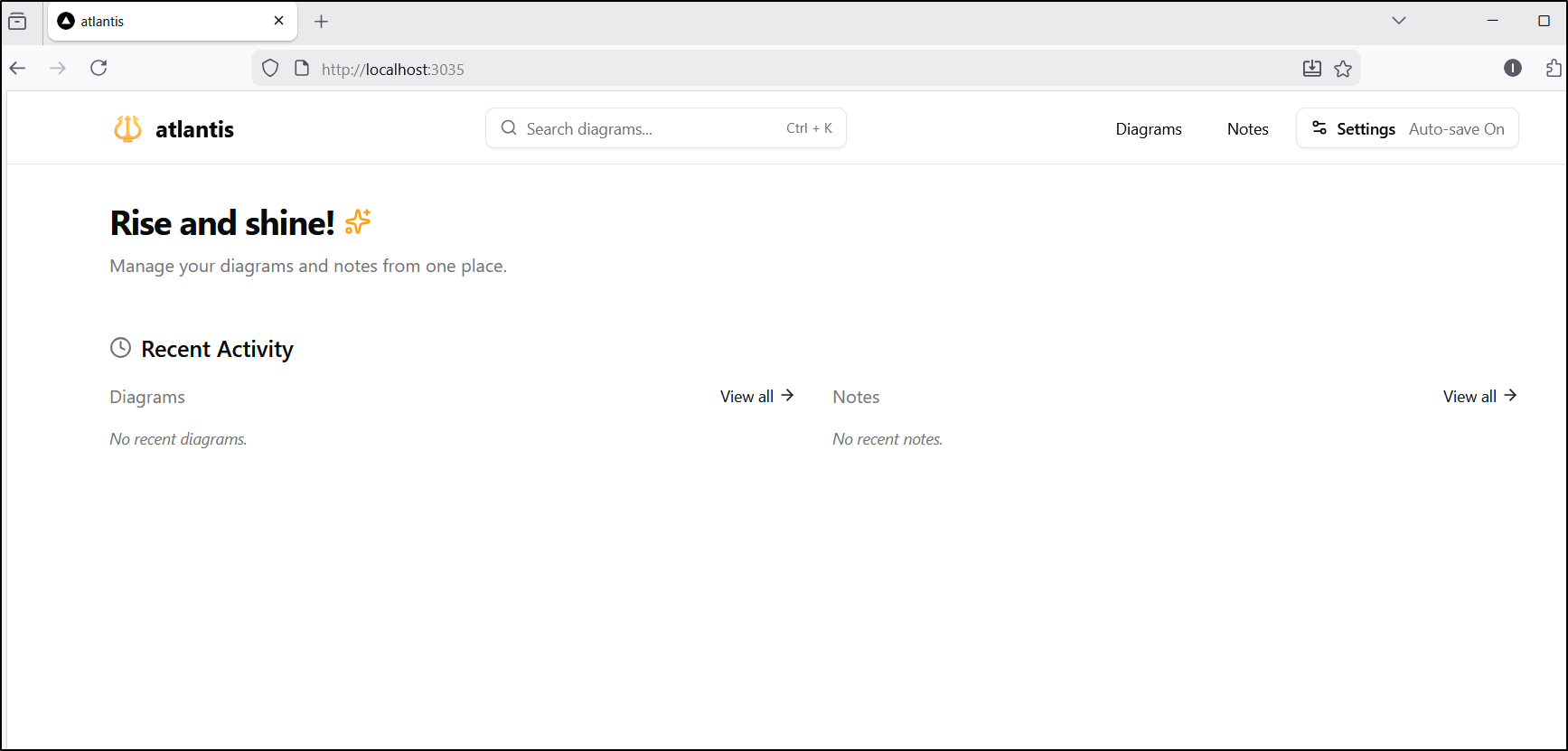
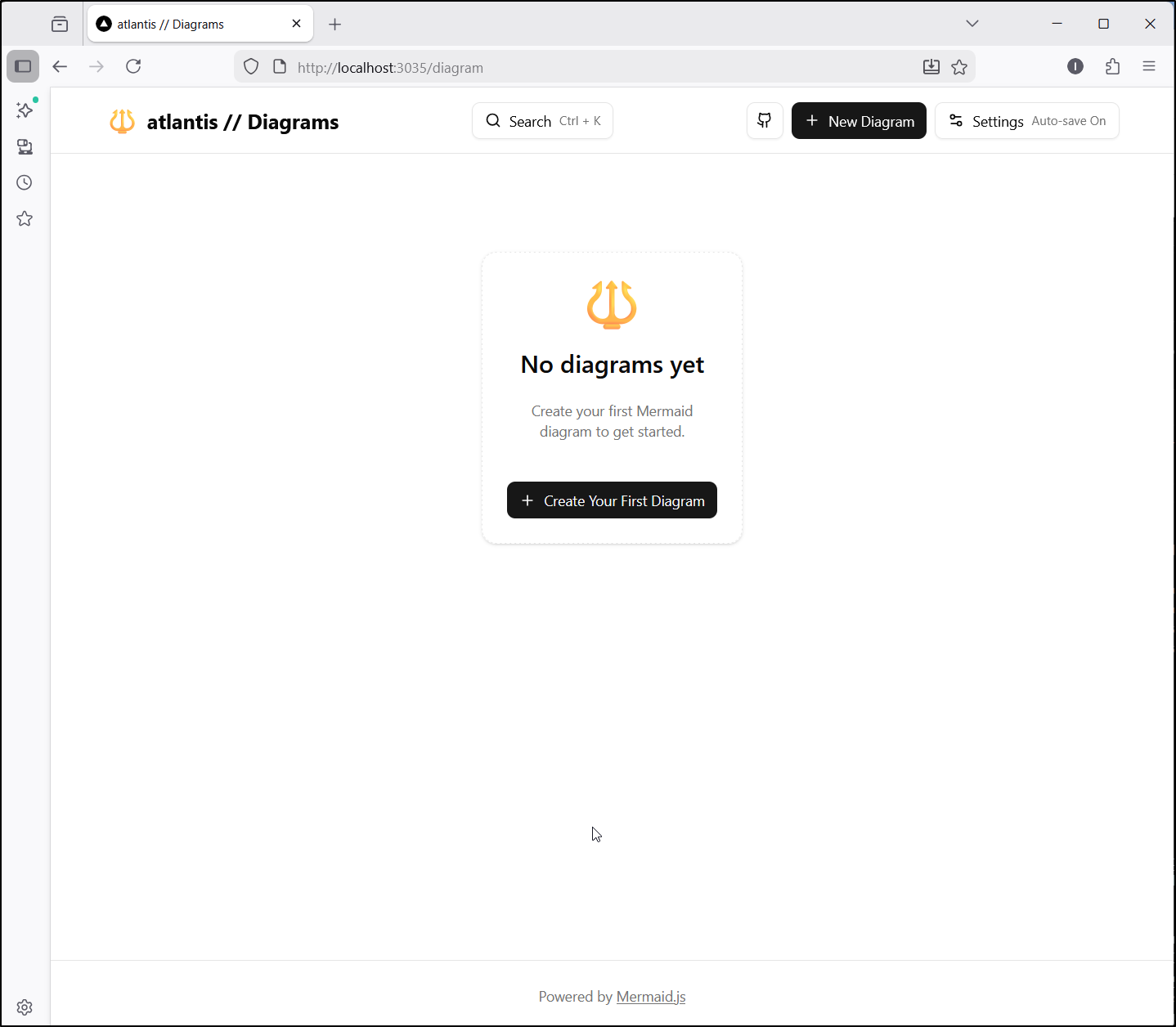
We can create a new diagram
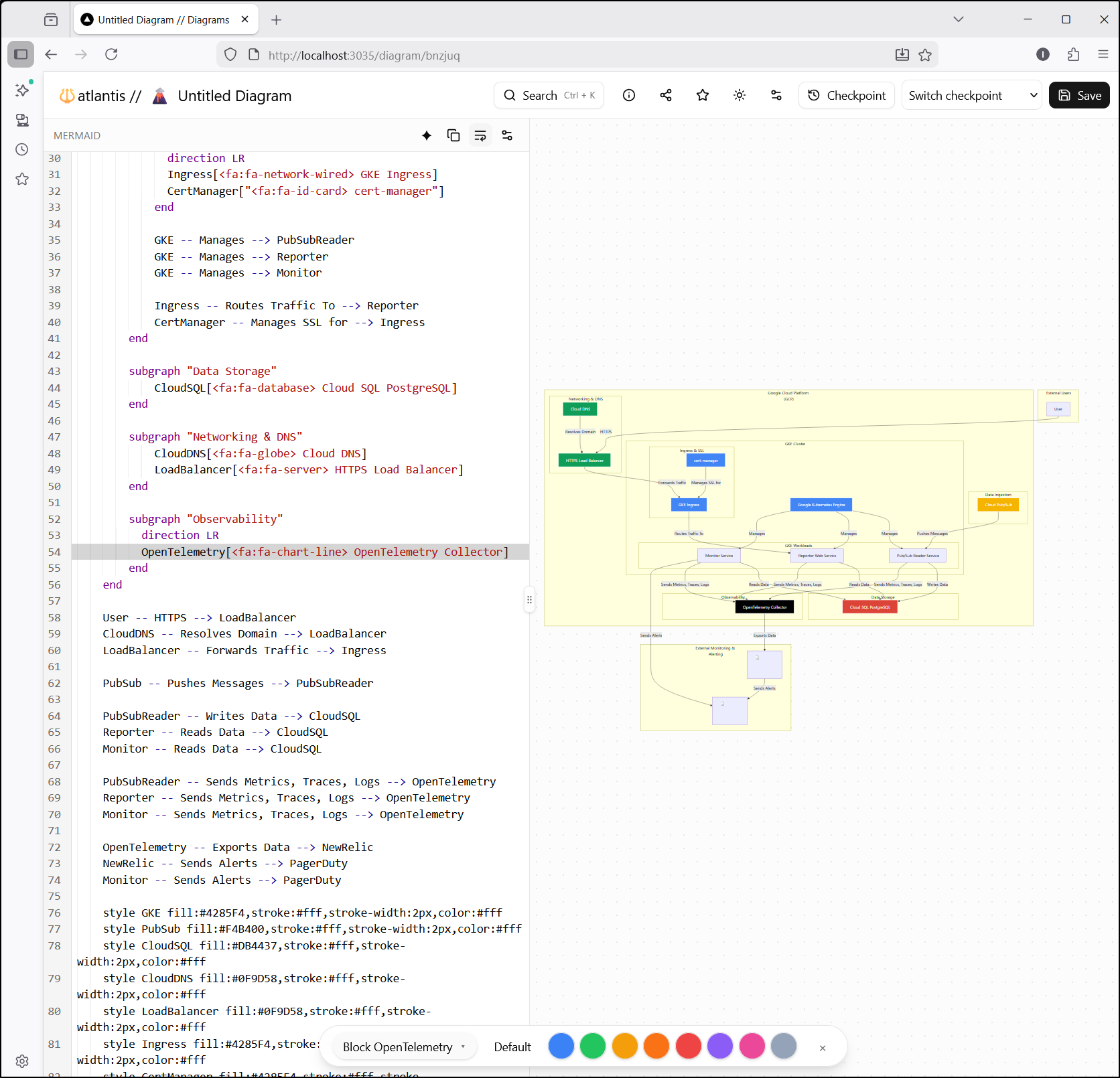
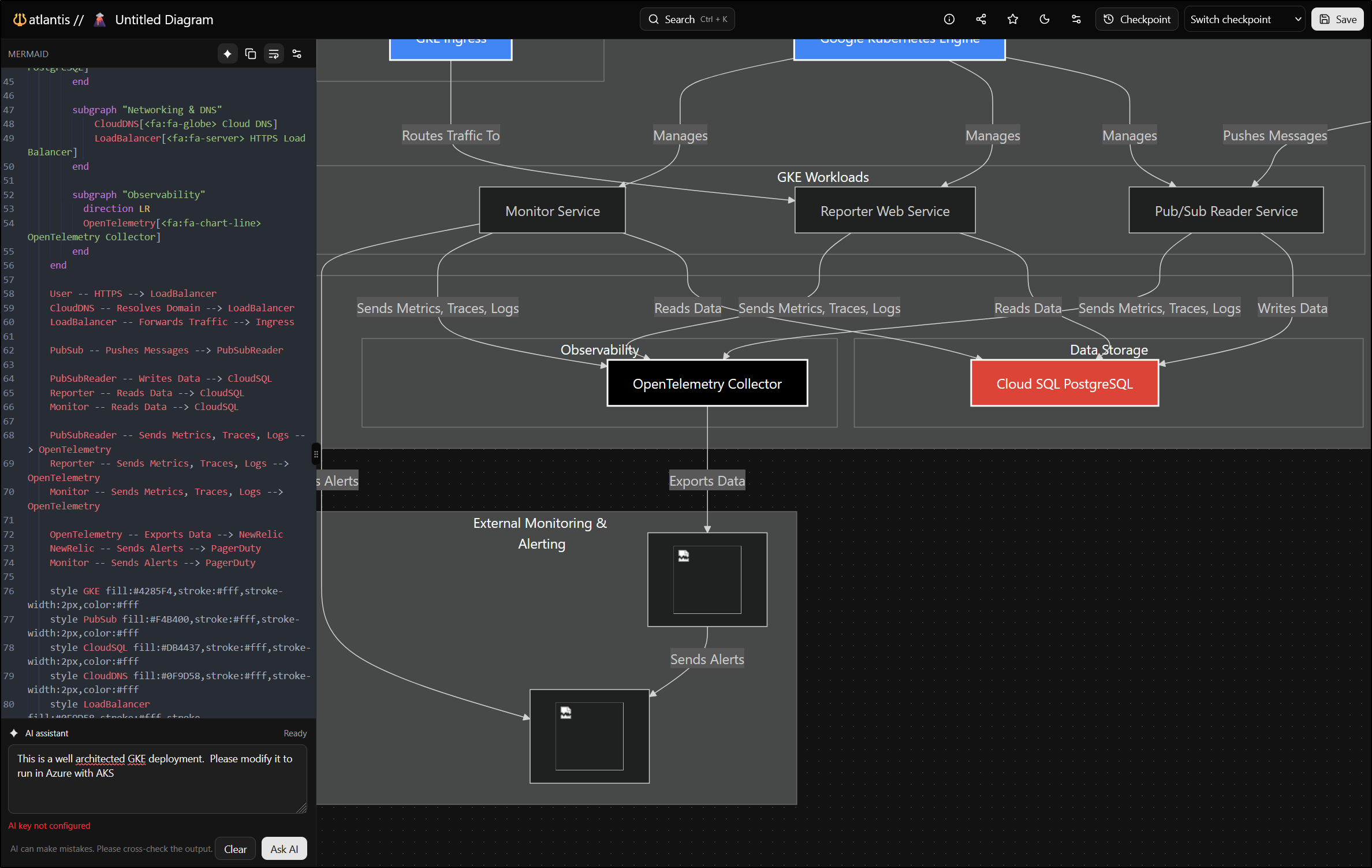
Let’s test with one of the Mermaid diagrams from an older WikiGo article
I figured it would be a good example as it is a complicated diagram
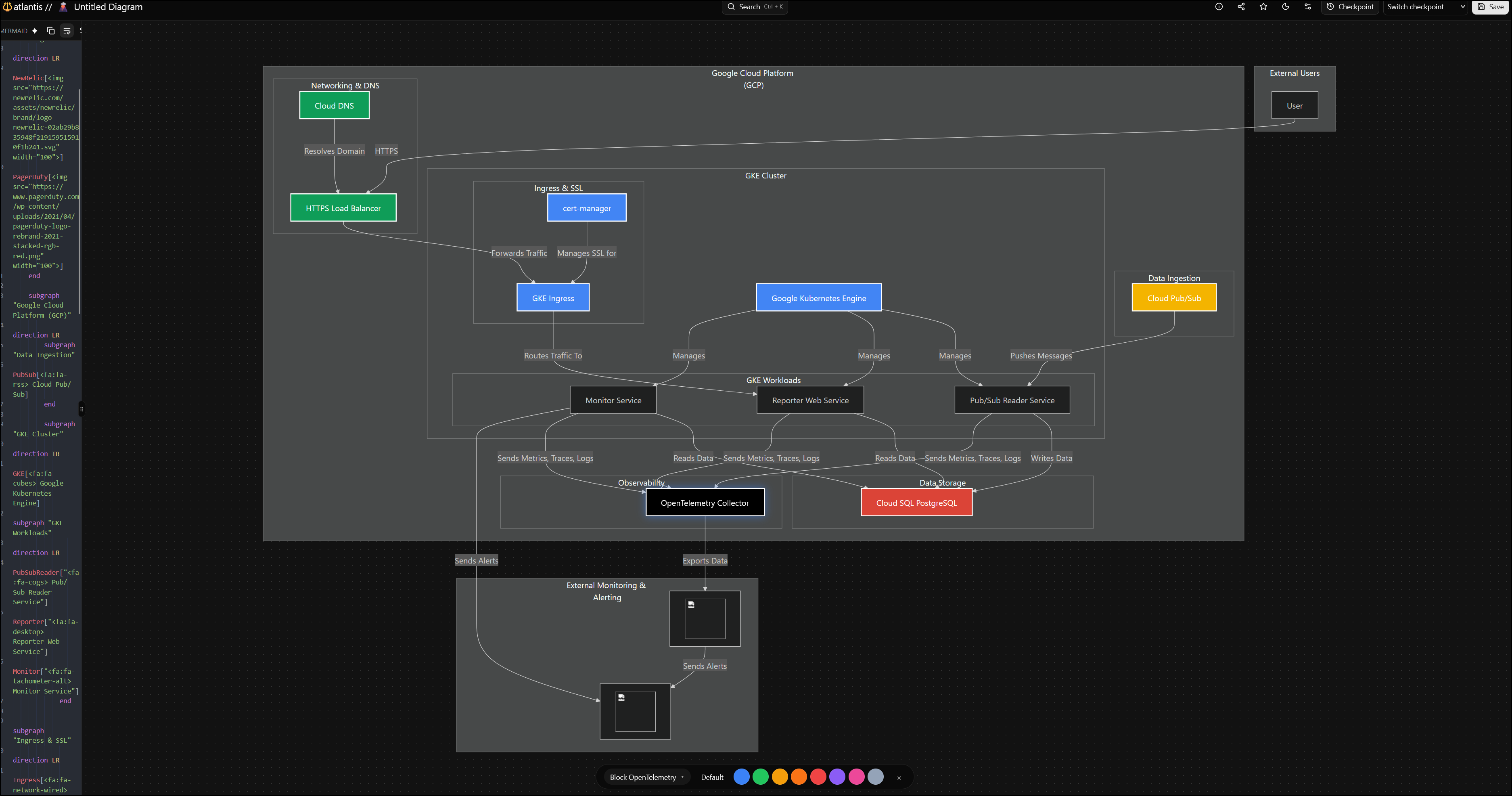
In a small screen, that is really hard to view, but if I go full screen (even dark mode), it looks pretty good
There is an “AI” feature but it needs a key
Going back to latest (newer)
I stopped and reset the repo and tried just using npm locally. That said, I did file a bug for them.
The local npm approach allows me to set the port and API key for Gemini in the .env file (also supports OpenAI keys)
(venv) builder@DESKTOP-QADGF36:~/Workspaces/atlantis$ vi .env
(venv) builder@DESKTOP-QADGF36:~/Workspaces/atlantis$ nvm use lts/jod
Now using node v22.22.0 (npm v10.9.4)
(venv) builder@DESKTOP-QADGF36:~/Workspaces/atlantis$ npm install
npm warn deprecated inflight@1.0.6: This module is not supported, and leaks memory. Do not use it. Check out lru-cache if you want a good and tested way to coalesce async requests by a key value, which is much more comprehensive and powerful.
npm warn deprecated rimraf@2.7.1: Rimraf versions prior to v4 are no longer supported
npm warn deprecated rollup-plugin-terser@7.0.2: This package has been deprecated and is no longer maintained. Please use @rollup/plugin-terser
npm warn deprecated glob@7.2.3: Old versions of glob are not supported, and contain widely publicized security vulnerabilities, which have been fixed in the current version. Please update. Support for old versions may be purchased (at exorbitant rates) by contacting i@izs.me
npm warn deprecated sourcemap-codec@1.4.8: Please use @jridgewell/sourcemap-codec instead
npm warn deprecated workbox-cacheable-response@6.6.0: workbox-background-sync@6.6.0
npm warn deprecated source-map@0.8.0-beta.0: The work that was done in this beta branch won't be included in future versions
npm warn deprecated workbox-google-analytics@6.6.0: It is not compatible with newer versions of GA starting with v4, as long as you are using GAv3 it should be ok, but the package is not longer being maintained

added 1040 packages, and audited 1041 packages in 35s

203 packages are looking for funding
  run `npm fund` for details

14 vulnerabilities (12 moderate, 2 high)

To address issues that do not require attention, run:
  npm audit fix

To address all issues (including breaking changes), run:
  npm audit fix --force

Run `npm audit` for details.
(venv) builder@DESKTOP-QADGF36:~/Workspaces/atlantis$ npm run dev

> atlantis@1.0.0 dev
> node scripts/bootstrap.js && next dev

[prisma] schema.prisma written with provider: sqlite
Loaded Prisma config from prisma.config.ts.

Prisma schema loaded from prisma/schema.prisma.

✔ Generated Prisma Client (v7.3.0) to ./node_modules/@prisma/client in 83ms

Start by importing your Prisma Client (See: https://pris.ly/d/importing-client)


Loaded Prisma config from prisma.config.ts.

Prisma schema loaded from prisma/schema.prisma.
Datasource "db": SQLite database "atlantis.db" at "file:./data/atlantis.db"

SQLite database atlantis.db created at file:./data/atlantis.db

🚀  Your database is now in sync with your Prisma schema. Done in 97ms

⚠ Port 3000 is in use by an unknown process, using available port 3002 instead.
▲ Next.js 16.1.2 (Turbopack)
- Local:         http://localhost:3002
- Network:       http://10.255.255.254:3002
- Environments: .env

✓ Starting...
----------------------------------------
       Atlantis System Status
----------------------------------------
ℹ Redis Not Configured (Development)
  Cache Backend: In-Memory (Fallback)
  Note: Set REDIS_URL to enable persistent caching
----------------------------------------
✓ Ready in 1288ms
While it ignored my port ask, it did use 3002 which worked
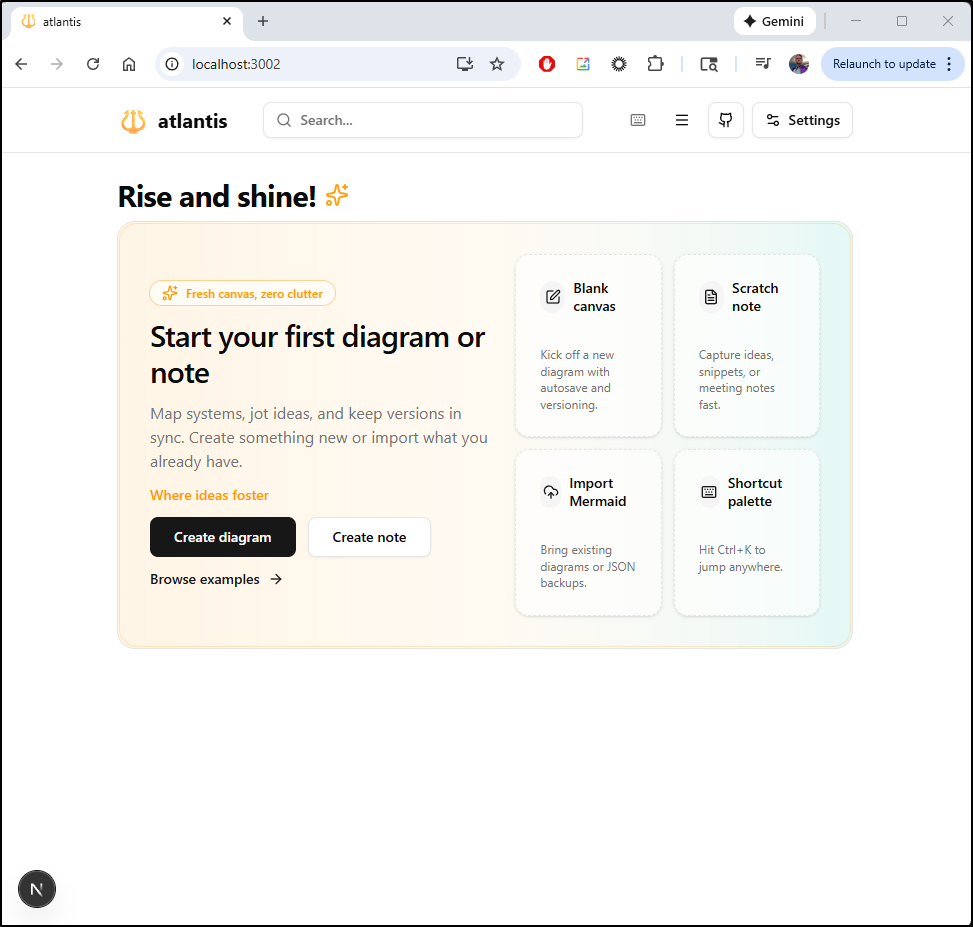
I fired up an AI ask
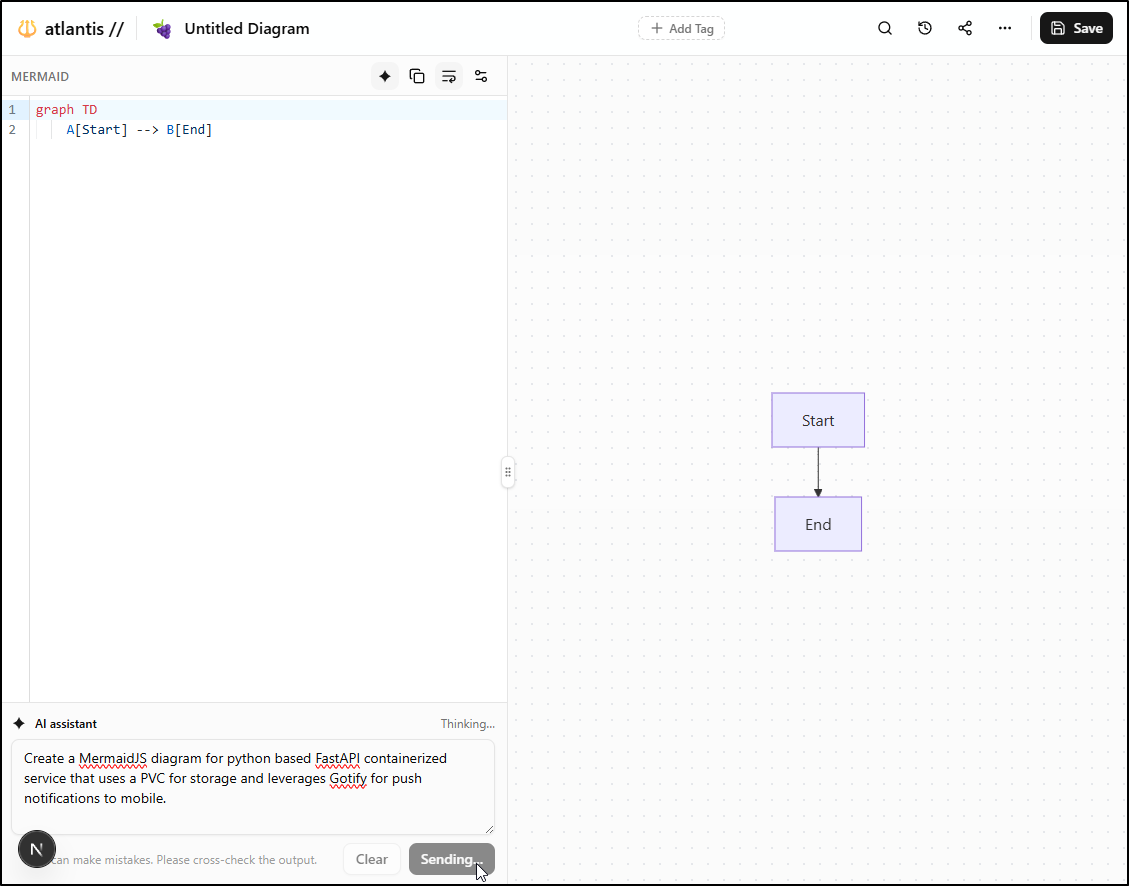
And it did a completely adequate job
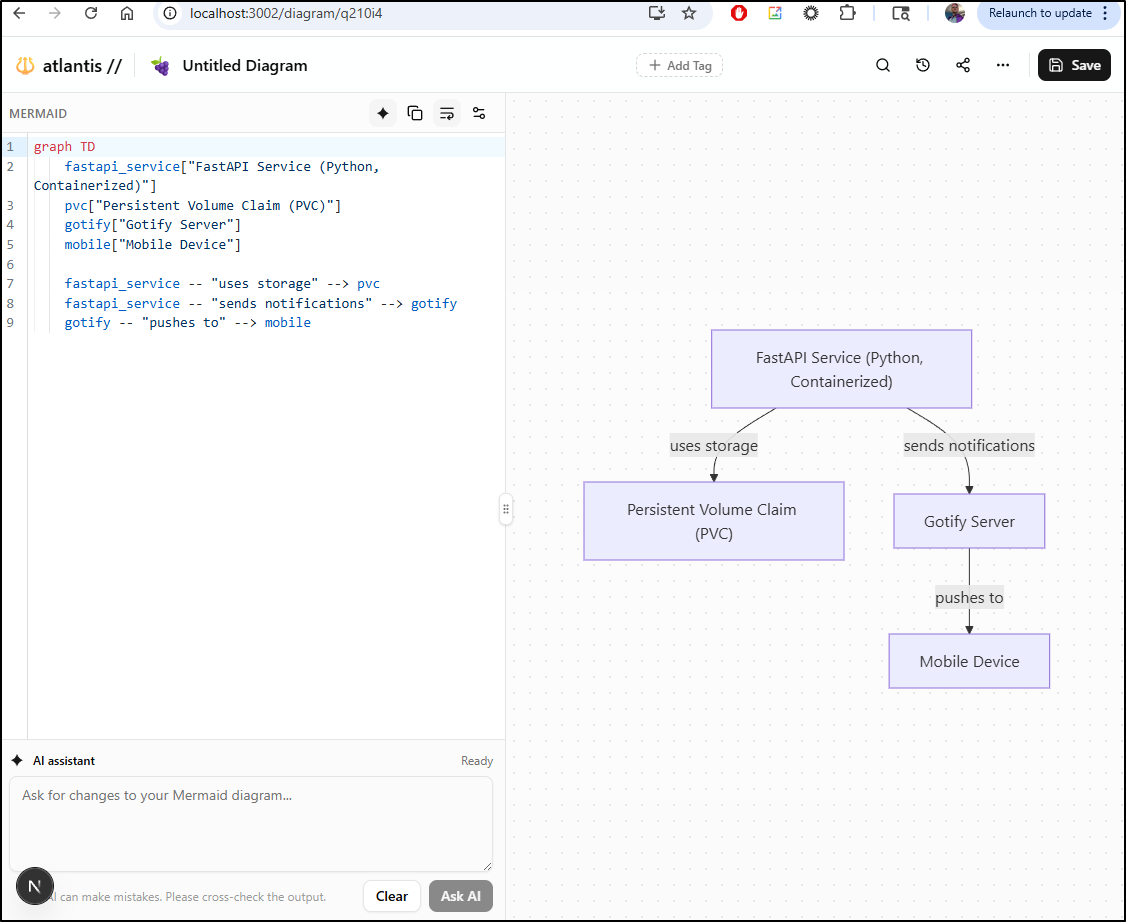
Let’s give it a bigger ask - modify the simple diagram to build out the full Kubernetes stack
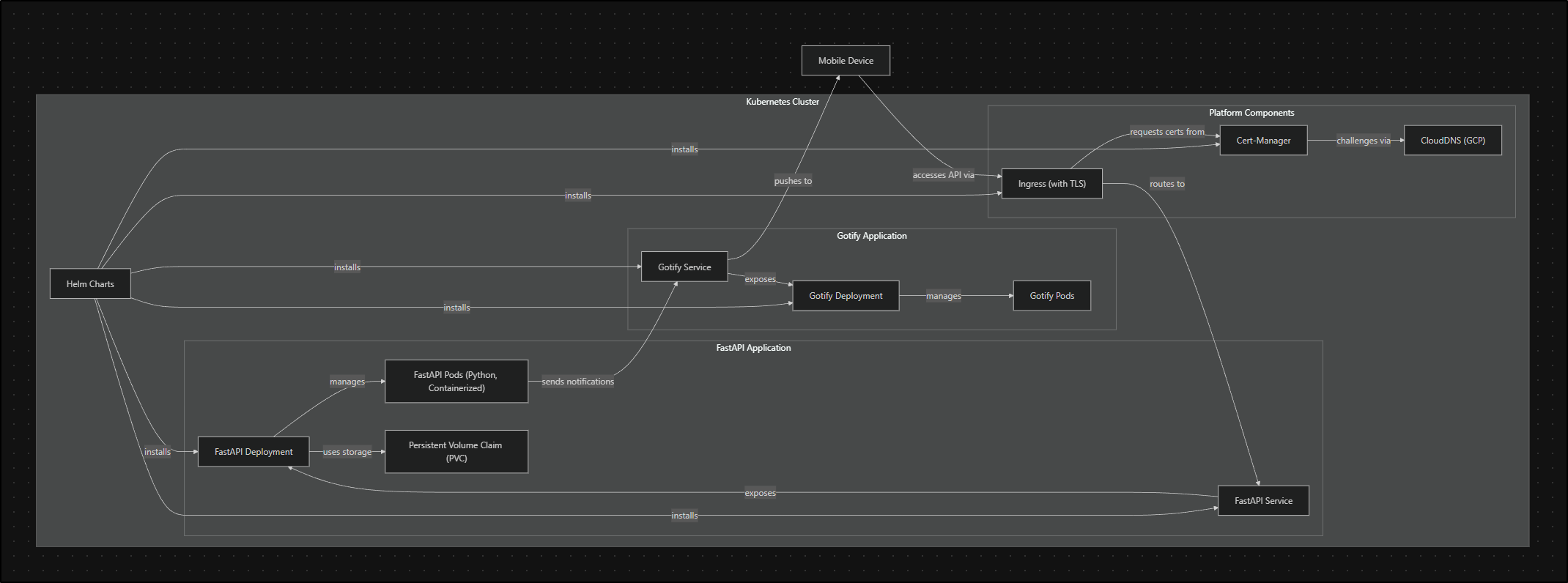
The resulting diagram, while large, seems about right
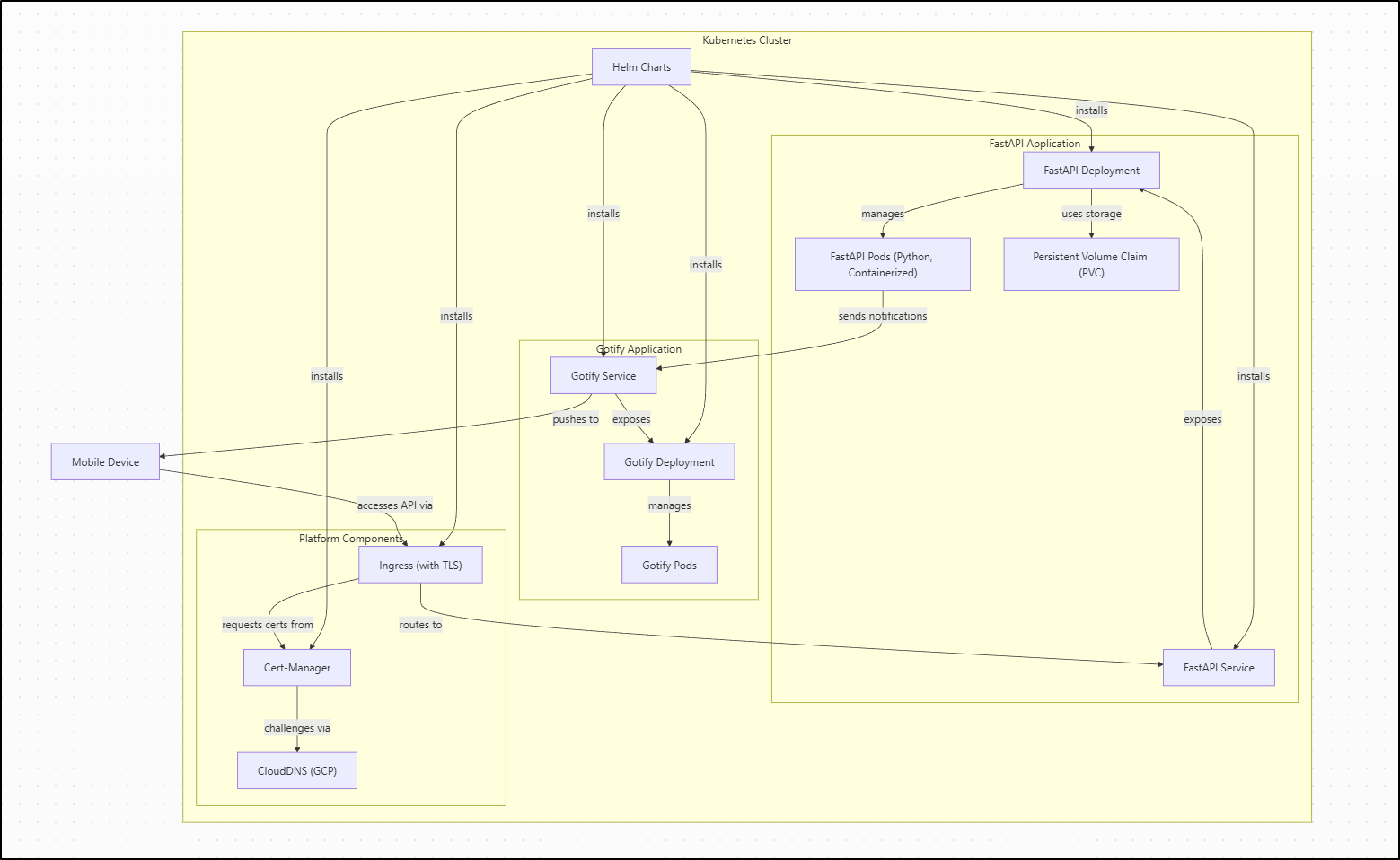
Though I might prefer the LR (LeftRight) over the TD (TopDown) view
There is a new Download option in the lower right, but both PNG and PDF failed (SVG worked)
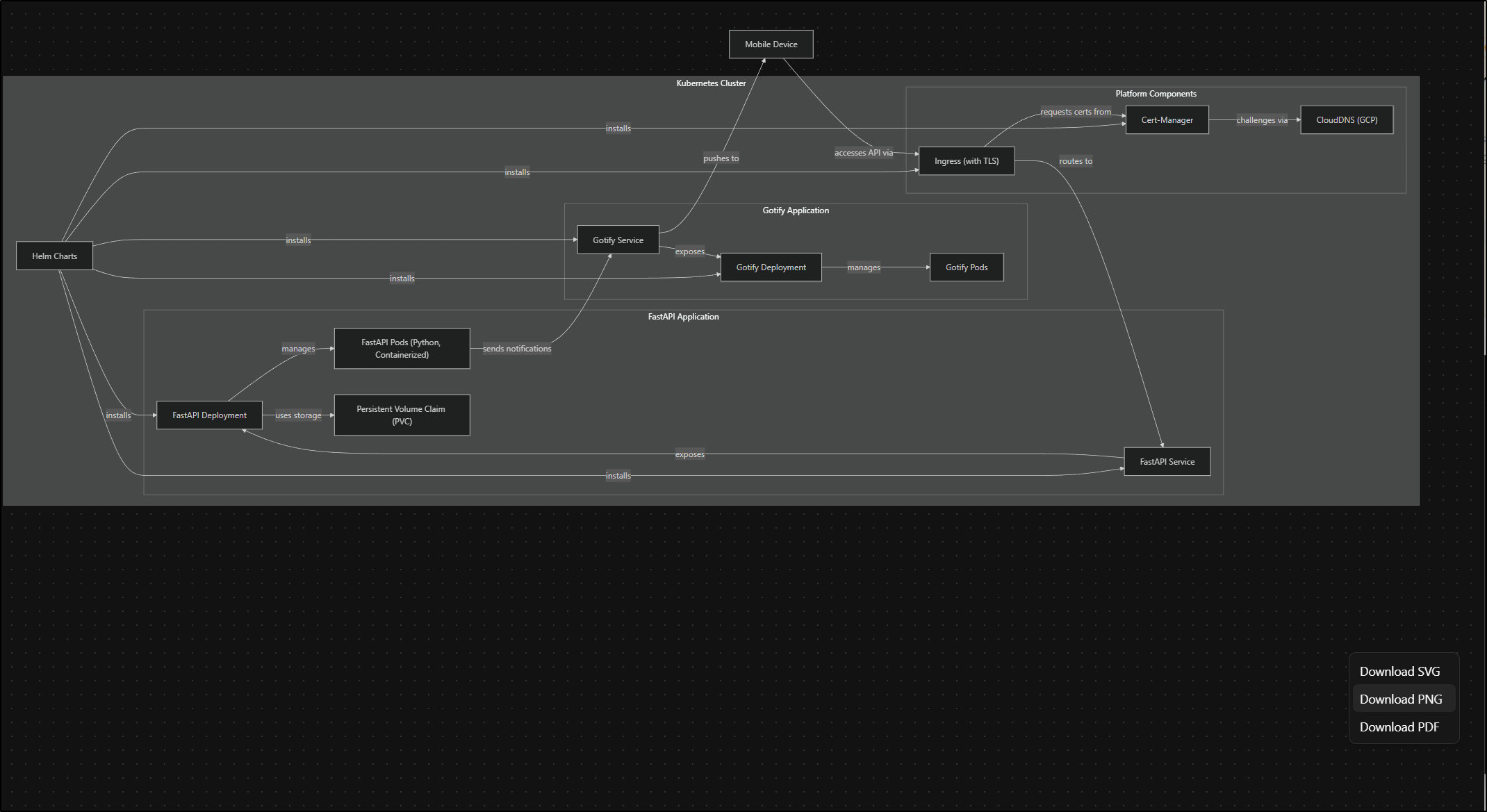
The browser console shows:
Export PNG error:
error { target: img, isTrusted: true, srcElement: img, eventPhase: 0, bubbles: false, cancelable: false, returnValue: true, defaultPrevented: false, composed: false, timeStamp: 6187155, … }
e99869a5a643d82b.js:1:9180
The SVGs seemed to lose text - I tried both Inkscape and GIMP (2 and 3):
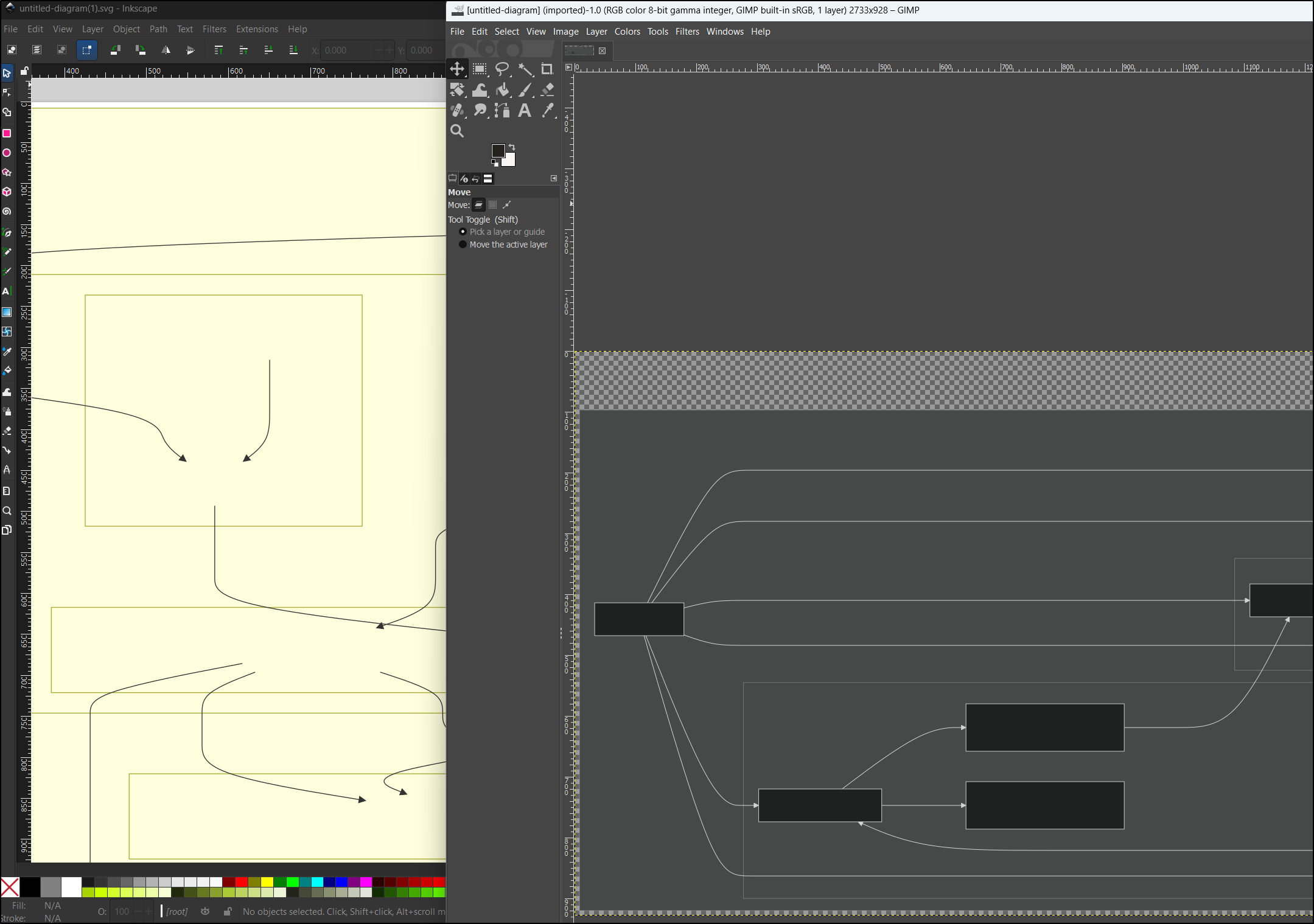
So for now, I’ll just use screenshots.
I had one more idea I wanted to try. Take a diagram without any background like the GKE one
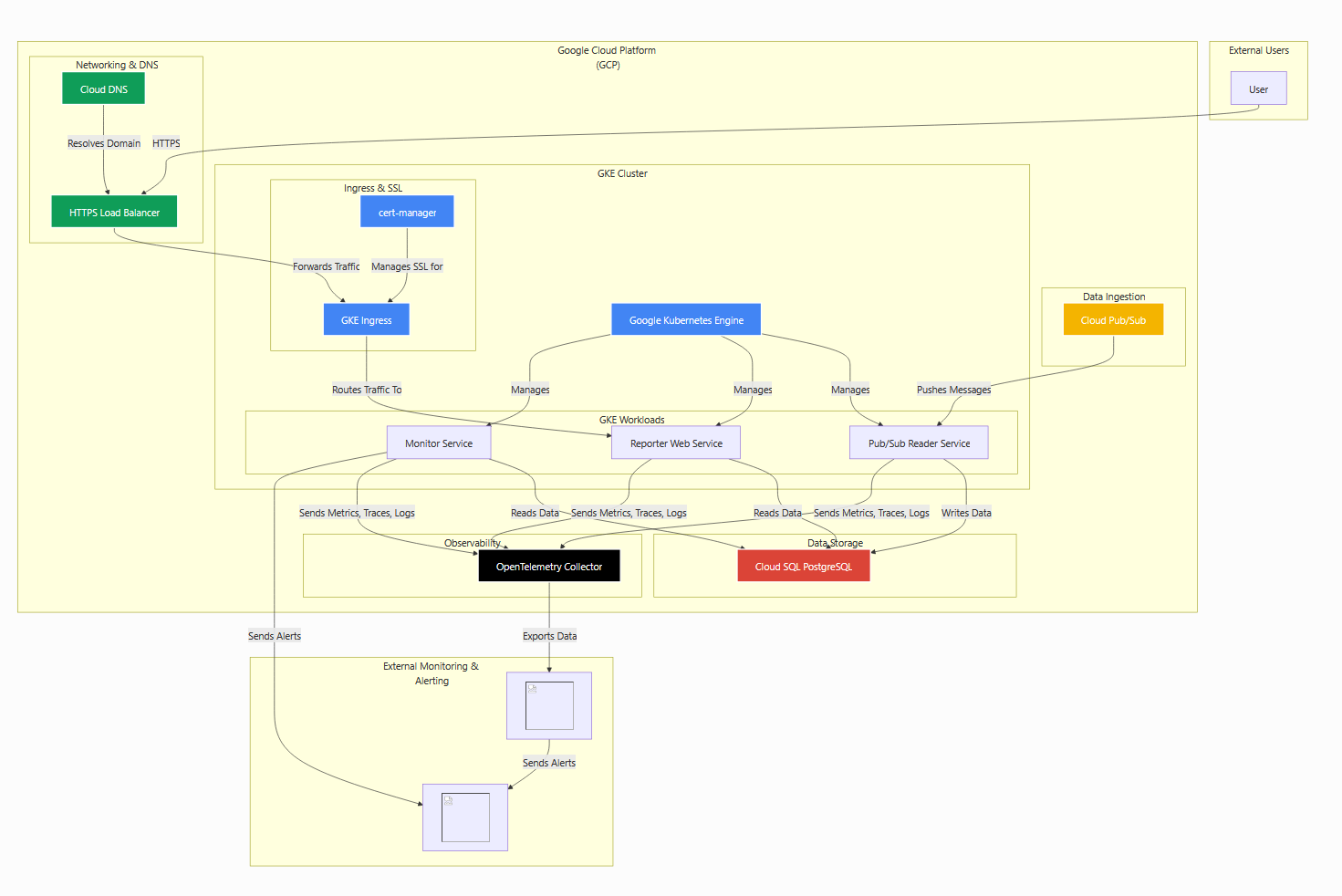
I then copied locally and fired up Gemini CLI
(venv) builder@DESKTOP-QADGF36:~/Workspaces/atlantis2$ cp ../jekyll-blog/content/images/2026/02/atlantis-18.png ./
(venv) builder@DESKTOP-QADGF36:~/Workspaces/atlantis2$ gemini
Could I get Nanobanana via Gemini CLI to turn that into a nice Isometric diagram?
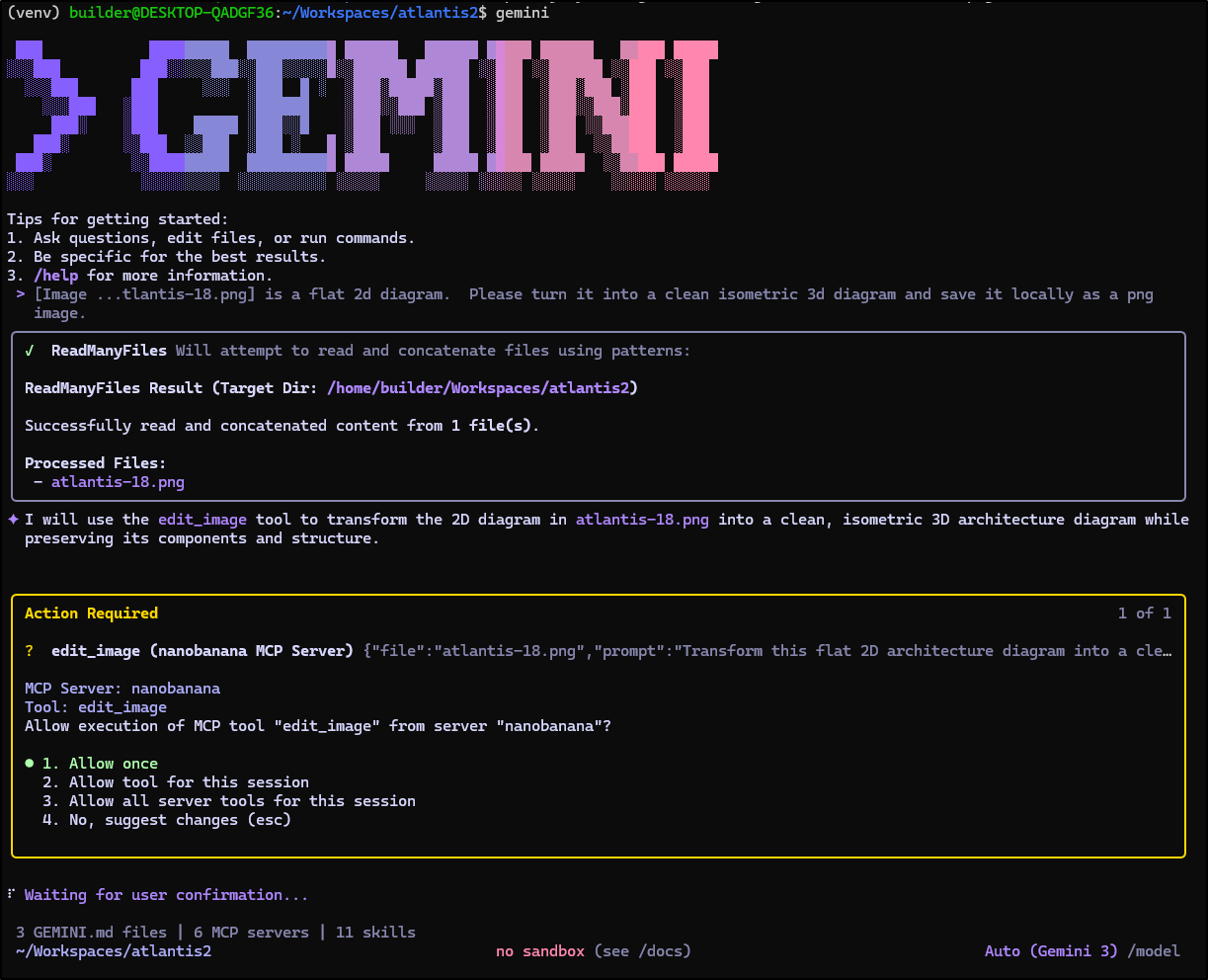
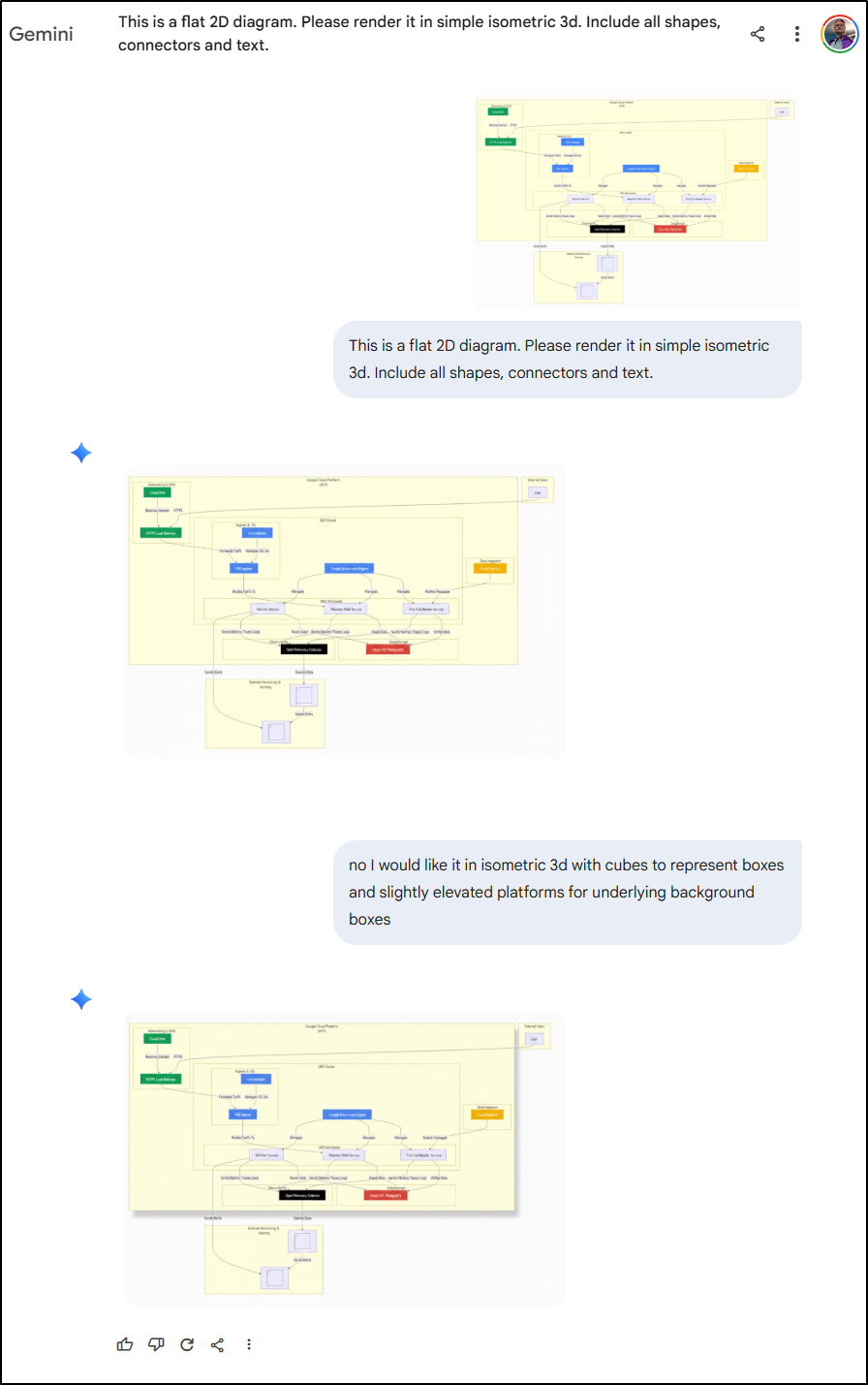
The result was not ideal
I tried Gemini Pro, but also didn’t get anywhere
What if, instead of feeding it the rendered diagram output, I instead gave it the MermaidJS code itself:
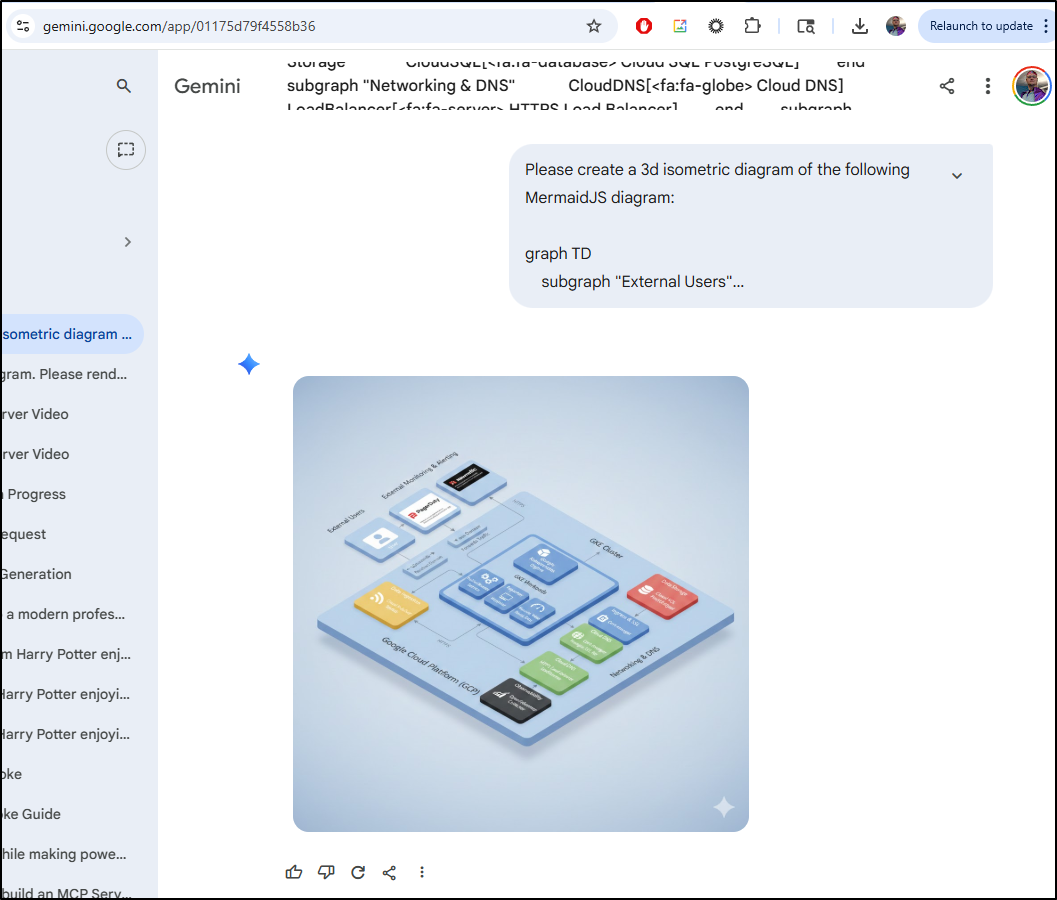
Oh my, this is perfect. The fonts look like AI trash fonts, but the content is dead on
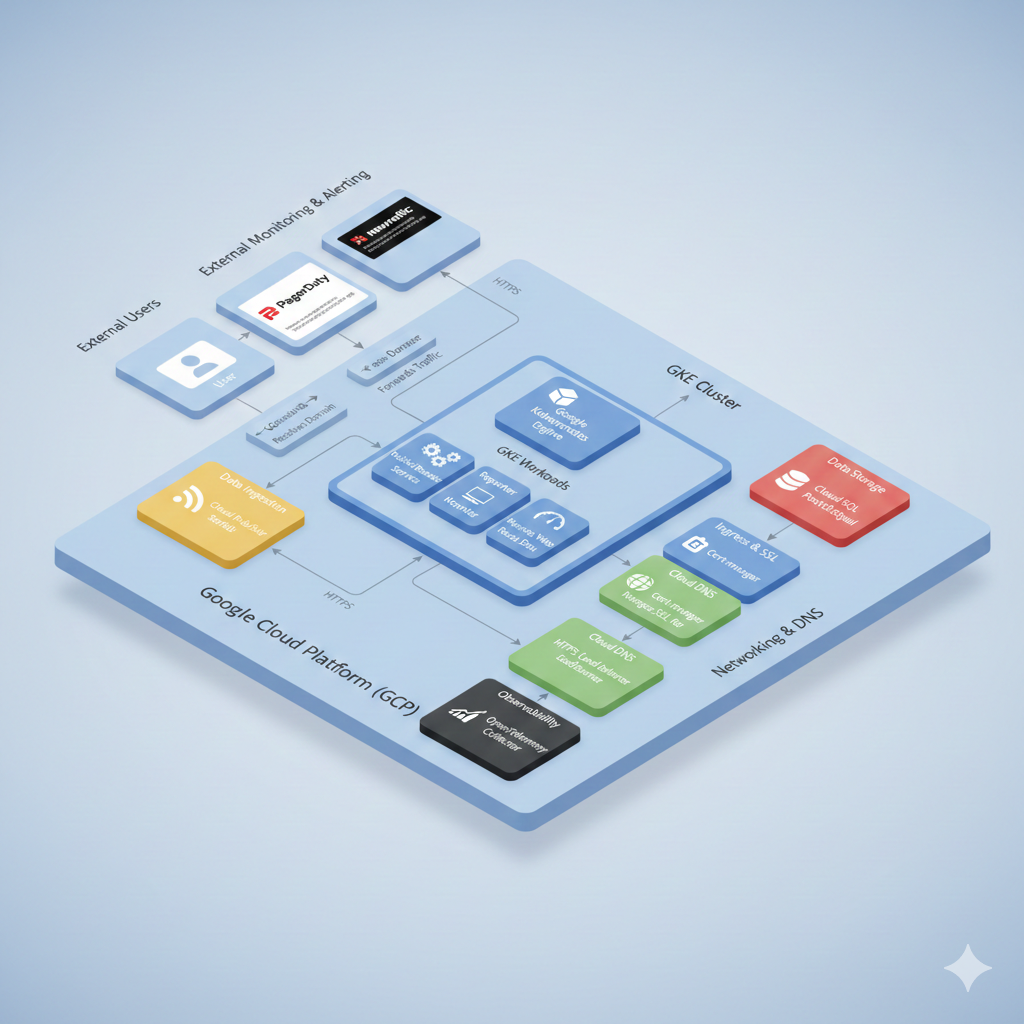
i also asked Gemini Pro to “animate this image with flows”
(note, there are some sound effects so i did not set this to muted below)
And just for fun I tried to have Midjourney animate a from/top on the 2d to 3d:
high-motion:
low-motion:
However, when i rendered just the background then let MJ go from background to image, I got something usable
Azure Diagrams
Another interesting graphic tool I wanted to explore was this Azure Diagrams Skill from Carl Brindle which i found by way of this LI post.
I’ll start by setting up a Python3 virtual env and installing the dependencies.
builder@DESKTOP-QADGF36:~$ cd Workspaces/
builder@DESKTOP-QADGF36:~/Workspaces$ cd azure-diagrams-skill/
builder@DESKTOP-QADGF36:~/Workspaces/azure-diagrams-skill$ python3 -m venv venv
builder@DESKTOP-QADGF36:~/Workspaces/azure-diagrams-skill$ source venv/bin/activate
(venv) builder@DESKTOP-QADGF36:~/Workspaces/azure-diagrams-skill$ pip install diagrams matplotlib
Collecting diagrams
  Using cached diagrams-0.25.1-py3-none-any.whl.metadata (6.9 kB)
Collecting matplotlib
  Using cached matplotlib-3.10.8-cp311-cp311-manylinux2014_x86_64.manylinux_2_17_x86_64.whl.metadata (52 kB)
Collecting graphviz<0.21.0,>=0.13.2 (from diagrams)
  Using cached graphviz-0.20.3-py3-none-any.whl.metadata (12 kB)
  ...snip...
Also, makes sure you have graphviz already installed
(venv) builder@DESKTOP-QADGF36:~/Workspaces/azure-diagrams-skill$ sudo apt-get install graphviz
[sudo] password for builder:
Reading package lists... Done
Building dependency tree... Done
Reading state information... Done
graphviz is already the newest version (2.42.2-6ubuntu0.1).
I’ll hop over to the Gemini skills folder and make a symlink
(venv) builder@DESKTOP-QADGF36:~/Workspaces/azure-diagrams-skill$ ls
CONTRIBUTING.md  LICENSE  README.md  examples  skills  venv
(venv) builder@DESKTOP-QADGF36:~/Workspaces/azure-diagrams-skill$ cat skills/azure-diagrams/
CONTRIBUTING.md  LICENSE          README.md        SKILL.md         references/      scripts/
(venv) builder@DESKTOP-QADGF36:~/Workspaces/azure-diagrams-skill$ pwd
/home/builder/Workspaces/azure-diagrams-skill
(venv) builder@DESKTOP-QADGF36:~/Workspaces/azure-diagrams-skill$ cd ~/.gemini/skills/
(venv) builder@DESKTOP-QADGF36:~/.gemini/skills$ ln -s ../../Workspaces/azure-diagrams-skill/skills/azure-diagrams azure-diagrams
(venv) builder@DESKTOP-QADGF36:~/.gemini/skills$
I can now see it listed in the skills list
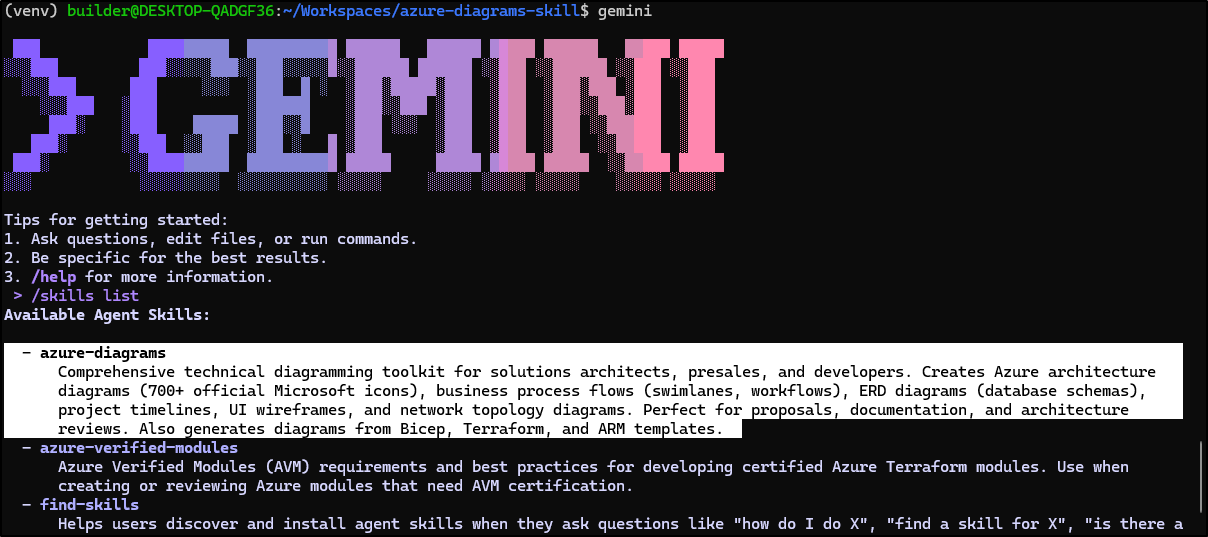
I am still getting used to Skills. I like MCP servers a bit better as I can see “tools” and use the MCP inspector to explore.
I tried it for an Azure Diagram I wanted, but it seemed to struggle a bit
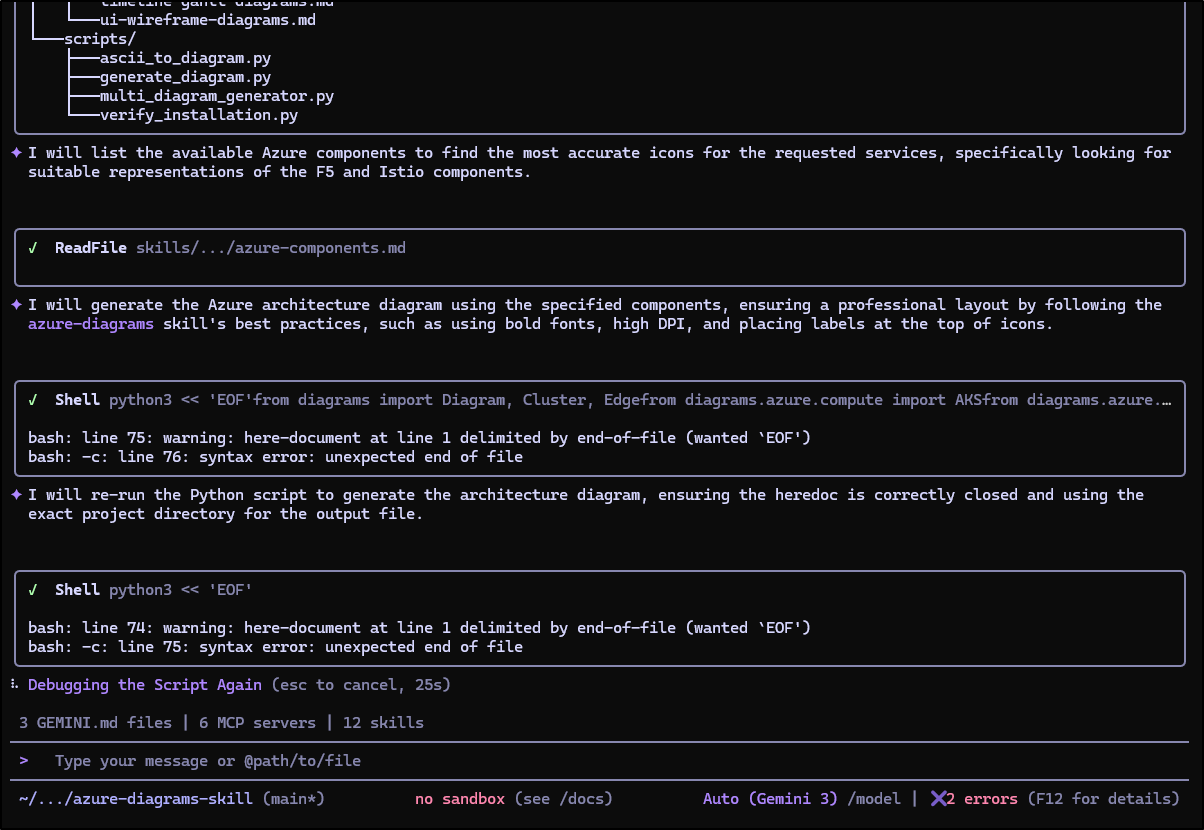
However, once it figured out how to talk to the skill it was unblocked:
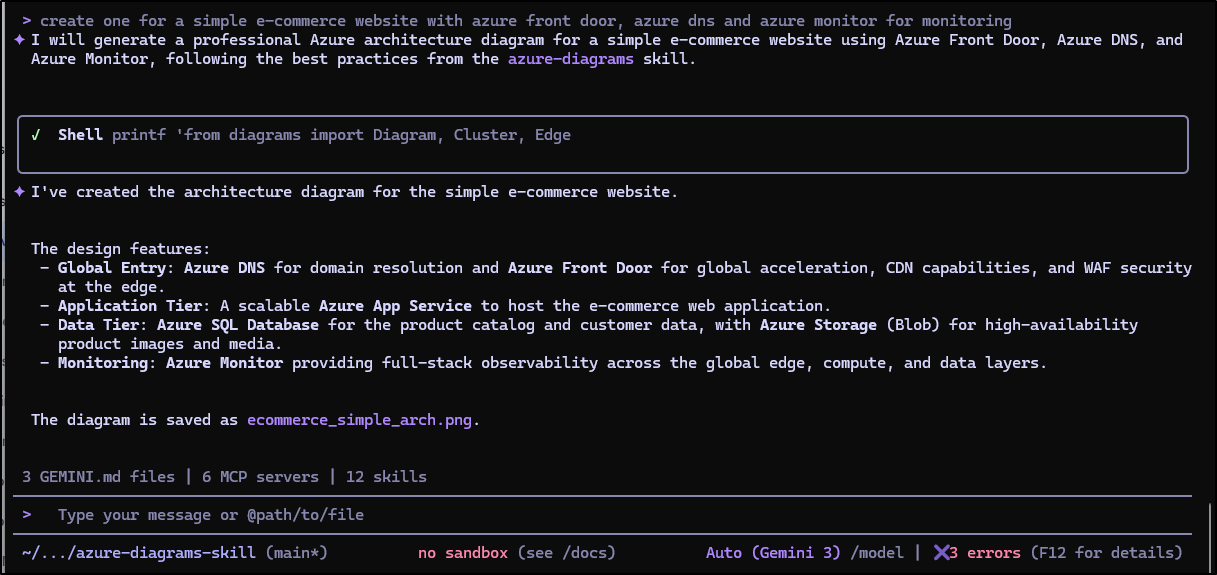
Creating beautiful diagrams
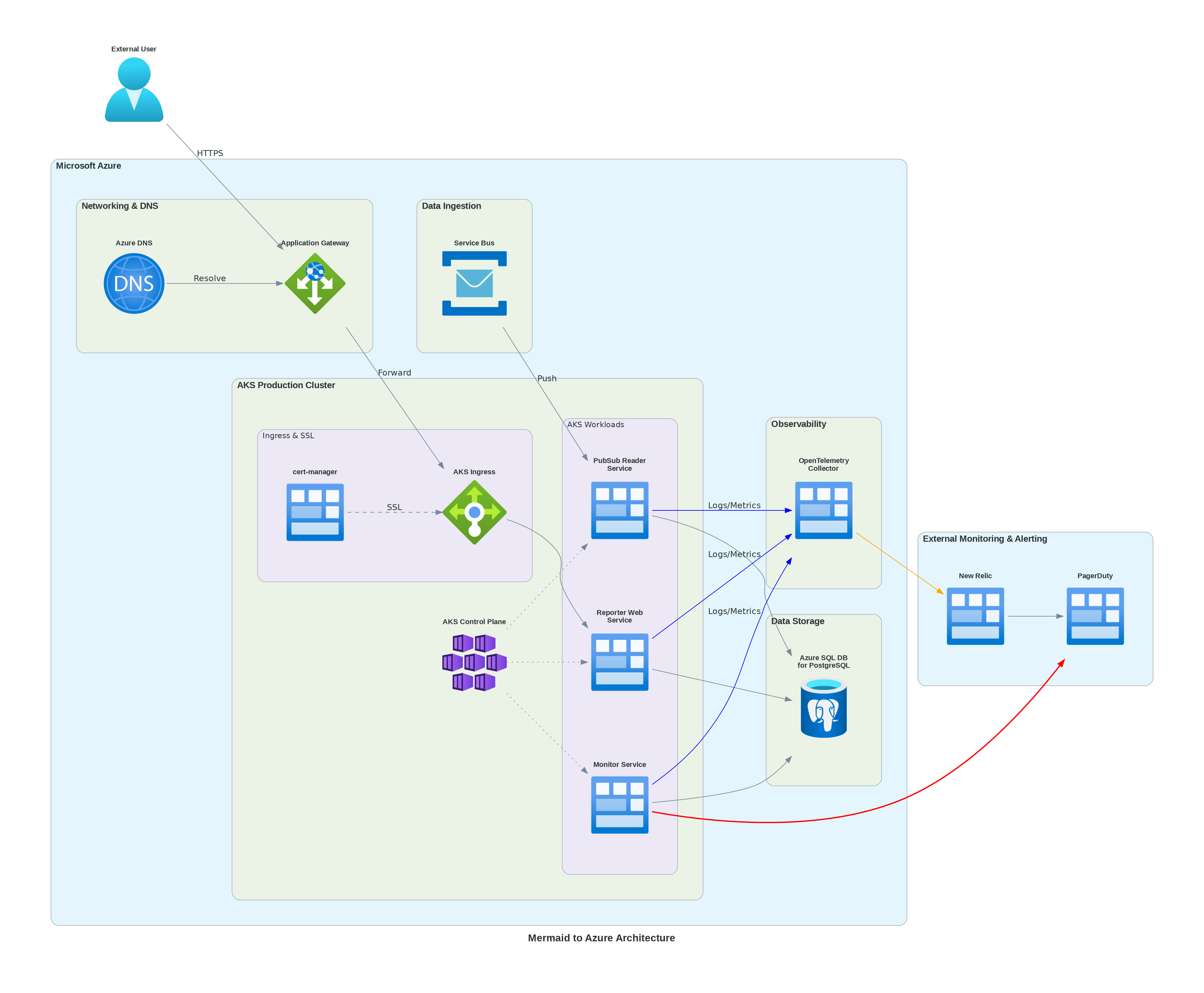
let’s take that diagram we built for GKE and use the Gemini AI tool to convert it to Azure
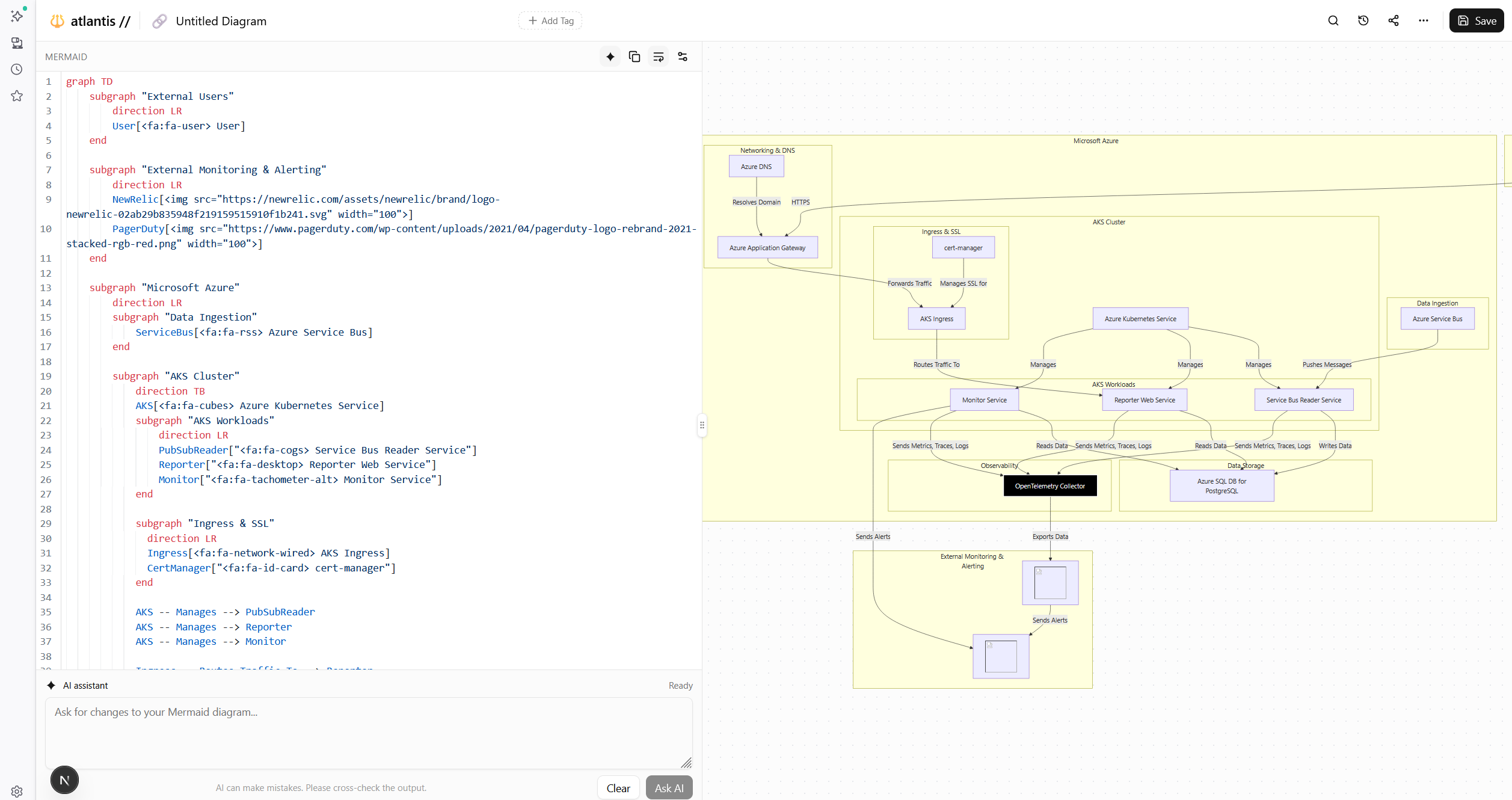
Then I’ll feed that to Gemini
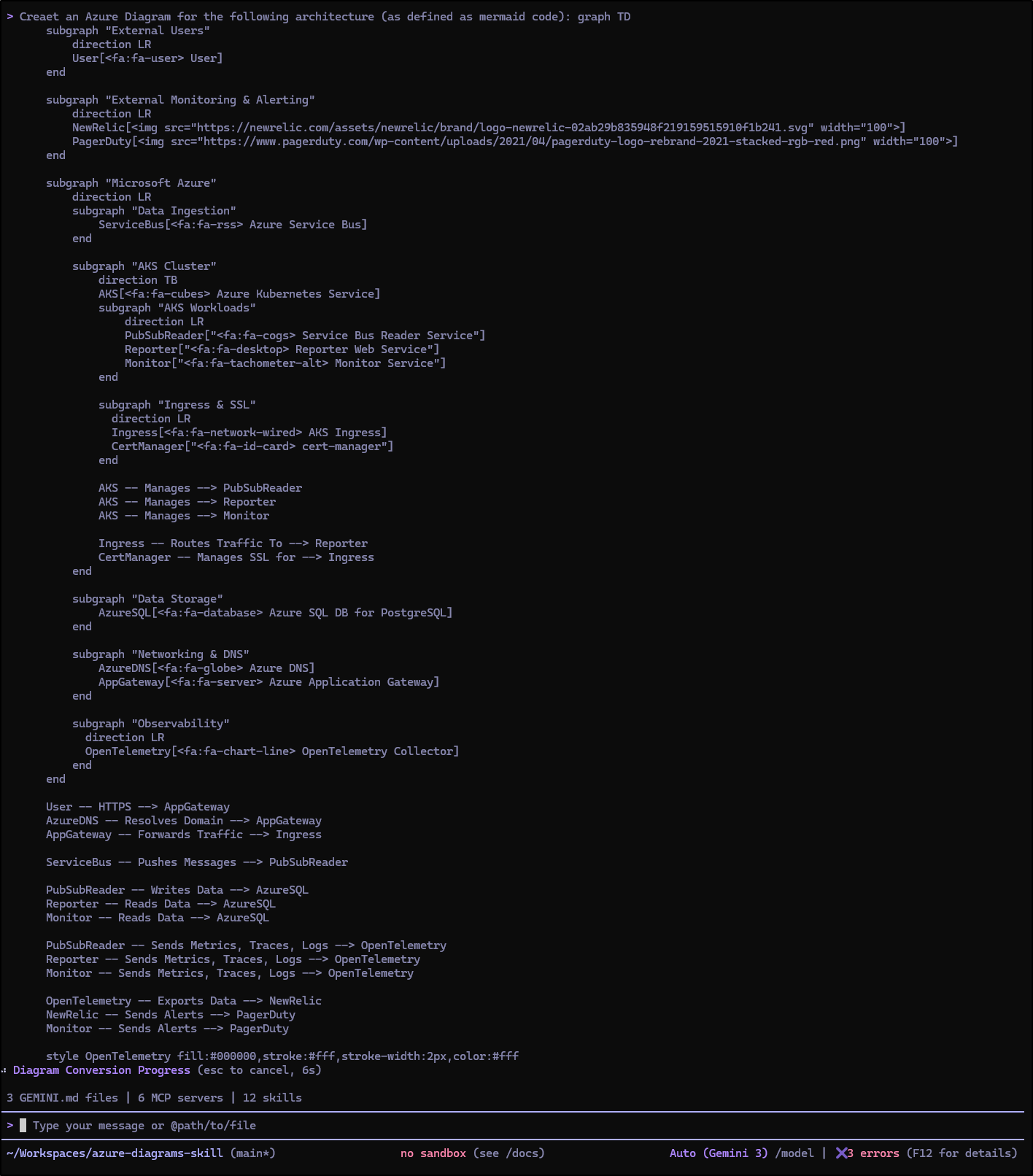
which worked great
Azure Diagram Skills in Copilot
We can copy the skill into “.github/skills” for Copilot to use
(venv) builder@DESKTOP-QADGF36:~/Workspaces/bingMapsMCP$ mkdir .github
(venv) builder@DESKTOP-QADGF36:~/Workspaces/bingMapsMCP$ mkdir .github/skills
(venv) builder@DESKTOP-QADGF36:~/Workspaces/bingMapsMCP$ cp -r ~/Workspaces/azure-diagrams-skill/skills/azure-diagrams .github/skills/
However, when I tried to test, it just ignored the skill and used Markdown
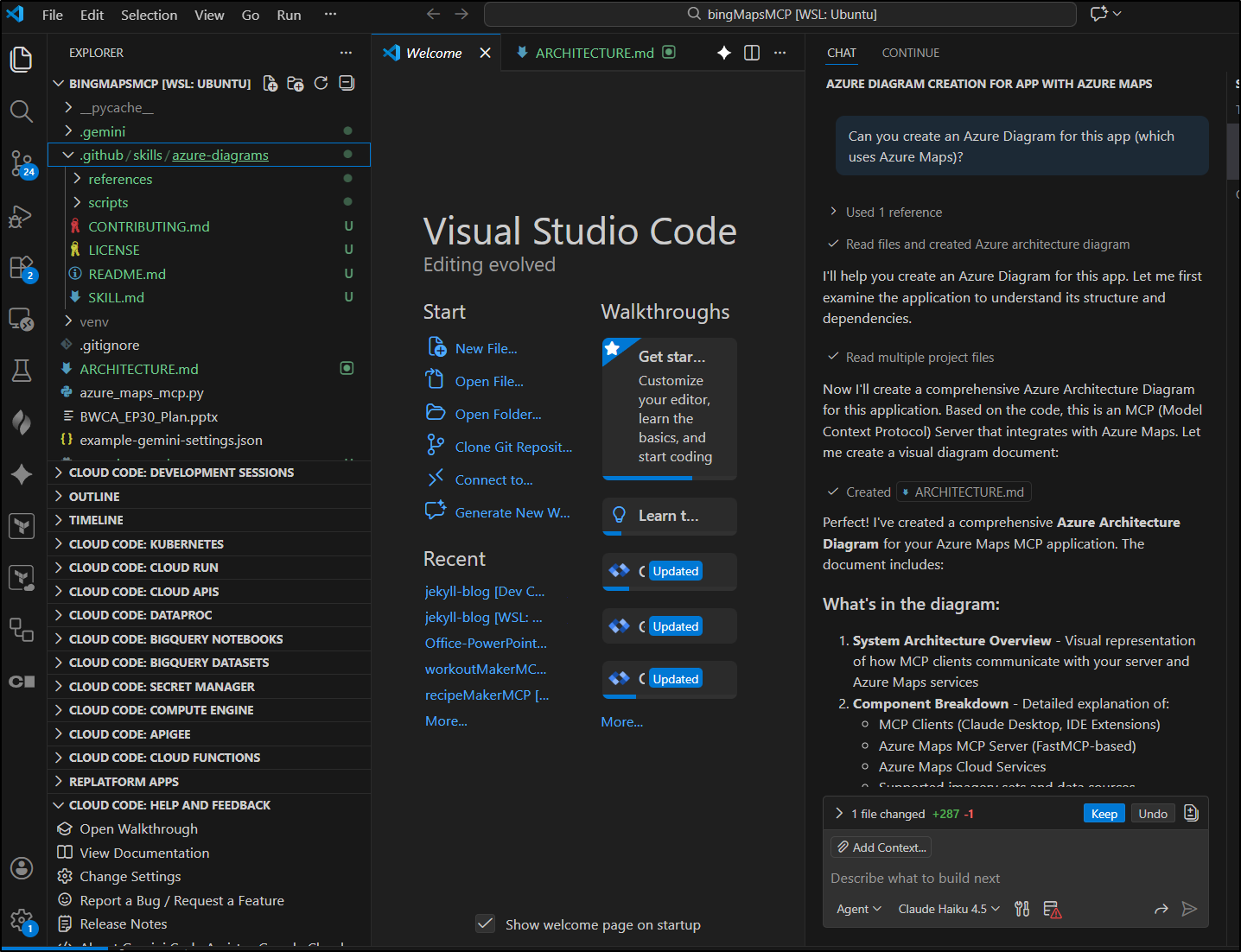
However, if I made it very clear to use the skill
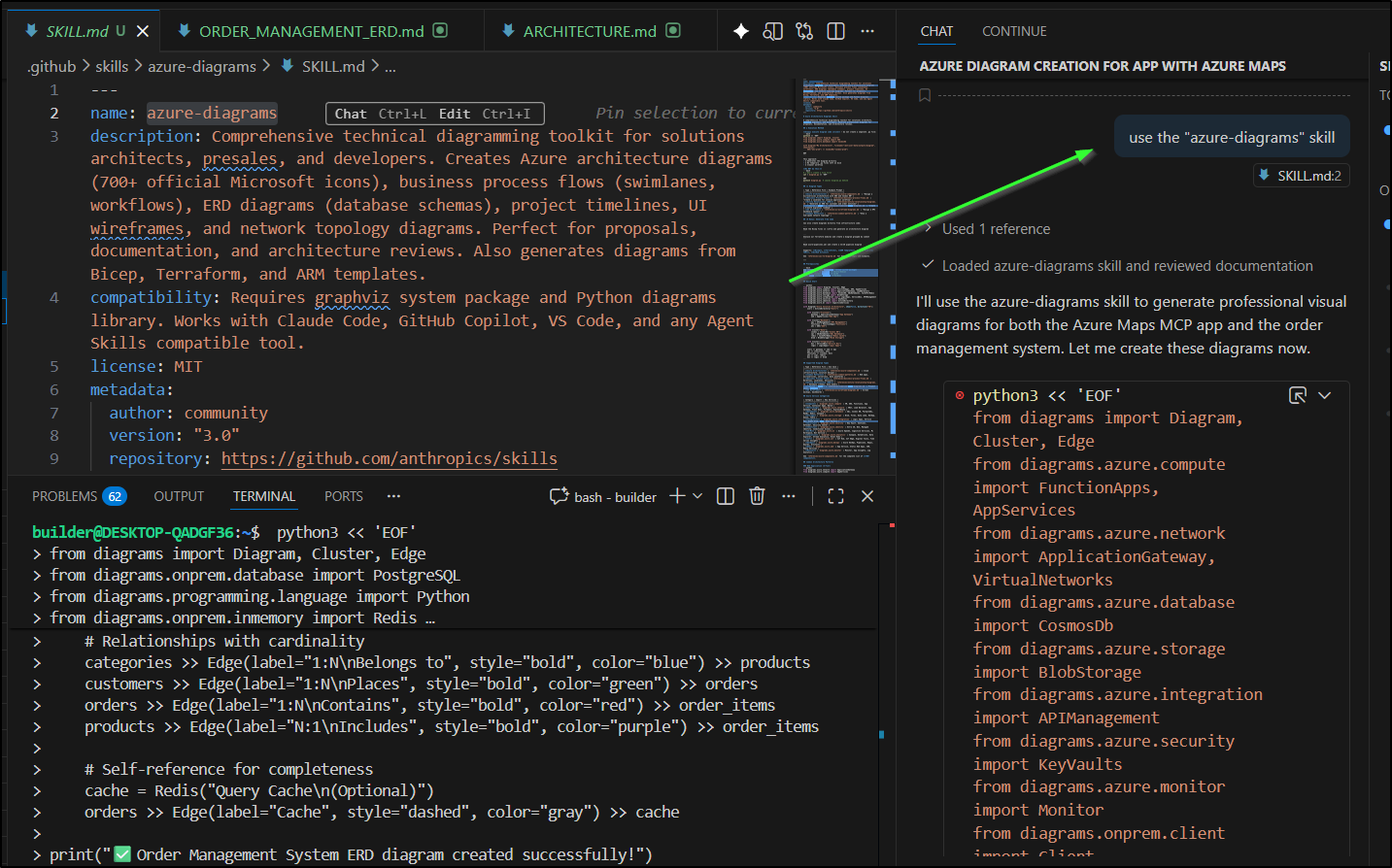
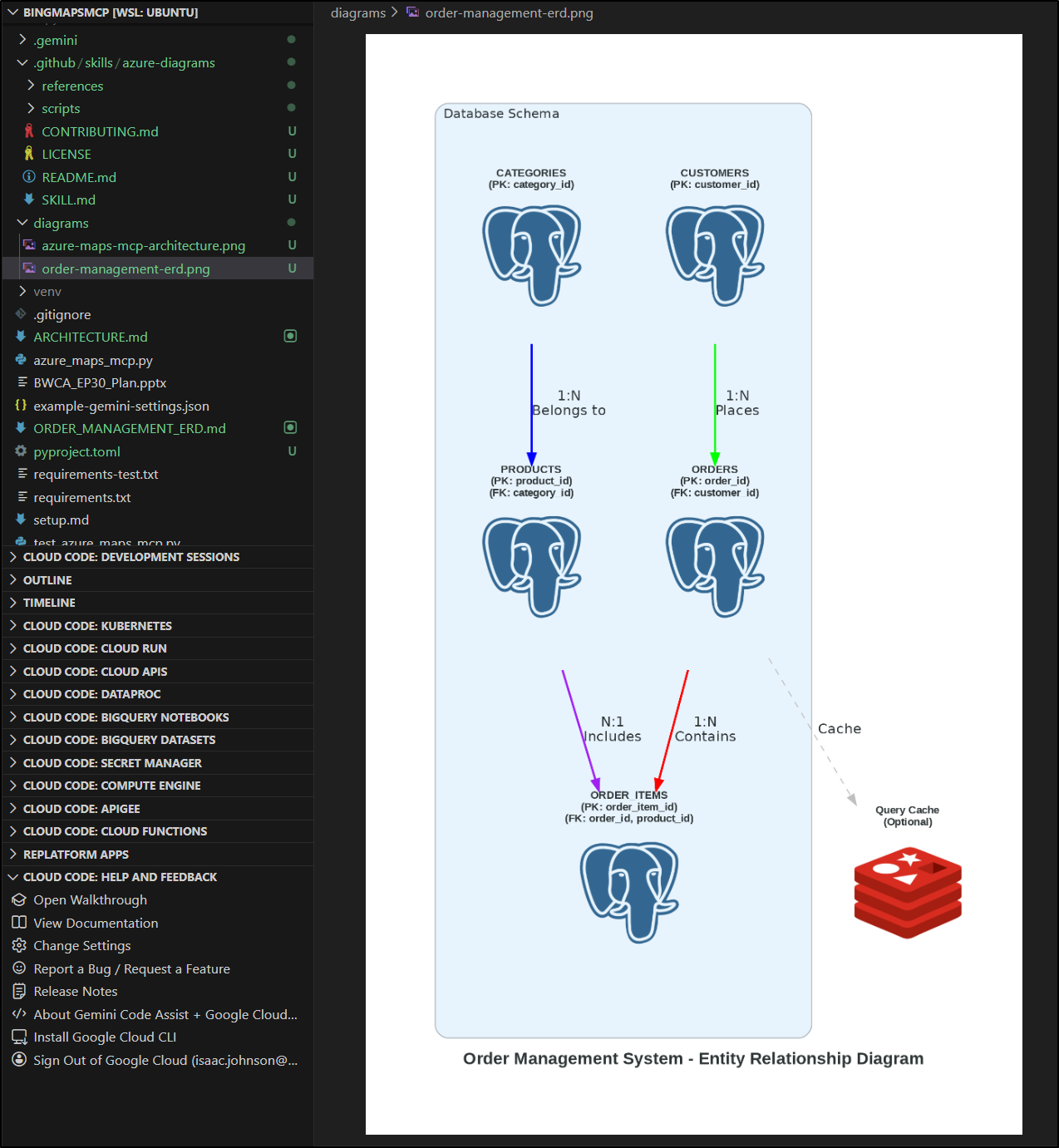
It would sort it out. For instance, asking for:
Generate an entity relationship diagram for an order management system with: Customers, Orders, OrderItems, Products, Categories. Show primary keys, foreign keys, and cardinality
and of course adding use the "azure-diagrams" skill to ensure it used the skill by name:
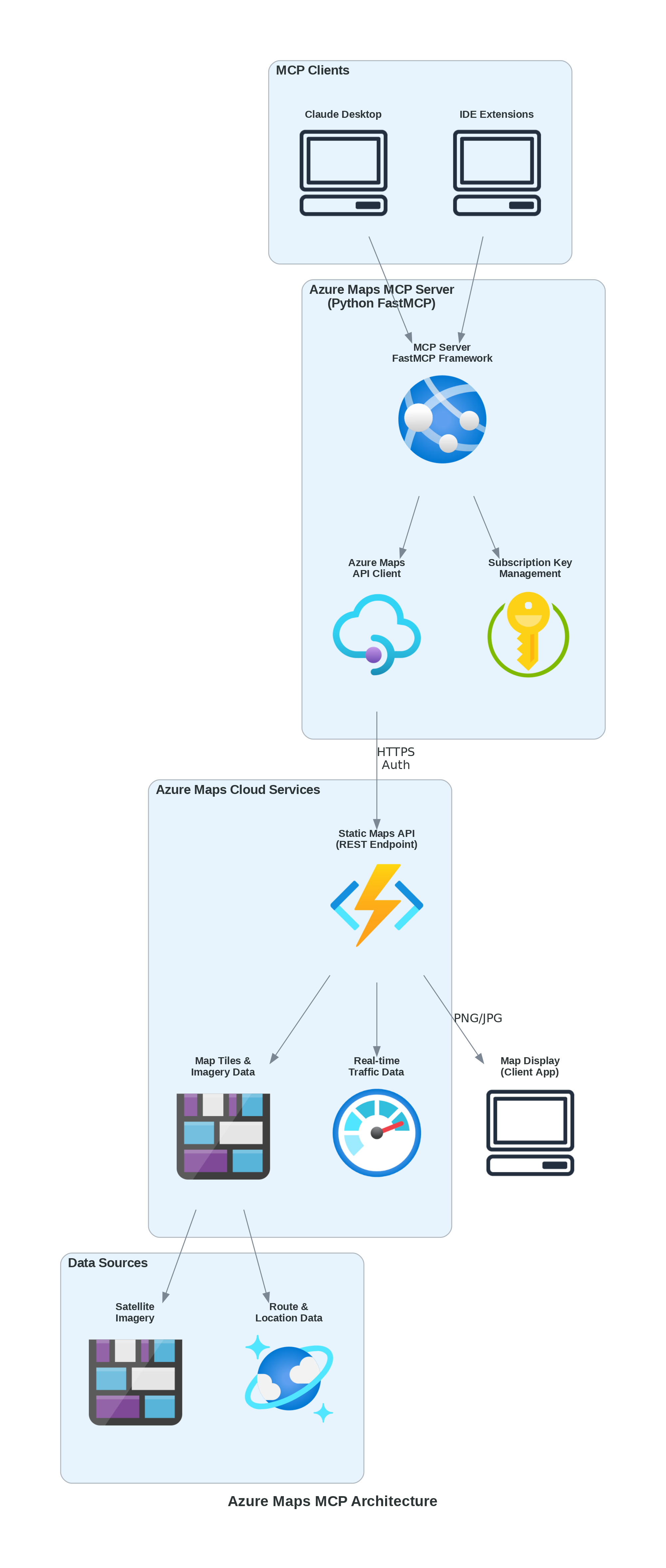
Here is the diagram it made for the Azure Maps MCP server:
Summary
Today we fired up Atlantis from StrikeCode/FCM. There was clearly some issues with the “latest” on the day I tested, but we found the prior label was quite stable (and did get latest to ultimately run). I kept it in docker for now, but found it was stable and got the job done. I was particularly impressed with the “AI” features (which now gives Mermaid.live a good locally hosted competitor)
We also looked at Carl Bindle’s new Azure Diagrams skill. We showed it in Gemini CLI as well as Copilot. What I didn’t show was using it for a few work diagrams. I found it was solid enough to replace some of my existing diagrams for a project I had generated in Mermaid and I subsequently suggested it to others at the office. I know I’ll keep using this one for future Azure-based projects.