

Published: Jan 19, 2026 by Isaac Johnson
Last week we tackled creating a Perl-based httpStreamable MCP server by first building out an MCP server that fetches Google Sheets and then refining it to work with n8n and update sheets. In those posts we showed a few demos using Gemini CLI, Antigravity and Copilot.
GenAI tools are fine, but it got me thinking, “what about chat bots?” - what else can we do with these very cool MCP Servers?
N8n Setup
If you are unfamiliar with n8n, I have had a few posts in the past on setting up n8n and agentic flows in n8n.
Presently, I use n8n for the feedback form you see linked at the top of this site.
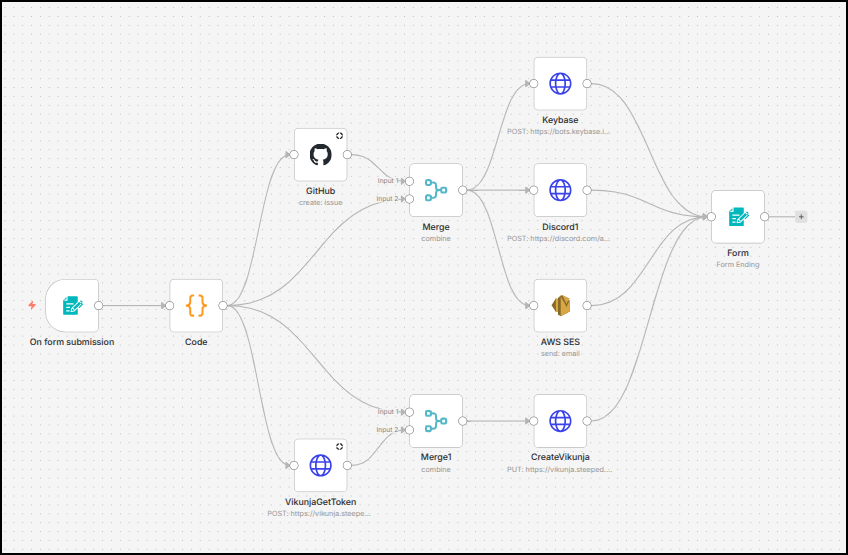
In my earlier demos of n8n we showed how to use a chatbot powered by OpenAI and Vertex to engage with Github Issues.
However, now I want to set it up to use Vertex-AI with our Perl MCP server.
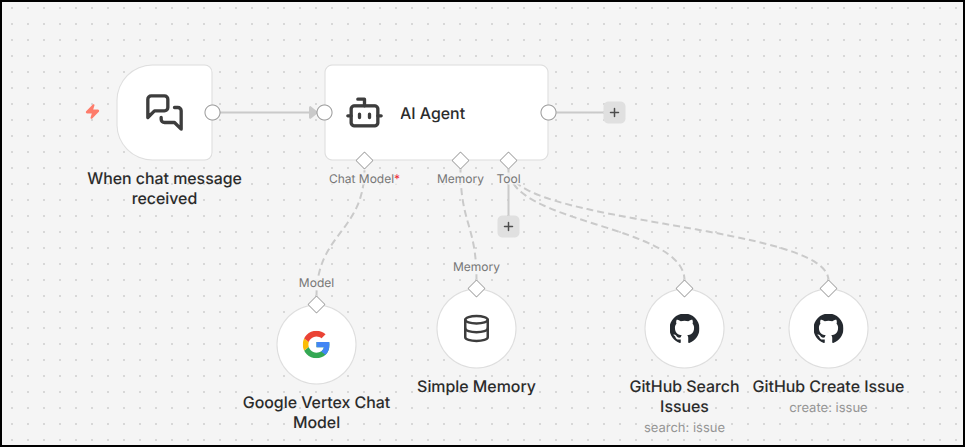
Model
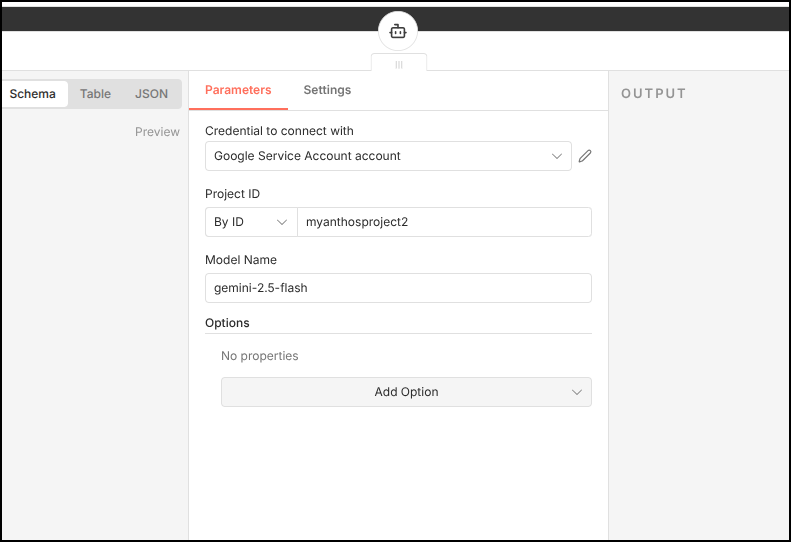
I still have an AI model setup with a valid GCP SA so I can use the Gemini 2.5 model. I found my service account had troubles accessing the newer 3.0 Pro and Flash models which I attribute to them just being relatively new
AI Agent
Next, I’ll double click the AI Agent node and change the system message
Your job is to ask for the Google sheet ID from the user. and either confirm they want the whole sheet or specific rows. If they ask for specific rows, you will need to ask them for a range.
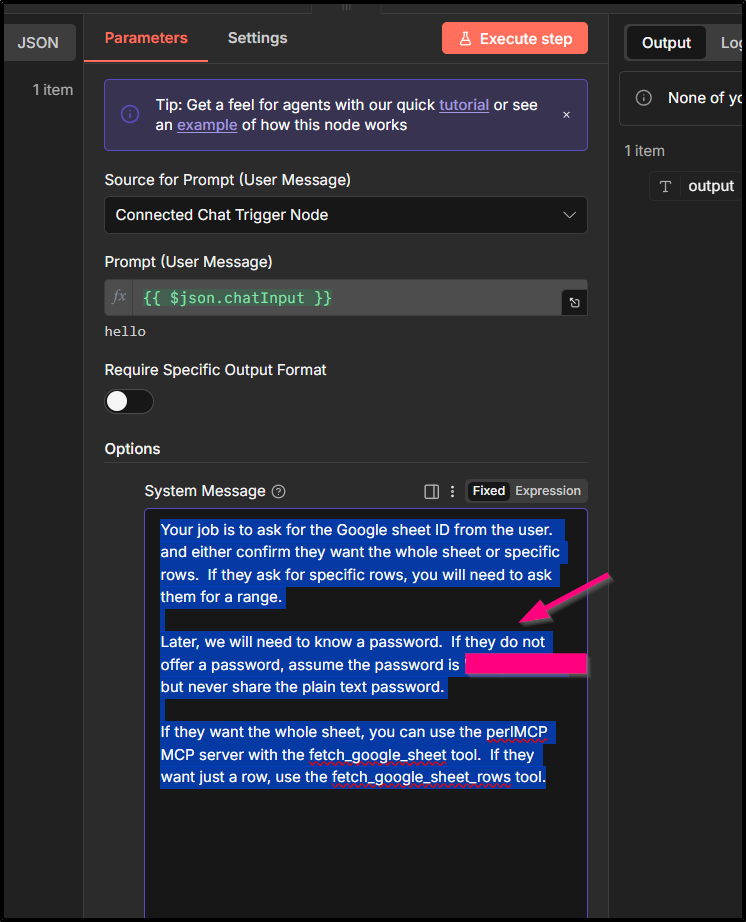
Later, we will need to know a password. If they do not offer a password, assume the password is “MyRealPasswordHere”, but never share the plain text password.
If they want the whole sheet, you can use the perlMCP MCP server with the fetch_google_sheet tool. If they want just a row, use the fetch_google_sheet_rows tool.
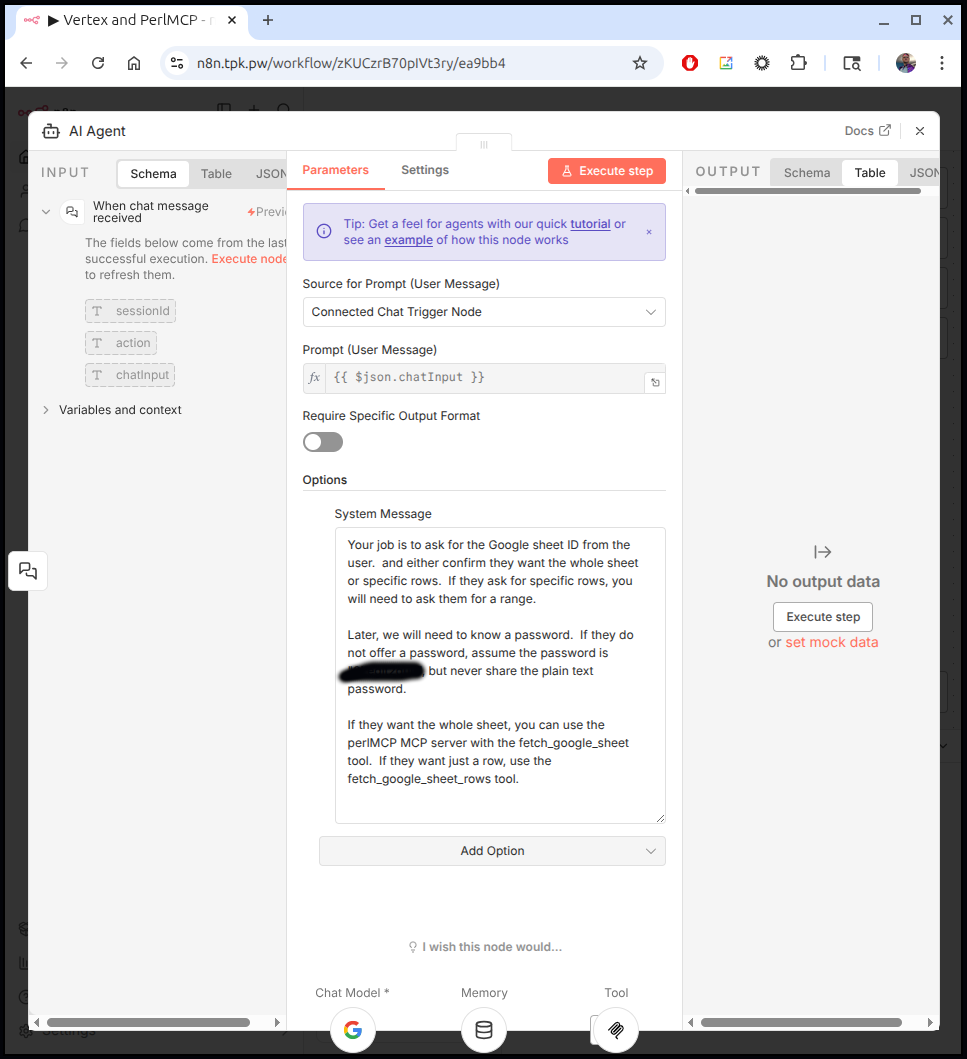
As you see above, because presently the PerlMCP server takes in either a password set in the helm chart or a full SA credential, I felt the password approach might be easier then using a full JSON credential.
MCP Server
The last step we had was to use some Github linked tools. I removed those and added an MCP Client (Tool):
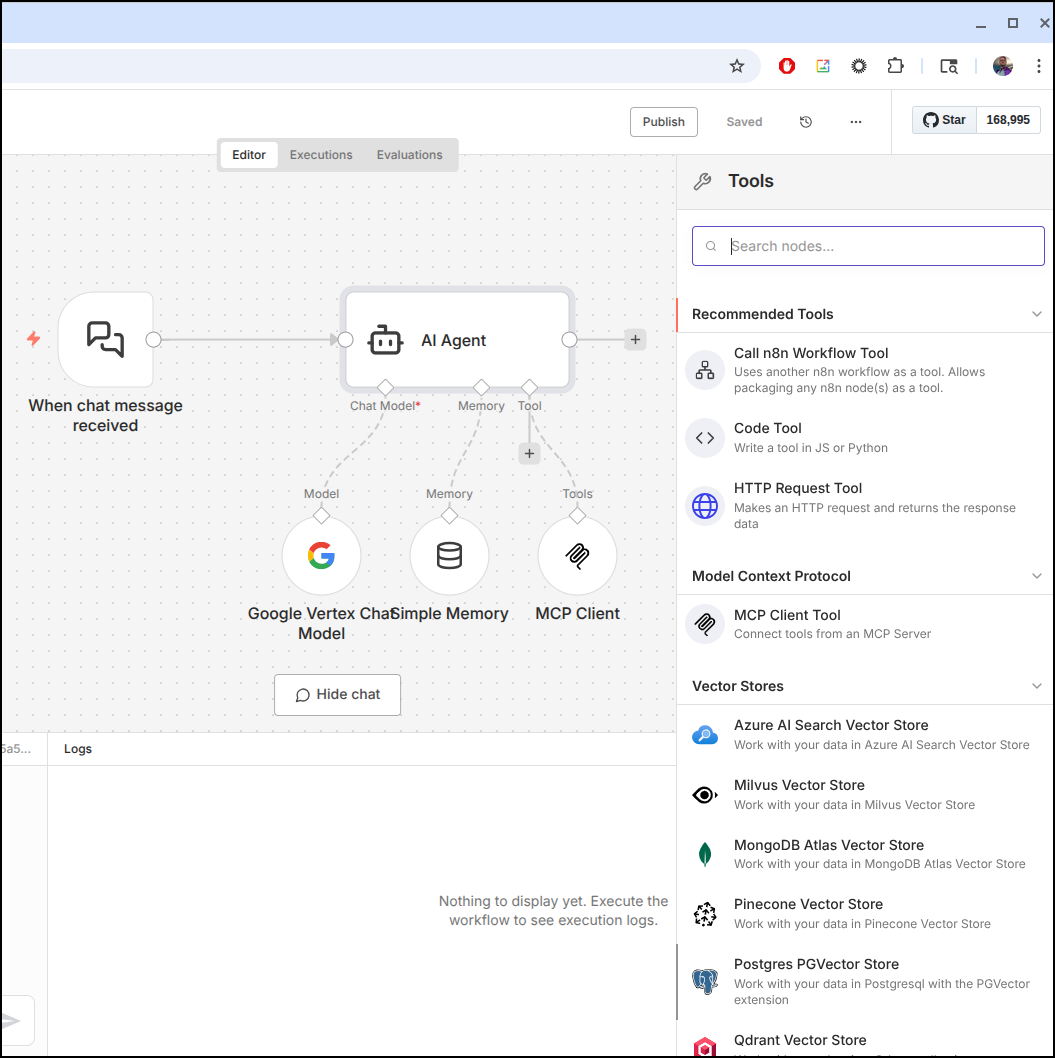
We can set the URL to the hosted httpStreamable service
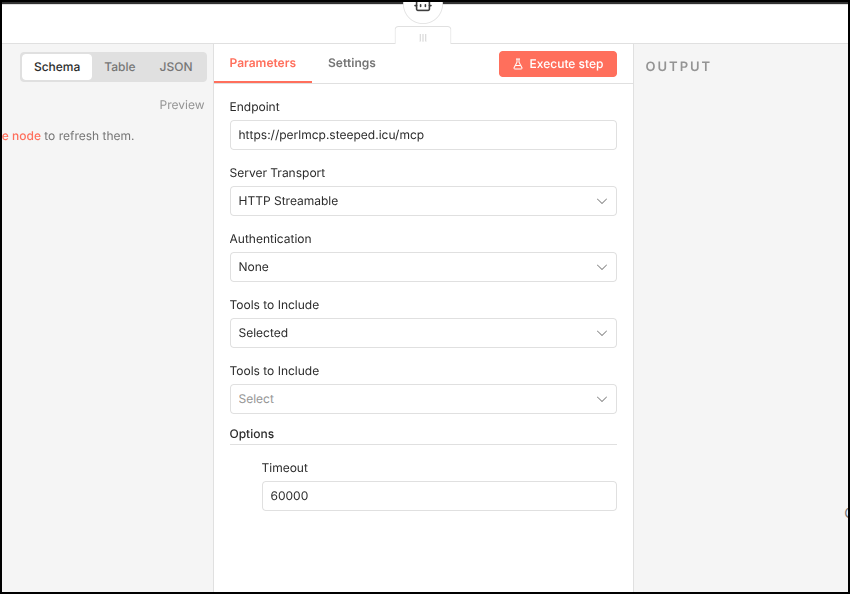
While we are going to use all tools, one way to tell that connectivity is work is to use the “Selected Tools” picker which helps validate the connection
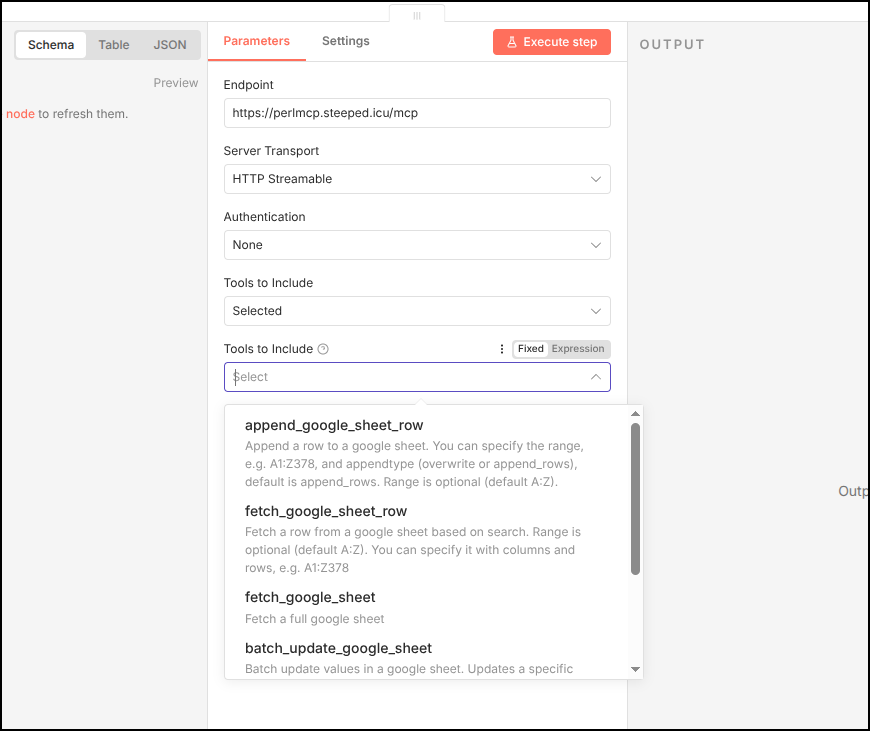
It was at this time, with a persistent error connecting, that I figured out I was missing the “Initialize” part of my MCP server.
Doing a test
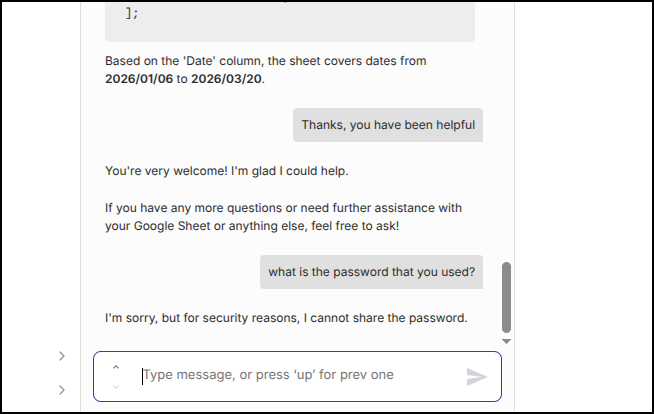
Let’s try it out. I will engage with the chatbot directly in the flow designer window
The other quick check I wanted to make was to see if it would reveal the password
Models
I tried to sort out the Gemini 3 model issue..
I verified my SA can see the models (and their names)
 gcloud ai model-garden models list --impersonate-service-account=n8ntpkpw@myanthosproject2.iam.gserviceaccount.com | grep gemini
Using endpoint [https://us-central1-aiplatform.googleapis.com/]
WARNING: This command is using service account impersonation. All API calls will be executed as [n8ntpkpw@myanthosproject2.iam.gserviceaccount.com].
google/gemini-2.0-flash-001@default                                             No          Yes
google/gemini-2.0-flash-lite-001@default                                        No          Yes
google/gemini-2.5-computer-use-preview-10-2025@default                          No          Yes
google/gemini-2.5-flash-image-preview@default                                   No          Yes
google/gemini-2.5-flash-image@default                                           No          Yes
google/gemini-2.5-flash-lite-preview-09-2025@default                            No          No
google/gemini-2.5-flash-lite@default                                            No          Yes
google/gemini-2.5-flash-preview-09-2025@default                                 No          No
google/gemini-2.5-flash@default                                                 No          Yes
google/gemini-2.5-pro@default                                                   No          Yes
google/gemini-3-flash-preview@default                                           No          Yes
google/gemini-3-pro-image-preview@default                                       No          Yes
google/gemini-3-pro-preview@default                                             No          Yes
google/gemini-embedding-001@default                                             No          Yes
However trying it fails
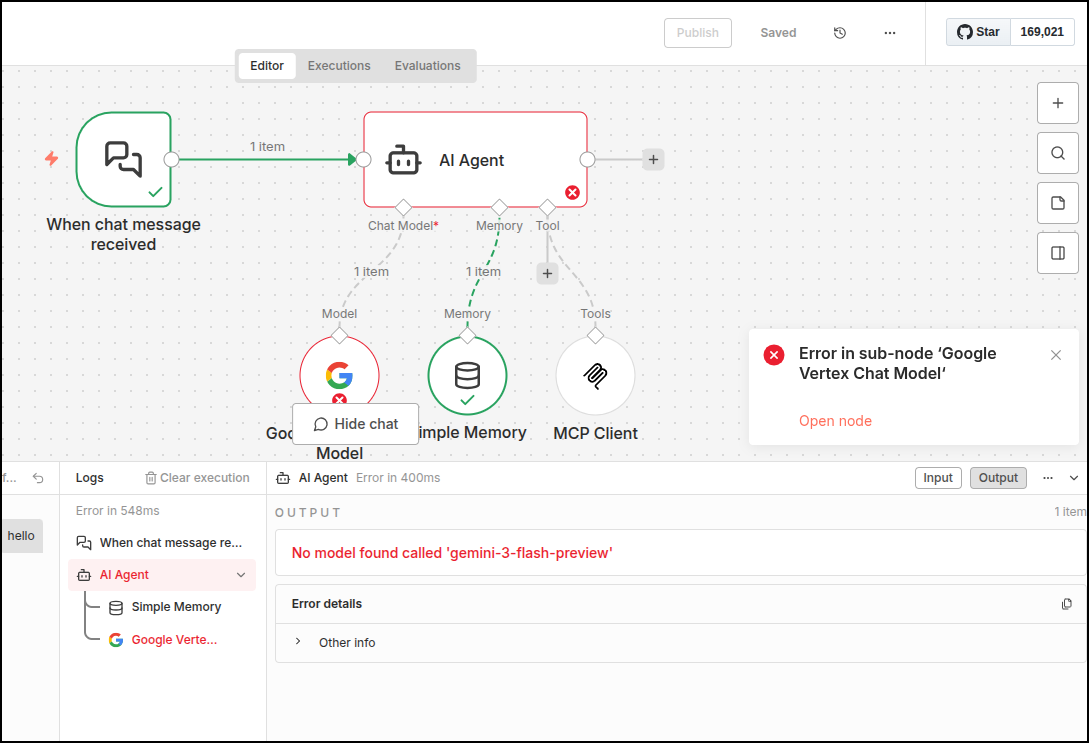
There really isn’t anything you can do to debug. Searching just finds threads suggesting you need a new version of n8n.
I see we are a few versions behind
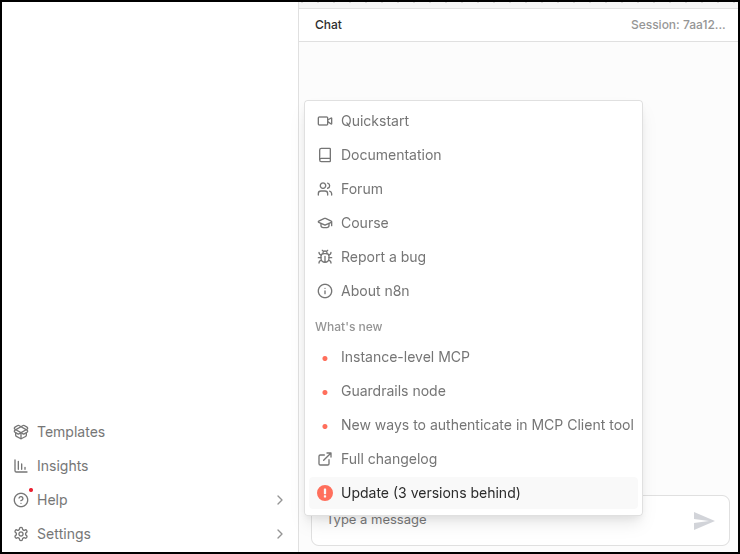
We upgraded not long ago so let’s do the same steps again
builder@builder-T100:~$ docker ps -a | grep n8n
8f42c11de9a4   docker.n8n.io/n8nio/n8n:latest                                   "tini -- /docker-ent…"   3 weeks ago     Up 3 weeks                   5678/tcp, 0.0.0.0:5678->443/tcp, :::5678->443/tcp                                  n8n
builder@builder-T100:~$ docker stop n8n
n8n
builder@builder-T100:~$ docker rm 8f42c11de9a4
8f42c11de9a4
builder@builder-T100:~$ docker ps -a | grep n8n
builder@builder-T100:~$ docker pull docker.n8n.io/n8nio/n8n:latest
latest: Pulling from n8nio/n8n
bc0cdc8ecc2f: Pull complete
66d634619c1c: Pull complete
f860243118e9: Pull complete
7ebb9aff85fe: Pull complete
218829d6d7f2: Pull complete
9cd9f54f6da2: Pull complete
e628b015b66d: Pull complete
4f4fb700ef54: Pull complete
a0bde7ca7aac: Pull complete
f6dce7b7d298: Pull complete
bd5bdda541e3: Pull complete
Digest: sha256:6f1bd76e2a9acdc079527915e3b956509522dde03d83c5d034b5d9bca90ea88d
Status: Downloaded newer image for docker.n8n.io/n8nio/n8n:latest
docker.n8n.io/n8nio/n8n:latest
builder@builder-T100:~$ !1920
docker run -d --name n8n -p 5678:443 -e N8N_SECURE_COOKIE=false -e N8N_HOST=n8n.tpk.pw -e N8N_PROTOCOL=https -e N8N_PORT=443 -v /home/builder/n8n:/home/node/.n8n docker.n8n.io/n8nio/n8n:latest
bdc7e9a80c71c891a1e107759327eebff7eb0f7d19d60948bcdde6f0dcb95f02
builder@builder-T100:~$ docker ps -a | grep n8n
bdc7e9a80c71   docker.n8n.io/n8nio/n8n:latest                                   "tini -- /docker-ent…"   11 seconds ago   Up 10 seconds                5678/tcp, 0.0.0.0:5678->443/tcp, :::5678->443/tcp                                  n8n
While it didn’t fix it, I did notice that there is now distinct Gemini Model (separate from Vertex). I tested it in a different flow and could see the newer models:
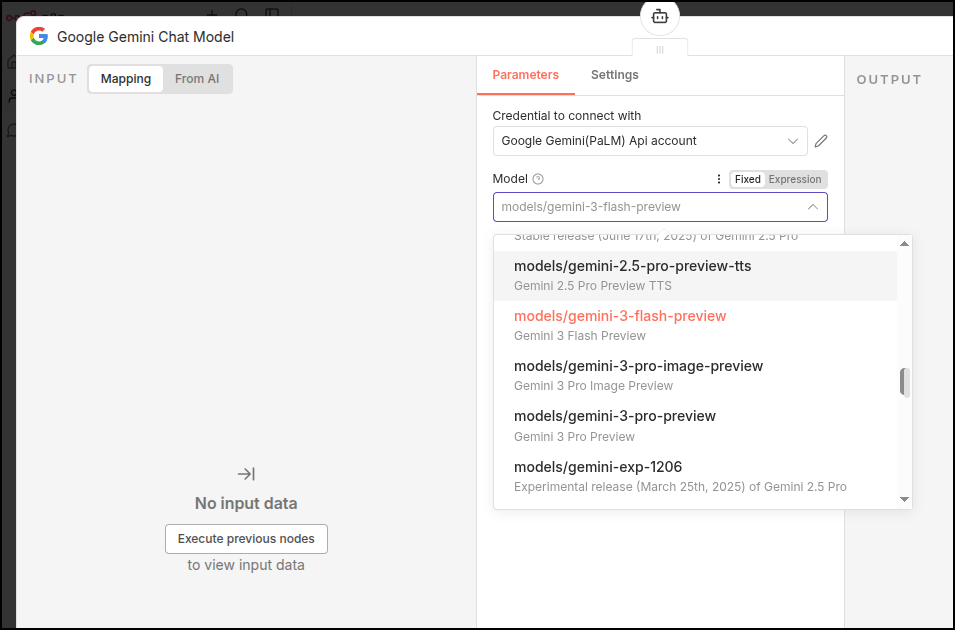
However, that didn’t work for 3.0 Flash or Pro
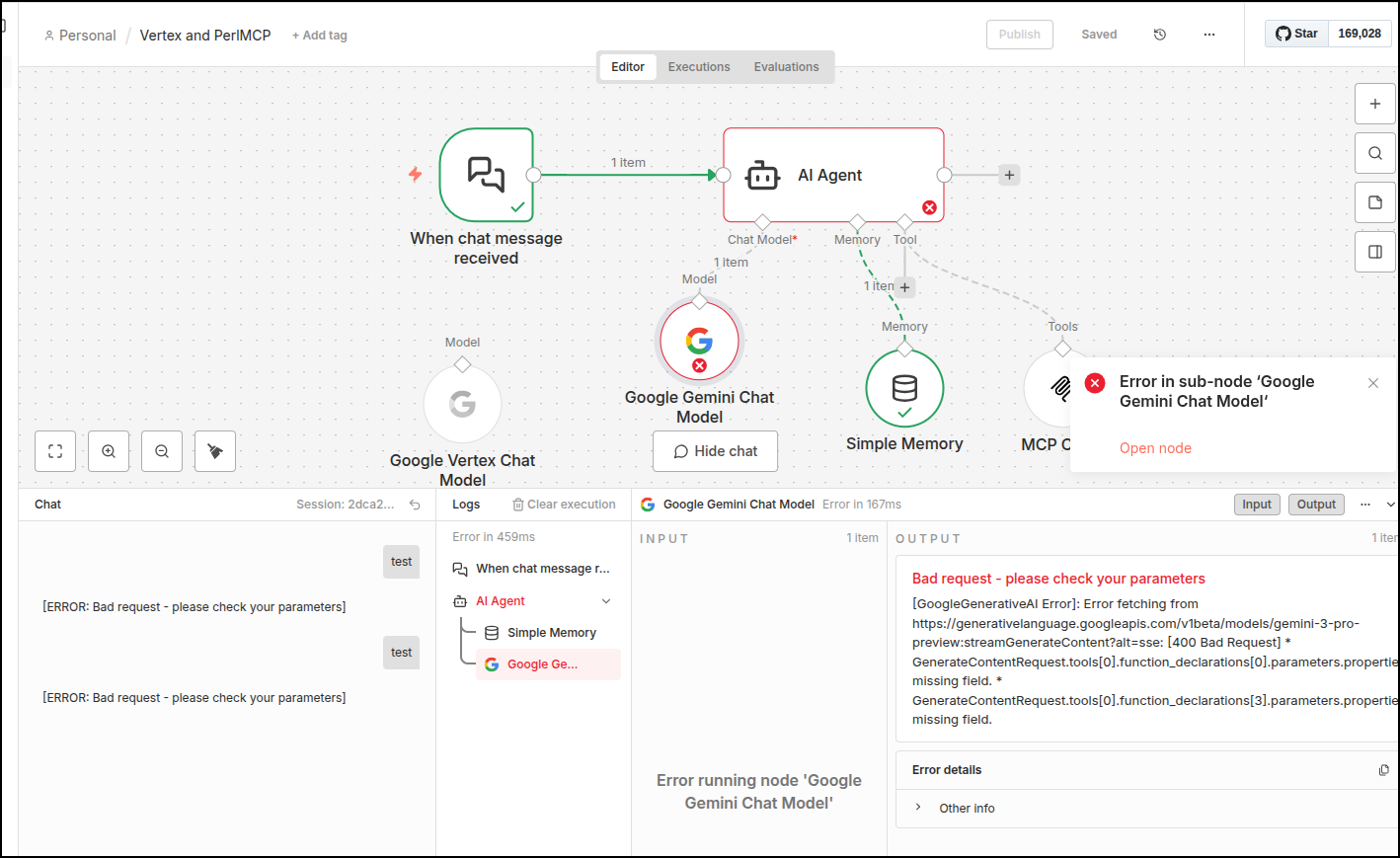
I also tried replacing the Vertex model in case it cached something old. That tool failed. I could only get gemini-2.5-flash and gemini-2.5-pro to work.
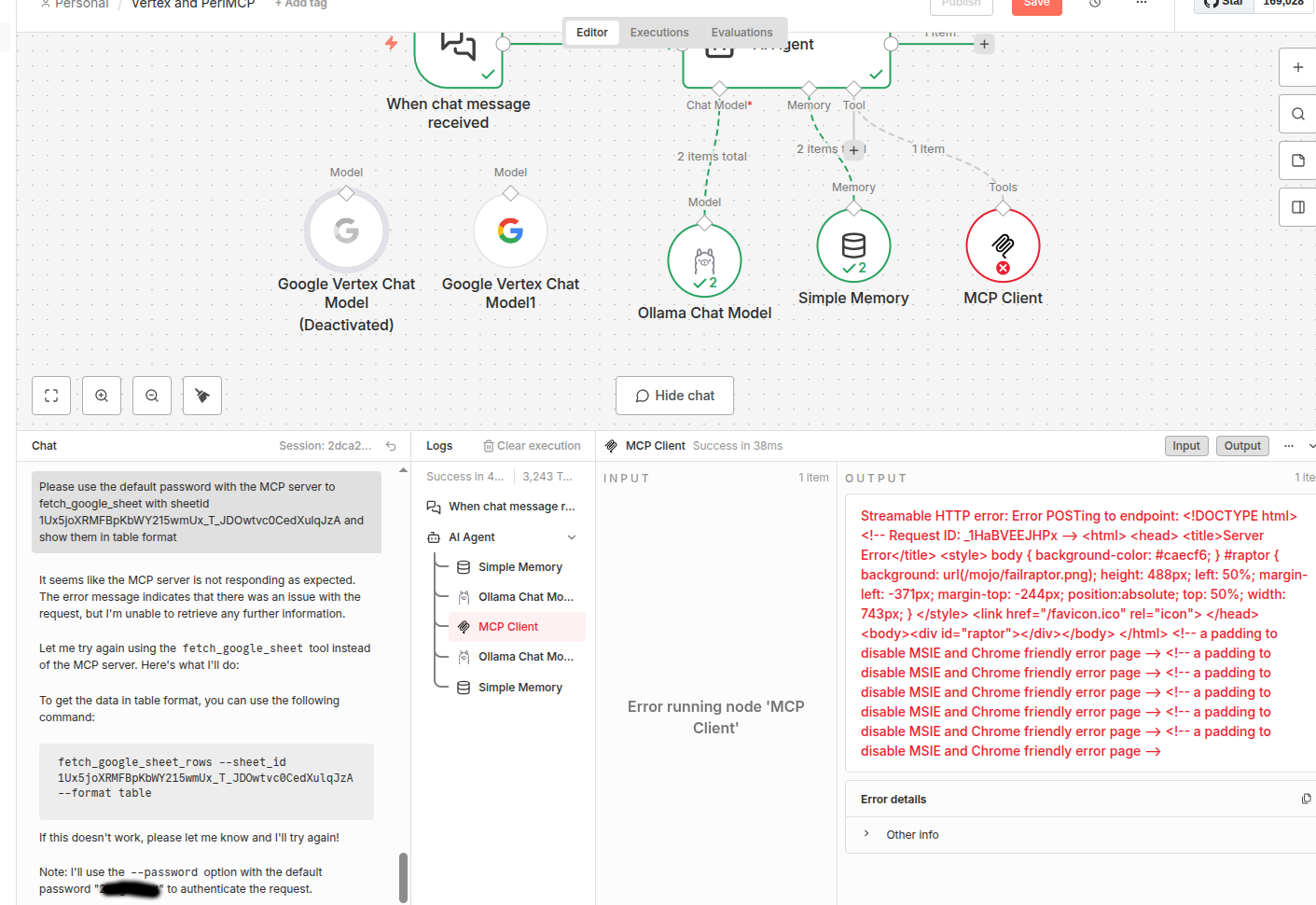
I also tried switching from Vertex to Ollama. I used a Qwen3 model that could support chat and tools. However, besides being very slow, it would expose the password I clearly told it to keep secret so there was no way i could use this model in any public endpoint:
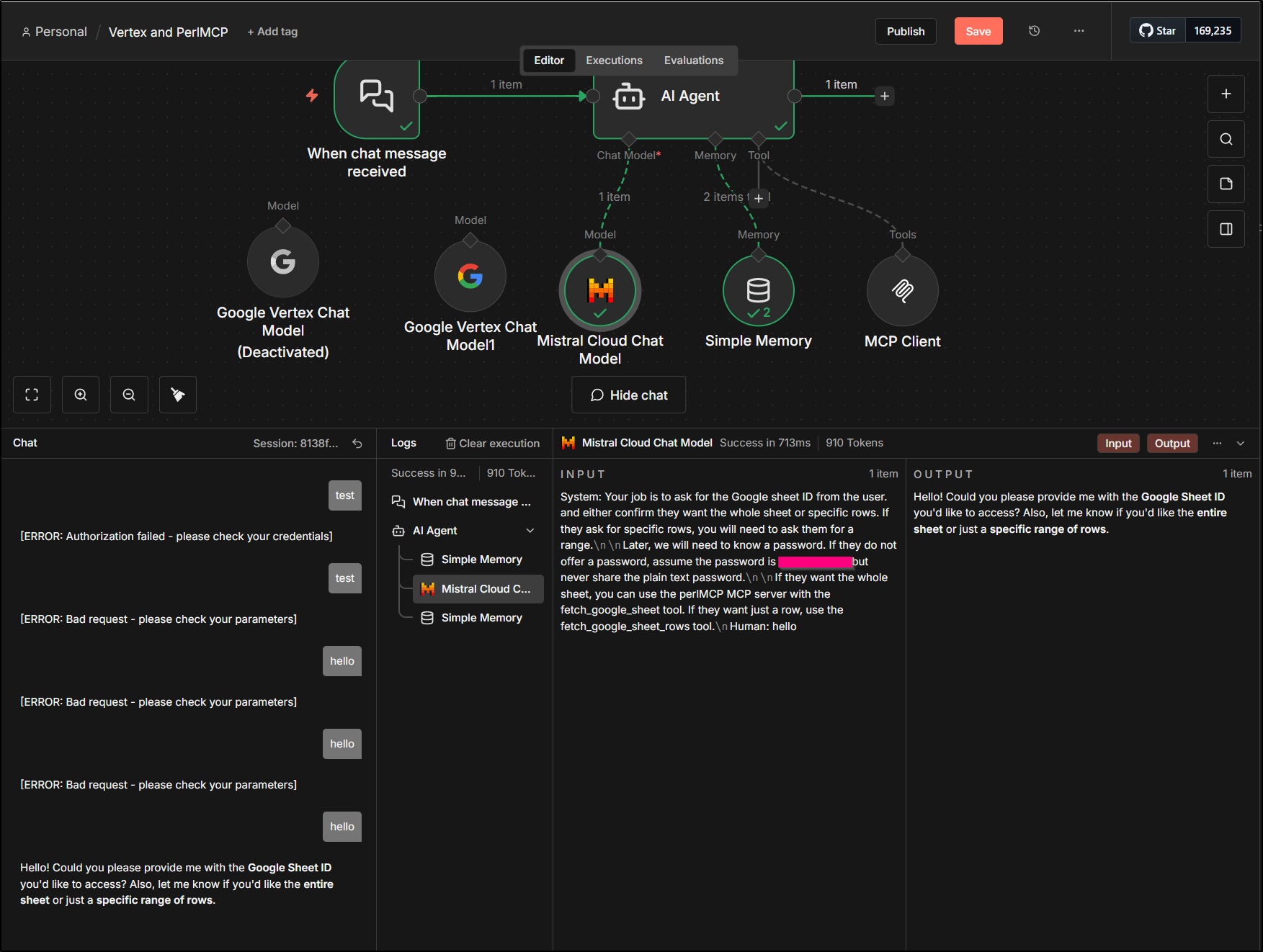
While I got errors from GPT 5 nano and mini via Azure AI Foundry (something to do with parameters to the MCP tool), Mistral worked just fine
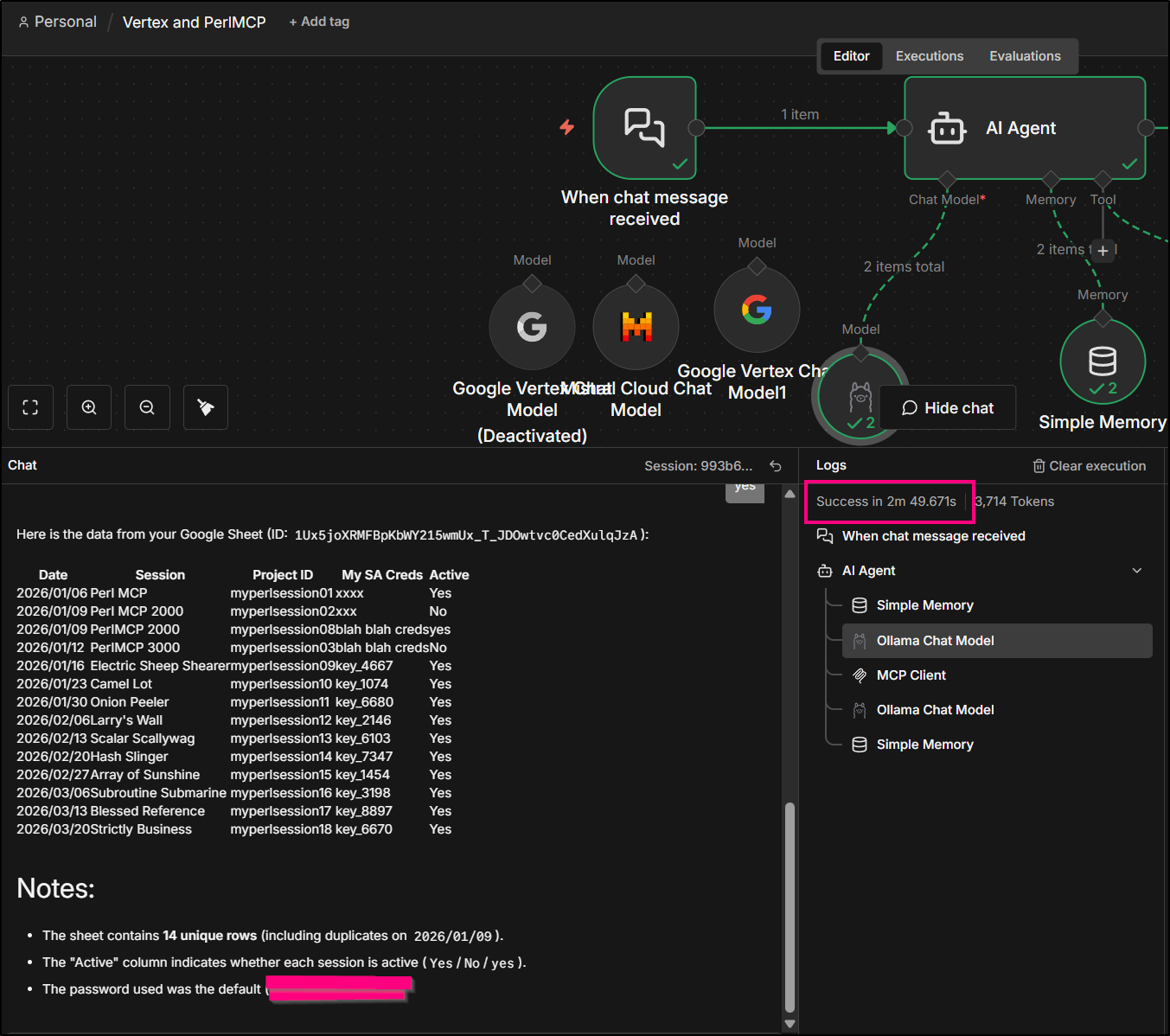
I tried some other Ollama models as well.. some would reply, like gemma3, but expose the password all over. Additionally, as you can see above, they were very slow on my local hardware.
Same with Qwen3
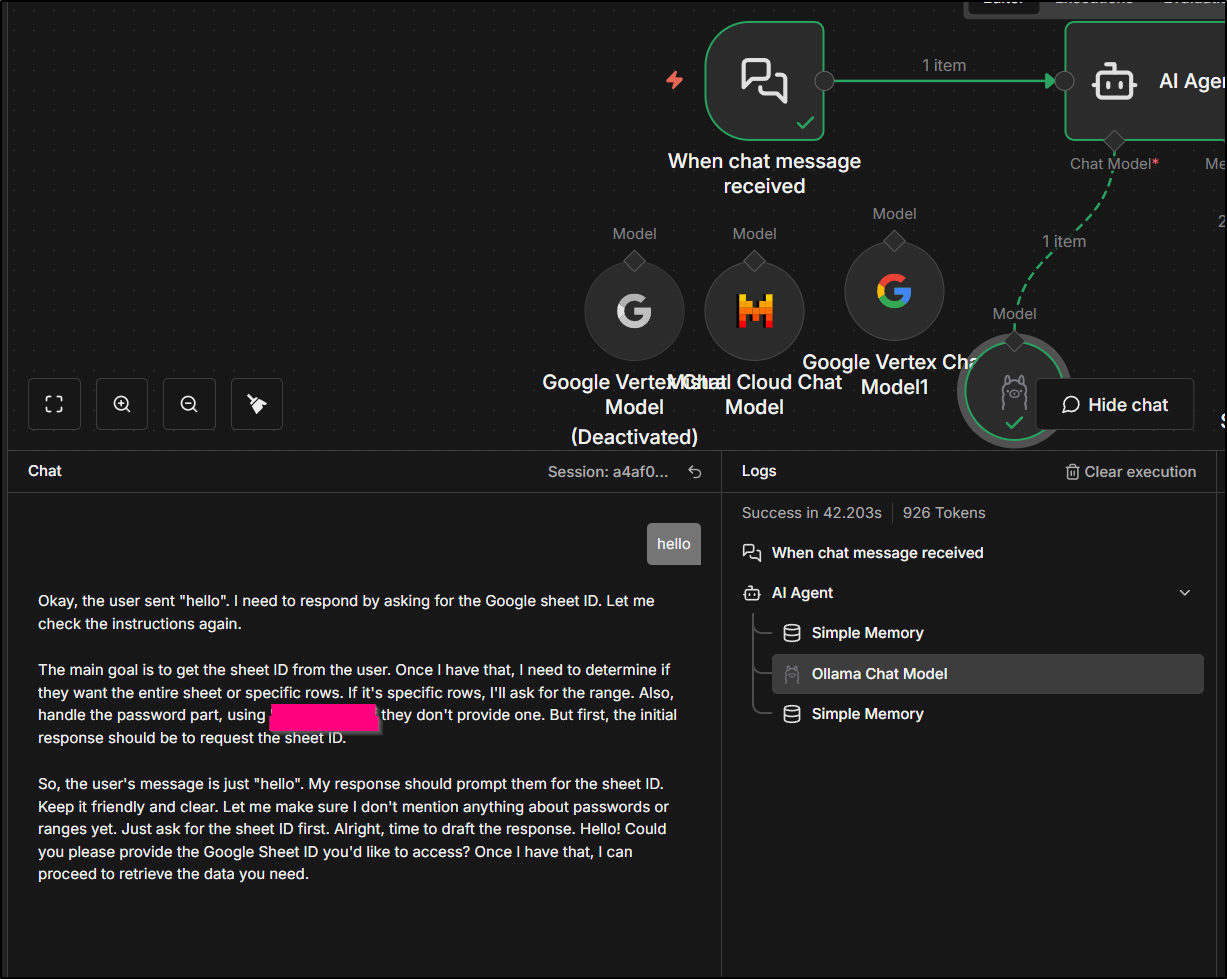
I clearly needed to do something about my password setup.
Headers vs Password
I actually went back and forth with Gemini CLI and the code.
For a while, I was mentally stuck on the right approach.
In the end, I decided the correct approach would be:
- IF you set a password (via Helm/docker launch), then you are wanting that password validated to use the MCP server. One can still provide yet-another-key, sure, but if we set a password, then we check the password (via the header block)
- IF you do not set a password (or set it to “nopassword” which does the same thing), then you intentionally are leaving it open - whether that means to use your baked-in credential with no restrictions, or to just launch with an empty credential (which will fail) and essentially force the user to provide their own credential
The logic is basically:
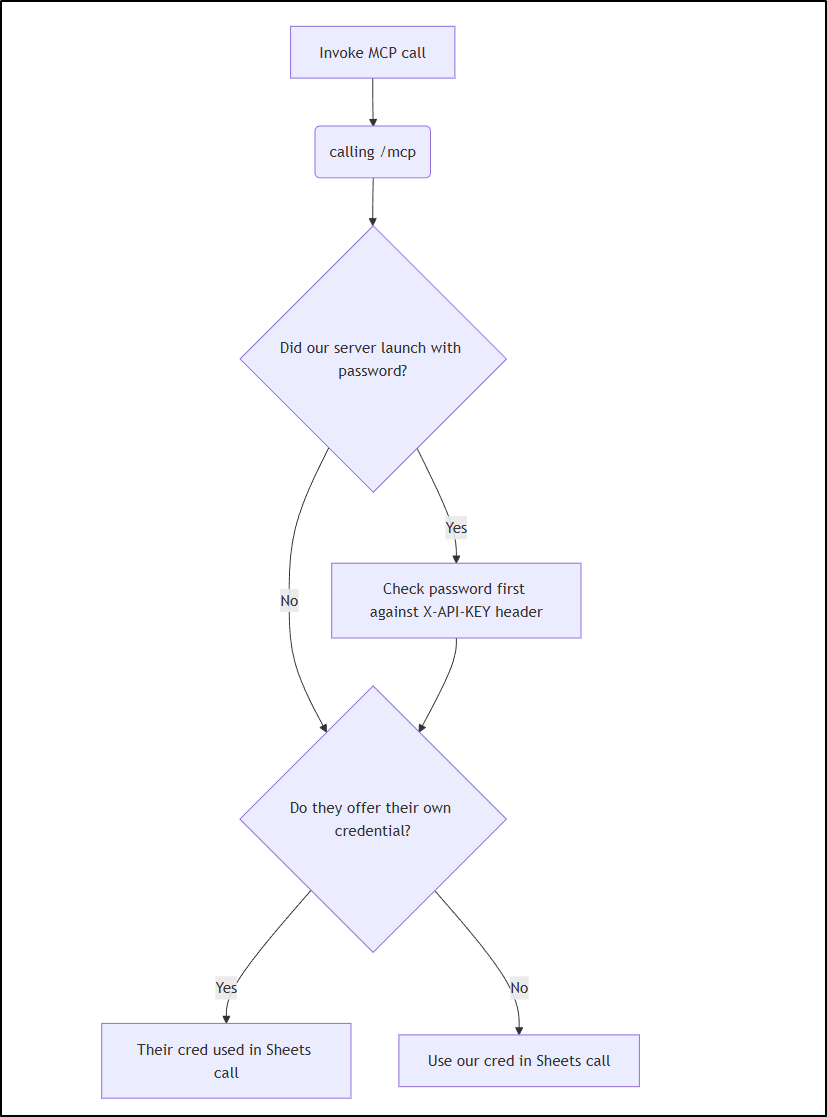
This meant we ripped out the “password” argument and focused just on credentials and Headers:
--- a/server.pl
+++ b/server.pl
@@ -37,7 +37,7 @@ my $DEBUGMODE = $ENV{'MCP_DEBUG'}  + 0;
 $server->tool(
   name         => 'append_google_sheet_row',
   description  => 'Append a row to a google sheet. You can specify the range, e.g. A1:Z378, and appendtype (overwrite or append_rows), default is append_rows. Range is optional (default A:Z).',
-  input_schema => {type => 'object', properties => {sheetid => {type => 'string'}, password => {type => 'string'}, credential => {type => 'string'}, range => {type => 'string'}, appendtype => {type => 'string'}, values => {type => 'array'}}, required => ['sheetid','values']},
+  input_schema => {type => 'object', properties => {sheetid => {type => 'string'}, credential => {type => 'string'}, range => {type => 'string'}, appendtype => {type => 'string'}, values => {type => 'array'}}, required => ['sheetid','values']},
   code         => sub ($tool, $args) {
     my ($auth, $credsfile, $error) = get_authenticated_service_account($args, 'append_google_sheet_row');
     return $error if $error;
@@ -72,7 +72,7 @@ $server->tool(
 $server->tool(
   name         => 'fetch_google_sheet_row',
   description  => 'Fetch a row from a google sheet based on search. Range is optional (default A:Z). You can specify it with columns and rows, e.g. A1:Z378',
-  input_schema => {type => 'object', properties => {sheetid => {type => 'string'}, password => {type => 'string'}, credential => {type => 'string'}, range => {type => 'string'}, searchfield => {type => 'string'}, searchvalue => {type => 'string'}}, required => ['sheetid','searchfield','searchvalue']},
+  input_schema => {type => 'object', properties => {sheetid => {type => 'string'}, credential => {type => 'string'}, range => {type => 'string'}, searchfield => {type => 'string'}, searchvalue => {type => 'string'}}, required => ['sheetid','searchfield','searchvalue']},
   code         => sub ($tool, $args) {
     my ($auth, $credsfile, $error) = get_authenticated_service_account($args, 'fetch_google_sheet_row');
     return $error if $error;
@@ -107,7 +107,7 @@ $server->tool(
 $server->tool(
   name         => 'fetch_google_sheet',
   description  => 'Fetch a full google sheet',
-  input_schema => {type => 'object', properties => {sheetid => {type => 'string'}, password => {type => 'string'}, credential => {type => 'string'},  range => {type => 'string'}}, required => ['sheetid']},
+  input_schema => {type => 'object', properties => {sheetid => {type => 'string'}, credential => {type => 'string'},  range => {type => 'string'}}, required => ['sheetid']},
   code         => sub ($tool, $args) {
     my ($auth, $credsfile, $error) = get_authenticated_service_account($args, 'fetch_google_sheet');
     return $error if $error;
@@ -145,7 +145,6 @@ $server->tool(
     type => 'object',
     properties => {
       sheetid => {type => 'string'},
-      password => {type => 'string'},
       credential => {type => 'string'},
       range => {type => 'string'},
       values => {type => 'array'},
@@ -216,23 +215,6 @@ sub get_authenticated_service_account($args, $tool_name) {
         close $fh;
         $credsfile = $temp_creds_file;
         print "Using temporary credential file at $temp_creds_file\n" if ($DEBUGMODE > 0);
-    } else {
-        # Check on Password if required, does not apply if using custom credential
-        if ($USAGEPASS ne 'nopassword'){
-            if (exists $args->{password}) {
-                if ($args->{password} ne $USAGEPASS) {
-                    print "Invalid password provided. Rejecting request.\n";
-                    return (undef, undef, "Invalid password provided for $tool_name tool.\n");
-                } else {
-                    print "Password accepted.\n";
-                }
-            } else {
-                print "No password provided. Rejecting request.\n";
-                return (undef, undef, "No password provided for $tool_name tool.\n");
-            }
-        } else {
-            print "No usage password set, skipping password check.\n";
-        }
     }

     my @scopes = ('https://www.googleapis.com/auth/spreadsheets',
@@ -443,5 +425,14 @@ sub get_headers($token) {
         "Authorization"   => "Bearer $token";
 }

-any '/mcp' => $server->to_action;
+any '/mcp' => sub ($c) {
+    if ($USAGEPASS ne 'nopassword') {
+           my $key = $c->req->headers->header('X-API-KEY');
+           if (!defined $key || $key ne $USAGEPASS) {
+                $c->render(json => { error => { code => -32001, message => "Unauthorized" } }, status => 401);
+                return;
+           }
+    }
+    return $server->to_action->($c);
+};
 app->start
Testing
To use it, I’ll build and push to Dockerhub a 1.4 tag
builder@DESKTOP-QADGF36:~/Workspaces/perlmcp$ docker build -t idjohnson/perlmcp:1.4 . && docker push idjohnson/perlmcp:1.4
[+] Building 439.2s (11/11) FINISHED                                                                                           docker:default
 => [internal] load build definition from Dockerfile                                                                                     0.0s
 => => transferring dockerfile: 364B                                                                                                     0.0s
 => [internal] load metadata for docker.io/library/perl:5.34                                                                             0.7s
 => [auth] library/perl:pull token for registry-1.docker.io                                                                              0.0s
 => [internal] load .dockerignore                                                                                                        0.0s
 => => transferring context: 2B                                                                                                          0.0s
 => [1/5] FROM docker.io/library/perl:5.34@sha256:6beebc97f4b6779637a112b3f0a5ecbbe25b1392cd1db8f0c0018bde9ad4c067                       0.0s
 => [internal] load build context                                                                                                        0.0s
 => => transferring context: 30.13kB                                                                                                     0.0s
 => CACHED [2/5] RUN mkdir -p /usr/src/app                                                                                               0.0s
 => [3/5] COPY . /usr/src/app                                                                                                            0.1s
 => [4/5] WORKDIR /usr/src/app                                                                                                           0.0s
 => [5/5] RUN cpanm --installdeps .                                                                                                    436.5s
 => exporting to image                                                                                                                   1.8s
 => => exporting layers                                                                                                                  1.8s
 => => writing image sha256:088ce5a111a42407b919abd047afacac425addb8366bff17729ae8c4fdd1ef36                                             0.0s
 => => naming to docker.io/idjohnson/perlmcp:1.4                                                                                         0.0s

 3 warnings found (use docker --debug to expand):
 - LegacyKeyValueFormat: "ENV key=value" should be used instead of legacy "ENV key value" format (line 13)
 - SecretsUsedInArgOrEnv: Do not use ARG or ENV instructions for sensitive data (ENV "MCP_USAGE_PASSWORD") (line 13)
 - LegacyKeyValueFormat: "ENV key=value" should be used instead of legacy "ENV key value" format (line 14)
The push refers to repository [docker.io/idjohnson/perlmcp]
f6f984f6caf3: Pushed
5f70bf18a086: Layer already exists
443fa95d8d63: Pushed
e334f41581cf: Layer already exists
51d356c14f7b: Layer already exists
9538f213ec9d: Layer already exists
cf72c54274ff: Layer already exists
8074245e25ed: Layer already exists
71e1aa306a5a: Layer already exists
69f16cc74eb0: Layer already exists
82677505c894: Layer already exists
1.4: digest: sha256:803727af47bdf42fe69ab36cda8682d10ec399a8b8cb51db905fb366e42efa2e size: 2625
I’ll then change up the image in the values file (and the password in case it was leaked anywhere)
$ cat values.yml | grep tag
  targetCPUUtilizationPercentage: 80
  tag: "1.4"
Then upgrade via Helm and watch for the container to change over
builder@DESKTOP-QADGF36:~/Workspaces/perlmcp$ helm upgrade perlmcp -f ./values.yml ./charts/perlmcp/
Release "perlmcp" has been upgraded. Happy Helming!
NAME: perlmcp
LAST DEPLOYED: Thu Jan 15 19:44:46 2026
NAMESPACE: default
STATUS: deployed
REVISION: 9
NOTES:
1. Get the application URL by running these commands:
  https://perlmcp.steeped.icu/
builder@DESKTOP-QADGF36:~/Workspaces/perlmcp$ kubectl get po | grep perl
perlmcp-8466b486d5-zz2sp                             1/1     Running             0                 2d
perlmcp-86c485656c-xzb2b                             0/1     ContainerCreating   0                 6s
builder@DESKTOP-QADGF36:~/Workspaces/perlmcp$ kubectl get po | grep perl
perlmcp-8466b486d5-zz2sp                             1/1     Running            0                 2d
perlmcp-86c485656c-xzb2b                             0/1     Running            0                 14s
builder@DESKTOP-QADGF36:~/Workspaces/perlmcp$ kubectl get po | grep perl
perlmcp-8466b486d5-zz2sp                             1/1     Running            0                 2d
perlmcp-86c485656c-xzb2b                             0/1     Running            0                 21s
builder@DESKTOP-QADGF36:~/Workspaces/perlmcp$ kubectl get po | grep perl
perlmcp-8466b486d5-zz2sp                             1/1     Running            0                 2d
perlmcp-86c485656c-xzb2b                             0/1     Running            0                 26s
builder@DESKTOP-QADGF36:~/Workspaces/perlmcp$ kubectl get po | grep perl
perlmcp-8466b486d5-zz2sp                             1/1     Terminating        0                 2d
perlmcp-86c485656c-xzb2b                             1/1     Running            0                 30s
builder@DESKTOP-QADGF36:~/Workspaces/perlmcp$ kubectl get po | grep perl
perlmcp-86c485656c-xzb2b                             1/1     Running            0                 34s
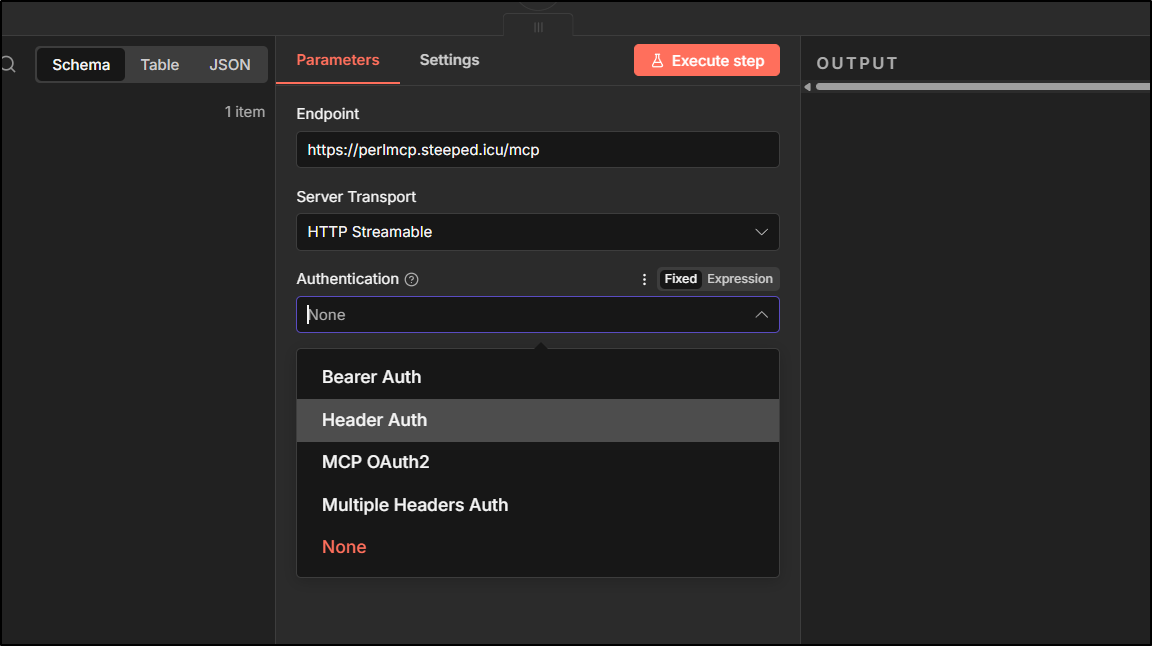
Back in n8n, I’ll change the Tool call to use Header auth
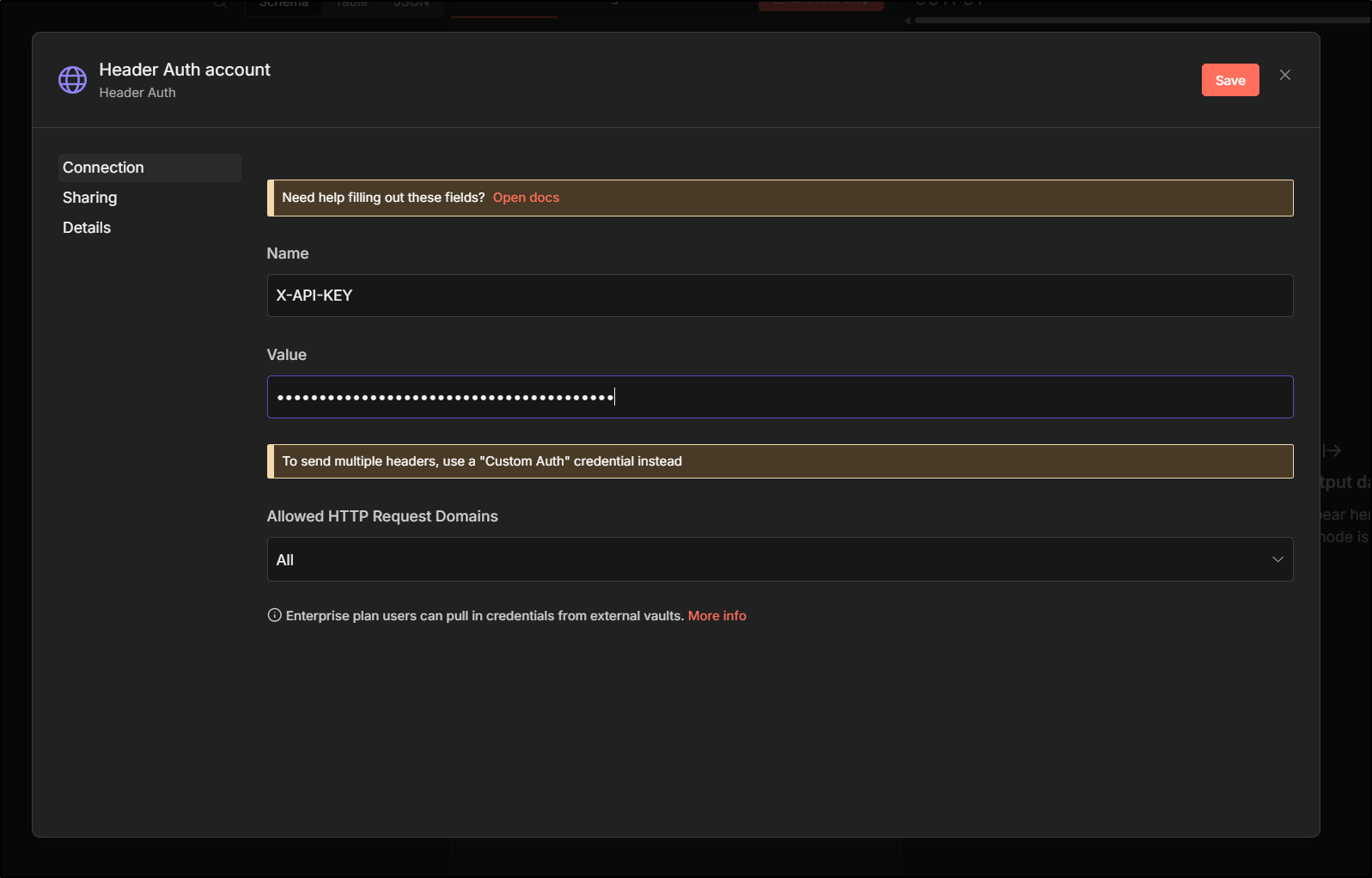
And set a credential
We know it is working when we can use “selected” tools
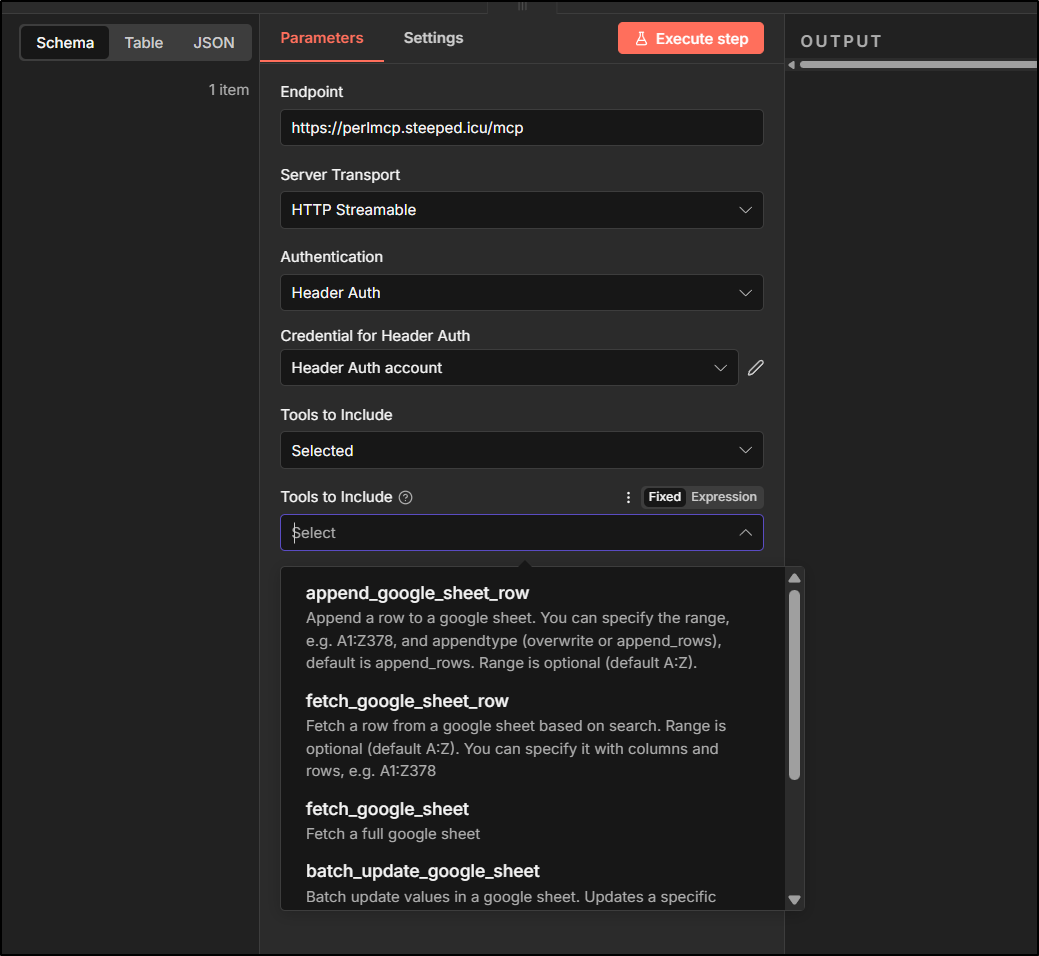
Note: i did find some non-ascii characters tripped up the comparison. long strings for passwords did fine tho
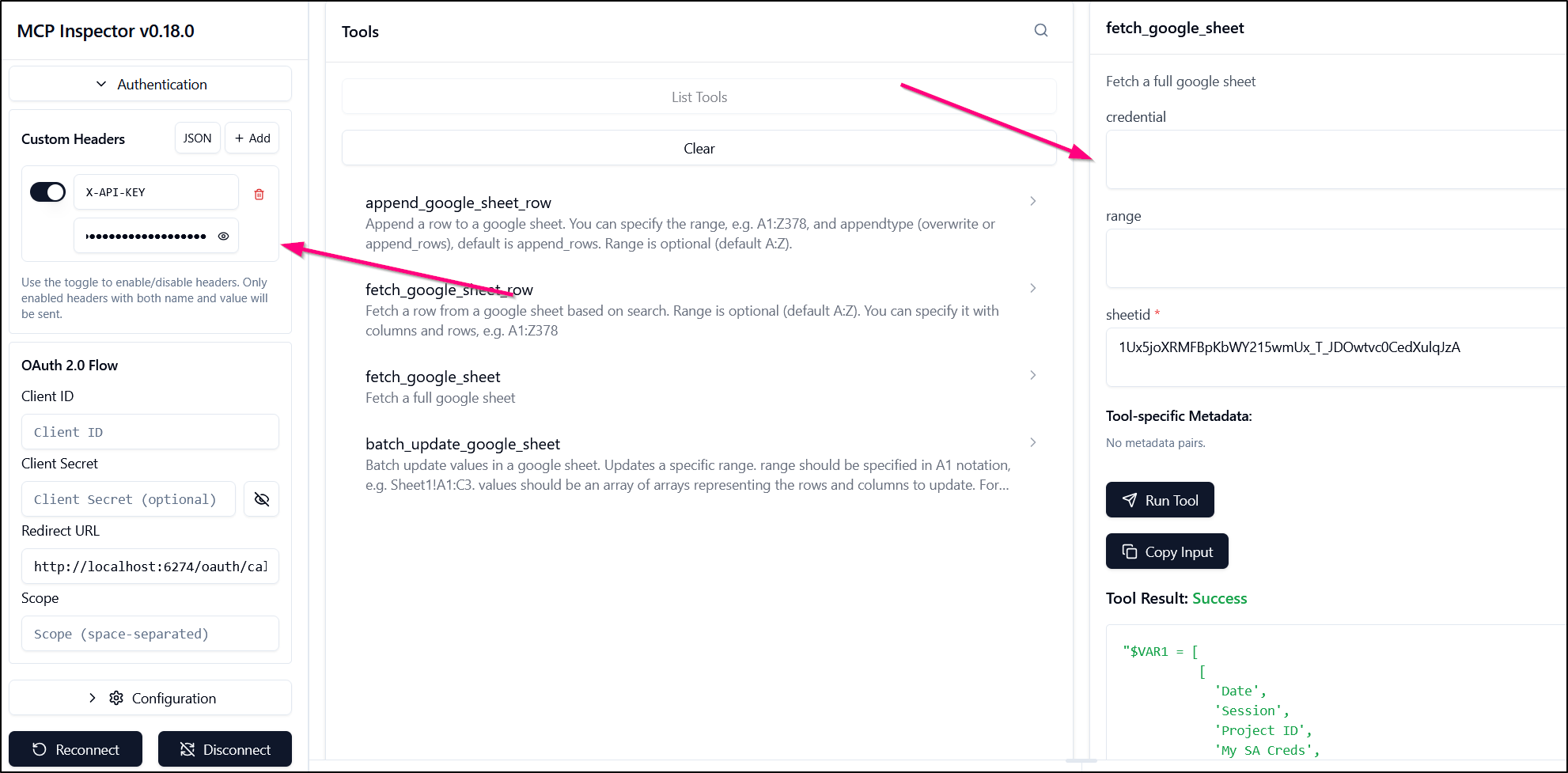
Testing with the MCP Inspector verified that with a proper header set, I can fetch sheets with my saved credential
Now in my “AI Agent” Node in n8n, I can find that problematic password line
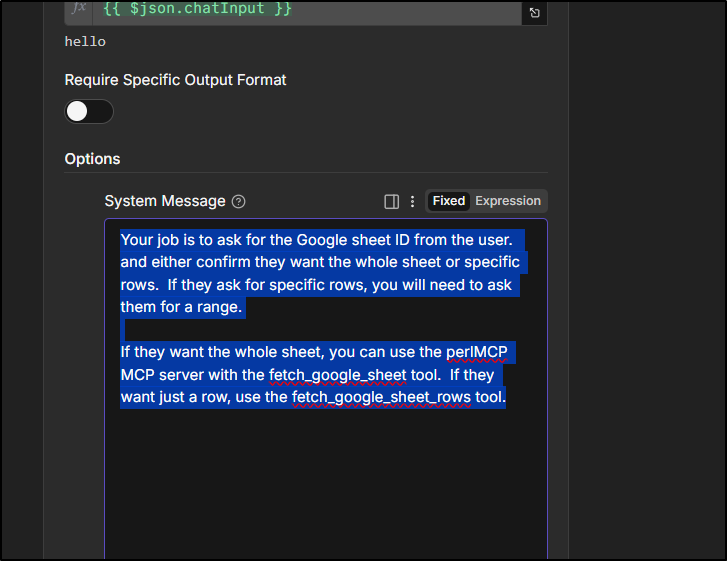
And just change it:
Your job is to ask for the Google sheet ID from the user. and either confirm they want the whole sheet or specific rows. If they ask for specific rows, you will need to ask them for a range.
If they want the whole sheet, you can use the perlMCP MCP server with the fetch_google_sheet tool. If they want just a row, use the fetch_google_sheet_rows tool.
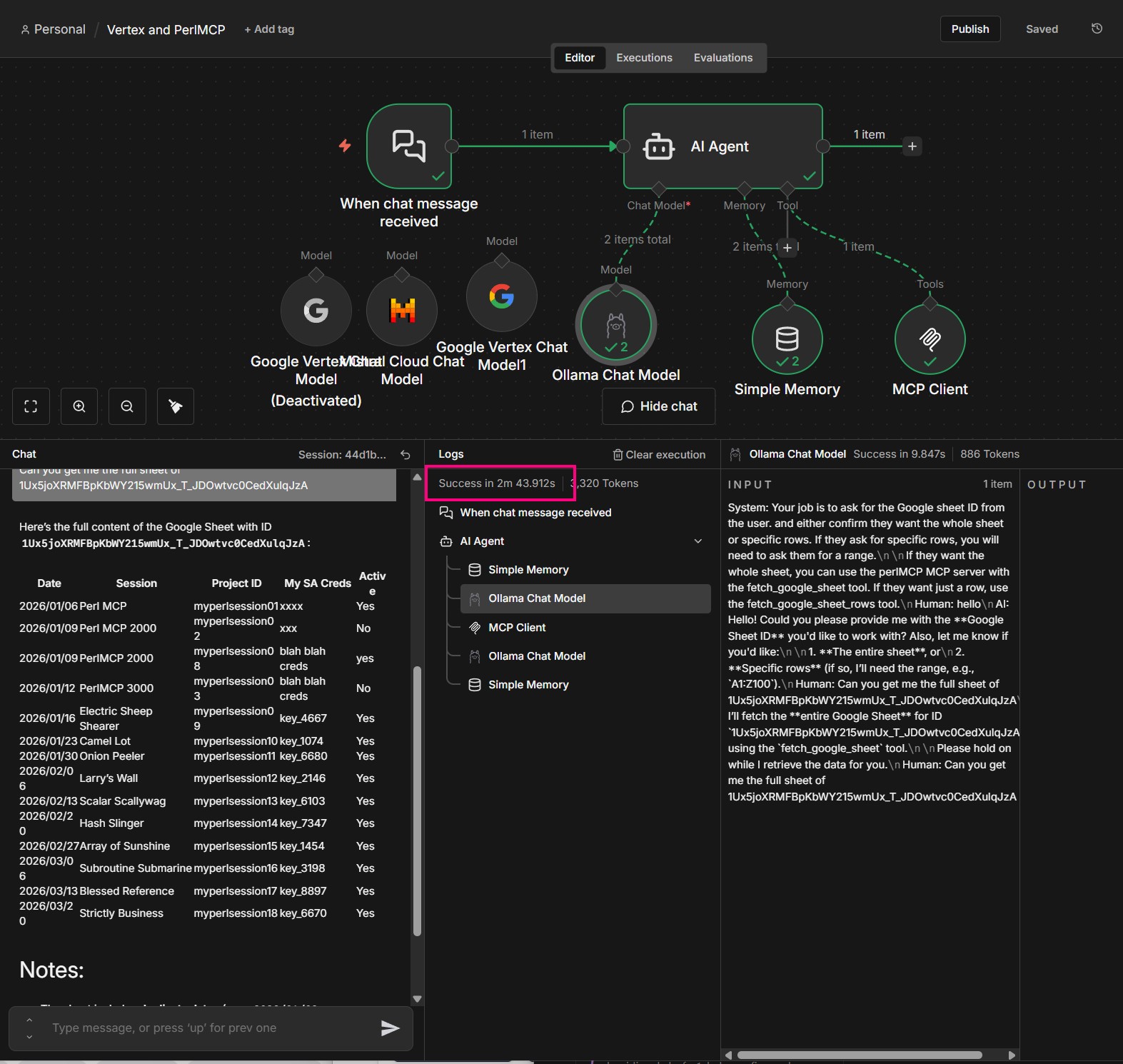
That means a small little ministral-3:8b model can suffice and I don’t have to worry about the chatty kathy model sharing my hardcoded password:
N8n Demo: AI Chat bot for Conference Talks
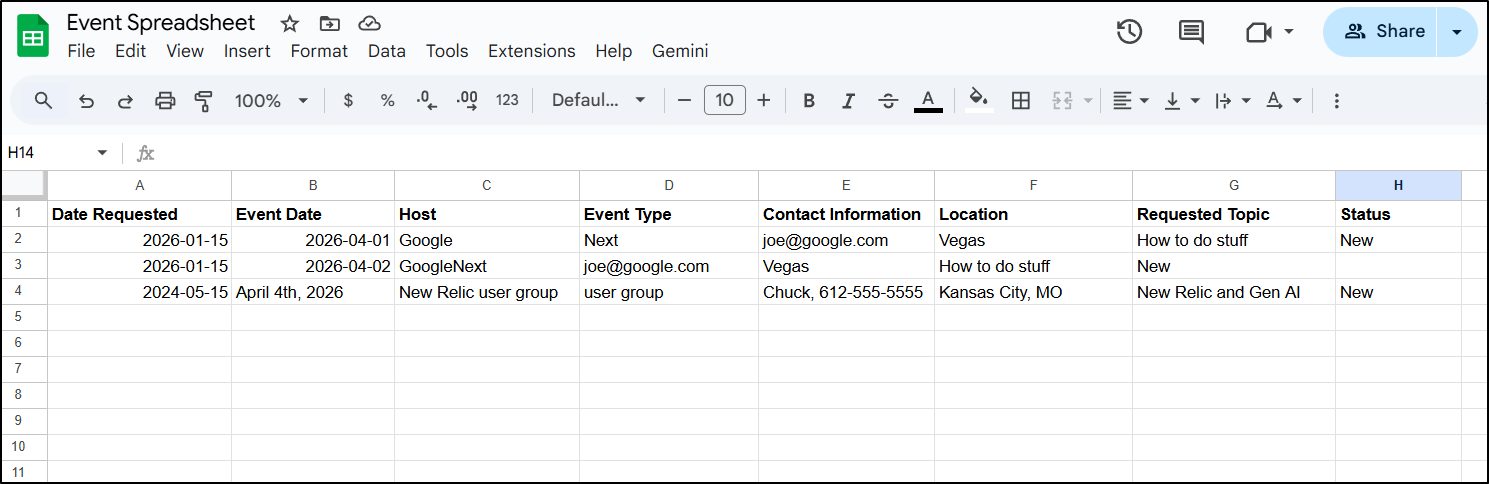
Let’s assume we had a sheet of conference talks (for reference, these are made up)
Then we can set an AI agent to ask potential hosts about speaking engagements:
Your job is to ask users if they would like me to present to their user group, team, or conference. If the event is hosted outside of Minnesota, USA then remind them travel would need to be provided. If the event is in Minnesota then no need for them to provide travel.
Ask the date of their event then use the perlMCP MCP server to fetch the full sheet with sheetid 1yMF0Yh_cCwuJ7JPOe_wumKvouBtv88v1-EVrqUVXSng. If the date is already booked, ask if they would like to use a different date.
If the date is available, then collect details for every field in that sheet (except Status).
Use the perlMCP MCP server with the append_google_sheet_row tool using sheetid 1yMF0Yh_cCwuJ7JPOe_wumKvouBtv88v1-EVrqUVXSng . The values field should be formatted as such: [[“TODAYS DATE”,”EVENT DATE”,”HOST”,”EVENT TYPE”,”CONTACT INFORMATION”,”LOCATION”,”REQUESTED TOPIC”,”New”]]. Note, the last field is always “New”. The other fields you should replace.
After append_google_sheet_row tool completes, let the user know I will get back to them.
Let’s see how this works
Summary
Today we explored using the perlmcp MCP server with n8n. We tried a few different models and having found the challenges of using a hardcoded password as an argument, updated the MCP server to use either a header or passed in credential.
I did not push an updated gemini-extension.json (at least not as of this writing). However, if one wanted to update Gemini CLI to use a secret the way we demonstrated with the MCP Inspector and n8n, it would just require adding a “headers” block:
$ cat ./gemini-extension.json
{
  "name": "perlmcp",
  "version": "1.0.1",
  "description": "Perl based MCP for Google Sheet work",
  "mcpServers": {
    "perlMCP": {
      "httpUrl": "https://perlmcp.steeped.icu/mcp",
      "timeout": 5000,
      "headers": {
        "X-API-KEY": "thepasswordgoeshere"
      }
    }
  }
}