

Published: Dec 9, 2025 by Isaac Johnson
I had a note to check out Zencoder.ai from a few weeks back. I had seen an advert from Facebook, of all places, that I jotted in my Vikunja instance.
It has a lot in common with other GenAI tools, but what sets it apart (at least to me), is a pretty generous free tier and a surprisingly nimble agentic AI assistant.
Rather than do the boring old “make me a web app” demo, I pointed Zencoder at updating my MCP server as well as fixing a broken Web app - how might it handle these common coding activities?
Sign-up
Let’s start at the Zencoder.ai homepage and click “Get Started”
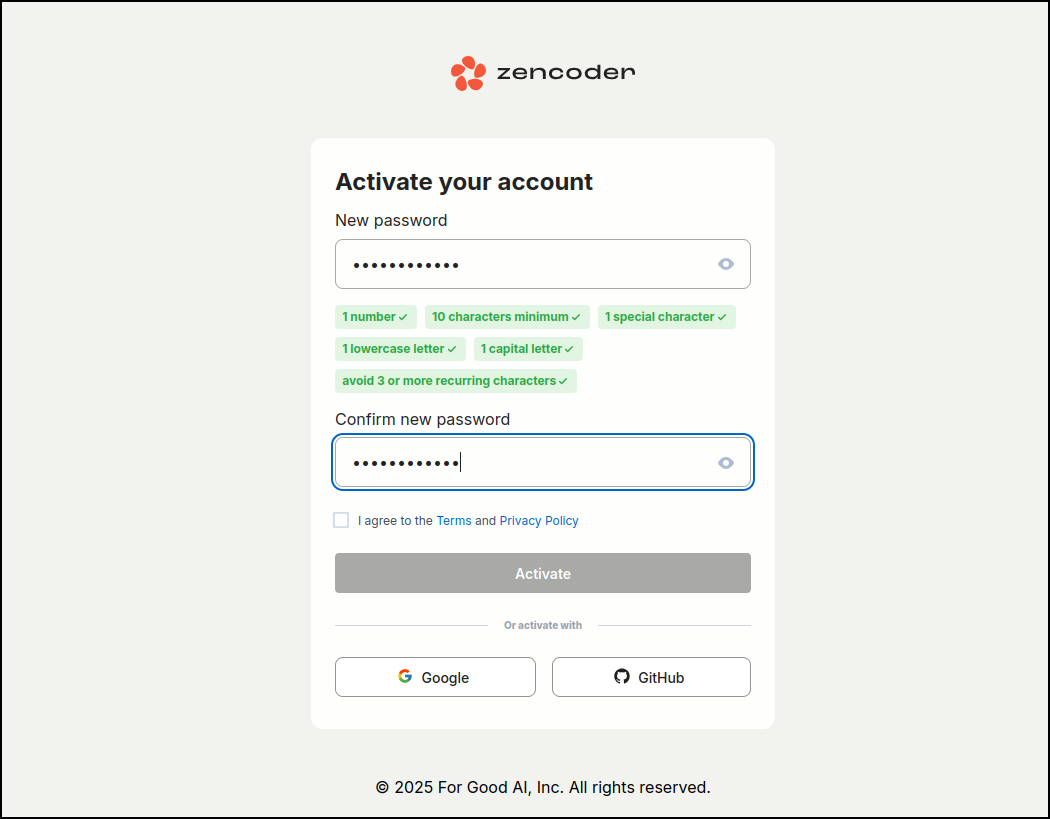
Since I did non federated ID this time, I needed to activate by an email link and set a password
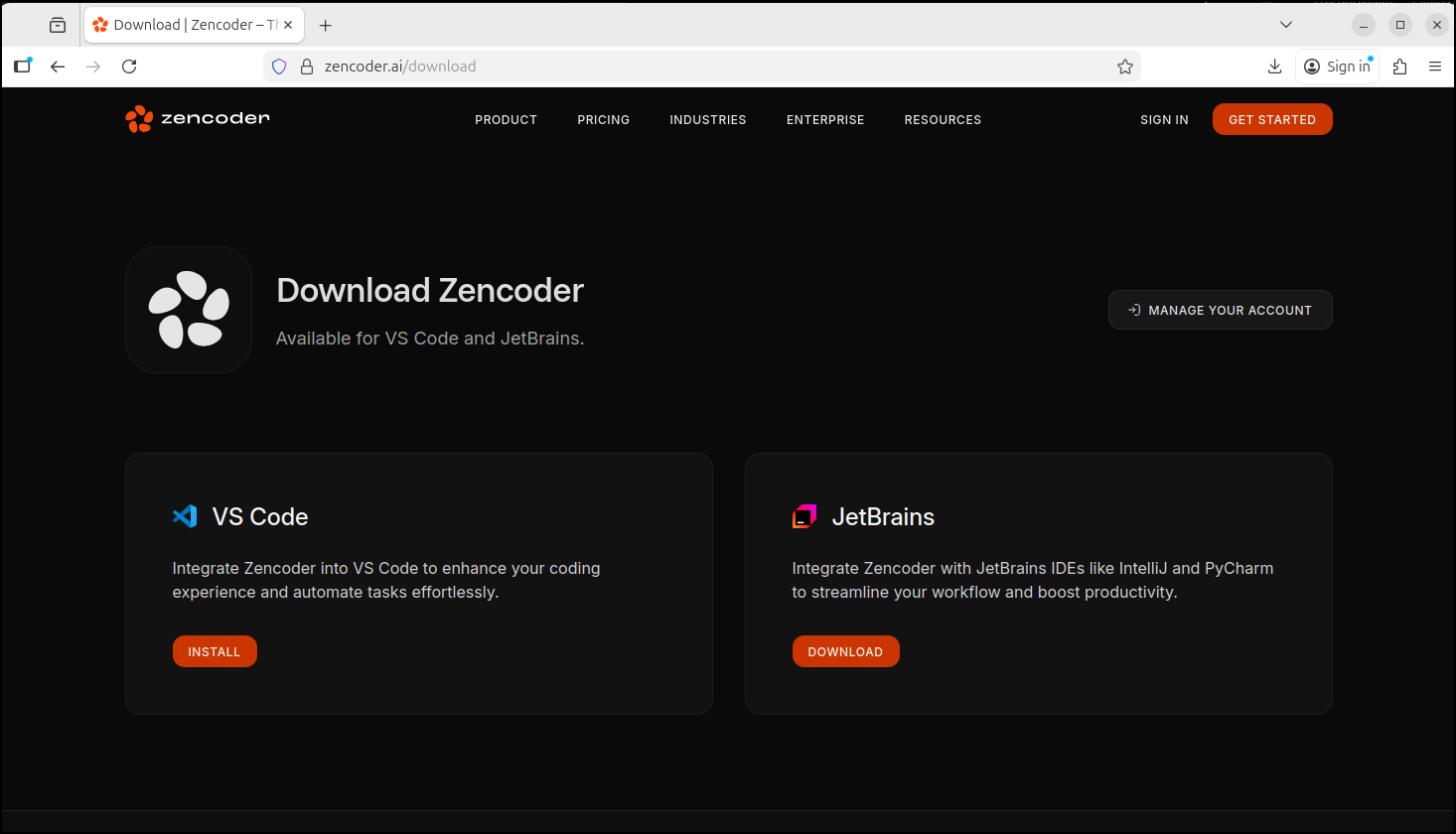
I can then chose to integrate with JetBrains or VS Code
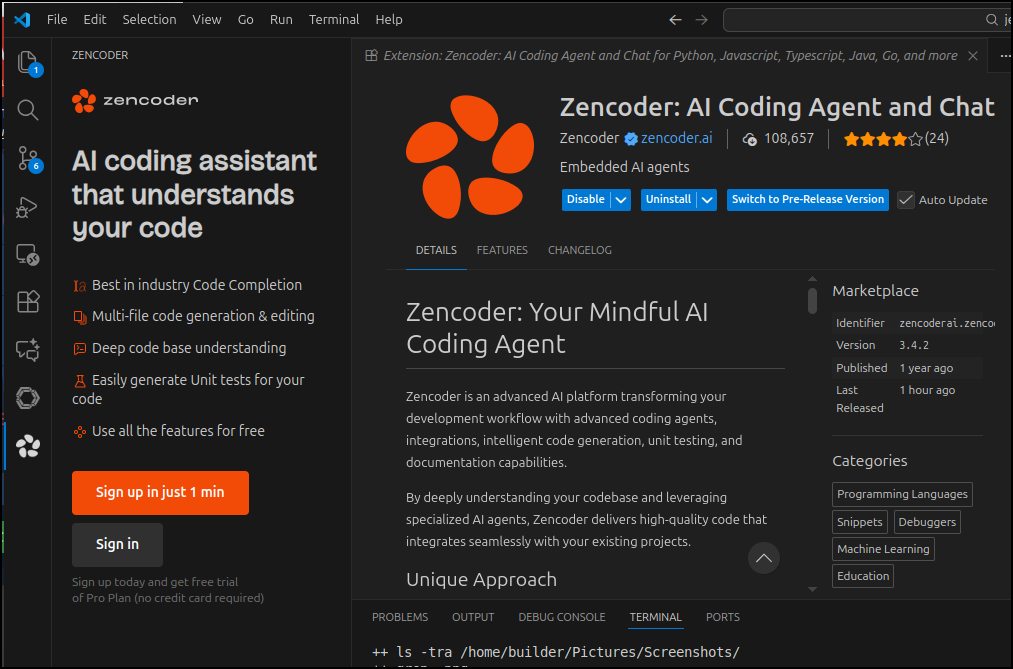
This prompted an extension to install
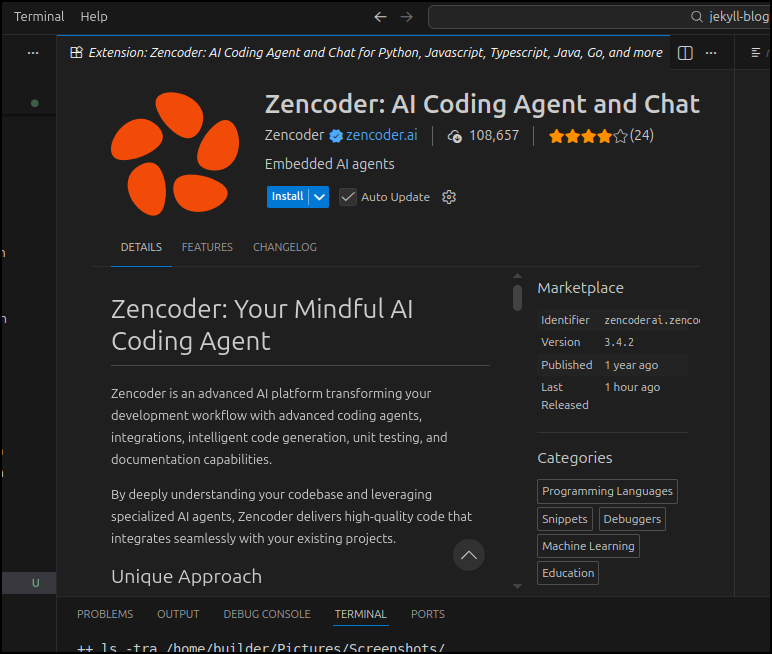
I can now see the plugin launched
Only when I went to login, I was blocked (not sure if is the nanny-state WiFi I’m on)
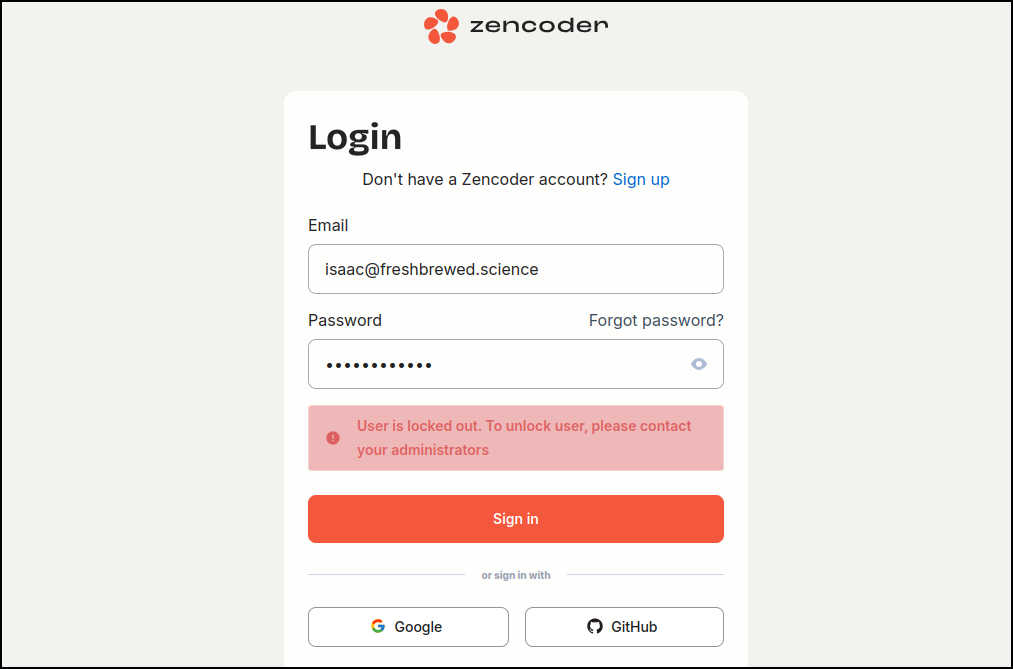
Now I see no solution to unlock the account - there is no admin and the emails from Zencoder come from a no-reply address.
I decided to just use a federated Google account to get moving.
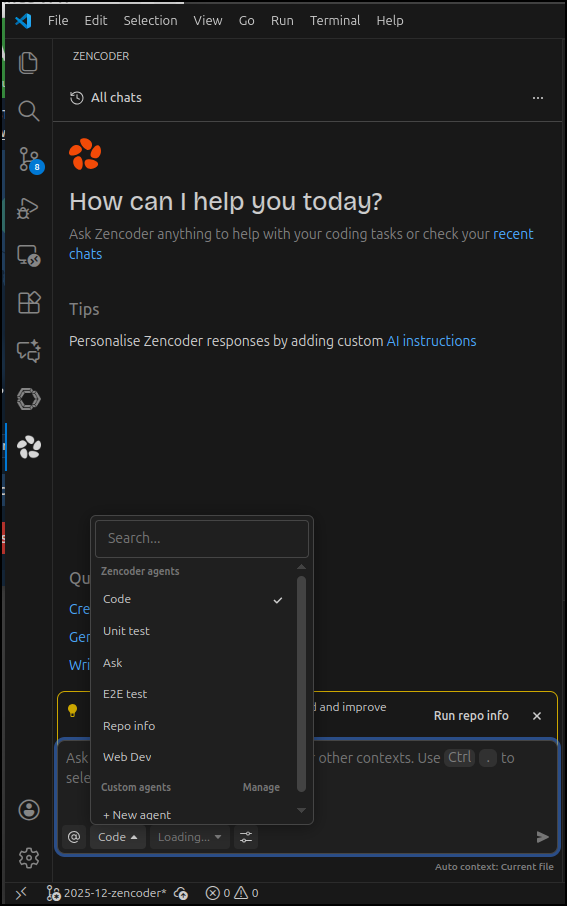
The app has a lot of options for agents
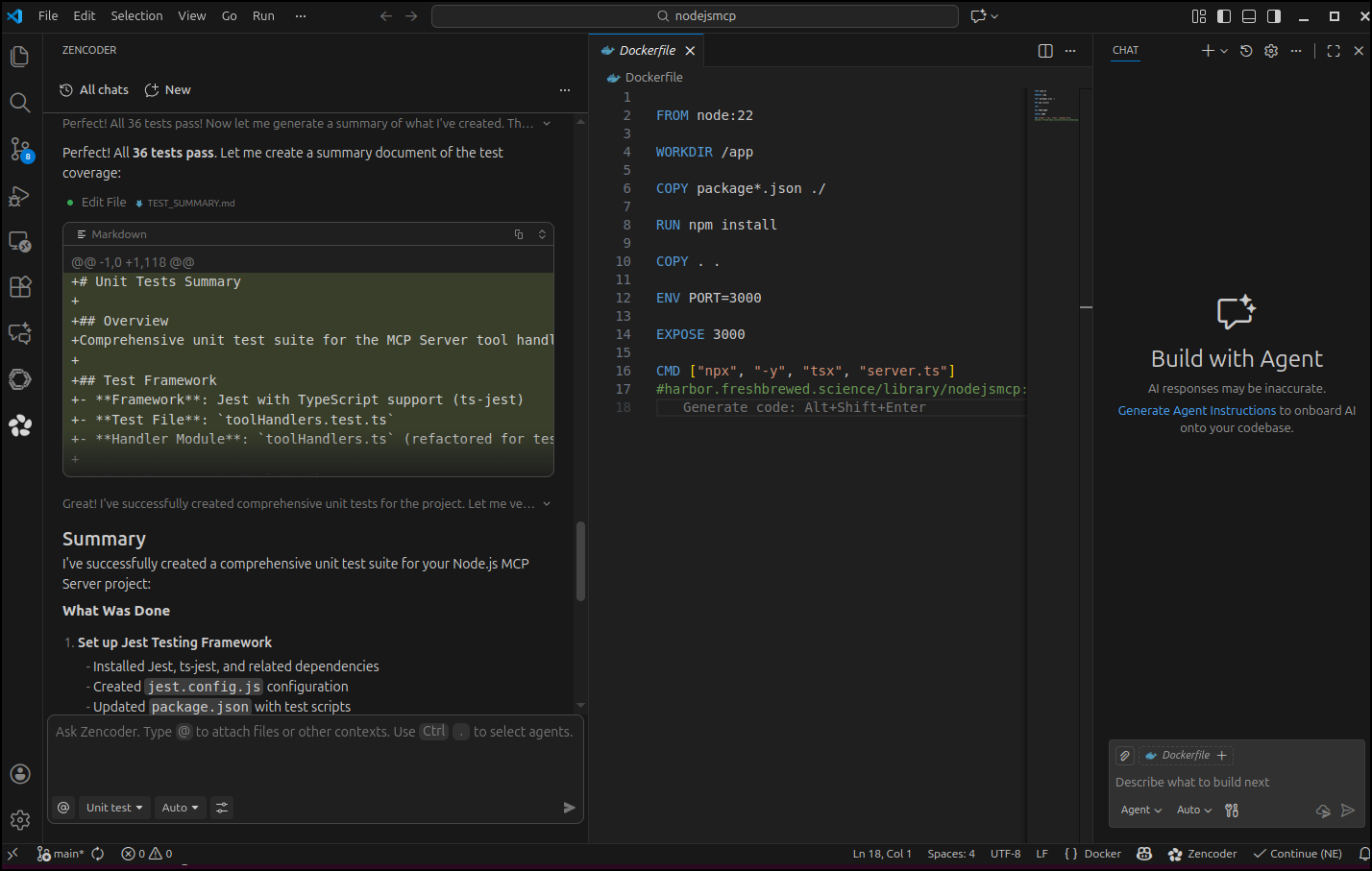
We can see it works pretty quickly
It wrapped up and at least claimed to have run all tests
Let’s test ourselves though:
builder@LuiGi:~/Workspaces/nodejsmcp$ nvm use lts/jod
Now using node v22.20.0 (npm v10.9.3)
builder@LuiGi:~/Workspaces/nodejsmcp$ npm test

> nodejsmcp@1.0.2 test
> jest

ts-jest[config] (WARN) message TS151001: If you have issues related to imports, you should consider setting `esModuleInterop` to `true` in your TypeScript configuration file (usually `tsconfig.json`). See https://blogs.msdn.microsoft.com/typescript/2018/01/31/announcing-typescript-2-7/#easier-ecmascript-module-interoperability for more information.
  console.error
    Login failed: {
      "message": "Unauthorized"
    }

      61 |     };
      62 |   } catch (error: any) {
    > 63 |     console.error(
         |             ^
      64 |       "Login failed:",
      65 |       JSON.stringify(error.response?.data, null, 2)
      66 |     );

      at toolHandlers.ts:63:13
          at Generator.throw (<anonymous>)
      at rejected (toolHandlers.ts:6:65)

  console.error
    Login failed: undefined

      61 |     };
      62 |   } catch (error: any) {
    > 63 |     console.error(
         |             ^
      64 |       "Login failed:",
      65 |       JSON.stringify(error.response?.data, null, 2)
      66 |     );

      at toolHandlers.ts:63:13
          at Generator.throw (<anonymous>)
      at rejected (toolHandlers.ts:6:65)

  console.error
    Login failed: undefined

      61 |     };
      62 |   } catch (error: any) {
    > 63 |     console.error(
         |             ^
      64 |       "Login failed:",
      65 |       JSON.stringify(error.response?.data, null, 2)
      66 |     );

      at toolHandlers.ts:63:13
          at Generator.throw (<anonymous>)
      at rejected (toolHandlers.ts:6:65)

 PASS  ./toolHandlers.test.ts
  Tool Handlers
    handleEcho
      ✓ should echo the provided message (2 ms)
      ✓ should echo empty string
      ✓ should echo special characters (1 ms)
      ✓ should echo multi-line messages
    handleLogin
      ✓ should successfully login and store token (4 ms)
      ✓ should delete existing mcp-server token before creating new one (1 ms)
      ✓ should handle login failure with 401 status (16 ms)
      ✓ should handle login failure with unknown status (2 ms)
      ✓ should ignore errors when fetching/deleting existing tokens
      ✓ should set instance correctly for POST request
    handleGetUser
      ✓ should return error when not authenticated
      ✓ should fetch user when authenticated (1 ms)
      ✓ should handle different user data formats
      ✓ should use stored instance from auth state (1 ms)
    handleSearchIssues
      ✓ should return error when not authenticated
      ✓ should search issues with owner and repo
      ✓ should pass optional parameters to search (1 ms)
      ✓ should pass all optional parameters
    handleListIssues
      ✓ should return error when not authenticated (1 ms)
      ✓ should list issues for a repository
      ✓ should pass optional parameters to list (1 ms)
      ✓ should construct correct URL with owner and repo
      ✓ should handle empty issue list
    handleCreateIssue
      ✓ should return error when not authenticated
      ✓ should create issue with title only (1 ms)
      ✓ should create issue with all optional fields
      ✓ should create issue with body and labels (1 ms)
      ✓ should construct correct URL with owner and repo
      ✓ should handle special characters in title and body
      ✓ should handle multiple assignees
      ✓ should handle empty assignees array
    Authentication State Management
      ✓ should maintain token across multiple handler calls
      ✓ should clear auth state on logout (manual reset)
    Response Format
      ✓ should always return content with type and text fields
      ✓ should return isError flag only when present
      ✓ should set isError to true on login failure (2 ms)

Test Suites: 1 passed, 1 total
Tests:       36 passed, 36 total
Snapshots:   0 total
Time:        0.988 s, estimated 2 s
Ran all test suites.
I kind of did this to myself - I was in the middle of converting this MCP server from HTTP streamable to STDIO.
The tests pass so perhaps I should try and use it.
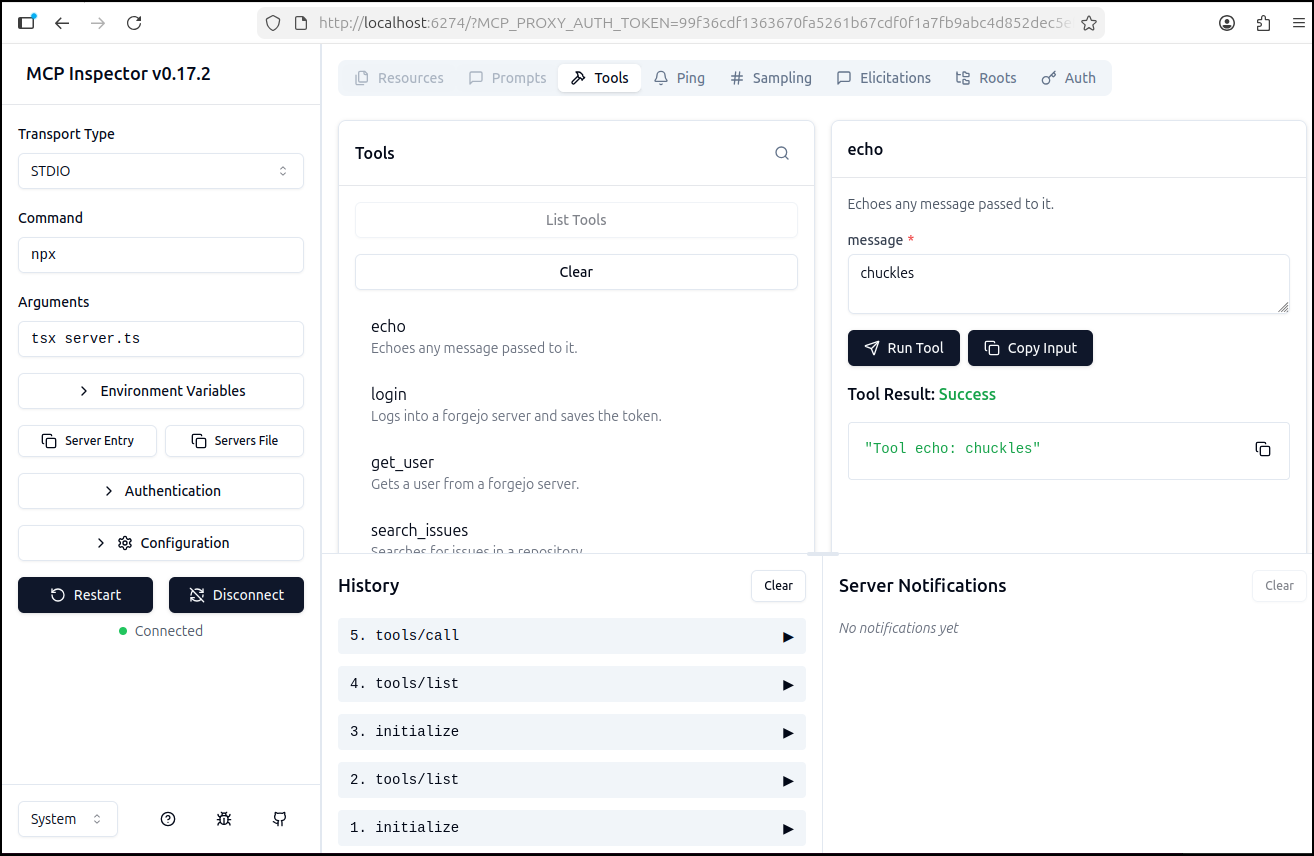
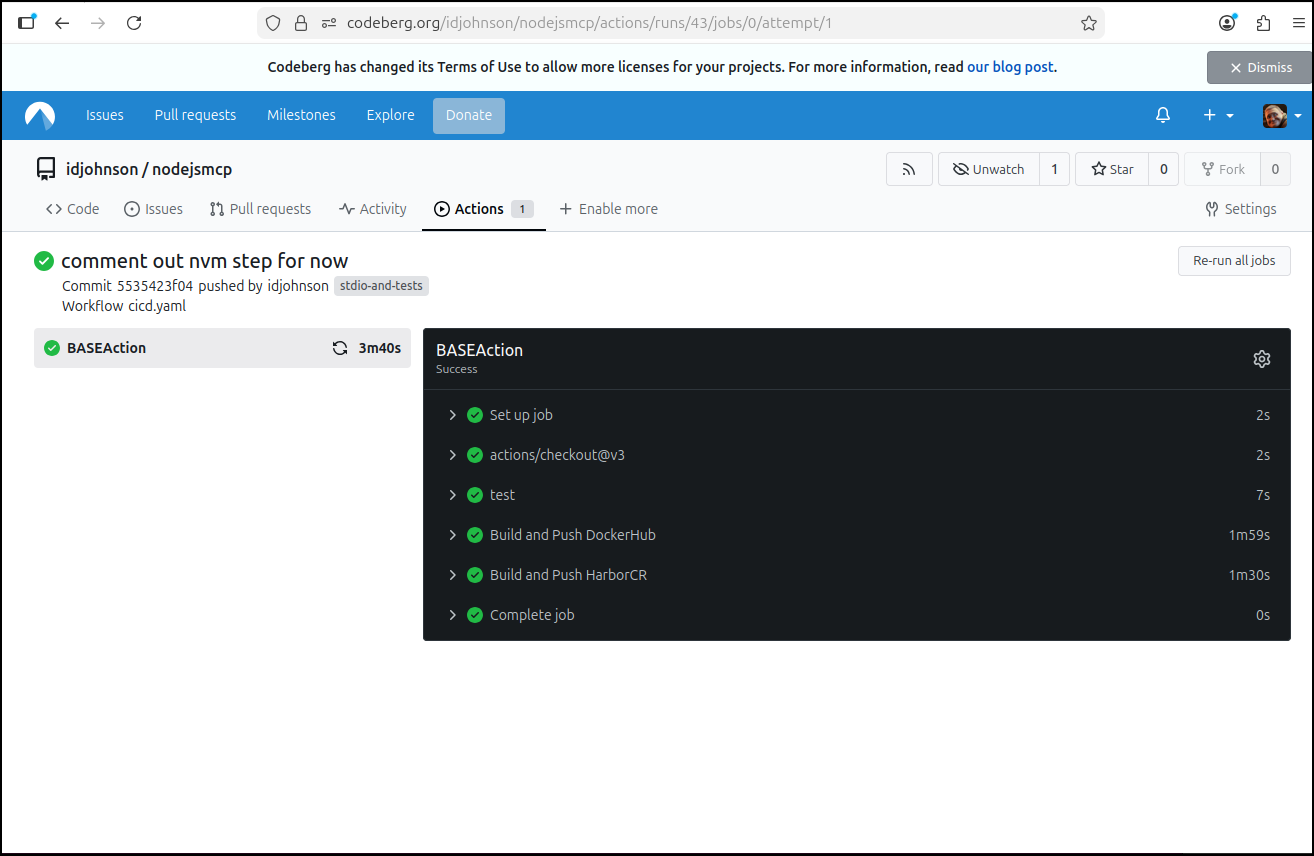
I, of course, then added to my Codeberg CICD flow (Gitea format)
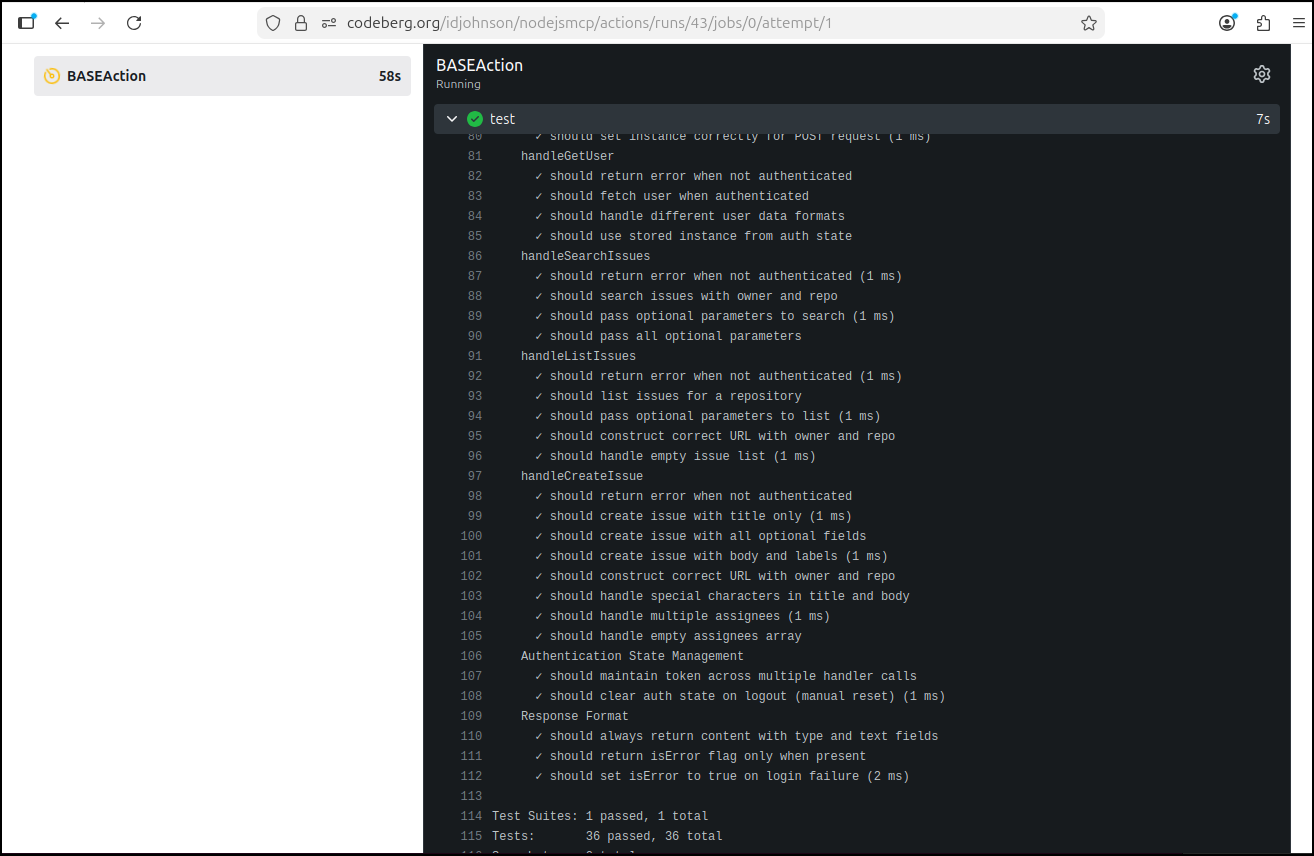
I now have a proper test gate in the build
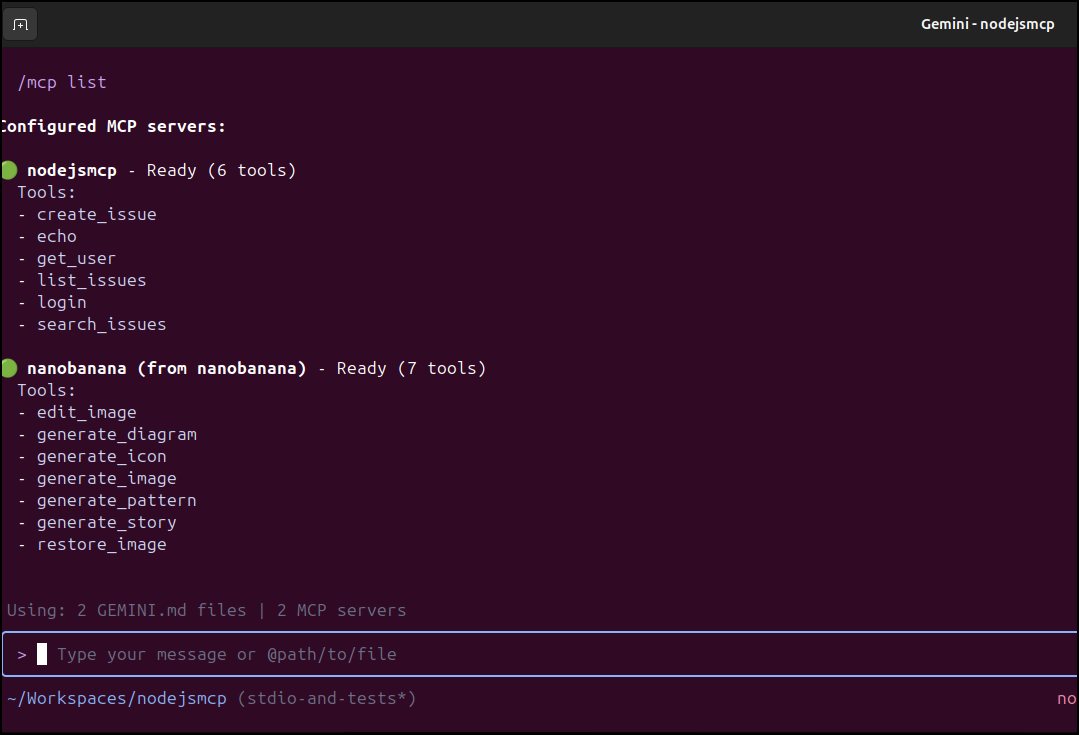
Only because we took the time, I can confirm this did indeed update the MCP server appropriately
builder@LuiGi:~/Workspaces/nodejsmcp$ cat .gemini/settings.json
{
  "mcpServers": {
    "nodejsmcp": {
      "command": "docker",
      "args": [
        "run",
        "-i",
        "--rm",
        "idjohnson/nodejsmcp:5535423f04ab930dc7c1c7684eaabf6545d83fea"
      ]
    }
  }
}
which after a slow pull (dockerhub rate limiting), showed itself to be working
Updating UI apps
Let’s switch topics to a Vikunja Status page I started a week back.
I have it working locally on port 3030
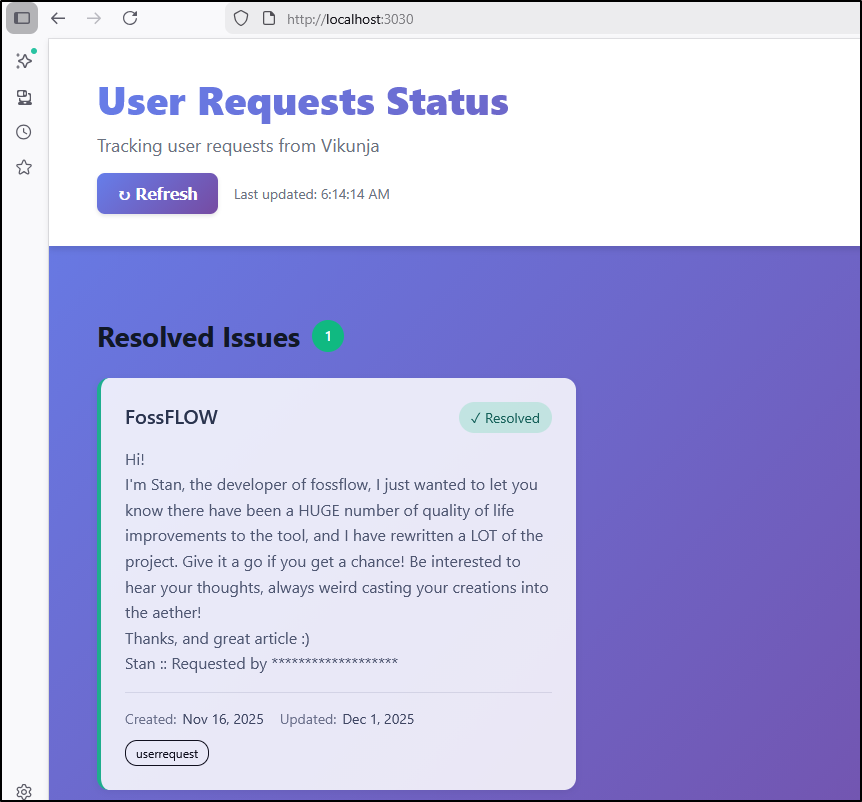
In the AG update, we got a basic dockerfile working.
However, I’m still just running this locally:
$ export VER=16 && docker stop vikunja-status && docker rm vikunja-status && docker build -t vikunja-status-page:$VER . && docker run -d -p 3030:3030 -v "${PWD}/.env:/app/.env:ro" --name vikunja-status vikunja-status-page:$VER

$ docker ps | head -n2
CONTAINER ID   IMAGE                                                                              COMMAND                  CREATED         STATUS                 PORTS                                         NAMES
4e89073a8f8c   vikunja-status-page:16                                                             "/docker-entrypoint.…"   2 days ago      Up 2 days              0.0.0.0:3030->3030/tcp, [::]:3030->3030/tcp   vikunja-status
let’s see if Zencoder can help parameterize the user label:
I’m going to start with the default to see if that still works:
builder@DESKTOP-QADGF36:/mnt/c/Users/isaac/projects/vikunja-status-page$ export VER=17 && docker stop vikunja-status && docker rm vikunja-
status && docker build -t vikunja-status-page:$VER . && docker run -d -p 3030:3030 -v "${PWD}/.env:/app/.env:ro" --name vikunja-status vikunja-status-page:$VER
vikunja-status
vikunja-status
[+] Building 4.5s (21/21) FINISHED                                                                                         docker:default
 => [internal] load build definition from Dockerfile                                                                                 0.1s
 => => transferring dockerfile: 714B                                                                                                 0.0s
 => [internal] load metadata for docker.io/library/nginx:alpine                                                                      0.6s
 => [internal] load metadata for docker.io/library/node:18-alpine                                                                    0.6s
 => [auth] library/nginx:pull token for registry-1.docker.io                                                                         0.0s
 => [auth] library/node:pull token for registry-1.docker.io                                                                          0.0s
 => [internal] load .dockerignore                                                                                                    0.0s
 => => transferring context: 142B                                                                                                    0.0s
 => [builder 1/6] FROM docker.io/library/node:18-alpine@sha256:8d6421d663b4c28fd3ebc498332f249011d118945588d0a35cb9bc4b8ca09d9e      0.0s
 => [stage-1 1/7] FROM docker.io/library/nginx:alpine@sha256:b3c656d55d7ad751196f21b7fd2e8d4da9cb430e32f646adcf92441b72f82b14        0.0s
 => [internal] load build context                                                                                                    0.1s
 => => transferring context: 3.14kB                                                                                                  0.1s
 => CACHED [builder 2/6] WORKDIR /app                                                                                                0.0s
 => CACHED [builder 3/6] COPY package.json package-lock.json ./                                                                      0.0s
 => CACHED [builder 4/6] RUN npm ci                                                                                                  0.0s
 => [builder 5/6] COPY . .                                                                                                           0.1s
 => [builder 6/6] RUN npm run build                                                                                                  2.8s
 => CACHED [stage-1 2/7] RUN mkdir -p /app                                                                                           0.0s
 => CACHED [stage-1 3/7] RUN rm /etc/nginx/conf.d/default.conf                                                                       0.0s
 => CACHED [stage-1 4/7] COPY ./nginx.conf /etc/nginx/conf.d/default.conf                                                            0.0s
 => [stage-1 5/7] COPY --from=builder /app/dist /usr/share/nginx/html                                                                0.1s
 => [stage-1 6/7] COPY ./docker-entrypoint.sh /docker-entrypoint.sh                                                                  0.0s
 => [stage-1 7/7] RUN chmod +x /docker-entrypoint.sh                                                                                 0.3s
 => exporting to image                                                                                                               0.1s
 => => exporting layers                                                                                                              0.1s
 => => writing image sha256:014abbd20eab85b293441fa26dba532c24edcb80c84952a2acad50a099bbc849                                         0.0s
 => => naming to docker.io/library/vikunja-status-page:17                                                                            0.0s
32b8492763ec5463b8dd25c213a027f2c6f942e0e70f106ca386c449e745353f
that still works. So let’s add a new label for spam and see if we can fire up a Dashboard to show spam tickets:
Zencoder can help parameterize the user label:
I used the same built container, just adding an env var for “spam” tickets:
$ docker run -d -p 3030:3030 \
-v "${PWD}/.env:/app/.env:ro" \
-e VITE_USER_REQUEST_LABEL="spam" \
--name vikunja-status vikunja-status-page:17
0a859a0bf2d73e2f643b06ef517e907c50332b7a2914e55853822d2ecf17a7df
there is one more issue to address - the hardcoded server URL. That should really be in the .env file
That worked great, as you see above. However, it almost exposed my full API token in the chat so that is something for which to watch out.
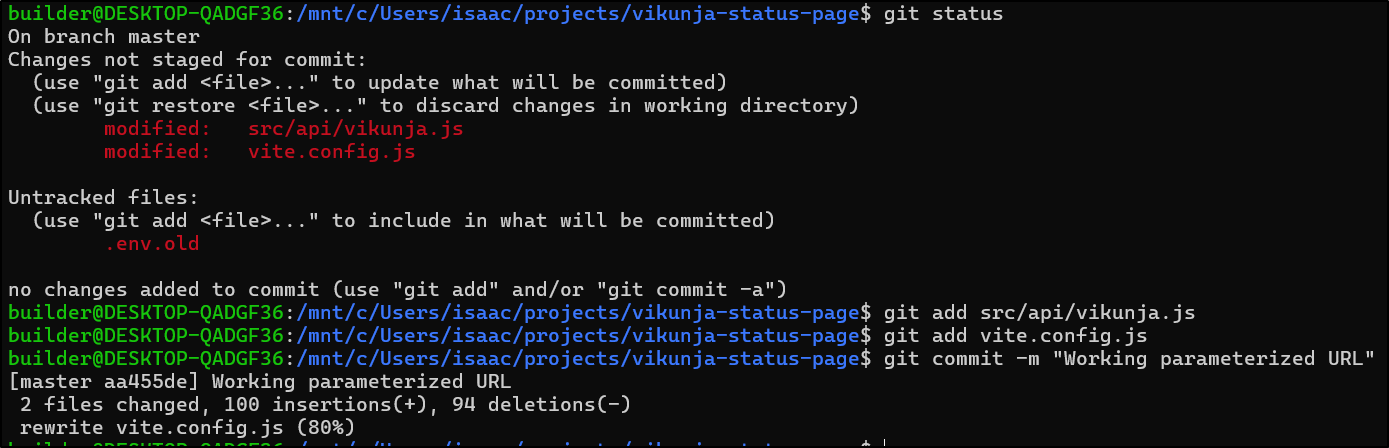
This is a good point to save our work
Sharing is Caring
Before I move forward, let’s share this out to others. I’ll use Github this time
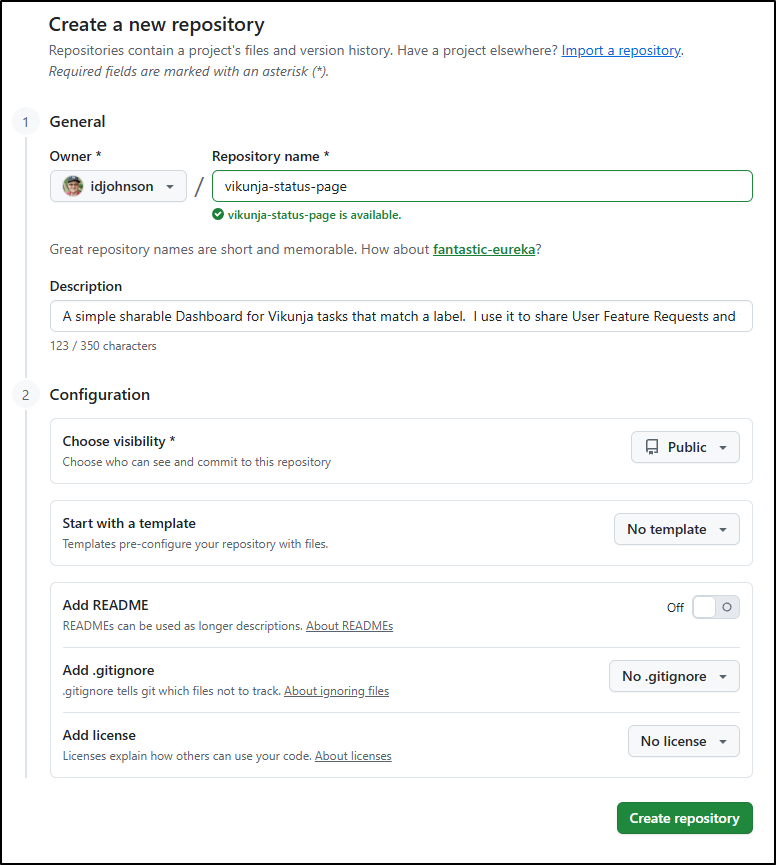
I pushed it up and now see it live on the public Github Repo page.
A Gripe…
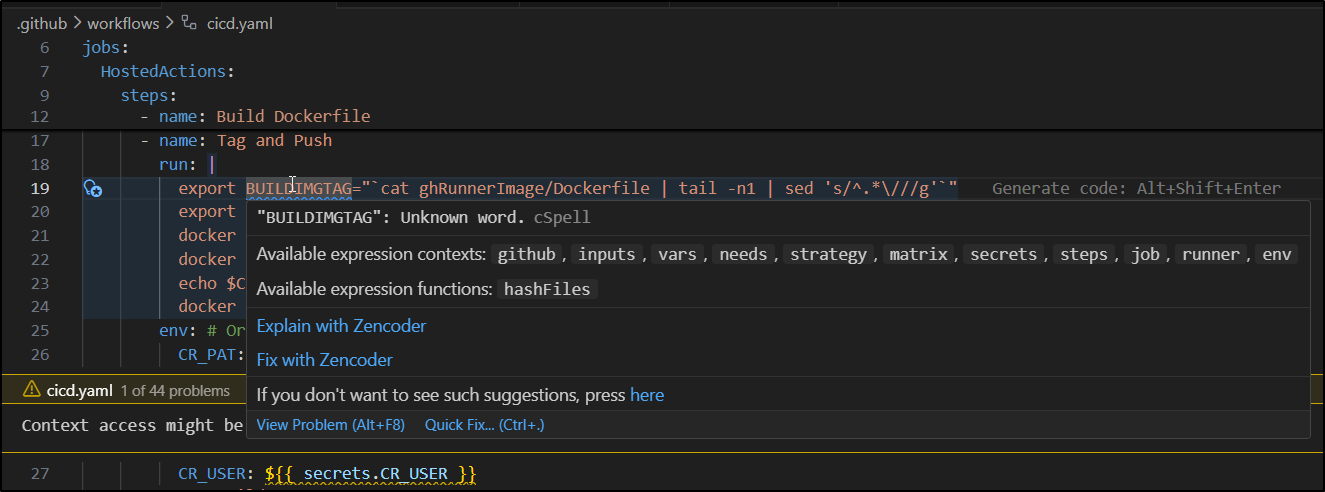
Okay, I’m building out the Github workflow. I don’t need AI for that. But I’m finding these “helpful” auto completes and pop-ups extremely annoying. Seriously - piss off and let me work!
CICD
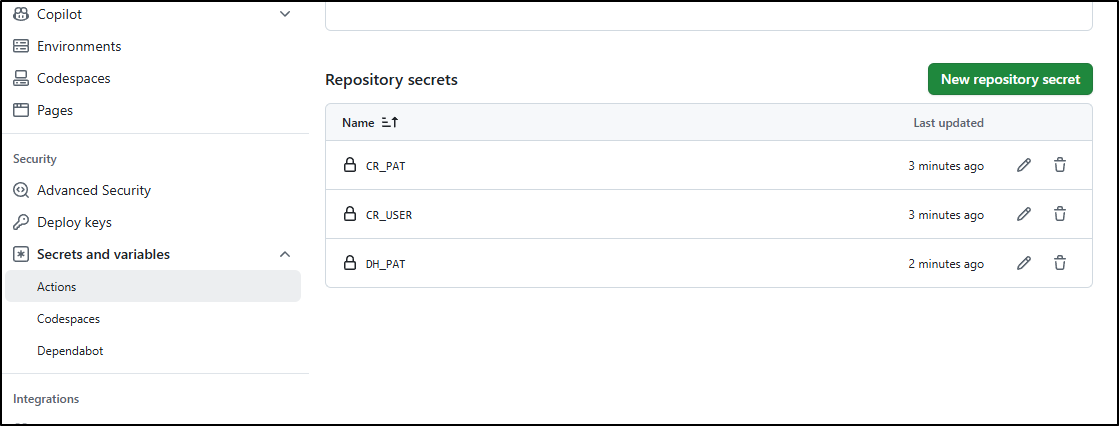
First, to send containers to Dockerhub and Harbor, I’ll need to set some secrets in the Github repo:
Next, I’ll make a note of the HarborCR URL to use and version at the bottom of the Dockerfile
# Build stage
FROM node:18-alpine AS builder

WORKDIR /app

COPY package.json package-lock.json ./
RUN npm ci

COPY . .
RUN npm run build

# Production stage
FROM nginx:alpine

# Create directory for mounting .env
RUN mkdir -p /app

# Remove default nginx config
RUN rm /etc/nginx/conf.d/default.conf

# Copy nginx config
COPY ./nginx.conf /etc/nginx/conf.d/default.conf

# Copy built assets
COPY --from=builder /app/dist /usr/share/nginx/html

# Copy entrypoint script
COPY ./docker-entrypoint.sh /docker-entrypoint.sh
RUN chmod +x /docker-entrypoint.sh

# Expose port
EXPOSE 3030

# Define entrypoint
ENTRYPOINT ["/docker-entrypoint.sh"]
#harbor.freshbrewed.science/library/vikunjastatuspage:0.0.1
Finally, I’ll create a Github Action that will build, tag and push out to Dockerhub and Harbor:
name: GitHub CICD
on:
  push:
    branches:
      - master
      - main

jobs:
  HostedActions:
    runs-on: ubuntu-latest
    steps:
      - name: Check out repository code
        uses: actions/checkout@v2
      - name: Build Dockerfile
        run: |
          export BUILDIMGTAG="`cat Dockerfile | tail -n1 | sed 's/^.*\///g'`"
          docker build -t $BUILDIMGTAG .
          docker images
      - name: Tag and Push (Harbor)
        run: |
          export BUILDIMGTAG="`cat Dockerfile | tail -n1 | sed 's/^.*\///g'`"
          export FINALBUILDTAG="`cat Dockerfile | tail -n1 | sed 's/^#//g'`"
          docker tag $BUILDIMGTAG $FINALBUILDTAG
          docker images
          echo $CR_PAT | docker login harbor.freshbrewed.science -u $CR_USER --password-stdin
          docker push $FINALBUILDTAG
        env: # Or as an environment variable
          CR_PAT: $
          CR_USER: $
      - name: Tag and Push (DockerHub)
        run: |
          export BUILDIMGTAG="`cat Dockerfile | tail -n1 | sed 's/^.*\///g'`"
          export FINALBUILDTAG="$CR_USER/$BUILDIMGTAG"
          docker tag $BUILDIMGTAG $FINALBUILDTAG
          docker images
          echo $CR_PAT | docker login -u $CR_USER --password-stdin
          docker push $FINALBUILDTAG
        env: # Or as an environment variable
          CR_PAT: $
          CR_USER: idjohnson
My first errors are clearly related to Windows CRLF issues:
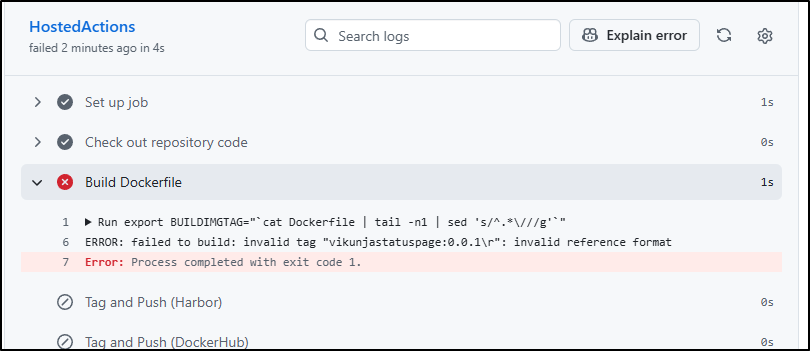
I cloned into WSL and just fixed all the files:
builder@DESKTOP-QADGF36:~/Workspaces/vikunja-status-page$ find . -type f -exec dos2unix {} \; -print
dos2unix: converting file ./package-lock.json to Unix format...
./package-lock.json
dos2unix: converting file ./src/App.jsx to Unix format...
./src/App.jsx
dos2unix: converting file ./src/index.css to Unix format...
....

builder@DESKTOP-QADGF36:~/Workspaces/vikunja-status-page$ git status
On branch master
Your branch is up to date with 'origin/master'.

Changes not staged for commit:
  (use "git add <file>..." to update what will be committed)
  (use "git restore <file>..." to discard changes in working directory)
        modified:   .dockerignore
        modified:   .env.example
        modified:   .github/workflows/cicd.yaml
        modified:   .gitignore
        modified:   Dockerfile
        modified:   README.md
        modified:   WARP.md
        modified:   index.html
        modified:   nginx.conf
        modified:   package-lock.json
        modified:   package.json
        modified:   public/config.js
        modified:   src/App.css
        modified:   src/App.jsx
        modified:   src/components/TaskCard.css
        modified:   src/components/TaskCard.jsx
        modified:   src/components/TaskList.css
        modified:   src/components/TaskList.jsx
        modified:   src/index.css
        modified:   src/main.jsx

builder@DESKTOP-QADGF36:~/Workspaces/vikunja-status-page$ git add -A
builder@DESKTOP-QADGF36:~/Workspaces/vikunja-status-page$ git commit -m "fix the damn CRLFs once and for all"
[master ea92343] fix the damn CRLFs once and for all
 20 files changed, 2748 insertions(+), 2748 deletions(-)
builder@DESKTOP-QADGF36:~/Workspaces/vikunja-status-page$ git push
Enumerating objects: 53, done.
Counting objects: 100% (53/53), done.
Delta compression using up to 16 threads
Compressing objects: 100% (23/23), done.
Writing objects: 100% (27/27), 11.50 KiB | 3.83 MiB/s, done.
Total 27 (delta 12), reused 0 (delta 0), pack-reused 0
remote: Resolving deltas: 100% (12/12), completed with 12 local objects.
To https://github.com/idjohnson/vikunja-status-page.git
   df184d4..ea92343  master -> master
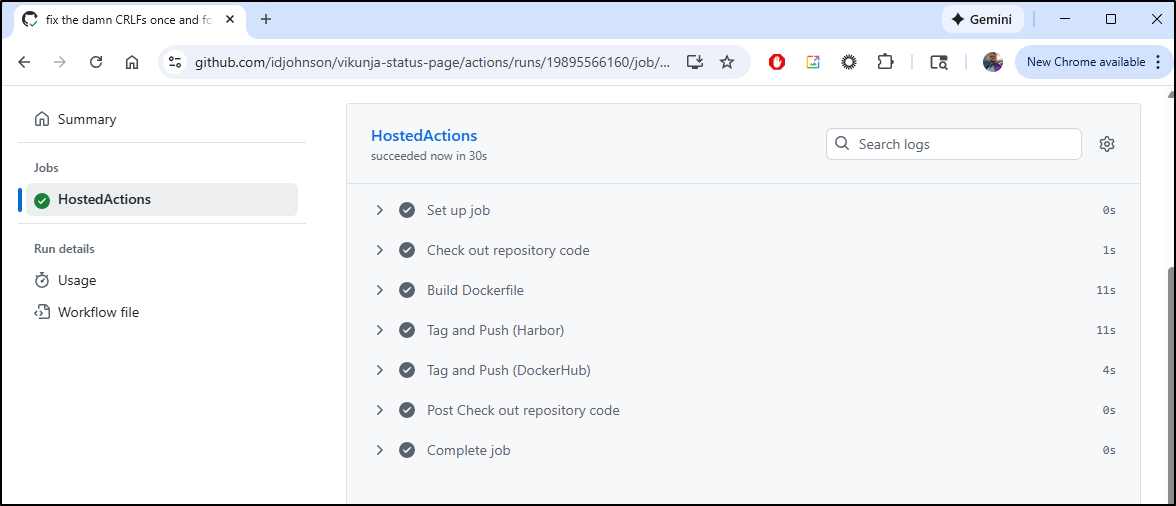
This time the actions ran without issue:
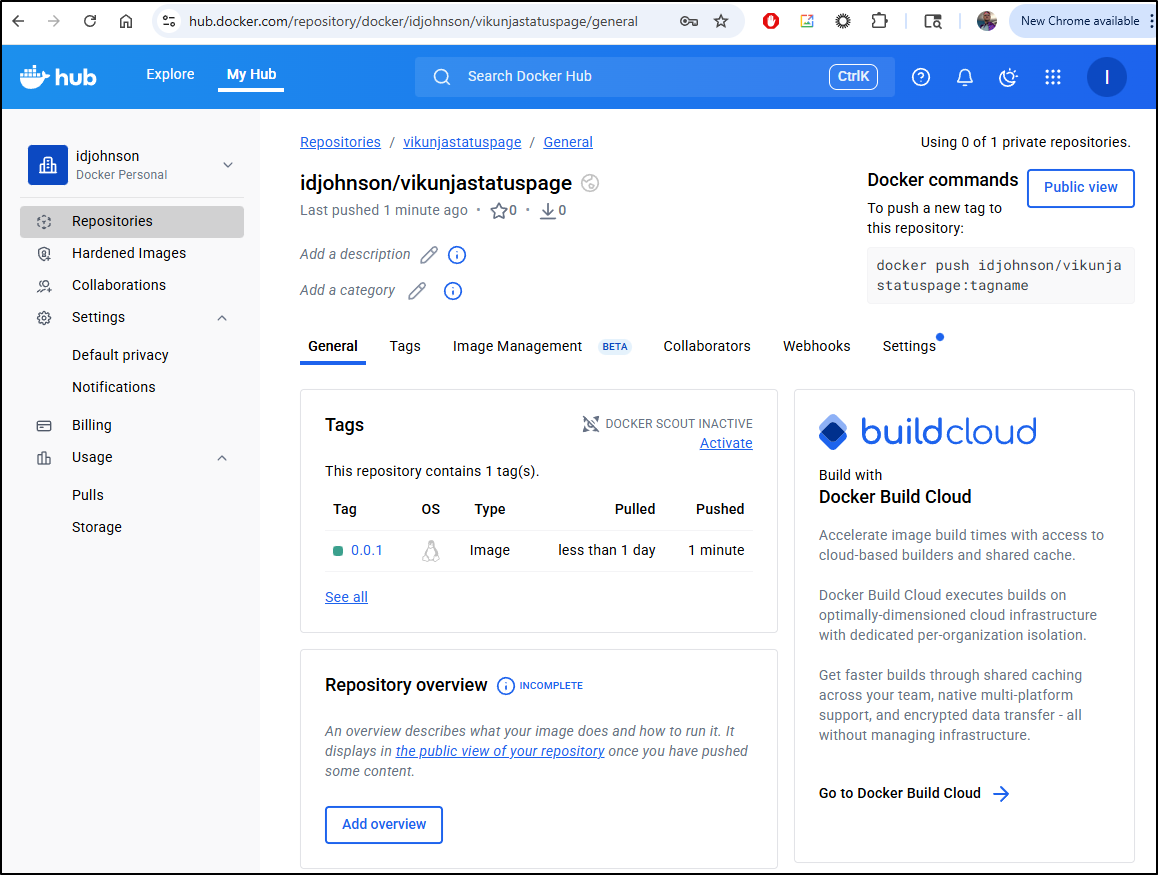
I can now see that in Dockerhub:
as well as Harbor
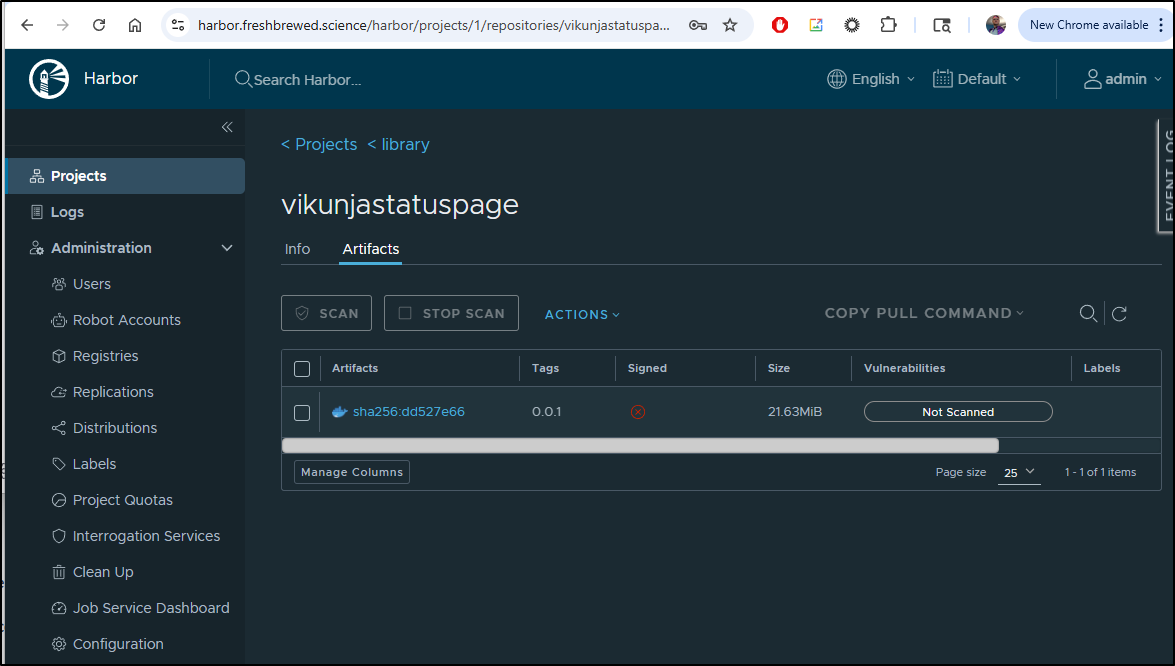
As this point, anyone can now run the basic version with a local .env file:
$ cat .env
VITE_VIKUNJA_BASE_URL=https://vikunja.example.com
VITE_VIKUNJA_API_URL=/api/v1
VITE_VIKUNJA_API_TOKEN=tk_sadfasdfasdfsadfsadfsadfsafd

$ docker run -d -p 3030:3030 \
-v "${PWD}/.env:/app/.env:ro" \
-e VITE_USER_REQUEST_LABEL="mylable" \
--name vikunja-status idjohnson/vikunjastatuspage:0.0.1
Kubernetes
I want to fire this up in k8s. To do that we need a manifest or helm chart (or both).
I don’t mind making these, but they are proper toil, so let’s let the AI do it:
And yes, as you saw above, I carefully reviewed the created chart. Overall it looks good. However, I may want to switch up my builds to use latest tags at some point.
Testing
Let’s start with a quick test locally (note: I forgot I still had VS Code pointed to my Windows file system hence the path to the chart is long and not just “/helm”)
$ helm install vikunjastatus --set config.vikunja.baseURL="https://vikunja.steeped
.icu" --set config.vikunja.apiToken="tk_xxxxxxxxxxxxxxxxxxxxxxxxxxxx" --set config.userRequestLabel="userrequest" /mnt/c/Users
/isaac/projects/vikunja-status-page/chart/
NAME: vikunjastatus
LAST DEPLOYED: Wed Dec  3 07:46:03 2025
NAMESPACE: default
STATUS: deployed
REVISION: 1
TEST SUITE: None
NOTES:
1. Get the application URL by running these commands:
  kubectl port-forward -n default svc/vikunjastatus-vikunja-status-page 8080:80
  echo http://127.0.0.1:8080

2. Check the deployment status:
  kubectl get deployment -n default vikunjastatus-vikunja-status-page

3. View pod logs:
  kubectl logs -n default -l app.kubernetes.io/instance=vikunjastatus
The pod came right up
$ kubectl get po -l app.kubernetes.io/name=vikunja-status-page
NAME                                                READY   STATUS    RESTARTS   AGE
vikunjastatus-vikunja-status-page-fbff8d6d6-zxltx   1/1     Running   0          99s
Invoking with Helm that way is fine for a few set values. Ingress can get a bit touchier.
So I’ll dump my current values to a file
builder@DESKTOP-QADGF36:~/Workspaces/vikunja-status-page$ helm get values vikunjastatus -o yaml >> values.yaml
builder@DESKTOP-QADGF36:~/Workspaces/vikunja-status-page$ cat values.yaml
config:
  userRequestLabel: userrequest
  vikunja:
    apiToken: tk_xxxxxxxxxxxxxxxxxxxxxxxxxxxxxxxx
    baseURL: https://vikunja.steeped.icu
Then take a moment to create an A Record we can use
$ az account set --subscription "Pay-As-You-Go" && az network dns record-set a add-record -g idjdnsrg -z tpk.pw -a 75.72.233.202 -n requeststatus
{
  "ARecords": [
    {
      "ipv4Address": "75.72.233.202"
    }
  ],
  "TTL": 3600,
  "etag": "4b9e1a71-0e3c-4097-9d53-e1b5431a152a",
  "fqdn": "requeststatus.tpk.pw.",
  "id": "/subscriptions/d955c0ba-13dc-44cf-a29a-8fed74cbb22d/resourceGroups/idjdnsrg/providers/Microsoft.Network/dnszones/tpk.pw/A/requeststatus",
  "name": "requeststatus",
  "provisioningState": "Succeeded",
  "resourceGroup": "idjdnsrg",
  "targetResource": {},
  "trafficManagementProfile": {},
  "type": "Microsoft.Network/dnszones/A"
}
Next, I’ll update the values to enable an ingress:
$ cat values.yaml
config:
  userRequestLabel: userrequest
  vikunja:
    apiToken: tk_xxxxxxxxxxxxxxxxxxxxxxxxxxxxxxxx
    baseURL: https://vikunja.steeped.icu

ingress:
  enabled: true
  className: "nginx"
  annotations:
    cert-manager.io/cluster-issuer: azuredns-tpkpw
    ingress.kubernetes.io/ssl-redirect: "true"
    kubernetes.io/tls-acme: "true"
  hosts:
    - host: requeststatus.tpk.pw
      paths:
        - path: /
          pathType: Prefix
  tls:
    - secretName: requeststatus-tls
      hosts:
        - requeststatus.tpk.pw
I can then pass them in for an “upgrade” of the chart
$ helm upgrade vikunjastatus -f ./values.yaml /mnt/c/Users/isaac/projects/vikunja-status-page/chart/
Release "vikunjastatus" has been upgraded. Happy Helming!
NAME: vikunjastatus
LAST DEPLOYED: Wed Dec  3 09:17:44 2025
NAMESPACE: default
STATUS: deployed
REVISION: 2
TEST SUITE: None
NOTES:
1. Get the application URL by running these commands:
  https://requeststatus.tpk.pw

2. Check the deployment status:
  kubectl get deployment -n default vikunjastatus-vikunja-status-page

3. View pod logs:
  kubectl logs -n default -l app.kubernetes.io/instance=vikunjastatus
I can see the ingress was created
$ kubectl get ingress | grep vikun
vikunjaingress                      <none>   vikunja.steeped.space                       80, 443   298d
vikunjaingress2                     <none>   vikunja.steeped.icu                         80, 443   43d
vikunjastatus-vikunja-status-page   nginx    requeststatus.tpk.pw                        80, 443   49s
The cert was satisfied soon after
$ kubectl get cert requeststatus-tls
NAME                READY   SECRET              AGE
requeststatus-tls   True    requeststatus-tls   115s
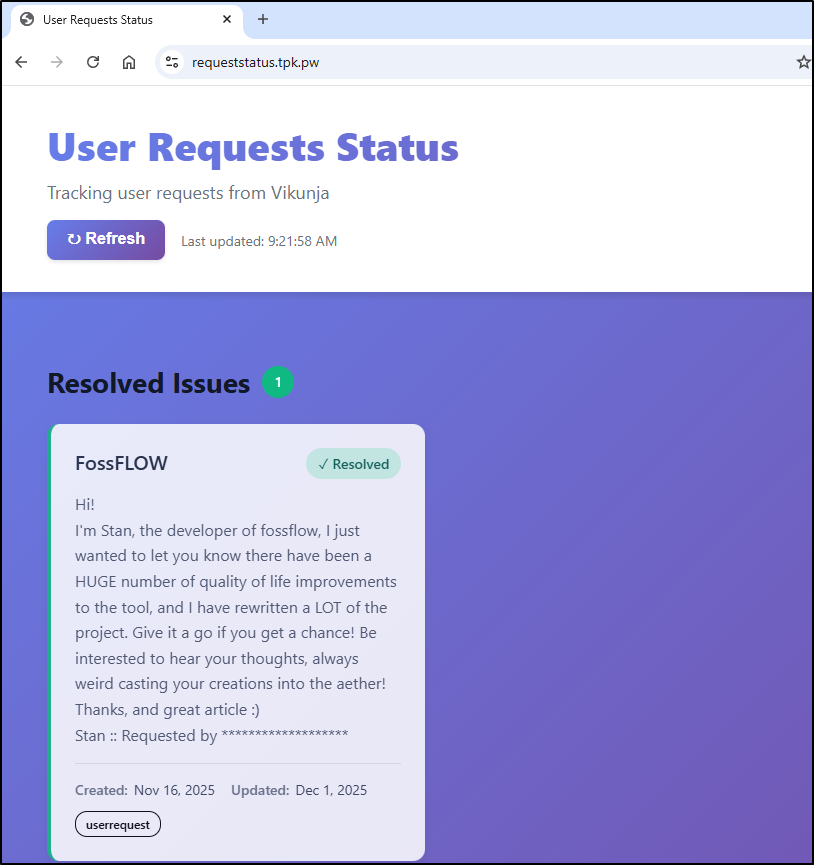
And we can see it’s live!
Usage and Costs
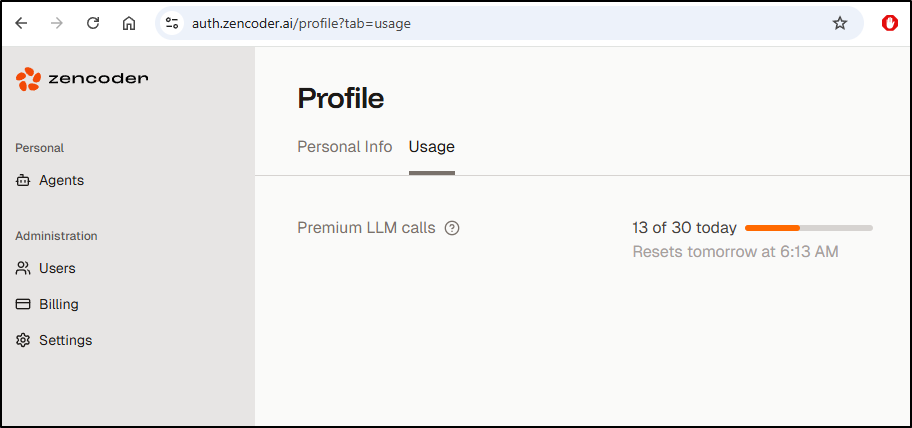
We can see that in the free plan, there is a limit of 30 “Premium LLM calls” a day
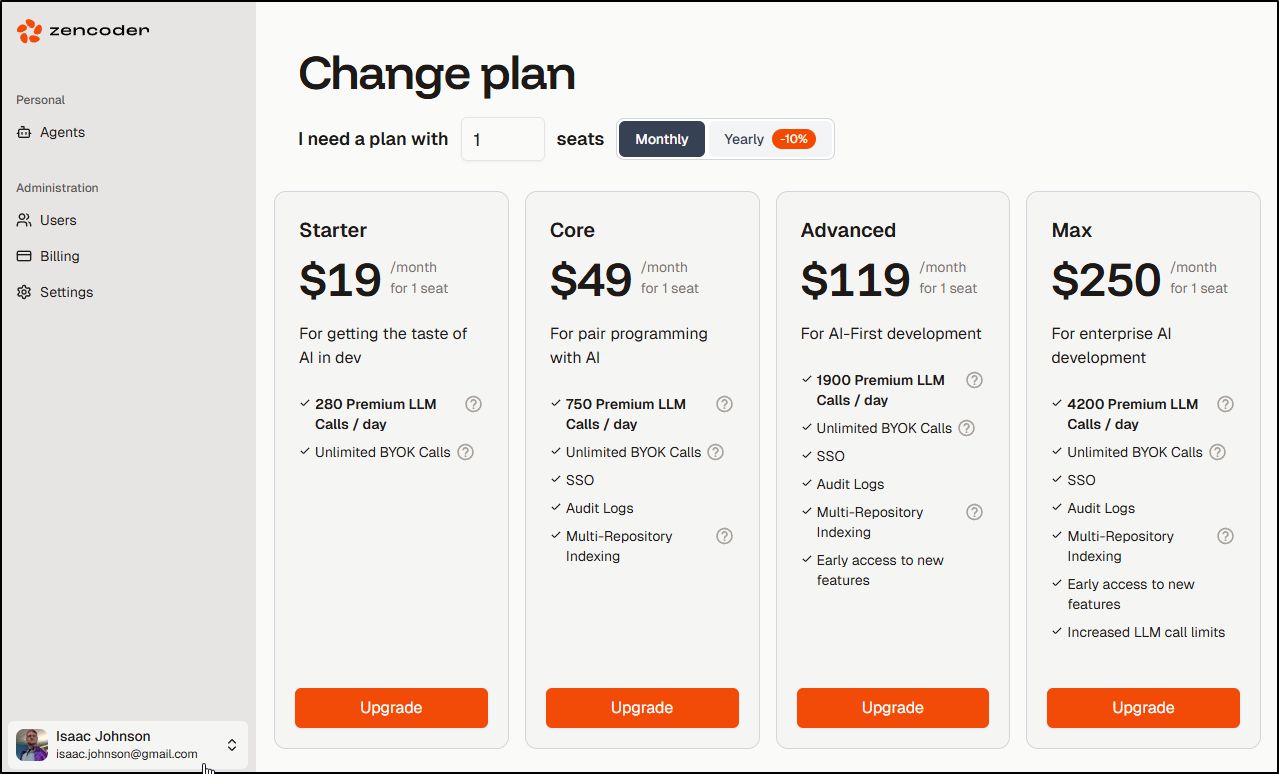
We can upgrade our plan to levels that range from $US19 to $250 a month
Company
Zencoder.ai was founded by Andrew Filev in 2024. It’s based in Campbell, CA and Crunchbase suggests 51-100 employees. It started as “Forgood.ai” and we see that noted in their CEO Bio after Andrew sold his prior company Wrike which was then sold to Cisco.
So a bit of something weird to me, at least.
The company address is “500 W Hamilton Ave, 112550, Campbell, CA 95008, USA.” which is just a post office in California in the outskirts of San Jose.
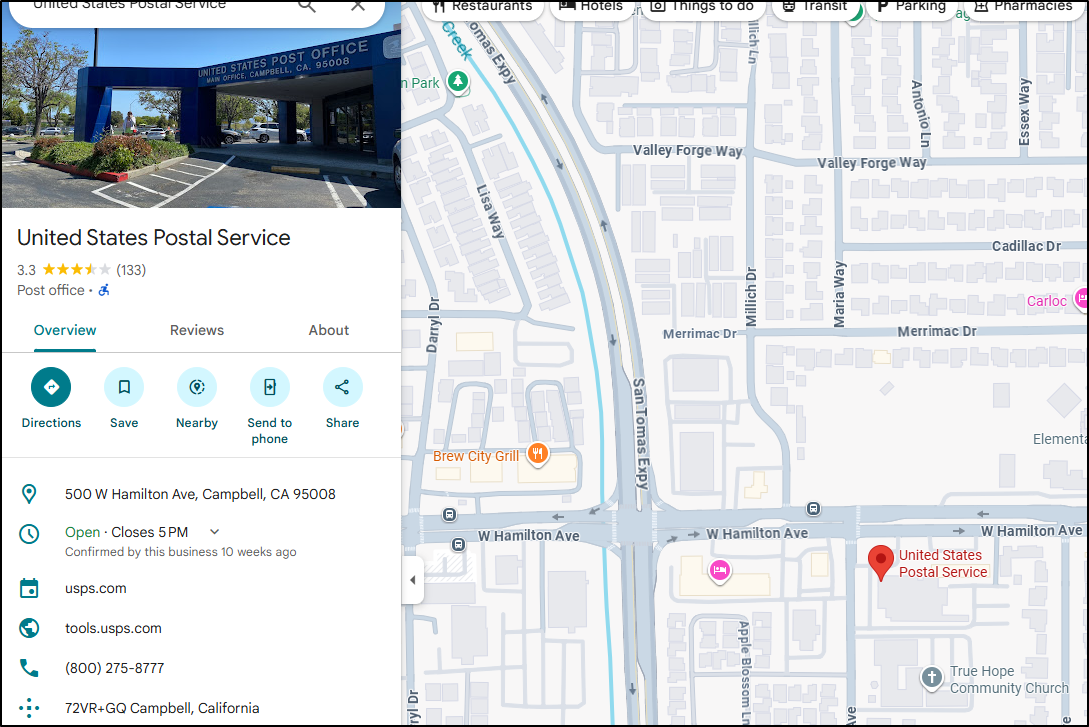
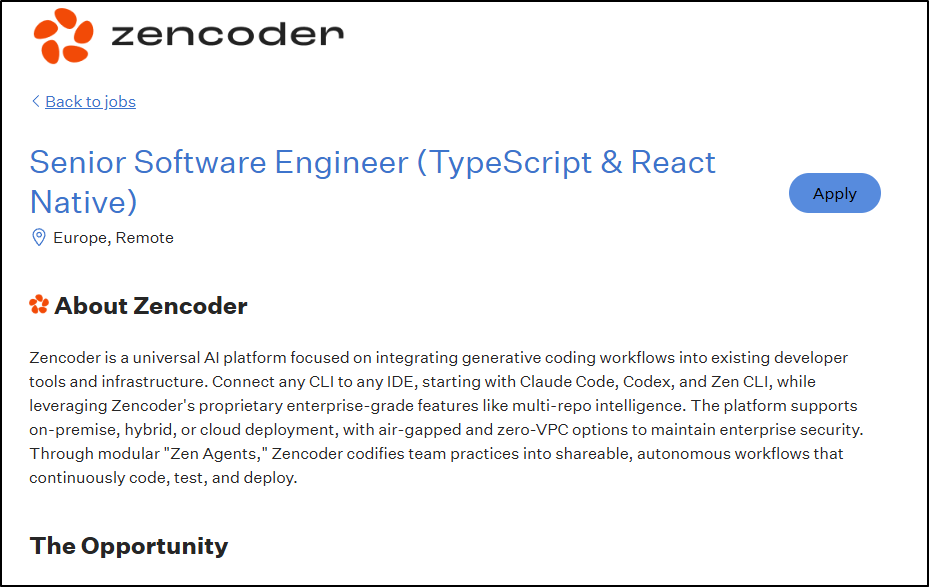
Best I can tell, there is no building or office (which is not bad, mind you, it’s just a remote first startup I take it) and all the active job posts are in “Europe, Remote”
Training on you
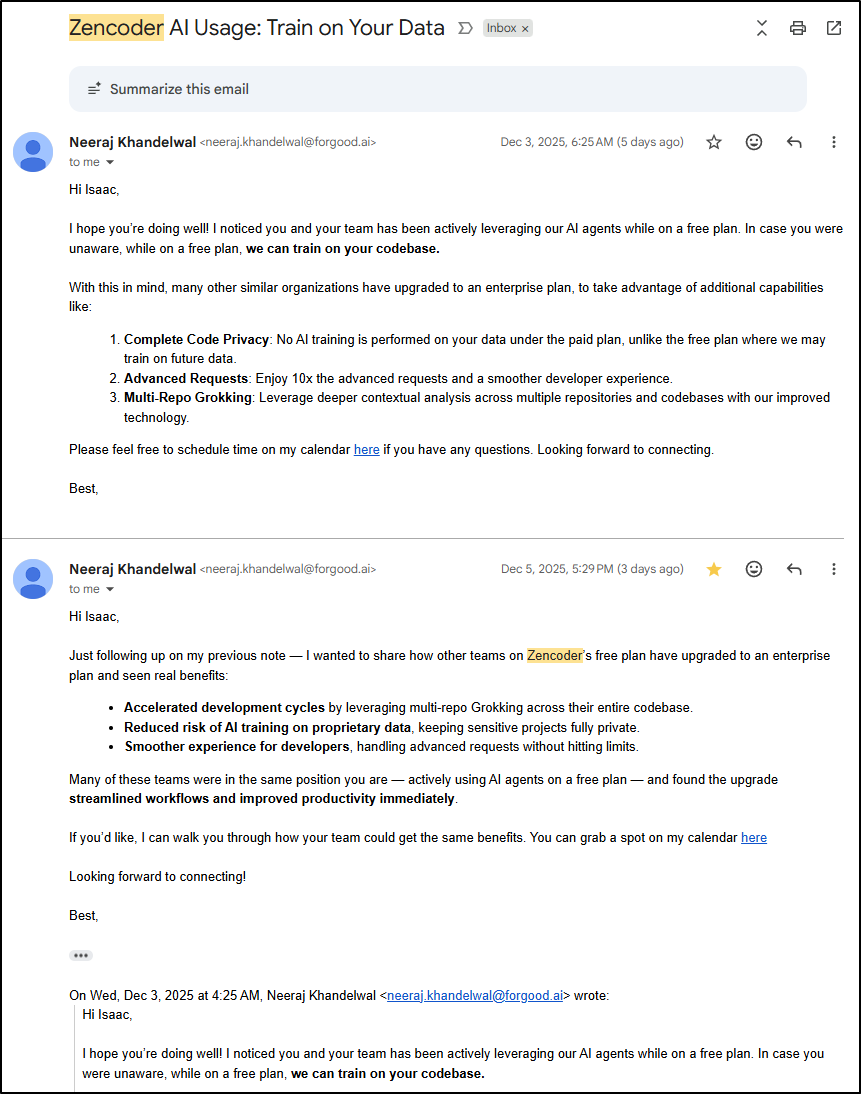
I generally assume most of these GenAI tools, especially those with a free tier, are using my data to train. I appreciated how Zencoder made that obvious.
I got the following emails after having used it a bit:
Summary
It’s incredibly hard to stand out today in a world full of Gen AI Coding Startups. One might argue that the best and fastest should win and in that regard, Zencoder is quite fast.
However, there are economies of scale that the behemoths like Microsoft and Google can wield. It makes one ask, where is ZenCoder hosted and why use them over Google Vertex, Azure AI Foundry or Amazon whatever to host my AI LLMs?
For now, I plan to keep using it along with Warp.dev but I’m not sold on switching to it entirely or cutting over to the paid plan just yet.